

Design tools you actually own.
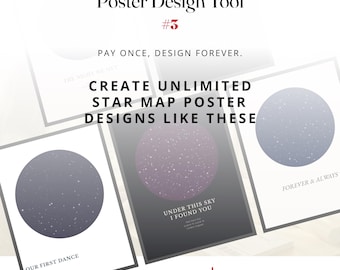
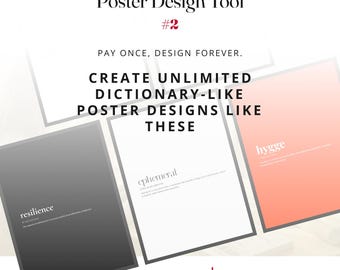
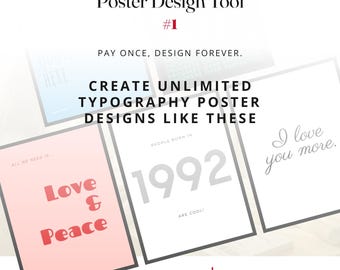
TypoKit is a small studio building beautifully simple, pay-once design tools for people who love poster design.
I make browser-based tools that you download and use forever — on your computer, on your terms, with no monthly fee dripping out of your account whether you used the tool that month or not.
━━━━━━━━━━━━━━━━━━━━━━━━━
WHY THIS SHOP EXISTS
━━━━━━━━━━━━━━━━━━━━━━━━━
The big design platforms quietly turned every creative tool into a subscription. Want to make a poster? Pay every month. Want to keep your work? Pay every month. Want to export at print quality? Pay extra, every month. For occasional designers, side-hustle Etsy sellers, small business owners, and anyone who just wants to make a beautiful print without becoming a Photoshop power-user, that math doesn't add up.
TypoKit's answer is small, focused tools that do one thing exceptionally well. You buy the tool once. You download it. It's yours. It opens in your web browser like any web page — Chrome, Edge, Firefox, Safari — and runs entirely on your own computer. No login. No cloud account. No internet connection required after the first load. Your designs stay on your machine. Your work belongs to you.
━━━━━━━━━━━━━━━━━━━━━━━━━
WHAT I BUILD
━━━━━━━━━━━━━━━━━━━━━━━━━
Every TypoKit tool is built around three principles:
✦ Beautiful by default. Curated typography, thoughtful defaults, editorial palettes. Whatever you make should look intentional from the first click.
✦ Three steps, not thirty. Pick a size. Design. Download. No five-hour tutorial, no buried menus, no surprise upgrades.
✦ Print-ready, not just screen-ready. Real print sizes (A4, A3, A2, US Letter, Tabloid, 18×24 in, 24×36 in), real DPI control, and exports in PNG, JPG, SVG (vector!) and PDF. What you design is what your printer receives.
━━━━━━━━━━━━━━━━━━━━━━━━━
WHO THESE TOOLS ARE FOR
━━━━━━━━━━━━━━━━━━━━━━━━━
✦ Etsy printable shops — produce your inventory without paying a platform tax on every design
✦ Small business owners — make your own signage, posters, social graphics, in-house
✦ Wedding and event planners — save-the-dates, table numbers, ceremony signs
✦ Teachers and educators — classroom posters, motivational quotes, study aids
✦ Bloggers and creators — Instagram posts, Stories, Pinterest pins, lead magnets
✦ Interior decorators and homeowners — custom wall art that matches your room exactly
✦ Designers who'd rather create than subscribe
✦ In on word: EVERYONE!
━━━━━━━━━━━━━━━━━━━━━━━━━
HOW IT WORKS
━━━━━━━━━━━━━━━━━━━━━━━━━
Buy the tool — a one-time payment, instant download.
Unzip the folder anywhere on your computer.
Double-click the included index.html file — it opens in your web browser.
Design as many posters as you want, forever.
No installation. No account. No subscription. No watermarks.
━━━━━━━━━━━━━━━━━━━━━━━━━
WHAT'S INSIDE EVERY TOOL
━━━━━━━━━━━━━━━━━━━━━━━━━
✦ Curated typography (60+ fonts in our flagship Poster Generator)
✦ Add any Google Font with one click
✦ Auto-save so you never lose a design
✦ Save and reload designs as reusable files
✦ Built-in documentation and a step-by-step quick-start guide
✦ Lifetime use on your own computers
━━━━━━━━━━━━━━━━━━━━━━━━━
MY PROMISE
━━━━━━━━━━━━━━━━━━━━━━━━━
✦ Pay once, use forever. No price increases, no surprise downgrades, no held-hostage features.
✦ Your designs are yours. Personal AND small-business commercial use of the designs you create.
✦ No data collection. Nothing you make leaves your computer.
✦ Real support. A real human reads every message — usually answers within 24 hours.
━━━━━━━━━━━━━━━━━━━━━━━━━
NEW RELEASES
━━━━━━━━━━━━━━━━━━━━━━━━━
Follow the shop to be the first to see new design tools as they're released. I am slowly building a kit — a toolkit — of small, focused tools for makers who'd rather own their tools than rent them.
Welcome to TypoKit. Glad you're here.
