

Sign Shop Job Costing Spreadsheet, Profit Margin Calculator (Digital Download)
Preço:31,03 €
Eis as situações elegíveis:
- A sua encomenda não corresponde à descrição ou às fotos do artigo
- O seu artigo chegou danificado
- O seu artigo chegou depois do período de chegada previsto
- O seu artigo não chegou ou perdeu-se no correio
Só pode fazer uma oferta quando compra um único artigo
Destaques
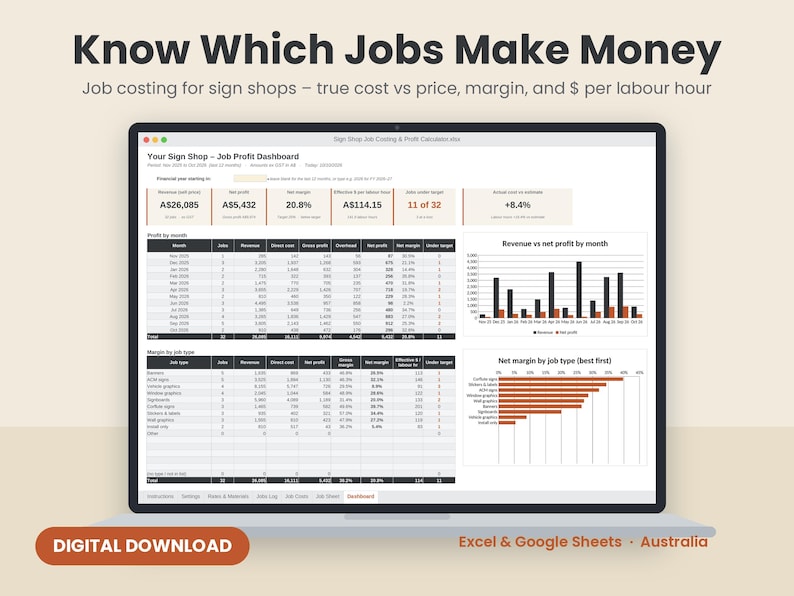
Find out which sign jobs actually make you money – and which ones quietly lose it.
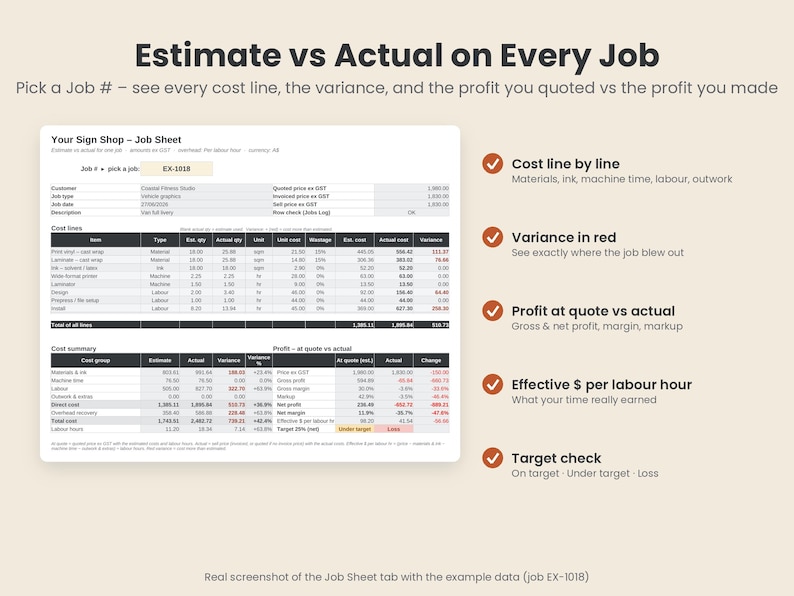
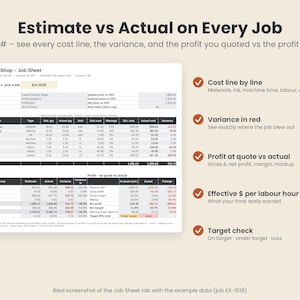
Log each job and its cost lines, and this spreadsheet works out the true cost (materials, ink, machine time, labour, outwork, freight and overhead), then shows your profit, margin, markup and what each labour hour really earned – estimate vs actual, job by job.
INSTANT DIGITAL DOWNLOAD. Nothing is posted to you.
WHAT'S INCLUDED
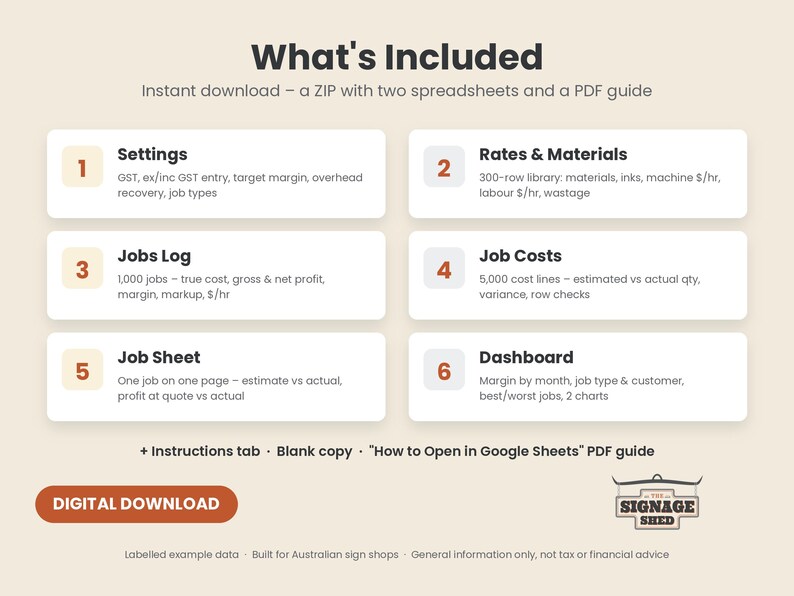
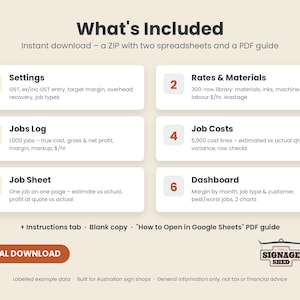
- Sign Shop Job Costing & Profit Calculator, an Excel file (.xlsx) with 7 tabs and clearly labelled example jobs
- A Blank copy of the same file with no example jobs, ready for your own
- How to Open in Google Sheets, a step-by-step PDF guide
- All three come together in one ZIP file
WHAT'S INSIDE THE SPREADSHEET
1. Instructions
- Quick start, how to clear the examples, which cells to type in, and how every formula works
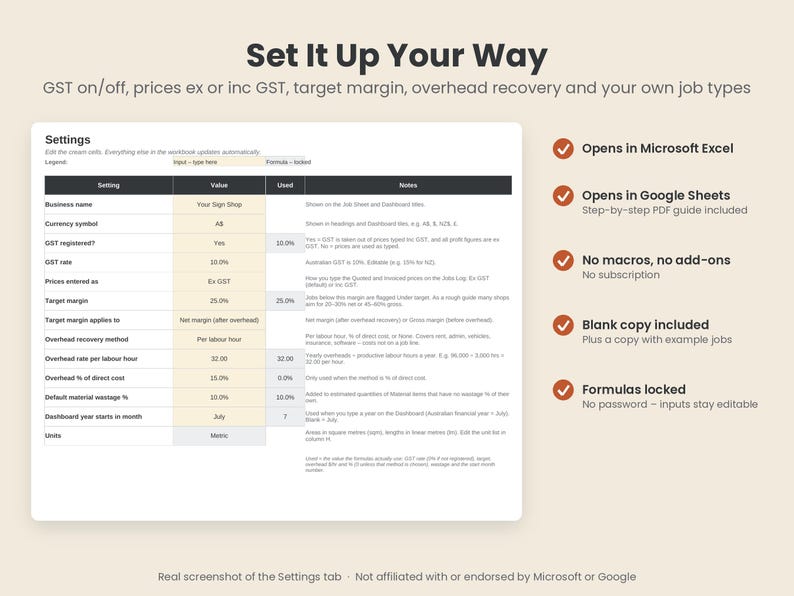
2. Settings
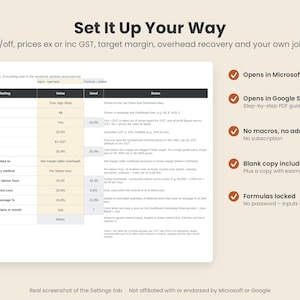
- GST registered? Yes or No (10% GST, editable)
- Type your prices Ex GST or Inc GST – profit figures are always ex GST
- Your target margin, applied to net margin (after overhead) or gross margin – your choice
- Overhead recovery: per labour hour, % of direct cost, or none
- Default material wastage %, financial year start month and currency symbol
- Your own job types (up to 15) and units
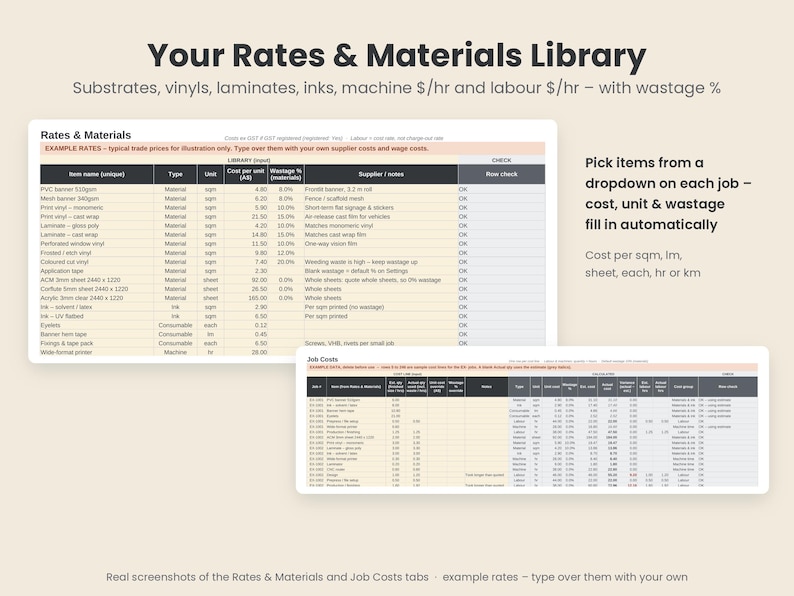
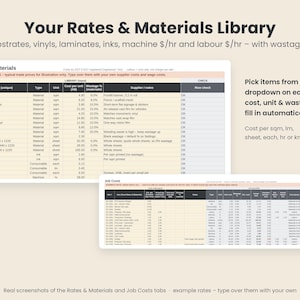
3. Rates & Materials (300 items)
- Substrates, vinyls, laminates, inks, consumables, machine $/hr, labour $/hr by role, outwork, freight and extras
- Cost per sqm, lm, sheet, each, hour, km or day, with a wastage % per material
- Comes with 32 example items at typical trade prices so you can see how it works – type over them with your own
4. Jobs Log (1,000 jobs)
- Job #, date, customer, job type, description, quoted price and invoiced price
- Works out sell price ex GST, estimated and actual direct cost, overhead, total cost, gross profit, gross margin, markup, net profit and net margin
- Estimated net margin at quote vs actual, so you see which jobs slipped
- Effective $ per labour hour, and actual labour hours vs the estimate
- Target check: On target, Under target, Loss or No costs, colour-coded
5. Job Costs (5,000 cost lines)
- Pick the Job # and the item from dropdowns, type the estimated quantity and (after the job) the actual quantity used
- Unit, cost and wastage fill in from your library; override the unit cost for an outwork or freight invoice
- Estimated cost, actual cost and variance on every line
6. Job Sheet
- Pick any Job # to see one job on one page: up to 25 cost lines, estimate vs actual by cost group, and profit at quote vs actual
- Print-ready
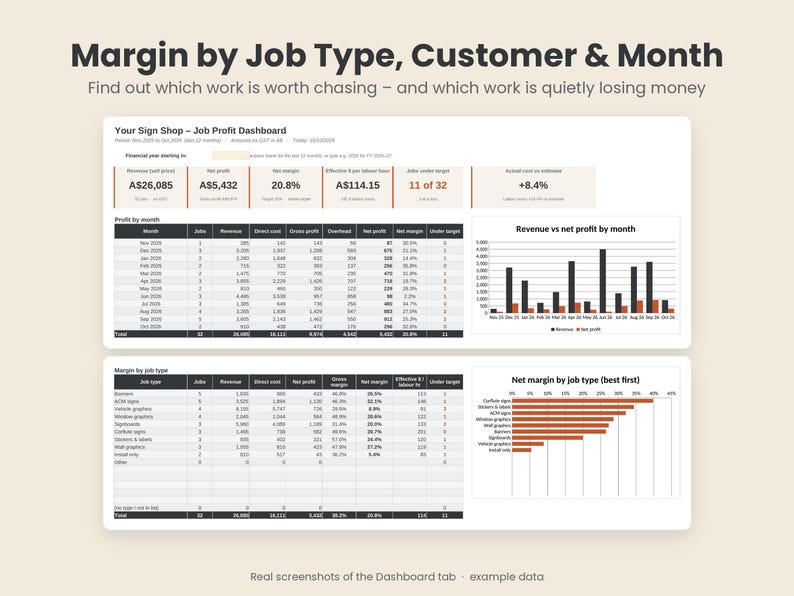
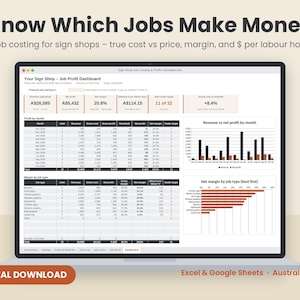
7. Dashboard
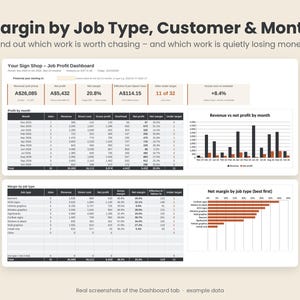
- Summary tiles: revenue, net profit, net margin, effective $ per labour hour, jobs under target, and actual cost vs estimate
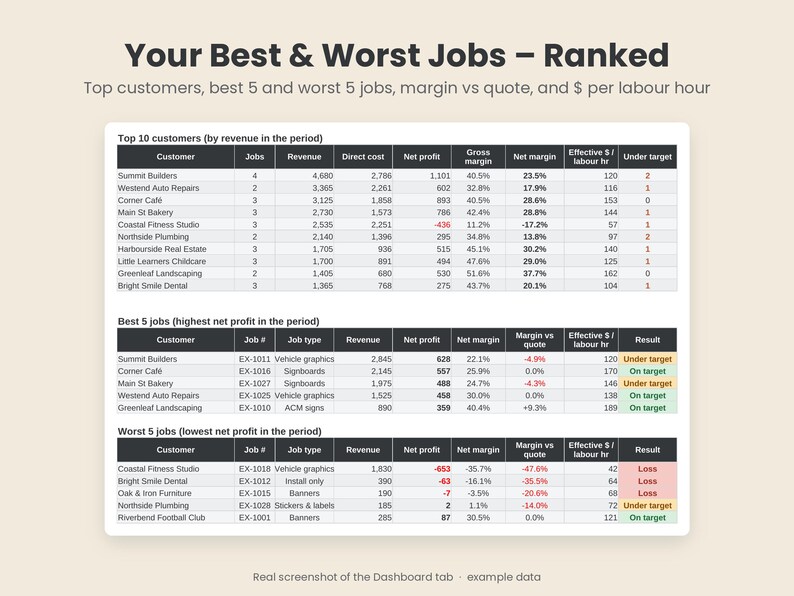
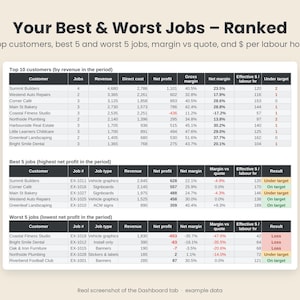
- Profit by month, margin by job type, and your top 10 customers
- Your best 5 and worst 5 jobs
- 2 charts: revenue vs net profit by month, and net margin by job type
- Shows the last 12 months automatically, or type a year to see a financial year (July start by default)
BUILT-IN CHECKS
Every job row and cost line has a Row check column that tells you when something won't add up, for example:
- a date pasted in as text, or a job with no date or no price
- a duplicate Job #
- a cost line whose Job # or item isn't found
- text typed in a number cell, a negative quantity, or an item with no unit cost
- a job with no cost lines yet
The Dashboard shows a warning line with how many rows need fixing, so nothing quietly drops out of your totals.
HOW IT WORKS
1. Download and unzip the file.
2. Open it in Excel, or upload it to Google Sheets using the PDF guide.
3. On Settings, set your GST status, Ex or Inc GST, target margin and overhead recovery.
4. On Rates & Materials, type in your own supplier costs, machine rates and labour cost rates.
5. Clear the example jobs (the Instructions show you which cells), or start from the Blank copy.
6. Add each job to the Jobs Log, and its cost lines to Job Costs – estimates from your quote, then actuals when the job's done.
7. Check the Job Sheet and Dashboard to see where the money went.
The example job dates are based on today's date, so the Dashboard always looks live when you open it. Just type your own dates over them.
WHO IT'S FOR
- Sign shops, signwriters and vehicle wrappers
- Wide-format print, banner and sticker shops
- Anyone who quotes a job, does the job, and never quite knows if it made money
Set up for Australian GST and metric units, and works whether you're GST registered or not.
WHAT IT DOESN'T DO
So you know what you're getting:
- It costs jobs after (or during) the job. It doesn't create quotes or invoices, and it isn't a pricing calculator.
- It doesn't connect to accounting software or your RIP. Everything is typed in.
- The Job Sheet shows up to 25 cost lines per job (the totals always include every line).
- It isn't a BAS, tax or payroll tool.
FILE FORMATS AND COMPATIBILITY
- Two .xlsx files and one PDF guide, delivered as a ZIP
- Works in Microsoft Excel on Windows or Mac, or free in Google Sheets by uploading the file (the PDF walks you through it)
- No macros, no add-ins, no subscription
- Formula cells are protected without a password, so you won't overwrite them by accident, and you can unprotect them if you want to customise anything
- Use the filter arrows to filter the logs. Sorting is switched off so each formula stays with its own row.
- A computer is easiest. The file is about 2 MB, so it can take a few seconds to open.
FAQ
Does it handle GST?
Yes. Set GST registered? to Yes or No and choose whether you type prices Ex GST or Inc GST. All profit and margin figures are worked out ex GST. It isn't a BAS or tax return tool.
What's the difference between this and a pricing calculator?
A pricing calculator works out what to charge before the job. This works out what the job really cost and what you really made, after (or during) the job, and compares it with your estimate. They work well together.
Should I use my charge-out rate for labour?
No – use what an hour of that person costs you (wage plus super and on-costs). Your charge-out rate is in the price. The Instructions explain this.
Can I use it in Google Sheets?
Yes. Upload the .xlsx to Google Drive, open it with Google Sheets and save it as a Google Sheet. The PDF guide covers every step. The important first step is File > Settings: set the locale to Australia so dates read day/month/year, and check the time zone so "today" is right. The charts and protection may look a little different in Google Sheets, but the numbers are the same.
Will it work on a Mac?
Yes, in Excel for Mac or in Google Sheets in your browser. We haven't tested Apple Numbers, so we recommend Excel or Google Sheets.
Can I get a refund?
Because this is an instant digital download, we can't accept returns or exchanges. If something isn't working or you get stuck, send us a message and we'll help you sort it out.
PLEASE NOTE
- This is a digital download. Nothing is posted to you.
- The example rates and jobs are illustrations only, not market prices or pricing advice. Use your own supplier prices and wage costs.
- This is general information only, not tax or financial advice. Check GST requirements with a registered tax agent or the ATO.
- Not affiliated with or endorsed by Microsoft or Google.
Thanks for supporting a small Aussie shop.
The Signage Shed
Transferência imediata
Os seus ficheiros estarão disponíveis para transferência assim que o pagamento for confirmado. Saiba como aqui.
Os artigos de transferência instantânea não são elegíveis para devoluções, trocas ou cancelamentos. Contacte o vendedor acerca de qualquer problema que tenha com a sua encomenda.
Proteção de compras da Etsy
Compre com confiança na Etsy sabendo que, se alguma coisa correr mal com uma encomenda, pode contar com a nossa ajuda em todas as compras elegíveis —
veja os termos do programa


Mais desta loja
Visitar loja-
Transferência digital
Calculadora de Preços para Lojas de Sinalização em Excel, Modelo de Orçamento, Guia de Preços (Download Digital)
Preço de promoção 31,19 €
Preço original 38,98 €
-

Transferência digital
Planilha para cálculo de orçamento de envelopamento de veículos, disponível em Excel e Google Sheets (Download digital)
31,03 €
-
Transferência digital
Sign Shop Bundle: Pricing Calculator + 16 Australian Templates (Digital Download)
59,67 €
-
Transferência digital
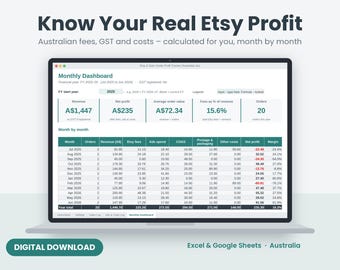
Etsy Profit Tracker Australia, Fee Calculator, Excel & Google Sheets
7,16 €
Deixe a primeira avaliação
Compradores com gostos semelhantes adoraram estes artigos
-

Transferência digital
PACOTE de planejador de negócios para impressão, planejador de pequenas empresas, Side Hustle, rastreadores de negócios, mídia social, finanças, conteúdo, pedido, loja Etsy
Preço de promoção 6,86 €
Preço original 11,42 €
-
Transferência digital
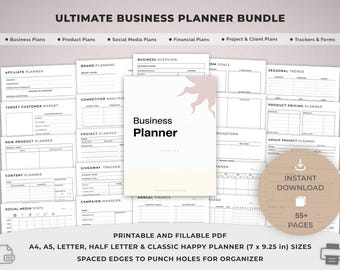
Pacote de Planejamento de Negócios Imprimível, Modelos para Pequenas Empresas, Produtos e Mídias Sociais, Finanças, Clientes, Projetos, Afiliados e Rastreamento.
Preço de promoção 3,09 €
Preço original 6,85 €
-
Transferência digital
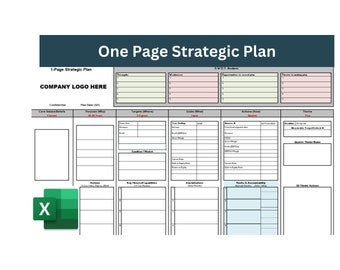
Plano estratégico de uma página, Plano estratégico, Plano de negócios, Plano de negócios de uma página, Modelo de estratégia de negócios, modelo de plano estratégico
5,46 €
-

Transferência digital
Planejador de Pequenos Negócios para Imprimir | Planejador de Negócios em PDF | Planejador para Empreendedores | Pasta de Negócios | Pacote de Negócios | Planejador para Negócios em Casa
32,04 €
-

Transferência digital
Planejador de negócios digitais, Planejador de pequenas empresas, Planejador de conteúdo, Planejador de mídia social, Modelo de negócios, Planejador de atividades paralelas, Goodnotes
Preço de promoção 1,14 €
Preço original 4,53 €
-

Transferência digital
Ultimate Business Planner Bundle | Small Business Planner, Canva Templates & Resell Rights, Passive Income, Printable Planner, Business Plan
Preço de promoção 4,77 €
Preço original 11,93 €
-
Transferência digital
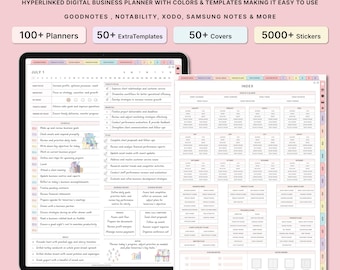
Planejador de negócios digital, modelo de negócios, planejador para pequenas empresas, planejador de conteúdo, planejador de mídias sociais, planejador de atividades paralelas, Goodnotes
Preço de promoção 1,14 €
Preço original 4,53 €
-

Transferência digital
Caderno de Planejamento de Metas para Pequenas Empresas: Modelos do Canva + Guia em PDF
11,93 €
-
Transferência digital
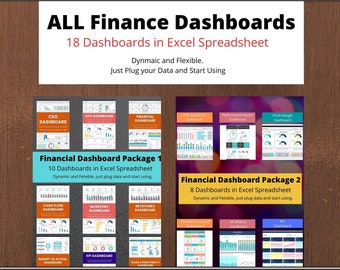
Pacote de Painel Financeiro em Excel | KPIs, CEO, CFO (Download Imediato)
80,83 €
-

Transferência digital
100 Modelos de Mídia Social para Consultor Financeiro no Canva Instagram Coach para Negócios e Finanças Plano de Postagem Pacote de Mídia Social
9,51 €
-

Transferência digital
Modelo de apresentação para consultoria estratégica, PPT editável, Canva, 75 slides
18,45 €
-

Transferência digital
Painel Financeiro: Balanço Patrimonial, Demonstração de Resultados e Fluxo de Caixa para Pequenas Empresas
22,88 €


