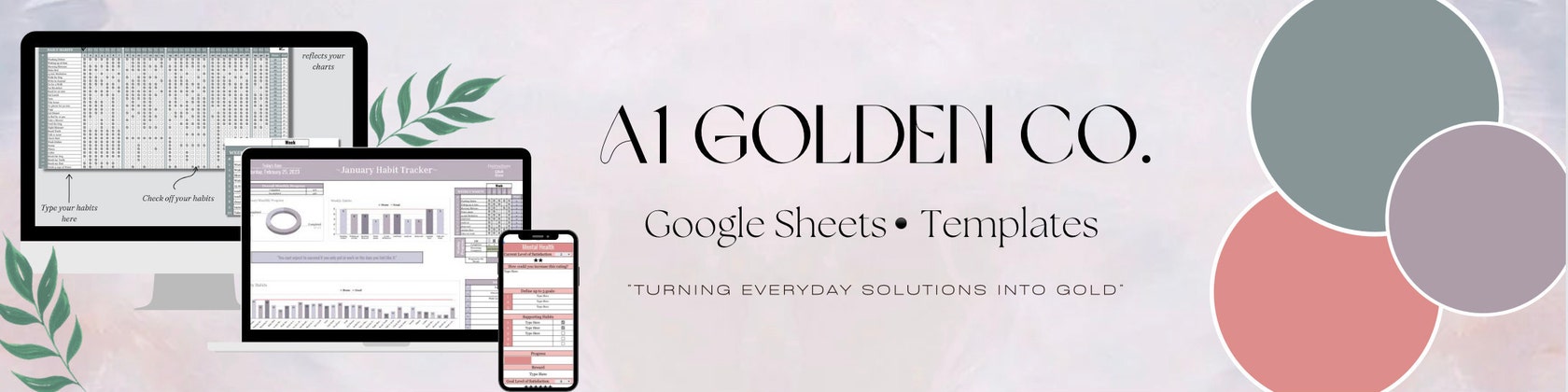

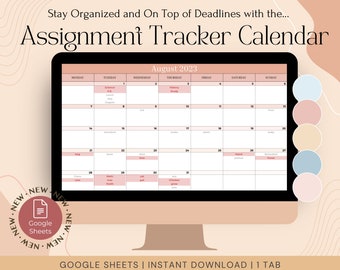

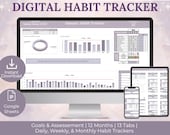

Achieve Your Goals by Transforming Disorganization into Clarity with A1 Golden Co.
Featured items
All items
Announcement
Last updated on 01 May, 2023
Reviews
3.0
(4)
Average item review
We calculate this number using a recency-weighted average of all ratings, with a rating's value decreasing by half each year to best reflect the current experience.
Loading
-

-
Rosemary on 23 Jan, 2024
5 out of 5 starsTook about 2 hours for me to set it up correctly. I'm a total noob to Google sheets so there was a bit of a learning curve but I think most people could figure it out. I googled a couple questions and when I reached out for help from the seller they responded within a few hours and were eager to help me out, although I had figured it out by then. I've never felt so organized!
-
Patsy on 03 Apr, 2023
5 out of 5 starsI spend a great deal of time on this habit tracker and I found it very easy to use. Awesome instruction included. It's designed to be user-friendly and intuitive, so I can start tracking my habits right away. And since it's a spreadsheet, I can easily customize it to fit my unique needs and preferences. It help me to analyze my data. It includes graphs and charts that show my progress over time, so I could identify patterns and trends in my habits and adjust my goals accordingly. This can be incredibly helpful in improving my productivity, mental health, and overall well-being. Overall, I would highly recommend the Digital Habit Tracker Spreadsheet to anyone looking to improve their habits, boost their productivity, or track their mental health. It's an incredibly powerful tool that can help you achieve your goals.
-

Today on 27 Sept, 2020
5 out of 5 starsBeautiful colors! I feel the black girl magic in this picture. Will order more from this seller. Great job!
About HelloTomorrowCo
Sales
34
On Etsy since 2020
Shop policies
Last updated on
Accepted payment methods
Accepts Etsy Gift Cards and Etsy Credits
Returns & exchanges
See item details for return and exchange eligibility.
More information
Last updated on
17 Dec, 2025
Frequently asked questions
1. What will I receive when I purchase your spreadsheets?
Upon purchase, you will receive a PDF document that includes the link to access the spreadsheet and the spreadsheet itself.
2. How do I access the file?
After check-out you can find your digital file in two ways:
The first way is for Etsy to send you a link via email to the address you provided during checkout. If you haven't received the link, it's possible that the email address on your order details is incorrect or outdated.
The second way is as follows:
1. If you have an Etsy account, you can access your files by going to the Downloads page through the "View your files" link in your purchase history.
2. If you made a guest purchase, you can find the download link in the receipt email sent to you after the purchase.
3. To find your digital files, go to Your Account > Purchases and locate the relevant order.
3. How do I access the spreadsheets?
After downloading your digital files, you will receive a PDF containing embedded links to access your files.
Click on the link and it will take you to the spreadsheet. From there, make sure to follow the instructions on how to make a copy of the spreadsheet.
4. Are these files compatible with Excel or do I need a Google account?
No, unfortunately they will not work in Excel, so you will need a Google account which is free to use these spreadsheets. I use special Google Sheets features that are not compatible with Excel, so if you try to use the templates there, or on any app other that Google Sheets, the template will not behave as expected.
5. Can I exchange or return my order?
Unfortunately, due to the immediate access of our digital products, all sales are final and nonrefundable if the status of the product is 'Downloaded'.
But please contact me if you have any problems with your order.
6. Why is the spreadsheet only in view mode?
1. Click on “file”
2. Click on “Make a copy”
3. Rename the spreadsheet to your liking
At this step a copy is created and you should have full access
7. Why does the spreadsheet look different on my mobile device compared to when I access it on my desktop or tablet?
The computer and tablet versions are optimized for the web. Therefore, in order for the mobile version to work, you must download and use the Google Sheets app.
8. Can I use these spreadsheets on my tablet?
Yes you can. The tablet can be optimized on both the web and app version.
9. Can I customize the spreadsheets?
In order to prevent any manual errors, we have protected all the cells that contain formulas.
Since all the formulas and graphs are linked, we do not advise you to perform any additional customizations.
Although we didn't set a password, so you're free to do it, if you want to add more personalization, you can do so at your own risk by just unlocking the sheets.
10. I’m still having issues accessing my spreadsheet what can i do?
If issues still persist try following these troubleshooting steps:
- Double check that you’re logged in Google Sheets
- Try to open the spreadsheet from a PC/Laptop/Desktop
- Double check that you have enough free space on your Google Drive account
- Try from a different browser
If the issue still persist, please contact me, so I can help you as soon as possible