



TFSA Contribution Room Tracker Spreadsheet — RRSP + FHSA Ledger, Canadian Penalty Watch | 2026 Excel
NuPrijs:€ 16,89
Oorspronkelijke prijs: € 33,77
50% korting
De volgende situaties komen in aanmerking:
- Je bestelling komt niet overeen met de beschrijving of de foto's van het item
- Je item is beschadigd aangekomen.
- Je item is aangekomen na het tijdvak voor verwachte levering
- Je item is niet aangekomen of zoekgeraakt in de post.
Je kunt alleen een bod doen als je een enkel item koopt
Hoogtepunten
The TFSA Contribution Room Tracker is an Excel workbook. It keeps one ledger for TFSA, RRSP, and FHSA.
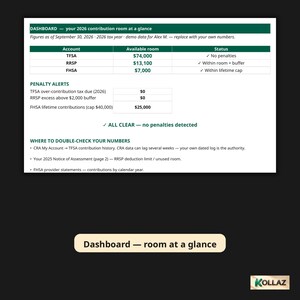
Every 2026 limit is pre-loaded and verified. TFSA limits back to 2009. The RRSP max of $33,810. The FHSA $8,000 yearly and $40,000 lifetime caps.
Log contributions with dates. Formulas compute your room. The Penalty Watch tab flags over-contributions monthly.
This is for a Canadian investor who needs to track TFSA, RRSP, and FHSA contribution room across years. Avoid CRA over-contribution penalties.
Canada's registered accounts are generous. They are also unforgiving.
Over-contribute to your TFSA and the CRA charges 1% per month on the excess. Re-contribute a withdrawal in the same year and it counts as a brand-new contribution.
Most of us keep this "room" in our heads, in a notes app, or not at all. That is how penalty letters happen.
This 2026-edition workbook gives you one honest ledger for all three accounts: TFSA, RRSP, and FHSA.
Every 2026 limit is pre-loaded and verified. TFSA limits back to 2009. RRSP max $33,810. FHSA $8,000 per year with the $40,000 lifetime cap.
You log your contributions with dates. The formulas do the math. The Penalty Watch tab flags over-contributions month by month, before they become CRA letters.
**What you get**
- 1 Excel workbook (.xlsx), 6 tabs, no macros. Works in Excel and Google Sheets.
- 1 branded 2-page PDF setup guide. Includes the 5-step setup, "the three rules that cost people money," and where to find your numbers on CRA My Account and your NOA.
- Pre-filled demo data (fictional "Alex M."). See exactly how it works. Clear it and enter your own numbers.
**What's inside (the 6 tabs)**
1. **Cover**. How to use, what to have in front of you, disclaimer, and the verification sources for every figure.
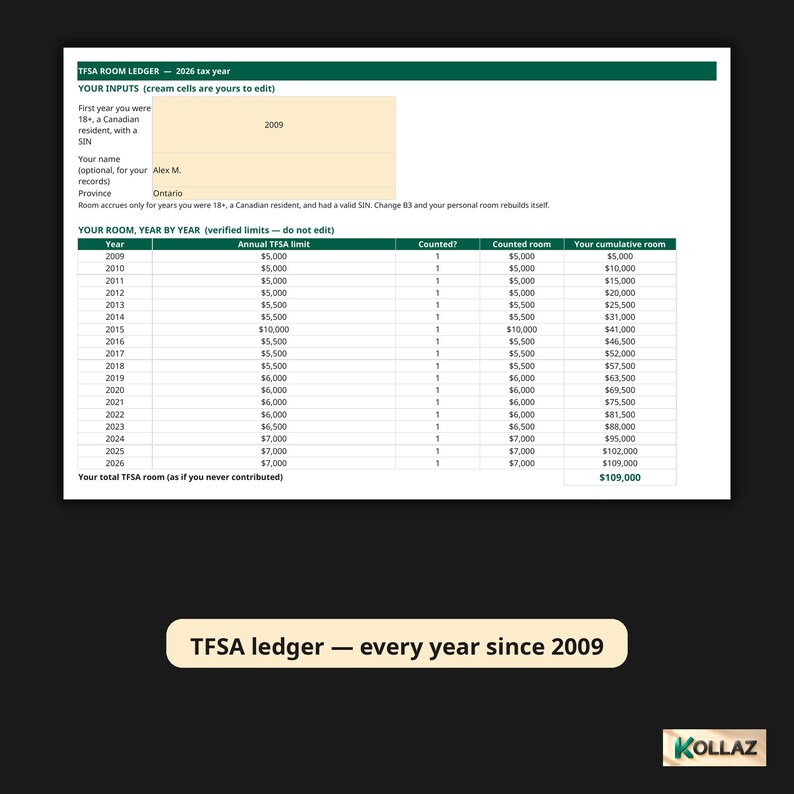
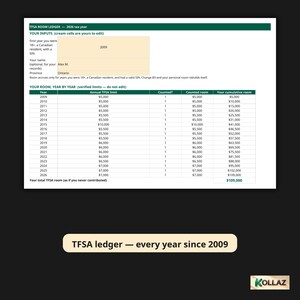
2. **TFSA Room Ledger**. Set your first eligible year. Every year's limit (2009-2026) feeds a running total. Dated contribution and withdrawal logs turn into one number: your available room today.
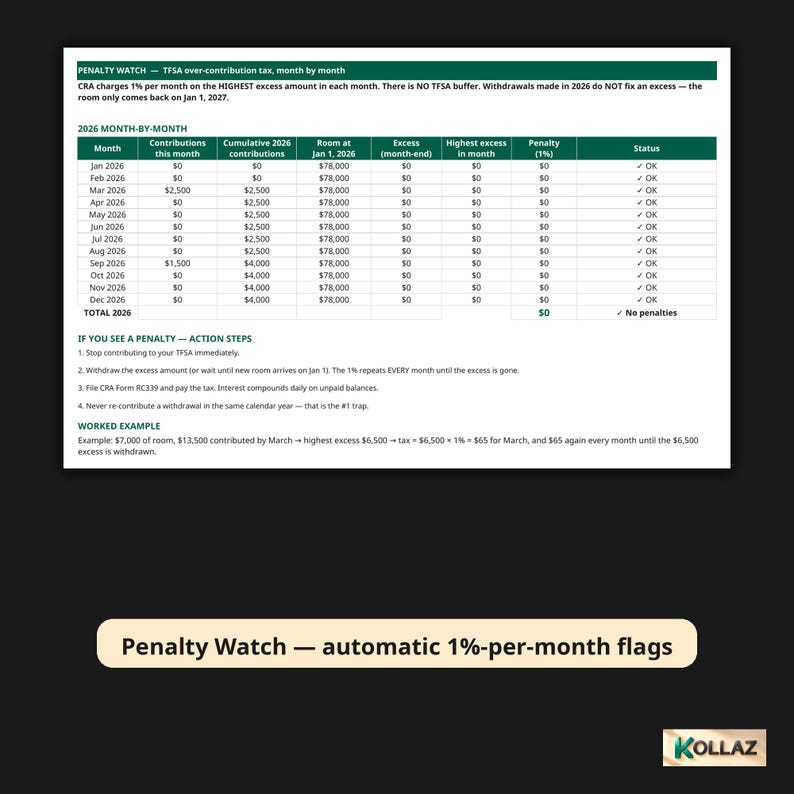
3. **Penalty Watch**. Month-by-month 2026 table. Contributions per month, room at Jan 1, excess, and the 1% per month penalty. Includes automatic warning flags, conditional formatting, action steps, and a worked example. It uses month-end excess as the basis. The sheet itself tells you to check any mid-month peaks manually, the way the CRA actually taxes it.
4. **RRSP Room**. 18% rule vs. the $33,810 cap, minus your pension adjustment, plus unused carryforward. Contributions are auto-flagged when they fall in the first-60-days window. The $2,000 lifetime buffer is tracked with its own excess and penalty status.
5. **FHSA Tracker**. Yearly $8,000 room with the automatic $8,000 carry-forward cap. Lifetime contributions against the $40,000 cap. Room counted only from the year you opened the account.
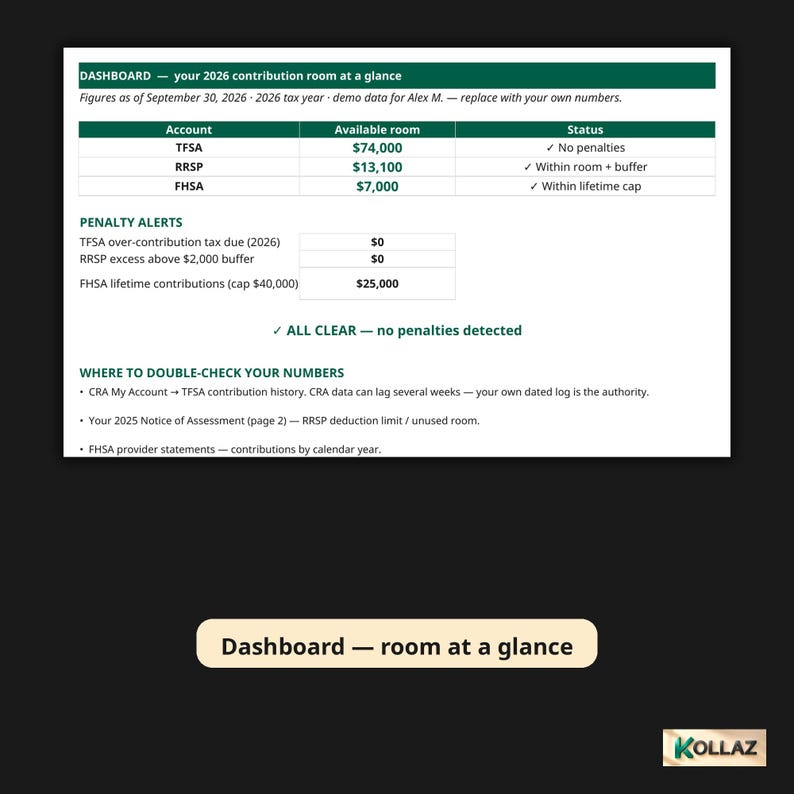
6. **Dashboard**. All three accounts' available room at a glance. Penalty alerts. One ALL CLEAR or ACTION NEEDED status. A bar chart of room by account.
**Who it is for**
Canadians contributing to a TFSA, RRSP, or FHSA who want one trustworthy ledger.
Especially newcomers stacking up room. First-home savers juggling the FHSA caps. Anyone who has ever been unsure whether a contribution is safe this month.
**What is NOT included (honest scope)**
This is a tracking tool, not tax advice. The workbook itself says so on the Cover tab, and the guide says it too.
It tracks room and flags potential penalties. It does not calculate your actual tax bill. It does not file anything with the CRA. It does not replace checking your own CRA My Account history (which can lag weeks behind). Your own dated log is the authority, and the sheet tells you that.
Room depends on your age, residency, and SIN status. Verify the eligibility inputs against your own records.
Try the live view-only demo:
https://docs.google.com/spreadsheets/d/15k5H_2ybEukJhq6S6RlowcU0Seu7i61oBvQnru7dg9U/view
Works in Excel and Google Sheets. Compatibility verified 2026-10-01: live Google Sheets import test and real Excel review both passed. No macros, no VBA. Just formulas, so it opens cleanly everywhere.
How much TFSA room do I have left in 2026?
Set your first eligible year. Every year's limit (2009-2026) feeds a running total. Dated contribution and withdrawal logs turn into one number: your available room today. See it on the Dashboard at a glance, with an ALL CLEAR or ACTION NEEDED status.
What happens if I over-contribute to my TFSA?
The CRA charges 1% per month on the excess. The Penalty Watch tab is a month-by-month 2026 table. Contributions per month, room at January 1, excess, and the 1% per month penalty. Automatic warning flags and action steps, before they become CRA letters.
Can I re-contribute a TFSA withdrawal this year?
No. Re-contributing a withdrawal in the same year counts as a brand-new contribution. The ledger tracks withdrawals by date so you can see exactly when that room comes back.
Can this replace checking CRA My Account?
No. CRA My Account can lag weeks behind. Your own dated log is the authority, and the sheet tells you that. Verify your eligibility inputs against your own records.
Is this tax advice?
No. It is a tracking tool. It tracks room and flags potential penalties. It does not calculate your tax bill, file anything with the CRA, or replace your own records. Room depends on your age, residency, and SIN status.
How much time does it take?
Five-step setup, then log contributions with dates as you make them. The formulas do the math.
Format: Excel .xlsx workbook, 6 tabs. Cover, TFSA Room Ledger, Penalty Watch, RRSP Room, FHSA Tracker, Dashboard. No macros.
Limits pre-loaded: TFSA yearly limits 2009-2026. RRSP max $33,810 (18% rule, pension adjustment, carryforward, $2,000 lifetime buffer). FHSA $8,000 per year with $40,000 lifetime cap and $8,000 carry-forward cap.
Works in: Microsoft Excel and Google Sheets. Compatibility verified 2026-10-01 (live Google Sheets import test and real Excel review, both passed). No macros, no VBA.
You get: workbook (.xlsx) + branded 2-page PDF setup guide (5-step setup, the three rules that cost people money, where to find your numbers on CRA My Account and your NOA) + pre-filled demo data (fictional "Alex M.").
Directe download
Je bestanden worden beschikbaar voor download zodra je betaling bevestigd is. Hier vertellen we je hoe dat moet.
Directe downloads kunnen niet geretourneerd, geruild of geannuleerd worden. Neem contact met de verkoper op als er problemen met jouw bestelling zijn.
Etsy's Aankoopbescherming
Shop met vertrouwen op Etsy wetende dat als er iets misgaat met een bestelling, dan helpen we je.
Lees hier de voorwaarden.

Meer uit deze shop
Shop bezoeken-

Digitale download
Emergency Fund Calculator Excel | How Many Months Could You Survive? | Savings Runway Planner, Budget Spreadsheet
Aanbiedingsprijs € 9,00
Oorspronkelijke prijs € 18,00
-

Digitale download
Debt Payoff Spreadsheet | Snowball, Avalanche, Windfall Simulator | Excel + Google Sheets
Aanbiedingsprijs € 22,52
Oorspronkelijke prijs € 45,04
-

Digitale download
Impulse Buying Tracker Spreadsheet — 24-Hour No-Spend Cooldown Wishlist Log, Spending Habit Planner, Excel Download
Aanbiedingsprijs € 6,75
Oorspronkelijke prijs € 13,50
-
Digitale download
Quarterly Tax Calculator 2026 for Self-Employed | Estimated Tax Set-Aside Spreadsheet, Freelancer IRS Due Dates & Safe Harbor Planner
Aanbiedingsprijs € 10,13
Oorspronkelijke prijs € 20,26
Laat als eerste een recensie achter
-

Digitale download
Spreadsheetsjabloon voor beurstracker, met bewezen toepassingsstrategieën van Google Spreadsheets
€ 33,86
-
Digitale download
Trackerblad startfinancieringsrondes | Excel- en Google Spreadsheets-sjabloon | Financieringsvoortgangstracker | Startup-investeringstracker |
Aanbiedingsprijs € 6,31
Oorspronkelijke prijs € 12,62
-

Digitale download
DCA-beleggingspreadsheet | Google Spreadsheets en Excel-sjabloon | Automatische groei en ROI
€ 7,77
-

Digitale download
Hypotheek Terugbetaling Calculator VS Investment Returns Spreadsheet
€ 12,06
-
Digitale download
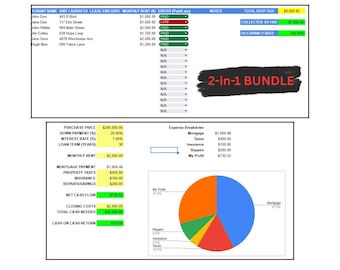
Bundel voor vastgoedbeleggers | Rekenmachine voor verhuur van onroerend goed en spreadsheet voor verhuur van verhuurder | Google Spreadsheets-dealanalyse en huurdertracker
€ 39,54
-
Digitale download
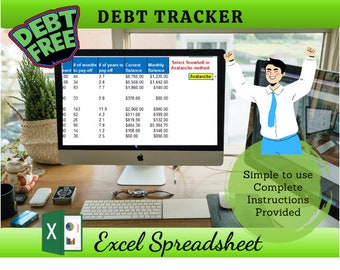
schuldtracker, sneeuwbal, lawine, schuld spreadsheet
€ 34,99
-

Digitale download
Eenvoudige Excel-spreadsheet met activadistributie voor begunstigden
€ 16,94
-
Digitale download
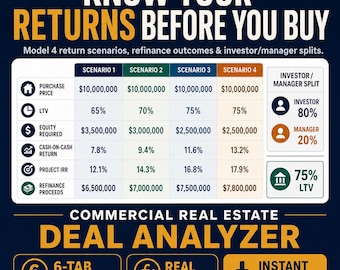
Spreadsheetpakket voor vastgoedbeleggers | CPA Deal Analyzer (Excel-bestand)
€ 47,47
-
Digitale download
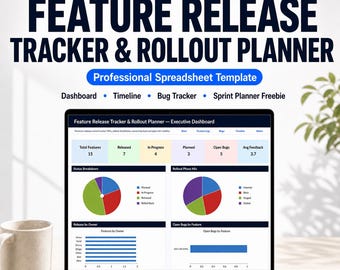
Excel-sjabloon voor feature release tracker en rollout planner | Software release dashboard, projectmanagement tracker, sprintplanner
€ 33,78
-
Digitale download
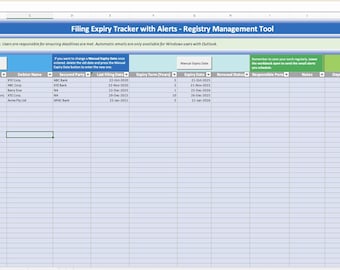
Vervaltracker archiveren met waarschuwingen – Registerbeheertool (Excel-download)
€ 45,18
-
Digitale download
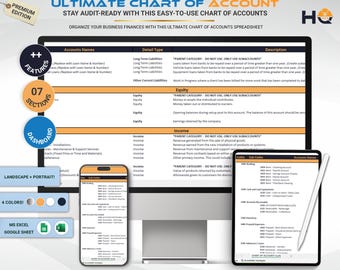
Spreadsheet met Ultiem rekeningschema, Google Spreadsheets-sjabloon voor boekhoudcategorieën, Boekhoudtool voor kleine bedrijven, Directe download
€ 30,50
-

Digitale download
Samengestelde rentecalculator: investeringsgroeitracker (Google Spreadsheets)
€ 23,73
Populair bij shoppers met een vergelijkbare stijl
-
Digitale download
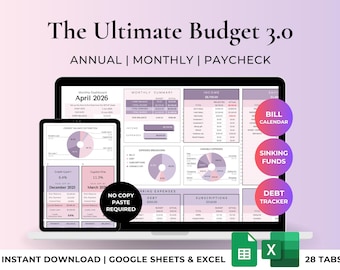
Ultieme jaarlijkse en maandelijkse budgetspreadsheet in Excel en Google Sheets. Budgetsjabloon, budgettracker, financieel planner, factuurtracker, schuldentracker.
Aanbiedingsprijs € 16,81
Oorspronkelijke prijs € 28,01
-
Digitale download
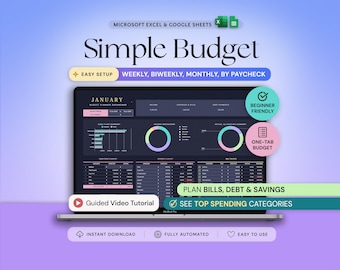
Budget Planner Excel Google Sheets Budget Spreadsheet Monthly Paycheck Budget Tracker Weekly Expense Budgeting Finance Spreadsheet Dark Mode
Aanbiedingsprijs € 2,21
Oorspronkelijke prijs € 3,16
-
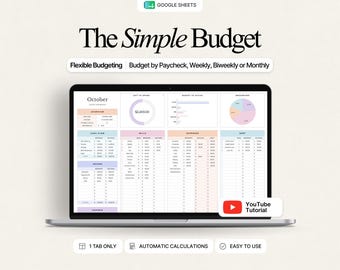
Digitale download
Budgetplanner Google Sheets: Maandelijks, wekelijks en tweewekelijks budgetoverzicht met onkostenregistratie
Aanbiedingsprijs € 1,74
Oorspronkelijke prijs € 2,90
-
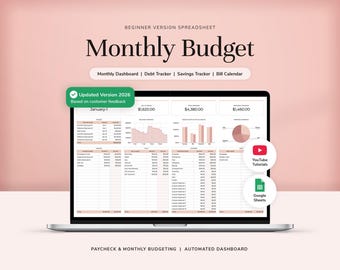
Digitale download
Maandelijkse budgetplanner Google Sheets budgetspreadsheet budgettracker budgetsjabloon salarisbudget wekelijks budget spaartracker
Aanbiedingsprijs € 10,06
Oorspronkelijke prijs € 20,11
-

Digitale download
Spreadsheet maandbudget | Blushroze palet | Eenvoudig jaarbudget | Persoonlijke financiën | Eenvoudig Google Spreadsheets | Eenvoudig financieel planner
Aanbiedingsprijs € 1,13
Oorspronkelijke prijs € 2,82
-

Digitale download
Annual Budget Spreadsheet for Google Sheets, Monthly Weekly Biweekly Paycheck Budget Planner Template, Debt Payoff Tracker, Bill Calendar
Aanbiedingsprijs € 14,52
Oorspronkelijke prijs € 24,20
-

Digitale download
Budgetplanner Google Sheet Maandelijks budget spreadsheet Salarisbudget sjabloon Eenvoudige wekelijkse financiële planner Beginners Tweewekelijkse budgettering
Aanbiedingsprijs € 1,12
Oorspronkelijke prijs € 2,24
-
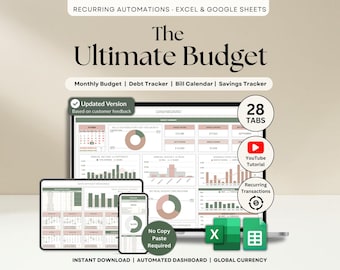
Digitale download
Ultiem jaarlijks budgetoverzicht Excel Google Sheets Budgetsjabloon Maandelijks budgetoverzicht Financieel planner Factuuroverzicht Schuldenoverzicht
Aanbiedingsprijs € 11,26
Oorspronkelijke prijs € 22,53
-

Digitale download
Spreadsheet maandelijks budget per salarissjabloon, tweewekelijkse budgetplanner, transactietracker, persoonlijke financiën, Google Spreadsheets, Excel
Aanbiedingsprijs € 4,35
Oorspronkelijke prijs € 8,70
-

Digitale download
Spreadsheet jaarbegroting | Google Spreadsheets-begrotingssjabloon, jaar- en maandbudget, financiële planner, nettowaarde-tracker, rekeningentracker, schulden
Aanbiedingsprijs € 16,73
Oorspronkelijke prijs € 33,46
-

Digitale download
Jaarbudget Google Spreadsheets Excel-spreadsheet Maandelijks Tweewekelijks budgettracker Factuurkalender Schuldentracker 50/30/20 Budget Spreadsheettracker
Aanbiedingsprijs € 9,73
Oorspronkelijke prijs € 24,33
-
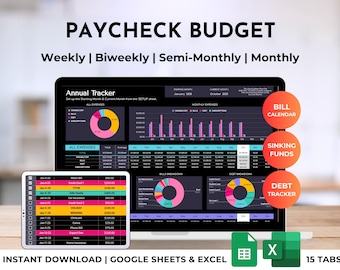
Digitale download
Spreadsheetplanner salarisbegroting, wekelijkse, maandelijkse, tweewekelijkse rekening, schuldtracker (Excel- en Google Spreadsheets-sjabloon)
Aanbiedingsprijs € 14,01
Oorspronkelijke prijs € 23,34


