
Ciao, sono Zac. Ho fondato SheetworksCo perché mi ero stancato dei fogli di calcolo che sembravano perfetti negli screenshot ma che si rivelavano inutilizzabili nel momento stesso in cui cercavo di usarli.
Per un certo periodo, ho gestito le mie finanze come fanno la maggior parte delle persone: un'app per gli appunti qui, un foglio di calcolo Google approssimativo là, e la sensazione generale di spendere probabilmente più di quanto pensassi. Quando finalmente mi sono messo a creare qualcosa che avrei effettivamente usato ogni giorno, mi sono reso conto che passavo più tempo a correggere formule sbagliate e a decifrare il layout di qualcun altro che a capire come gestire il mio denaro.
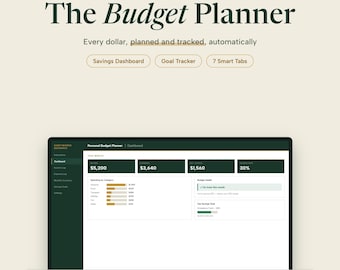
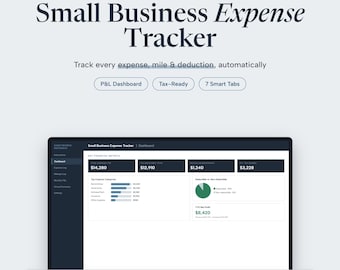
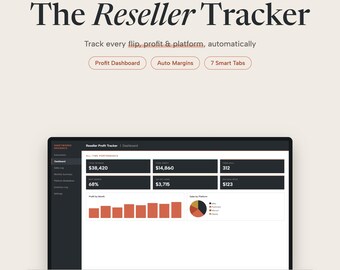
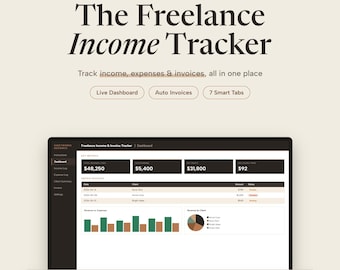
Così ho ricostruito tutto da zero. Ho iniziato con un semplice strumento per tenere traccia del budget, poi una dashboard per monitorare le diverse attività extra che avevo in corso, e infine un registro delle spese per il mio lavoro da freelance. Per ognuno di questi strumenti, continuavo a chiedermi: lo aprirei domani? Avrebbe ancora senso tra tre mesi, quando avrò dimenticato come l'ho impostato?
Quella domanda ha influenzato profondamente il modo in cui questi modelli vengono creati.
Cosa li rende diversi:
Ogni modello in questo negozio è stato progettato per essere davvero utile prima ancora che esteticamente gradevole (anche se credo che il risultato finale sia comunque ottimo). Sono stati creati pensando a come le persone usano effettivamente i fogli di calcolo: li apri, inserisci i tuoi dati e i risultati sono già lì. Nessun manuale di istruzioni. Nessuna macro. Nessun avviso "abilita la modifica" ogni volta.
Alcuni aspetti a cui tengo e che non vedo sufficientemente presenti in altri modelli:
Vere formule. Non solo SOMMA() e qualche colore. Queste formule raccolgono dati da diverse schede, calcolano automaticamente e ti offrono una dashboard in tempo reale senza alcuno sforzo aggiuntivo da parte tua.
Funzionano sia con Excel che con Fogli Google. Ho testato tutto in entrambi i programmi, quindi non avrai problemi se cambi strumento.
Sono progettati per durare. Nella scheda Impostazioni di ogni modello puoi inserire il tuo nome, le categorie e le preferenze, e queste informazioni verranno automaticamente propagate al resto del file. Modificale una volta e si aggiorneranno ovunque.
Niente fronzoli. Ogni scheda si è guadagnata il suo posto. Se è lì, è perché qualcuno (di solito io) ne aveva effettivamente bisogno.
A chi sono destinati:
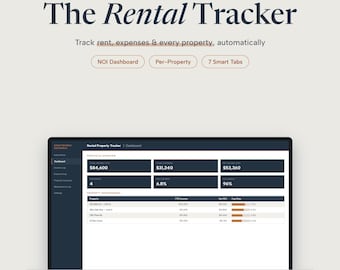
Se lavori come freelance e hai bisogno di tenere traccia dei clienti e fatturarli. Se ti destreggi tra un'attività secondaria e un lavoro a tempo pieno e vuoi sapere quale vale davvero la pena di dedicarti. Se hai intenzione di prendere sul serio la gestione del tuo budget, ma ogni app che hai provato ti è sembrata pensata per chi ha una laurea in finanza. Se sei un proprietario di immobili con diverse proprietà e un sistema di gestione basato su app per le note che sta iniziando a dare problemi.
Questi strumenti sono stati creati per le persone comuni che cercano di avere un quadro più chiaro delle proprie finanze, non per i commercialisti o i direttori finanziari. Semplicemente per chi vuole aprire un file, inserire dei numeri e capire davvero cosa sta succedendo.
Un mio messaggio:
Sono davvero orgoglioso di questi programmi. Ne utilizzo personalmente diverse versioni. Se qualcosa non funziona correttamente o se desiderate che svolga una funzione leggermente diversa, scrivetemi. Leggo tutti i messaggi e risolvo i problemi rapidamente.
Grazie per la visita.
Zac / SheetworksDesignCo
Hi, I'm Zac. I started SheetworksCo because I got tired of spreadsheets that looked great in screenshots but fell apart the moment I tried to actually use them.
For a while, I tracked my finances the way most people do: a notes app here, a rough Google Sheet there, and a general sense that I was probably spending more than I thought. When I finally sat down to build something I'd actually use every day, I realized I was spending more time fixing broken formulas and decoding someone else's layout than I was understanding my own money.
So I rebuilt everything from scratch. I started with a simple budget tracker, then a side hustle dashboard to track the different things I had going on, then an expense log for my freelance work. Each one, I kept asking: would I open this tomorrow? Would it make sense in three months when I've forgotten how I set it up?
That question shaped everything about how these templates are built.
What makes these different:
Every template in this shop was designed to be genuinely useful before it was designed to look good (though I think they turned out looking pretty good too). They're built around how people actually use spreadsheets: you open it, you fill in your numbers, and the answers are just there. No instruction manual. No macros. No "please enable editing" warnings every time.
A few things I care about that I don't see enough in other templates:
Real formulas. Not just SUM() and a few colors. These pull data across tabs, auto-calculate, and give you a live dashboard without any extra work on your end.
They work in both Excel and Google Sheets. I tested everything in both so you're not stuck if you switch tools.
They're built to last. The Settings tab in every template is where you put your name, your categories, your preferences, and that information flows through the rest of the file automatically. Change it once, it updates everywhere.
No fluff. Every tab earns its place. If it's there, it's because someone (usually me) actually needed it.
Who these are for:
If you're freelancing and need to track clients and invoice them. If you're juggling a side hustle alongside a day job and want to know which hustle is actually worth your time. If you've been meaning to get serious about your budget but every app you've tried felt like it was made for someone with a finance degree. If you're a landlord with a few properties and a notes-app system that's starting to crack.
These were built for regular people trying to get a cleaner picture of their money, not accountants, not CFOs. Just people who want to open a file, enter some numbers, and actually understand what's going on.
A note from me:
I'm genuinely proud of these. I use versions of most of them myself. If something isn't working right or you wish it did something slightly different, message me. I read everything and I fix things quickly.
Thanks for stopping by.
Zac / SheetworksDesignCo