
おすすめ商品

すべての商品







レビュー
4.9
(2773)
商品のレビュー平均
すべての評価について、最新レビュー重視の平均評価基準を採用して、この数字を計算しています。最新の体験を反映するため、評価の価値は毎年半減する仕組みとなっています。
読み込み中
-

Jessica さんのレビュー(2026年 01月 5日)
星 5 個のうち 5 個Great digital product. Easy to use and download. Would recommend it to anyone.
読み込み中 -

-

Erin さんのレビュー(2025年 09月 4日)
星 5 個のうち 5 個I asked the seller to create a custom order. She came up with exactly what I wanted. Great communication and love the design!
読み込み中 -

-
-
April さんのレビュー(2024年 10月 20日)
星 5 個のうち 5 個I loved the image options. I was able to use the silhouette image to alter the colors!
読み込み中 -

-

Susanna さんのレビュー(2024年 08月 19日)
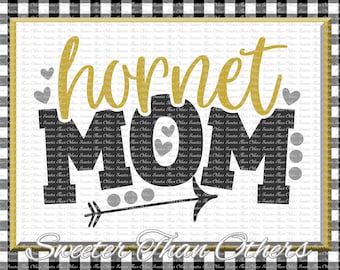
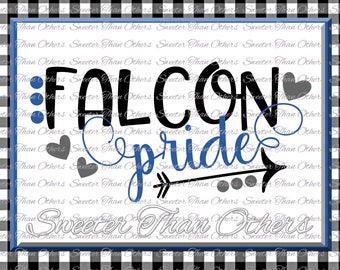
星 5 個のうち 5 個I was able to do this in purple and gold for our school colors and I have gotten so many compliments on my shirt. Beautiful design.
読み込み中 -
-






SweeterThanOthers について
セールス
42,038
Etsy ショップ創設年: 2008
ショップポリシー
最終更新日: 2018年 10月 24日
ダウンロード商品
即時ダウンロード可能商品
お支払い確認後、ファイルがダウンロードできるようになります。 ダウンロード方法はこちらから。
支払い方法
セキュアオプション
Etsy ギフトカードと Etsy ポイントがご利用可能です
Etsy はあなたのお支払い情報を安全に管理します。Etsy ショップがあなたのクレジットカード情報を受け取ることはありません。
返品&交換
返品&交換の可否は商品詳細をご確認ください。
キャンセル
キャンセル:不可
ご注文に関し、何か問題がございましたらセラーにお問い合わせください。
その他の情報
最終更新日:
2025年 12月 17日
よくある質問
I use Silhouette Studios and the SVG is not opening for me. What do I do?
There are two different versions of Silhouette Studios, regular and the Designer Edition. If the SVG is not opening then you have the Regular Edition.
The biggest thing is make sure you are opening the DXF not the SVG file type.
1. Open up your Silhouette Studio software
2. File....Open...and find the DXF file (where you saved it at)
3. Double click on the file and it will import it for you
4. Now you will notice that it is all attached and it won't really allow you to do anything.
5. Select the image by clicking it, then right click and select "release compound path".
Do you offer refunds?
I do apologize, but due to the digital nature of my items. I do NOT offer refunds. However, if you are having issues with your purchases, please contact me and I will be more than happy to try to help you the best I can.
All my items came in together and I can not edit them. What do I do?
Depending on what program you use, this will be different. You need to "ungroup" or "release" your items. Here are two different ways to achieve this for different programs.
Silhouette Studios
1. In the upper right-hand side, you will see a small square with a "M" on it. This is your "Modify screen". Open your modify screen.
2. Make sure the pattern is selected (just click it) and then on the modify screen click "release"
OR
Right Click and Click Release Compound Path
Cricut Design Studios
1. Click on the pattern so the pattern is selected
2. Right-click and "Ungroup"
How do I upload one of your designs in Design Space?
Here are some step by step directions to get one of my designs into design space.
1.Open Design Space
2.In the Upper Right hand corner, click "New Project"
3.In the Lower Left hand corner, click "Upload"
4.In the Middle, Left, click "Upload Image"
5.Click "Browse"
6.Find the SVG FORMAT that you just downloaded on your computer (It is very important that you select the SVG FORMAT in the step)
7.Click "Save"
8.Select the Image on the page and then click "Insert Images" in the lower right hand corner
9.Now you should see the design and all the different layers. You can adjust the size to what size you need and change layer colors and such if you want.
Can I use your patterns for Commercial Use? Embroidery Commercial Use?
You can use my items for commercial use. Please read the commercial license under the description of each design. This is where I go into more depth about what is allowed and what is not. And as always, if you are in doubt about something simply message me and I am more than happy to answer any of your questions.
My designs can NOT be made into embroidery files and be resold in digital form. NO reselling or redistribution of my designs in ANY digital format is allowed. However, if you embroider and would like to convert my design to make a PHYSICAL item and sell, this is allowed.
What font is this design?
Unfortuenly, a lot of time goes into when I am picking out fonts and lettering my designs. Mostly all of my fonts are paid for fonts and commercial licenses were bought for use of all my paid fonts. Please do not ask me what font my design is. These are my designs and designers work hard to keep their designs just that, their designs. Thank for understanding.
I sell commercially and I bought one of your designs, can I know the font that you use so I can just change the name (mascot name, grade level, etc)?
I strive to keep my prices affordable and not charge any extra fee for commercial use of my design. If you are wanting a commercial license to be valid, each individual file needs to be purchased of any design. I do offer bundles at a discounted price for commercial use. If you have any questions about this, please do not hesitate to ask prior to purchase.
Do you do custom orders?
Unfortunately, I do not do custom orders. I however do word changes on existing designs. The price of the word change for a design is the same price as the original design as long as no part is being altered other than a word. Example: Changing a name of a mascot or changing Mommy to Daddy on a design
I do word changes in the order I receive your request. My normal turn around is one business day. This means no weekends.
How do I know if something is trademarked and can be used commercially?
All my designs can be used for Commercial use with some limitations to what you will be using the design on. It is the purchaser responsibility to search his/her country trademark to see if and what item(s) my designs can be used on. This is solely the purchasers responsibility. I try my best to keep up on trademarks, but new trademarks are done everyday and everyday trademarks become open, so please make sure to do proper research before buying my design and selling your item. If you need to know the website to do a trademark search, please message me and I will be happy to point you in the right direction.
Can I make your design into an embroidery file for commercial use?
My designs can NOT be made into embroidery files and be resold in digital form. NO reselling or redistribution of my designs in ANY digital format is allowed. However, if you embroider and would like to convert my design to make a PHYSICAL item and sell, this is allowed.