DMpackaging

カリフォルニア州, アメリカ

5
件の販売数
すべての評価について、最新レビュー重視の平均評価基準を採用して、この数字を計算しています。最新の体験を反映するため、評価の価値は毎年半減する仕組みとなっています。 5.0 (1)
3 ヶ月
Etsy 上
すべての評価について、最新レビュー重視の平均評価基準を採用して、この数字を計算しています。最新の体験を反映するため、評価の価値は毎年半減する仕組みとなっています。 5.0 (1)
5
件の販売数
3 ヶ月
Etsy 上
5
件の販売数
すべての評価について、最新レビュー重視の平均評価基準を採用して、この数字を計算しています。最新の体験を反映するため、評価の価値は毎年半減する仕組みとなっています。 5.0 (1)
3 ヶ月
Etsy 上
すべての評価について、最新レビュー重視の平均評価基準を採用して、この数字を計算しています。最新の体験を反映するため、評価の価値は毎年半減する仕組みとなっています。 5.0 (1)
5
件の販売数
3 ヶ月
Etsy 上

Etsy はサイト上のほとんどのテキストをあなたの設定言語に自動的に翻訳しています。

元の言語で表示する


おすすめ商品

すべての商品

Etsy はサイト上のほとんどのテキストをあなたの設定言語に自動的に翻訳しています。

元の言語で表示する

お知らせ

最終更新日: 2026年 03月 10日
Niron Rasanjana

ショップオーナーに連絡

Niron Rasanjana

レビュー

5.0 (1)
商品のレビュー平均
すべての評価について、最新レビュー重視の平均評価基準を採用して、この数字を計算しています。最新の体験を反映するため、評価の価値は毎年半減する仕組みとなっています。
読み込み中

DMpackaging について

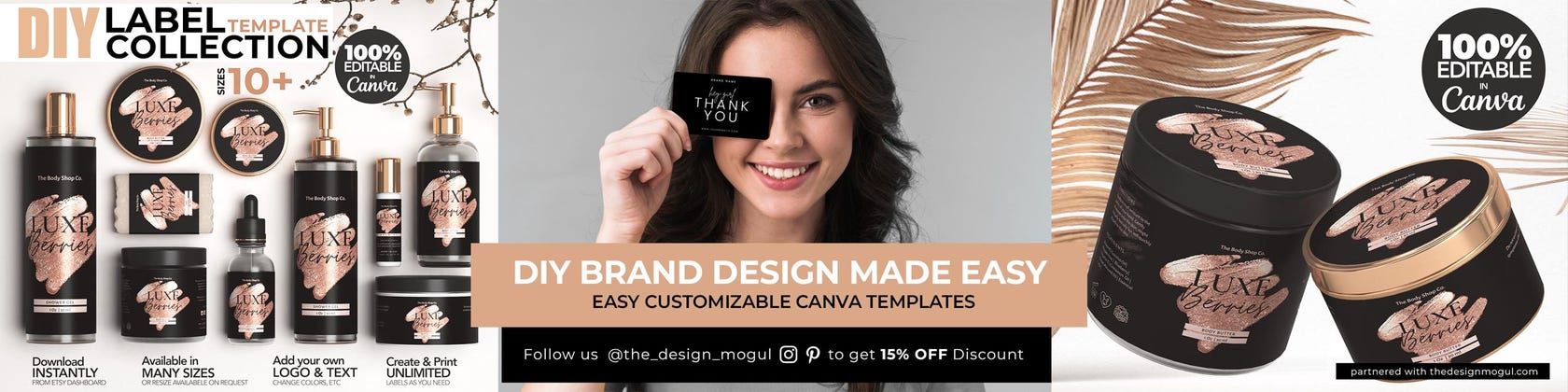
Stunning Canva Templates for Every One

セールス 5
Etsy ショップ創設年: 2026

Stunning Canva Templates for Every One

Let us bring your packaging to the next level!

ショップメンバー

  • shop-member-photo
    Chamli Abeysinghe

    アシスタント, デザイナー

    Lead Designer based in Sri Lanka

ショップポリシー

最終更新日: 2026年 03月 10日

ダウンロード商品

即時ダウンロード可能商品
お支払い確認後、ファイルがダウンロードできるようになります。 ダウンロード方法はこちらから。

支払い方法

セキュアオプション
Paypal Visa Mastercard Apple Pay ギフトカード
Etsy ギフトカードと Etsy ポイントがご利用可能です
Etsy はあなたのお支払い情報を安全に管理します。Etsy ショップがあなたのクレジットカード情報を受け取ることはありません。

返品&交換

返品&交換の可否は商品詳細をご確認ください。

キャンセル

キャンセル:不可

ご注文に関し、何か問題がございましたらセラーにお問い合わせください。

利用条件および撤回権への対応

その他の情報

最終更新日: 2026年 03月 18日
Do you design custom designs?

Yes, I do, Let me know all the details in a message, I’ll get back to you ASAP, Lol I don’t Sleep
Check out the 2 listings below.

How do i print round labels?

Round labels fit any round label sticker template of various sizes when you scale proportionately.

Some of the sticker templates available are:

AVERY.COM LABELS
In-store Avery labels:
2″ round: product 22807 or 22877
2.5″ round: product 22830 or 22856
Online Avery labels:
1″ 94500
1.25″ 94505
1.5″ 94506
2″ Presta™ 94501
2.5” Presta™ 94502
2.75” Presta™ 94512
3” Presta™ 94513

ONLINELABELS.COM:
Product OL1025 – 1″ Circle Labels
Product OL3012 – 1.25″ Circle Labels
Product OL2088 – 1.5″ Circle Labels
Product OL2682 – 2″ Circle Labels
Product OL2683 – 2.5″ Circle Labels
Product OL224 – 2.75″ Circle Labels
Product OL2279 – 3″ Circle Labels
plus many more…

How do I print with Avery.com labels?

First, download the label as a PNG file with the bleed from Canva. Then go to this Avery link:

https://www.avery.com/templates

Type in the Avery template number.
Click the “Upload a Complete Design” button
Drag the PNG file to the template. You will notice some of it is going outside the die line for the bleed. That’s fine.
Click “Apply This Design”
You get to a page where you can delete some of the labels if you don’t want to print a whole page.
Click “Preview and Print”
Click “Print Yourself”
Click “Print Now” You don’t have to save.
Then download the PDF.
Make sure to print the PDF at actual size.

See this tutorial video from Avery Labels:
See How to Print Avery Products with Avery Design & Print Online

https://youtu.be/0xbgUEb7CfM

How do i print with Onlinelabels.com?

Onlinelabels.com offers several template file formats like PDF, DOC, and OTT, but the most convenient is their “Maestro Label Designer”.

1. Download a PNG file from Canva with the “show print bleed” box checked from the file menu
2. In the Maestro Label Designer program, upload that PNG file as an image. On the left-hand side, there is an image box where you click “upload new image”.
3. Go to FILE – EXPORT – FULL SHEET. You will then have a PDF file that will line up with your labels.

https://maestro.onlinelabels.com/designer/maestro.aspx#

The PDF file I downloaded from Canva is not lining up

Unfortunately, the PDF file from Canva sometimes will NOT line up with any known manufacturer’s labels. You will need to use the manufacturer’s template to make sure the labels are aligned correctly.

You should be able to find the template on the label manufacturer’s website. Always make sure to print at 100% and test the alignment on plain paper before printing on the actual labels.

we recommend to go with avery or onlinelabels.com you can simply upload your artwork directly into there online app and get them printed

Does the template come with the fonts?

Yes, all the fonts used in our designs are included in Canva templates. No download/installation is necessary.

Can I resize my template with the FREE Canva account?

Unfortunately, this option is not available with a free account. Canva templates can only be resized with a premium account. However, if you need a resize, feel free to contact me and I will help you to customize it to your measurements

https://www.etsy.com/listing/1066057807/i-will-resize-color-change-your-canva?

IMPORTENT TO ALL BUYERS (PRINTING)

Please do a Print TEST before you go to print bulk, To verify that you can read the label, that it fits well, or any other issues for that matter.
Drop me a message if you got stuck anywhere…

PLEASE TEST, TEST, TEST…Before ordering final labels