

Bruiloftsbenodigdheden van een echte drietalige bruiloft
Wedding tools from a real trilingual wedding
Ik plande een tweedaagse bruiloft voor 120 gasten in een 17e-eeuws Zwitsers landhuis. Mijn gastenlijst sprak Engels, Frans en Duits, en bijna niets wat ik kon kopen was daarvoor geschikt. Spellen waren er in één taal, en op de borden werd ervan uitgegaan dat iedereen Engels sprak. Sjabloonen gingen uit van Amerikaanse tradities en Amerikaanse papierformaten.
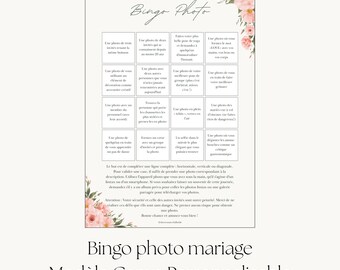
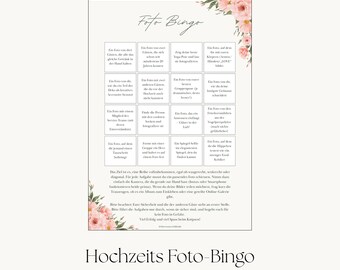
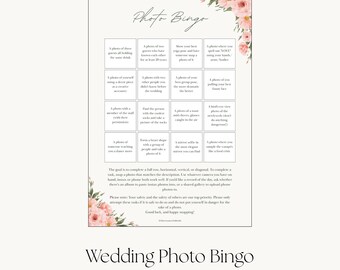
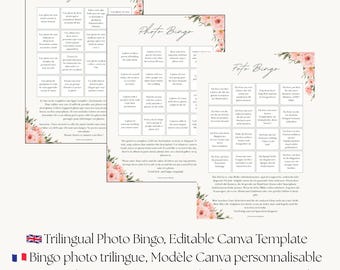
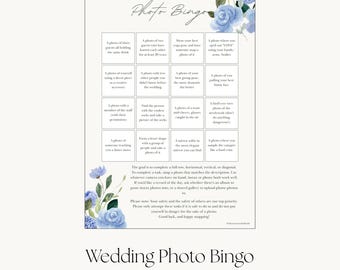
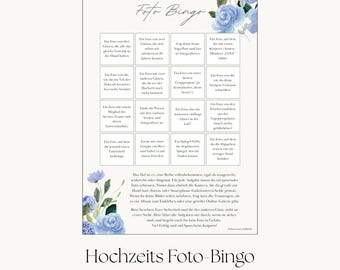
Dus ik heb het zelf gemaakt. Drietalige instructies voor het toernooi met de spelletjes op het gazon, en borden die zowel mijn oma als de vrienden van mijn man konden lezen. Planningsdocumenten die rekening hielden met hoe Europese bruiloften er daadwerkelijk aan toe gaan, van de burgerlijke ceremonie tot de symbolische receptie.
In deze webshop vind je nu die tools, verfijnd en aanpasbaar gemaakt zodat ze ook voor jouw bruiloft geschikt zijn. Elke tekst is geschreven door iemand die alle drie de talen als moedertaal spreekt, omdat je gasten het verschil kunnen horen.
Ik leer bruiden ook hoe ze hun bruiloft kunnen plannen met behulp van een AI-assistent, een systeem dat ik zelf voor meer dan 80 taken heb gebruikt tijdens de planning van mijn eigen bruiloft. AI helpt je om de overweldigende taken te overzien en te structureren wat er vervolgens moet gebeuren. Jij blijft de beslissingsmaker en je leveranciers blijven de experts. De planningstools die rond dit systeem zijn ontwikkeld, zijn momenteel in ontwikkeling.
Als een van de sjablonen niet geschikt is voor jouw bruiloft, stuur me dan een bericht. Ik beantwoord je vragen in de taal van jouw voorkeur.
Veelgestelde vragen:
Hoe kan ik de sjabloon bewerken?
Na aankoop download je een pdf met je link. Voor de Canva-sjablonen opent de link het ontwerp in je gratis Canva-account, waar je elk woord kunt aanpassen en vervolgens een printklare pdf kunt downloaden. Voor de Notion-planningstools opent de link het dashboard in je browser; klik op 'Dupliceren' en het wordt van jou in een gratis Notion-werkruimte. Je hoeft geen software aan te schaffen en je hebt in beide gevallen geen ontwerpervaring nodig.
Moet ik Notion kennen om de planningstools te kunnen gebruiken?
Nee. Elke Notion-tool die hier wordt getoond, heeft een eigen 'Aan de slag'-pagina en het dashboard bevat een 'Nieuw bij Notion'-handleiding die de basisprincipes in een paar minuten uitlegt. Je hebt een gratis Notion-account nodig om je exemplaar op te slaan, en dat is de enige vereiste.
Welke planningstool is geschikt voor mij?
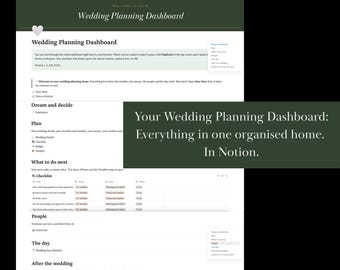
- Het Wedding Planning Dashboard is dé centrale plek voor je planning: checklist, budget, gastenlijst, tafelindeling en dagprogramma op één plek, inclusief een bibliotheek met kant-en-klare AI-suggesties. Het e-book "Your Personal Wedding Planning Assistant" leert je hoe je een compleet AI-planningssysteem bouwt dat is afgestemd op jouw specifieke bruiloft. Wedding HQ is de bijbehorende werkruimte waar alles wat het systeem creëert, wordt opgeslagen. Begin met het Dashboard als je vandaag nog een overzichtelijke plek wilt voor je planning. Begin met de handleiding als je het complete AI-ondersteunde systeem wilt.
Wat heeft Wedding HQ nodig om te functioneren?
Een gratis Notion-account is vereist, net als alle andere Notion-tools die hier gebruikt worden. Voor de gekoppelde workflow, waarbij je AI-assistent de werkruimte direct leest en bijwerkt, is bovendien een AI-abonnement nodig dat de Notion-connector bevat (bijvoorbeeld Claude Free). Al het andere in Wedding HQ werkt zonder dit abonnement.
Welke talen zijn inbegrepen?
De productbeschrijving geeft precies aan welke talen er in het product beschikbaar zijn. Bij meertalige producten heeft elke taal een eigen, compleet kaartje of bordje, zodat geen enkele gast een rommelige mix van teksten hoeft te lezen. Alle teksten zijn in de oorspronkelijke taal geschreven.
- Kan ik dit thuis uitprinten?
Ja, voor de printbare sjablonen. De bestanden zijn in A4-formaat, dus ze printen correct op Europees papier. De planningstools van Notion zijn digitaal en werken zowel op je computer als op je telefoon.
- Kun je het voor mij aanpassen, of een andere taal toevoegen?
De sjablonen zijn volledig bewerkbaar, dus de meeste wijzigingen zijn in Canva binnen een paar minuten door te voeren. Mocht je iets nodig hebben wat het sjabloon niet kan, stuur dan een bericht en ik zal je eerlijk vertellen of het mogelijk is.
- Bieden jullie terugbetalingen aan?
Digitale downloads kunnen niet worden geretourneerd, daarom staat Etsy geen terugbetalingen toe. Als er iets mis is met je bestand of als je vastloopt, stuur me dan een bericht en ik zal het oplossen.
- Is dit een fysiek product?
Nee. Alles in deze winkel is een digitale download.
I planned a two-day wedding for 120 guests at a 17th-century Swiss manor. My guest list spoke English, French and German, and almost nothing I could buy was built for that. Games came in one language, and signs assumed everyone read English. Templates assumed American traditions and American paper sizes.
So I built my own. Trilingual instructions for the lawn games tournament, and signs my grandmother and my husband's friends could both read. Planning documents that respected how European weddings actually run, from the civil ceremony to the symbolic reception.
This shop is where those tools live now, refined and made editable so they work for your wedding too. Each language is written natively by someone who grew up speaking all three, because your guests can tell the difference.
I also teach brides to plan with an AI assistant at their side, a system I used for over 80 tasks while planning my wedding. AI helps you think through the overwhelming parts and structure what needs to happen next. You stay the decision-maker, and your vendors stay the experts. The planning tools built around this system are in the shop.
If something in a template doesn't work for your wedding, write to me. I answer in whichever of the three languages you prefer.
FAQ:
- How do I edit the template?
After purchase you download a PDF containing your link. For the Canva templates, the link opens the design in your free Canva account where you can change every word, then download a print-ready PDF. For the Notion planning tools, the link opens the dashboard in your browser; click Duplicate and it becomes yours in a free Notion workspace. No software to buy and no design experience needed either way.
- Do I need to know Notion for the planning tools?
No. Every Notion tool here includes its own Start Here page, and the Dashboard adds a New to Notion guide that covers the basics in a few minutes. You need a free Notion account to save your copy, and that is the whole requirement.
Which planning tool is right for me?
- The Wedding Planning Dashboard is the standalone planning home: checklist, budget, guest list, seating chart and day-of schedule in one place, with a library of copy and paste AI prompts included. The eBook "Your Personal Wedding Planning Assistant" teaches you to build a full AI planning system around your specific wedding, and Wedding HQ is its companion workspace, where everything that system creates lives. Start with the Dashboard if you want an organised home for your planning today. Start with the guide if you want the complete AI-assisted system.
- What does Wedding HQ need to work?
A free Notion account, like every Notion tool here. The connected workflow, where your AI assistant reads and updates the workspace directly, additionally needs an AI plan that includes the Notion connector (e.g. Claude free). Everything else in Wedding HQ works without it.
- Which languages are included?
The listing tells you exactly which languages are in that product. In multilingual products, each language gets its own complete card or sign, so no guest reads a cluttered mix. Every language is written natively.
- Can I print this at home?
Yes, for the printable templates. Files come in A4 so they print correctly on European paper. The Notion planning tools are digital by nature and work on your computer and phone.
- Can you customise it for me, or add another language?
The templates are fully editable, so most changes take you just a few minutes in Canva. If you need something the template cannot do, send a message and I will tell you honestly whether it is possible.
- Do you offer refunds?
Digital downloads cannot be returned, so Etsy does not allow refunds on them. If anything is wrong with your file or you get stuck, message me and I will make it right.
- Is this a physical product?
No. Everything in this shop is a digital download.