

Christian Digital Planner, 2026 Undated Life Planner, All in One Planner for Bible Study, Prayer, Faith Planning, Goodnotes iPad Tablet

Wat je moet weten
Digitale download
Downloadbestand(en)
1 PDF
Want to get organized, manage your time better, and grow closer to God… without juggling separate planners for your faith, home, goals, meals, budget, and daily life?
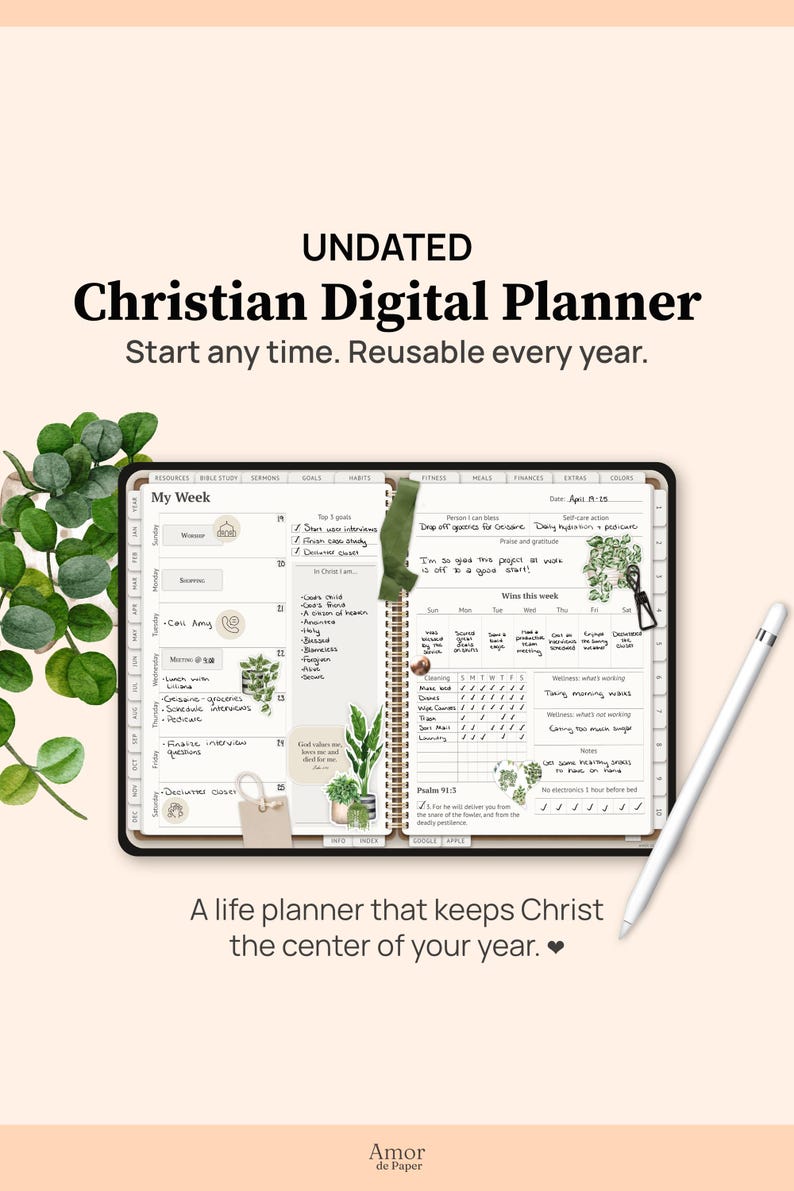
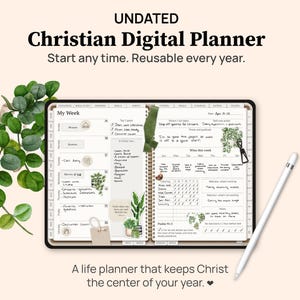
The Abundant Life Digital Planner is an undated Christian digital planner and life planner all in one, designed to help you organize your everyday life while staying connected to your faith.
If you’re looking for a Christian planner with templates and layouts for both your day-to-day routines and spiritual life, you’ll find pages for Bible study, Scripture memorization, daily Bible reading, prayer journaling, meal planning, monthly budgeting, fitness tracking, and much more.
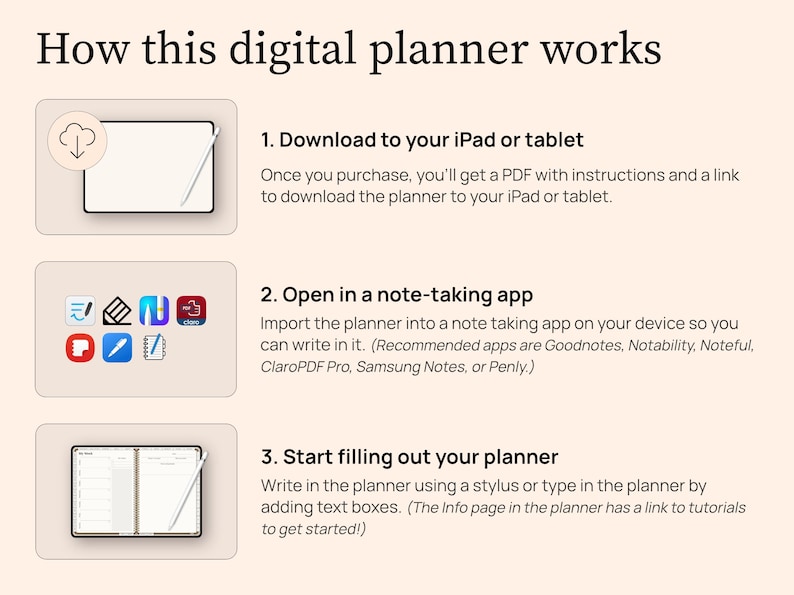
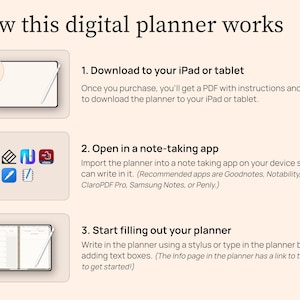
It’s made to be used on your iPad or Android tablet with a note-taking app like Goodnotes, Noteshelf, Notability, Penly, Samsung Notes, etc. (And if you’re new to digital planners, don’t worry, you don’t need to be super techy! I’ll include digital planning tutorials to walk you through everything step by step.)
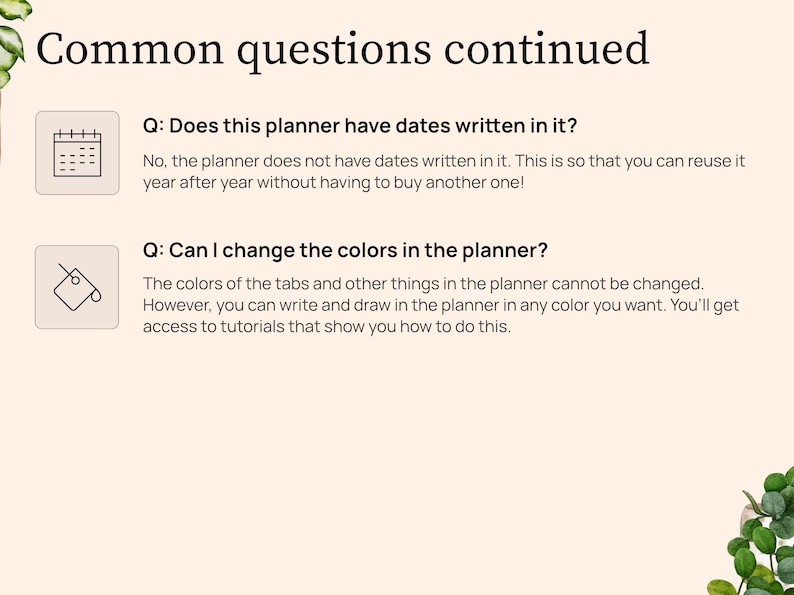
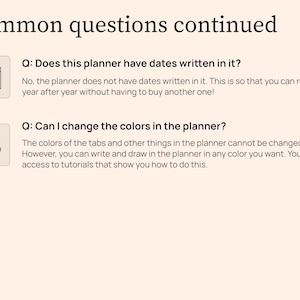
You can start using this planner today, even if it’s the middle of the year, because it’s an undated planner. You can also make a fresh copy of the file and reuse it year after year, so it can become a long term planning system instead of something you replace every January.
Keep reading for a closer look at what this planner is like.
Or, if you prefer to see things more hands-on and double check that the planner works on your device, you can download a free sample planner here: http://tiny.cc/undatedplanner
Please note: Since it’s a sample, not all of the hyperlinks will work.
1️⃣ GET CLOSER TO GOD THIS YEAR
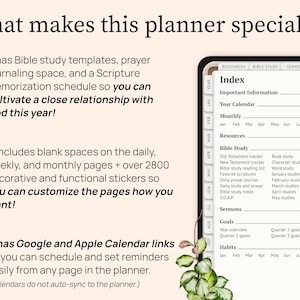
You’ll get so many resources to help you grow in your faith, including…
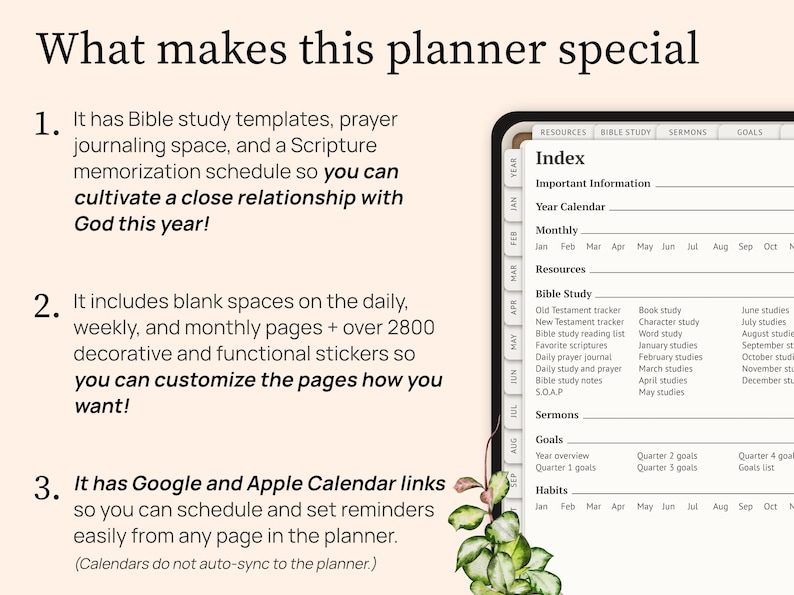
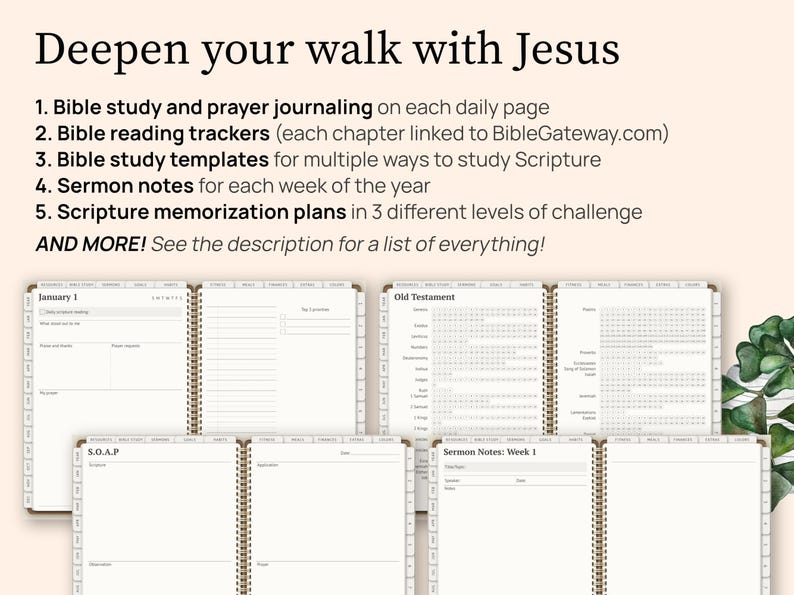
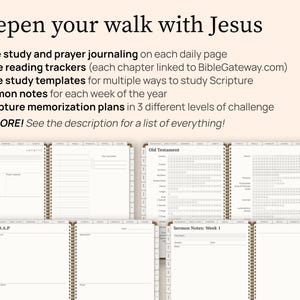
- 7 types of Bible study templates (including S.O.A.P. Bible study)
- Bible reading trackers for Old and New Testaments
- Space for daily devotional reflections
- Space for daily prayer journaling
- Weekly sermon notes templates
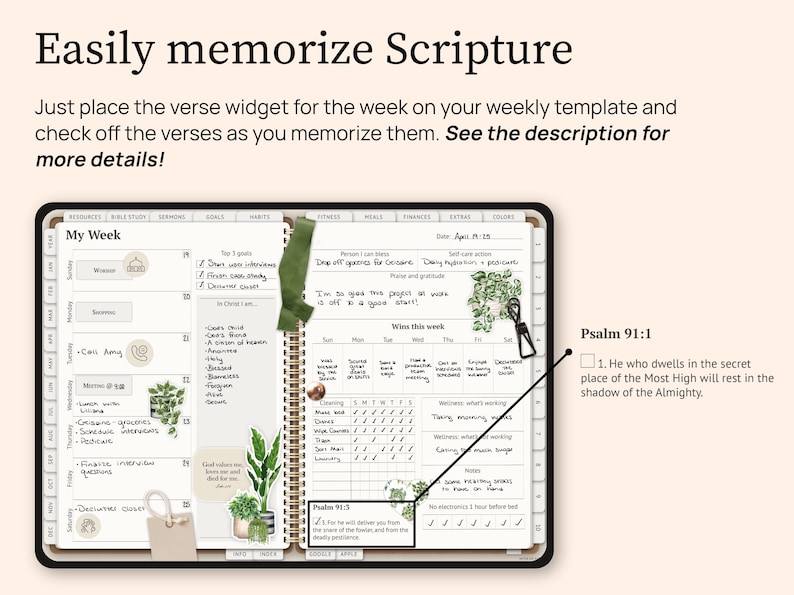
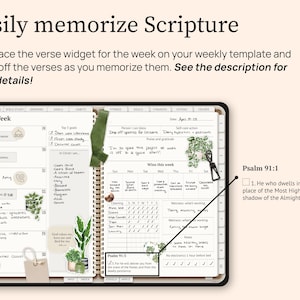
This planner is also perfect if you want to easily memorize Scripture. Just choose which passage you want to memorize and place the verse sticker for the week on your weekly spread. Check off each verse as you memorize it, and voilà! In a year you’ll have memorized a whole passage!
You can choose from three levels of difficulty:
- Level 1 (One verse per week): Psalm 1, Psalm 91, and Isaiah 35
- Level 2: (Three verses per week): Matthew 5-7
- Level 3: (Four verses per week): The book of Galatians
Each option is scheduled out for the entire year, with built-in reviews and free weeks to make it manageable.
You’ll get more details and tips for how this works in the Abundant Life Hub, an exclusive online hub that you get access to when you purchase the planner.
2️⃣ GET ORGANIZED & IMPROVE TIME MANAGEMENT
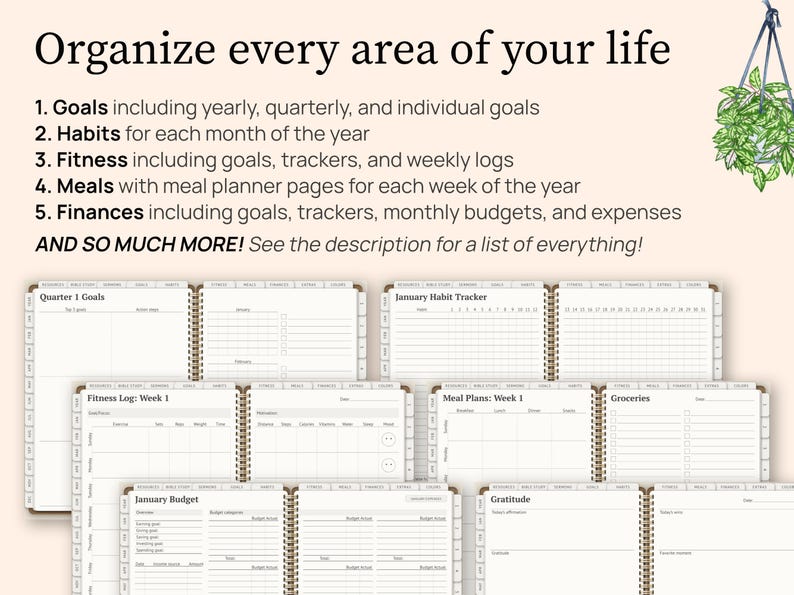
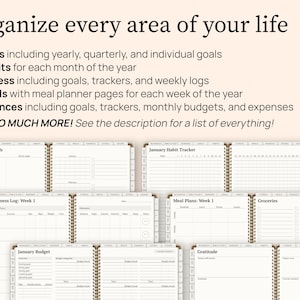
You’ll also get a wide variety of templates to help organize your everyday life, including…
- Month calendars
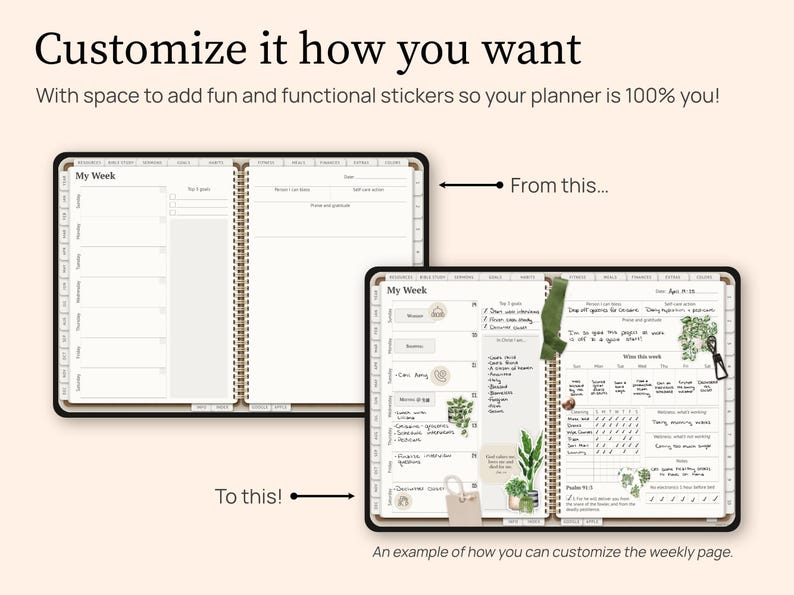
- Weekly templates
- Daily templates
- Goal templates
- Monthly habit trackers
- Fitness templates including fitness goals, a weight loss tracker, weekly fitness logs, and more!
- Meal planner templates and shopping lists
- Financial templates including a savings tracker, monthly budget templates, monthly expense templates, and more!
3️⃣ SCHEDULE NOTIFICATIONS FOR YOUR PLANS
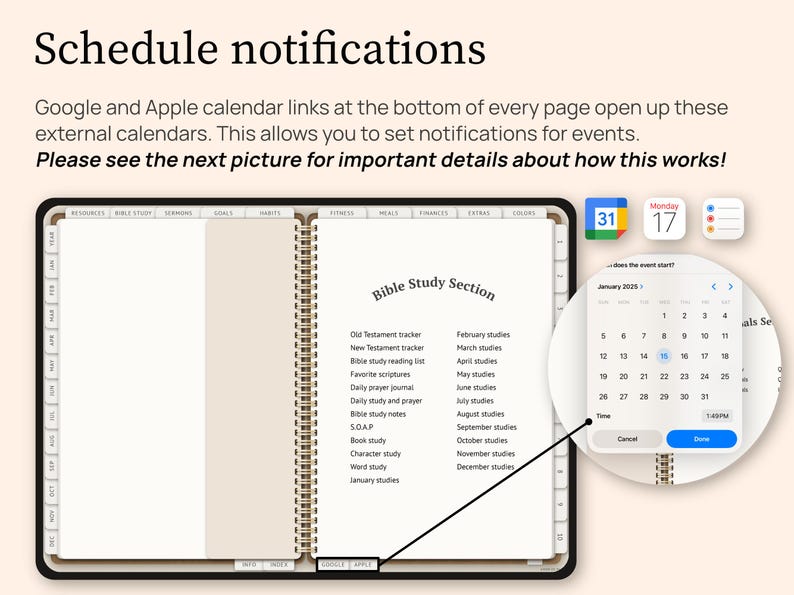
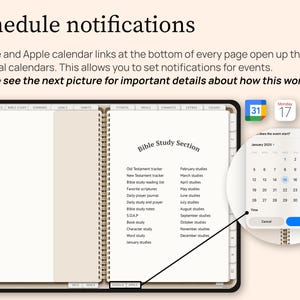
This planner includes quick-access links to Google Calendar, Apple Calendar, and Reminders, so you can easily set up notifications for plans you write in your planner.
Here’s how it works:
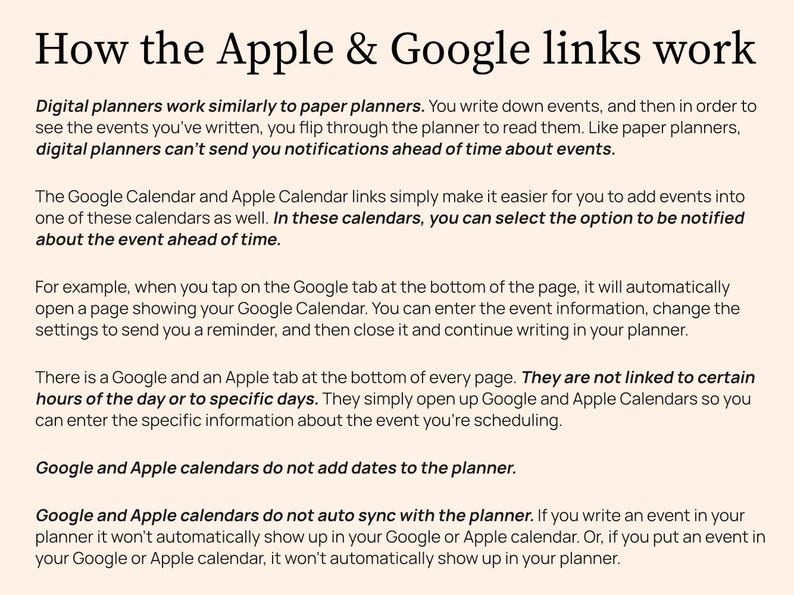
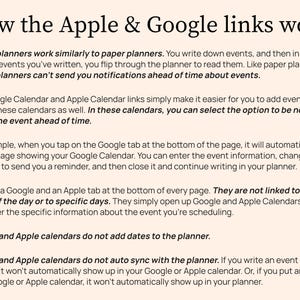
A digital planner works a lot like a paper planner. You write your plans directly on the planner pages inside your note taking app. But if you also want a reminder to pop up on your phone, tablet, or email, you’ll need to add that event to a calendar or reminders app too.
That’s why this planner includes Google Calendar, Apple Calendar, and Reminders links at the bottom of the planner pages. When you tap one of those links, it opens the calendar or reminders app so you can quickly add the event and choose your notification settings.
For example, if you write “Dentist appointment at 2:00” on your weekly planner page, you can tap the Google Calendar or Apple Calendar link, add that same appointment to your calendar, and choose when you want to be notified.
Please note: The planner does not automatically sync with Google Calendar, Apple Calendar, or Reminders. If you write something in the planner, it will not automatically appear in your calendar app. And if you add something to your calendar app, it will not automatically appear in the planner.
The links are simply there to make it faster and easier to open your calendar or reminders app when you want to set a notification.
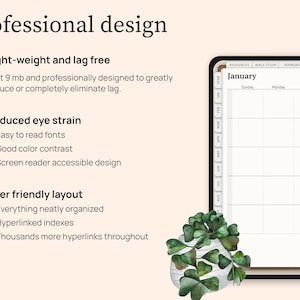
4️⃣ ENJOY USING A PROFESSIONALLY DESIGNED PLANNER
I have a background in graphic design and UX design, which is just a fancy way of saying I care a lot about how this planner looks, feels, and functions. I designed it to be pretty, easy to navigate, readable, and comfortable to use. 😊 Here are a few details I paid close attention to:
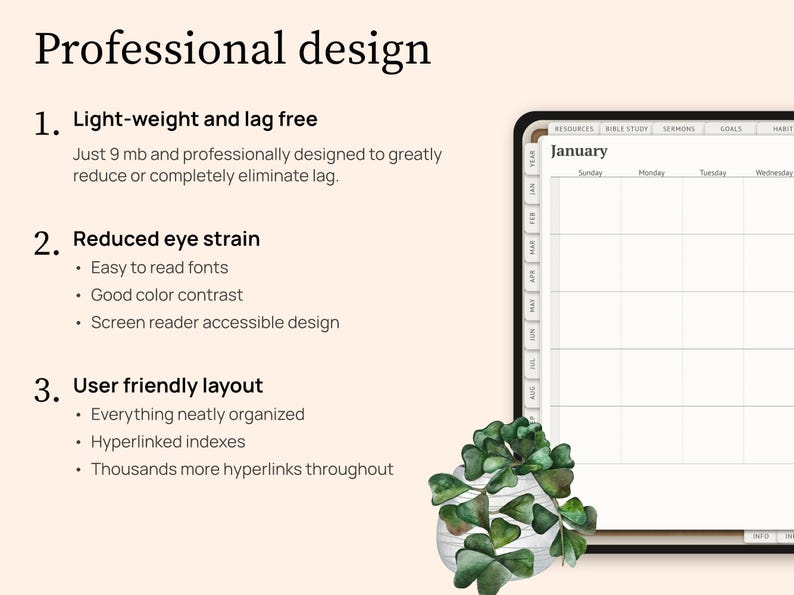
- The file size: It’s only 7.6 MB, which makes it lightweight and lag-free on most devices.
- The accessibility: The fonts and colors were all chosen for maximum readability, reduced eye strain, and accessibility. You won’t find really light text on a light background, swirly fonts you can hardly decipher, or anything like that. In fact, I even designed the planner to be used with a screen reader if you want, which isn’t common for most digital planners!
- The layout: The planner is fully hyperlinked, which means there are thousands of hyperlinks throughout. That makes it easy to jump from page 3 to 693! The templates are also set up in an intuitive order that makes sense to scroll through.
- The artwork: Each Amor de Paper planner, including this one, features artwork from artists who use handmade methods to create their art. This includes watercolor painting with actual brushes and paper, sketching on paper, and drawing with digital tools like Procreate. I've intentionally chosen to feature work from artists who do NOT use AI in their artwork. Your purchase supports independent artists around the world. 💜
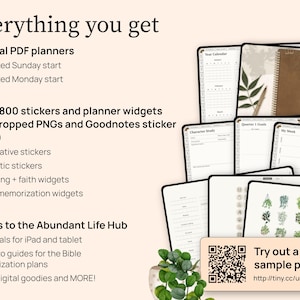
⭐️ OVERVIEW OF EVERYTHING YOU GET
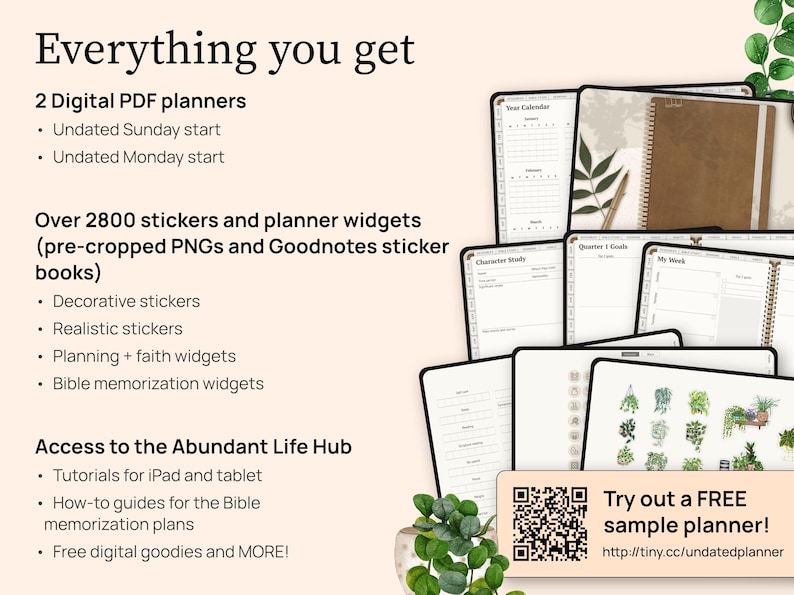
TWO DIGITAL PLANNERS
- Undated Sunday start PDF planner
- Undated Monday start PDF planner
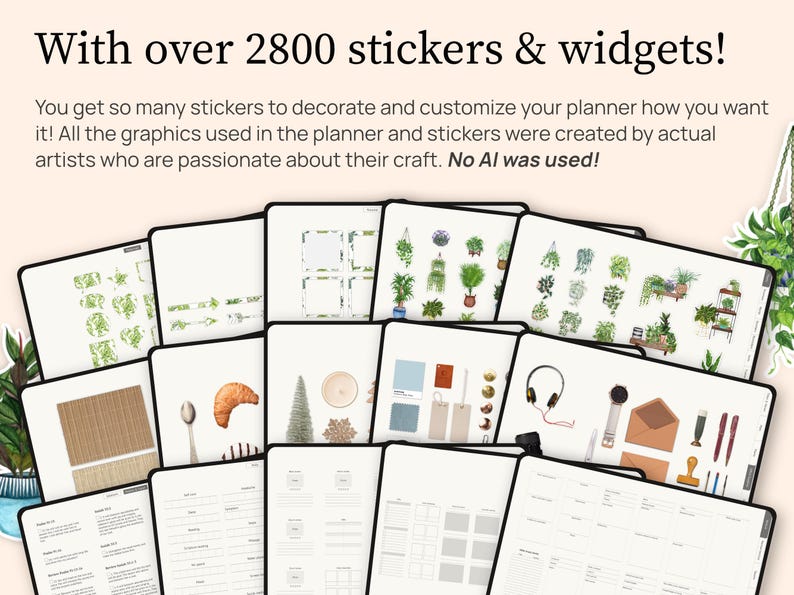
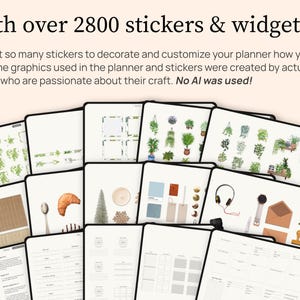
OVER 2800 STICKERS AND OVER 670 PLANNER WIDGETS
(They come in Goodnotes sticker books as well as pre-cropped PNG sticker files in folders)
- Watercolor houseplant themed stickers
- Realistic scene creator stickers
- Planning widgets
- Bible memorization widgets
EXCLUSIVE ACCESS TO THE ABUNDANT LIFE HUB
- Tutorials for iPad and Tablet for the Goodnotes 6 and Penly apps, plus resources to learn about other apps as well. You'll be able to use this planner even if you're brand new to digital planning!
- Tips to help you use the Bible memorization widgets and easily memorize Scripture
- Free digital goodies
- And more!
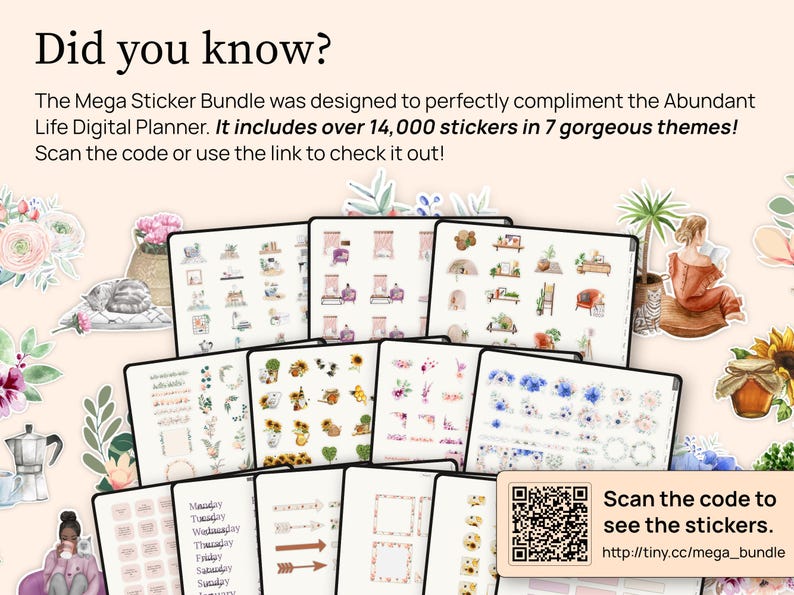
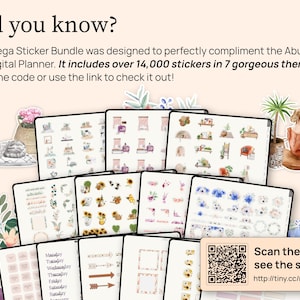
⭐️ OPTIONAL ADD-ON: MORE STICKER THEMES
If you’d like even more visual variety, I also have a separate Christian digital sticker bundle with 7 additional themed packs, including florals, boho designs, cozy interiors, honeybees, cats, coffee, and feminine illustrations.
See the sticker bundle here:
https://www.etsy.com/be/listing/4377234487/digitale-stickers-christendom
⭐️ ALL THE PAGES IN THE PLANNER
If you’ve made it this far in the description, I’m guessing you’re into all the nitty-gritty details, like exactly what templates this planner has. Here’s the full list of pages included:
FOUNDATION + CALENDAR PAGES
- Hyperlinked Index
- Information page with the special link to the Abundant Life Hub
- Undated year calendar
- Monthly overview templates
- Monthly calendars
- Weekly templates
- Daily templates
RELAXATION + RESOURCES
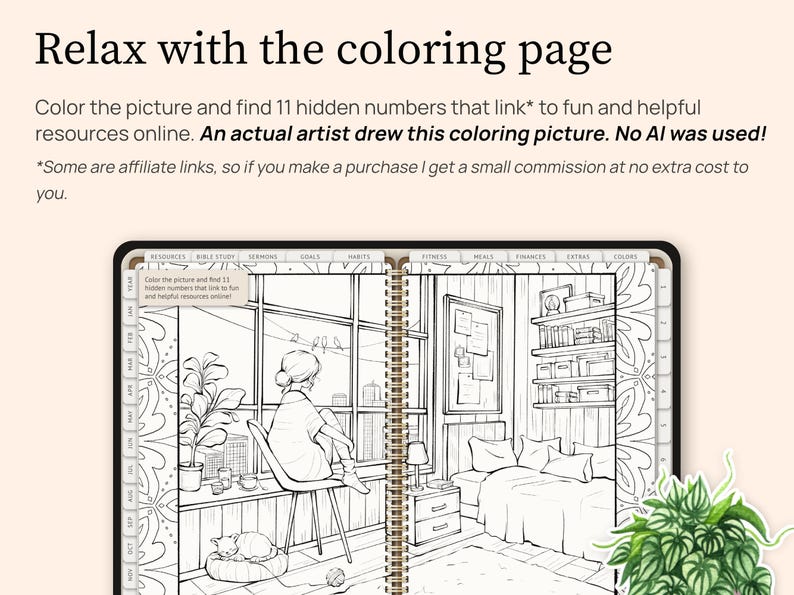
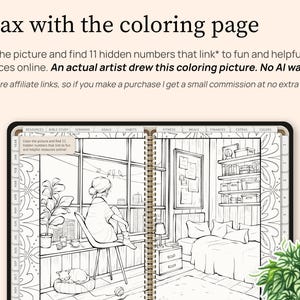
- Coloring page with fun hidden links to recommended resources & music playlists
BIBLE STUDY + PRAYER
- Old Testament reading tracker (all verses linked to BibleGateway for easy reading)
- New Testament reading tracker (all verses linked to BibleGateway for easy reading)
- Bible study reading list
- Favorite Scriptures
- Daily prayer journal
- Daily Bible study and prayer
- S.O.A.P. study
- Book study
- Character study
- Word study
- January - December Bible study pages
SERMON NOTES
- Sermon notes (One page for each week of the year)
GOALS + HABITS
- Year overview
- Goals overview
- Quarterly goals, one for each quarter
- 24 Individual goal-setting templates
- Habit Trackers (Monthly layout, January - December)
FITNESS + MEALS
- Fitness goals
- Before & after log
- Measurement tracker
- Weight tracker
- Weekly fitness planning and log templates (One page for each week of the year)
- Meals + Groceries (One page for each week of the year)
FINANCES
- God's perspective overview page with space for journaling
- Yearly finances
- Savings tracker
- Yearly bill tracker
- Monthly bill tracker
- Debt payment tracker
- January to December budget templates
- January to December expense templates
EXTRAS
- Medication tracker
- Gratitude
- Reading log
- Reading list
- Contacts
- Passwords
- Projects overview
- 26 individual projects templates
- Events planner template
- 30-Day challenge
- 365-Day challenge
CUSTOM NOTEBOOK SECTIONS
- 10 Blank notebook sections you can customize. Make them into notebooks using the notebook paper included (7 different kinds), or insert other templates to add more kinds of pages to your planner!
⭐️ HOW TO DOWNLOAD
After purchase, you’ll receive a PDF with your download link and instructions. The full planner is stored through IceDrive because the file bundle is too large to upload directly to Etsy.
- IPAD USERS
1. Be sure you already have the Goodnotes app installed on your iPad.
2. Make sure you're using the Safari browser to access your Etsy account. (You won't be able to download the planner if you're using the Etsy app.)
3. In the top right corner, select your profile picture and then select "Purchases and reviews" in the drop-down list. Find the planner and then tap the "Download Files" button on the right.
4. That will open a new page with a thank you note. You might have to scroll down and then click the "Download" button.
5. After downloading, the PDF will open in the Safari browser of your iPad as gogetsy.com. Click on the button that says "Download the Planner." This will take you to IceDrive, where the planner is stored.
6. In IceDrive, click on the "Download" button.
7. After downloading, the planner will open in the Safari browser of your iPad. Click on the share button (the square with the arrow) in the top right corner.
8. You might have to scroll to select "Copy to Goodnotes." In Goodnotes, choose a location and click the "Import as a New Document" button.
- ANDROID TABLET USERS
1. Be sure you already have a note taking app like Noteshelf or Penly installed on your tablet.
2. Make sure you're using the Chrome browser to access your Etsy account. (You won't be able to download the planner if you're using the Etsy app.)
3. In the top right corner, select your profile picture and then select "Purchases and reviews" in the drop-down list. Find the PDF and then tap the "Download Files" button on the right.
4. That will open a new page with a thank you note. You might have to scroll down and then click the "Download" button.
5. After downloading, the PDF will open on your screen. Click on the button that says "Download the Planner." This will take you to IceDrive, where the planner is stored.
6. In IceDrive, click on the "Download" button.
7. After downloading, the planner will open in a new window on your tablet. Click the three dots in the top right corner and select "Open with."
8. Choose the app you want to use to open your planner.
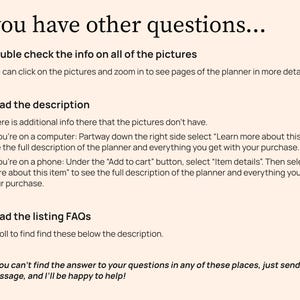
⭐️ OTHER QUESTIONS YOU MIGHT HAVE...
Q: How exactly does a digital planner work? I’m a little confused.
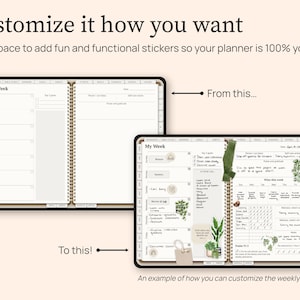
A: A digital planner is a PDF file designed to be used on your iPad or tablet. You need to import the planner file into a PDF annotation app (aka a note taking app) so that you can write on it with your stylus or place text boxes in it to type in it. I recommend writing with a stylus because it’s more fun and gives you that paper planner feel without the paper! You can also add stickers into your planner to customize and decorate it. (Stickers are PNG files.)
Q: What do I need to use a digital planner?
A: 1. An iPad or tablet that can download apps
2. A PDF annotation app, also known as a note taking app. Popular ones are Goodnotes, Notability, Noteshelf, Penly, ZoomNotes, etc.
3. A stylus
Q: Can I use a digital planner on an Android Tablet?
A: Yes, as long as you can download an app like Noteshelf or Penly, you should be good to go!
Q: Is this a OneNote planner?
A: This planner isn't made for OneNote. You can import it into OneNote as a picture file, but the hyperlinks won't work. I recommend Goodnotes, Notability, Noteshelf, Penly, ZoomNotes, etc.
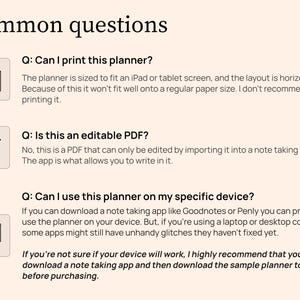
Q: Is this an interactive PDF?
A: This is a hyperlinked PDF digital planner, which means the tabs and links help you jump around the planner quickly. To write, type, highlight, or add stickers, you’ll need to open it in a PDF annotation or note taking app like Goodnotes, Noteshelf, Notability, Penly, ZoomNotes, etc.
Q: Can I print this planner?
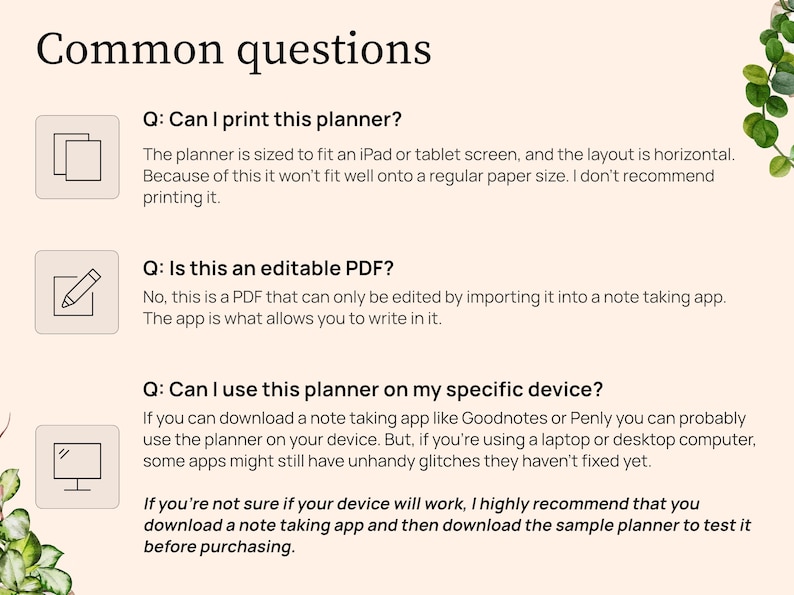
A: Since this is a PDF file, you technically can print the planner just like you would any other PDF. However, there are some drawbacks. First of all, it's sized to fit an iPad screen, so if you print it on US letter sized paper, it won't fit perfectly. It's also horizontally oriented, so the orientation isn't going to be optimal for a printable planner. If you'd like to see for yourself how it prints, download the sample planner and give it a try: http://tiny.cc/undatedplanner
Q: I'm new to digital planning and I'm not sure what hyperlinks are...
A: Hyperlinks are tabs, words, or objects in the planner that are linked to another page in the planner or to a website. When you tap on the hyperlink, the planner will flip automatically to the linked page or will automatically open up the website. This makes navigating through your planner much faster and easier.
⭐️ HOW TO CONTACT ME
If you have any other questions, you can message me here on Etsy.
Monday - Friday
9:00 am to 5:00 pm AST
Wat kopers zeggen
“Deze planner omvat alle activiteiten en uitdagingen in het leven en helpt je op koers te blijven. Het duurde even voordat ik doorhad hoe ik hem moest openen, maar uiteindelijk is het me gelukt. Dankjewel Dana, dit is een fantastisch hulpmiddel.”
Mary
15 jun. 2026
Prijs:EUR 27.79
Directe download
Je bestanden worden beschikbaar voor download zodra je betaling bevestigd is. Hier vertellen we je hoe dat moet.
Directe downloads kunnen niet geretourneerd, geruild of geannuleerd worden. Neem contact op met de verkoper als er problemen met je bestelling zijn.
Als er iets misgaat met een bestelling, dan helpen we je bij alle in aanmerking komende aankopen. Bekijk de voorwaarden van het programma
Recensies van dit item
Deze planner omvat alle activiteiten en uitdagingen in het leven en helpt je op koers te blijven. Het duurde even voordat ik doorhad hoe ik hem moest openen, maar uiteindelijk is het me gelukt. Dankjewel Dana, dit is een fantastisch hulpmiddel.
Ik ben dol op deze planner! Ik ben nu zo georganiseerd!

Ik ben er dol op!! Precies wat ik zocht om mijn dagelijks leven te organiseren en op koers te blijven om dichter bij God te komen.
Het artikel voldeed aan de beschrijving.
Alle recensies zijn van geverifieerde kopers. Recensies worden automatisch weergegeven op basis van factoren zoals eventuele reacties, je gekozen taal en of de recensie de typische ervaring bij de shop weerspiegelt.
Foto's van recensies
Ontmoet je verkoper

Reageert meestal binnen een paar uur
Blije recensies Gemiddelde beoordeling is 4,8 of hoger.
Meer uit deze shop
-
Digitale download
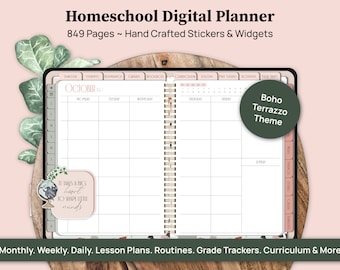
Digital Homeschool Planner, Homeschool Schedule, Homeschool Calendar, Homeschooling Planner, Lesson Planner for Goodnotes on iPad or Tablet
EUR 27.79
-
Digitale download
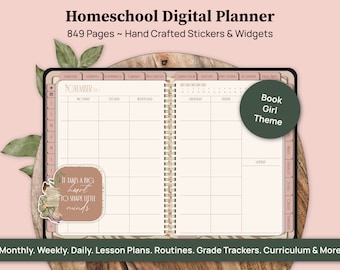
Digital Homeschool Planner, Homeschool Schedule, Homeschool Calendar, Homeschooling Planner, Lesson Planner for Goodnotes iPad Tablet
EUR 27.79
-
Digitale download
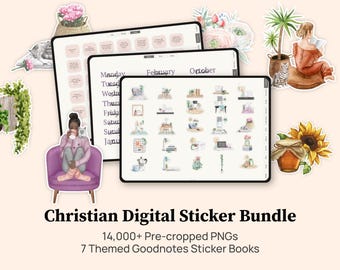
Bundel christelijke digitale plannerstickers, Goodnotes plannerstickers, Faith-stickers, bijbelstickers, Goodnotes-stickerboek
EUR 13.35
-
Digitale download
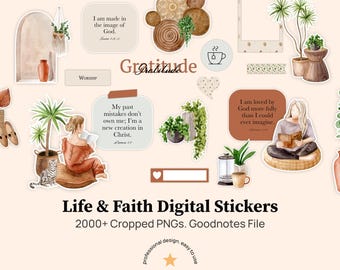
Digitale stickers christendom, stickerboek Goodnotes, digitale boho-stickers, functionele digitale stickers, Goodnotes-stickers, geen AI gebruikt
EUR 5.55
-
Digitale download
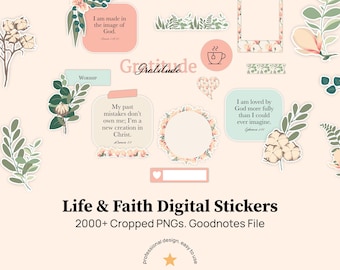
Digitale stickers christendom, stickerboek Goodnotes, digitale boho-stickers, functionele digitale stickers, Goodnotes-stickers, geen AI gebruikt
EUR 5.55
-
Digitale download
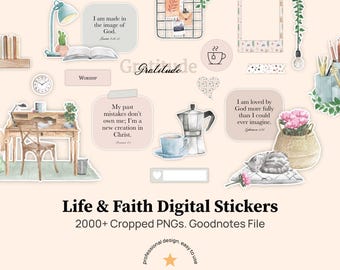
Digitale stickers christendom, stickerboek Goodnotes, digitale boho-stickers, functionele digitale stickers, Goodnotes-stickers, geen AI gebruikt
EUR 5.55
-
Digitale download
Faith Planner 2026 2027 Undated, Faith Digital Planner 2026, Christian Planner, Daily Planner, Goodnotes Planner iPad, Bible Study Planner
EUR 32.57
-
Digitale download
Christelijke digitale planner, niet gedateerd | iPad-planner op basis van geloof | GoodNotes-planner met hyperlink | Bijbelstudieplanner | Afdrukbare christelijke kalender
EUR 13.35
-
Digitale download
Christelijke digitale planner, geloofsdagboek, Bijbelstudie, GoodNotes iPad (pdf-download)
EUR 2.36
-

Digitale download
Ultieme christelijke digitale planner: ongedateerd, vertragingsvrij, Goodnotes, ongedateerde christelijke planner, notitieplank, dagelijkse planner, iPad-planner
EUR 13.91
-
Digitale download
Christelijke digitale planner 2026, ongedateerd geloofsdagboek (GoodNotes)
Aanbiedingsprijs EUR 16.66
Oorspronkelijke prijs EUR 22.21
-
Digitale download
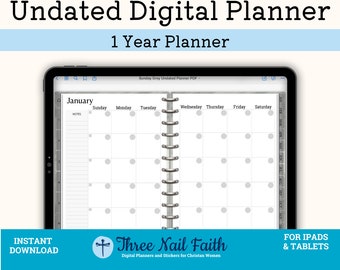
Ongedateerde digitale planner, minimalistische planner, geloofsplanner, hyperlinked planner PDF, GoodNotes, notability, maand, wekelijkse, dagelijkse bladen
EUR 11.12
-
Digitale download
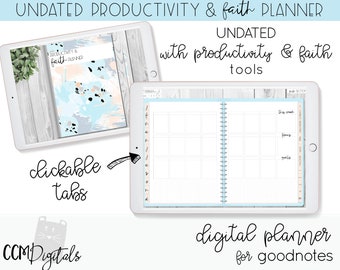
Ongedateerde digitale productiviteits- en geloofsplanner voor Goodnotes Planner | Geloofsplanner | Productiviteitsplanner | iPad Pro-planner | Bijbel studie
EUR 24.41
-
Digitale download
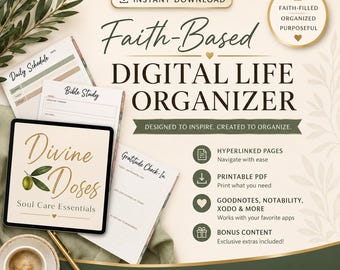
Christelijke digitale planner | Geloofsplanner | Bijbelstudie | Gebedsdagboek | GoodNotes-planner | Dagplanner in PDF-formaat | Digitale levensorganizer
Aanbiedingsprijs EUR 22.17
Oorspronkelijke prijs EUR 38.90
-
Digitale download
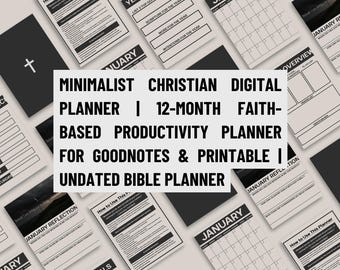
Minimalistische christelijke digitale planner | 12 maanden op geloof gebaseerde productiviteitsplanner voor GoodNotes en afdrukbaar | Ongedateerde Bijbelplanner
EUR 16.66
-
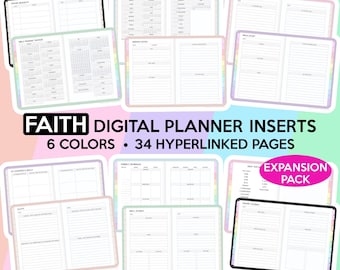
Digitale download
Faith Digital Planner Faith Planner Christelijke Planner Bijbelstudie Planner Goodnotes Planner Devotional Planner Faith Journal Gebedsplanner
EUR 6.67
-
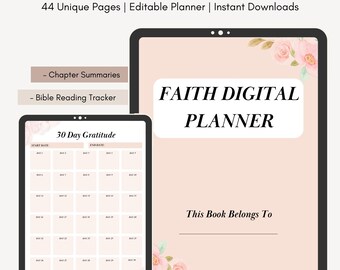
Digitale download
Insteekkaarten digitale planner Faith: 44 pagina's met hyperlinks (pdf-download)
EUR 4.44
-
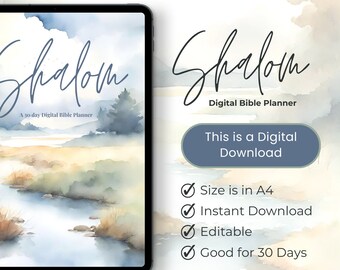
Digitale download
Shalom-bijbelstudieplanner: sjablonen voor christelijk geloof (digitale download)
EUR 8.99


