
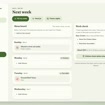


Meal Planner App, Weekly Meal Planning & Grocery List, Recipe Organizer, Shopping List, Digital Meal Planner
Se ha visto 12 veces en las últimas 24 horas
AhoraPrecio:MX$205.72
Precio original: MX$294.14
-30 %
La oferta termina en 6:37:40
Solo puedes hacer una oferta por compras de un único artículo
Cómpralos juntos y consigue un -50 %
 Este anuncio
Meal Planner App, Weekly Meal Planning & Grocery List, Recipe Organizer, Shopping List, Digital Meal Planner
Precio en oferta MX$146.97
Precio original MX$294.14
Descarga digital
Precio original: MX$882.41
Nuevo total: MX$440.91
Puntos destacables
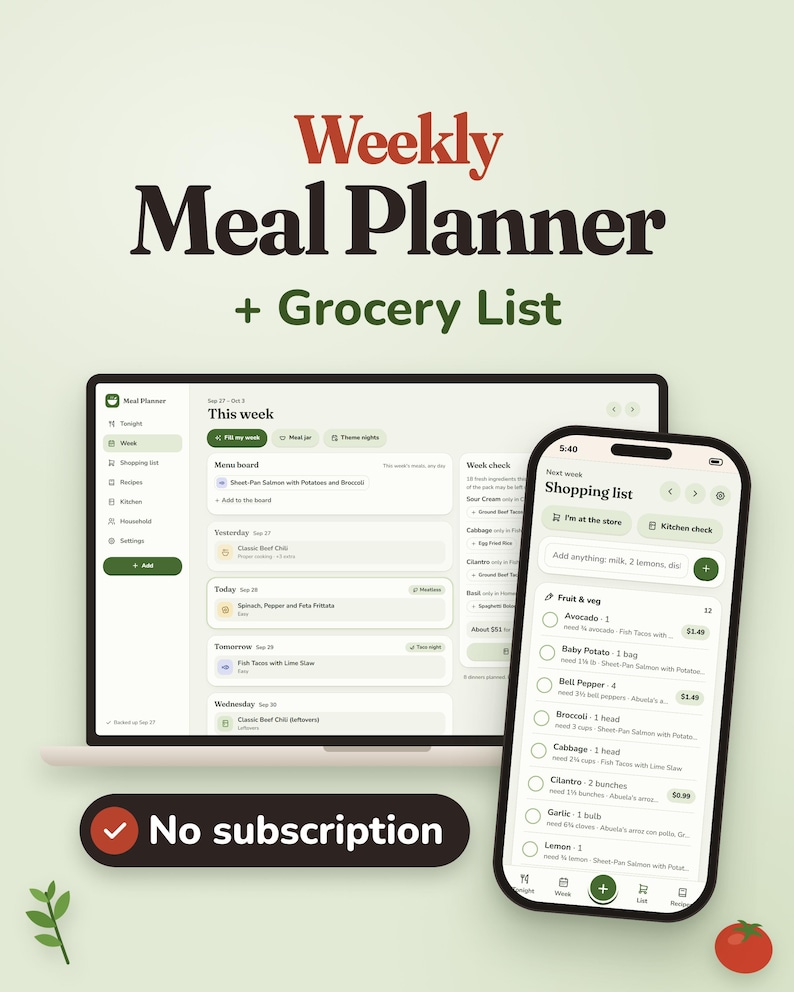
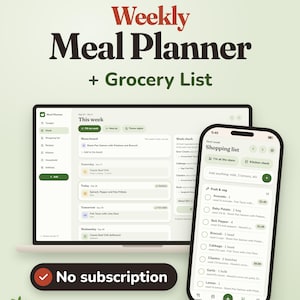
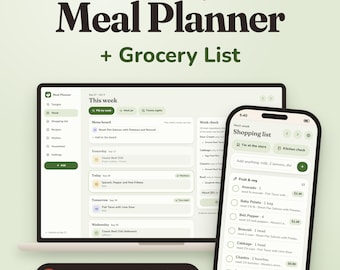
🥕 FAMILY MEAL PLANNER + GROCERY LIST APP
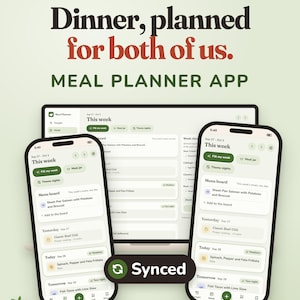
Plan the week from meals your family already enjoys, build your grocery list automatically, keep track of what needs using up, and adjust the plan when real life gets in the way.
The FinNestStudio Meal Planner is an interactive meal planning app for busy households, couples and families who want one place to answer:
What are we eating, what do we need to buy, and what should we use first?
Instead of forcing you into a rigid meal schedule, the planner works around your household, your recipes, your shopping day and the way you actually cook.
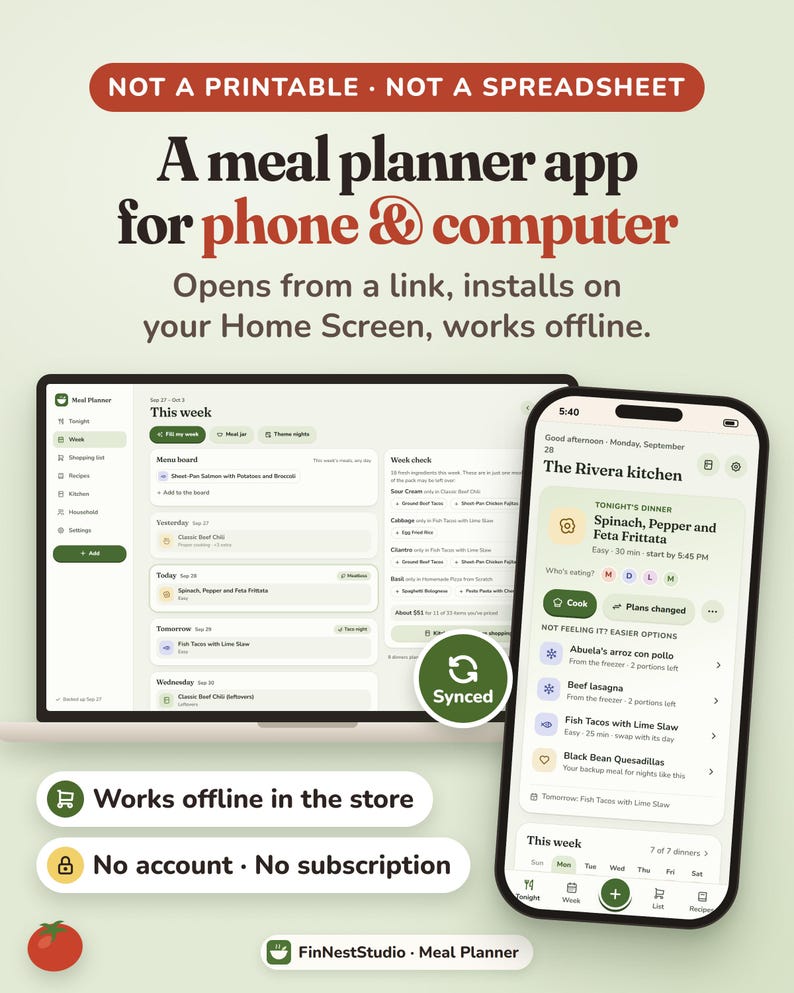
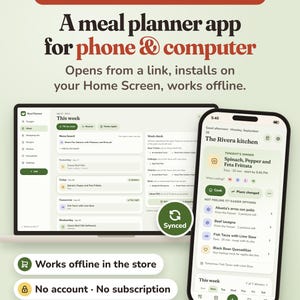
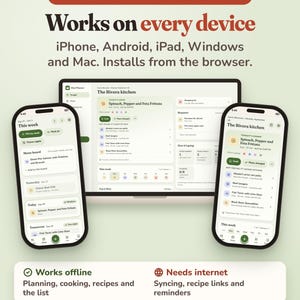
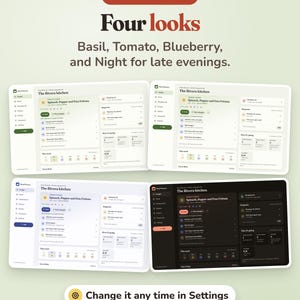
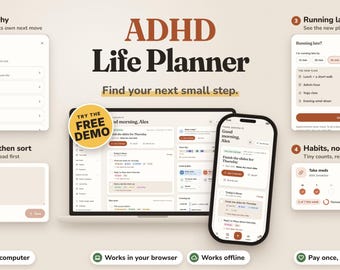
Use it on your phone, tablet or computer, install it like an app, and keep using it even when you are in the store without internet.
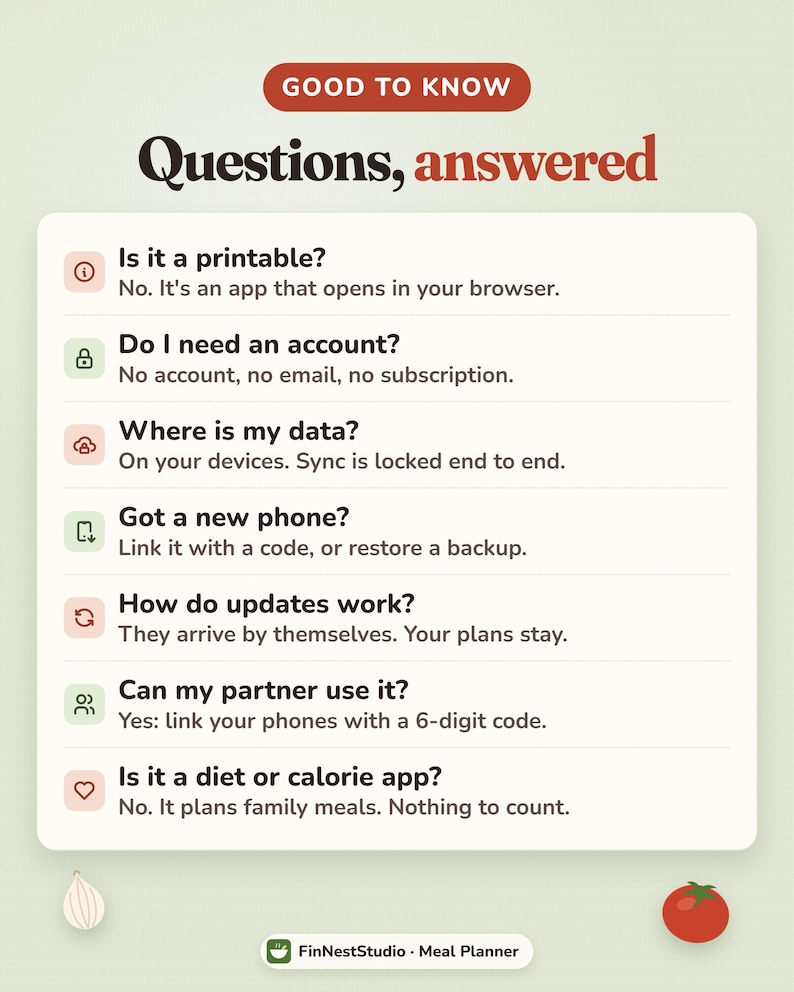
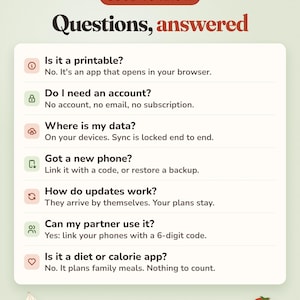
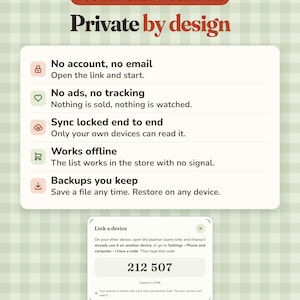
🌿 No account or login
🌿 No monthly subscription
🌿 No ads or tracking
🌿 Works offline after installation
🌿 Phone, tablet + computer compatible
🌿 Optional partner/device syncing
🌿 Backup + restore included
━━━━━━━━━━━━━━━━━━
🍽️ PLAN THE WEEK FROM MEALS YOU ACTUALLY EAT
Start with your real household instead of a generic meal template.
During setup, you can add:
• Who eats at home
• Foods or ingredients someone avoids
• Your normal shopping day
• Which meals you usually plan
• Recipes your household already makes
• Optional theme nights
Your shopping day becomes the beginning of your planning week, so your meal plan follows the way your household actually buys groceries.
━━━━━━━━━━━━━━━━━━
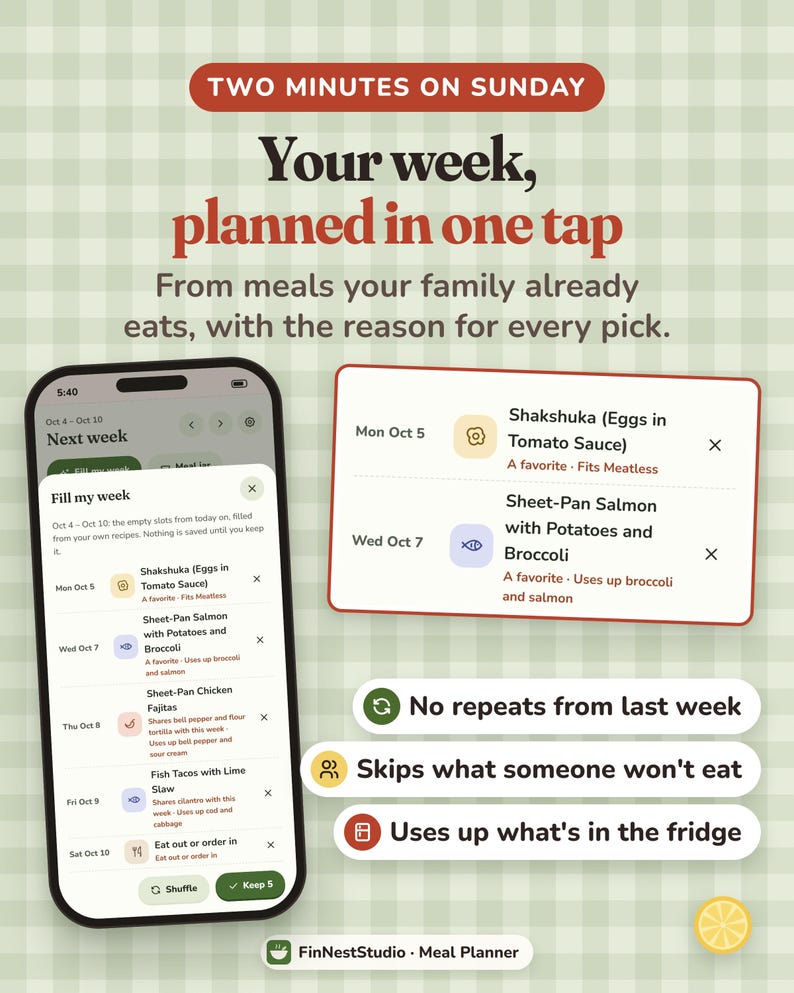
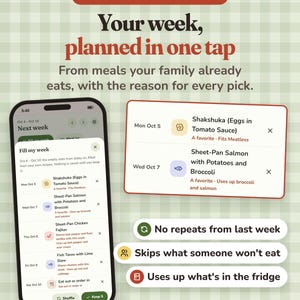
✨ FILL MY WEEK
Do not want to choose every meal manually?
Use Fill My Week to suggest meals for the empty days in your plan.
It can consider things such as:
• Your own recipe collection
• Theme nights
• Meals you have eaten recently
• Household food preferences
• Fresh ingredients that can be shared between meals
Each suggestion explains why it was chosen.
Keep the suggestions you like and change the rest.
The goal is to help you make decisions faster without taking control away from you.
━━━━━━━━━━━━━━━━━━
🎲 MEAL JAR + MENU BOARD
Not every household wants every dinner fixed to a specific day.
The Meal Jar gives you another way to decide.
Add meals and let the planner choose one when nobody knows what they want.
Prefer even more flexibility?
Use the Menu Board to choose a group of meals for the week without assigning each one to a day.
Then pick from the board when dinnertime comes.
This works well for households that want structure without feeling locked into Monday = pasta, Tuesday = curry, Wednesday = tacos.
━━━━━━━━━━━━━━━━━━
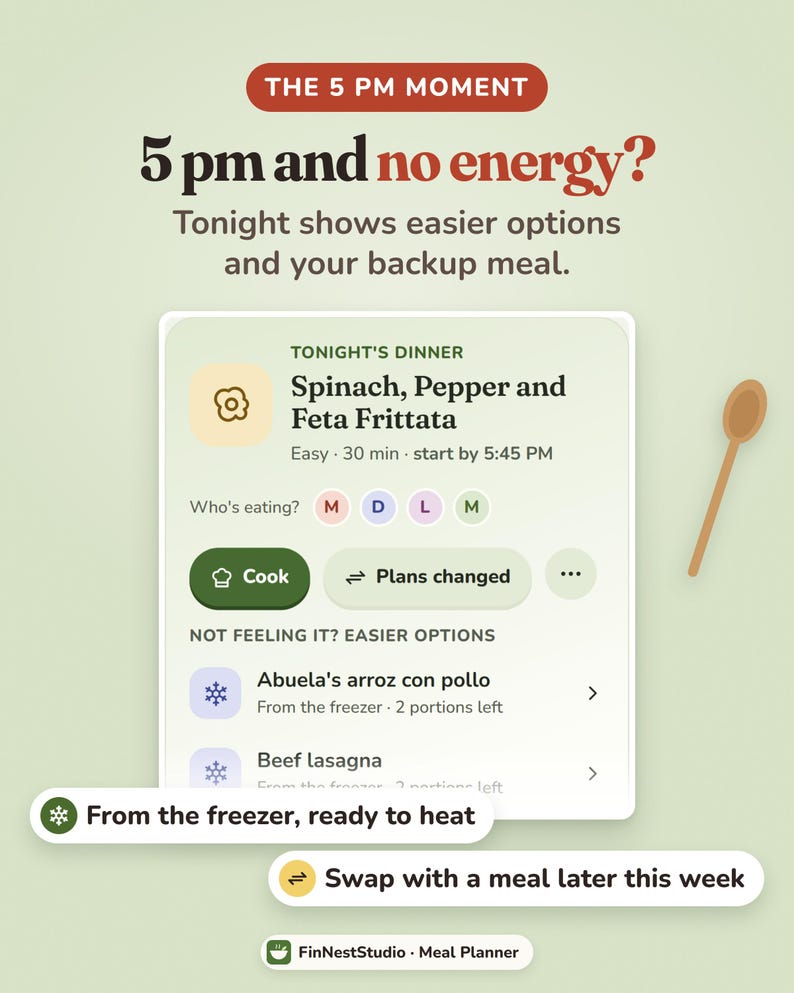
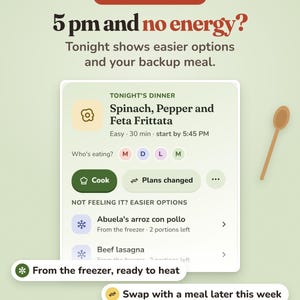
🌙 KNOW WHAT’S FOR DINNER TONIGHT
Most days, you do not need to look through the entire week.
The Tonight screen brings the useful information together in one place.
Depending on your plan, you can quickly see:
• Tonight’s meal
• When to start cooking
• Easier options for tired evenings
• Food that needs using first
• Your current shopping list
So when someone asks, “What are we having tonight?” you do not need to rebuild the week in your head.
━━━━━━━━━━━━━━━━━━
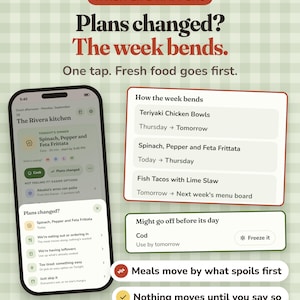
🔄 PLANS CHANGED? LET THE WEEK BEND
Meal plans usually fail for one reason:
Life changes.
Someone is eating out.
There are unexpected leftovers.
You are too tired to cook.
Plans moved.
A takeaway happened.
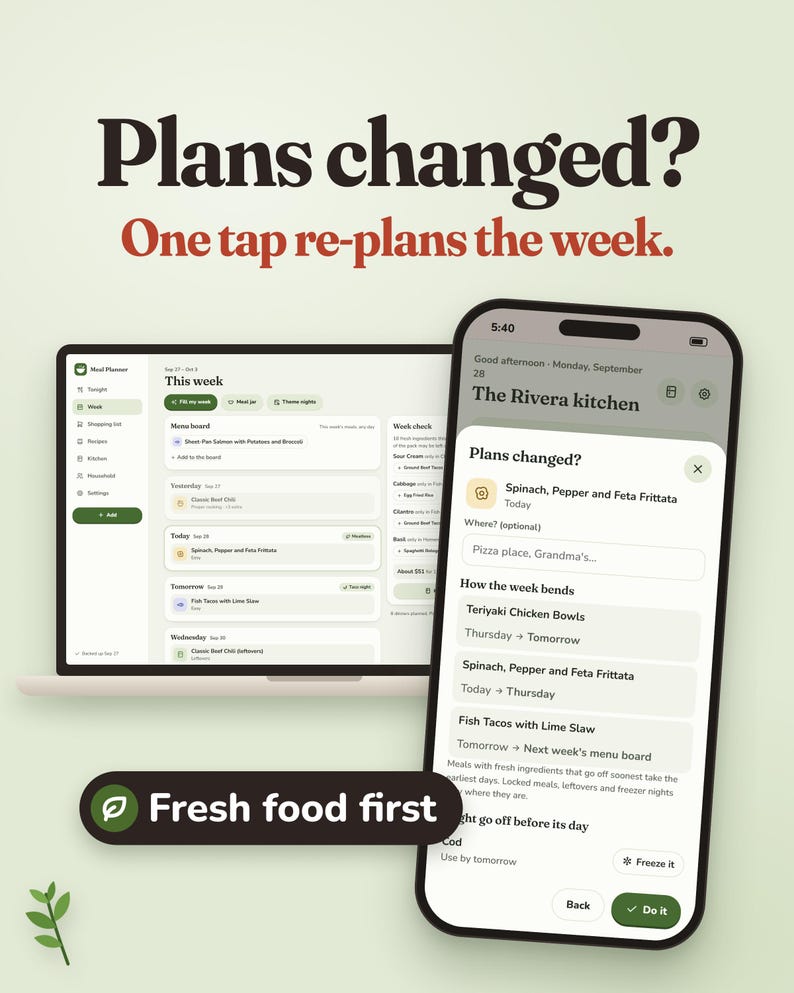
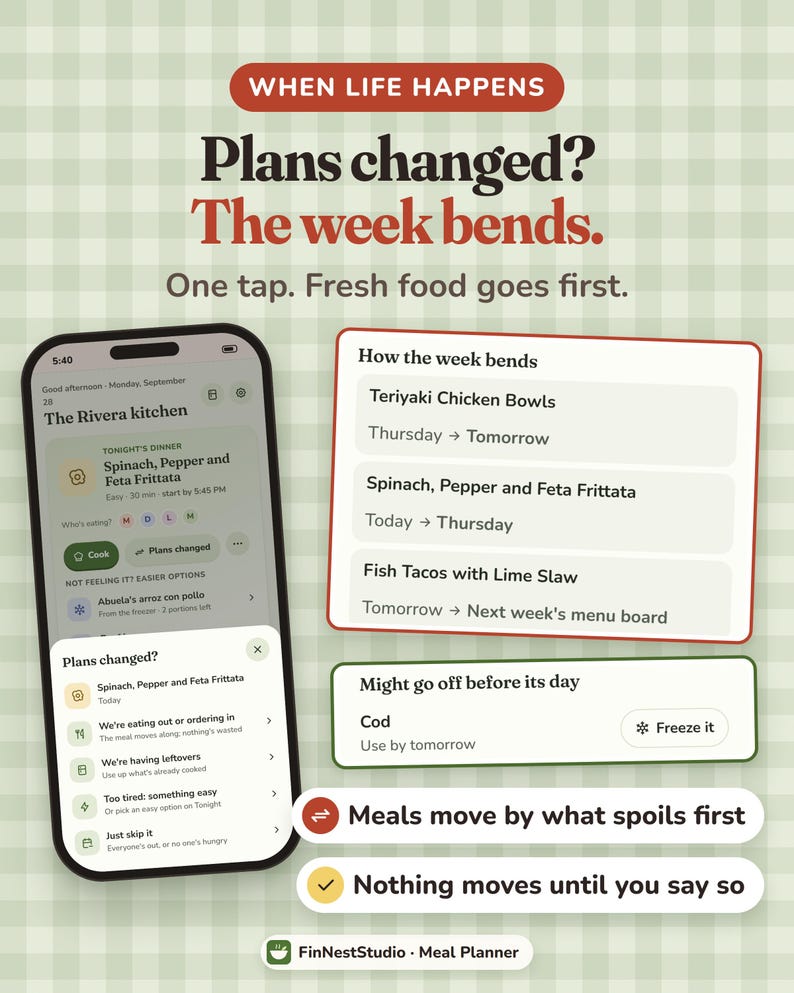
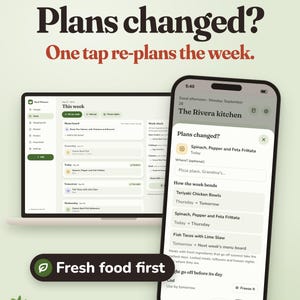
Instead of manually rearranging the entire week, tap Plans Changed.
Tell the planner what happened and preview how the remaining meals could move.
It can prioritise meals using fresh ingredients that may expire sooner and push meals that can wait further into the week.
If an ingredient may be at risk, the planner can also suggest freezing it.
Nothing moves until you approve the changes.
━━━━━━━━━━━━━━━━━━
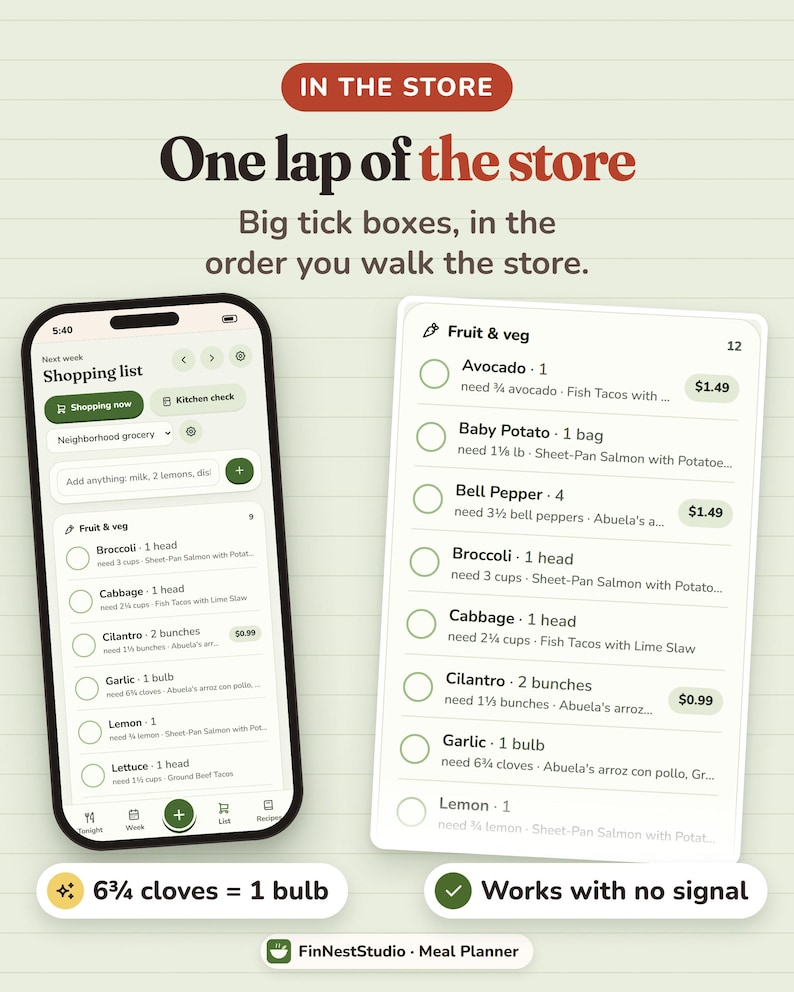
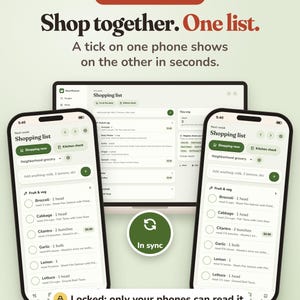
🛒 A GROCERY LIST BUILT FROM YOUR MEAL PLAN
Your grocery list does not need to be written separately from your meals.
Once you plan the week, the planner can build the shopping list from the ingredients your meals require.
It can:
• Combine ingredient quantities
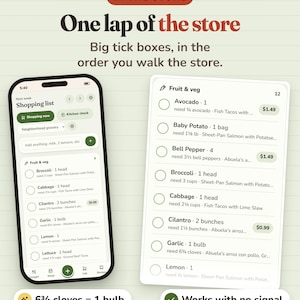
• Group items for shopping
• Show which meals need each ingredient
• Let you add extra household items manually
For example, if one recipe needs 3 cloves of garlic and another needs 4, the planner can combine them into the amount you need to buy.
━━━━━━━━━━━━━━━━━━
🥫 CHECK YOUR KITCHEN BEFORE YOU SHOP
Before heading to the store, use Kitchen Check.
Go through the shopping list and remove anything you already have at home.
This helps prevent buying another bottle, packet or ingredient simply because nobody remembered it was already in the cupboard.
Your grocery list then becomes a list of what you actually still need.
━━━━━━━━━━━━━━━━━━
🛍️ STORE MODE FOR EASIER SHOPPING
When you arrive at the store, switch to the shopping-friendly view.
The list becomes easier to tap through while you shop.
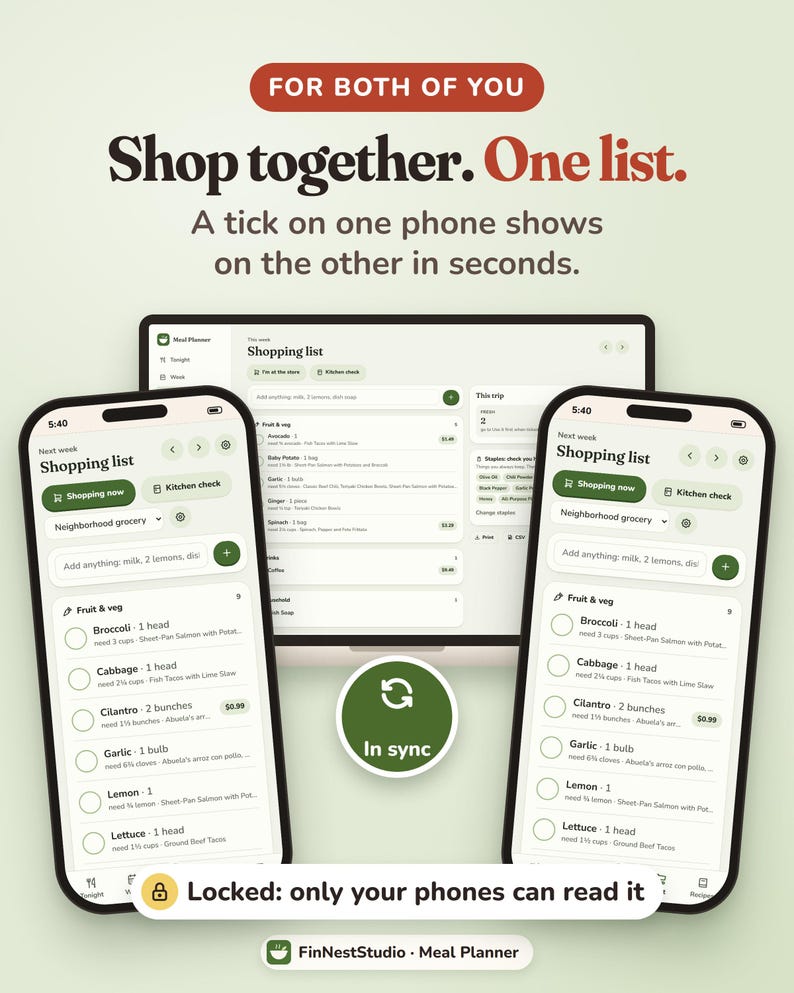
Tick items off as they go into the basket.
If another person is using a linked device, checked-off items can appear on their list within seconds.
That means two people can shop from the same grocery list without sending screenshots or texting:
“Did you get the milk?”
━━━━━━━━━━━━━━━━━━
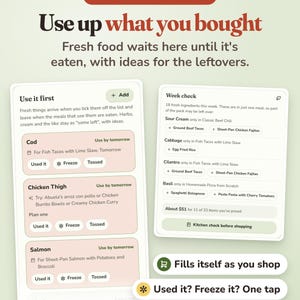
🥬 USE IT FIRST — SEE WHAT NEEDS USING UP
Meal planning should not stop once the groceries come home.
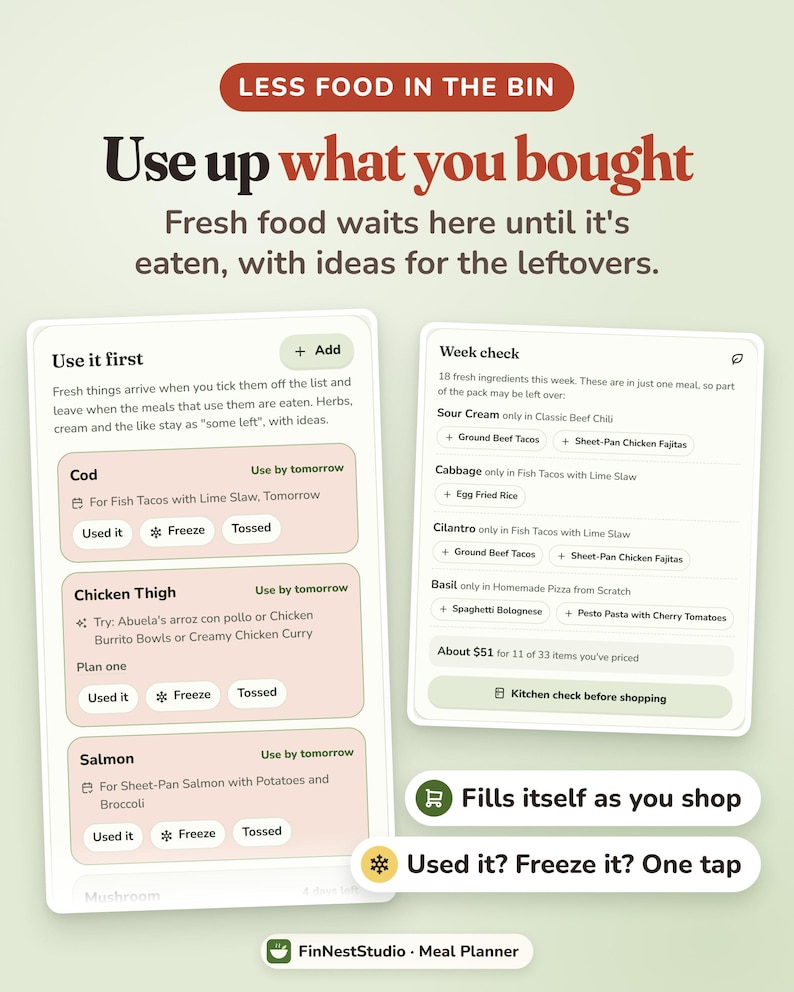
Fresh ingredients you buy can move into Use It First.
This helps keep track of food that should be used before it gets forgotten.
For example:
• Fresh herbs
• Vegetables
• Opened ingredients
• Produce connected to planned meals
If you have part of an ingredient left over, the planner can also look through your own recipe collection for ideas that use it.
━━━━━━━━━━━━━━━━━━
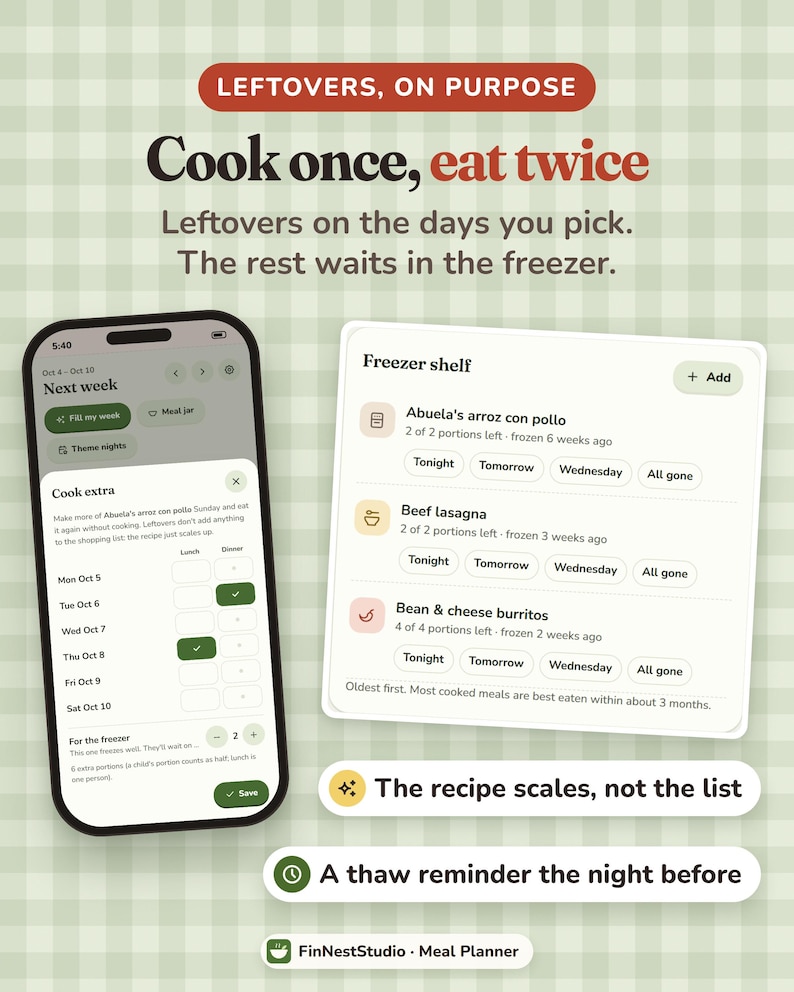
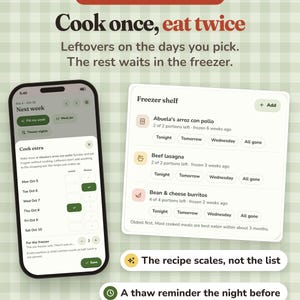
🍲 COOK EXTRA + PLAN LEFTOVERS
Cooking more than you need tonight?
Use Cook Extra.
Choose whether the additional portions should become:
• A meal later in the week
• Planned leftovers
• Portions for the freezer
The planner can scale the recipe quantities and shopping needs to match.
This makes batch cooking part of the actual weekly plan instead of something you have to remember separately.
━━━━━━━━━━━━━━━━━━
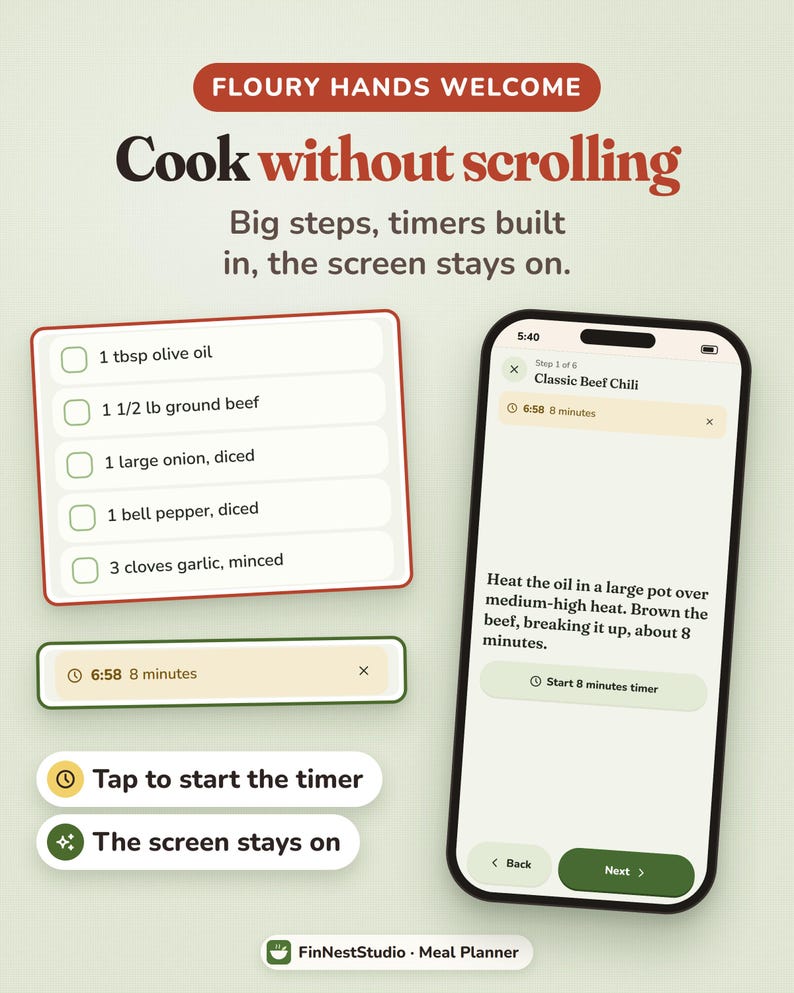
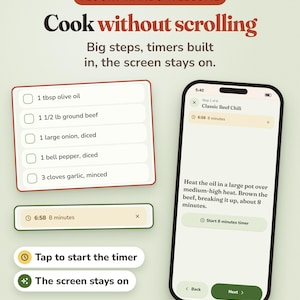
👩🍳 COOK MODE
When it is time to cook, open the meal inside the planner.
Cook Mode can give you:
• Larger cooking steps
• Easy access to timers
• A screen designed to stay useful while you cook
You do not need to keep jumping between the meal plan, shopping list and recipe instructions.
━━━━━━━━━━━━━━━━━━
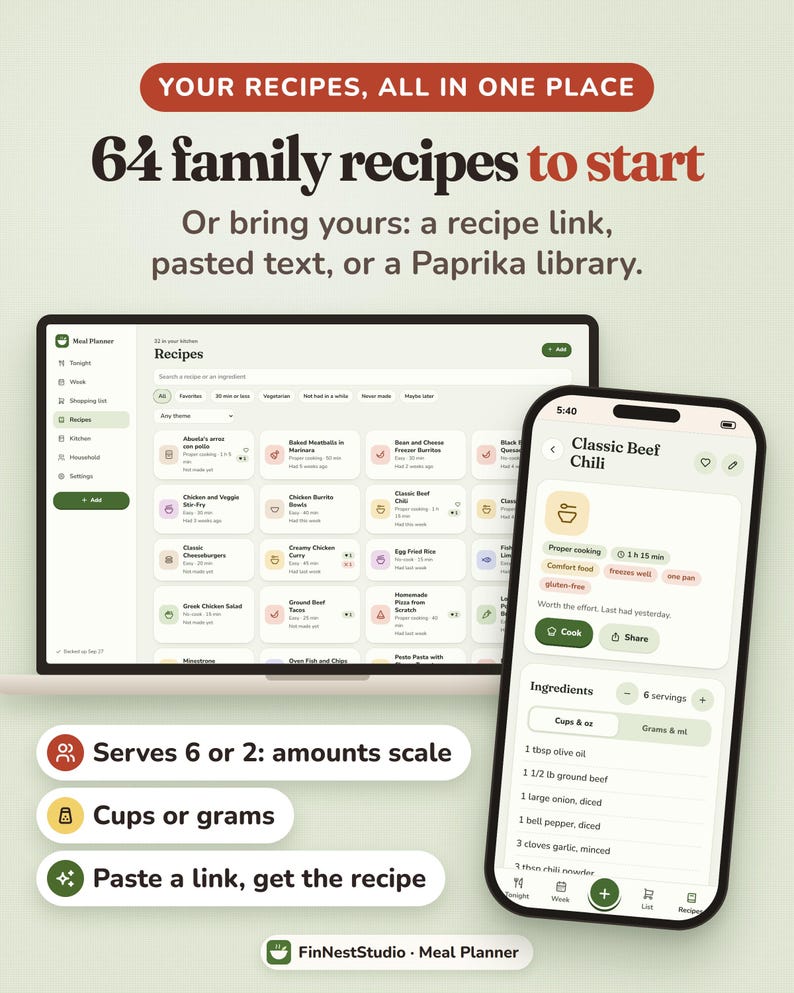
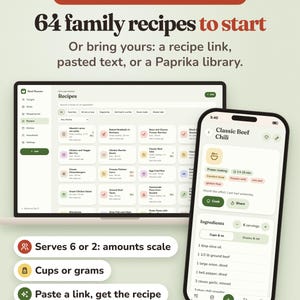
📖 KEEP YOUR RECIPES TOGETHER
Build your own recipe collection inside the planner.
Add recipes by:
• Entering them manually
• Pasting recipe text
• Pasting a supported recipe website link
• Importing a Paprika recipe library
Your recipes then become part of the meal planning system instead of living in bookmarks, screenshots, notes apps and different websites.
Some recipe websites prevent apps from reading their pages. If a link cannot be imported, you can copy the recipe text and paste it instead.
━━━━━━━━━━━━━━━━━━
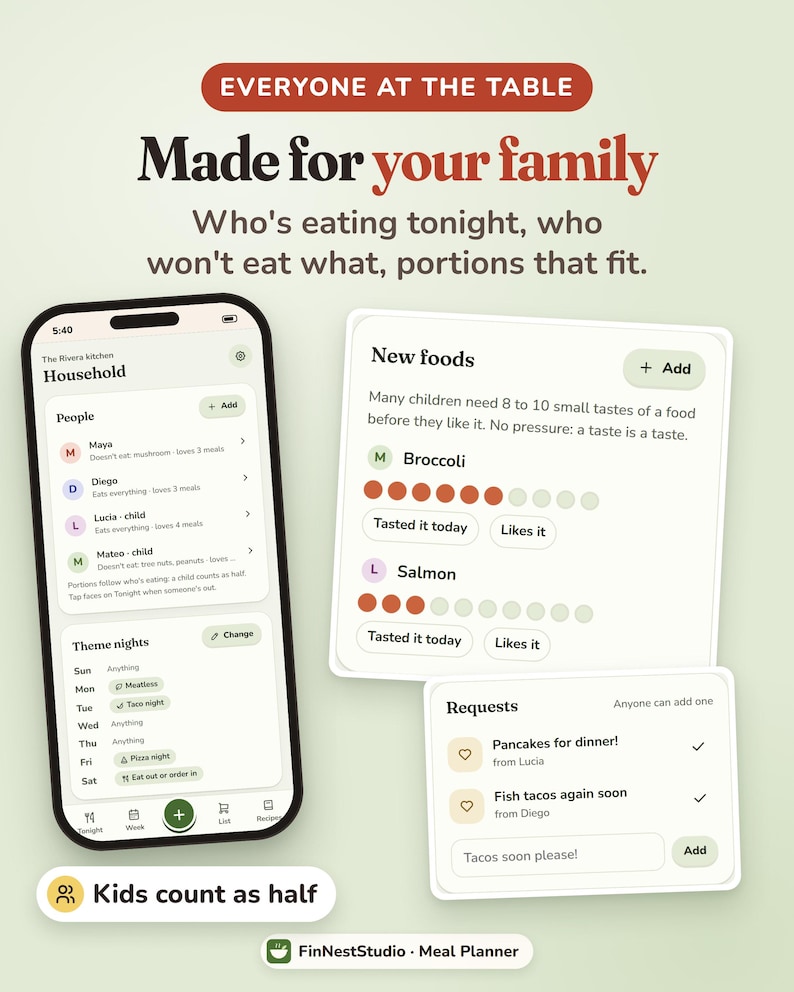
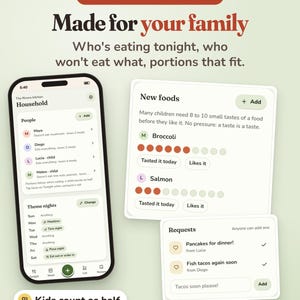
👨👩👧 MADE FOR REAL HOUSEHOLDS
Set up the people who normally eat at home.
You can note preferences and restrictions such as:
• Vegetarian
• Dairy-free
• Nut-free
• Other foods someone does not eat
The planner can consider those preferences when helping fill the week.
This is especially useful when one meal has to work for more than one person.
━━━━━━━━━━━━━━━━━━
📅 BUILD YOUR WEEK AROUND YOUR SHOPPING DAY
Not everyone shops on Monday.
Choose the day you normally buy groceries and let your planning week start there.
This makes it easier to connect:
Shopping → meals → ingredients → leftovers → next shopping day.
Instead of forcing your food planning into a standard Monday-to-Sunday calendar, the planner follows your routine.
━━━━━━━━━━━━━━━━━━
🔔 OPTIONAL REMINDERS
If reminders help you, you can turn them on separately for each device.
Available reminder types include:
• Tonight’s dinner
• When to start cooking
• Take a freezer meal out to thaw
• Food that needs using first
• Time to plan next week
Reminder messages contain timing information rather than the details of what your household eats.
━━━━━━━━━━━━━━━━━━
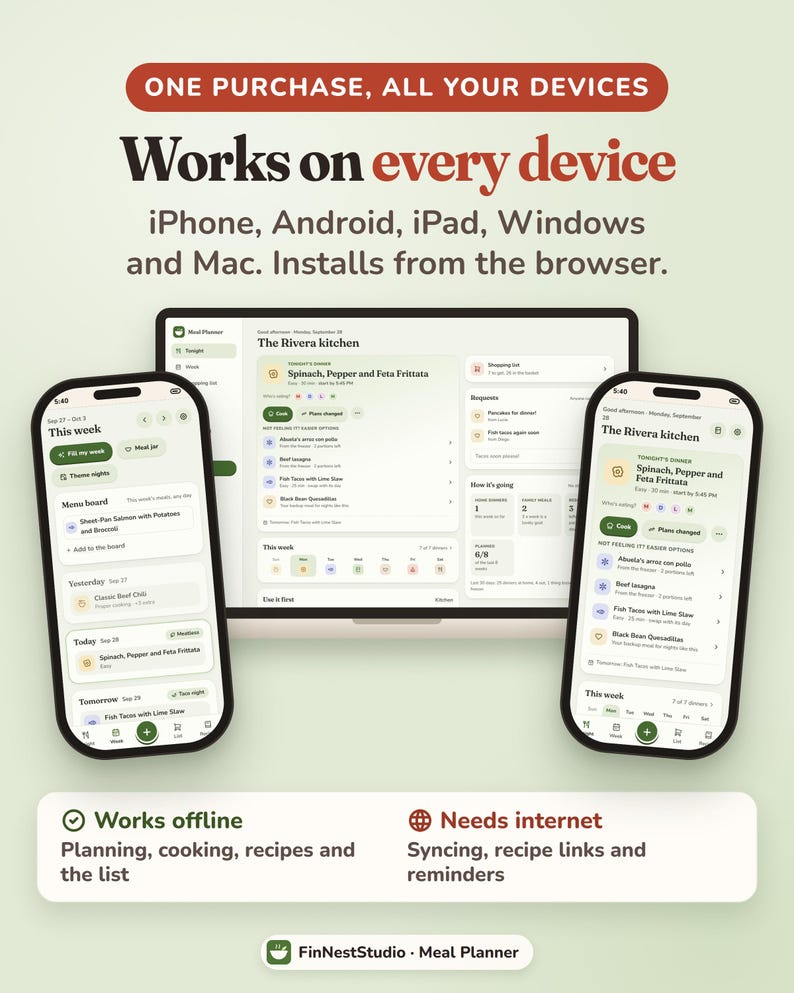
📱 PHONE, TABLET + COMPUTER
Use your meal planner on:
• iPhone
• iPad
• Android
• Windows
• Mac
Open your private planner link and add it to your Home Screen or install it where supported.
On iPhone and iPad, open the link in Safari.
On Android, use Chrome.
On a computer, use a supported browser such as Chrome, Edge or Safari.
Once installed, the planner can also work without internet access.
━━━━━━━━━━━━━━━━━━
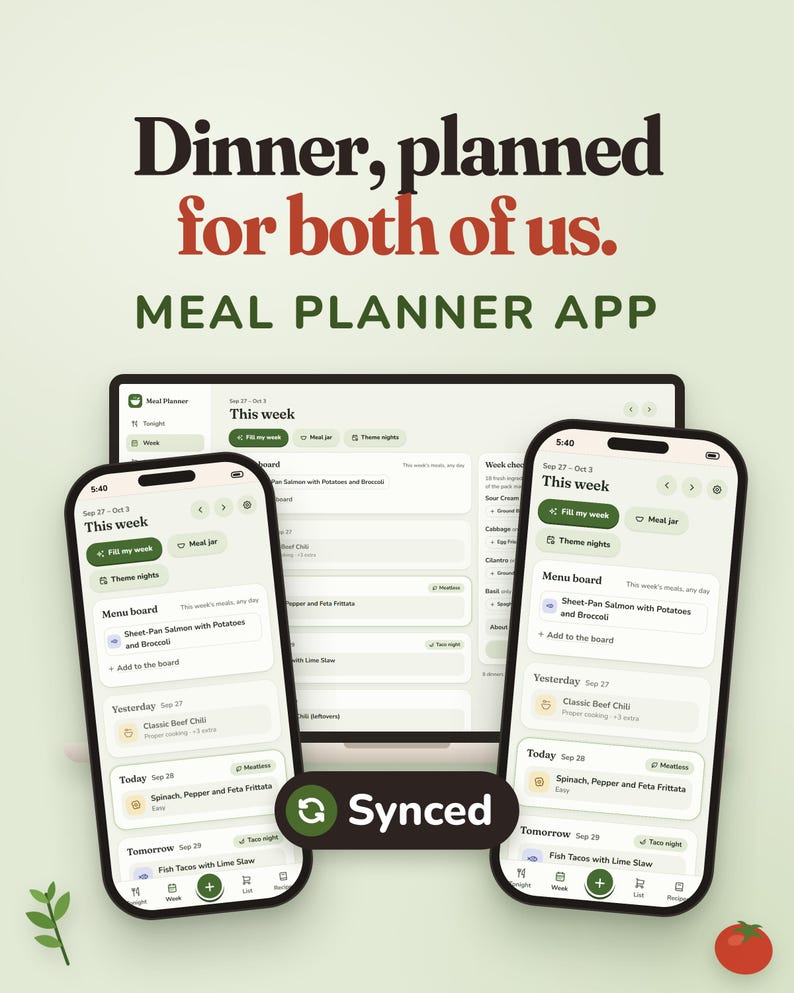
🔗 PLAN ON YOUR LAPTOP, SHOP ON YOUR PHONE
Want to plan the week on a larger screen but take the grocery list with you?
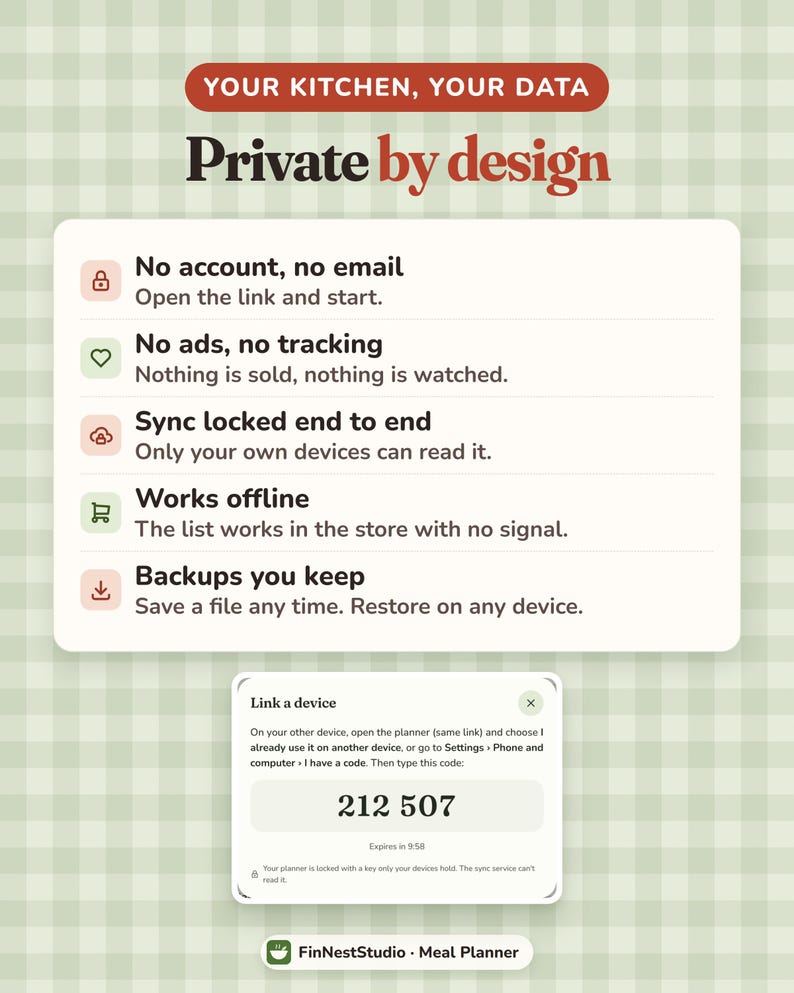
Link your devices using a one-time 6-digit code.
You can connect:
• Your phone
• Your computer
• Your tablet
• Your partner’s phone
Changes can then appear across linked devices.
Plan the week on your laptop, open the list on your phone at the store, and let your partner tick items off from another device.
Your planner information is locked before it is sent between linked devices, with the key held by those devices. FinNestStudio cannot read the synced planner data.
Sync is optional.
If you prefer to use one device only, you do not need to turn it on.
━━━━━━━━━━━━━━━━━━
🔒 PRIVATE BY DESIGN
Your household information stays yours.
The Meal Planner does not require:
• A FinNestStudio account
• An email login
• A monthly subscription
• Advertising
• Analytics tracking
Your planner information stays on your devices.
━━━━━━━━━━━━━━━━━━
💾 BACKUPS YOU CONTROL
Your planner saves your information while you use it.
You can also create your own backup file.
A backup can restore your planner information on another compatible device if needed.
Regular backups are recommended, especially before clearing browser data or moving to a new device.
━━━━━━━━━━━━━━━━━━
📦 WHAT YOU RECEIVE
Your Etsy digital download includes:
• START HERE PDF with your private meal planner access link
• QR code for quick opening
• Installation instructions
• How to Open guide
• Full How It Works guide
• Personal-use license
The full guide explains the planner in more detail, including recipes, imports, Fill My Week, Plans Changed, grocery lists, kitchen tools, household settings, reminders, sync and backups.
No physical product will be shipped.
━━━━━━━━━━━━━━━━━━
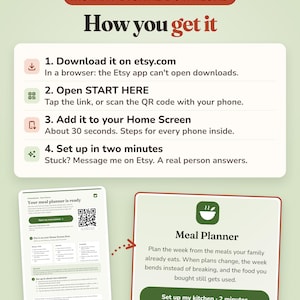
🚀 GETTING STARTED
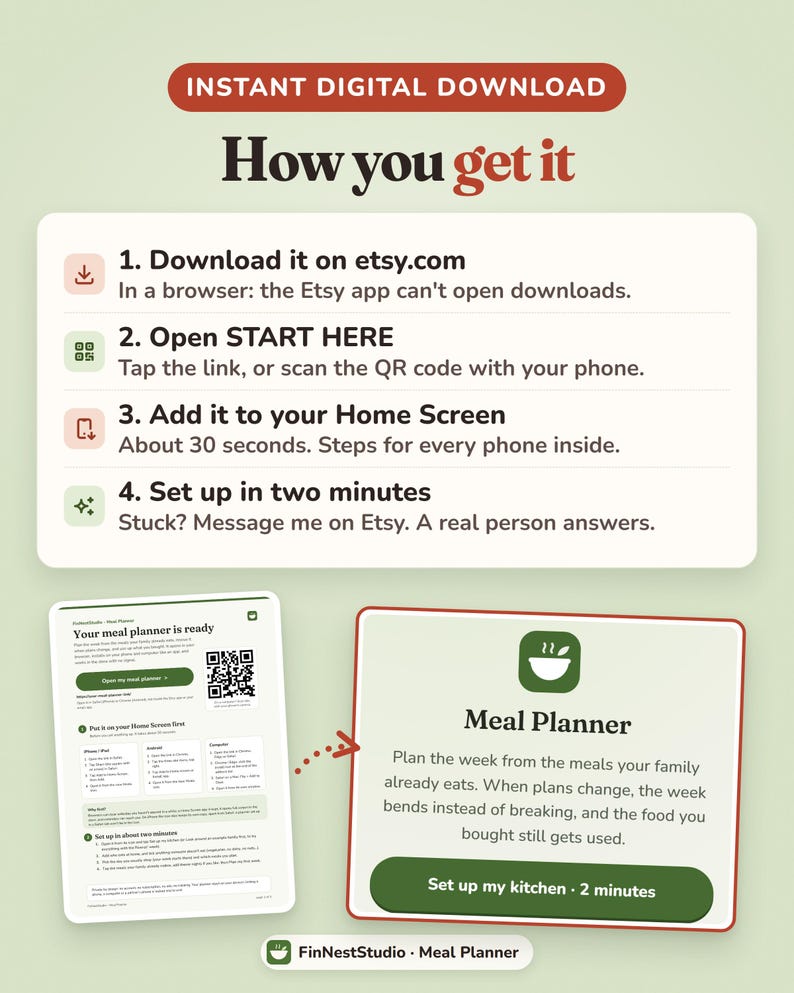
1. Download and open your START HERE PDF.
2. Tap your private planner link or scan the QR code.
3. Add the planner to your Home Screen or install it on your computer before setting everything up.
4. Open it from the new Meals icon.
5. Choose Set Up My Kitchen, or explore the example household first.
6. Add who normally eats at home.
7. Add any food preferences or restrictions.
8. Choose your usual shopping day.
9. Select the meals your family already enjoys.
10. Plan your first week.
Setup takes around two minutes, and you can build your recipe collection gradually rather than adding everything at once.
━━━━━━━━━━━━━━━━━━
🌱 WHO IS THIS FOR?
This planner may suit you if:
• You regularly ask “What are we having tonight?”
• Meal plans often fall apart when something changes
• You want your grocery list built from your actual meals
• You want to use up food before buying more
• You cook for a partner or family
• Different household members have different food preferences
• You want to keep recipes in one place
• You want to plan leftovers and freezer meals
• You want to shop from the same list as your partner
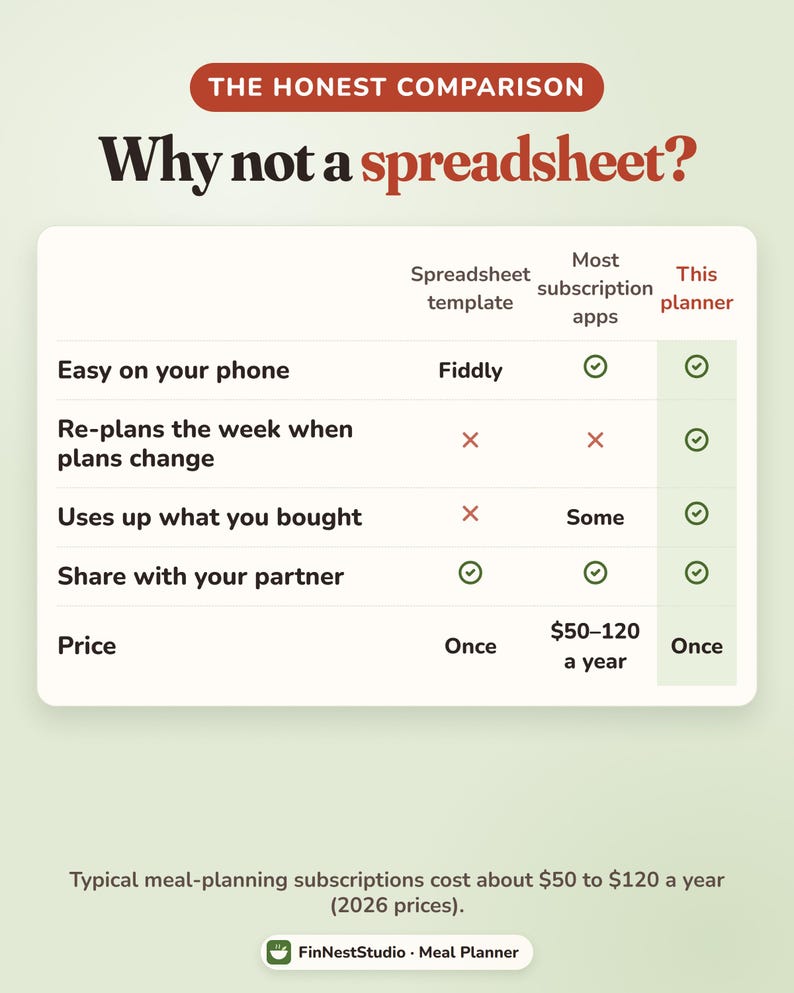
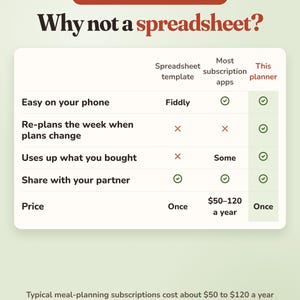
• You want meal planning without another monthly subscription
• You prefer an interactive app over a printable meal planning sheet
━━━━━━━━━━━━━━━━━━
⚠️ PLEASE READ BEFORE BUYING
• This is a DIGITAL product. No physical item is shipped.
• It is an interactive browser-based meal planner.
• It is NOT an Excel spreadsheet.
• It is NOT a Google Sheet.
• It is NOT a printable-only meal planner.
• It is NOT downloaded through the App Store or Play Store.
━━━━━━━━━━━━━━━━━━
🌿 FinNestStudio
A calmer way to plan what you’re eating, buy what you actually need, and use more of the food you bring home.
Descarga inmediata
Los archivos estarán disponibles para descargar una vez que se confirme el pago. Sigue estas instrucciones.
No se admiten cambios, devoluciones ni cancelaciones de los artículos de descarga inmediata. Ponte en contacto con el vendedor si tienes algún problema con tu pedido.
Protección de compras de Etsy
Compra con confianza en Etsy sabiendo que estamos a tu lado si surge un problema con un pedido que reúne los requisitos.
Consulta las condiciones del programa

Valora este artículo antes que nadie

Más artículos de esta tienda
Visitar tienda-
Descarga digital
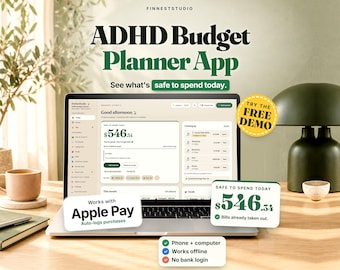
ADHD Budget Planner App | Safe to Spend Tracker, Paycheck Budget, Bills & Envelopes, Works Offline on Phone + Computer, No Subscription
Precio en oferta MX$253.34
Precio original MX$362.06
-
Descarga digital
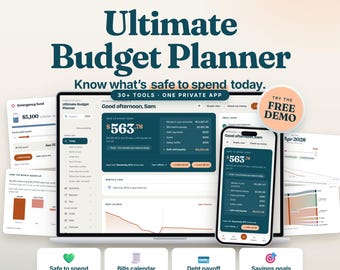
Planificador de presupuesto definitivo: Panel de control financiero, seguimiento de gastos, ahorros, pago de deudas, patrimonio neto (aplicación web)
Precio en oferta MX$271.50
Precio original MX$452.62
-
Descarga digital
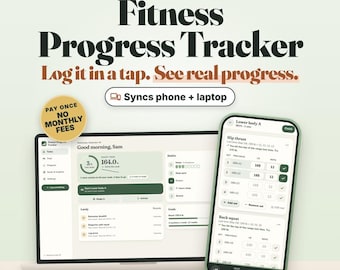
Fitness Progress Tracker, Weight Loss Planner, Workout Log (Digital Planner)
Precio en oferta MX$205.91
Precio original MX$294.14
-
Descarga digital
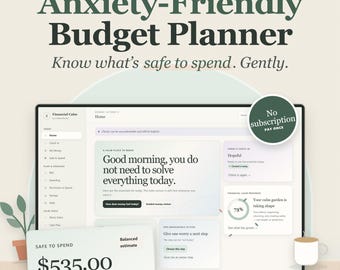
Anxiety Friendly Budget Planner App, Calm Budget Tracker, Safe to Spend, Bill & Debt Tracker, Syncs Phone + Computer, No Subscription
Precio en oferta MX$205.91
Precio original MX$294.14
-
Descarga digital
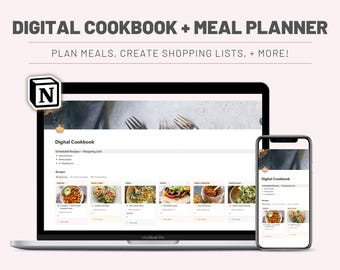
Planificador de comidas digital / Organizador de recetas y plantilla de lista de compras de Notion / Planificación semanal de comidas, compras económicas, descarga instantánea
MX$339.41
-
Descarga digital
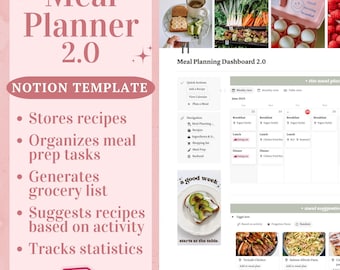
Plantilla de planificación de comidas 2.0: Planificador de comidas digital y lista de compras, planificador de tareas de preparación de comidas, planificador de comidas semanal y mensual.
Precio en oferta MX$135.45
Precio original MX$271.10
-
Descarga digital
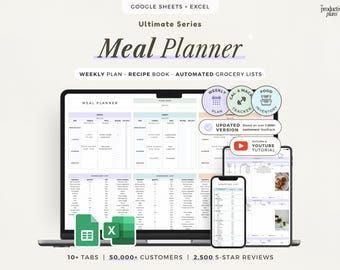
Planificador de comidas semanal, hojas de cálculo de Google, diario de recetas, planificador de comidas, hoja de cálculo imprimible, registro de calorías, lista de compras automática, inventario de alimentos
Precio en oferta MX$128.69
Precio original MX$257.39
-
Descarga digital
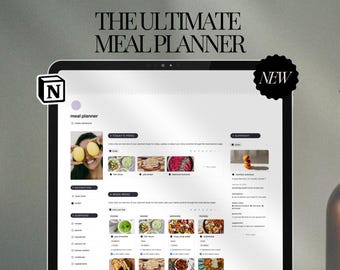
Plantilla de planificador de comidas de Notion: preparación semanal de comidas, organizador de recetas y lista de la compra (descarga digital)
MX$240.97
-
Descarga digital
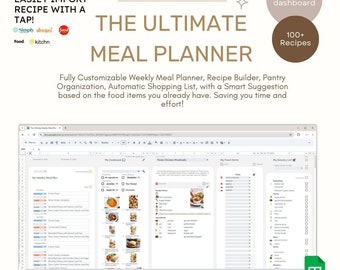
Ultimate Weekly Meal Planner - Inventory Tracker, Automated Grocery Shopping List, and Recipe Book builder | Digital Template| Google Sheets
MX$274.73
-
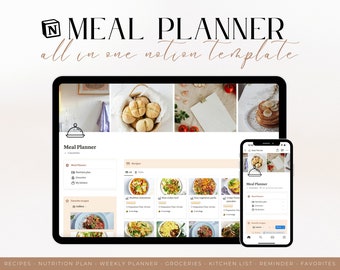
Descarga digital
Planificador de comidas todo en uno, plantilla Notion, plan de nutrición familiar semanal, recetario digital, lista de compras para la despensa y gestión de inventario.
MX$279.01
-
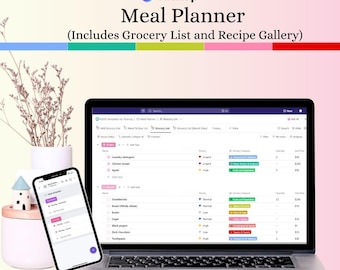
Descarga digital
Plantilla ClickUp para planificar comidas para principiantes / Horario de preparación de comidas / Lista de la compra / Galería de recetas
Precio en oferta MX$254.71
Precio original MX$339.61
-
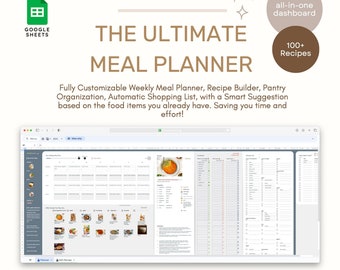
Descarga digital
Planificador de comidas semanal definitivo: rastreador de inventario, lista de compras automatizada y creador de libros de recetas/plantilla digital/Hojas de cálculo de Google
MX$274.73
-
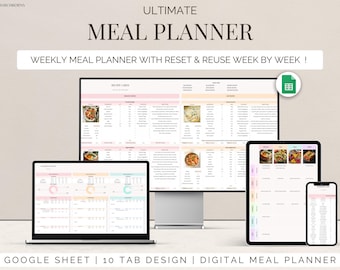
Descarga digital
Planificador de comidas Plantilla de Hojas de cálculo de Google Planificación semanal de comidas Seguimiento del menú familiar Organizador de recetas, listas de compras digitales Seguimiento del inventario de alimentos
Precio en oferta MX$113.20
Precio original MX$226.41
-
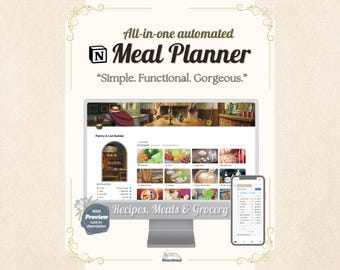
Descarga digital
Plantilla de planificador de comidas semanal de Notion. Organizador de cocina digital automatizado todo en uno, lista de compras, libro de recetas, preparación de comidas. Planificador de comidas para TDAH.
MX$242.53
-
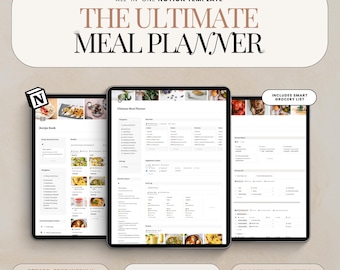
Descarga digital
Notion Meal Planner Template Weekly Meal Plan Digital Recipe Book Food Journal Meal Prep Grocery List Nutrition Tracker
Precio en oferta MX$182.04
Precio original MX$404.65
-
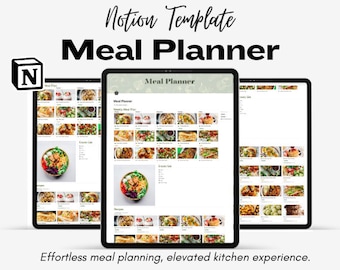
Descarga digital
Plantilla de planificación de comidas semanales todo en uno
MX$226.41
A los compradores con gustos similares les han gustado estos artículos
-
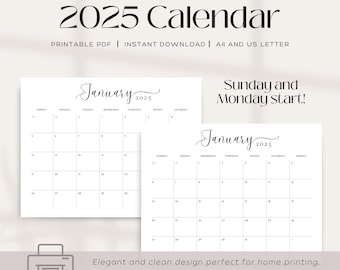
Descarga digital
Calendario mensual imprimible minimalista 2025 / Diseño minimalista / Inicio en domingo y lunes
Precio en oferta MX$25.38
Precio original MX$101.79
-
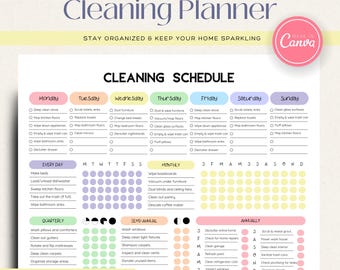
Descarga digital
Calendario de limpieza editable / Planificador de limpieza imprimible / Tabla de tareas digital / Plantilla de Canva / Lista de verificación de limpieza del hogar / Descarga en PDF
Precio en oferta MX$238.71
Precio original MX$954.84
-
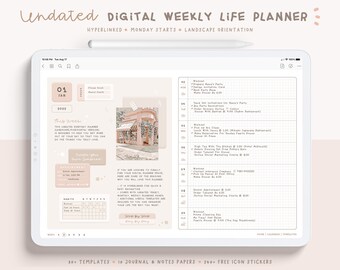
Descarga digital
Planificador digital semanal sin fecha/ Planificador de vida digital actualizado/ Planificador digital/ Diario/ Planificador digital Goodnotes/ Planificador digital Onenote
Precio en oferta MX$323.24
Precio original MX$404.09
-
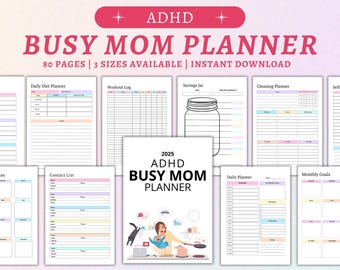
Descarga digital
Planificador 2025 para mamás ocupadas con TDAH: Organizador diario imprimible (descarga digital)
Precio en oferta MX$43.92
Precio original MX$125.69
-

Descarga digital
Planificador digital 2026, Planificador todo en uno, Planificador para iPad, Diario, Planificador Goodnotes, Planificador Noteshelf, Planificador digital con fecha 2025
Precio en oferta MX$114.14
Precio original MX$456.56
-
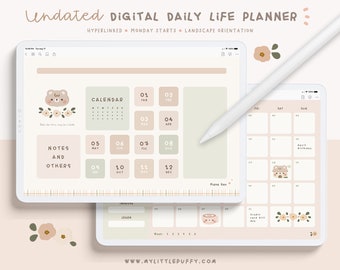
Descarga digital
Planificador digital diario kawaii sin fecha/ Planificador digital lindo/ Diario digital kawaii/ Planificador/ Planificador GoodNotes sin fecha/ Diario digital lindo
Precio en oferta MX$232.78
Precio original MX$290.90
-
Descarga digital
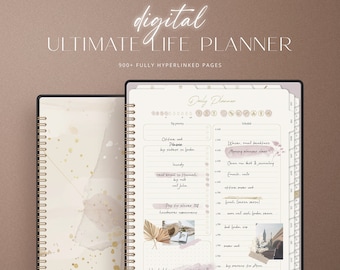
Planificador digital de vida / 900 páginas / Planificador para iPad / Planificador diario, semanal y mensual / Planificador Goodnotes / Planificador digital sin fecha
Precio en oferta MX$57.07
Precio original MX$228.28
-
Descarga digital
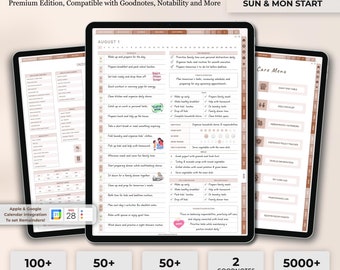
Planificador digital de vida para mamás, planificador para mamás, mamás ocupadas, planificador digital de vida, planificador de administración del hogar, carpeta de tareas domésticas, planificador de limpieza, iPad para mamás
Precio en oferta MX$22.45
Precio original MX$89.59
-
Descarga digital
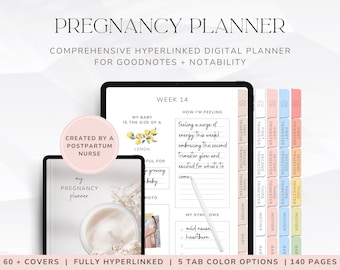
Planificador digital de embarazo para mamás primerizas, diario de embarazo con hipervínculos para GoodNotes, planificador de bebé imprimible, libro para recién nacidos, regalo para mamás primerizas
Precio en oferta MX$113.01
Precio original MX$282.62
-
Descarga digital
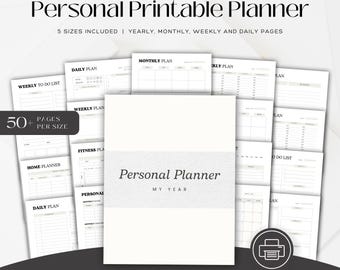
Paquete de planificador personal minimalista / Imprimible y digital / A4, A5, Carta / Planificador diario, semanal y mensual / GoodNotes, Notability Planner
Precio en oferta MX$47.74
Precio original MX$190.97
-

Descarga digital
Diseño retro para mamás con estilo universitario (descarga digital)
Precio en oferta MX$81.59
Precio original MX$135.85
-
Descarga digital
Solía ser genial svg, Camiseta divertida para mamá, Vida de mamá Svg, Mamá caótica png, Descarga digital, Archivo de corte para Cricut, Diseño de sublimación
Precio en oferta MX$44.70
Precio original MX$89.59


