


Price:NZ$24.43
PTA PTO Volunteer Coordinator Spreadsheet | Volunteer Tracker, Sign Up & Shift Schedule | Hours Log for Google Sheets™
You can only make an offer when buying a single item.
Highlights
Stop chasing volunteer assignments in five different places.
The sign-up sheet is on the counter. Two people said yes by text. Somebody emailed you and you cannot remember if you replied. And the only question anyone ever asks you is the one you cannot answer without going through all of it: what still needs people?
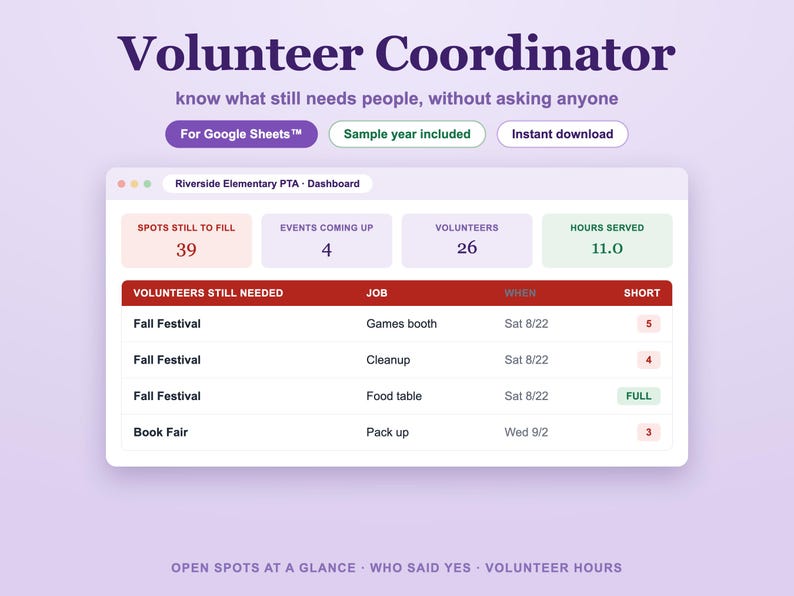
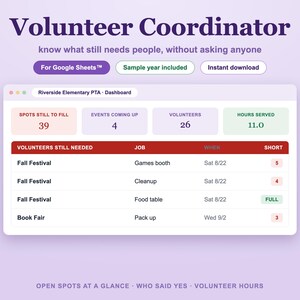
This is a Google Sheets™ workbook that answers that question on one screen.
HOW IT WORKS
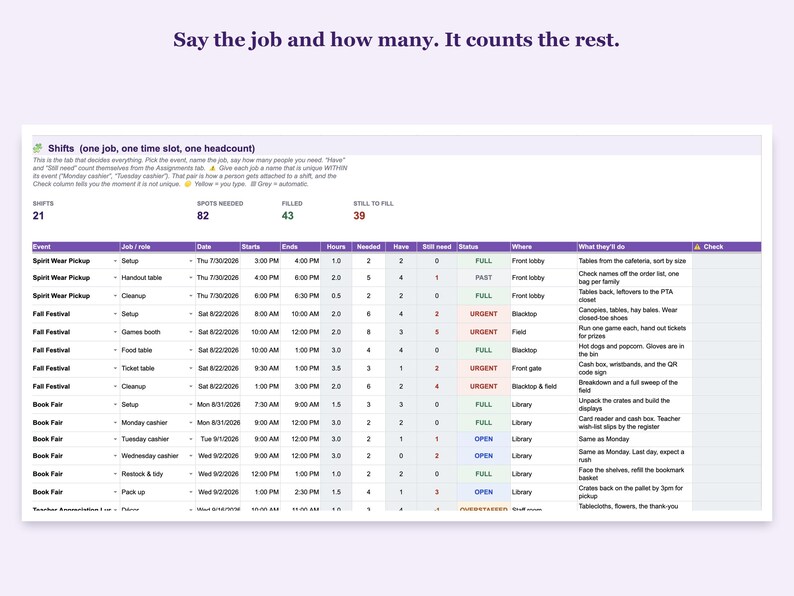
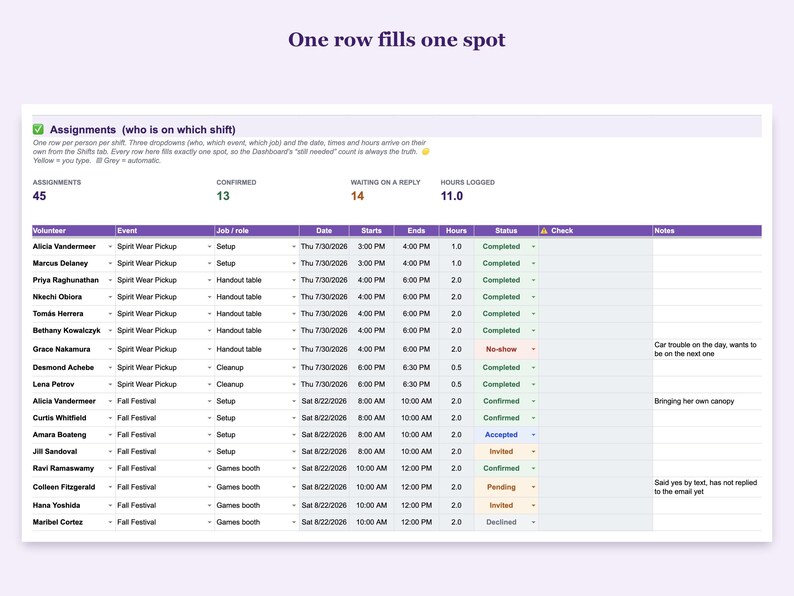
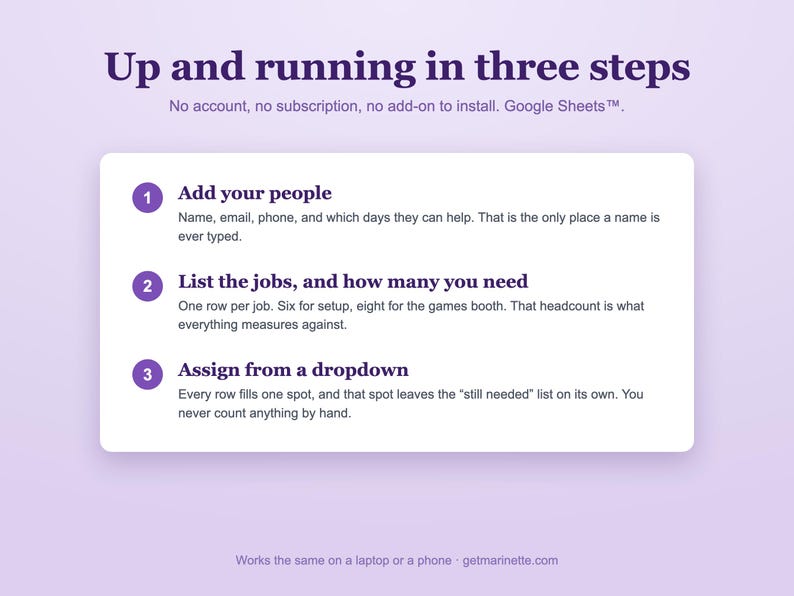
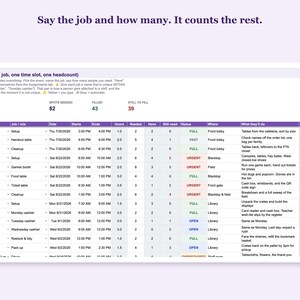
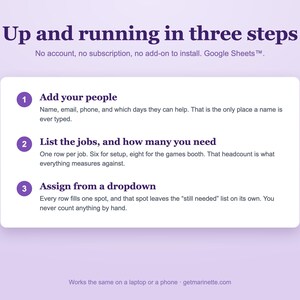
Put your events in. Under each event, list the jobs and how many people you need for each one. Then assign people from a dropdown. That is it. Every spot you fill disappears from the "volunteers still needed" list by itself, because the count is worked out from your assignment rows. You never type a number twice and you never have to trust one.
WHAT YOU GET
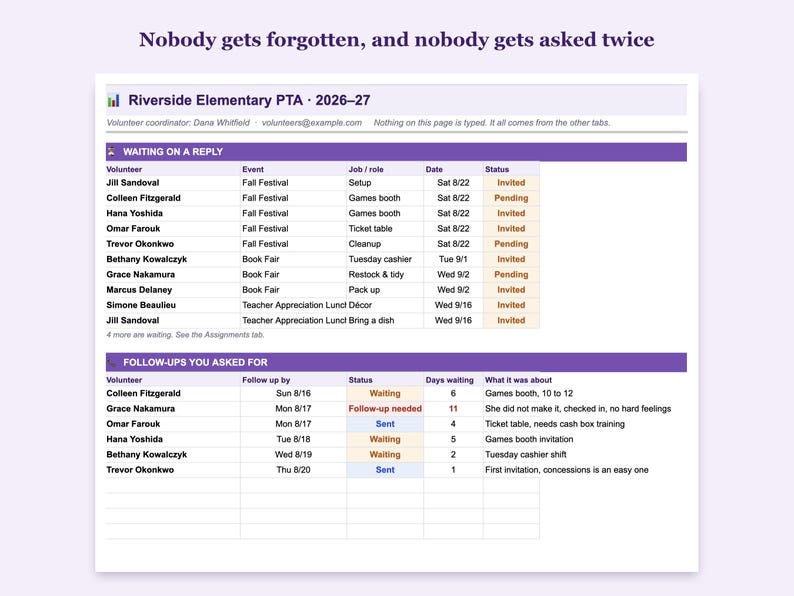
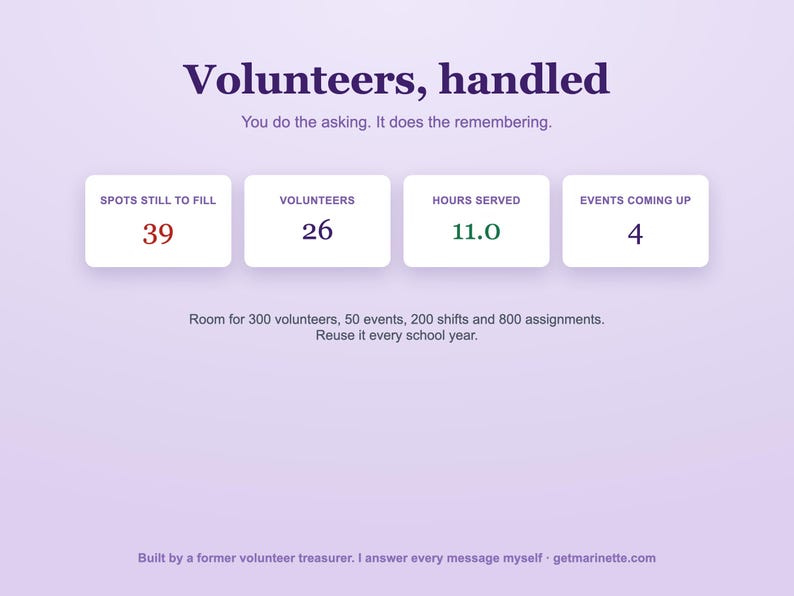
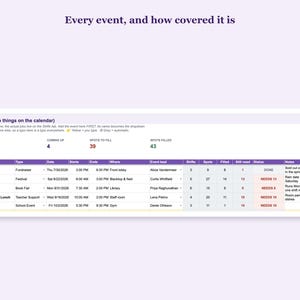
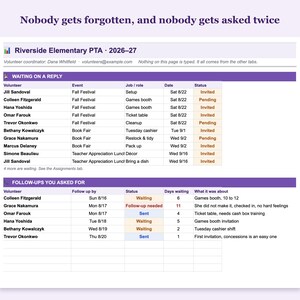
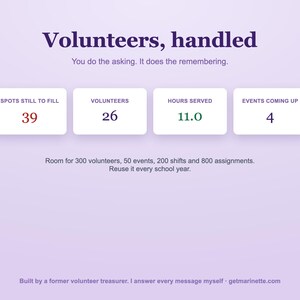
DASHBOARD. Opens with every shift that is still short, soonest first. Then what is coming up, who has not replied yet, and the follow-ups you asked for.
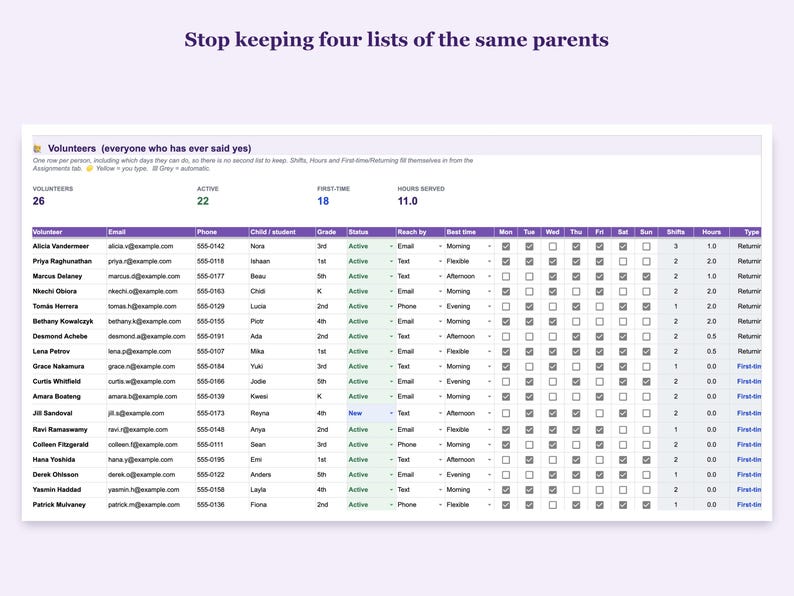
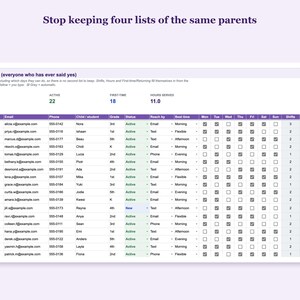
VOLUNTEERS. Your whole list. Name, email, phone, whose parent they are, and which days of the week they can actually do, so there is no second list to keep. Their shift count and hours fill in on their own.
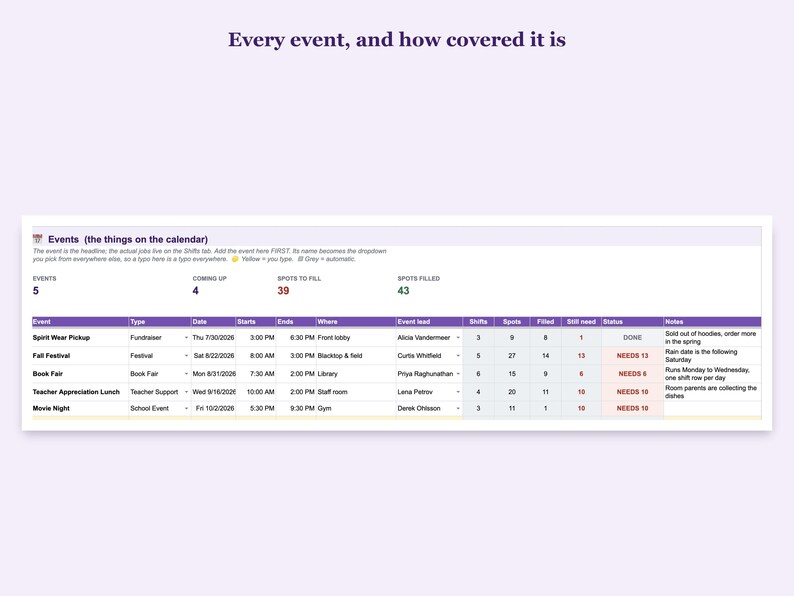
EVENTS AND SHIFTS. One row per job, with a headcount. Each shift shows FULL, OPEN, URGENT or OVERSTAFFED without you doing anything.
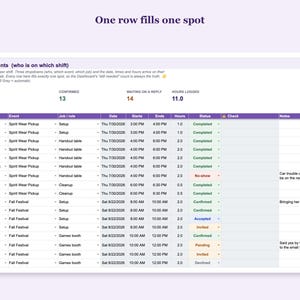
ASSIGNMENTS. Pick a person, an event and a job. The date, the times and the hours arrive by themselves.
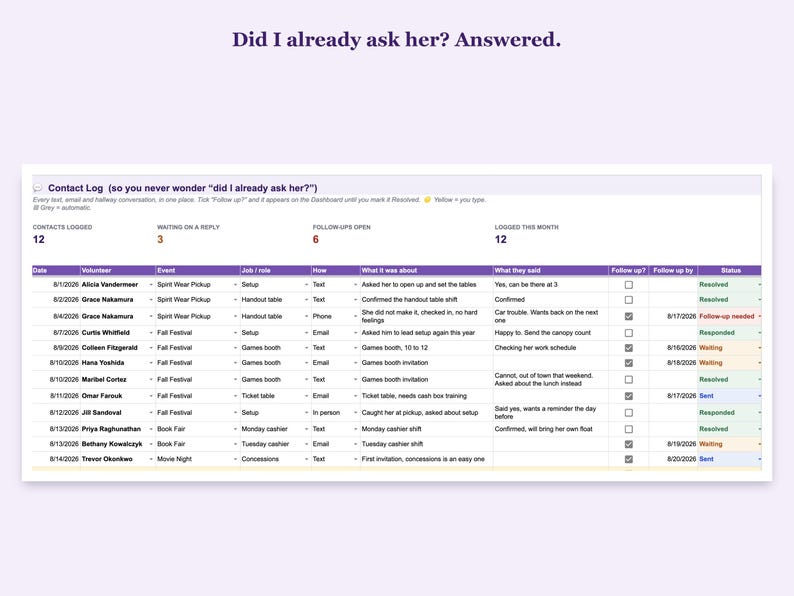
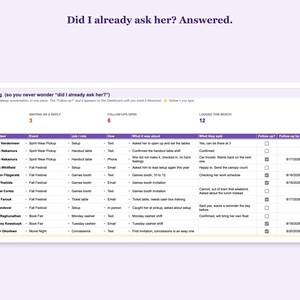
CONTACT LOG. Every text, email and hallway conversation. Tick "follow up" and it sits on the Dashboard until you mark it resolved. "Did I already ask her?" stops being a question.
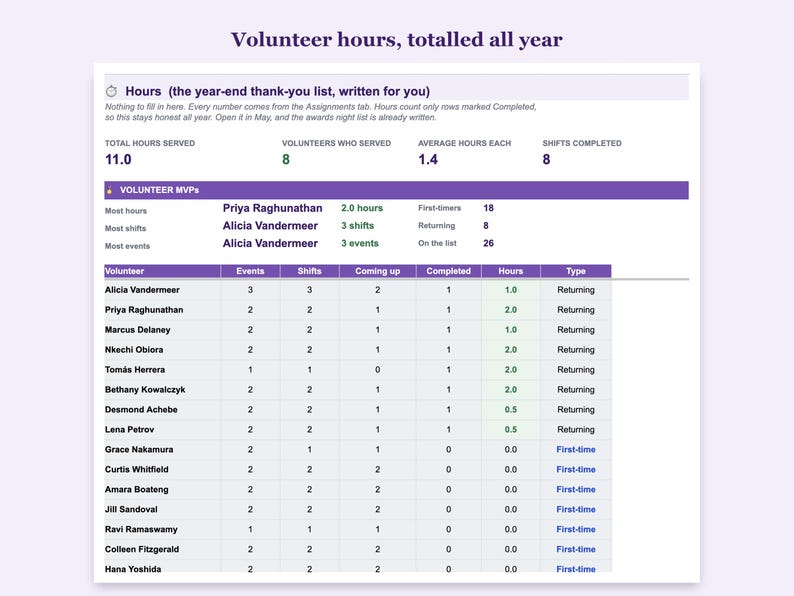
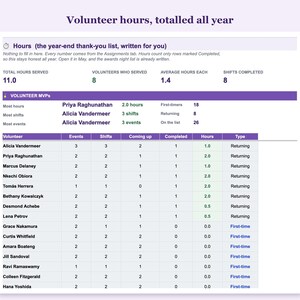
HOURS. Volunteer hours totalled for you, all year, with a Volunteer MVPs block. Open it in May and the awards night list is already written.
BUILT FOR THE PERSON DOING THE JOB
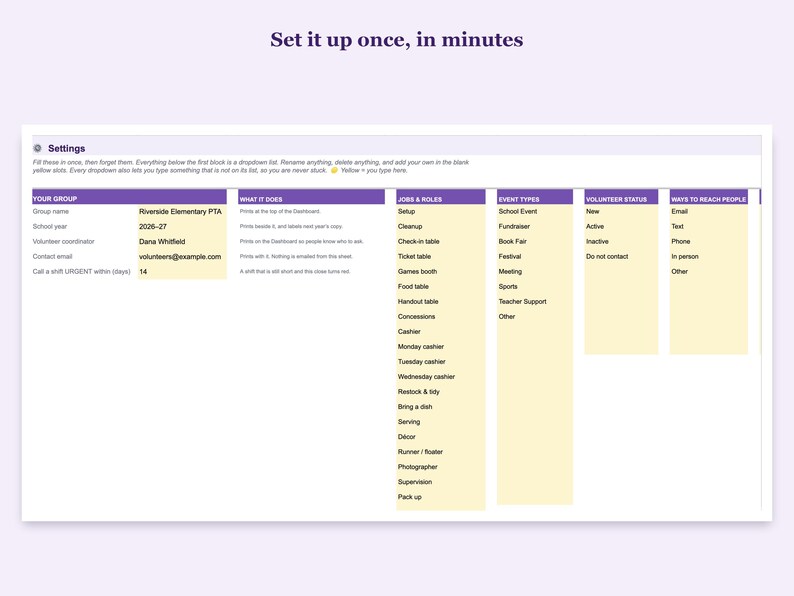
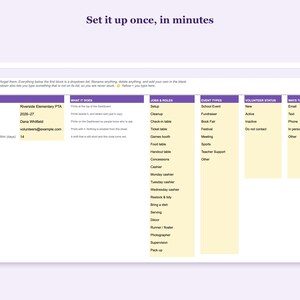
Yellow cells are the ones you type in. Grey cells fill themselves in and are guarded so you cannot wipe one by accident. Nothing is locked. Every dropdown lets you type something that is not on the list, so you are never stuck. There is a Start Here tab with five steps and a link to every tab.
Room for 300 volunteers, 50 events, 200 shifts and 800 assignments. That is stated on the Start Here tab too, because you should not find out a limit by hitting it.
It comes with a full sample year already filled in, and that sample is deliberately imperfect: one job is five people short, one parent declined, one did not turn up, and one job is a person over. You get to see every colour before it is your event. Delete the samples whenever you are ready.
Works in Google Sheets™. No add-on, no subscription, no script to install. Just formulas, so it keeps working.
WHAT HAPPENS AFTER YOU BUY
You get a PDF with a link. Click it, choose Make a copy, and the workbook lands in your own Google Drive™. It is yours, it is private, and you can copy it again for next school year.
Questions before or after you buy? Message me. I answer them myself.
Google Sheets™ and Google Drive™ are trademarks of Google LLC. Marinette is an independent business and is not affiliated with, sponsored by, or endorsed by Google LLC.
Instant Download
Your files will be available to download once payment is confirmed. Here's how.
Instant download items don’t accept returns, exchanges or cancellations. Please contact the seller about any problems with your order.
Etsy Purchase Protection
Shop confidently on Etsy knowing if something goes wrong with an order, we've got your back for all eligible purchases —
see programme terms

Be the first to review this item

More from this shop
Visit shop-
Digital download
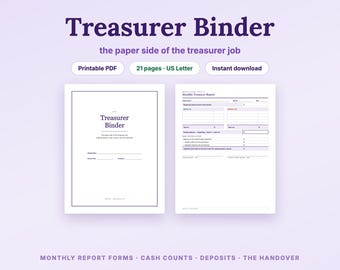
Treasurer Binder Printable, Monthly Report Forms + Budget Worksheets for PTA PTO & Booster Club Treasurers, Cash Count Sheet (Letter PDF)
NZ$26.46
-
Digital download
Teacher Gradebook and Attendance Tracker for Google Sheets™, Class Roster and Grade Tracker, Class Record Keeper, 40 Students
NZ$18.33
-
Digital download
The Complete Treasurer Set for Google Sheets™, PTA PTO Treasurer Kit, Budget vs Actuals, Dues Tracker + Printable Binder, New Treasurer
NZ$57.02
-
Digital download
PTA President Planner for Google Sheets™, PTO Board Organizer, Officer Roster, Meeting Agenda, Event Budget + Handover Tracker
NZ$34.62