

価格:¥3,368
Wedding Photography Timeline and Shot List Planner, AI Toolkit for Claude & ChatGPT, Photographer Call Sheet Template, Digital Download
対象となる場合はこちらです:
- ご注文の品が商品説明や商品写真と一致していない場合
- ご注文の品が破損して届いた場合。
- 商品が到着予定期間より後に届いた場合
- ご注文の品が届かなかった、または配送中に紛失した場合
単品の購入の場合のみ価格を提案できます
ハイライト
Shoot Planner is an AI skill for Claude and ChatGPT, made for photographers. Two lines of brief become a print-ready call sheet: tiered shot list, a timeline built backward from sunset, gear from your actual kit, and a rain plan. Weddings, newborn, event and real estate. Debrief the shoot after and the next sheet runs on your measured timings.
Instant download. Works on the free tier. No coding. Every shoot, planned like your hundredth wedding.
WHAT IS AN AI SKILL?
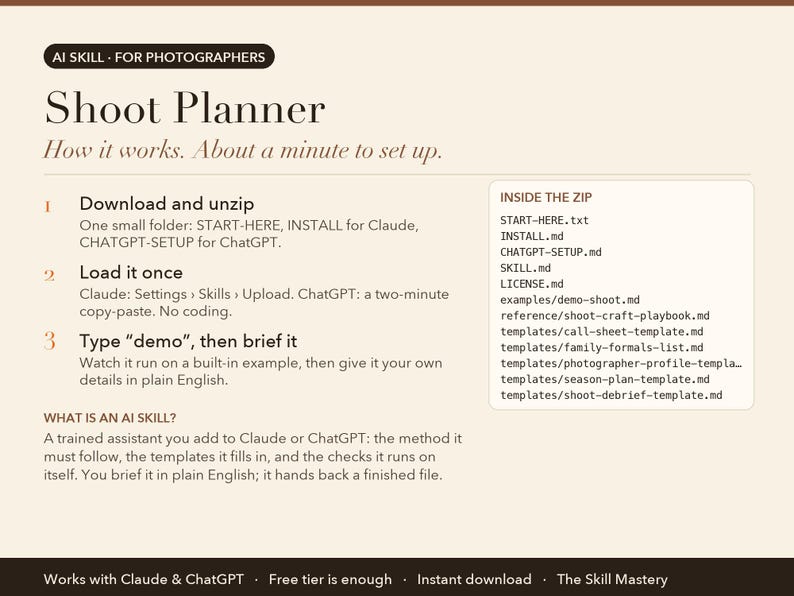
Think of it as a trained assistant you add to Claude or ChatGPT. It is a small folder of files: the step-by-step method the AI must follow, the templates it fills in, the checks it runs on itself, and a worked example. You load it once (about a minute), then talk to the AI in plain English the way you would brief a colleague. Instead of a generic chat answer, you get the finished piece of work as a real file you can print, send or open in Excel. No coding, no software to install, nothing to configure. It runs inside your own Claude or ChatGPT account.
THE PROBLEM IT SOLVES
Someone asks for “just a few family photos” and forty minutes evaporate while an aunt is located. The light you planned the whole day around is gone by the time the ceremony overruns. Nobody wrote down that the grandmother matters most, so there's no photograph of her.
Experienced photographers don't shoot better under that pressure. They've simply removed the pressure in advance: a timeline built backward from sunset, a shot list that includes the things everyone forgets, and a family list the client filled in themselves.
ABOUT THE EXAMPLES BELOW
The figures and names come from the built-in demo: Elena Brooks, a Brisbane wedding photographer planning and pricing a Noosa elopement. Type "demo" after setup and you watch the same run happen in front of you before you type a single real number.
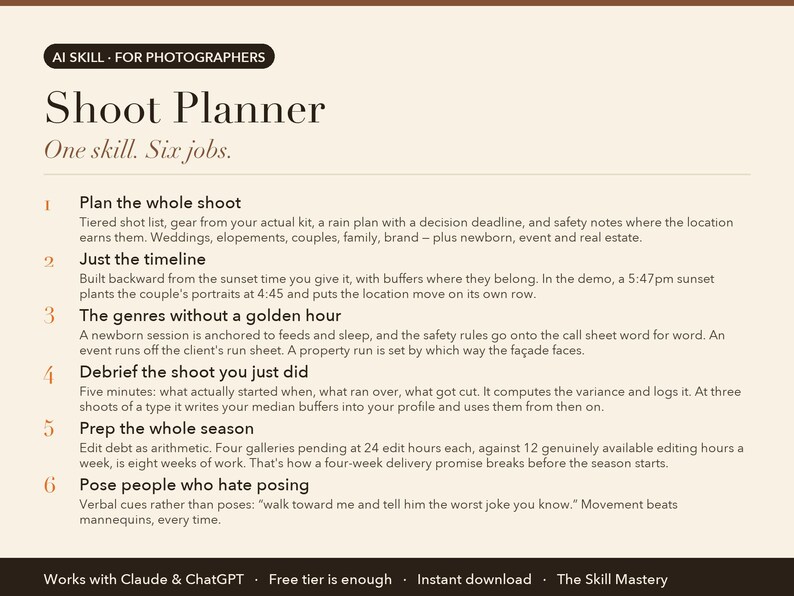
WHAT IT DOES (6 JOBS, ONE SKILL)
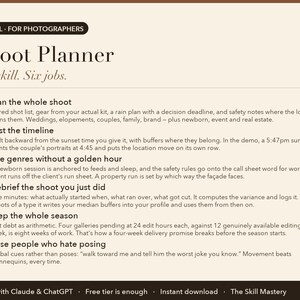
1. Plan the whole shoot
Tiered shot list, gear from your actual kit, a rain plan with a decision deadline, and safety notes where the location earns them. Weddings, elopements, couples, family, brand — plus newborn, event and real estate.
2. Just the timeline
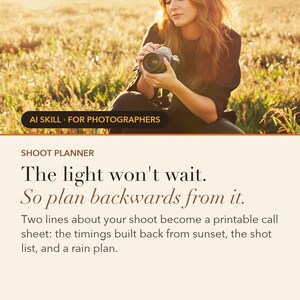
Built backward from the sunset time you give it, with buffers where they belong. In the demo, a 5:47pm sunset plants the couple's portraits at 4:45 and puts the location move on its own row.
3. The genres without a golden hour
A newborn session is anchored to feeds and sleep, and the safety rules go onto the call sheet word for word. An event runs off the client's run sheet. A property run is set by which way the façade faces.
4. Debrief the shoot you just did
Five minutes: what actually started when, what ran over, what got cut. It computes the variance and logs it. At three shoots of a type it writes your median buffers into your profile and uses them from then on.
5. Prep the whole season
Edit debt as arithmetic. Four galleries pending at 24 edit hours each, against 12 genuinely available editing hours a week, is eight weeks of work. That's how a four-week delivery promise breaks before the season starts.
6. Pose people who hate posing
Verbal cues rather than poses: “walk toward me and tell him the worst joke you know.” Movement beats mannequins, every time.
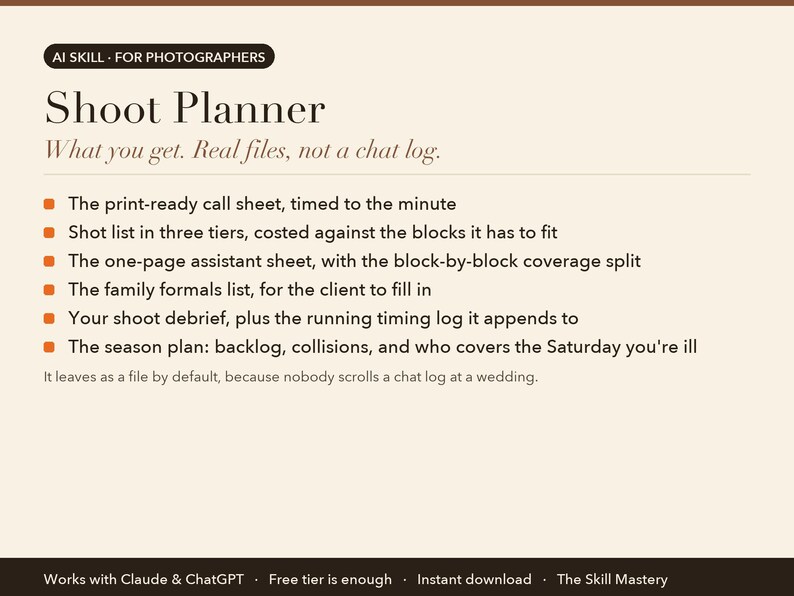
WHAT YOU GET
• Timeline anchored to golden hour, feeds and sleep, or the run sheet
• Shot list costed against the blocks it has to fit
• Season prep: edit backlog, collisions, broken delivery promises
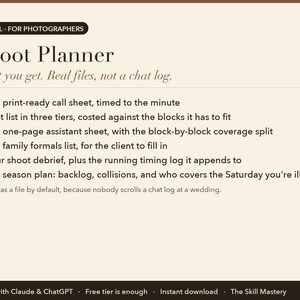
It leaves as a file by default, because nobody scrolls a chat log at a wedding:
• The print-ready call sheet, timed to the minute
• Shot list in three tiers, costed against the blocks it has to fit
• The one-page assistant sheet, with the block-by-block coverage split
• The family formals list, for the client to fill in
• Your shoot debrief, plus the running timing log it appends to
• The season plan: backlog, collisions, and who covers the Saturday you're ill
YOUR FIRST FIVE MINUTES (copy-paste any of these)
› Plan my shoot: [type, date, location, priorities].
› Just the timeline — ceremony at 4, sunset at 7:12.
› Newborn session Thursday. She's 9 days old.
› Debrief yesterday's shoot, then prep my season.
› demo — watch it plan a cliffside elopement.
HOW TO SET IT UP (about a minute)
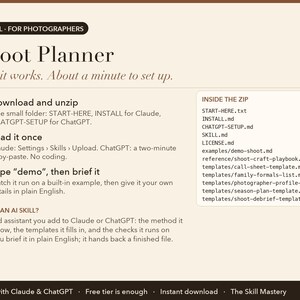
1. Download the zip and unzip it. Inside: a START-HERE file, INSTALL steps for Claude, and CHATGPT-SETUP for ChatGPT.
2. Claude app: Settings → Capabilities → Skills → Upload skill (or add the files to a Project). Claude Code: drop the folder into ~/.claude/skills/. ChatGPT: follow CHATGPT-SETUP (copy-paste, about two minutes).
3. Type "demo" to watch the skill run on a built-in example. Then give it your own details in plain English.
WHO MADE THIS
The Skill Mastery builds AI skills for working professionals: photographers, filmmakers, creators, marketers and sales teams. We don't start from what AI can do. We start from how the job is actually done, the methods the trade already trusts (here: sunset-anchored timelines, cost-of-doing-business pricing and local search), the numbers that have to be right, and the mistakes that cost real money. Then we engineer the skill so the AI follows those rules every single time, and we test it the way a buyer would use it: on the built-in demo, on a cold scenario it has never seen, and in a currency other than our own. Every skill ships with a demo mode, a self-check, and a plain list of what it can't do.
WHY NOT JUST ASK THE CHATBOT?
• The timeline is anchored to real light. It works backward from your sunset time with named buffers, then prices the shot list against the blocks before you ever see it. Twenty guests each posed with the couple is 65 minutes of work inside a 20-minute block, and that gets fixed on paper rather than at golden hour.
• It never invents a sunset time. Sunset, tide, permits and venue rules are things it cannot know. Each one becomes a marked verify-item, because a wrong assumption at golden hour costs you the shot.
• It gets better every shoot. The buffers start as the playbook's directional norms. Once three shoots of a type are logged, your sheets read “move buffer 20 min (your measured median across 4 shoots, not the book's 15).” Median, so one catastrophic Saturday doesn't reset the system.
WHAT IT WON'T DO (read this before buying)
• It plans the day; it can't scout the location or control the weather. Every outdoor anchor carries a named plan B and a decision deadline.
• It never invents sunset times, tide times, permit rules or venue restrictions. Anything it can't verify is marked for you to confirm.
• The newborn safety rules go on every newborn call sheet, but reading them is not the same as being trained by a working newborn photographer. The skill says so rather than implying otherwise.
FAQ
Q: How is this different from just asking Claude or ChatGPT?
A: A chatbot writes a plausible schedule. The Shoot Planner builds the timeline backward from your actual sunset time with named buffers, tests whether the shot list fits the blocks it sits in, pulls gear from the kit in your profile, and refuses to state a sunset time, tide time or permit rule it can't verify.
Q: I don't shoot weddings. Is it still useful?
A: Yes. It plans portraits, family sessions, elopements, brand work, newborn sessions, events and corporate days, and real-estate listings. Each genre gets its own timeline anchor: feeds and sleep for a newborn, the client's run sheet for an event, the direction the façade faces for a property. The wedding day is one branch, not the whole skill.
Q: What does the debrief actually do?
A: It takes five minutes after a shoot, computes how far each block ran from plan, and appends a row to your running timing log. At three or more shoots of that type it writes the median variance into your profile as your buffer, and every later call sheet uses your number instead of the book's. Below three shoots it keeps the default and tells you how many more it needs.
Q: Can I give it to my second shooter?
A: That's what the assistant sheet is for: a stripped one-page version with their timings and their shots. It now carries the block-by-block coverage split, the three frames that are theirs alone, and the items that have to be agreed in writing before the day — call and finish times, whose gear, where the cards go at the end of the night, rate, and portfolio rights.
Q: Is it a subscription?
A: No. A one-time purchase, yours to keep, updates included.
Q: Do I need a paid Claude or ChatGPT plan?
A: No. The free tiers run it. Paid plans give you longer sessions and stronger models, which is nicer but not required.
Q: Claude or ChatGPT: which should I use?
A: Both are included and both work. Claude gives the fuller experience because skills upload directly; ChatGPT setup is a two-minute copy-paste from the included CHATGPT-SETUP file.
Q: Do I need to know how to code?
A: No. You type in plain English. Setup is upload-a-file, and every step is written out for non-technical people.
Q: Does it work outside the US, in my currency?
A: Yes. It works in your currency, your date format and your market. It never converts or invents exchange rates.
Q: Can I use it for client work?
A: Yes. One purchase is a perpetual single-user licence; everything it produces is yours to use, unrestricted, for your own business or your clients. You just can't resell or share the skill files themselves.
Q: Is my data private?
A: It runs entirely inside your own Claude or ChatGPT account. We never see your numbers, clients or files.
Q: Can I use it on my phone?
A: Set it up once on a computer; after that it works from the Claude and ChatGPT phone apps too.
Q: Do I get updates?
A: Yes, free updates to this version. If a new version ships, message us on Etsy for the update.
Q: What if it doesn't work for me?
A: Digital files can't be returned on Etsy, but message us and we'll make it right, whether that's a fix, a walkthrough or a refund. A real person replies.
PART OF THE STUDIO SUITE
Also in this shop: Studio Business-in-a-Box, Get-Found Engine, or the full Studio Suite bundle at a saving. They share one profile, so you describe your business once and every skill reads it.
INSTANT DIGITAL DOWNLOAD
One .zip file, delivered by Etsy the moment you buy. Nothing physical will be shipped. Free updates for the current version. Questions before or after buying: message us here on Etsy, a real person replies.
Version 2.0.0.
AI disclosure: this toolkit was designed and written by The Skill Mastery with the help of AI tools, then tested by hand (every calculation, template and demo checked). It runs inside Claude or ChatGPT; it is not a standalone app. Not affiliated with Anthropic or OpenAI. Claude and ChatGPT are trademarks of their respective owners.
即時ダウンロード可能商品
お支払い確認後、ファイルがダウンロードできるようになります。 ダウンロード方法はこちらから。
即時ダウンロード可能商品では返品、交換およびキャンセルを受け付けておりません。ご注文に関する問題については、セラーにお問い合わせください。
Etsy 購入保護
Etsy で安心してショッピングをしましょう。何か問題が起きた場合でも、対象となる購入について Etsy がサポートします。
プログラムの規約を見る

このショップの他の商品
ショップを見る-

ダウンロード商品
Photography Pricing Calculator and Business Toolkit, Cost of Doing Business, AI Skill for Claude & ChatGPT, Photographer Package Pricing
¥3,368
-

ダウンロード商品
Photography Marketing Plan and Local SEO Toolkit, 90 Day Get Booked Plan, Google Business Profile for Photographers, AI Skill Claude ChatGPT
¥3,368
-

ダウンロード商品
Photography Business Bundle: Shoot Planner, Pricing Calculator and Marketing Plan, AI Toolkit for Claude & ChatGPT, Photographer Templates
¥6,853
-

ダウンロード商品
Web Design Freelancer Toolkit: Proposals, Pricing, Contracts Checklist, Scope Control and Retainers, AI Skill for Claude & ChatGPT
¥3,368
一番最初のレビューを残しませんか
-
ダウンロード商品
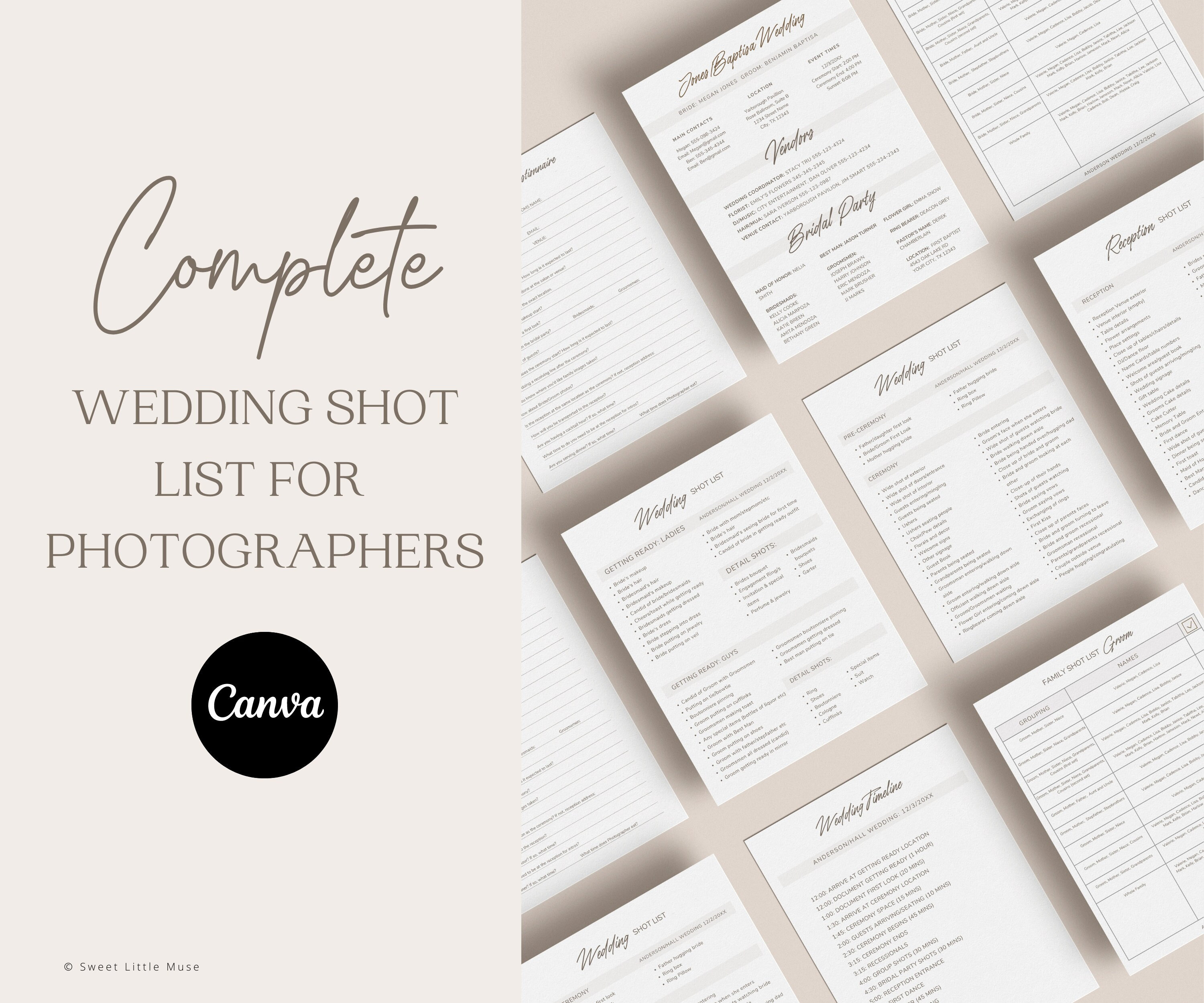
ウェディングフォトグラファー向け撮影リストテンプレート:Canvaウェディングフォトグラフィーオーガナイザー(デジタルダウンロード)
セール価格 ¥1,877
元の価格 ¥3,755
-
ダウンロード商品
ウェディングフォトグラファー向け撮影リストテンプレート:Canva Organizer(デジタルダウンロード)
セール価格 ¥1,551
元の価格 ¥3,102
-
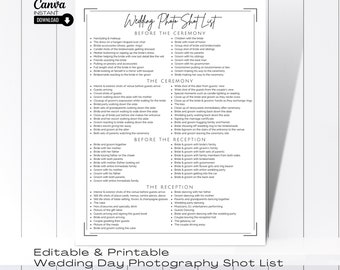
ダウンロード商品
ウェディングフォトのショットリストテンプレート:編集可能なCanvaフォーム(デジタルダウンロード)
セール価格 ¥366
元の価格 ¥488
-
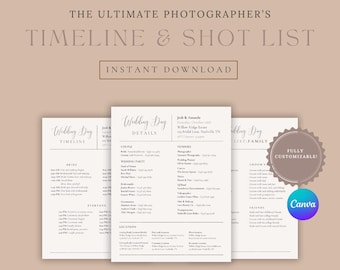
ダウンロード商品
結婚式の写真タイムライン&撮影リストテンプレート | Canvaで編集可能 | 結婚式当日のタイムライン | すぐにダウンロード
¥1,400
-
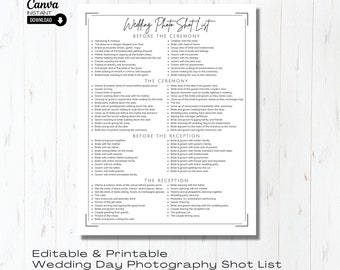
ダウンロード商品
ウェディングフォトのショットリストテンプレート:編集可能なCanvaフォーム
セール価格 ¥366
元の価格 ¥488
-
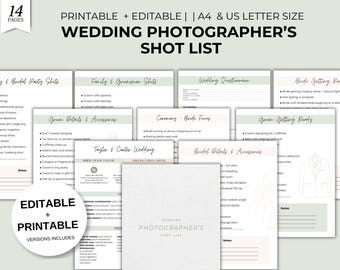
ダウンロード商品
ウェディングフォトグラファーの撮影リストテンプレート | 編集可能&印刷可能な写真撮影チェックリスト | ウェディングプランナーバンドル | A4、USレター | インスタントファイル
セール価格 ¥1,100
元の価格 ¥3,143
-

ダウンロード商品
写真撮影ウェディングアンケートと撮影リスト
¥5,714
-
ダウンロード商品
Canva用ウェディングフォトグラファー撮影リストテンプレート(デジタルダウンロード)
セール価格 ¥1,224
元の価格 ¥2,449
-
ダウンロード商品
結婚式撮影リスト、結婚式写真撮影リスト、結婚式カメラマン撮影リストテンプレート、編集可能な結婚式写真チェックリスト、Canvaテンプレート
¥1,742
-
ダウンロード商品
結婚式写真撮影用撮影リストテンプレート:編集可能なCanvaチェックリスト(デジタルダウンロード)
セール価格 ¥427
元の価格 ¥656
-
ダウンロード商品
編集可能な結婚式写真撮影ショットリストテンプレート(Canva)
セール価格 ¥366
元の価格 ¥488
-
ダウンロード商品
編集可能な結婚式写真撮影ショットリストテンプレート(Canva)
セール価格 ¥366
元の価格 ¥488
似たような趣味のお客さまのお気に入り
-
ダウンロード商品
12,000枚以上の子供向け印刷可能ワークシート|幼児向けアクティビティページ|塗り絵、迷路、マッチング、単語探し、書き取り練習
¥490
-
ダウンロード商品
88 Million Digital Products Bundle – Instant Downloads for Creators, Templates, Graphics & More (2026 Edition)
セール価格 ¥146
元の価格 ¥487
-

ダウンロード商品
1億点以上のデジタルアセットライブラリ|Canvaテンプレート、AIプロンプト、ビジネスリソース(デジタルダウンロード)
¥980
-

ダウンロード商品
800万件以上のプレミアムデジタル製品 | テンプレート、AIプロンプト、プランナー、Notionテンプレート、デジタルリソースライブラリ
¥490
-

ダウンロード商品
1億800万点以上のデジタル製品バンドル:MRR PLR AIプロンプト、Canvaテンプレート(デジタルダウンロード)
¥1,306
-

ダウンロード商品
メガバンドルデジタル製品:テンプレート、AIプロンプト、プランナー、クリエイティブリソース
¥1,469
-
ダウンロード商品
モダン写真料金ガイド、モダンウェディングフォトグラファーサービステンプレート、純粋なミニマルデザイン、Canvaで編集可能、3種類のカバーオプション
セール価格 ¥7,543
元の価格 ¥9,430
-
ダウンロード商品
エレガントなウェディングフォトグラフィー料金ガイド&サービステンプレート|モダンでミニマルな料金表|編集可能な40ページ|プロ仕様のCanvaテンプレート
セール価格 ¥7,543
元の価格 ¥9,430
-
ダウンロード商品
ウェディングフォトグラファー、高級ファインアート写真雑誌向けのエレガントな事前作成済み料金サービスガイドテンプレート。Canvaで編集可能。
セール価格 ¥7,543
元の価格 ¥9,430
-
ダウンロード商品
編集サービスと料金ガイド、クリエイティブスタジオ向けCanvaテンプレート、クライアント向けウェルカムパック、写真家向け料金パンフレット、投資ガイド
¥4,871
-
ダウンロード商品
Canva用エレガントなウェディングフォト料金ガイドサービステンプレート、編集可能な40ページ
セール価格 ¥7,543
元の価格 ¥9,430
-
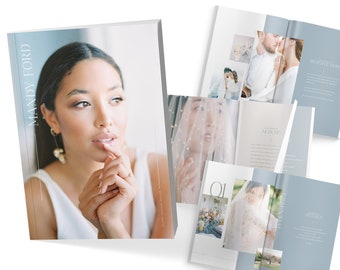
ダウンロード商品
フィルム写真家向けファインアートウェディング価格ガイドテンプレート | ラグジュアリーミニマリストウェディング価格
¥16,162
 ブライズメイド用ギフト
 グルームズマン用ギフト
 ウエディングギフト
 婚約ギフト
婚約ギフト


