

Prezzo:22,86 €
LUT Generator: Match Any Reference Image, Create .cube LUTs for S-Log3 V-Log C-Log LogC, Color Grading Tool for Videographers, Download
Ecco cosa è idoneo:
- L'ordine non corrisponde alla descrizione o alle foto dell'articolo
- L'articolo è arrivato danneggiato
- Il tuo articolo è arrivato dopo l'intervallo di date stimato per l'arrivo.
- L'articolo non è arrivato o è stato perso nella posta
Puoi fare un'offerta solo acquistando un singolo articolo
Punti salienti
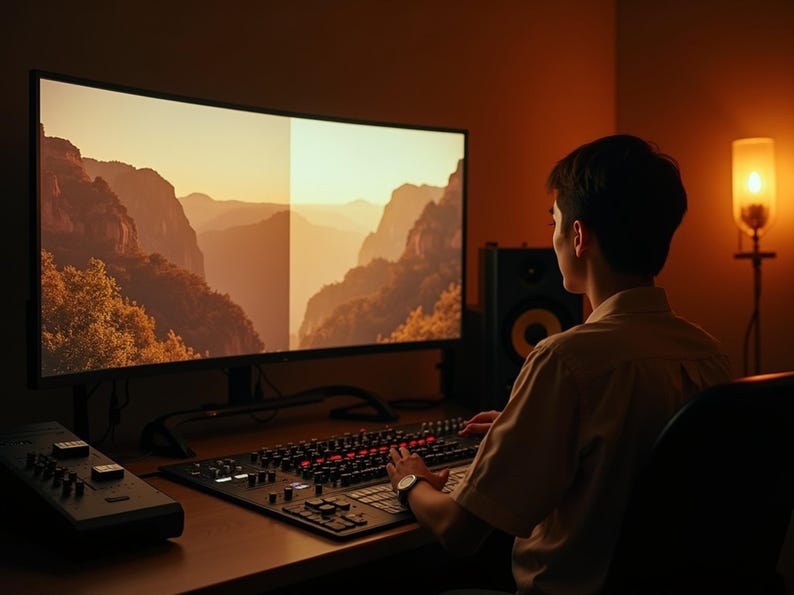
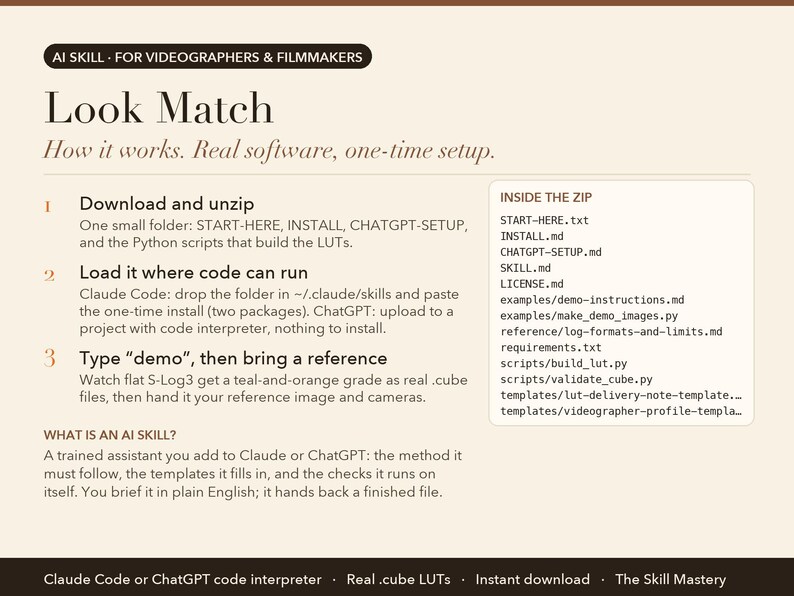
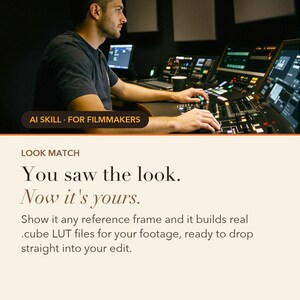
Look Match is an AI skill for Claude Code and ChatGPT (code interpreter), made for videographers & filmmakers. Real software: show it a reference image, name every camera in the edit, and it generates genuine .cube LUT files — three strengths per camera, loading straight into Resolve, Premiere or Final Cut.
Instant download. Real software inside, see requirements below. See a look you love. Now it's yours.
WHAT IS AN AI SKILL?
Think of it as a trained assistant you add to Claude or ChatGPT. It is a small folder of files: the step-by-step method the AI must follow, the templates it fills in, the checks it runs on itself, and a worked example. You load it once (about a minute), then talk to the AI in plain English the way you would brief a colleague. Instead of a generic chat answer, you get the finished piece of work as a real file you can print, send or open in Excel. No coding, no software to install, nothing to configure. It runs inside your own Claude or ChatGPT account.
THE PROBLEM IT SOLVES
There's a frame you can't stop thinking about — a still from a film, a shot from somebody's short. You know exactly what you want your footage to feel like, and you have no idea which curves and wheels get you there.
Then the drone footage arrives in a different log format, so the grade you finally landed on the A-cam is wrong on every aerial in the timeline, and the edit is two looks pretending to be one.
ABOUT THE EXAMPLES BELOW
The figures and names come from the built-in demo: Jonas Kim of North & Main Films, a Vancouver videographer on a brand film for a small roaster. Type "demo" after setup and you watch the same run happen in front of you before you type a single real number.
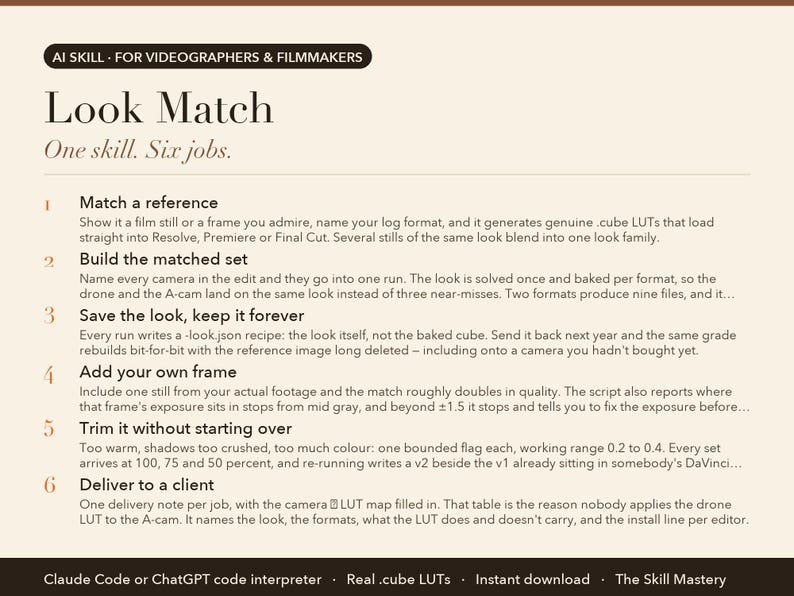
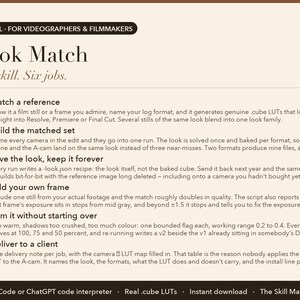
WHAT IT DOES (6 JOBS, ONE SKILL)
1. Match a reference
Show it a film still or a frame you admire, name your log format, and it generates genuine .cube LUTs that load straight into Resolve, Premiere or Final Cut. Several stills of the same look blend into one look family.
2. Build the matched set
Name every camera in the edit and they go into one run. The look is solved once and baked per format, so the drone and the A-cam land on the same look instead of three near-misses. Two formats produce nine files, and it counts them for you.
3. Save the look, keep it forever
Every run writes a -look.json recipe: the look itself, not the baked cube. Send it back next year and the same grade rebuilds bit-for-bit with the reference image long deleted — including onto a camera you hadn't bought yet.
4. Add your own frame
Include one still from your actual footage and the match roughly doubles in quality. The script also reports where that frame's exposure sits in stops from mid gray, and beyond ±1.5 it stops and tells you to fix the exposure before the look.
5. Trim it without starting over
Too warm, shadows too crushed, too much colour: one bounded flag each, working range 0.2 to 0.4. Every set arrives at 100, 75 and 50 percent, and re-running writes a v2 beside the v1 already sitting in somebody's DaVinci folder.
6. Deliver to a client
One delivery note per job, with the camera → LUT map filled in. That table is the reason nobody applies the drone LUT to the A-cam. It names the look, the formats, what the LUT does and doesn't carry, and the install line per editor.
WHAT YOU GET
• Ten log formats matched in one run, so the drone cuts with the A-cam
• A saved look recipe that rebuilds the grade bit-for-bit next year
• Add one frame of your footage and match quality roughly doubles
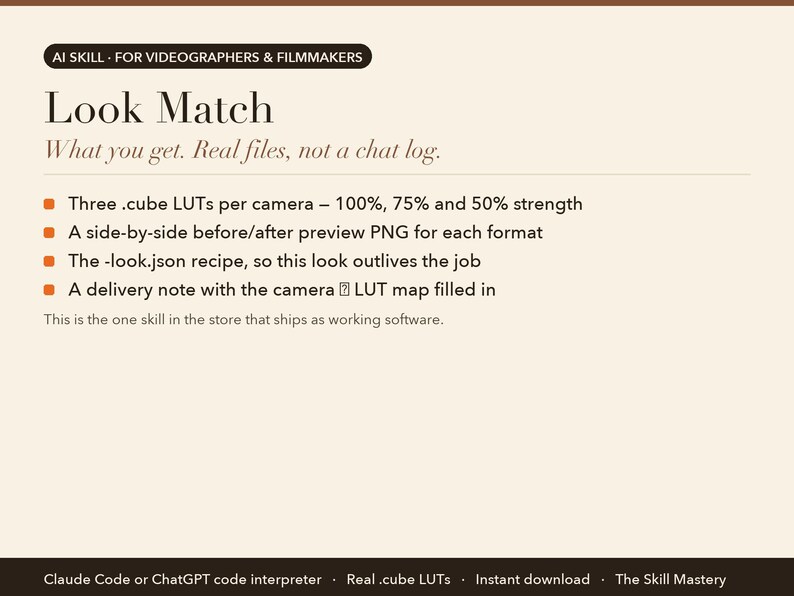
This is the one skill in the store that ships as working software:
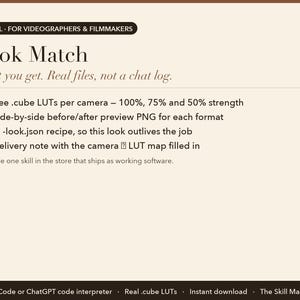
• Three .cube LUTs per camera — 100%, 75% and 50% strength
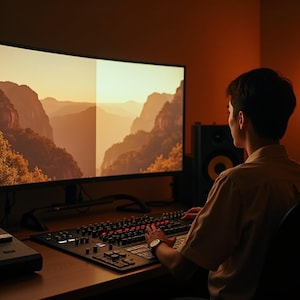
• A side-by-side before/after preview PNG for each format
• The -look.json recipe, so this look outlives the job
• A delivery note with the camera → LUT map filled in
YOUR FIRST FIVE MINUTES (copy-paste any of these)
› I want this look — here's the reference. I shoot S-Log3.
› Three cameras in this edit. Build the matched set.
› Here's the look AND a frame of my footage. Match them.
› Replay my saved look on this job's footage.
› demo — watch flat log get a teal-and-orange grade.
IMPORTANT: THIS ONE RUNS REAL SOFTWARE
Look Match generates genuine .cube LUT files, so it needs somewhere that can run a small Python program. That means one of: Claude Code (recommended), ChatGPT with code interpreter, or a Claude plan that can execute code. In Claude Code there is a one-time install of two standard packages (numpy and Pillow); the exact commands to paste are in the INSTALL file. If you never use a terminal and don't have ChatGPT code interpreter, this skill is not for you; the other Cinema Suite skills need no code at all.
HOW TO SET IT UP (about a minute)
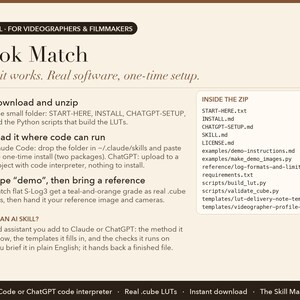
1. Download the zip and unzip it. Inside: a START-HERE file, INSTALL steps for Claude, and CHATGPT-SETUP for ChatGPT.
2. Claude app: Settings → Capabilities → Skills → Upload skill (or add the files to a Project). Claude Code: drop the folder into ~/.claude/skills/. ChatGPT: follow CHATGPT-SETUP (copy-paste, about two minutes).
3. Type "demo" to watch the skill run on a built-in example. Then give it your own details in plain English.
WHO MADE THIS
The Skill Mastery builds AI skills for working professionals: photographers, filmmakers, creators, marketers and sales teams. We don't start from what AI can do. We start from how the job is actually done, the methods the trade already trusts (here: call-sheet discipline, log-to-display colour science, paper edits and clip economics), the numbers that have to be right, and the mistakes that cost real money. Then we engineer the skill so the AI follows those rules every single time, and we test it the way a buyer would use it: on the built-in demo, on a cold scenario it has never seen, and in a currency other than our own. Every skill ships with a demo mode, a self-check, and a plain list of what it can't do.
WHY NOT JUST ASK THE CHATBOT?
• It runs code, not opinions. A general chatbot describes a grade in words. This computes a transform against your camera's published log curve and writes a 33³ file, which is a different product entirely.
• Ten log formats, one look. S-Log3 and S-Log2, C-Log3, V-Log, LogC3 and LogC4, D-Log, N-Log, F-Log and F-Log2. In a matched set the same scene value through each camera's own LUT agrees to roughly 1 of 255 through midtones and highlights, measured on the demo look.
• A validator that can say no. Every file gets read back off disk and checked for node count, range, per-channel monotonicity and tonal separation, at the bar its own format sets. It exits non-zero on a bad file, so one failing camera fails the whole delivery rather than reaching a client.
WHAT IT WON'T DO (read this before buying)
• It needs a code-running environment: Claude Code, or ChatGPT with the code interpreter. On the standard Claude app it can't execute, and the product page says so before you buy.
• It captures a grade, not masks, windows or per-shot balancing. Expect about 80% of the way there instantly; the last 20% is your eye, per shot.
• A matched set matches the look, not the cameras. Two bodies pointed at the same scene still differ in sensor colour and white balance, and balancing them to each other stays a shot-level job.
FAQ
Q: How is this different from just asking Claude or ChatGPT?
A: Ask a chatbot for a look and it writes a paragraph of colour-grading advice. Look Match generates actual .cube files — three strengths per camera, plus a before/after preview — by computing a transform against your camera's published log curve. You drag the result into Resolve, Premiere or Final Cut.
Q: I shot on two cameras. Do I need two LUTs?
A: Yes, and Look Match builds them together. Name every log format in the edit and one run produces a matched set: the look is solved once and baked per camera, so the drone, the B-cam and the A-cam land on the same look. A LUT built for one log curve applied to another is the single most common reason a delivered LUT looks broken.
Q: What is the look recipe for?
A: Every run saves a small JSON file holding the look itself rather than the baked LUT. Send it back on the next job and the identical grade rebuilds bit-for-bit, with the original reference image long deleted — including onto a camera bought after the fact. That's how a house look, a client's brand look or a series look survives the job that created it.
Q: Which cameras are supported?
A: Ten log formats: Sony S-Log3 and S-Log2, Canon C-Log3, Panasonic V-Log, ARRI LogC3 and LogC4, DJI D-Log, Nikon N-Log, and Fujifilm F-Log and F-Log2. Each is built from the manufacturer's published transfer function rather than an approximation. Rec.709 footage is handled too.
Q: Is it a subscription?
A: No. Look Match is a one-time purchase, yours to keep, updates included.
Q: Do I need a paid Claude or ChatGPT plan?
A: No. The free tiers run it. Paid plans give you longer sessions and stronger models, which is nicer but not required.
Q: Claude or ChatGPT: which should I use?
A: Both are included and both work. Claude gives the fuller experience because skills upload directly; ChatGPT setup is a two-minute copy-paste from the included CHATGPT-SETUP file.
Q: Do I need to know how to code?
A: A little, for this one skill only: it runs a small Python program, so you'll paste a few commands into a terminal once (they're written out for you), or use ChatGPT's code interpreter which needs no install.
Q: Does it work outside the US, in my currency?
A: Yes. It works in your currency, your date format and your market. It never converts or invents exchange rates.
Q: Can I use it for client work?
A: Yes. One purchase is a perpetual single-user licence; everything it produces is yours to use, unrestricted, for your own business or your clients. You just can't resell or share the skill files themselves.
Q: Is my data private?
A: It runs entirely inside your own Claude or ChatGPT account. We never see your numbers, clients or files.
Q: Can I use it on my phone?
A: Set it up once on a computer; after that it works from the Claude and ChatGPT phone apps too.
Q: Do I get updates?
A: Yes, free updates to this version. If a new version ships, message us on Etsy for the update.
Q: What if it doesn't work for me?
A: Digital files can't be returned on Etsy, but message us and we'll make it right, whether that's a fix, a walkthrough or a refund. A real person replies.
PART OF THE CINEMA SUITE
Also in this shop: Pre-Production Powerhouse, Paper-Edit Assistant, Clip Multiplier, or the full Cinema Suite bundle at a saving. They share one profile, so you describe your business once and every skill reads it.
INSTANT DIGITAL DOWNLOAD
One .zip file, delivered by Etsy the moment you buy. Nothing physical will be shipped. Free updates for the current version. Questions before or after buying: message us here on Etsy, a real person replies.
Version 2.0.0.
AI disclosure: this toolkit was designed and written by The Skill Mastery with the help of AI tools, then tested by hand (every calculation, template and demo checked). It runs inside Claude or ChatGPT; it is not a standalone app. Not affiliated with Anthropic or OpenAI. Claude and ChatGPT are trademarks of their respective owners.
Download istantaneo
I tuoi file saranno disponibili per il download una volta confermato il pagamento. Ecco come.
Gli articoli con download istantaneo non accettano resi, cambi o annullamenti. In caso di qualsiasi problema relativo all'ordine, contatta il venditore.
Protezione degli acquisti di Etsy
Acquista con sicurezza su Etsy sapendo che in caso di problemi con un ordine proteggeremo tutti i tuoi acquisti idonei.
vedi termini programma

Altro da questo negozio
Visita negozio-
Download digitale
Videographer Business Bundle: Pre-Production, LUT Generator, Paper Edit and Clip Sheet, AI Toolkit for Claude & ChatGPT, Filmmaker Templates
59,12 €
-
Download digitale
Video Clip Repurposing Toolkit: One Interview into Six Social Clips, Reels TikTok Shorts Clip Sheet, AI Skill Claude & ChatGPT, Videographer
22,86 €
-
Download digitale
Paper Edit Assistant: Turn Interview Transcripts into a Story Edit, Documentary and Brand Film Toolkit for Claude & ChatGPT, Video Editor
22,86 €
-

Download digitale
Video Pre-Production Toolkit: Shot List, Call Sheet, Budget and Schedule Templates, AI Skill for Claude & ChatGPT, Videographer Filmmaker
22,86 €
Lascia la prima recensione
-
Download digitale
Kahama / LUT cinematografica per la gradazione del colore S-LOG3
6,82 €
-
Download digitale
LUT audace / cinematografico per la classificazione dei colori S-LOG3
6,82 €
-
Download digitale
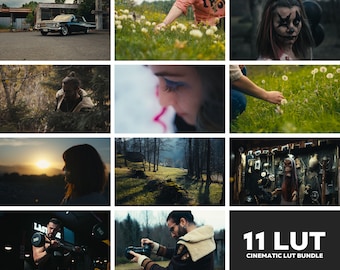
Pacchetto / 11 Lut / LUT cinematografica per la gradazione del colore S-LOG3
40,89 €
-

Download digitale
LUT autunnale/cinematografica per il color grading S-LOG3
6,82 €
-

Download digitale
Rush / LUT cinematografica per la correzione del colore S-LOG3
6,82 €
-
Download digitale
Woods / Cinematic LUT per Color Grading S-LOG3
6,82 €
-
Download digitale
LUT serena/cinematografica per il color grading S-LOG3
6,82 €
-

Download digitale
Otkhta / LUT cinematografica per la correzione del colore S-LOG3
6,82 €
-

Download digitale
Daydream / LUT cinematografica per la correzione del colore S-LOG3
6,82 €
-

Download digitale
LUT scura / cinematografica per Color Grading S-LOG3
6,82 €
-

Download digitale
LUT pacifica/cinematografica per la gradazione del colore S-LOG3
6,82 €
-
Download digitale
Sogno vivido/LUT cinematografico per la gradazione del colore S-LOG3
6,82 €
Gli acquirenti con gusti simili hanno apprezzato questi articoli
-
Download digitale
Oltre 200 LUT FILM - Filtri video - Compatibili con dispositivi mobili e desktop - Pacchetto di editing video con correzione colore per Instagram - Offerta imperdibile - Morbido, Vintage
Prezzo scontato 4,72 €
Prezzo originale 18,90 €
-
Download digitale
Oltre 1000 filmati stock 4K VJ Loops - Formato orizzontale
5,56 €
-
Download digitale
Pacchetto definitivo di oltre 1000 effetti sonori professionali per creatori di contenuti video e cinematografici / Premiere Pro, preset video, libreria di effetti sonori, effetti sonori
Prezzo scontato 4,57 €
Prezzo originale 15,22 €
-
Download digitale
Pacchetto di modifica da 100K+ / Premiere Pro, After Effects, CapCut, grafica animata, LUT, font, SVG, effetti video, effetti sonori, diritti di rivendita
4,42 €
-
Download digitale
Pacchetto video minimalista: oltre 1000 reel TikTok e IG (download digitale)
4,98 €
-
Download digitale
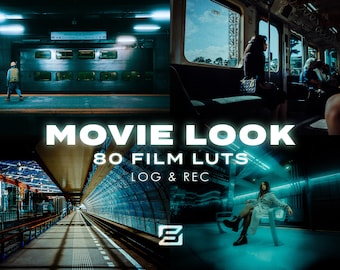
Pacchetto di 80 LUT cinematografiche per la correzione del colore, il montaggio video, le LUT retrò, i preset video, Premiere Pro, Final Cut e i filtri video estetici.
Prezzo scontato 8,84 €
Prezzo originale 29,48 €
-
Download digitale
Pacchetto di modifica da 100K+ / Premiere Pro, After Effects, CapCut, grafica animata, LUT, font, SVG, effetti video, effetti sonori, diritti di rivendita
5,53 €
-
Download digitale
Video musicali luts capcut, motion_overlays_transition_sound effect_animated background_animated emojis_video animation_elements_and more
3,31 €
-

Download digitale
Pacchetto di effetti sonori da 37 GB, effetti sonori cinematografici Foley Whoosh royalty-free, per YouTube, podcast e montaggio video, download digitale.
Prezzo scontato 1,93 €
Prezzo originale 5,53 €
-
Download digitale
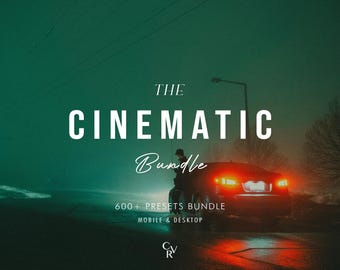
Oltre 600 preset CINEMATIC Bundle - Mobile e Desktop - Pacchetto preset Lightroom per Instagram - Offerta imperdibile - Filtro Notte, Ritratto, Tonalità scura
Prezzo scontato 4,08 €
Prezzo originale 16,30 €
-
Download digitale
Pacchetto di editing video per CapCut e Premiere Pro | Oltre 100 sovrapposizioni, oltre 50 animazioni di testo, oltre 20 effetti sonori | Pacchetto TikTok Reels in download digitale
Prezzo scontato 1,79 €
Prezzo originale 2,56 €
-
Download digitale
Pacchetto di editing GFX VFX da 200 GB / Grafica animata ed effetti visivi (download immediato)
Prezzo scontato 1,66 €
Prezzo originale 6,64 €


