
















JetztPreis:€ 10,94
Ursprünglicher Preis: € 14,02
22 % Rabatt
Sale endet am 10. Oktober
Debt Payoff Tracker Spreadsheet | Debt Snowball, Avalanche, Mortgage Payoff Calculator, Paycheck Plan, Debt Free Date | Excel Google Sheets
Verkäufer-Star
Verkäufer-Stars können eine herausragende Erfolgsbilanz beim Kundenservice vorweisen – sie haben kontinuierlich 5-Sterne-Bewertungen erhalten, Bestellungen pünktlich verschickt und schnell auf alle erhaltenen Nachrichten geantwortet.
Du kannst nur dann ein Angebot machen, wenn du einen einzelnen Artikel kaufst.
Verkäufer-Star. Dieser Shop hat regelmäßig 5-Sterne-Bewertungen erhalten, pünktlich verschickt und schnell auf alle Nachrichten geantwortet.
Highlights
The Debt Payoff Calculator + Tracker is a twelve-tab Excel and Google Sheets workbook for anyone paying down credit cards, a car loan, student loans or a mortgage, for picking a payoff order, seeing the debt-free date, and knowing what to send on each payday. One workbook (.xlsx) in four color editions, for Excel or Google Sheets. Instant download.
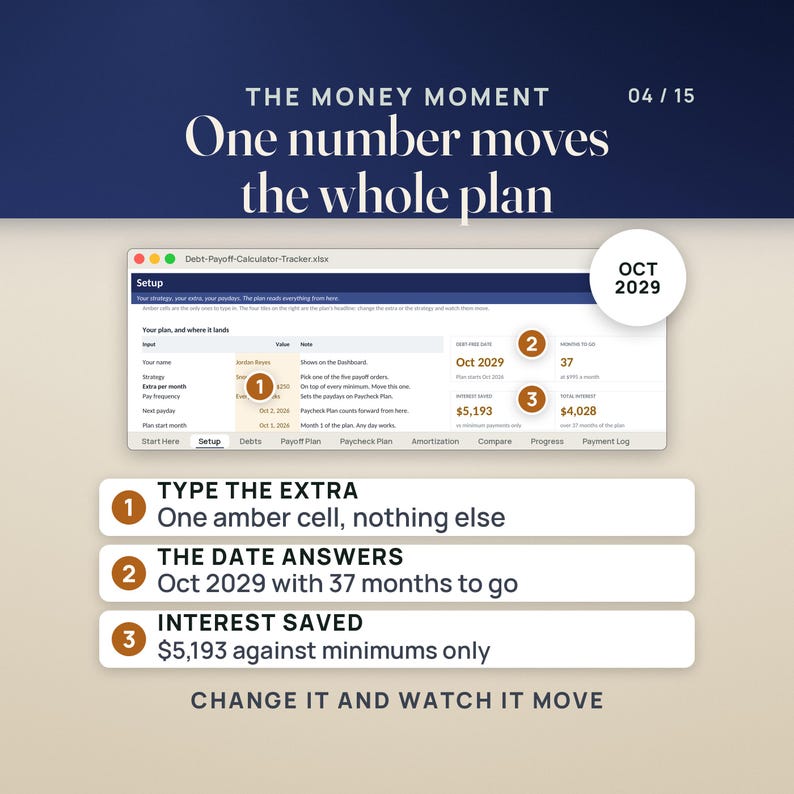
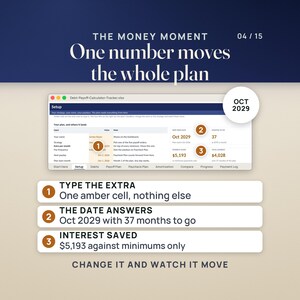
You know the total. What you do not know is whether the extra $250 you could scrape together each month is worth it, or which balance it should go to first. The sample this file opens with is six debts at $31,940 with $745 a month of minimums: add $250 on top and the plan finishes in 37 months, debt free Oct 2029, with $4,028.50 of interest paid instead of the $9,221.78 the minimums alone would cost. That is $5,193.29 that stays with you, and it is one cell to change. Type $350 instead and the date moves to Jun 2029, four months earlier, with $5,698.47 saved.
Type your own balances into the amber cells in Excel on a laptop, upload the file to Google Sheets and read the tiles on your phone, or print the Progress tab and put the thermometer where you will see it.
————————————————————
📦 WHAT'S INCLUDED (6 FILES)
————————————————————
01. Debt-Payoff-Calculator-Tracker.xlsx (the Colorful edition)
The workbook: twelve tabs, fifty debt rows, a 180 month plan, 35,106 formulas. Open this one first.
02. Debt-Payoff-Calculator-Tracker-Editorial.xlsx
The same workbook, cell for cell, in a quieter editorial palette.
03. Debt-Payoff-Calculator-Tracker-Light.xlsx
The same workbook again, light, inside Debt-Payoff-Calculator-Tracker-3color.zip.
04. Debt-Payoff-Calculator-Tracker-Dark.xlsx
The same workbook again, dark, also inside the 3color zip.
05. QUICK-START-Debt-Payoff-Calculator-Tracker.pdf
Two pages: the four things to do first, what every tab holds, and the honest warnings.
06. START-HERE.txt
The one-screen version, in plain text.
————————————————————
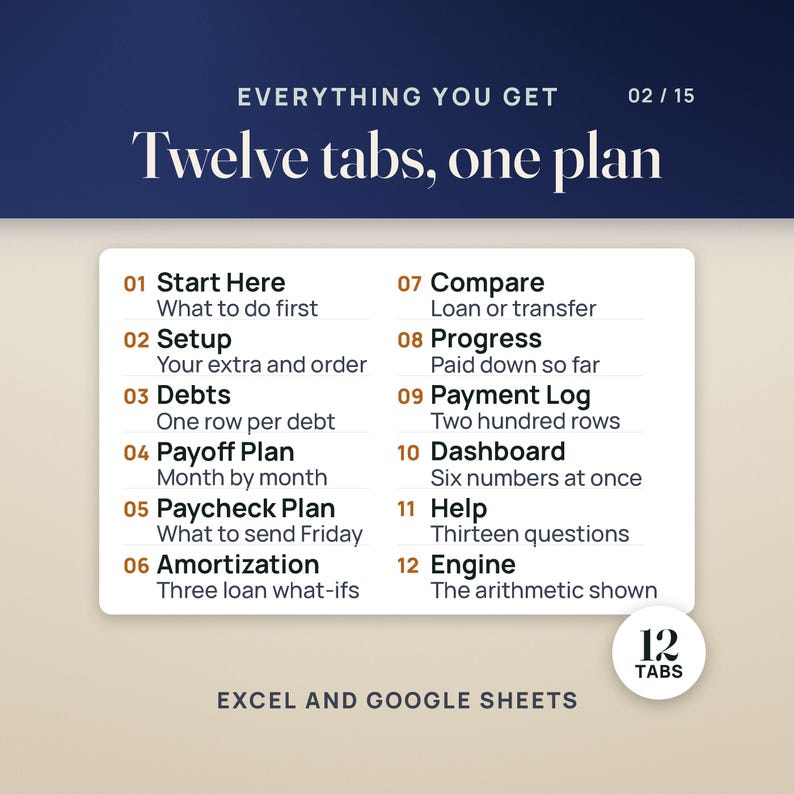
📑 THE TWELVE TABS
————————————————————
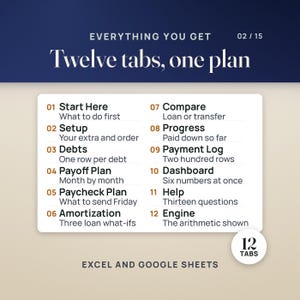
Start Here: what the file does, the four first steps, and the five payoff orders in plain English.
Setup: the strategy dropdown, the extra per month, your pay frequency, your next payday, the plan start and the as-of date, beside four tiles that move while you type: DEBT-FREE DATE, MONTHS TO GO, INTEREST SAVED, TOTAL INTEREST.
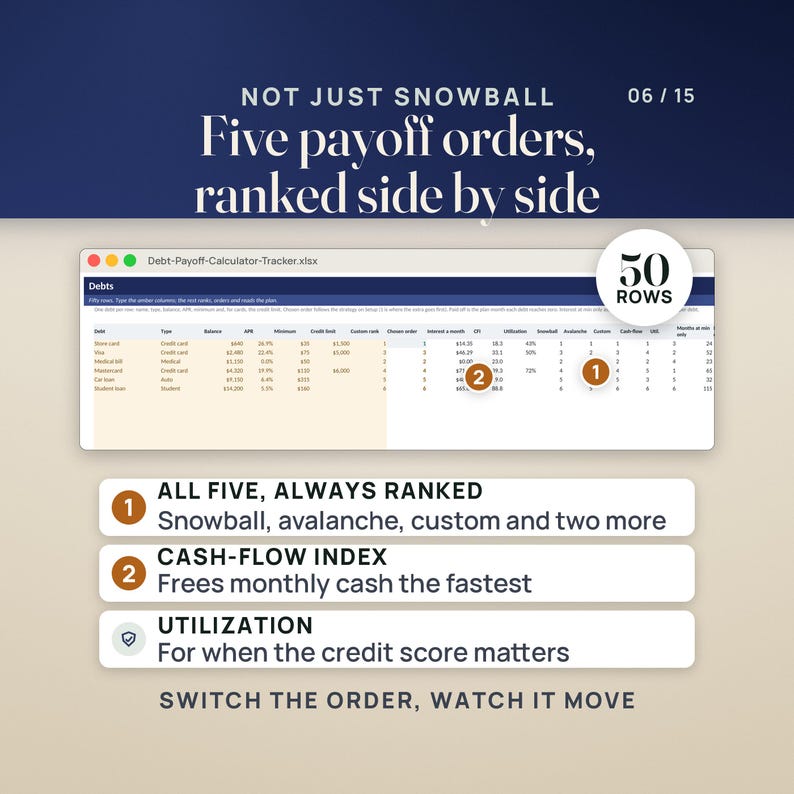
Debts: fifty rows, seven debt types, and per debt the interest a month, the cash-flow index, the utilization, five rank columns, the months and interest at minimum only, the interest inside your plan, and the month it clears.
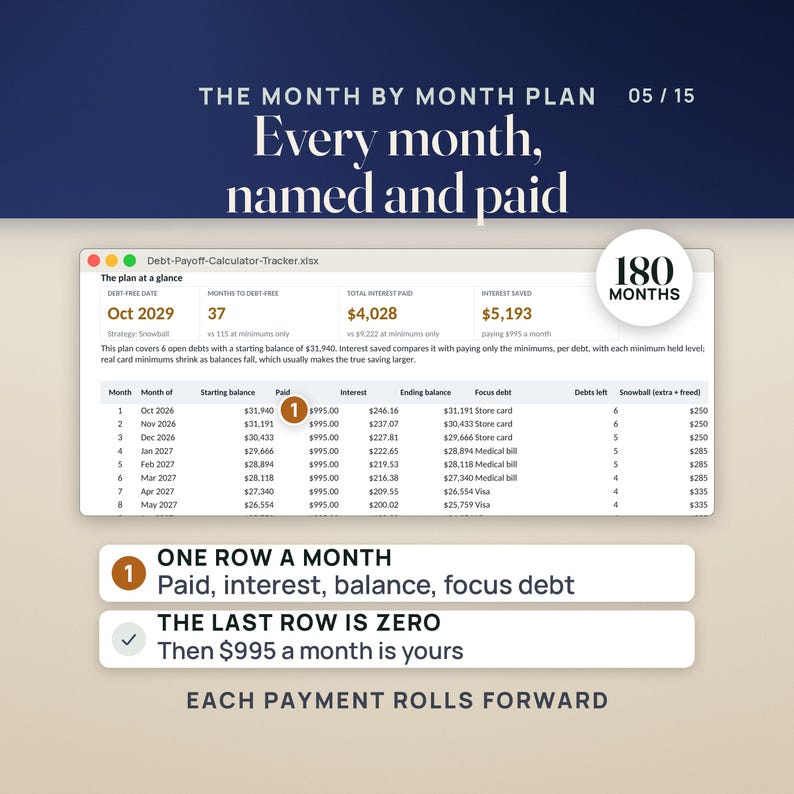
Payoff Plan: 180 months, each with the starting balance, what is paid, what is interest, the ending balance, the focus debt by name, how many debts are left, and the snowball pool.
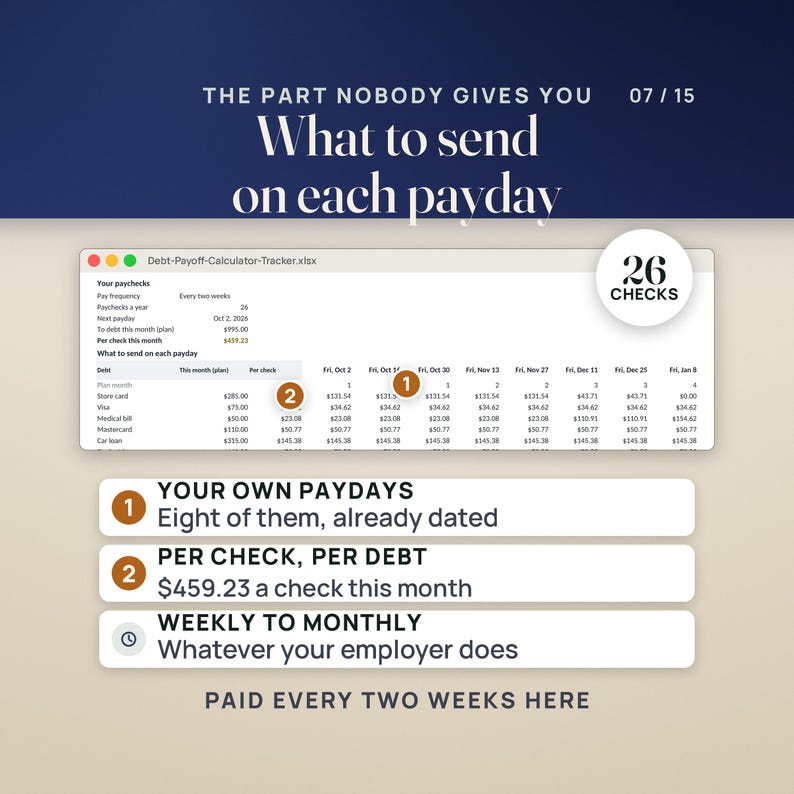
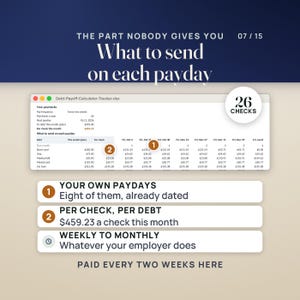
Paycheck Plan: this month's plan split per check, per debt and in total, with the next eight paydays dated.
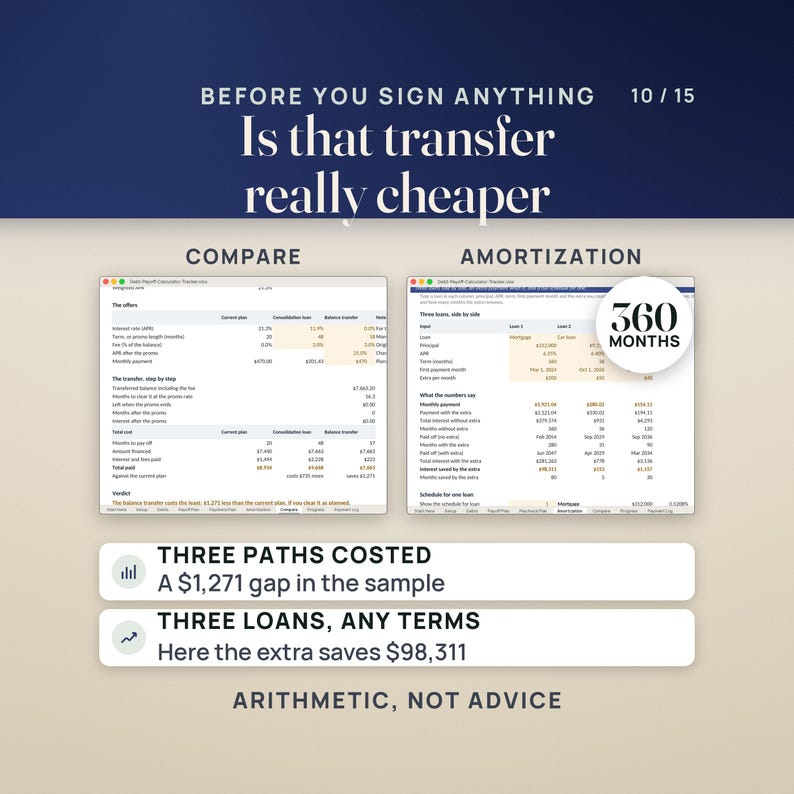
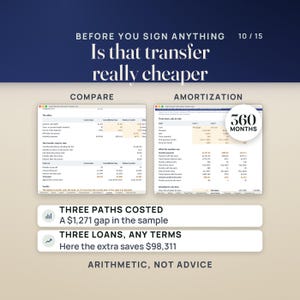
Amortization: a mortgage, an auto loan and a student loan side by side with an extra-payment what-if, plus a 360 month schedule for whichever of the three you pick.
Compare: your current plan against a consolidation loan and a 0% balance transfer, the transfer worked step by step, and a verdict line that says which costs least and by how much.
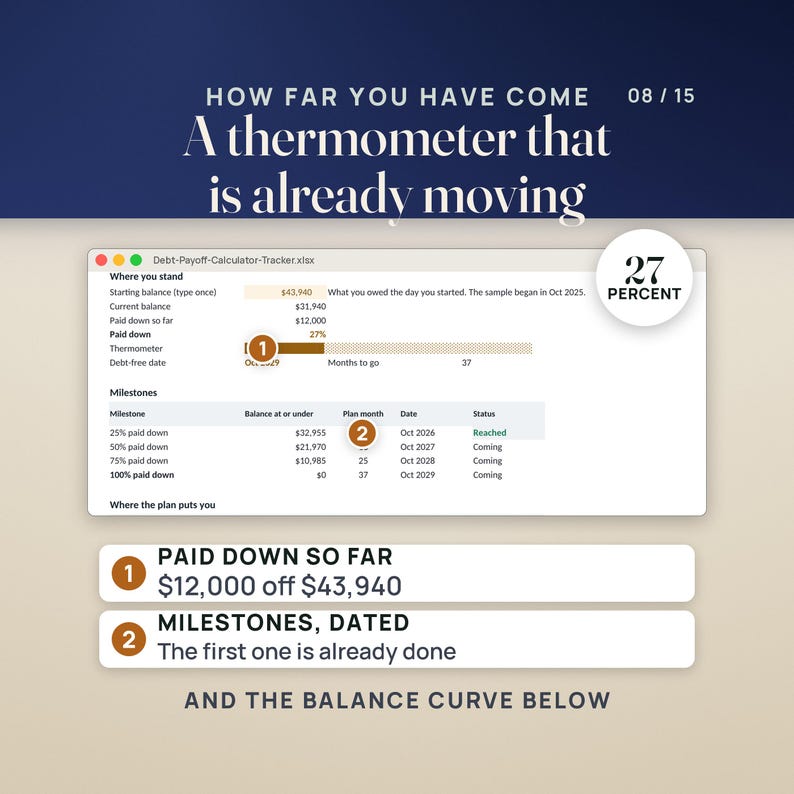
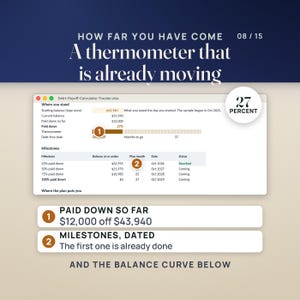
Progress: how much is paid down (the sample opens at 27%), a thermometer, the 25, 50, 75 and 100 percent milestone dates, a six-row projection, and a balance chart.
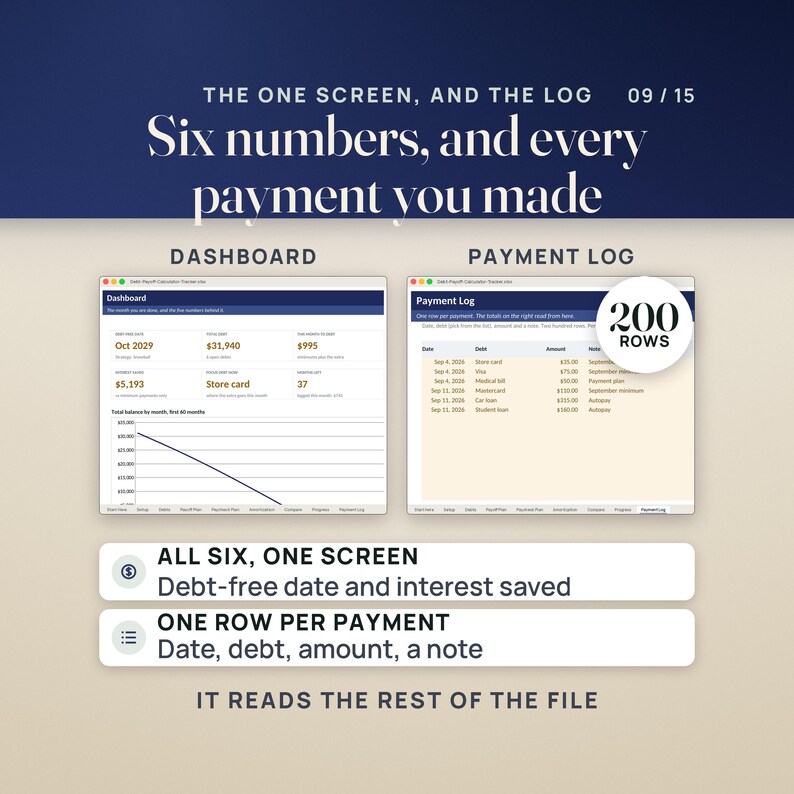
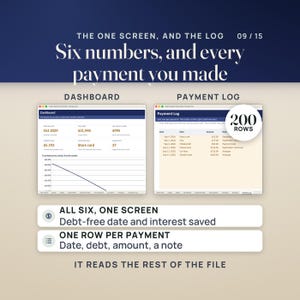
Payment Log: 200 payment rows, totals per debt, and what you have paid this month.
Dashboard: six tiles and the balance chart, with your debts listed in payoff order.
Help: thirteen questions answered in plain English.
Engine: the month by month arithmetic for fifty debts over 180 months, visible and plain. Nothing to type there, and leave it in place.
————————————————————
👤 WHO THIS IS FOR
————————————————————
Someone with four, five or six balances and a real payment to make who wants a date and an order: what to pay first, what to send on Friday, and when this ends.
Someone with a consolidation offer or a 0% balance transfer on the table who wants both costed against the plan they already have, before signing anything.
Someone carrying a mortgage, a car loan or student loans who wants to see what a couple of hundred dollars extra a month does to the payoff date and to the interest.
————————————————————
🚫 WHO THIS IS NOT FOR
————————————————————
Anyone who wants an app that links to a bank and updates itself. This is a spreadsheet: you type the balances, it does the arithmetic.
Anyone looking for advice on whether to consolidate, refinance or settle a debt. The five orders and the comparison are arithmetic on your own numbers, not a recommendation.
————————————————————
✅ KEY BENEFITS
————————————————————
Five payoff orders, not two: Snowball by smallest balance, Avalanche by highest APR, a custom rank you type, Cash-Flow Index (balance divided by minimum) and Utilization (balance divided by credit limit). Pick one from the dropdown and the whole plan re-runs.
A plan that matches how you are paid: the month's payments split per check for weekly (52 checks a year), every two weeks (26), twice a month (24) or monthly (12), with the next eight paydays dated. The sample sends $459.23 a check.
Per-loan amortization for a mortgage, an auto loan and a student loan with an extra-payment what-if: $200 a month extra on the sample's $312,000 mortgage at 6.25% saves $98,310.59 of interest and 80 months, and the 360 month schedule shows the whole run, month by month.
Consolidation and balance transfer costed against your current plan: on the sample's $7,440 of cards it is $9,668.42 for the loan, $8,933.81 for the plan as it stands and $7,663.20 for the transfer, with the reason written out.
35,106 formulas in every edition, recalculated with zero errors, and both Excel and Google Sheets fully working. No subscription, no account, nothing to install.
————————————————————
🔧 HOW IT WORKS
————————————————————
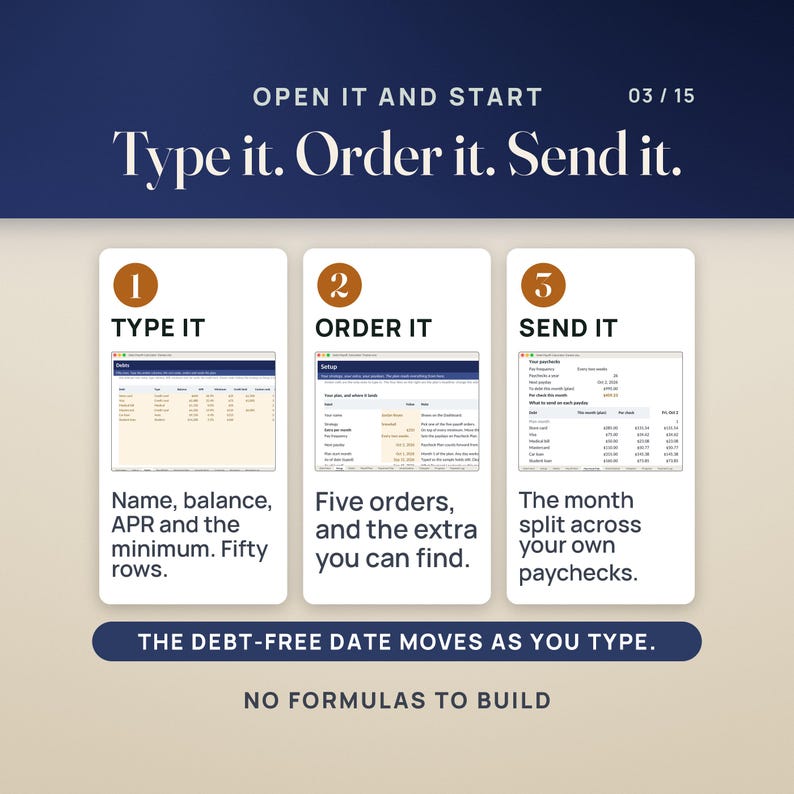
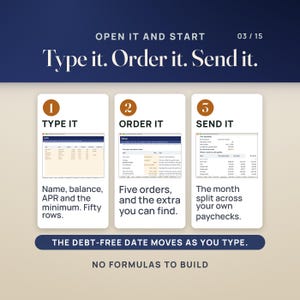
1. Open Debts and type your own debts over the six samples: name, type, balance, APR, minimum payment, and the credit limit if it is a card. There are fifty rows.
2. On Setup pick a payoff order and type the extra you can find each month, your pay frequency and your next payday. The sample (Jordan Reyes, an invented name) is six debts at $31,940, $745 of minimums, paid every two weeks, Snowball order, $250 extra: $995 a month toward debt, debt free Oct 2029, 37 months, $4,028.50 of interest, $5,193.29 saved against paying the minimums only, and $459.23 to send on each of the 26 checks a year. Type $350 instead of $250 and it is Jun 2029, four months earlier, and $5,698.47 saved.
3. Work it. Paycheck Plan says what to send on each of the next eight paydays, Payment Log keeps the receipts, and Progress fills the thermometer and dates the milestones as you retype the balances on Debts.
————————————————————
❓ QUESTIONS BUYERS ASK
————————————————————
What format is this? One workbook (.xlsx) in four color editions, Colorful, Editorial, Light and Dark, plus a two-page quick-start PDF and a plain-text START-HERE file. You get a zip file to download the moment payment clears.
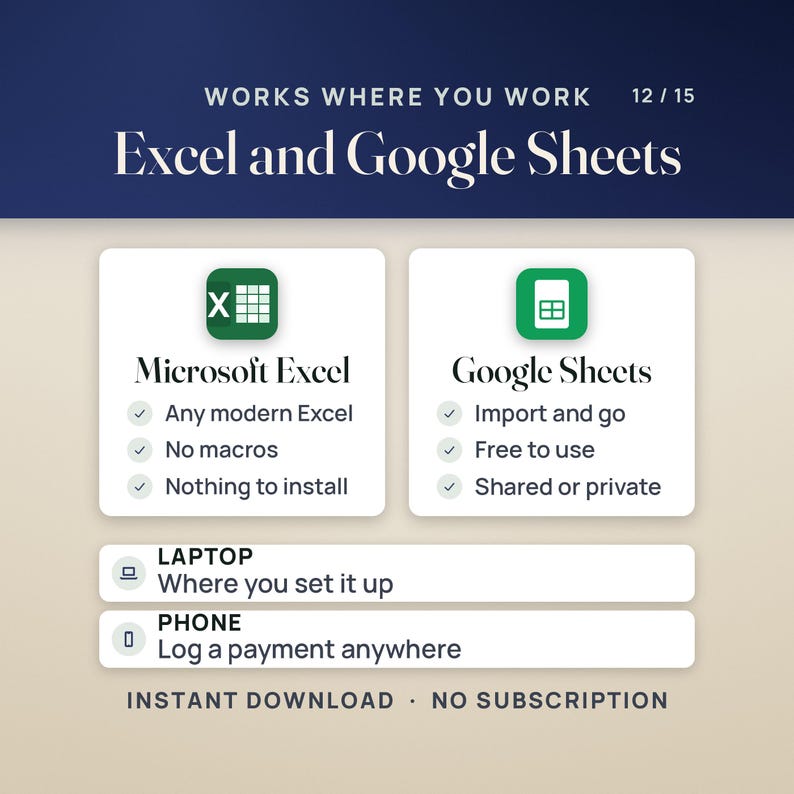
What do I need to open it? Excel 2016 or later, or Google Sheets (File, Import, Upload, then Replace spreadsheet), on a computer or through the Excel or Sheets app on a phone or tablet. It was tested in LibreOffice Calc as well. Apple Numbers opens it but drops some of the formatting, so Excel or Sheets is the better home. There are no macros and nothing to install. Every formula ships with its value saved, so the sample shows up in protected view, in the Sheets preview and on a phone instead of blanks.
What does it compute? Your debt-free date, months to go, total interest and interest saved against minimums only; the focus debt in every one of 180 months; the interest each debt costs you and the month it clears; what to send per paycheck and on the next eight paydays; the payment, the months saved and the interest saved when you add extra to a mortgage, auto or student loan; the total cost of a consolidation loan and of a balance transfer against your current plan; and the 25, 50, 75 and 100 percent milestone dates.
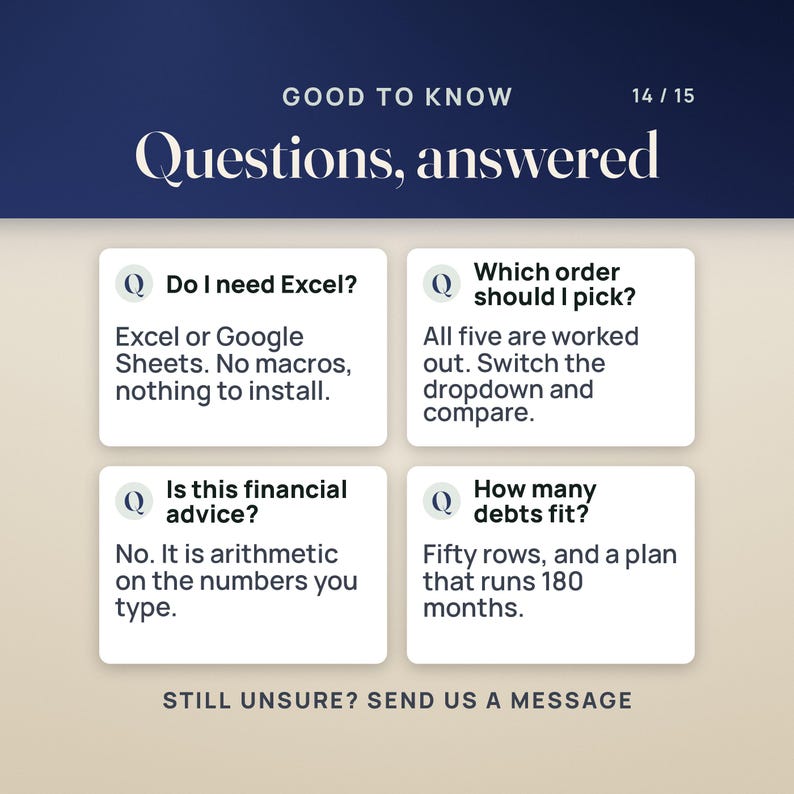
Is this financial advice? No. It is a spreadsheet doing arithmetic on the numbers you type. The five payoff orders are ways of sorting your own debts, not a recommendation about which one to pay or whether to borrow, and every name and figure in the sample was invented for the example.
————————————————————
⚠️ PLEASE READ
————————————————————
Interest saved is measured against paying the minimums with each minimum held level. Card issuers usually shrink the minimum as the balance falls, which stretches the payoff and raises the interest, so a real saving is normally larger than the figure shown, not smaller.
The plan runs 180 months. Past that it reads Beyond 15 years, which happens when a minimum is smaller than that debt's interest for the month. Help and START-HERE.txt both name the fix.
Compare assumes the offers hold: that a promotional rate survives and the payment you type is made every month. One missed payment often ends a promotion early, and the consolidation path adds the fee to the balance.
The Amortization loans are stand-alone what-ifs with round terms, not your rows from Debts, and one schedule shows at a time.
Progress measures against a starting balance you type once. The sample types what it owed in Oct 2025 against today's total, so the thermometer reads true the moment the file opens. Set that cell to today's total and it correctly starts at zero.
The Engine tab is visible and plain, and Payoff Plan, Paycheck Plan, Progress and the Dashboard all read from it. Deleting it breaks the file.
Fifty debts is the limit. The four color editions are separate files, so a balance typed into Light does not appear in Dark.
Nothing here is financial advice, and every name, balance and rate in the sample was invented for the example.
————————————————————
📥 INSTANT DOWNLOAD
————————————————————
Your files are available the moment your payment clears. Nothing is shipped.
Start with the quick-start guide: the four things to do first and what every tab holds.
🎬 WATCH THE FULL WALKTHROUGH before you buy — seven minutes, every tab of the real workbook:
https://youtu.be/5M48IoeHeDs
Questions? Send a message. I read and answer them myself.
Sofort-Download
Sobald die Zahlung bestätigt wurde, stehen deine Dateien zum Download bereit. Hier erfährst du wie.
Sofort-Download-Artikel können nicht zurückgegeben, umgetauscht oder storniert werden. Bitte kontaktiere den Shop, wenn du Probleme mit deiner Bestellung hast.
Etsys Einkaufsschutz
Kaufe beruhigt auf Etsy ein, denn wenn bei einer Bestellung etwas schief geht, stehen wir dir für alle berechtigten Einkäufe zur Seite –
siehe Programmbedingungen

Gibt die erste Bewertung für diesen Artikel ab

Schnelle Antworten Hat bisher immer schnell auf Nachrichten geantwortet.
Begeisterte Bewertungen Durchschnittliche Bewertung ist 4,8 oder höher.
Mehr aus diesem Shop
Shop besuchen-
Digitaler Download
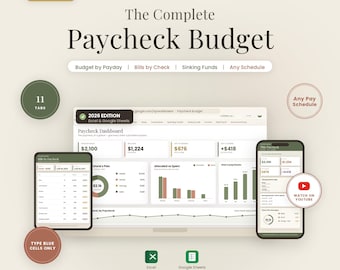
Gehaltsbudget-Tabelle – Budgetplanung mit Paycheck Planner für Excel und Google Sheets – Zweiwöchentliche Rechnungen, Rücklagen und Ersparnisse
Sale-Preis € 10,94
Ursprünglicher Preis € 14,02
-
Digitaler Download
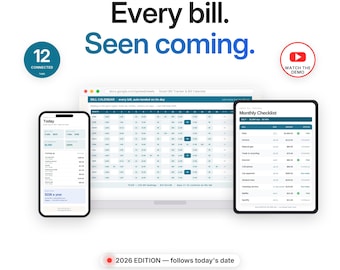
Rechnungsübersichts-Tabelle, Rechnungskalender & monatliche Zahlungscheckliste für Excel, Google Sheets, Fälligkeitsdatum, Abonnement-Automatisierungsorganisator
Sale-Preis € 8,41
Ursprünglicher Preis € 10,78
-

Digitaler Download
Retirement Withdrawal Spreadsheet | RMD, Roth Conversion and Social Security Timing Planner for Excel and Google Sheets | Drawdown Order
Sale-Preis € 27,82
Ursprünglicher Preis € 35,66
-
Digitaler Download
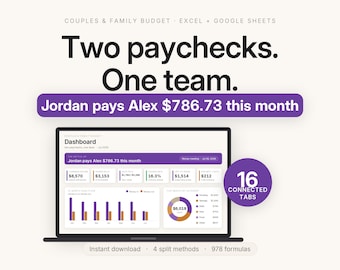
Couples Budget Spreadsheet Bill Split Calculator Who Owes Who Family Budget Planner Excel Google Sheets Shared Expense Tracker
Sale-Preis € 12,63
Ursprünglicher Preis € 16,20


