


AhoraPrecio:MX$288.78
Precio original: MX$370.31
-22 %
La oferta termina el 10 octubre
Airbnb Welcome Book + House Manual Kit | Fillable PDF Guest Guidebook, WiFi and House Rules Signs, Turnover Tracker | No Canva, Word Excel
Vendedor estrella
Los vendedores estrella tienen un excelente historial probado de experiencia de cliente: reciben reseñas de 5 estrellas de cada pedido, envían con puntualidad y responden rápido a los mensajes que reciben.
Solo puedes hacer una oferta por compras de un único artículo
Vendedor estrella. Este vendedor recibió sistemáticamente reseñas de 5 estrellas, envió los pedidos de manera puntual y respondió rápidamente a los mensajes que recibió.
Puntos destacables
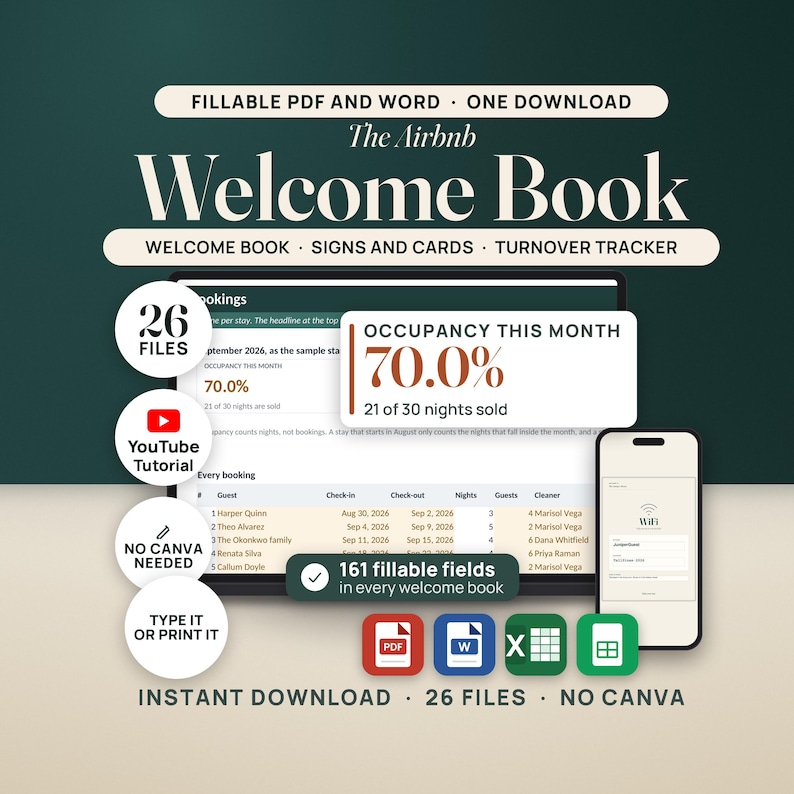
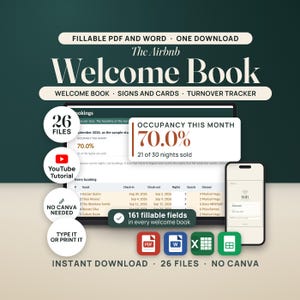
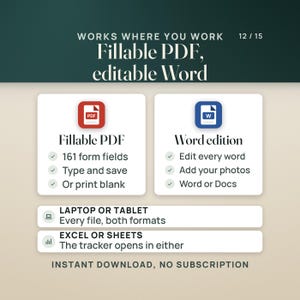
The Airbnb Welcome Book and House Manual Kit is a set of fillable PDFs and a turnover workbook for an Airbnb, VRBO or vacation rental host, for writing the welcome book and house manual a guest actually reads, printing the WiFi, house rules, checkout and QR signs that go on the walls, and tracking occupancy, turnovers and what the cleaner is owed. Fillable PDF, editable Word, and Excel or Google Sheets. No Canva and no account. Instant download.
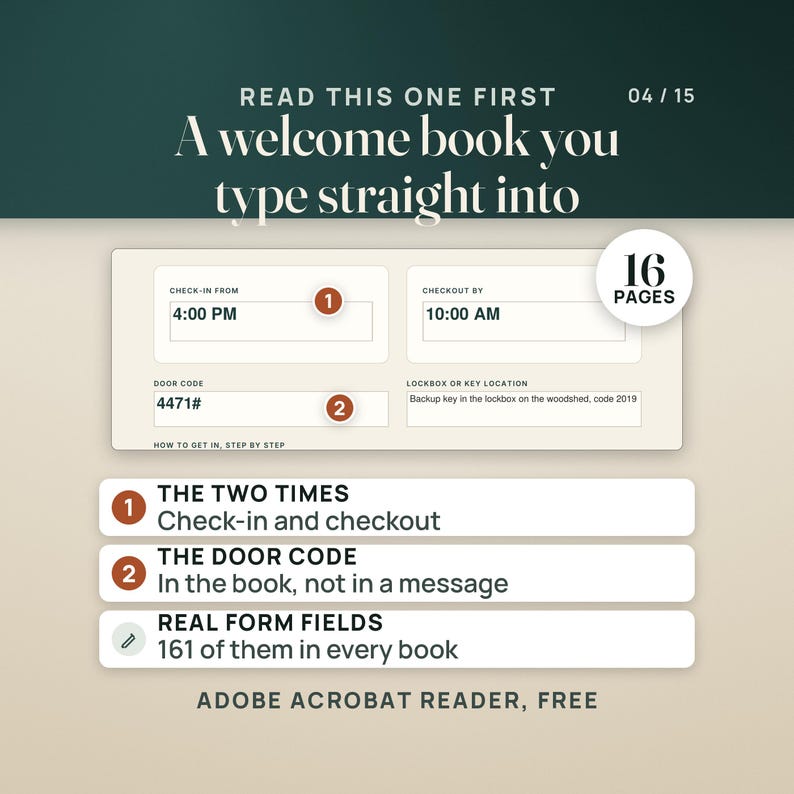
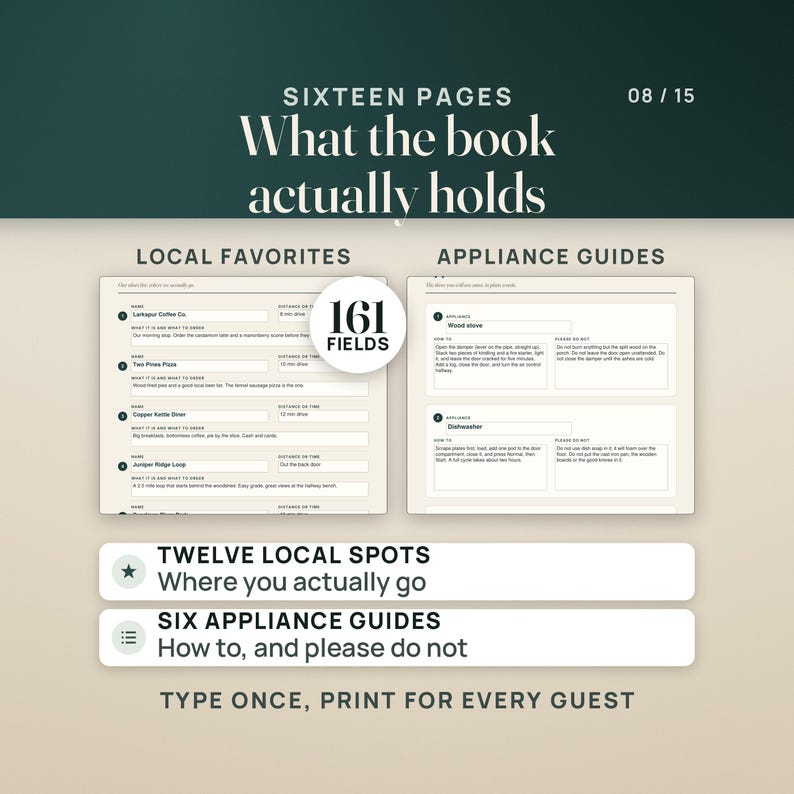
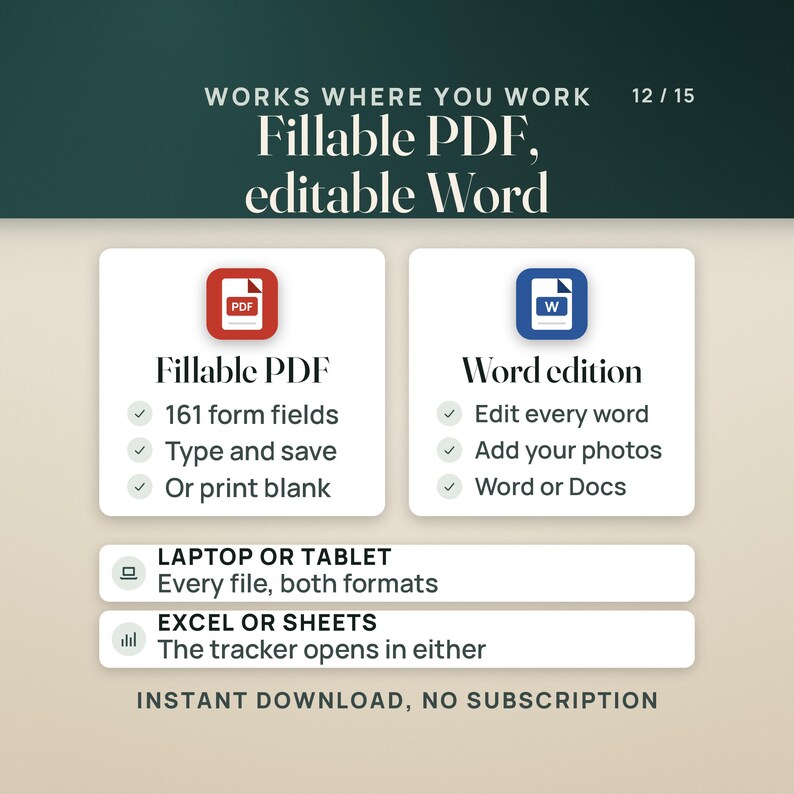
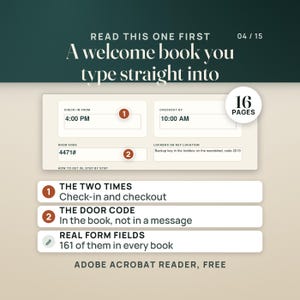
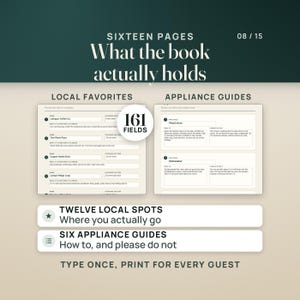
Three questions arrive every stay: what is the WiFi password, what time do we have to be out, and how does the coffee maker work. The book that answers them before they are asked is the job every host means to finish and does not, because most welcome book templates open in a design app you have to sign into to change one line, and moving a check-out time means hunting for the right text box again. This one is a PDF. You open it, you type, and sixteen pages and 161 fields later it is your house, with the check-in time, the checkout time and the trash day picked from dropdowns instead of typed.
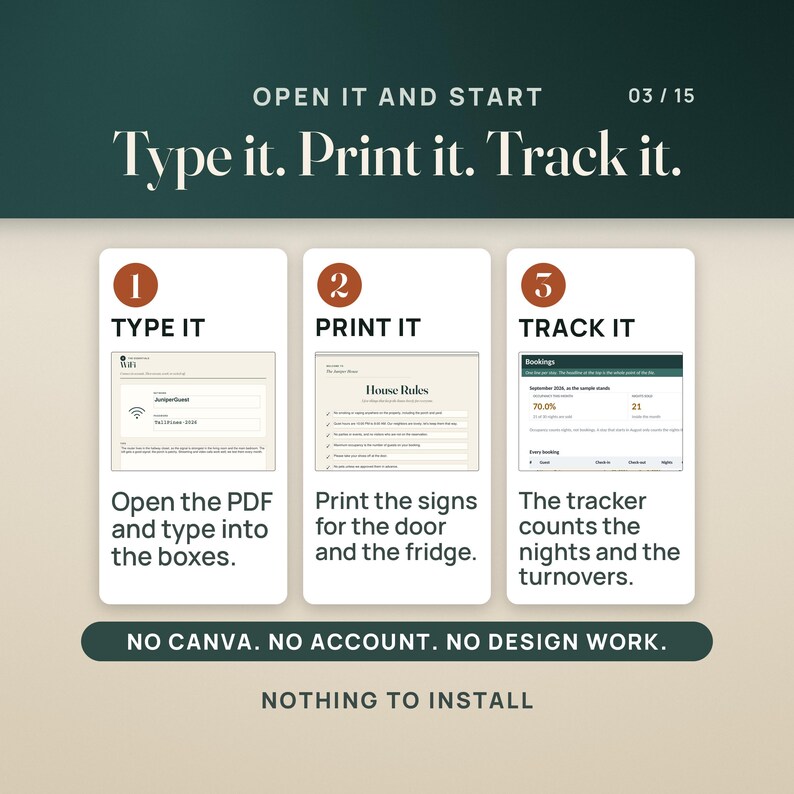
Type it on a laptop or a phone, print the signs for the wall, or open the Word edition and restyle the whole book.
————————————————————
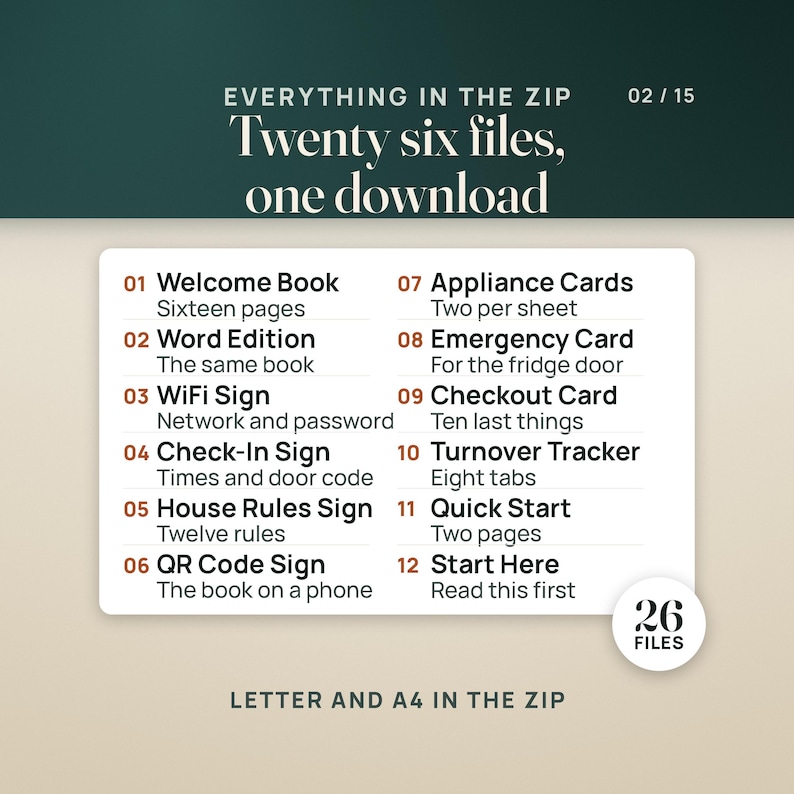
📦 WHAT'S INCLUDED (26 FILES)
————————————————————
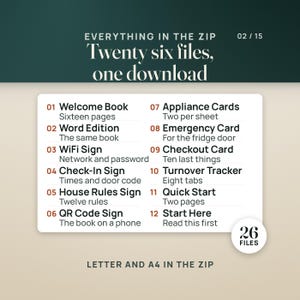
01 — Quick-Start Guide (PDF, two pages)
The four things to do first, what every folder, file and tab is for, and the honest warnings.
02 — The Welcome Book, six fillable PDFs
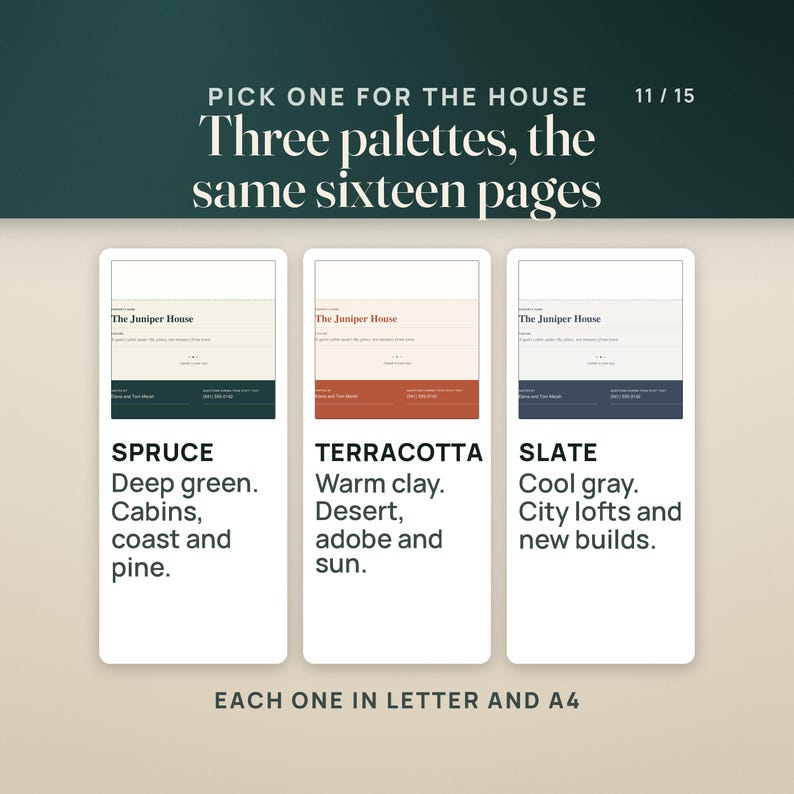
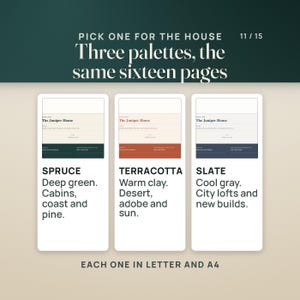
Sixteen pages in three palettes, Spruce, Terracotta and Slate, each in US Letter and A4. 161 form fields in every one: 129 text fields, 5 dropdowns, 22 checkboxes and 5 photo boxes. Cover, welcome letter, getting here, check-in and checkout, the WiFi card, house rules, the house, the kitchen and the trash days, six appliance guides, twelve local favorites, emergency and contacts, the checkout checklist, thank you and the review ask, and a page for your own map or notes.
03 — Welcome Book Word Edition (.docx)
The same sixteen pages as an editable Word file, for a host who wants to change the fonts, the colors or the wording, and for dropping photos in from Word or Google Docs.
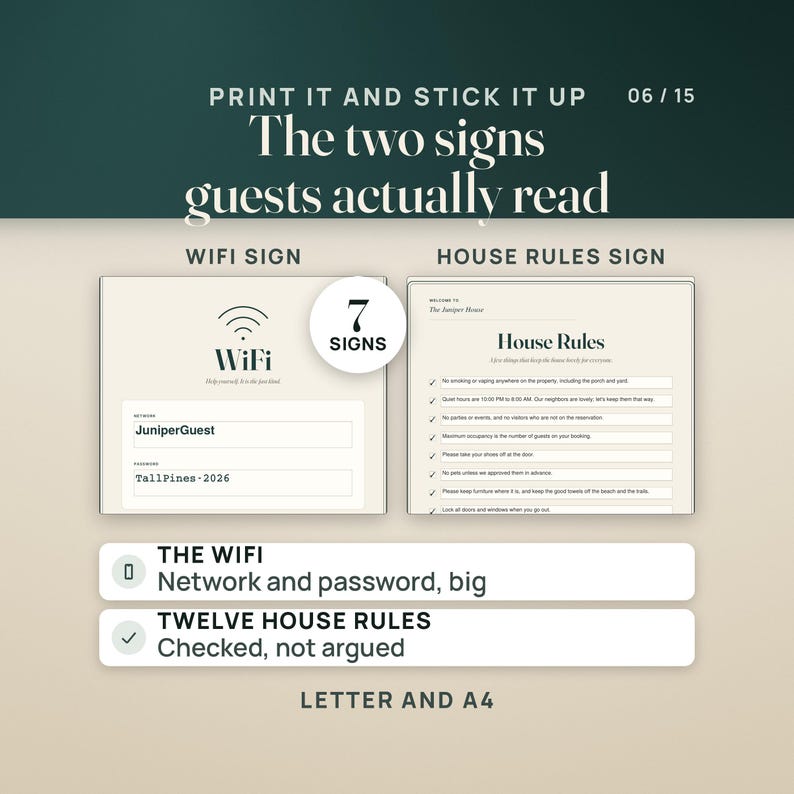
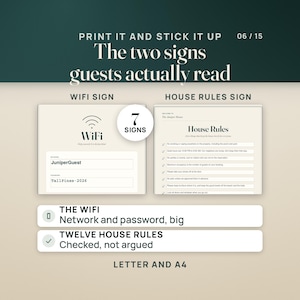
04 — WiFi Sign (Letter and A4)
The network and the password, big enough to read from the sofa.
05 — Check-in and Checkout Sign (Letter and A4)
Both times, the door code, and how to get in. The two times are dropdowns.
06 — House Rules Sign (Letter and A4)
Twelve house rules already typed, each with a checkbox, so you check the ones that are yours and write in the rest.
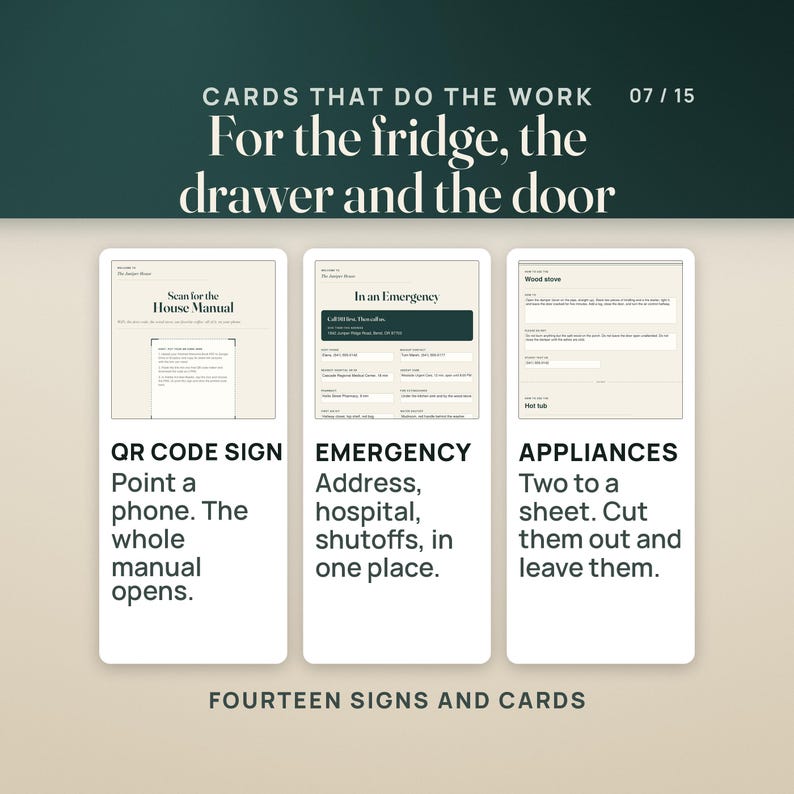
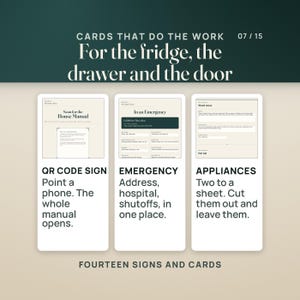
07 — Scan for the House Manual QR Sign (Letter and A4)
A box for your own QR code and the three steps to make one, so a guest can pull the book up on a phone.
08 — Appliance Guide Card (Letter and A4)
Two cards to a sheet: how to use it, and what not to do. For the washer, the coffee maker, the thermostat, whatever confuses people in your house.
09 — Emergency Card (Letter and A4)
911 first, then you. Address, nearest hospital, the water and gas shutoffs, the breaker panel.
10 — Checkout Checklist Card (Letter and A4)
Ten things to leave done and where the keys go, for the fridge door on the last morning.
11 — Airbnb Turnover Tracker workbook, four colorways
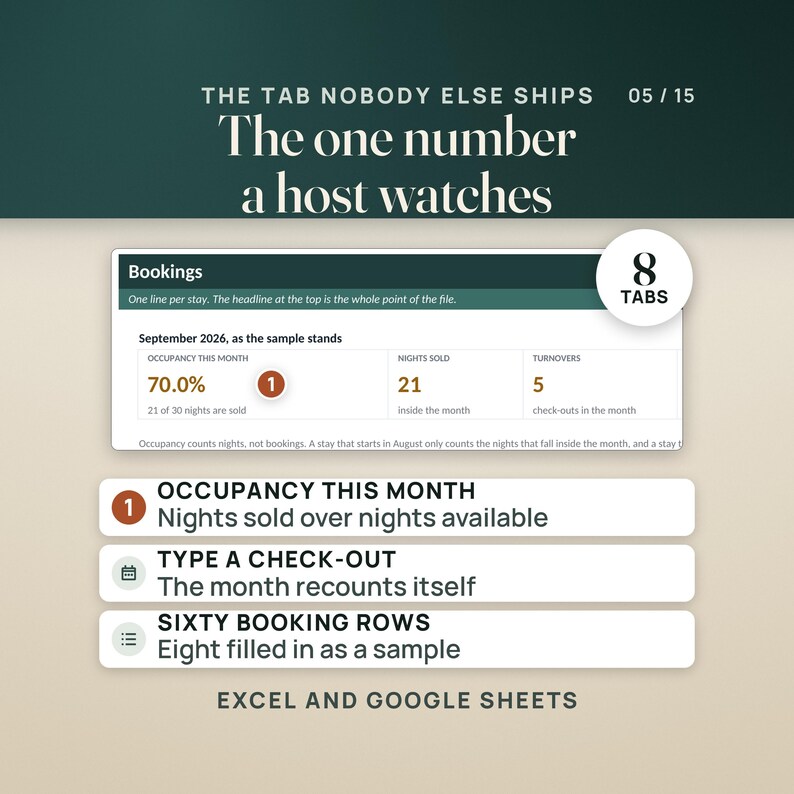
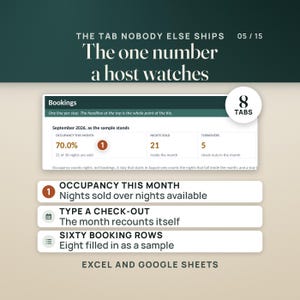
For Excel or Google Sheets. Eight tabs, 1,014 working formulas and 60 booking rows: Start Here, Setup, Bookings, Turnover Checklist, Restock, Cleaner Schedule, Dashboard and Help. The Colorful and Editorial editions sit in the folder, and a small zip beside them holds Colorful, Light and Dark.
12 — START-HERE.txt
Every file named and explained, and the note about the photo boxes, in plain text.
————————————————————
👤 WHO THIS IS FOR
————————————————————
A new Airbnb or VRBO host setting up the house who wants the welcome book, the signs for the walls and the turnover routine done in one evening instead of one weekend.
A host with one, two or three listings who is still answering the WiFi password and the checkout time by message at eleven at night.
A co-host or property manager who fills one book per property, saves it under the property name, and needs a cleaner schedule the cleaner can actually read.
————————————————————
🚫 WHO THIS IS NOT FOR
————————————————————
A host who picks a guidebook by its looks and wants to redraw every page in a design app: this is a fillable PDF you type into, there is no Canva file in the download, and the Word edition is the only route to restyling.
Anyone shopping for a rental agreement, a lease, a cleaning contract or the books for the rental. That is a different job, and the Airbnb Host Business Toolkit and the short term rental bookkeeping in this shop are where it lives.
————————————————————
✅ KEY BENEFITS
————————————————————
161 fillable fields in every welcome book, across sixteen pages: 129 text fields, 5 dropdowns, 22 checkboxes and 5 photo boxes. No Canva, no account, nothing to install.
Three palettes and two paper sizes, six PDFs of the same sixteen pages, so the book prints on US Letter or A4 without resizing anything.
Seven signs and cards, each in Letter and A4: fourteen PDFs carrying 166 fields, 83 per paper size, including the twelve house rules already typed and a ten item checkout checklist.
A turnover workbook with 1,014 working formulas over eight tabs and 60 booking rows. Occupancy, turnovers, cleaner pay, restock par levels and the message to send your cleaner all come off the bookings you type. Four colorways, Excel or Google Sheets.
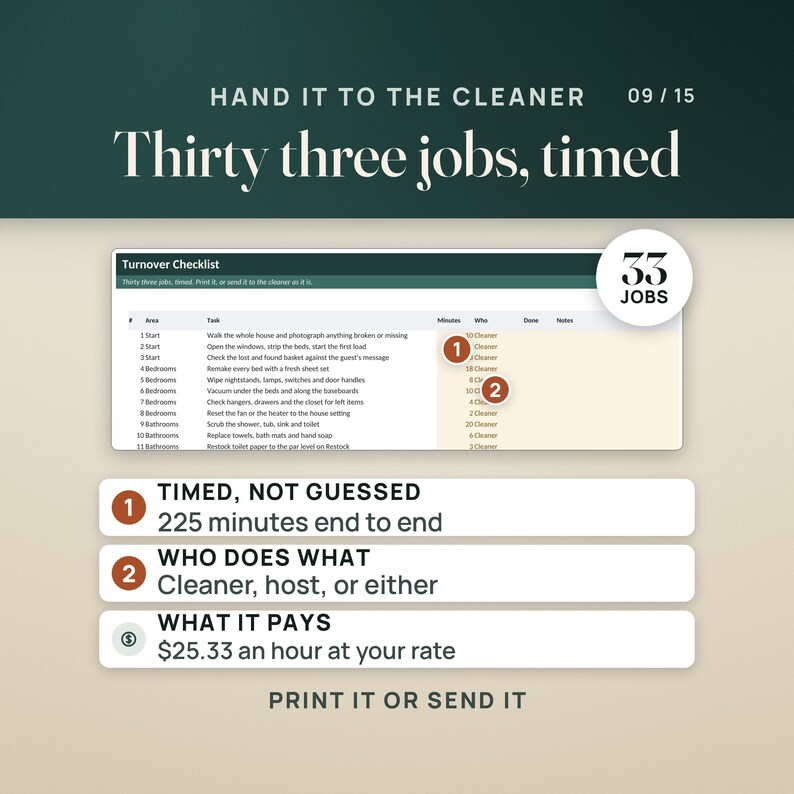
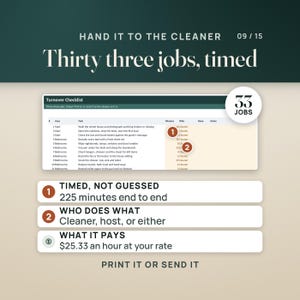
Every page again as an editable Word file, and a workbook set up to print on twelve pages instead of thirty three, with the turnover checklist ready to hand to a cleaner as it is.
————————————————————
🔧 HOW IT WORKS
————————————————————
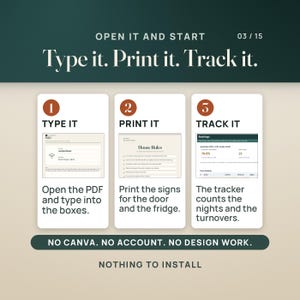
1. Pick a palette and a paper size and open that welcome book in Adobe Acrobat Reader, which is free. Work down the fields, take the check-in time, the checkout time and the trash day from the dropdowns, and save it under your property name. Print the WiFi sign and the check-in sign on card stock first, because those two answer most guest messages before they are sent.
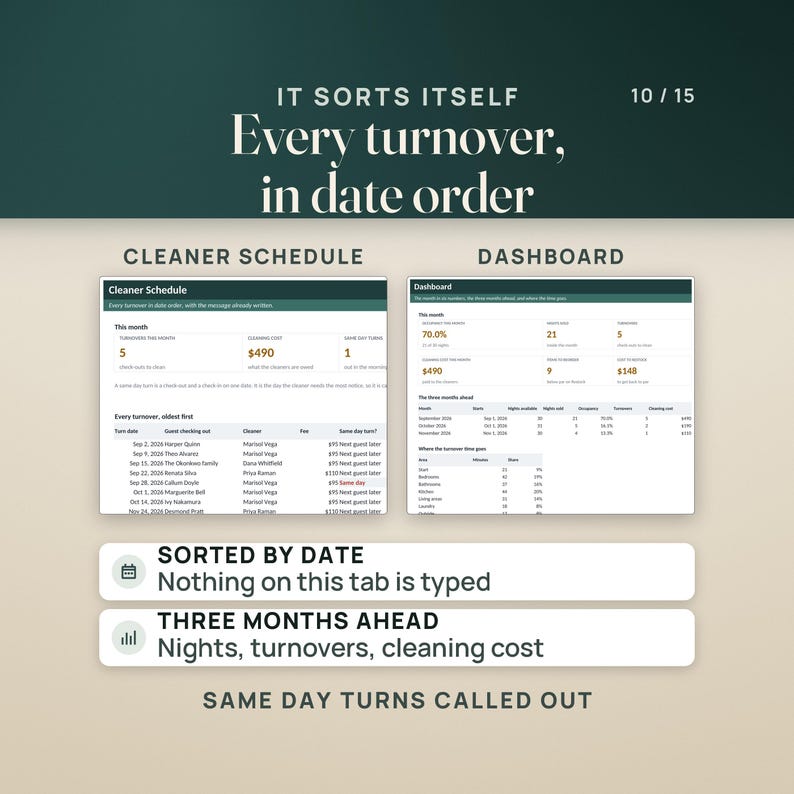
2. Open the Turnover Tracker and type your property, your cleaner rate and your bookings into the amber cells. The invented sample month, The Juniper House in September 2026 with eight bookings, sells 21 of 30 nights, so OCCUPANCY THIS MONTH reads 70.0%, with 5 turnovers, $490 owed to the cleaners at $95 a turnover, and one same day turn flagged on the schedule. Move one guest's check-out two nights later, from September 15 to September 17, and the same tile reads 76.7% on 23 of 30 nights, while the 5 turnovers and the $490 stay exactly where they were, because those two nights were sold, not cleaned again.
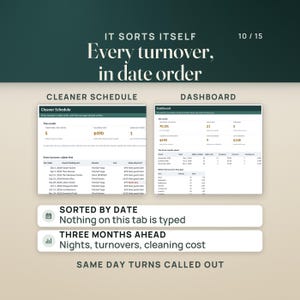
3. Run the month from the other tabs. The Cleaner Schedule puts every turnover in date order and writes the message to send. The Turnover Checklist holds 33 timed jobs that add up to 225 minutes, which is 3.75 hours, and works your rate out to $25.33 an hour inside a six hour window. Restock shows what is below par, 9 items of 18 in the sample and $148.43 to fill them.
————————————————————
❓ QUESTIONS BUYERS ASK
————————————————————
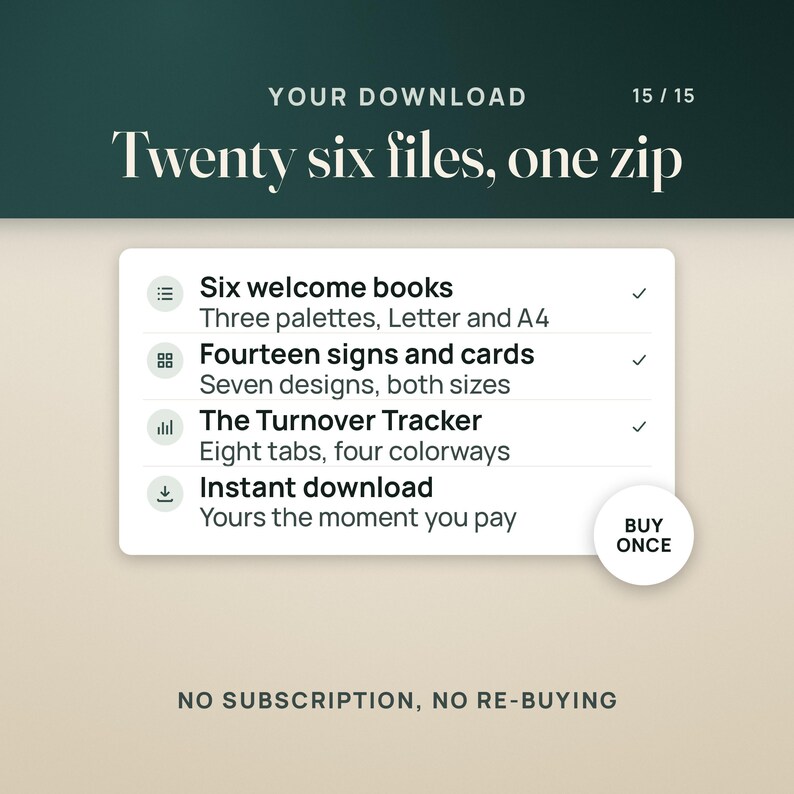
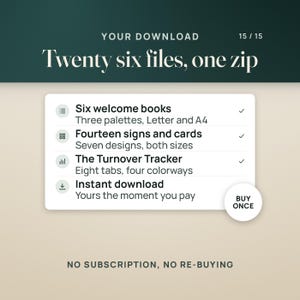
What format is this? Twenty one PDFs, twenty of them fillable forms (six welcome books and fourteen signs and cards) plus a two page quick start guide, the welcome book again as an editable Word (.docx) file, and one workbook (.xlsx) in four colorways. Twenty six files in one zip, yours to download the moment payment clears.
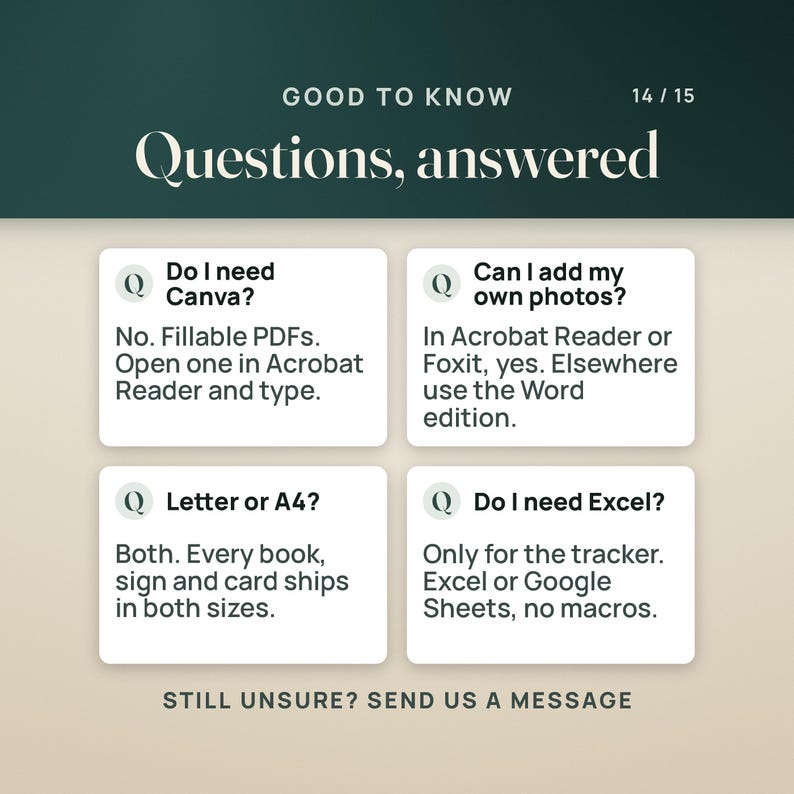
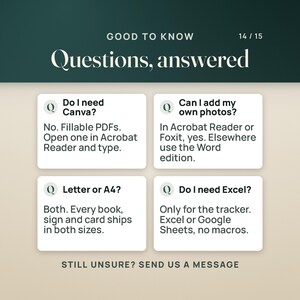
What do I need to open it? Adobe Acrobat Reader, the free one, is the reader to use for the PDFs, on a computer, tablet or phone. Apple Preview and the viewers built into Chrome, Edge and Safari type into the text fields too, with the one exception in the next answer. The Word edition opens in Word 2016 or later, Pages or Google Docs, and the workbook in Excel 2016 or later, Google Sheets or Apple Numbers. No macros, no subscription, nothing to install.
What does the workbook compute? Occupancy for the month from the nights that fall inside it, nights sold against nights open, turnovers and what the cleaners are owed at your own rate, those same figures for the three months ahead, the review request date for every stay and whether its window has closed, every turnover in date order with same day turns flagged and the message already written, the minutes and the hourly rate behind a 33 job turnover, and a restock list against par levels built from your bedrooms, bathrooms and how many the house sleeps.
Do I need Canva, and can I add my own photos? No Canva, no account and no design app: the welcome book, the signs and the cards are fillable PDFs you type straight into. Photos are the one exception, and it is worth knowing before you buy. The five photo boxes in the welcome book and the QR box on the QR sign are Adobe Acrobat Reader buttons. Tap one in the free Acrobat Reader or in Foxit and it asks you for an image file and drops it in. Apple Preview and the PDF viewers built into Chrome, Edge and Safari do not run that button: they show the dashed placeholder and leave it empty. Text fields, dropdowns and checkboxes type fine everywhere. If you want photos and you do not use Acrobat Reader, build your book from the Word edition, which has the same sixteen pages with picture placeholders you drop images into.
————————————————————
⚠️ PLEASE READ
————————————————————
The photo boxes, plainly: the five in the welcome book and the QR box on the QR sign work in the free Adobe Acrobat Reader and in Foxit, and they do not work in Apple Preview or in the PDF viewers built into Chrome, Edge and Safari, which show the dashed placeholder and leave it empty. That is a limit of those viewers, not of the file. Everything else, the text fields, the dropdowns and the checkboxes, types anywhere. The Word edition is the route to photos if you do not use Acrobat Reader. The QR sign holds a box for a QR code you make yourself and the three steps to make one; the kit does not generate the code.
This is a hosting kit, not legal, tax or insurance advice. Short term rental permits, lodging tax, occupancy limits, smoke and carbon monoxide detector requirements and what you may promise a guest are set locally and differ from place to place. Nothing here states what your own city or county asks of you, and your insurer is the one to read your house rules.
The four workbook colorways are one workbook in four coats of paint. Pick one and stay in it, because a booking typed into the Light copy does not appear in the Dark one. Occupancy counts nights rather than bookings, and only the nights inside the month on Setup, so a stay that crosses the end of a month is split between the two and your booking site may show a slightly different figure.
Every name and number in the files is invented. The Juniper House, Elena Marsh, the guests, the cleaners and the phone numbers are made up so you can see the shape of a finished book. Type over all of it before a guest reads it.
————————————————————
📥 INSTANT DOWNLOAD
————————————————————
Your files are available the moment your payment clears. Nothing is shipped.
Start with the two page Quick-Start guide: the four things to do first, what every folder, file and tab is for, and the honest warnings.
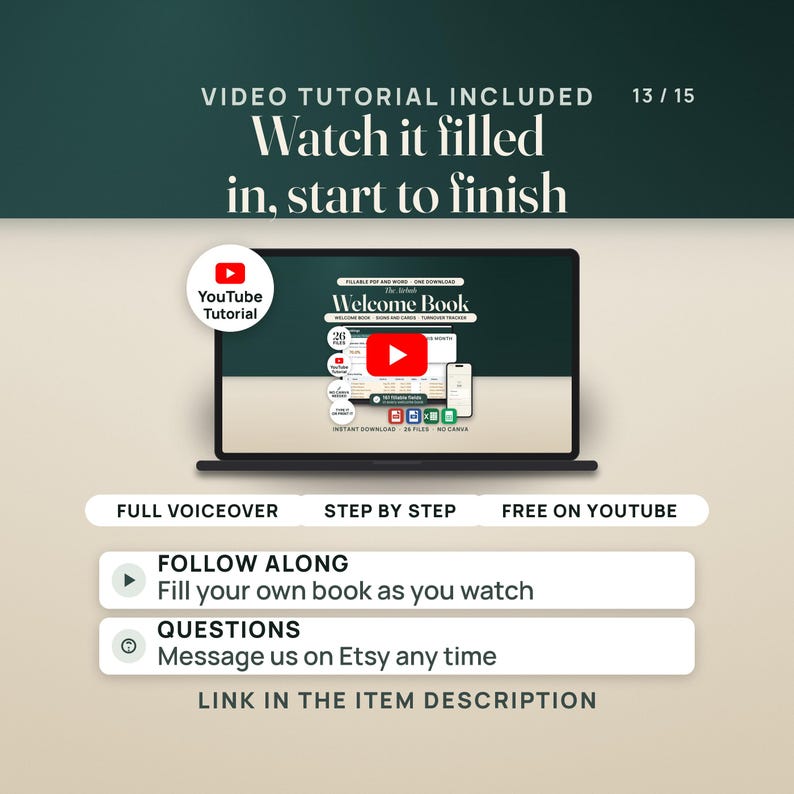
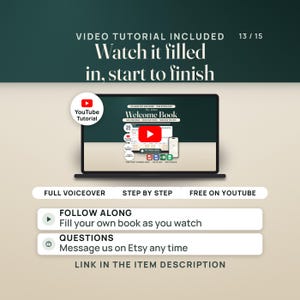
🎬 WATCH THE FULL WALKTHROUGH before you buy — seven minutes, the book, the signs and every tab of the tracker:
https://youtu.be/OFOq8QT4T7E
Questions? Send a message. I read and answer them myself.
Descarga inmediata
Los archivos estarán disponibles para descargar una vez que se confirme el pago. Sigue estas instrucciones.
No se admiten cambios, devoluciones ni cancelaciones de los artículos de descarga inmediata. Ponte en contacto con el vendedor si tienes algún problema con tu pedido.
Protección de compras de Etsy
Compra con confianza en Etsy sabiendo que estamos a tu lado si surge un problema con un pedido que reúne los requisitos.
Consulta las condiciones del programa

Revisa este artículo antes de nadie

Respuestas rápidas Tiene un historial de respuestas rápidas a los mensajes.
Buenas reseñas La valoración media de las reseñas es 4,8 o más alta.
Más artículos de esta tienda
Visitar tienda-
Descarga digital
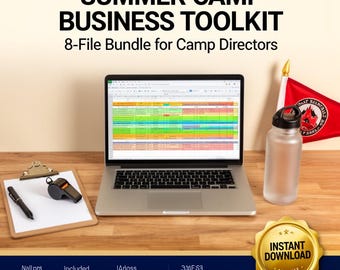
Summer Camp Business Toolkit | Camp Forms Bundle with Registration, Waiver, Roster, Pricing & Permission Slips | Editable Excel PDF
Precio en oferta MX$288.79
Precio original MX$370.31
-
Descarga digital
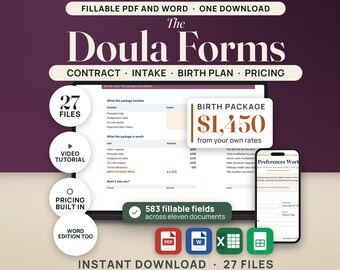
Paquete de plantillas y formularios de contrato de doula Doula de parto Doula posparto Admisión de clientes Hoja de trabajo del plan de parto Calculadora de precios de factura PDF Word
Precio en oferta MX$561.95
Precio original MX$720.55
-
Descarga digital
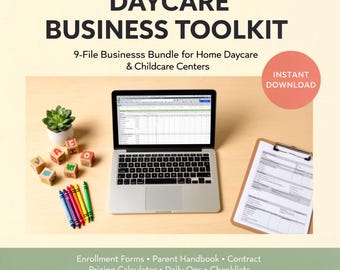
Daycare Business Toolkit | Childcare Forms Bundle with Enrollment, Contract, Pricing Calculator & Daily Reports | Editable Excel PDF
Precio en oferta MX$288.79
Precio original MX$370.31
-
Descarga digital
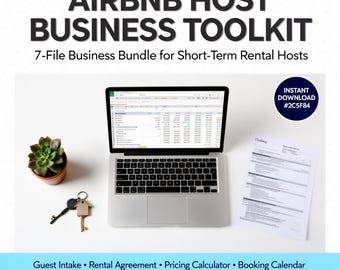
Kit de herramientas para anfitriones de Airbnb / Paquete de formularios para alquileres a corto plazo con contrato de alquiler, lista de verificación de limpieza y manual de la casa / Excel PDF
Precio en oferta MX$288.79
Precio original MX$370.31


