









NuPrijs:EUR 11.90
Oorspronkelijke prijs: EUR 19.83
40% korting
Sale eindigt over 6 dagen
Annual Budget Spreadsheet, Monthly Bill Tracker, Bill Calendar, Net Worth Tracker (Google Sheets, Excel)
De volgende situaties komen in aanmerking:
- Je bestelling komt niet overeen met de beschrijving of de foto's van het item
- Je item is beschadigd aangekomen.
- Je item is aangekomen na het tijdvak voor verwachte levering
- Je item is niet aangekomen of zoekgeraakt in de post.
Je kunt alleen een bod doen als je een enkel item koopt
Hoogtepunten
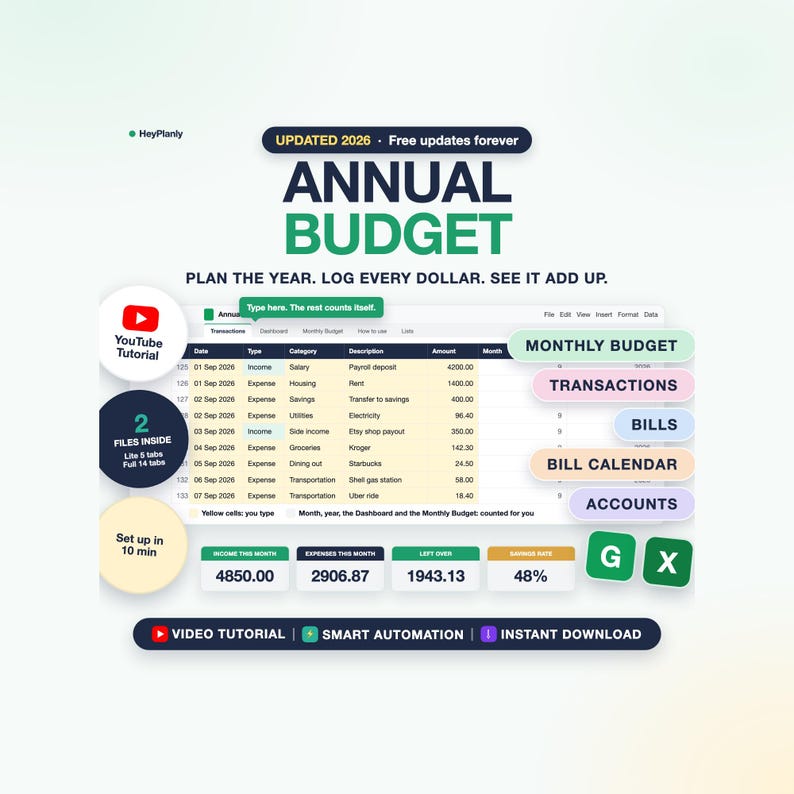
Easy to use annual budget spreadsheet, 2 files in one download: Lite (5 tabs) and Full (14 tabs). Set up in about 10 minutes, only the yellow cells, no formulas to touch. A whole year of money in one place, all-in-one: budget planner, budget tracker, bill tracker, bill calendar, debt payoff, sinking funds and net worth. Not overwhelming: start with the Lite file, and in the Full file day to day you type in only 3 of the 14 tabs (Monthly Budget, Bills, Transactions), the rest calculate themselves. Beginner friendly, and if you want a single tab, the Simple Monthly Budget is linked below.
Annual Budget Spreadsheet for Google Sheets and Excel: monthly bill tracker, bill calendar, net worth tracker.
🟢 START SIMPLE
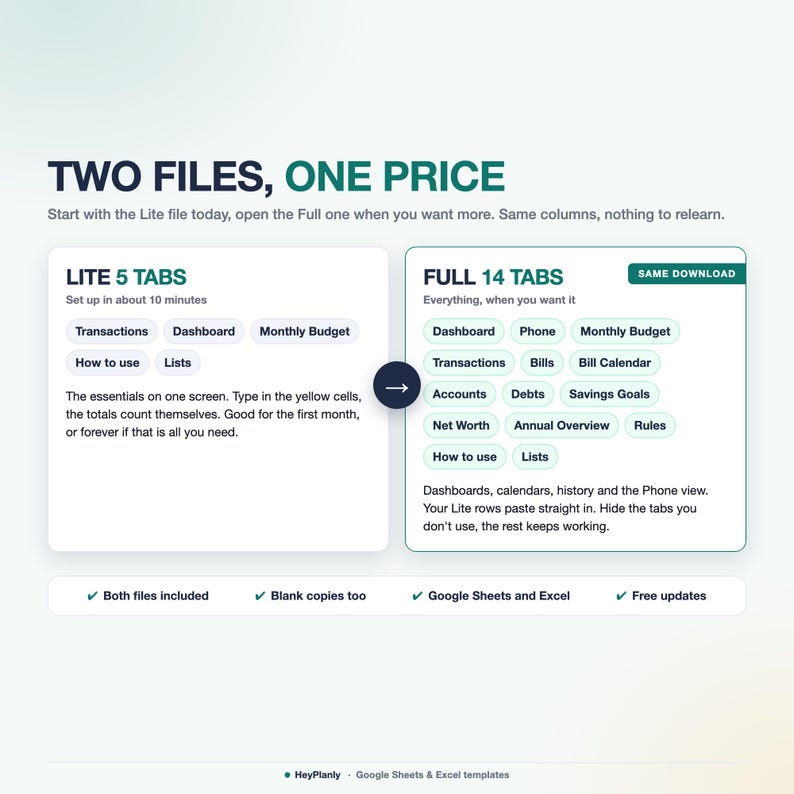
Start with the Lite file (5 tabs): type your income and expenses on the Transactions tab (or paste your bank export), the Dashboard and the Monthly Budget count the month and the year for you. Open the Full file (14 tabs) when you want recurring bills you tick Paid, a bill calendar, account balances, debt payoff dates, sinking funds and net worth. Same Transactions columns, so your rows paste straight across.
This is a spreadsheet file (.xlsx), not a printable PDF. Cross-platform: works in Excel, Google Sheets and Numbers, on Windows, Mac and your phone.
⏱️ SET UP IN 10 MINUTES (3 STEPS, LITE OR FULL)
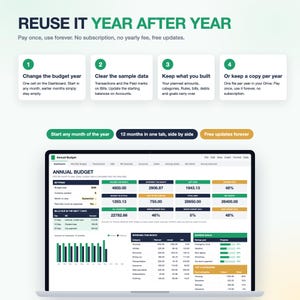
1. Dashboard: type the budget year and pick the month to view (1 minute)
2. Monthly Budget: type what you plan to earn and spend per category, only the yellow cells (5 minutes). The category rows are already there (up to 8 income and 22 expense), rename them on the Lists tab
3. Lite: that is it, log transactions as they happen or paste your bank export instead of typing every purchase. Full: type each recurring bill once on the Bills tab (rent, utilities, subscriptions, loan payments) with its amount and due day (3 minutes), then log transactions
The Dashboard and the Monthly Budget fill themselves in both files. The Full file also fills the Bill Calendar, Accounts, Annual Overview and Phone tab. Debts, Savings Goals, Net Worth and Rules are optional: use them when you are ready, or hide them.
Sample data inside (Lite: 145 transactions for January to September; Full: 56 transactions, 12 bills, 6 accounts, 5 debts, 5 goals): see how it works, then clear the yellow cells or open the blank copy.
▶ WATCH THE DEMO
Full 2-minute walkthrough on YouTube: https://youtu.be/rzEKIHT_Opc (what you type, what gets calculated, how to open it). Short preview: the listing video above.
✨ FEATURES
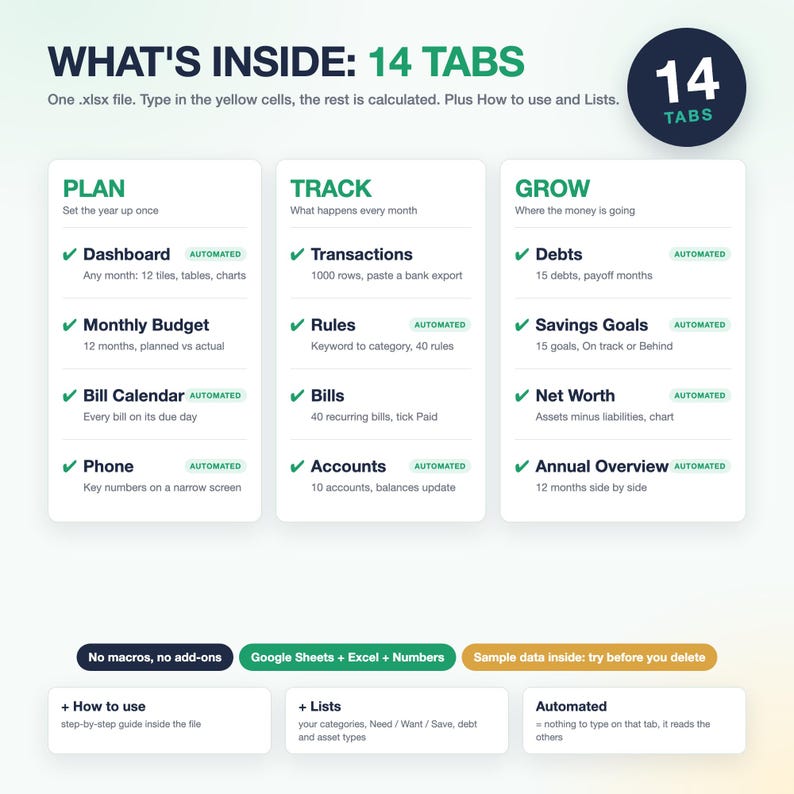
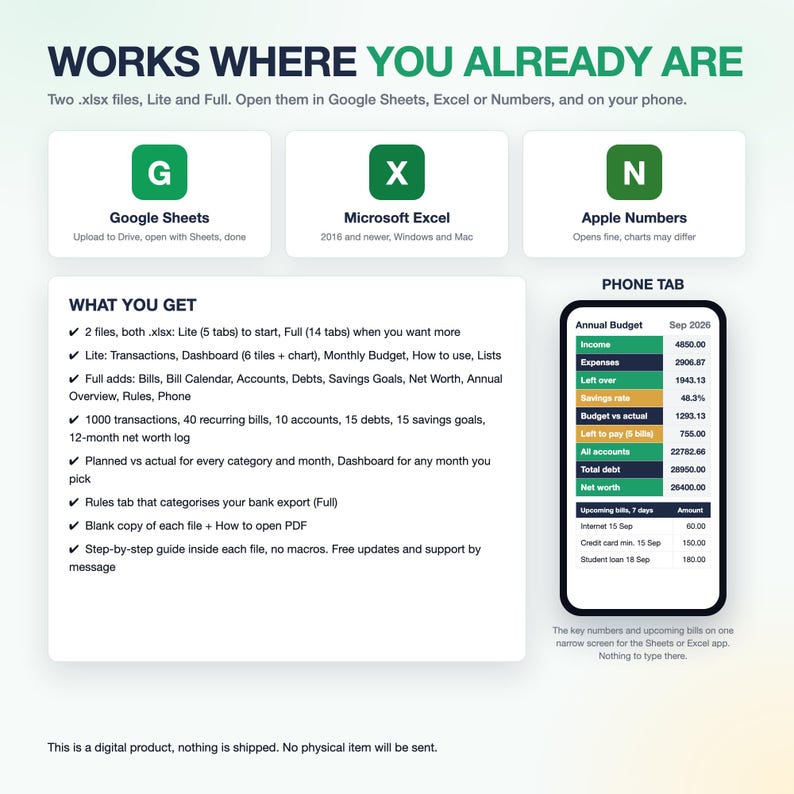
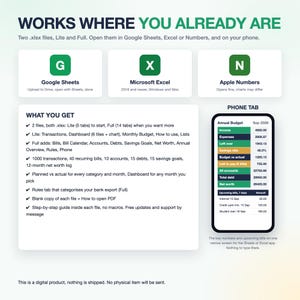
✓ 2 files: Lite (5 tabs: Transactions, Dashboard, Monthly Budget, How to use, Lists) and Full (14 tabs, the lines marked Full below)
✓ Paste your bank export instead of typing every purchase: in the Full file the categories fill themselves from the keyword Rules you set, in the Lite file you pick them from a dropdown
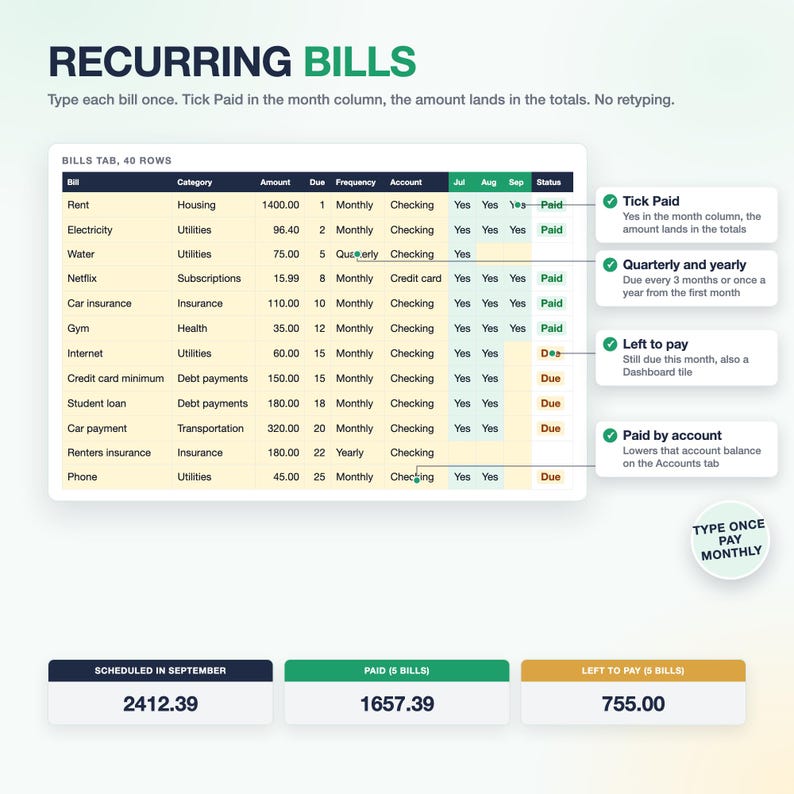
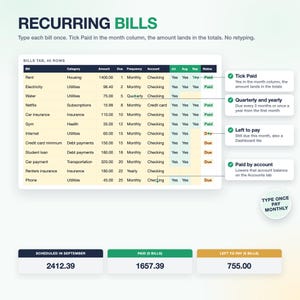
✓ Recurring bills and subscriptions: type each bill once, tick Paid, it counts in the month, nothing to re-set on the 1st (Full)
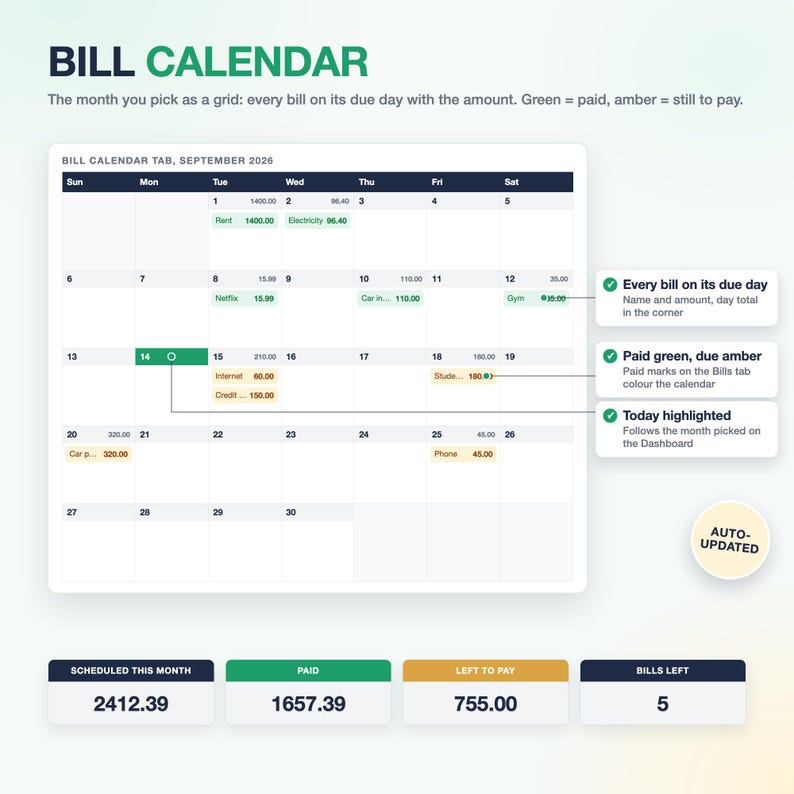
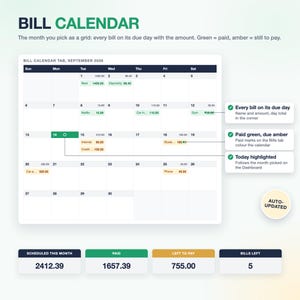
✓ Bill Calendar: every bill on its due day with the amount, paid green, due amber (Full)
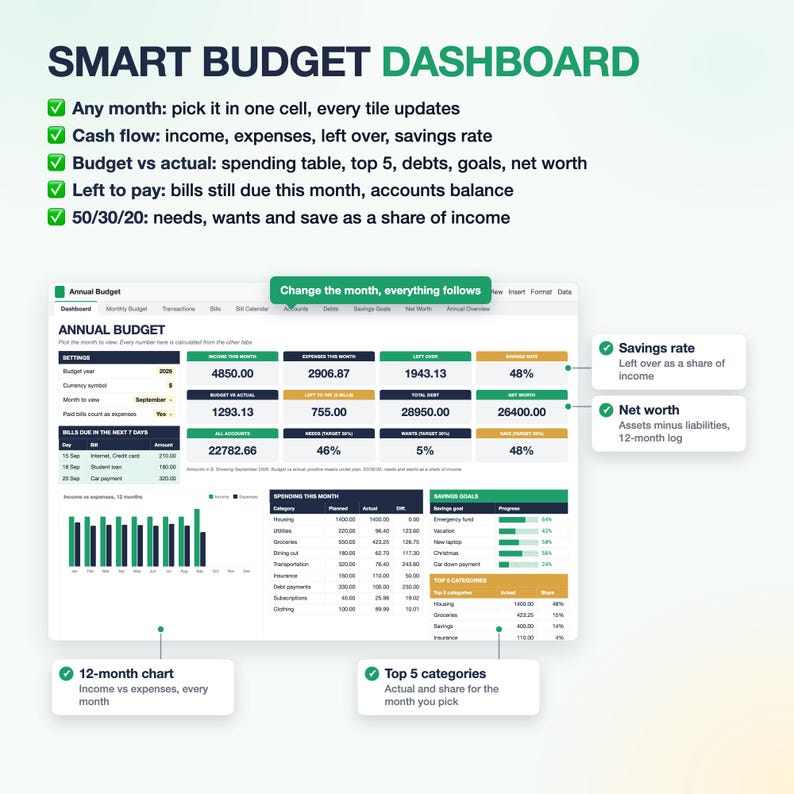
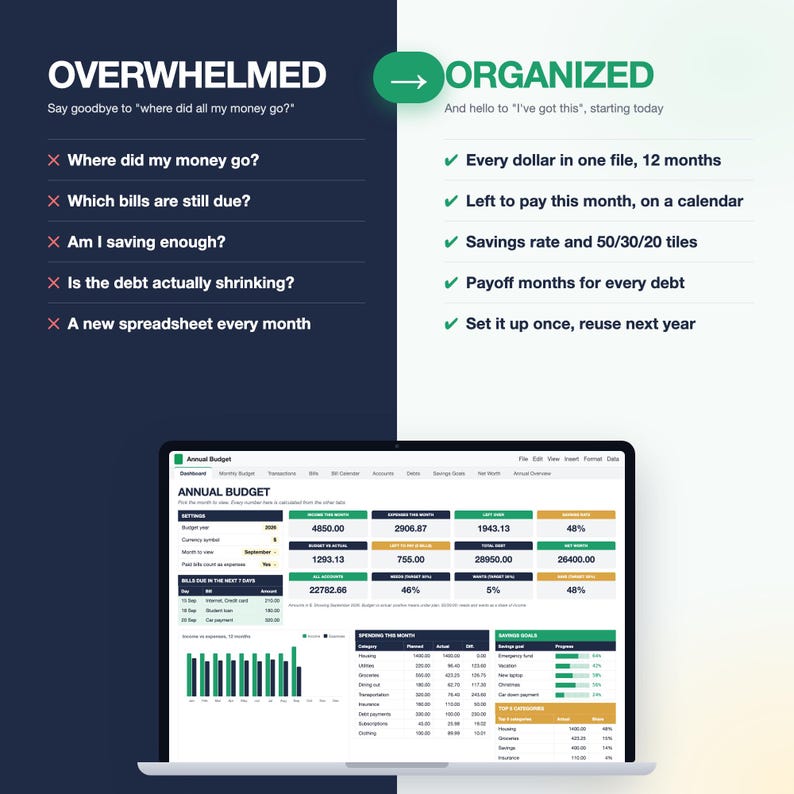
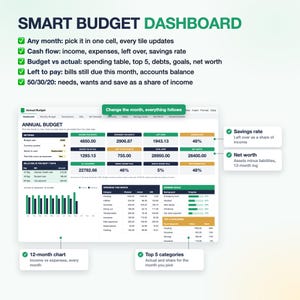
✓ Left to pay this month and bills due in the next 7 days on the Dashboard (Full)
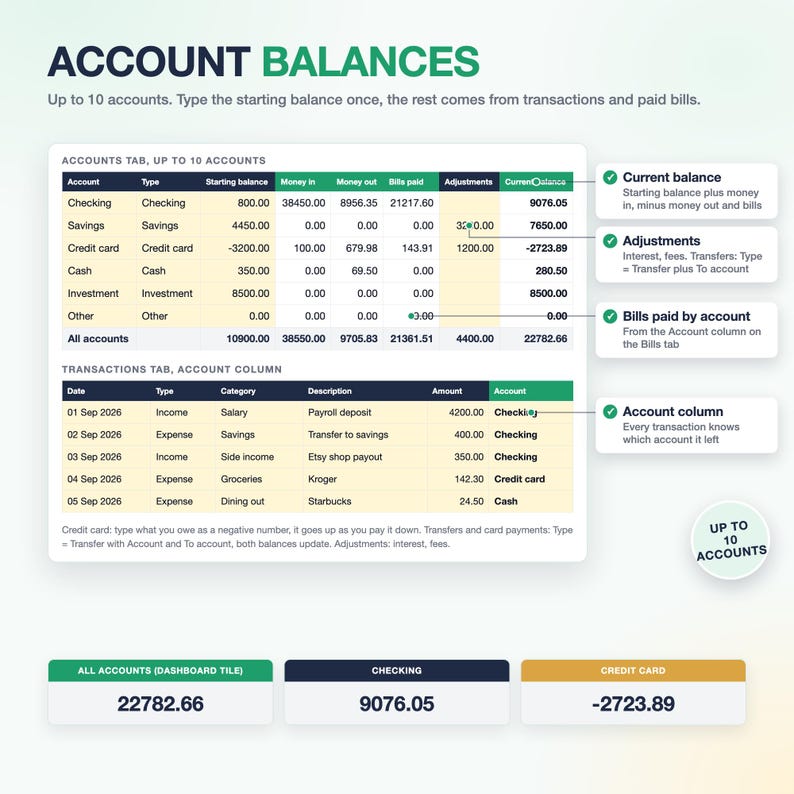
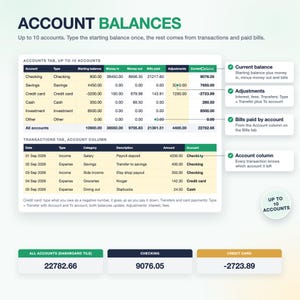
✓ Accounts: up to 10 accounts, balances update from your transactions, transfers and paid bills (Full)
✓ Transfer type: credit card payments and money moved between your own accounts are not counted as expenses (Full)
✓ 50/30/20 tiles: needs, wants and save as a share of this month's income (Full)
✓ Planned vs actual for up to 8 income and 22 expense categories, 12 months side by side: see where your money goes
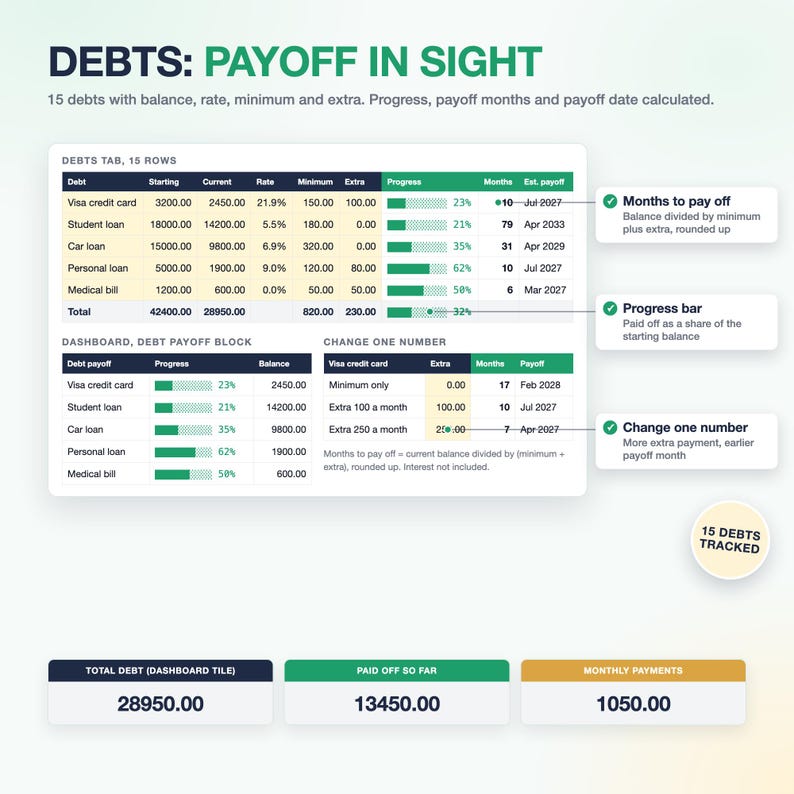
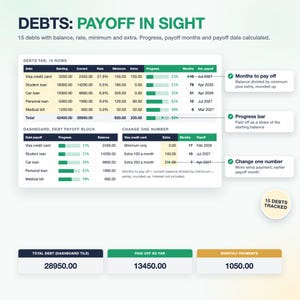
✓ Debts: know your payoff date, months to pay off and a progress bar per debt, change the extra payment and watch it move, 15 debts (Full)
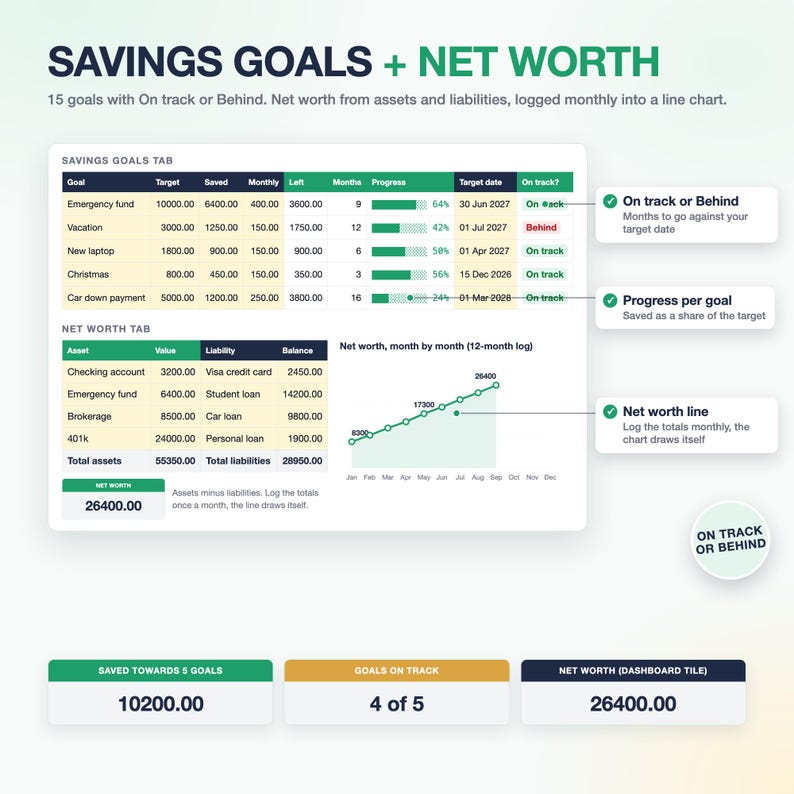
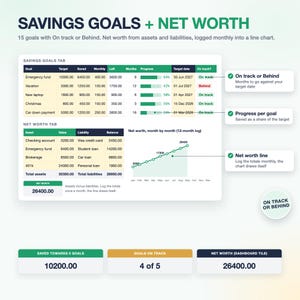
✓ Savings goals (sinking funds) with On track / Behind and saved per account, 15 goals (Full)
✓ Net worth with a 12-month log and line chart (Full)
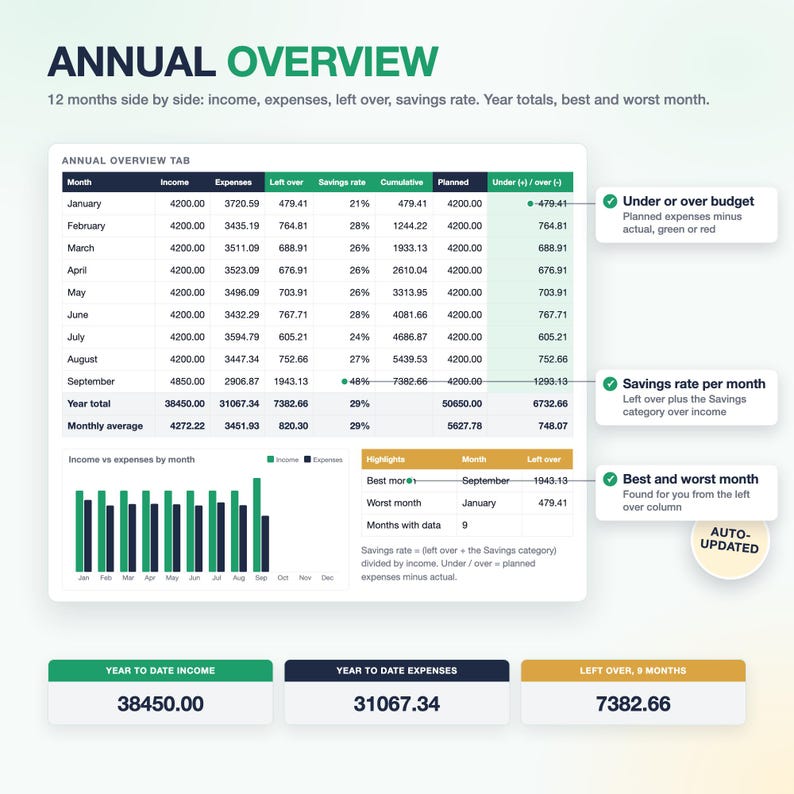
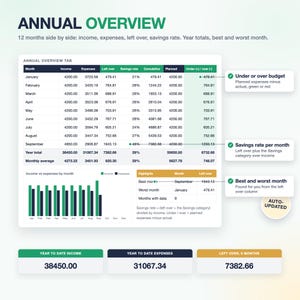
✓ Annual Overview: year totals, savings rate per month, best and worst month (Full)
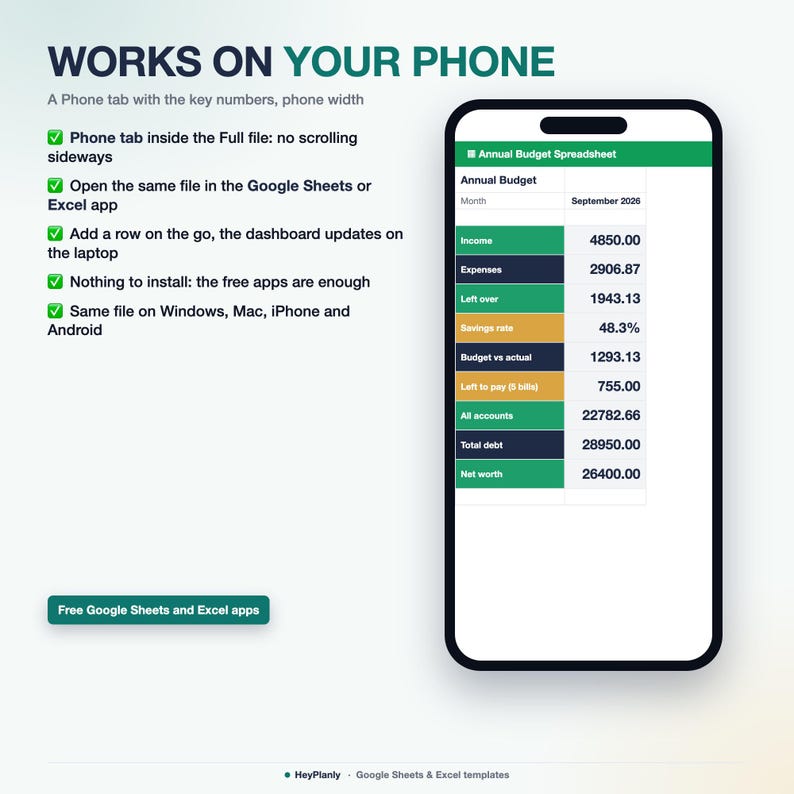
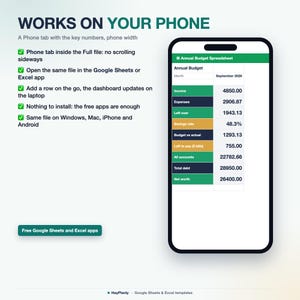
✓ Phone tab: the key numbers on one narrow screen for the Sheets / Excel app (Full)
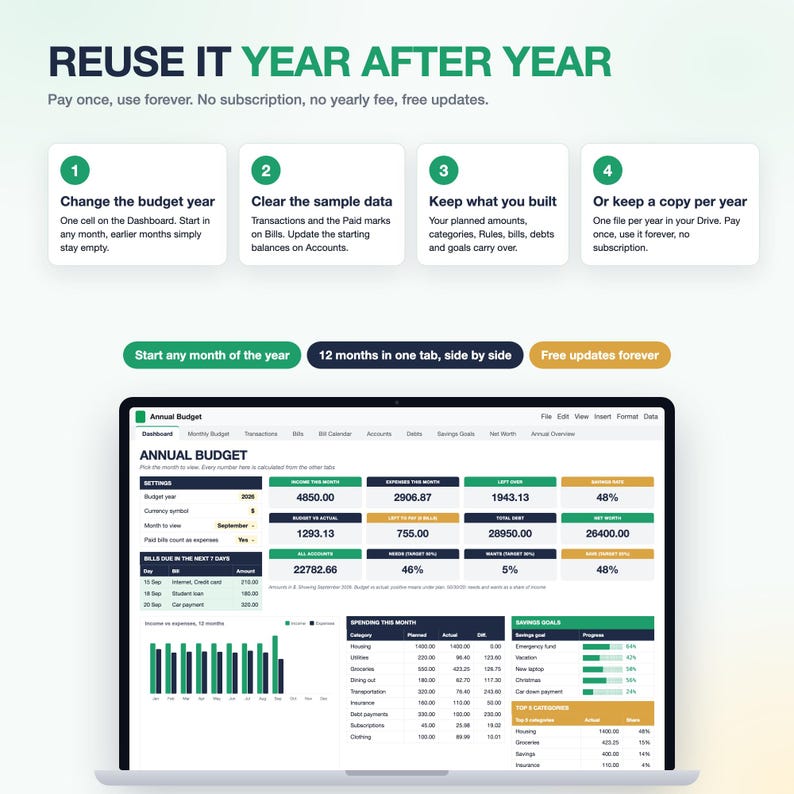
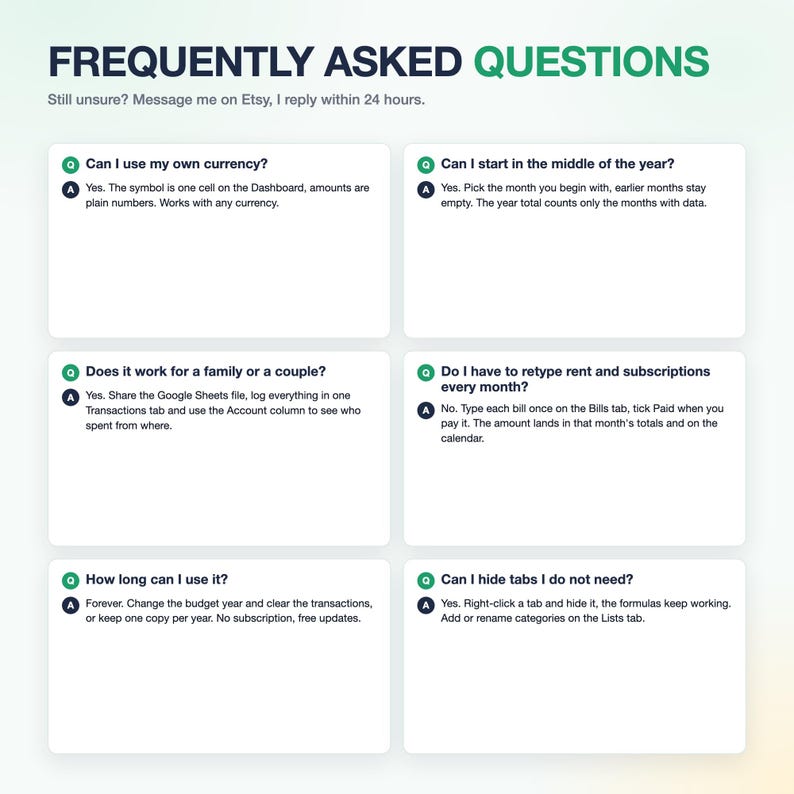
✓ Any currency, start any month of the year, reuse year after year
✓ No macros, no add-ons, no external links, each file under 1 MB: works in Google Sheets, Excel 2016+ and Numbers
✨ WHAT'S INSIDE: 2 FILES
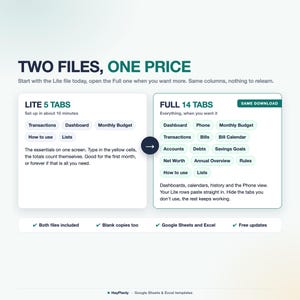
LITE FILE, 5 TABS: Transactions (1000 rows, the first tab, you type here), Dashboard (6 tiles, spending by category, year at a glance, 1 chart), Monthly Budget (planned vs actual, 12 months side by side), How to use (8 lines), Lists (your categories)
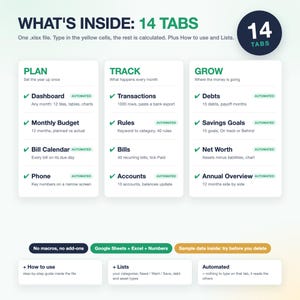
FULL FILE, 14 TABS
YOU TYPE HERE (3): Monthly Budget, Bills (40 recurring bills), Transactions (1000 rows)
CALCULATED FOR YOU: Dashboard (settings only), Phone, Bill Calendar, Accounts (10, type the starting balances once), Annual Overview
OPTIONAL: Debts (15), Savings Goals (15), Net Worth, Rules (40 keyword rules)
+ How to use (the setup checklist) and Lists (your categories, Need / Want / Save types, debt and asset types)
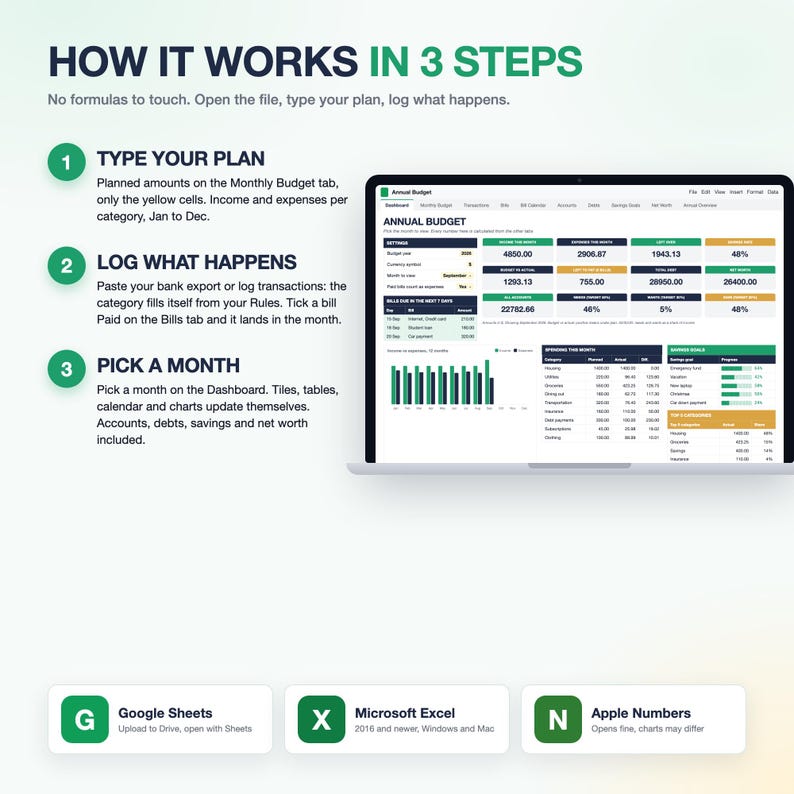
⚙️ HOW IT WORKS
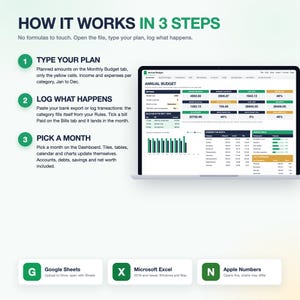
1. Type your planned amounts on the Monthly Budget tab, only the yellow cells
2. Log transactions as they happen, or paste your bank export: date, type, category, description, amount. In the Full file the category fills itself from your Rules and you tick your bills Paid on the Bills tab
3. Pick a month on the Dashboard. Tiles, tables, charts and, in the Full file, the bill calendar update themselves
💡 WHY IT WORKS
✓ Two files: start with Lite (5 tabs), move to Full (14 tabs) when you want more, your transaction rows paste straight across
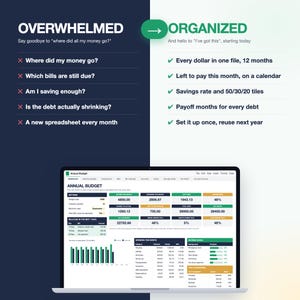
✓ One file for the whole year: no new spreadsheet every month, nothing to re-set at the start of the month, 12 months side by side
✓ Bills are typed once and ticked, transactions are pasted, so the file takes minutes a week
✓ Every number on the Dashboard is calculated, nothing to copy between tabs
✓ Left to pay, 50/30/20 and savings rate tell you what to do next, not just what happened
✓ Works on your phone too (Phone tab in the Full file) and in the apps you already have
✓ Pay once, keep it for years: no subscription, no app, free updates
👤 WHO IT'S FOR
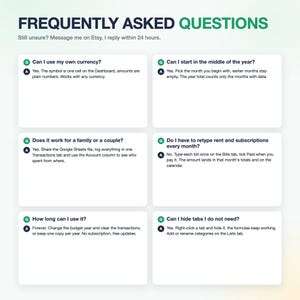
Personal, couples, family and household budgets, freelancers with irregular income, anyone who is not good with numbers and wants a beginner friendly budget that does the maths, anyone who wants the whole year in one place instead of a new file every month. Any currency, the symbol is a setting.
❓ FAQ
Lite or Full? Open the Lite file first: Transactions, Dashboard, Monthly Budget, that is the whole job. Open the Full file when you want bills, accounts, debts, savings goals and net worth. Both are in the same download, both work the same way, and your transaction rows paste from one to the other.
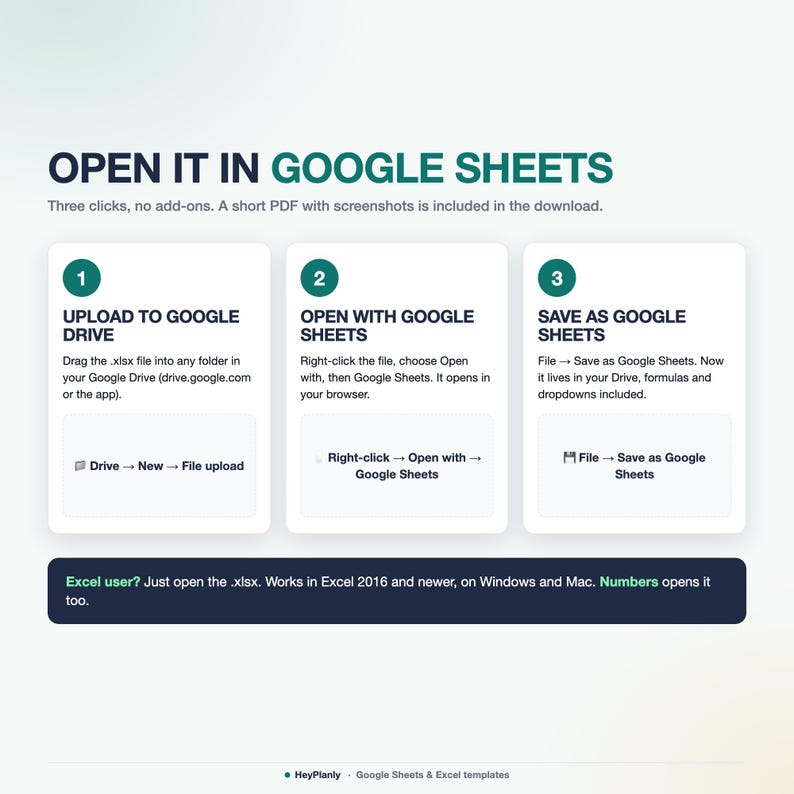
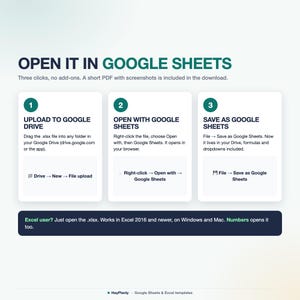
Excel or Google Sheets? Both. It is a normal .xlsx file: open it in Excel 2016 or newer, or upload it to Google Drive and save as Google Sheets. No add-ons, no sign-up.
Mac? Yes: Excel for Mac 2016+ and Apple Numbers.
Phone? Yes: open the Phone tab of the Full file in the free Google Sheets or Excel app for the key numbers, upcoming bills and top categories. The other tabs are best on a laptop.
Is it a PDF or a printable? No. It is a spreadsheet, nothing to print (you can print any tab from Excel if you want to).
Can I change the layout, add rows, delete what I do not need? Yes. Formula cells are protected so nothing breaks by accident. No password: Review > Unprotect Sheet (Excel) or the protected-range message (Google Sheets) if you want to change anything, add rows or colours. Hide the tabs you do not use.
Paid every 2 weeks, or hourly? The plan is per month: log every paycheck as income when it arrives. It is a monthly budget, not a paycheck-by-paycheck budget. If you budget paycheck by paycheck, the Paycheck Budget Spreadsheet is linked below.
Credit card payments and transfers between my own accounts? Type = Transfer on the Transactions tab of the Full file: the money moves from one account to the other and is not counted as an expense, so it is never counted twice. The card balance itself lives on the Debts tab.
Several savings funds in one bank account? Yes (Full file): each savings goal has an Account column, and the Savings Goals tab shows what is saved per account.
Language and currency? English only. Any currency, type the symbol on the Dashboard.
❌ WHAT THIS IS NOT
Not a PDF, not a printable planner, not a Notion or Goodnotes template, not an app with a subscription. It is a spreadsheet file you keep.
📱 WORKS IN
✓ Google Sheets (free Google account)
✓ Microsoft Excel 2016+ (Windows and Mac)
✓ Apple Numbers
✓ Phone tab (Full file) for the Sheets / Excel mobile app
✓ No macros, no add-ons, no LET or XLOOKUP, so it opens everywhere
📂 HOW TO OPEN IN GOOGLE SHEETS
Upload the file to Google Drive, right-click → Open with → Google Sheets, then File → Save as Google Sheets. All formulas and charts work (Google Sheets may drop some dropdown arrows after conversion: the PDF shows how to restore them in 10 seconds).
📦 YOU WILL RECEIVE
✓ Annual_Budget_v1.xlsx (Full, 14 tabs, sample data inside: 56 transactions, 12 bills, 6 accounts, 5 debts, 5 goals)
✓ Annual_Budget_Lite_v1.xlsx (Lite, 5 tabs, sample data inside: 145 transactions for January to September)
✓ Annual_Budget_blank.xlsx and Annual_Budget_Lite_blank.xlsx (blank copies, the same files empty and ready for your numbers)
✓ How to open in Google Sheets and Excel (PDF)
✓ Free updates and support by message
🛍️ ALSO IN THE SHOP
✓ Simple Monthly Budget Spreadsheet (one tab, for beginners): https://www.etsy.com/be/listing/4573801413/simpele-maandelijkse-budgetspreadsheet
✓ Debt Payoff Tracker Spreadsheet: https://www.etsy.com/be/listing/4573800281/spreadsheet-voor-het-bijhouden-van
✓ Paycheck Budget Spreadsheet (budget by paycheck, every 2 weeks): https://www.etsy.com/be/listing/4574373352/salarisbudgetspreadsheet-tweewekelijkse
⬇️ INSTANT DOWNLOAD
This is a digital product. Nothing will be shipped. After purchase, download the files from your Etsy purchases page or the email Etsy sends you. You get 2 files: Lite (5 tabs) and Full (14 tabs), plus a blank copy of each and a short How to open PDF. The Lite sample has 145 transactions for January to September (rent, subscriptions and loan payments logged as plain rows). The Full sample has 56 transactions (9 of them categorised by the Rules tab), 21 rules, 12 bills with paid marks, 6 accounts, 5 debts, 5 savings goals and a net worth log for January to September. Clear them and add yours, or start from the blank files.
⚠️ PLEASE NOTE
Built and tested in Excel 365 desktop and Google Sheets. Excel Online and the free mobile apps open the file for viewing and light editing, but protected sheets and charts render best on desktop. Colours may look slightly different between apps.
Formula cells are protected so nothing breaks by accident. No password: Review > Unprotect Sheet (Excel) or the protected-range message (Google Sheets) if you want to change anything, add rows or colours. To clear the sample data, select the yellow cells and press Delete (the rows and formulas stay), or open the blank copy.
Instant download, so no refunds for change of mind. If something doesn't work as described, message me and I'll fix it or refund. For personal use only, please do not resell or share the file.
💬 QUESTIONS?
Message me any time, I reply within 24 hours. If something doesn't work on your setup, I'll fix it for you. Too many tabs? Open the Lite file first (5 tabs), the Full file will wait for you.
HeyPlanly: spreadsheets that actually calculate.
Directe download
Je bestanden worden beschikbaar voor download zodra je betaling bevestigd is. Hier vertellen we je hoe dat moet.
Directe downloads kunnen niet geretourneerd, geruild of geannuleerd worden. Neem contact met de verkoper op als er problemen met jouw bestelling zijn.
Etsy's Aankoopbescherming
Shop met vertrouwen op Etsy wetende dat als er iets misgaat met een bestelling, dan helpen we je.
Lees hier de voorwaarden.


Meer uit deze shop
Shop bezoeken-
Digitale download
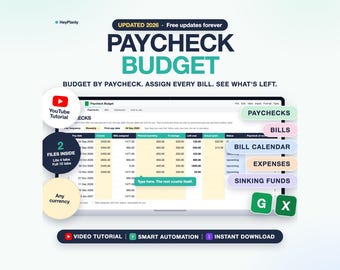
Paycheck Budget Spreadsheet, Biweekly Budget Planner, Bill Calendar (Google Sheets, Excel)
Aanbiedingsprijs EUR 10.57
Oorspronkelijke prijs EUR 17.62
-
Digitale download
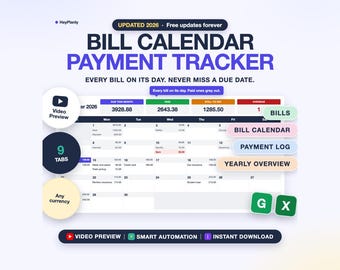
Bill Tracker Spreadsheet, Monthly Bill Calendar, Budget Calendar, Payment Checklist, Due Dates (Google Sheets, Excel)
Aanbiedingsprijs EUR 6.60
Oorspronkelijke prijs EUR 11.01
-
Digitale download
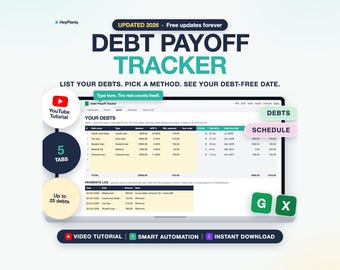
Debt Payoff Tracker Spreadsheet, Debt Snowball and Avalanche Calculator, Debt Tracker (Google Sheets, Excel)
Aanbiedingsprijs EUR 6.60
Oorspronkelijke prijs EUR 11.01
-
Digitale download
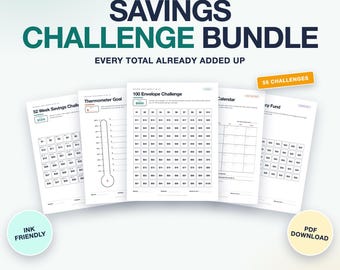
Savings Challenge Printable Bundle, 55 Money Saving Challenges, 100 Envelope, 52 Week (PDF, Letter, A4, A5, A6)
Aanbiedingsprijs EUR 4.63
Oorspronkelijke prijs EUR 7.71
Laat als eerste een recensie achter
Populair bij shoppers met een vergelijkbare stijl
-
Digitale download
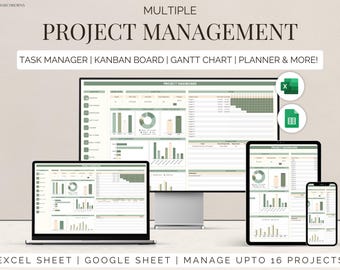
Excel-sjabloon voor meerdere projecten google sheets team taakmanager werkorganisatie Takenlijst Tijdlijnplanner kanban Gantt-diagram
Aanbiedingsprijs EUR 4.85
Oorspronkelijke prijs EUR 12.11
-
Digitale download
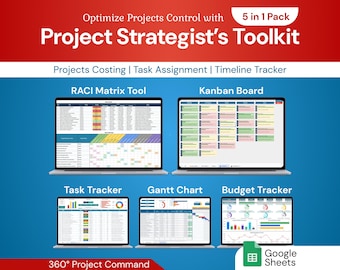
Toolkit voor projectstrategen: 5-in-1 pakket | Google Sheet-sjabloon
Aanbiedingsprijs EUR 13.89
Oorspronkelijke prijs EUR 23.15
-
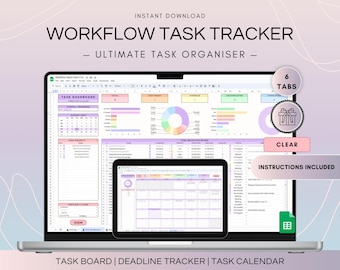
Digitale download
Workflow Task Tracker-spreadsheet, Google Spreadsheets-takenlijst en deadlinekalender, digitale workflow met projectmanagementdashboard
EUR 15.13
-
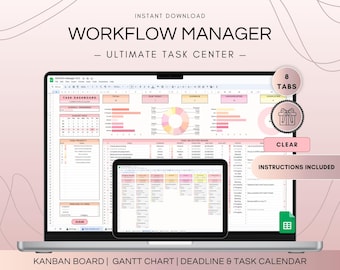
Digitale download
Dashboard voor multi-projectbeheer en spreadsheet voor activiteitentracker, Google Spreadsheets-kanbanbord- en Gantt-diagramplanner, takenlijstsjabloon
EUR 19.93
-
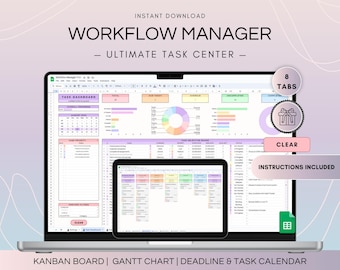
Digitale download
Workflowprojectbeheerspreadsheet, Google Spreadsheets-kanbanbord en Gantt-diagram, takenlijstsjabloon, projectplan en weekschema
EUR 19.93
-
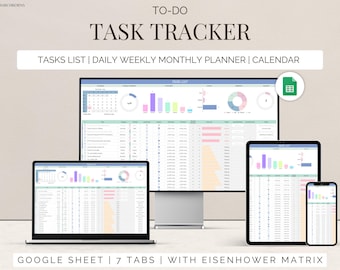
Digitale download
Taaktracker Google-spreadsheet Takenlijstsjabloon dagelijkse routineplanner takenlijst spreadsheet spreadsheet taakbeheer productiviteitstool
Aanbiedingsprijs EUR 1.32
Oorspronkelijke prijs EUR 3.30
-
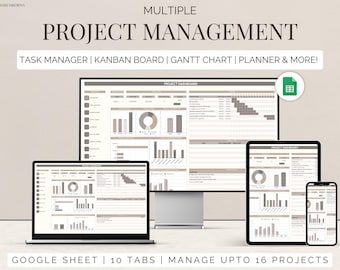
Digitale download
Teamprojecttracker google sheets taakbeheer tijdlijnplanner Kanban-bord Gantt-diagram takentracker takenlijst zakelijk dashboard
Aanbiedingsprijs EUR 3.52
Oorspronkelijke prijs EUR 8.81
-
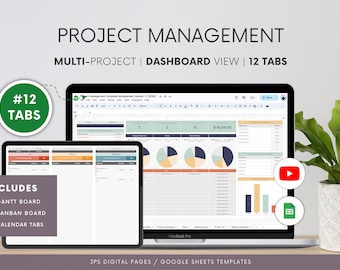
Digitale download
Projectmanagement Google Sheets-sjabloon: Gantt-diagram, Kanban (digitale download)
EUR 22.04
-
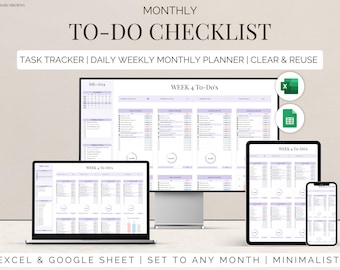
Digitale download
Checklist takenlijst Takenmanager Tracker Checklist Excel en Google Spreadsheets Productiviteitsplanner Dagelijks Wekelijks Maandplanner Digitale sjabloon
Aanbiedingsprijs EUR 2.20
Oorspronkelijke prijs EUR 5.51
-
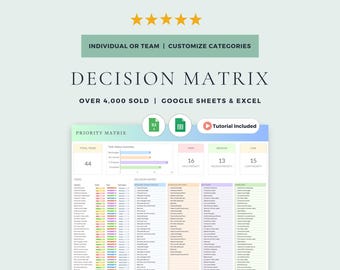
Digitale download
Eisenhower-matrix en beslissingsmatrix: Google Spreadsheets en Excel-sjabloon (digitale download)
Aanbiedingsprijs EUR 6.60
Oorspronkelijke prijs EUR 8.81
-
Digitale download
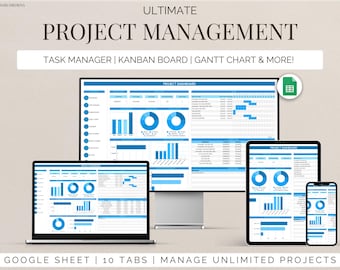
Projectbeheersjabloon voor Google Spreadsheets Taaktracker, kanbanbord en Gantt-diagram voor workflowplanner voor teamplanning en persoonlijke planning
Aanbiedingsprijs EUR 7.93
Oorspronkelijke prijs EUR 19.83
-

Digitale download
500+ Notion Templates-bundel PLR & Master Resell Rights MRR - bewerkbare planners (digitale download)
Aanbiedingsprijs EUR 2.72
Oorspronkelijke prijs EUR 5.45


