


AhoraPrecio:MX$200.18
Precio original: MX$333.95
-40 %
La oferta termina en 5 días
Paycheck Budget Spreadsheet, Biweekly Budget Planner, Bill Calendar (Google Sheets, Excel)
Estos son los casos aptos:
- Tu pedido no coincide con la descripción o las fotos del artículo
- Tu artículo llegó dañado
- Tu artículo llegó después de la fecha de llegada estimada.
- Tu artículo no llegó o se perdió en tránsito
Solo puedes hacer una oferta por compras de un único artículo
Puntos destacables
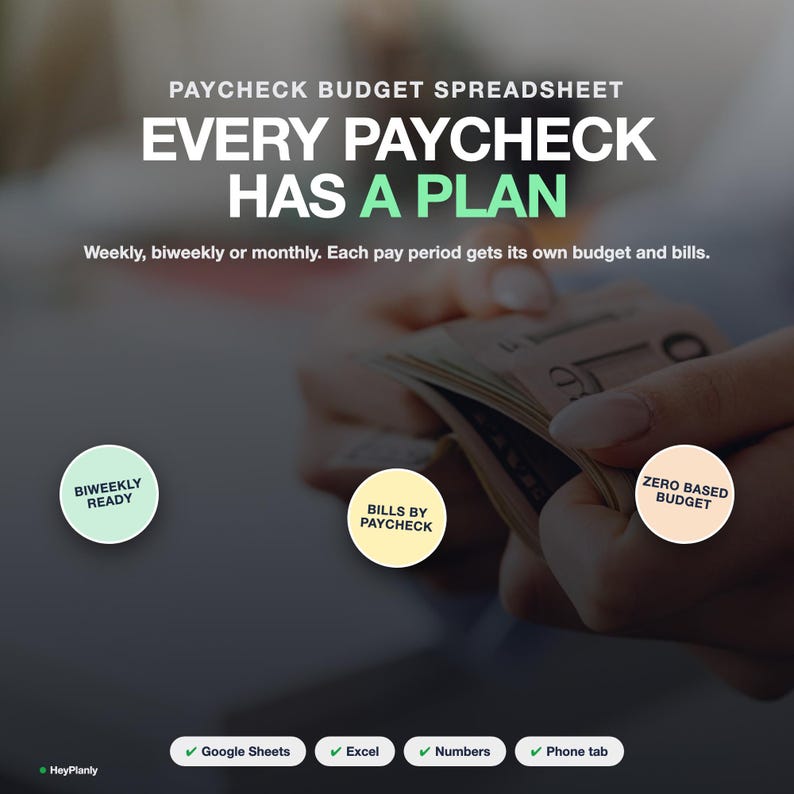
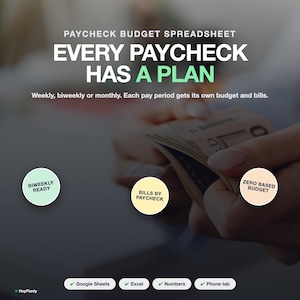
Budget the way you actually get paid: paycheck by paycheck.
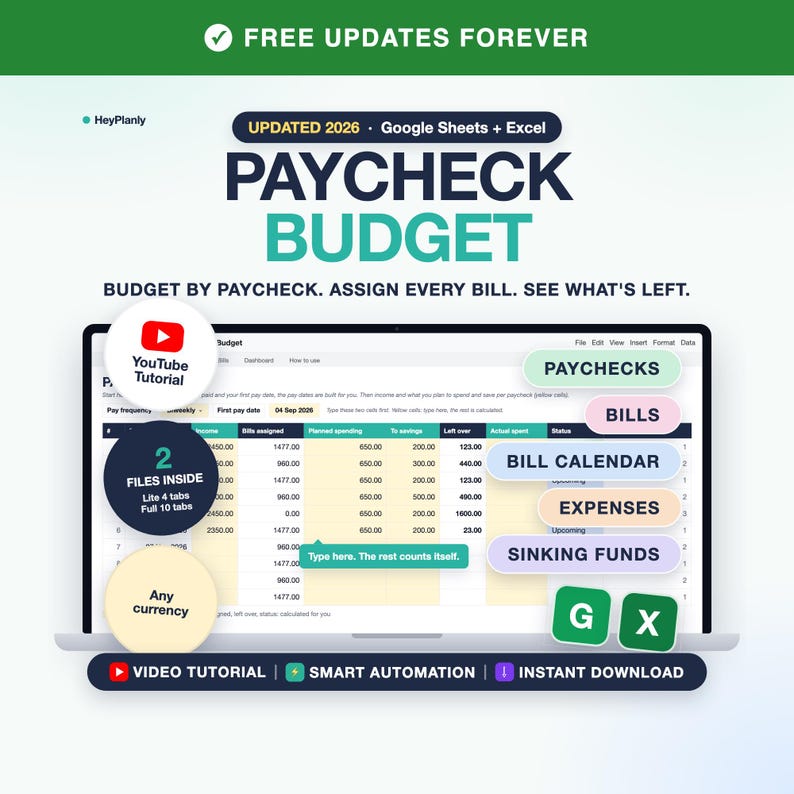
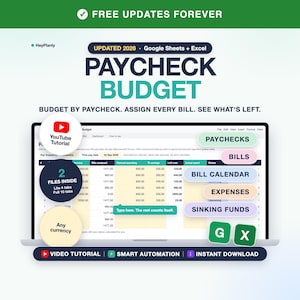
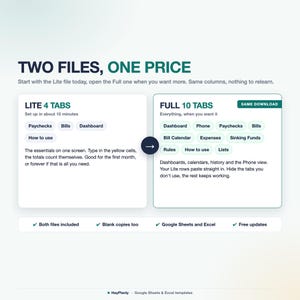
Paycheck Budget Spreadsheet for Google Sheets and Excel: biweekly budget planner, bill calendar, budget tracker. Two files inside: start with the Lite one, grow into the Full one.
🟢 START SIMPLE
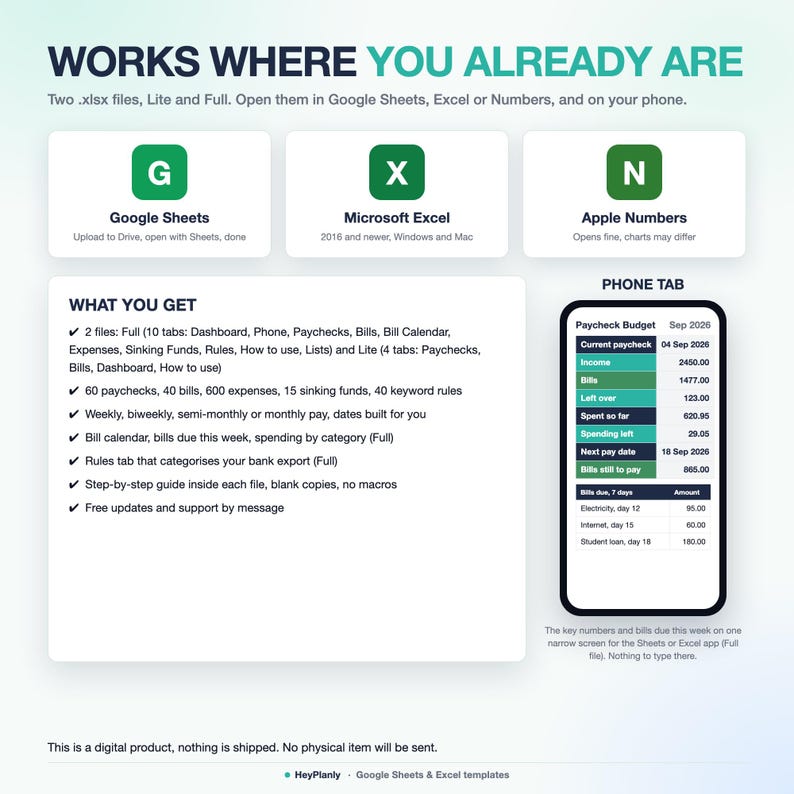
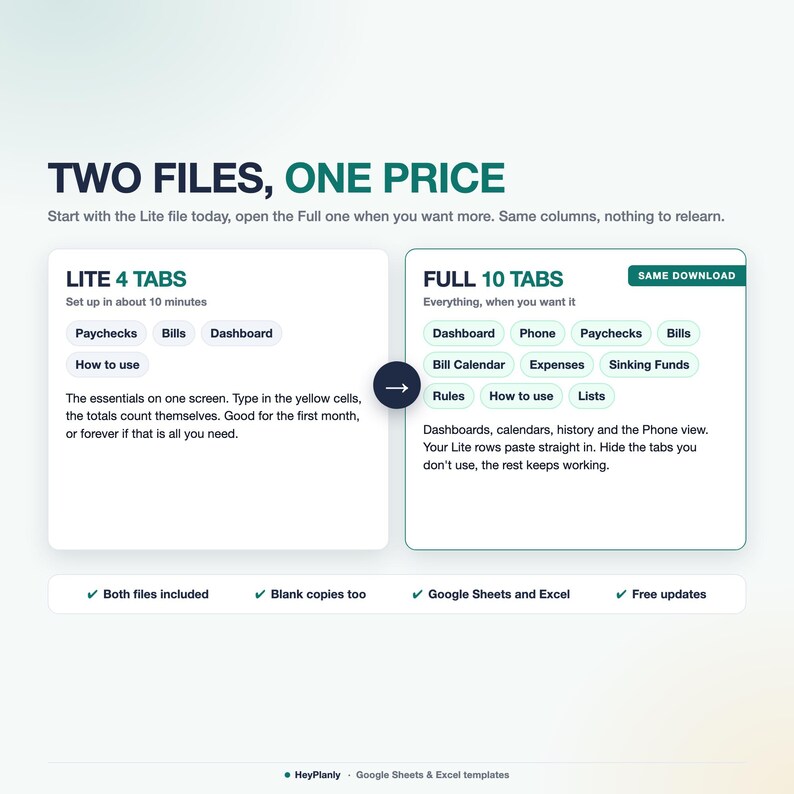
Start with the Lite file (4 tabs): pay dates, bills, income and what's left per paycheck, nothing else.
Open the Full file (10 tabs) when you want the Bill Calendar, the expense log with auto categories, Sinking Funds and the Phone tab.
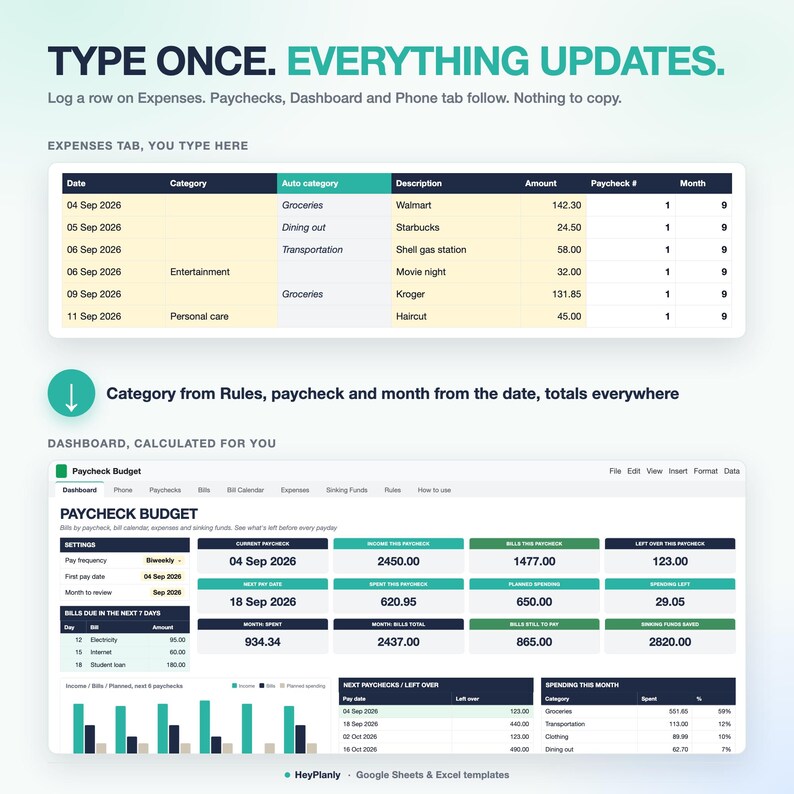
Easy to set up and beginner friendly: you type only in the yellow cells, everything else is calculated. Set your pay frequency and first pay date, type each bill once and it lands in the bill calendar and in the right paycheck every month. Then see what's left to spend before the next payday. If a monthly budget never worked for you, this one follows your pay dates: weekly, biweekly (fortnightly), semi-monthly or monthly.
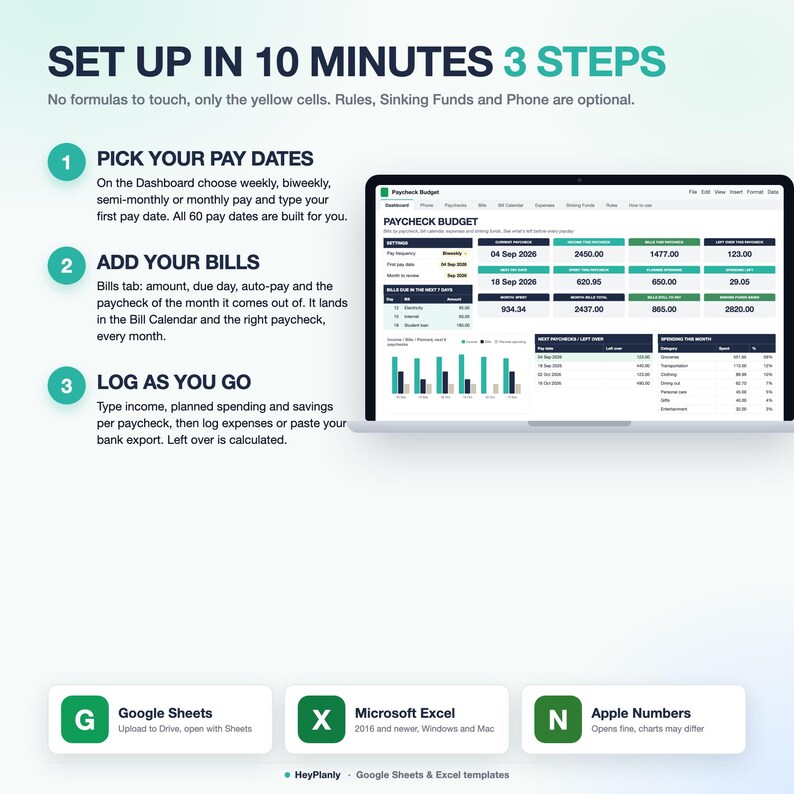
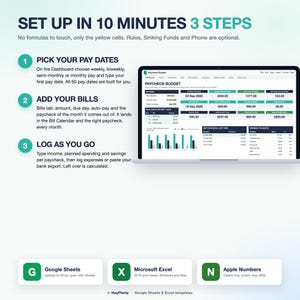
⏱️ QUICK START: 10 MINUTES, 3 STEPS
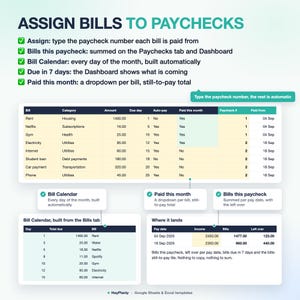
1. Pick your pay frequency and type your first pay date (2 yellow cells: top of the Paychecks tab in the Lite file, Dashboard in the Full file). Your pay dates are built for you
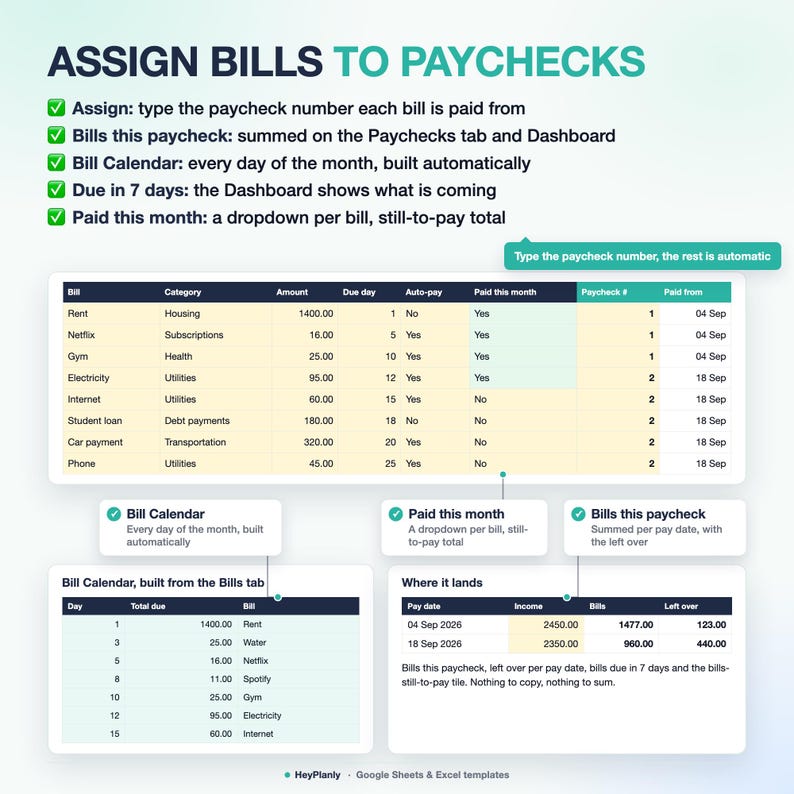
2. Bills: type each bill once with its due day and the paycheck it comes out of (1 = first paycheck of the month, 2 = second). The Bill Calendar and the Paychecks tab fill themselves
3. Paychecks: type your income and what you plan to spend and save. Left over is calculated
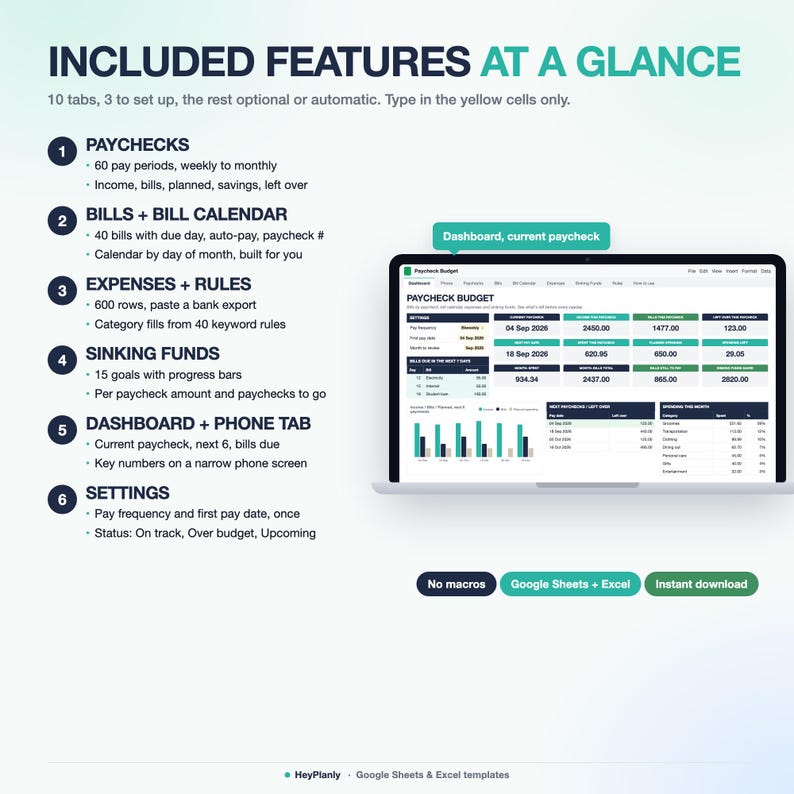
That is the whole setup. Not overwhelming: the Lite file is 4 tabs (Paychecks, Bills, Dashboard, How to use). The Full file has 10, but only 3 need you (Dashboard, Bills, Paychecks). Expenses, Rules, Sinking Funds and Phone are optional, use them when you are ready. Bill Calendar, How to use and Lists need nothing from you.
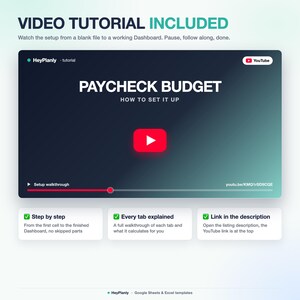
▶ WATCH THE DEMO
Full 2-minute walkthrough on YouTube: https://youtu.be/KMQ1rSD9CQE (what you type, what gets calculated, how to open it). Short preview: the listing video above. Two minutes, not a course: the 3 steps above are the whole setup.
✅ FEATURES
✓ 2 files: Lite (4 tabs) and Full (10 tabs), same columns and yellow cells
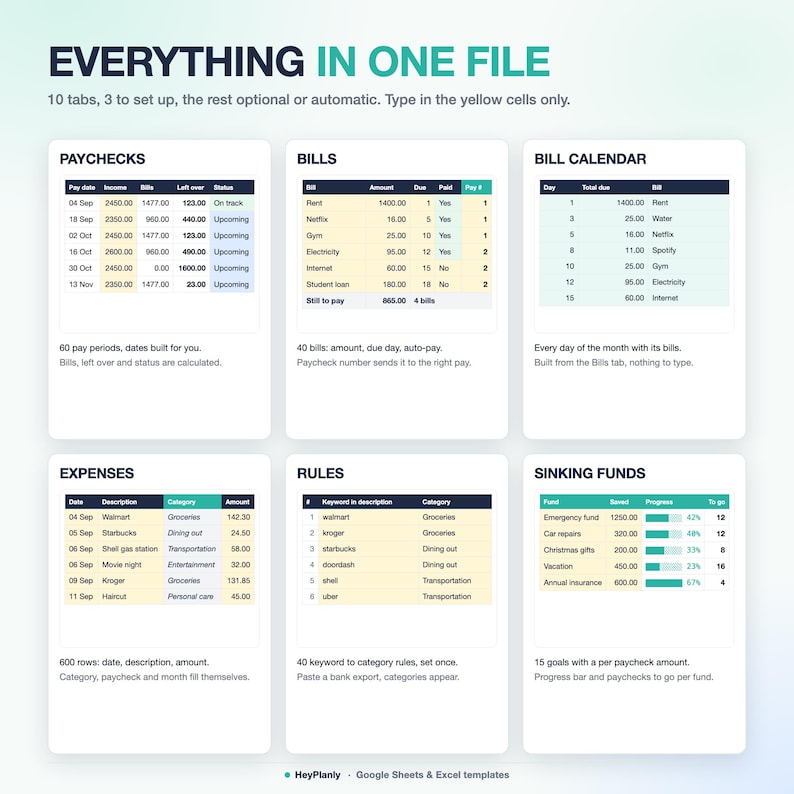
✓ Budget by paycheck, not by month: 60 pay periods, weekly to monthly
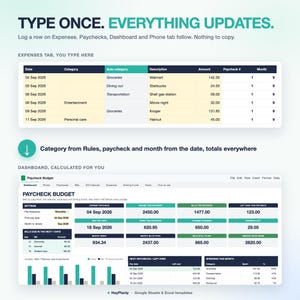
✓ Type each bill once: it lands in the right paycheck every month (Full: and in the Bill Calendar), no double entry
✓ Each paycheck: income, bills assigned, planned spending, savings, left over and an On track / Over budget / Upcoming status
✓ Bills: 40 recurring bills with due day, frequency, auto-pay and the paycheck of the month they come out of
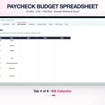
✓ Bill Calendar (Full) built automatically for every day of the month
✓ Expenses (Full): 600-row log with filters, paycheck and month matched from the date
✓ Rules tab (Full, optional): paste your bank export, categories fill themselves (40 rules)
✓ Sinking Funds (Full, optional): 15 goals with progress bars, paychecks to go and an emergency fund helper
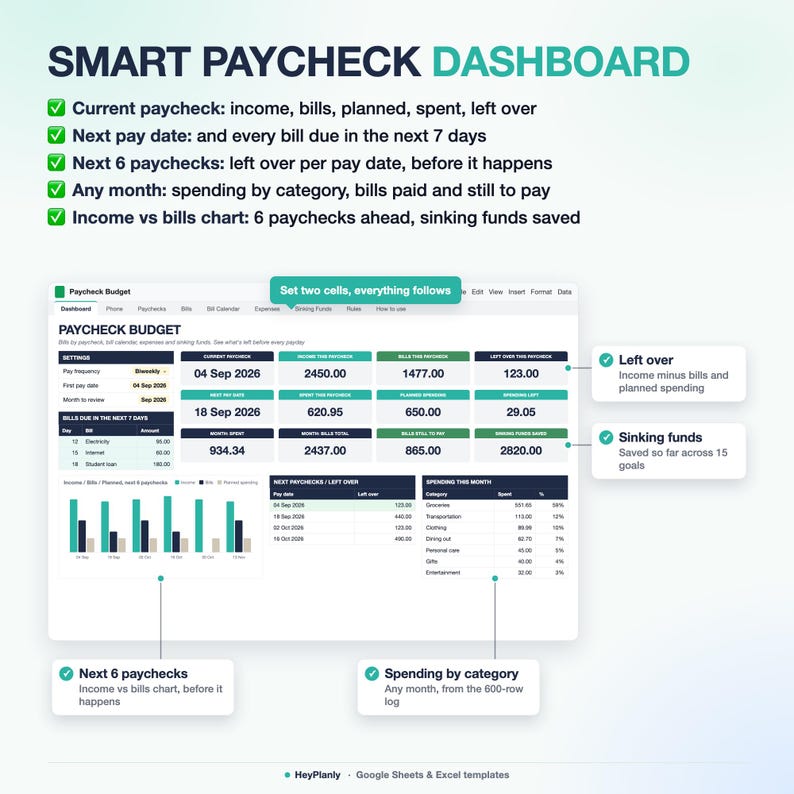
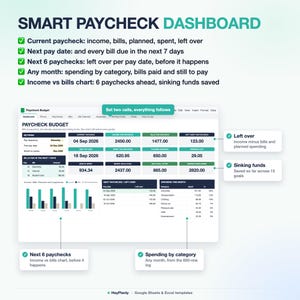
✓ Dashboard: what's left this paycheck, next pay date, next 6 paychecks; Full adds bills due in 7 days and spending by category
✓ 17 categories included, add your own
✓ Phone tab (Full) and a Setup in 10 minutes checklist inside each file
✨ WHAT'S INSIDE
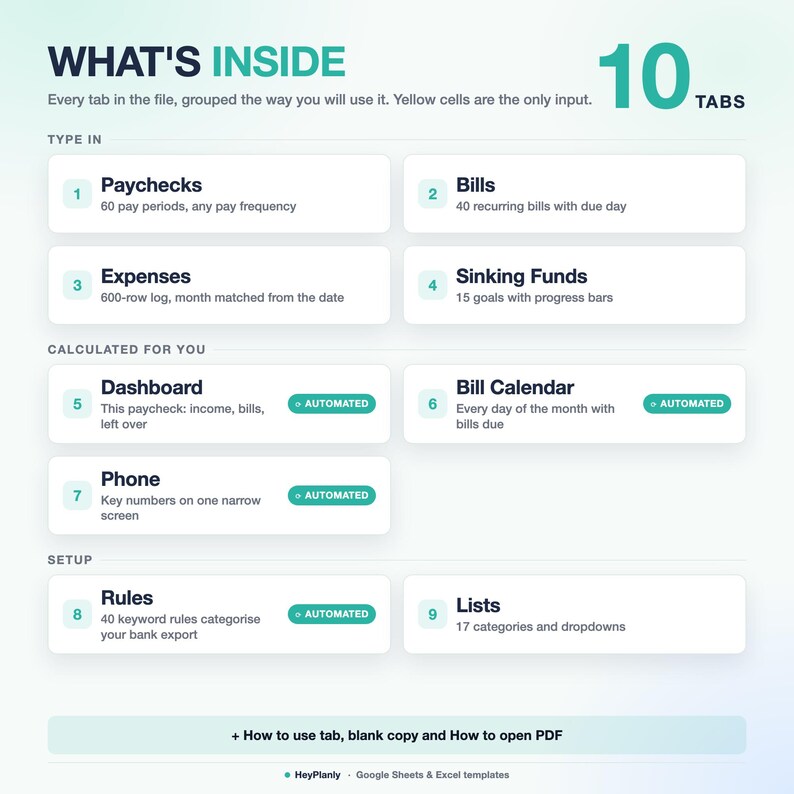
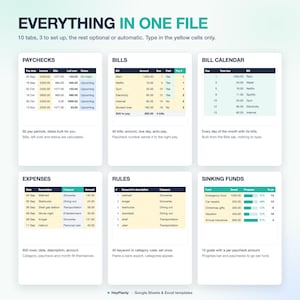
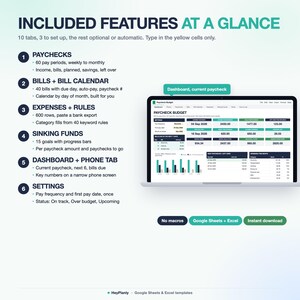
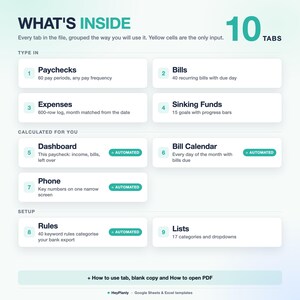
10 TABS + step-by-step guide (Full file, plus a 4-tab Lite file)
✓ Dashboard (Lite: 6 tiles, next 6 paychecks, chart. Full, set up here, 2 cells): current paycheck with income, bills, planned spending, spent so far and what's left. Next pay date, bills due in the next 7 days, next 6 paychecks with leftover, spending by category for any month, income vs bills chart
✓ Paychecks (Lite and Full, you type income, plan and savings): 60 pay periods with income, bills assigned, planned spending, savings, left over, actual spending (typed in Lite, summed from the expense log in Full) and a status (On track / Over budget / Upcoming)
✓ Bills (Lite and Full, you type each bill once): 40 recurring bills with amount, due day, frequency, auto-pay, paid-this-month and the paycheck of the month they come out of. Totals for monthly bills, paid and still to pay
✓ Bill Calendar (Full, automatic): every day of the month with the bills due and the total
✓ Expenses (Full, optional): 600-row log with filters. Paycheck number and month are matched from the date
✓ Rules (Full, optional): paste your bank export, categories fill themselves from keywords you set (40 rules, type a category to override)
✓ Sinking Funds (Full, optional): 15 savings goals with progress bars and paychecks-to-go, plus an emergency fund helper (months of bills to cover)
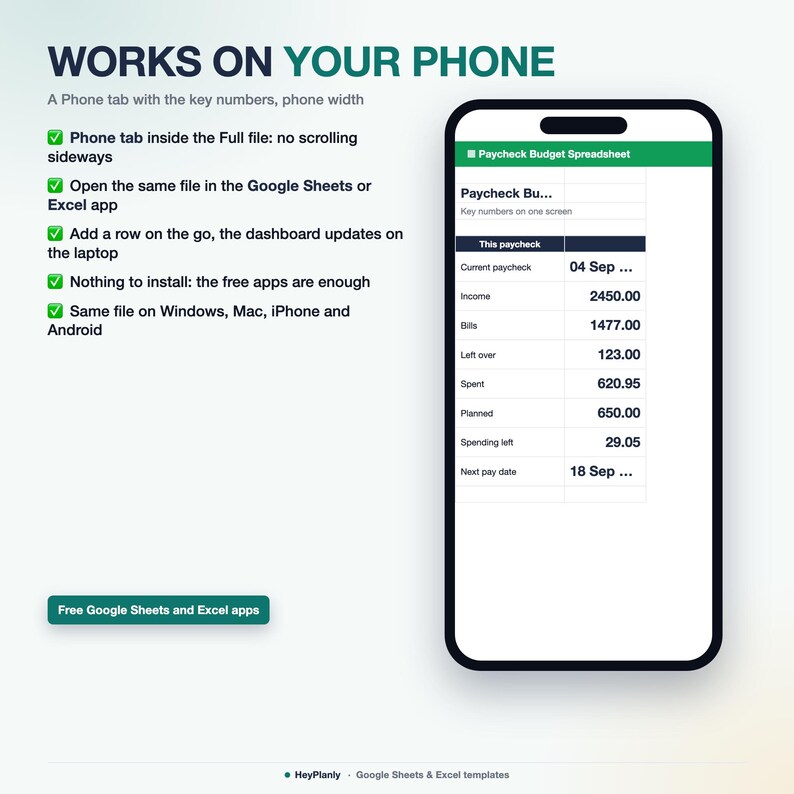
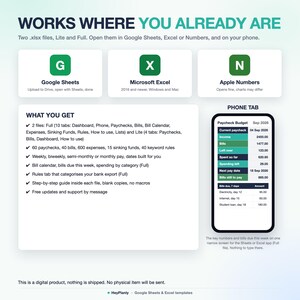
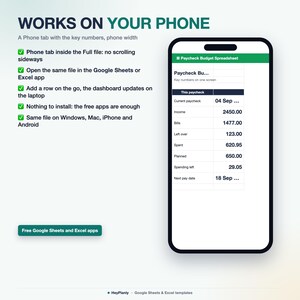
✓ Phone (Full, optional): the key numbers on one narrow screen for the Google Sheets / Excel app on your phone
✓ How to use: the Setup in 10 minutes checklist, inside each file
✓ Lists (Full; in Lite the same list sits on the Bills tab): 17 categories included, add your own (or just type one, nothing is blocked)
📦 YOU WILL RECEIVE
✓ Paycheck_Budget_v1.xlsx (Full, 10 tabs, sample data inside)
✓ Paycheck_Budget_Lite_v1.xlsx (Lite, 4 tabs, sample data inside)
✓ Paycheck_Budget_blank.xlsx and Paycheck_Budget_Lite_blank.xlsx (blank copies)
✓ How to open in Google Sheets (PDF)
Sample data inside: see how it works, then clear it or use the blank copy
Reuse year after year: pay once, free updates
👤 WHO IT'S FOR
✓ Paid weekly, biweekly, fortnightly, semi-monthly or monthly. Any currency (no conversion applied)
✓ Budgeting beginners and people who are not fluent in Excel or Google Sheets: start with the Lite file, no formulas to touch
✓ Couples and families: two incomes go into the same paycheck, a partner paid monthly is added to the paycheck closest to that date
✓ Anyone living paycheck to paycheck who wants to know what's left before payday, not at the end of the month
✓ Moving from a budget app to a file you control
🎯 WHAT YOU GET OUT OF IT
✓ Know what's left to spend before the next payday, per pay period
✓ Every bill covered by a paycheck before it is due, no surprises
✓ Catch the expensive months early: holidays, back to school, summer, annual insurance (Sinking Funds)
✓ A 5-minute weekly check-in instead of a monthly reconciliation
✓ Clean layout, calm colours, no colour overload: yellow means type here, everything else is calculated
📱 WORKS IN
✓ Google Sheets (free Google account, after File > Save as Google Sheets)
✓ Microsoft Excel 2016 and newer, Microsoft 365 (Windows and Mac)
✓ Apple Numbers (opens and calculates, charts and dropdowns may look a little different)
✓ Phone: the free Google Sheets or Excel app, Phone tab
✓ No macros, no add-ons, no LET or XLOOKUP, so it opens everywhere
🚫 WHAT THIS IS NOT
✗ Not a PDF or a printable planner, and not a Goodnotes or Notion template: it is a working spreadsheet with formulas
✗ Not an app and not a bank connection: you type or paste your transactions, nothing syncs by itself
✗ Not a debt payoff or net worth tracker: for that, see the Debt Payoff Tracker below
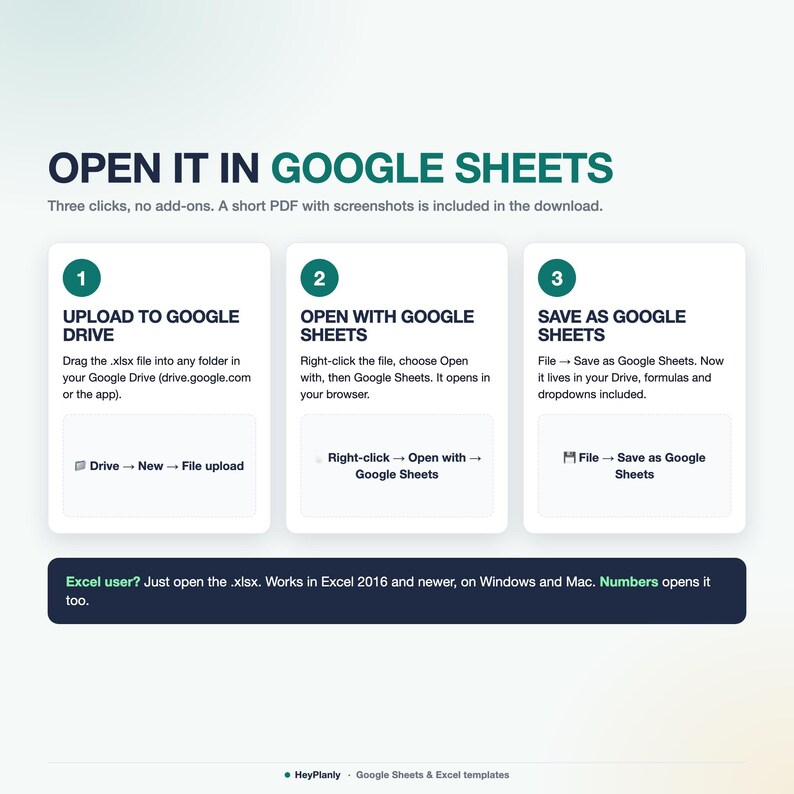
📂 HOW TO OPEN IN GOOGLE SHEETS
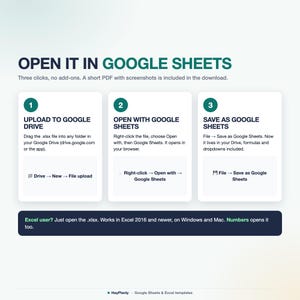
Upload the file to Google Drive, right-click → Open with → Google Sheets, then File → Save as Google Sheets. All formulas and charts work (Google Sheets may drop some dropdown arrows after conversion: the PDF shows how to restore them in 10 seconds).
❓ FAQ
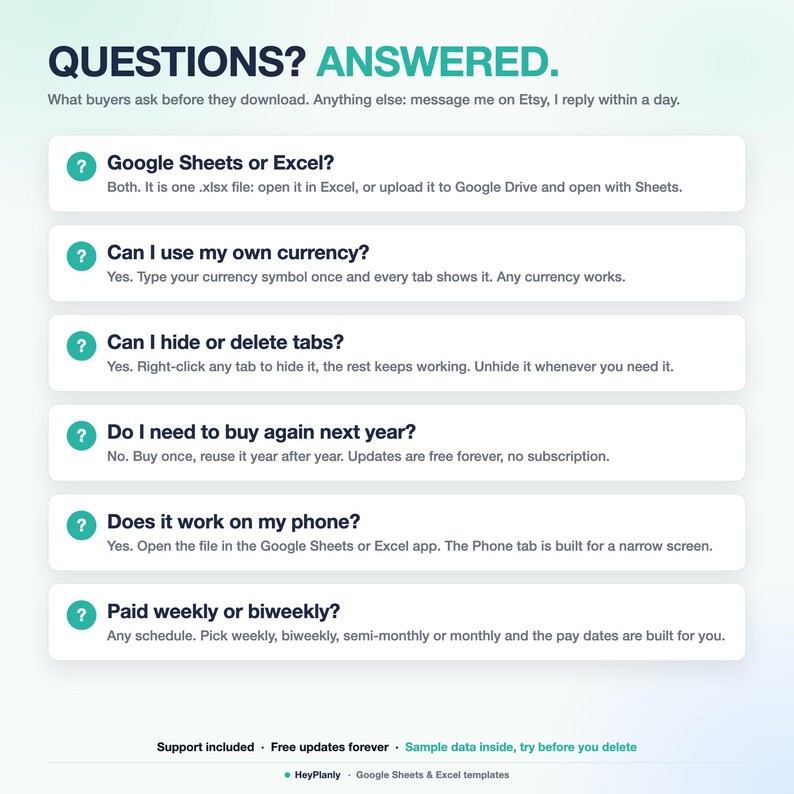
Q: Is it complicated? I just want to see what comes in, what goes out and what's left.
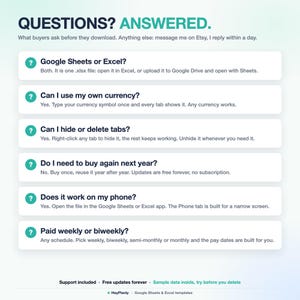
A: Open the Lite file: 4 tabs (Paychecks, Bills, Dashboard, How to use), a complete paycheck budget on its own. The Full file adds the rest when you want it, same columns, so your rows paste straight across.
Q: Excel shows a yellow bar "Protected View" and nothing works.
A: Click Enable Editing. Excel shows that bar on every downloaded file, it is not an error.
Q: Can I change formulas, add rows or colours?
A: Yes. Formula cells are protected so nothing breaks by accident. No password: Review > Unprotect Sheet (Excel) or the protected-range message (Google Sheets) if you want to change anything, add rows or colours.
Q: Can I add my own categories?
A: Yes, on the Lists tab (Full) or the yellow list on the Bills tab (Lite), 17 included with room for more, or just type a category, the dropdown does not block you.
Q: Does it work on my phone?
A: Yes: install the free Google Sheets or Excel app and open the file from your Etsy email or Google Drive. The Phone tab shows the key numbers on one screen. Set the file up on a computer first, it is faster.
Q: I get paid weekly, will 60 pay periods last?
A: Weekly pay: 60 paychecks is about 14 months. Biweekly: over 2 years. Next year, type the new first pay date and carry on.
Q: We have two incomes on different schedules.
A: Type both incomes into the paycheck they arrive with. A monthly salary goes into the paycheck closest to its date.
Q: What about quarterly, yearly or one-time bills?
A: They are listed on Bills and the Bill Calendar. Save for them on the Sinking Funds tab (emergency fund helper included) or log them on Expenses when paid.
🛍️ ALSO IN THE SHOP
✓ Simple Monthly Budget Spreadsheet: https://www.etsy.com/mx/listing/4573801413/hoja-de-calculo-de-presupuesto-mensual
✓ Debt Payoff Tracker Spreadsheet: https://www.etsy.com/mx/listing/4573800281/hoja-de-calculo-para-el-seguimiento-del
✓ Annual Budget Spreadsheet: https://www.etsy.com/mx/listing/4573820292/hoja-de-calculo-de-presupuesto-anual
⬇️ INSTANT DOWNLOAD
This is a digital product. Nothing will be shipped. After purchase, download the .xlsx files from your Etsy purchases page or the email Etsy sends you. Both files come with sample data (Full: 12 expenses, 12 bills, 6 paychecks, 15 rules, 5 funds; Lite: 12 bills, 6 paychecks) so you can see how it works, delete it and add yours, or start from the blank copies.
⚠️ PLEASE NOTE
Built and tested in Excel 365 desktop and Google Sheets. Excel Online and the free mobile apps open the file for viewing and light editing, but protected sheets and charts render best on desktop. Colours may look slightly different between apps. Formula cells are protected without a password (see FAQ) so nothing breaks by accident.
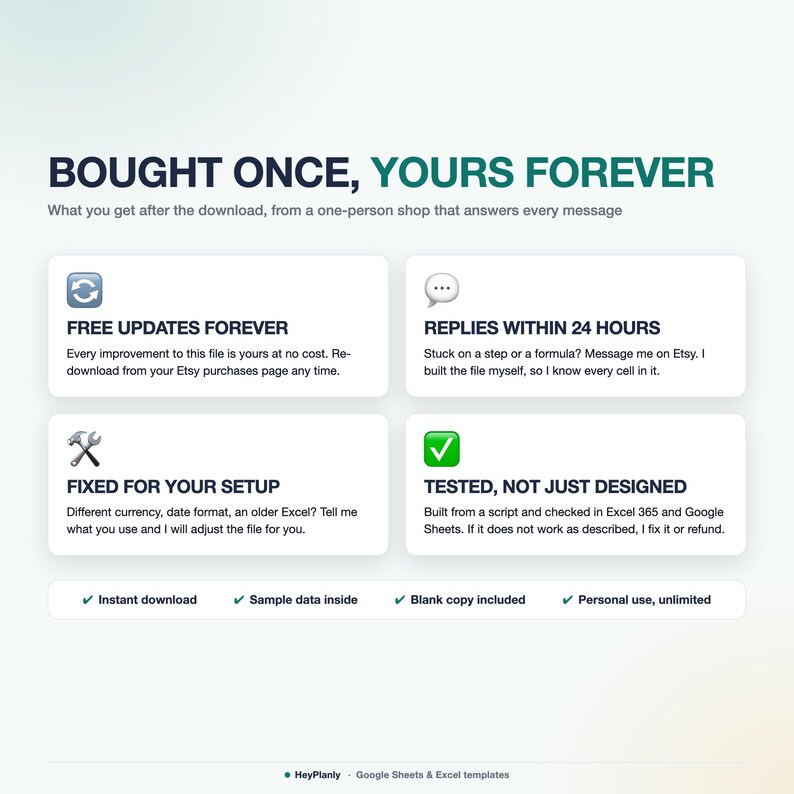
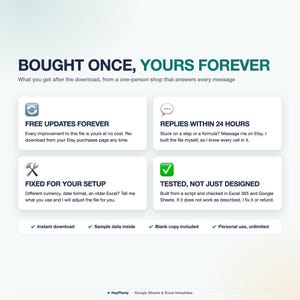
Instant download, so no refunds for change of mind. If something doesn't work as described, message me and I'll fix it or refund. For personal use only, please do not resell or share the file.
💬 QUESTIONS?
Message me any time, I reply within 24 hours. If something doesn't work on your setup, I'll fix it for you.
HeyPlanly: spreadsheets that actually calculate.
Descarga inmediata
Los archivos estarán disponibles para descargar una vez que se confirme el pago. Sigue estas instrucciones.
No se admiten cambios, devoluciones ni cancelaciones de los artículos de descarga inmediata. Ponte en contacto con el vendedor si tienes algún problema con tu pedido.
Protección de compras de Etsy
Compra con confianza en Etsy sabiendo que estamos a tu lado si surge un problema con un pedido que reúne los requisitos.
Consulta las condiciones del programa


Más artículos de esta tienda
Visitar tienda-
Descarga digital
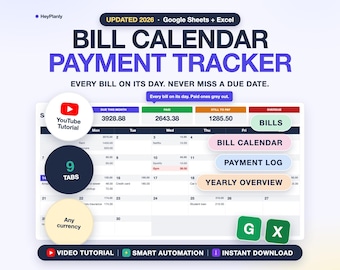
Bill Tracker Spreadsheet, Monthly Bill Calendar, Budget Calendar, Payment Checklist, Due Dates (Google Sheets, Excel)
Precio en oferta MX$125.12
Precio original MX$208.65
-
Descarga digital
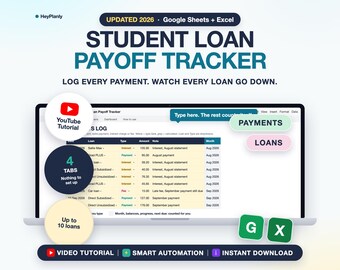
Student Loan Payoff Tracker Spreadsheet, Payment Log, Balances, Progress, Due Dates (Google Sheets, Excel)
Precio en oferta MX$75.07
Precio original MX$125.12
-
Descarga digital
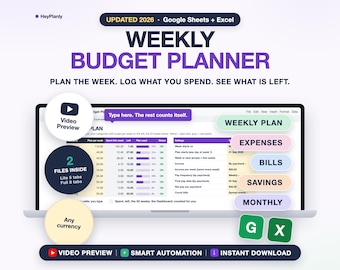
Weekly Budget Planner Spreadsheet, Weekly Budget Template, Expense Tracker, Paycheck Budget 2026 2027 (Google Sheets, Excel)
Precio en oferta MX$100.09
Precio original MX$166.88
-
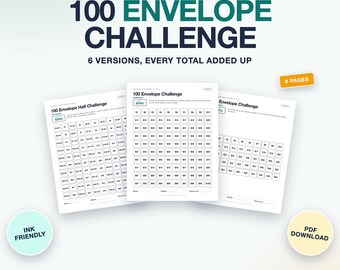
Descarga digital
Plantilla imprimible del reto de los 100 sobres, registro de ahorros, 6 versiones, tarjetas A6 (PDF, Carta, A4)
Precio en oferta MX$37.45
Precio original MX$62.47
Escribe la primera reseña
A los compradores con gustos similares les han gustado estos artículos
-

Descarga digital
Planificador semanal imprimible 4 en 1 / Lista de tareas semanales imprimible en PDF, A5, tamaño medio, carta, A4 / Descarga digital, Plantillas de diseño minimalista
Precio en oferta MX$47.71
Precio original MX$79.39
-
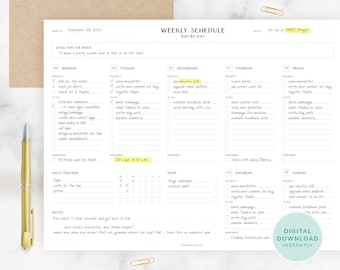
Descarga digital
Planificador semanal descargable digital: lista de tareas diarias, planificador semanal imprimible, planificador diario sin fecha, lista de tareas minimalista, planificador de escritorio
MX$83.53
-
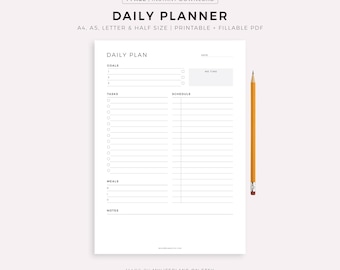
Descarga digital
Planificador diario imprimible, lista de tareas diarias, horario diario, descarga instantánea, tamaño A5/A4/Carta/Media Carta
Precio en oferta MX$33.48
Precio original MX$47.94
-
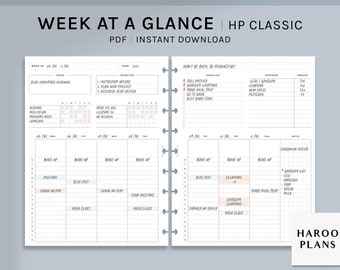
Descarga digital
Vistazo semanal / Insertos imprimibles para Happy Planner de HP Classic / Organizador de resumen semanal / Rastreador de hábitos y tareas de WO2P en formato PDF / Descarga digital
MX$54.37
-
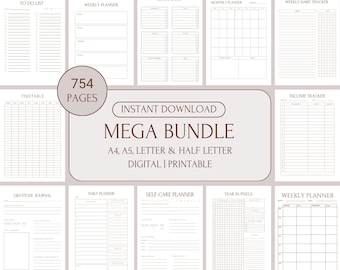
Descarga digital
Planificador digital Mega Planner para adultos con TDAH, paquete de planificadores imprimibles sin fecha, las mejores hojas de planificador digital en PDF, tamaños A4, A5, Carta y Media Carta.
Precio en oferta MX$135.56
Precio original MX$271.12
-
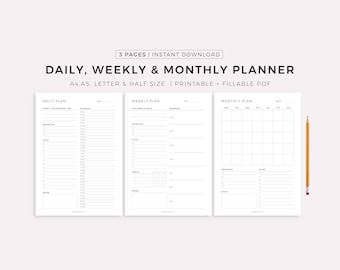
Descarga digital
Planificador diario, Planificador semanal, Planificador mensual, Planificador imprimible, Set de planificadores, Insertos de planificador, Descarga instantánea, Tamaño A4/A5/Carta/Media página
Precio en oferta MX$50.43
Precio original MX$71.92
-

Descarga digital
Adhd Planner Adult, Adhd Planner Printable, ADHD Cleaning Planner, adhd digital download, adhd daily planner editable, adhd life planner PDF
Precio en oferta MX$53.47
Precio original MX$178.43
-
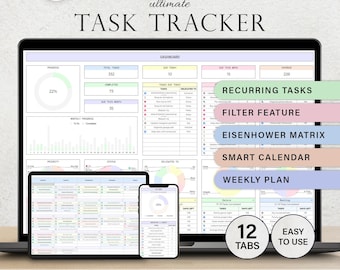
Descarga digital
Planificador de tareas Lista de tareas pendientes Plantilla de tareas diarias Hoja de cálculo Tareas recurrentes Planificador de productividad Lista de tareas pendientes Gestión de proyectos Hojas de cálculo de Google
Precio en oferta MX$52.03
Precio original MX$104.05
-
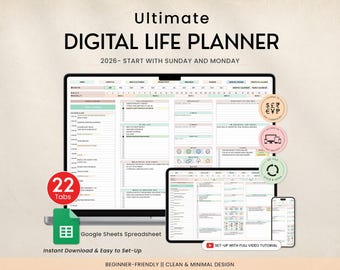
Descarga digital
Planificador de vida digital, hoja de cálculo, plantilla de seguimiento de presupuesto, lista de tareas pendientes, hábito, productividad, objetivo, planificador diario, calendario digital 2025, 2026
Precio en oferta MX$53.47
Precio original MX$178.43
-
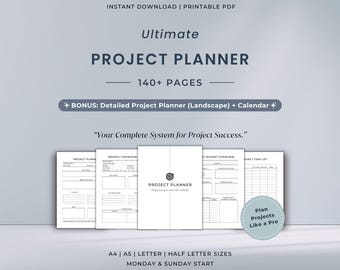
Descarga digital
Paquete imprimible definitivo para planificar proyectos / Sistema de gestión de proyectos todo en uno / Plan de trabajo para empresas
MX$172.28
-
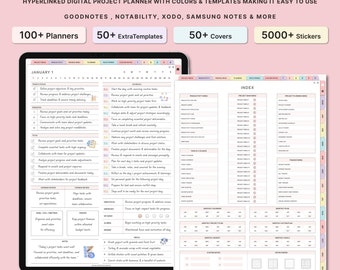
Descarga digital
Planificador de productividad digital, Planificador de proyectos, GoodNotes iPad, Seguimiento de proyectos, Gestión de proyectos, Programación de trabajo, Negocios, Proyecto de estudiantes
Precio en oferta MX$20.70
Precio original MX$82.63
-
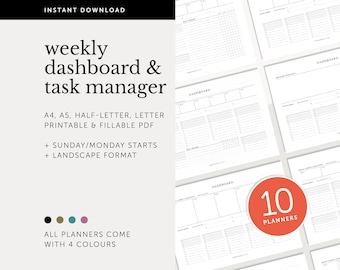
Descarga digital
Paquete de panel, descripción general del proyecto, planificador de productividad, administrador de tareas, lista de tareas, planificador semanal imprimible y rellenable, A4/A5/carta/mitad
MX$409.02


