


AhoraPrecio:MX$187.84
Precio original: MX$313.19
-40 %
La oferta termina el 26 septiembre
Life Planner Spreadsheet, Budget, Habit Tracker, To Do List, Goals, Weekly Planner (Google Sheets, Excel)
Estos son los casos aptos:
- Tu pedido no coincide con la descripción o las fotos del artículo
- Tu artículo llegó dañado
- Tu artículo llegó después de la fecha de llegada estimada.
- Tu artículo no llegó o se perdió en tránsito
Solo puedes hacer una oferta por compras de un único artículo
Puntos destacables
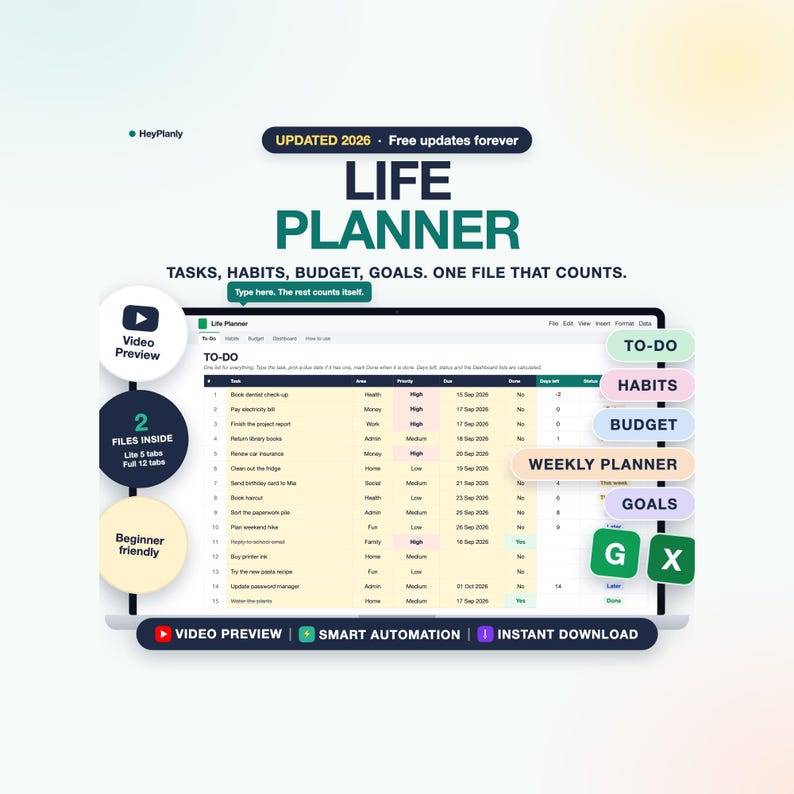
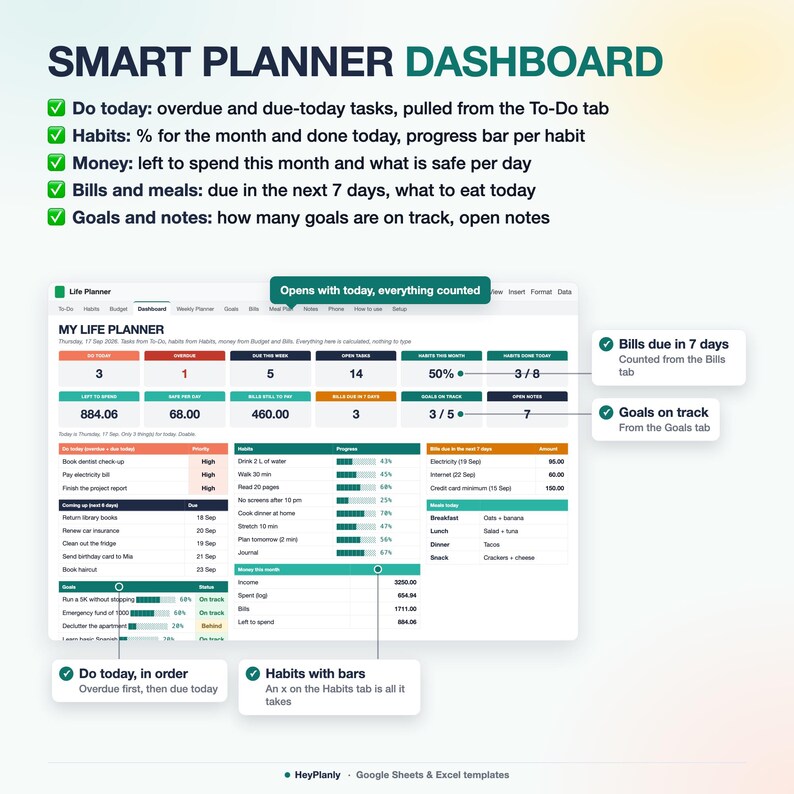
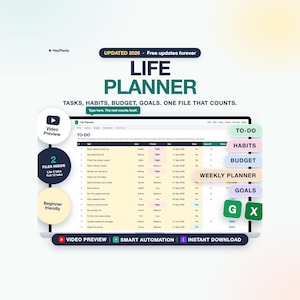
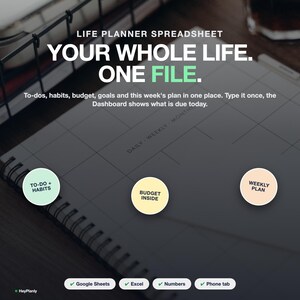
All-in-One Life Planner Spreadsheet: your to-do list, habits, budget, bills, goals, weekly plan, meals and notes in one file that calculates, in Google Sheets or Excel. Type a task once and the Dashboard shows what is due today, what is coming this week, how your habits are going and what is safe to spend. No app, no subscription, no 20 tabs to figure out: you type on 3 of them.
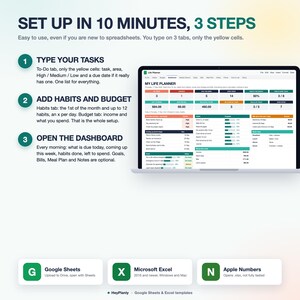
⚡ START SIMPLE: SET UP IN 10 MINUTES
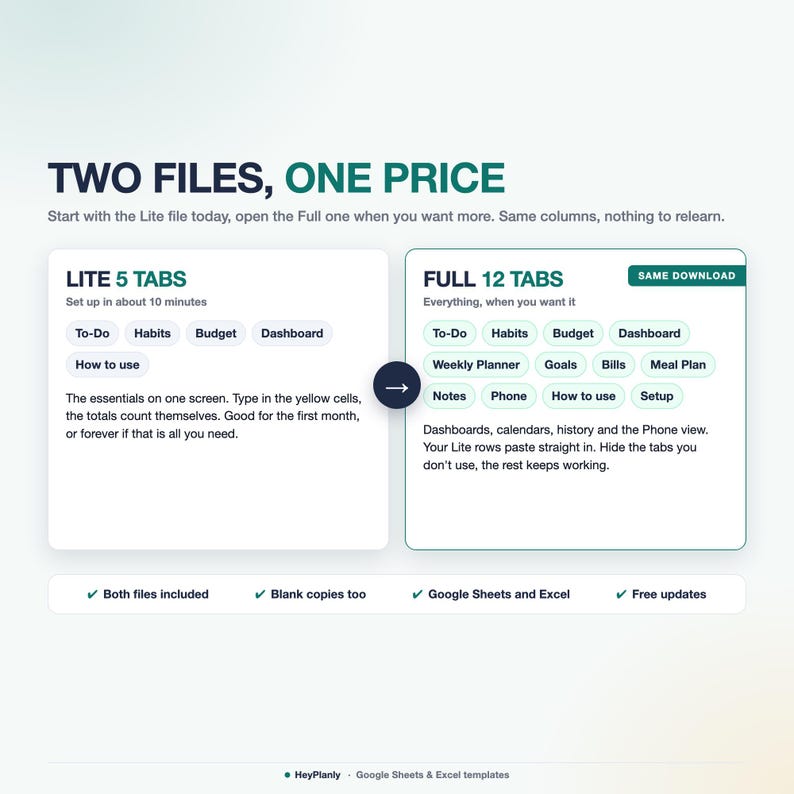
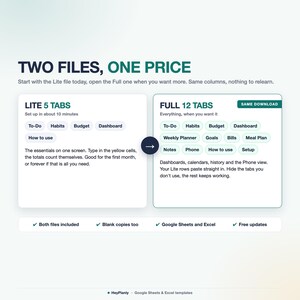
Start with the Lite file (5 tabs): To-Do, Habits, Budget and a Dashboard with do today, coming up, habits done this month, left to spend and safe per day.
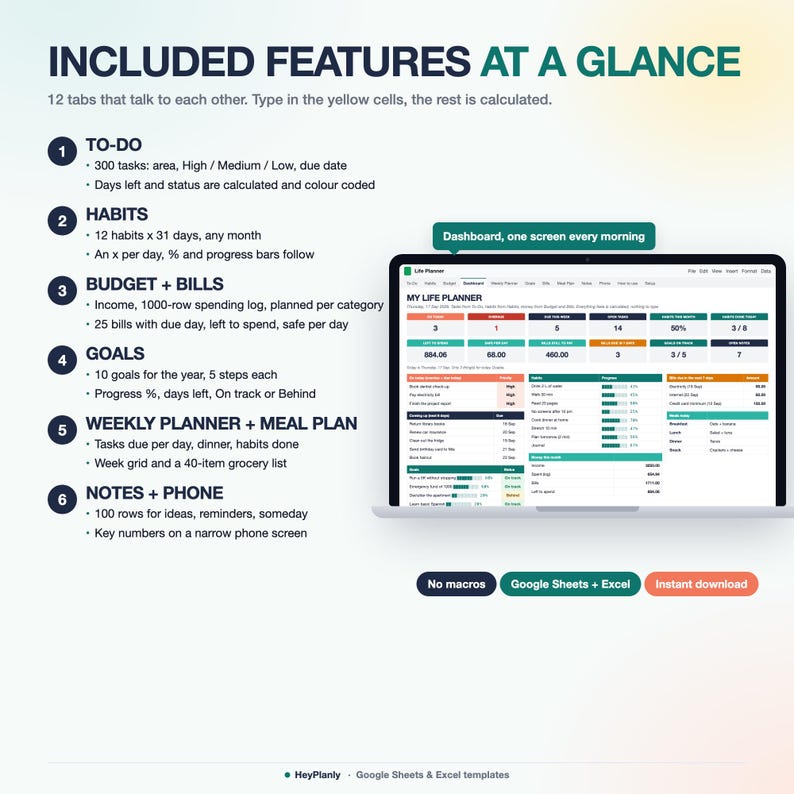
Open the Full file (12 tabs) when you want Goals with progress, Bills with due dates, a Weekly Planner filled from your to-do list, a Meal Plan with a grocery list, Notes, a Phone tab and a Setup tab for your own lists. Same To-Do, Habits and Budget columns, same yellow cells, so you can move up any time.
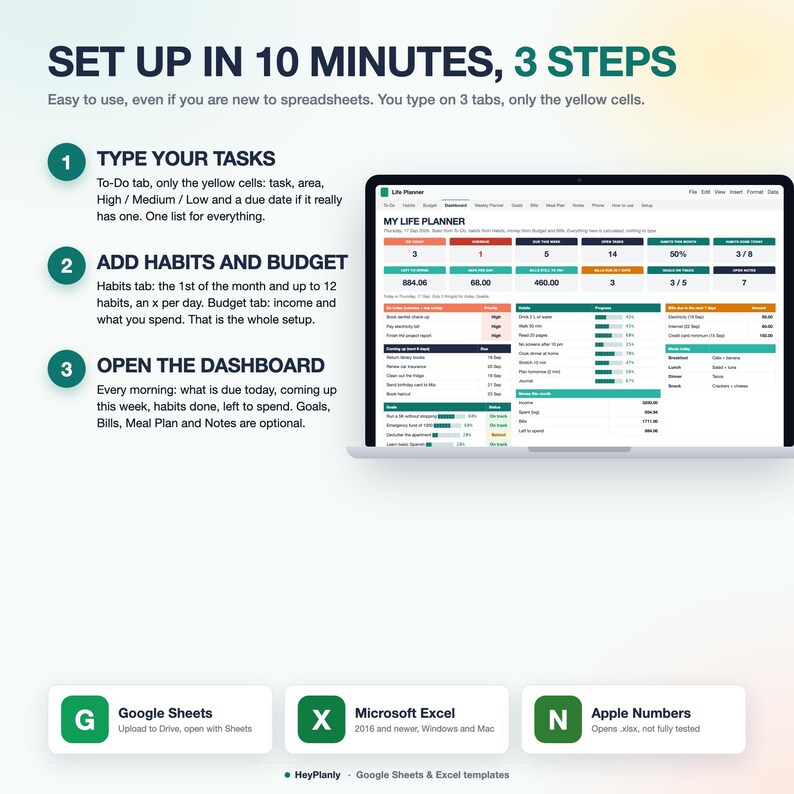
1. To-Do: every task, one per row. A due date only if it really has one. Area and priority are optional. 5 minutes
2. Habits: the 1st of the month in one cell, up to 12 habits, an x on the days you did it. 2 minutes
3. Budget: your income, a planned amount per category if you like, then log what you spend. 3 minutes
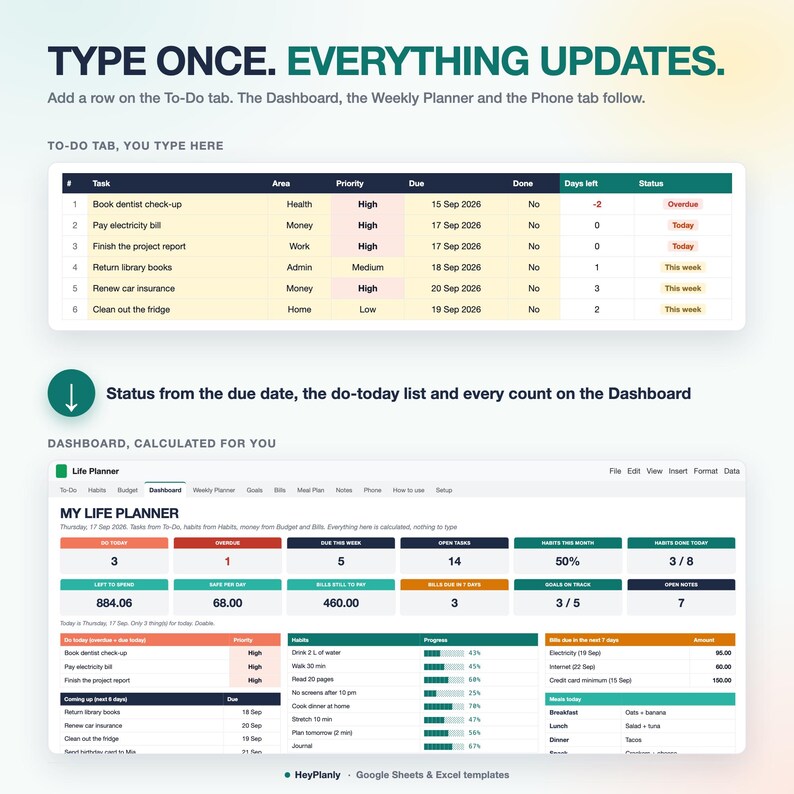
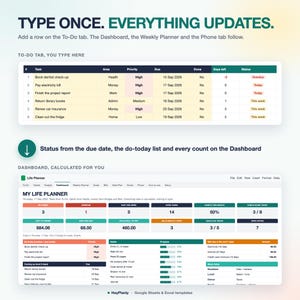
Done. Days left and status per task, habit totals and progress bars, spent, left to spend and safe per day are calculated. The Dashboard, the Weekly Planner and the Phone tab update on their own. No formulas to touch.
Most people only ever use 3 tabs: To-Do, Habits and Budget, and that is exactly the Lite file.
▶ WATCH THE DEMO
Short tour of every tab: the listing video above. Step-by-step guide in the How to use tab of each file.
✅ FEATURES
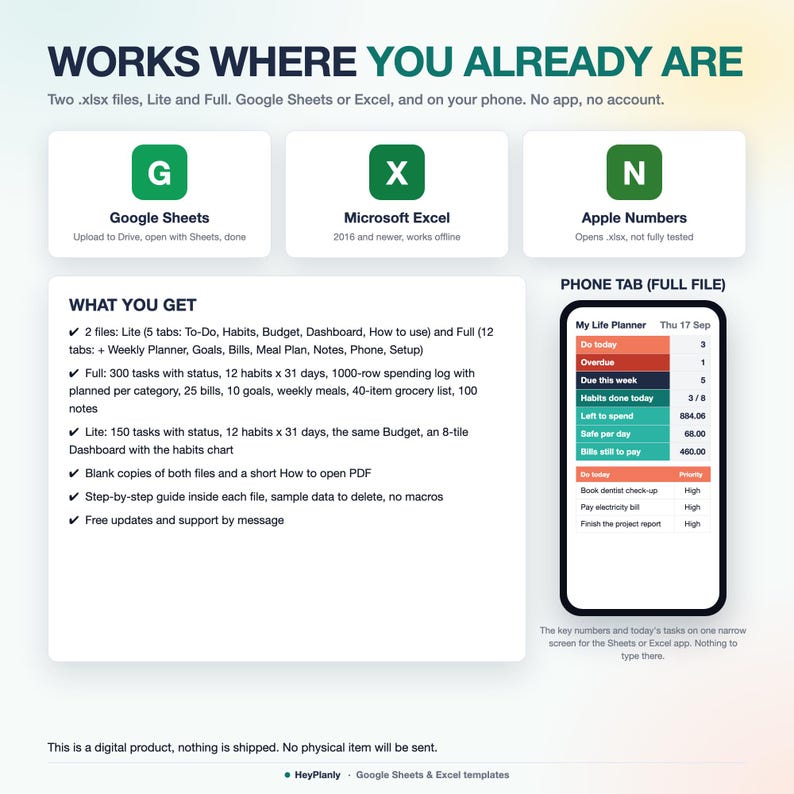
✓ 2 files: Lite (5 tabs) and Full (12 tabs), same columns and yellow cells
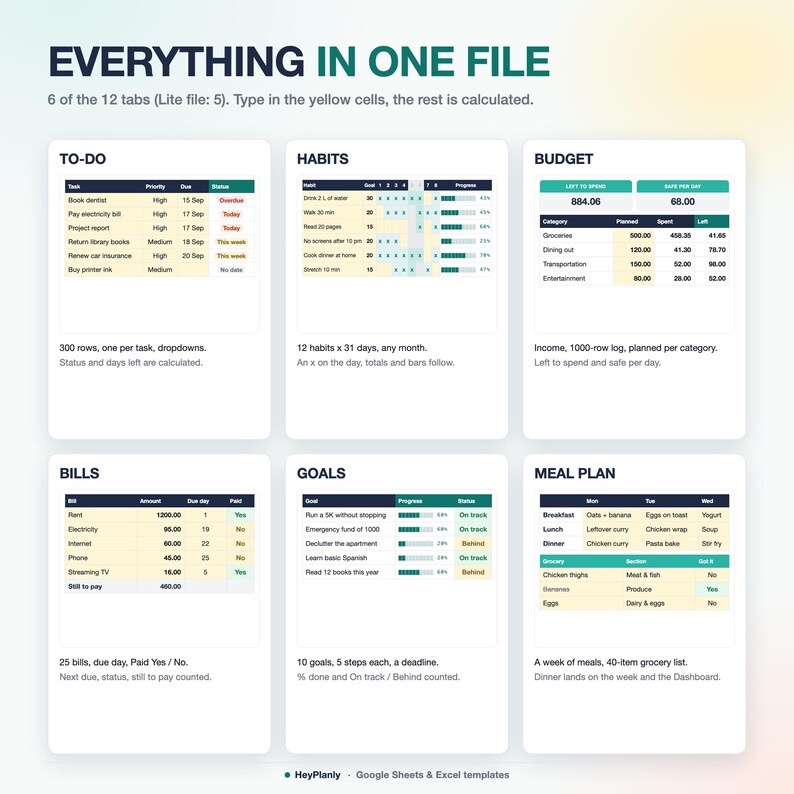
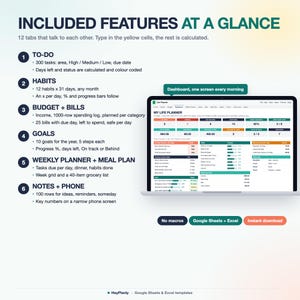
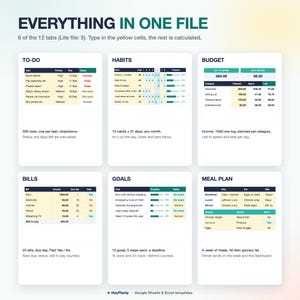
✓ To-Do: 300 rows (Lite 150), one per task. Area, High / Medium / Low, due date, Done. Days left and status (Overdue, Today, This week, Later, No date, Done) are calculated and colour coded, filter arrows on the header row
✓ Habits: 12 habits x 31 days for any month, an x per day. Done, % and progress bars per habit, done per day, weekends shaded, today framed
✓ Budget: income, a 1000-row spending log with category and Paid with, a planned amount per category. Spent, left to spend, safe per day and spent vs planned by category for the month you pick
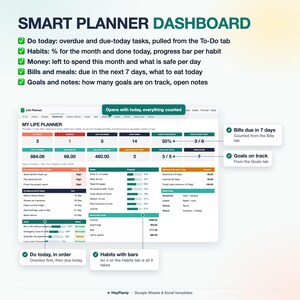
✓ Dashboard: do today, overdue, due this week, open tasks, habits this month and today, left to spend, safe per day (Full: bills still to pay, bills due in 7 days, goals on track, open notes); the do-today list, coming up, habits with bars, money this month and a habits chart
✓ Bills (Full): 25 bills with the day they are due and Paid Yes / No. Next due date, status, total, paid, still to pay, the ones due in the next 7 days on the Dashboard
✓ Goals (Full): 10 goals for the year with why, start, deadline and 5 steps. Progress %, days left and On track / Behind are calculated
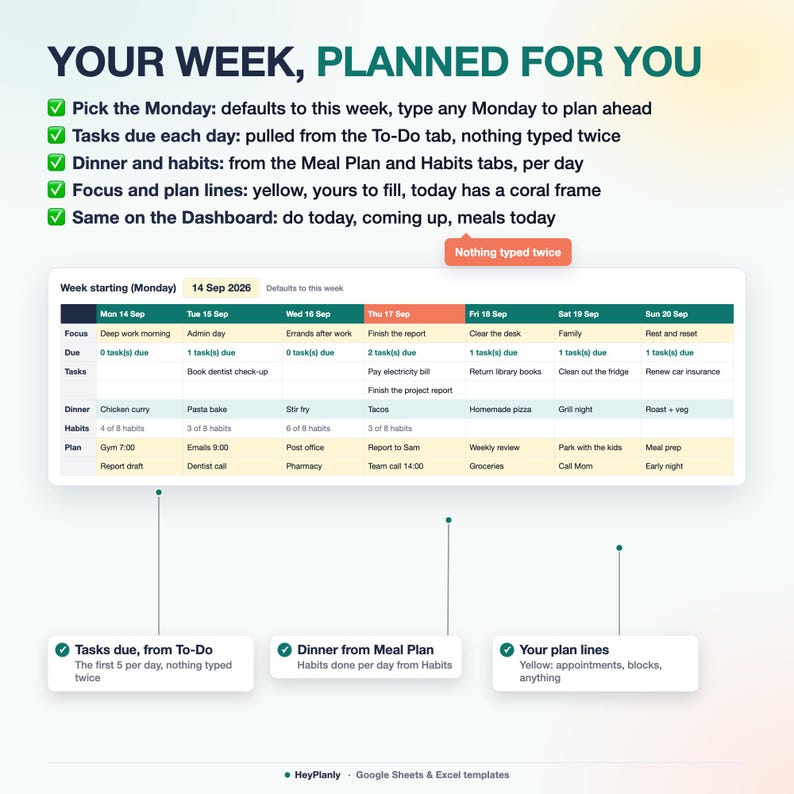
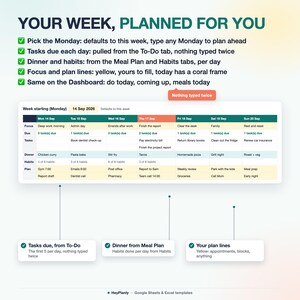
✓ Weekly Planner (Full): pick the Monday, tasks due each day come from To-Do, dinner from the Meal Plan, habits done per day. A focus line and four plan lines per day are yours
✓ Meal Plan (Full): breakfast to snack for 7 days, a 40-item grocery list with store section and Got it, still to get counted
✓ Notes (Full): 100 rows for ideas, reminders and someday plans with a type and a Done tick, open notes counted
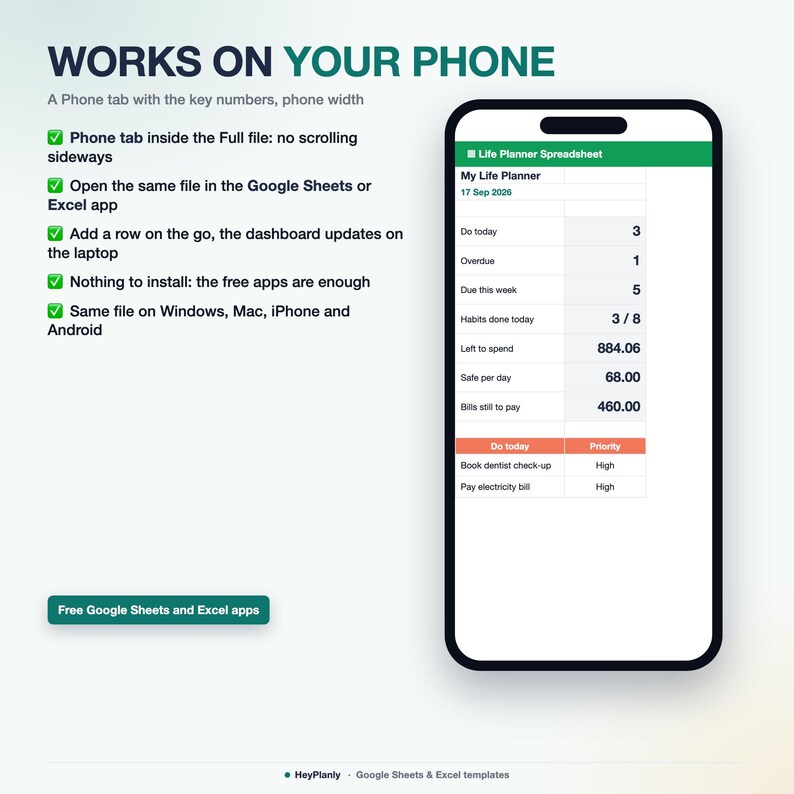
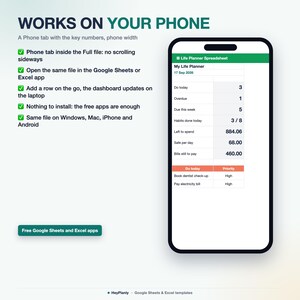
✓ Phone (Full): the key numbers, today's tasks, habits and meals on one narrow screen for the Sheets or Excel app
✓ One "today" cell: leave it empty and every status follows your computer's date, or type a date to plan from another day
✓ Formulas protected without a password, unlock any time
✓ How-to-use tab in each file: a Setup in 10 minutes checklist, then every tab explained
✨ WHAT'S INSIDE
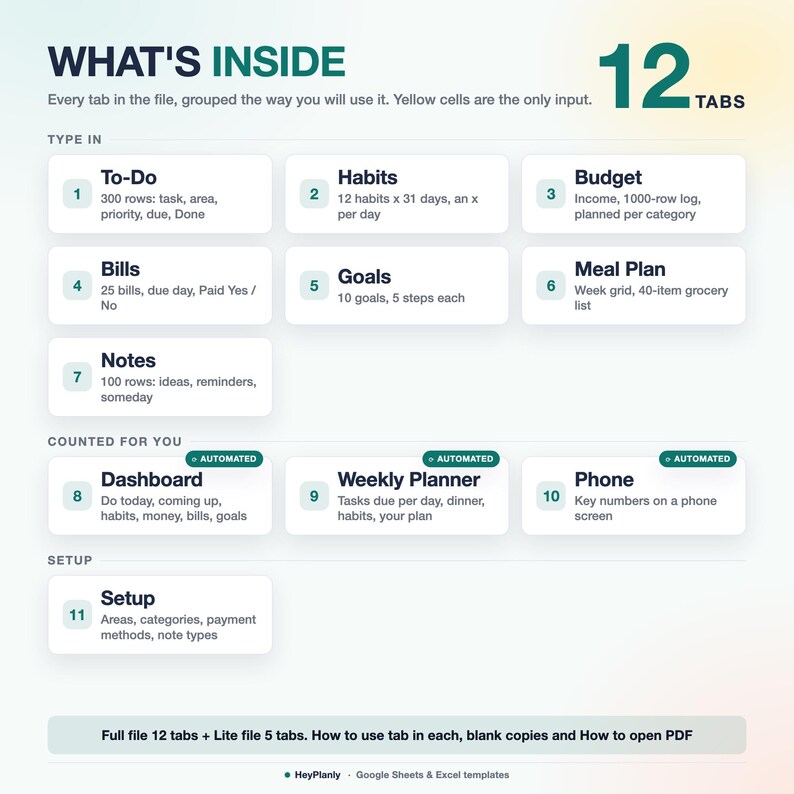
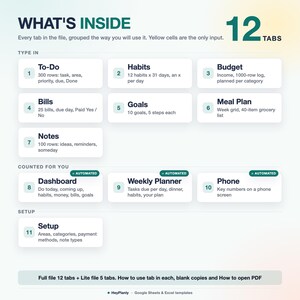
12 TABS + step-by-step guide (Full file, plus a 5-tab Lite file)
✓ Full file, 12 tabs: To-Do, Habits, Budget, Dashboard, Weekly Planner, Goals, Bills, Meal Plan, Notes, Phone, How to use, Setup
✓ Lite file, 5 tabs: To-Do (first tab), Habits, Budget, Dashboard, How to use. Same columns and yellow cells as the Full file
✓ To-Do: task, area and priority from dropdowns, due date, Done. Days left and status are calculated
✓ Habits: month in one cell, habit names and a goal in days are yours, the grid, totals and bars are calculated
✓ Budget: income rows, the spending log (date, category, what, amount, paid with) and a planned amount per category. The summary and the category table only count the month in view, so a new month is one cell
✓ Dashboard: 8 tiles (Full: 12), do today, coming up in the next 6 days, habits with progress bars, money this month, bills due in 7 days, goals, meals today, habits chart
✓ Weekly Planner (Full): one column per day, tasks due, dinner, habits done, your focus and plan
✓ Goals (Full): 10 goal cards and a summary table with bars and status, counts of on track, behind and done
✓ Bills (Full): next due date follows the month on the Budget tab, a paid bill shows next month's date
✓ Meal Plan (Full): week grid and grocery list, to get by section
✓ Notes (Full): ideas, reminders, someday, shopping, with open counts by type
✓ Phone (Full): do today, overdue, due this week, habits done today, left to spend, safe per day, bills still to pay, today's tasks, habits, meals
✓ Setup (Full): your areas, spending categories, store sections, payment methods, note types and the planner name (Lite: the same lists at the bottom of How to use)
✓ How-to-use tab inside each file
📦 YOU WILL RECEIVE
✓ Life_Planner_v1.xlsx (Full, 12 tabs, sample data inside)
✓ Life_Planner_Lite_v1.xlsx (Lite, 5 tabs, sample data inside)
✓ Life_Planner_blank.xlsx and Life_Planner_Lite_blank.xlsx (blank copies, your lists and settings kept)
✓ How to open in Google Sheets (PDF)
Sample data inside: see how it works, then clear it or use the blank copy
Undated, reuse year after year: pay once, free updates
🗓️ UNDATED, ANY MONTH, ANY YEAR
Nothing to reset. Statuses, the do-today list and the Weekly Planner follow the date. New month on Habits and Budget: type the 1st of the month in one cell, the spending log keeps every month in one list. Bills: set Paid back to No. New year: keep going in the same file.
🔓 FULLY EDITABLE, NOTHING LOCKED AWAY
Formula cells are protected so nothing breaks by accident. No password: Review > Unprotect Sheet (Excel) or the protected-range message (Google Sheets) if you want to change anything, add rows or colours. Areas, categories, store sections, payment methods and note types are yours to rename or extend on the Setup tab. Need a column added? Message me, small tweaks are free.
👤 WHO IT'S FOR
Anyone who keeps tasks in one app, habits in another, the budget in a third and the week in their head. Students, busy parents, freelancers, anyone who wants one file that shows what is due today, what is safe to spend and whether the habits are holding, without building a spreadsheet from scratch. Not a tool for a team or for printing: it is a personal planner for the screen.
📱 WORKS IN
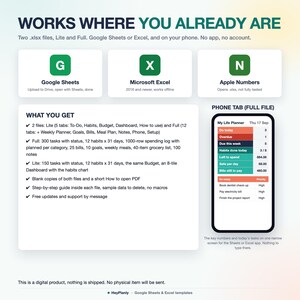
✓ Microsoft Excel 2016+ and Microsoft 365 (Windows and Mac), works offline
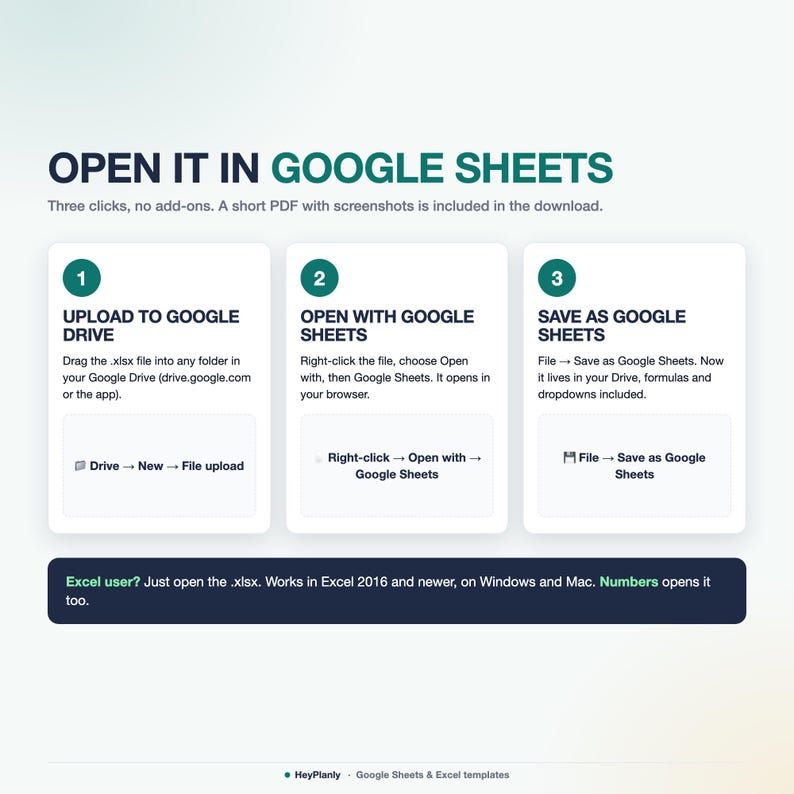
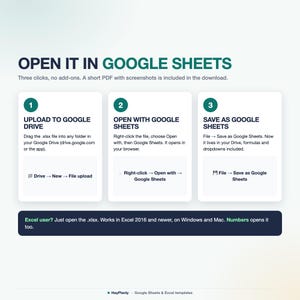
✓ Google Sheets (free Google account, after File > Save as Google Sheets)
✓ Phone: open the Phone tab in the free Google Sheets or Excel app
✓ Apple Numbers: opens the file, drops the sheet protection and some colours, use Excel or Google Sheets for the best result
✓ No macros, no add-ons, no LET or XLOOKUP, so it opens everywhere
🚫 WHAT THIS IS NOT
Not a printable or a PDF planner, not a Goodnotes or Notion template, not an app with reminders or push notifications, not a dated 2026 or 2027 planner. It is two .xlsx spreadsheets, Lite and Full (plus blank copies and a short PDF guide on opening them in Google Sheets), that you open in Excel or Google Sheets and keep for years.
📂 HOW TO OPEN IN GOOGLE SHEETS
Upload the file to Google Drive, right-click → Open with → Google Sheets, then File → Save as Google Sheets. All formulas and the chart work (Google Sheets may drop some dropdown arrows after conversion: the PDF shows how to restore them in 10 seconds).
❓ FAQ
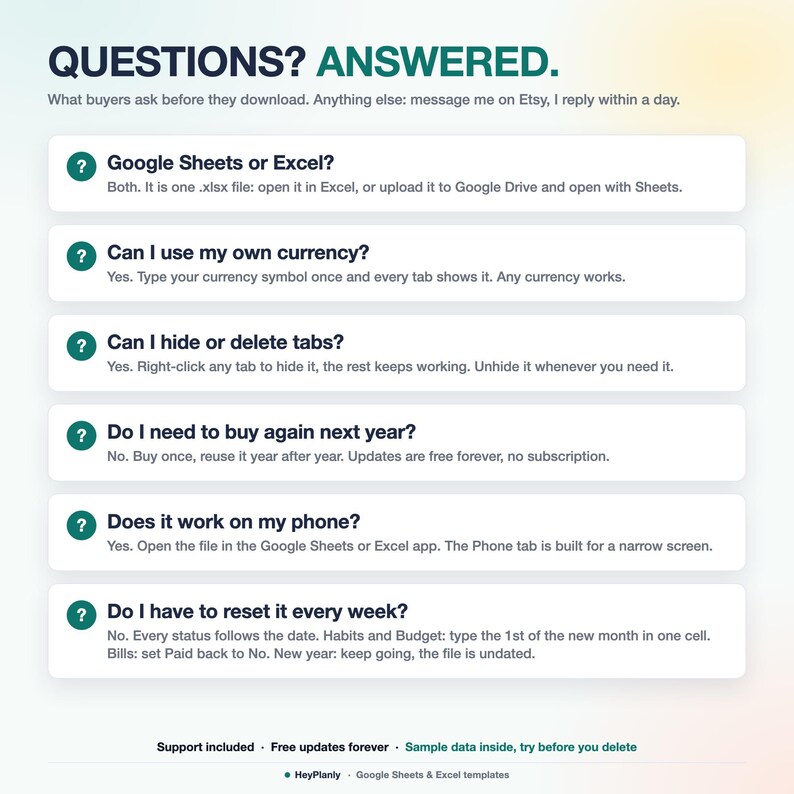
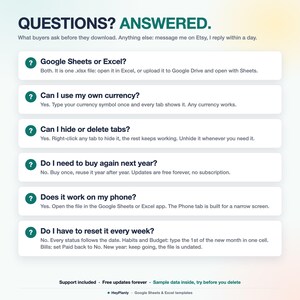
Google Sheets or Excel? Both, they are .xlsx files. Excel opens them directly, Google Sheets after File > Save as Google Sheets.
Does it work with my currency? Yes. There is no currency setting to fight with: type your own symbol or none, the numbers stay numbers. Dates follow your computer's format.
Do I have to reset it every week? No. Every status follows the date. Habits and Budget: the 1st of the new month in one cell.
Too many tabs? Open the Lite file: To-Do, Habits, Budget, Dashboard and nothing else. In the Full file you can hide any tab, nothing breaks.
Can two of us use it? Share the Google Sheets file, or keep one file per person. One file is one planner.
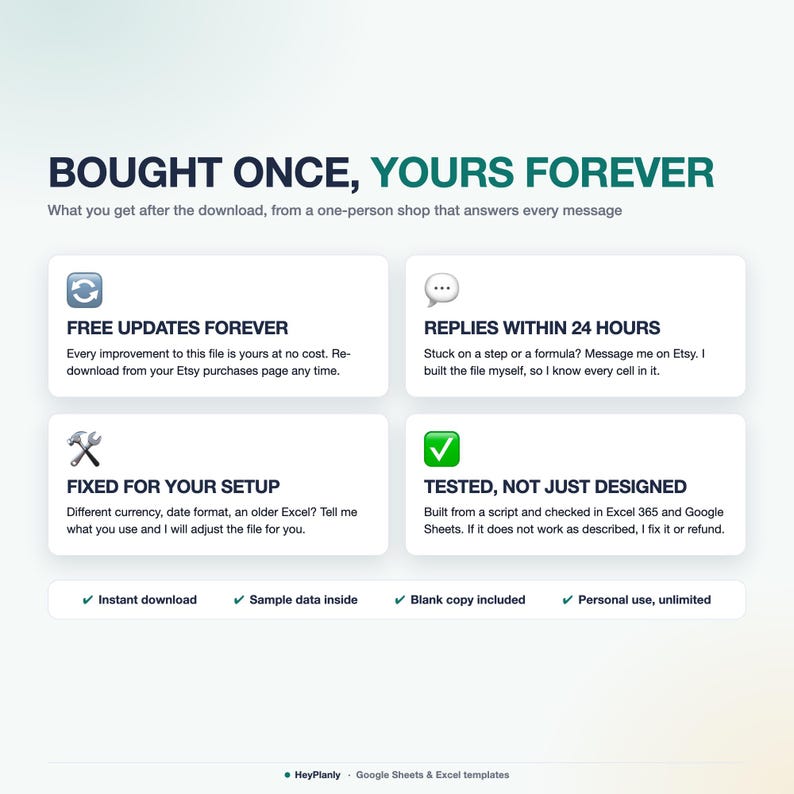
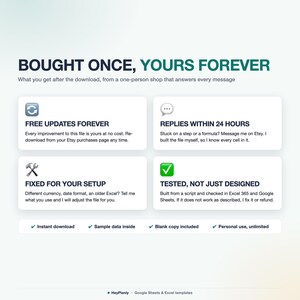
Do I need to buy again next year? No. It is undated. Buy once, free updates.
🛍️ ALSO IN THE SHOP
✓ ADHD Life Planner Spreadsheet, the same system with Today, Recurring tasks and routines: https://www.etsy.com/mx/listing/4576290640/adhd-life-planner-spreadsheet-adhd
✓ Habit Tracker Spreadsheet, 366 days, streaks and a year heatmap: https://www.etsy.com/mx/listing/4574379214/hoja-de-calculo-para-el-seguimiento-de
✓ Simple Monthly Budget Spreadsheet: https://www.etsy.com/mx/listing/4573801413/hoja-de-calculo-de-presupuesto-mensual
⬇️ INSTANT DOWNLOAD
This is a digital product. Nothing will be shipped. After purchase, download the .xlsx files from your Etsy purchases page or the email Etsy sends you. Both files come with sample data (16 tasks, 8 habits, 12 expenses; the Full file also 8 bills, 5 goals, a week of meals, a grocery list and 8 notes) so you can see how it works, delete it and add yours, or start from the blank copies.
⚠️ PLEASE NOTE
Built and tested in Excel 365 desktop and Google Sheets. Excel Online and the free mobile apps open the file for viewing and light editing, but protected sheets and the chart render best on desktop. Colours may look slightly different between apps. Formula cells are protected so nothing breaks by accident, no password: Review > Unprotect Sheet (Excel) or the protected-range message (Google Sheets) if you want to change anything, add rows or colours.
Instant download, so no refunds for change of mind. If something doesn't work as described, message me and I'll fix it or refund. For personal use only, please do not resell or share the file.
💬 QUESTIONS?
Message me any time, I reply within 24 hours. If something doesn't work on your setup, I'll fix it for you. Need a column or a category added? Small tweaks are free.
HeyPlanly: spreadsheets that actually calculate.
Descarga inmediata
Los archivos estarán disponibles para descargar una vez que se confirme el pago. Sigue estas instrucciones.
No se admiten cambios, devoluciones ni cancelaciones de los artículos de descarga inmediata. Ponte en contacto con el vendedor si tienes algún problema con tu pedido.
Protección de compras de Etsy
Compra con confianza en Etsy sabiendo que estamos a tu lado si surge un problema con un pedido que reúne los requisitos.
Consulta las condiciones del programa


Más artículos de esta tienda
Visitar tienda-
Descarga digital
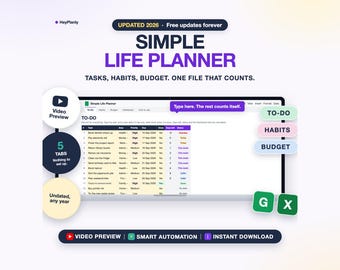
Simple Life Planner Spreadsheet, To Do List, Habit Tracker, Budget, Daily Dashboard (Google Sheets, Excel)
Precio en oferta MX$50.07
Precio original MX$83.39
-
Descarga digital
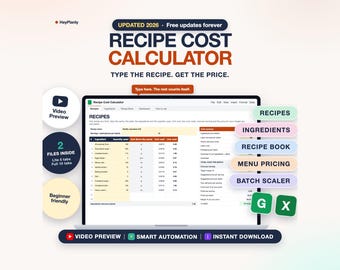
Recipe Cost Calculator Spreadsheet, Food Cost and Menu Pricing, Bakery and Cottage Food (Google Sheets, Excel)
Precio en oferta MX$125.17
Precio original MX$208.74
-
Descarga digital
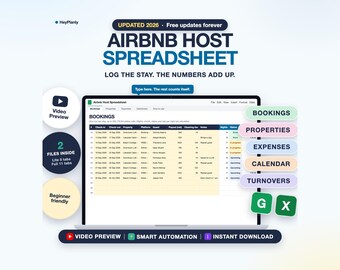
Airbnb Host Spreadsheet, Vacation Rental Bookings, Income and Expense Tracker, Occupancy (Google Sheets, Excel)
Precio en oferta MX$162.81
Precio original MX$271.41
-
Descarga digital
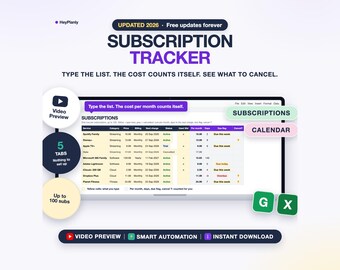
Subscription Tracker Spreadsheet, Recurring Bills, Monthly and Yearly Cost, Cancel List (Google Sheets, Excel)
Precio en oferta MX$62.49
Precio original MX$104.28


