




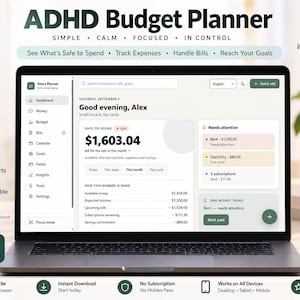
Adhd Budget Planner, Paycheck Budget App, Safe to Spend, Debt & Savings, Offline HTML
Vendedor estrella
Los vendedores estrella tienen un excelente historial probado de experiencia de cliente: reciben reseñas de 5 estrellas de cada pedido, envían con puntualidad y responden rápido a los mensajes que reciben.
Puntos destacables del artículo
Descripción del vendedor
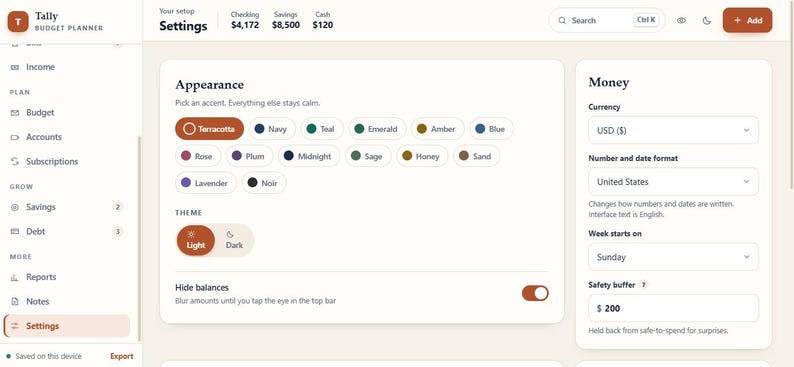
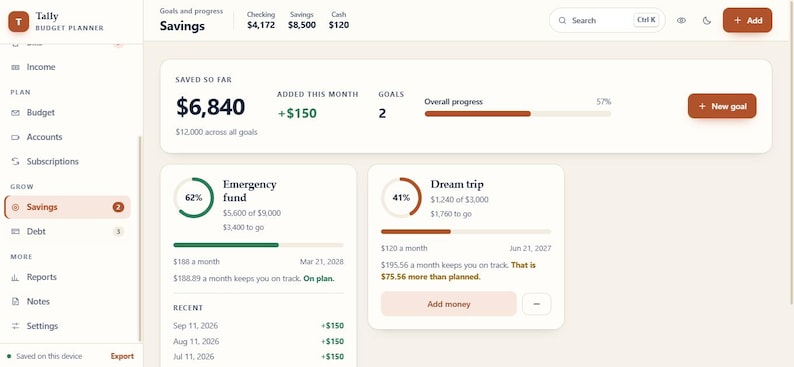
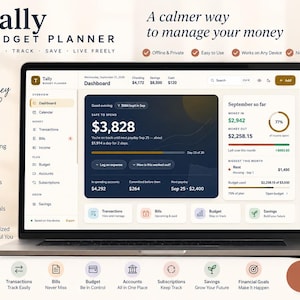
ADHD BUDGET PLANNER | PAYCHECK BUDGET APP | SAFE TO SPEND | DEBT & SAVINGS | OFFLINE HTML
What if budgeting did not require opening five different spreadsheets, checking several notes, and doing the same calculations every payday?
This interactive budget planner brings your everyday money planning into one calm browser based workspace.
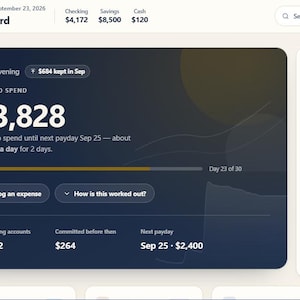
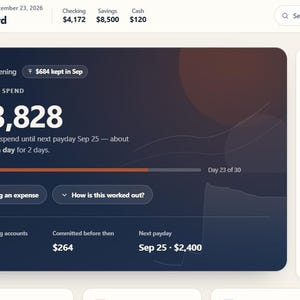
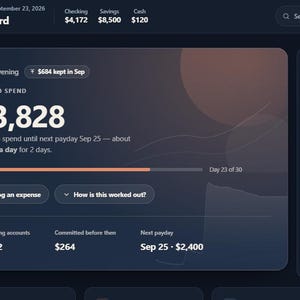
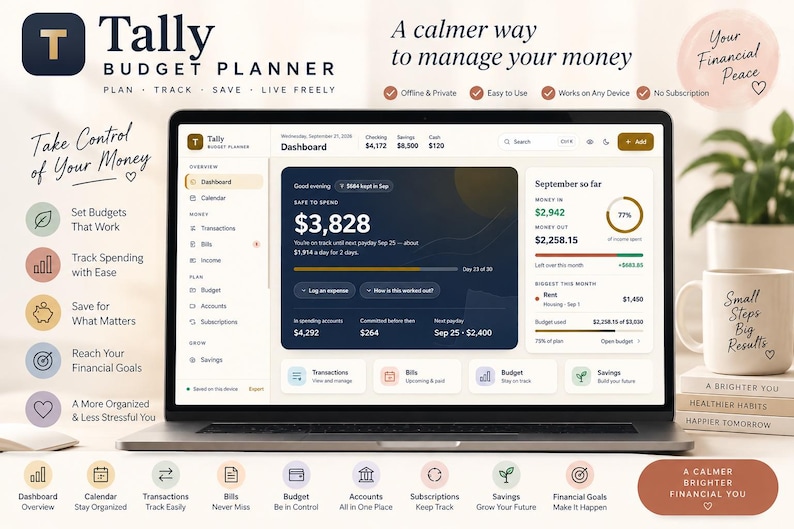
Plan around your paychecks, see upcoming bills, track spending, manage savings goals, monitor debt, review subscriptions, check your Safe to Spend amount, and keep your financial information organized in one place.
The interface is designed to stay clean and easy to scan, so you can focus on the financial task in front of you instead of getting lost in a complicated spreadsheet.
💻 BROWSER BASED DIGITAL PRODUCT
This is an interactive browser based financial planner rather than a traditional static budget worksheet.
The application is designed to run locally in a modern browser and uses local browser storage for planner information.
No monthly finance subscription is required to use the planner itself.
No bank connection is included.
No physical product will be shipped.
You receive a digital HTML application that you open in your browser and use directly.
The planner is also built as an offline first application with no external dependencies or build process, making it a practical choice for buyers who prefer a simple standalone budgeting tool.
WHAT YOU CAN DO WITH THIS BUDGET PLANNER
Use the planner to organize your complete everyday financial picture:
• Plan your budget
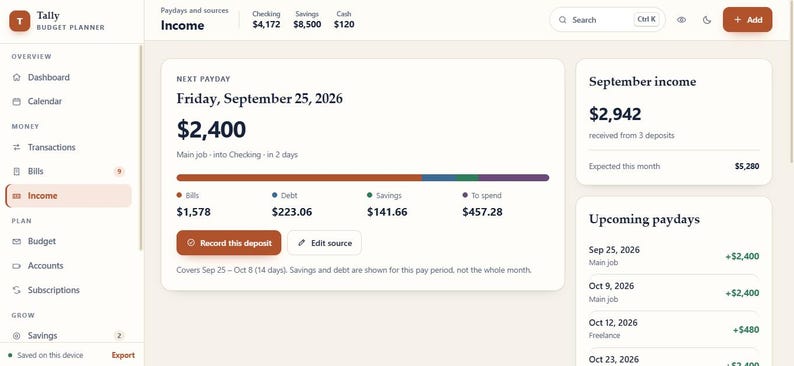
• Budget around each paycheck
• Track income
• Track expenses
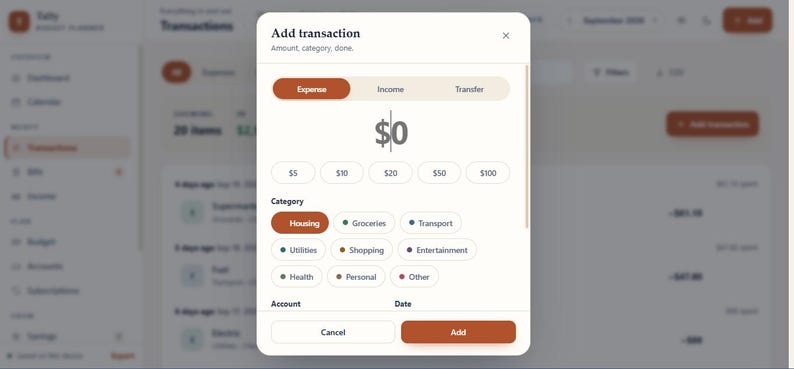
• Record transactions
• Monitor upcoming bills
• Manage recurring payments
• Track subscriptions
• Manage checking, savings and cash accounts
• Create savings goals
• Manage sinking funds
• Track credit cards and loans
• Plan debt payoff
• Set spending limits
• Review financial reports
• Use the calendar for money planning
• Keep personal finance notes
• Export your information
• Create a full backup
• Restore your saved planner data
BUDGET BY PAYCHECK
Traditional monthly budgets do not always fit the way people actually receive money.
This planner lets you organize income around your real pay schedule.
Add your income source and paycheck information, then use the planner to see expected money coming into your budget.
This is useful for:
• Weekly paychecks
• Every two week paychecks
• Twice monthly pay
• Monthly pay
Planning around payday can make it easier to understand what your current money needs to cover before the next paycheck arrives.
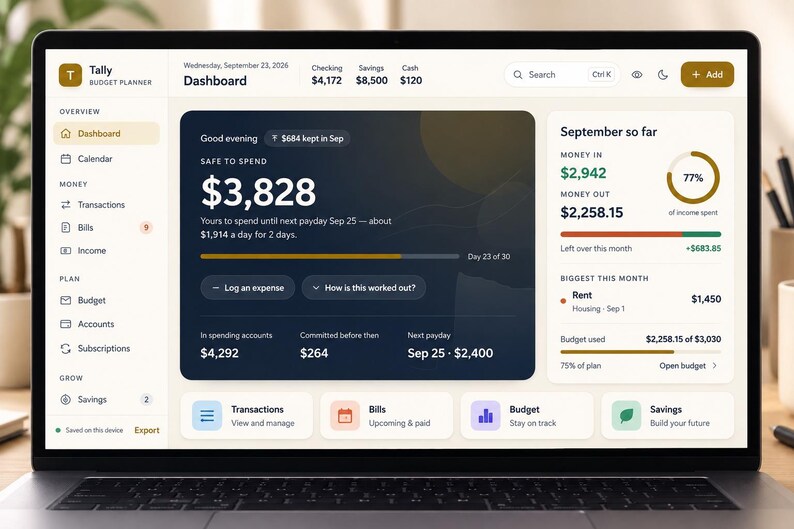
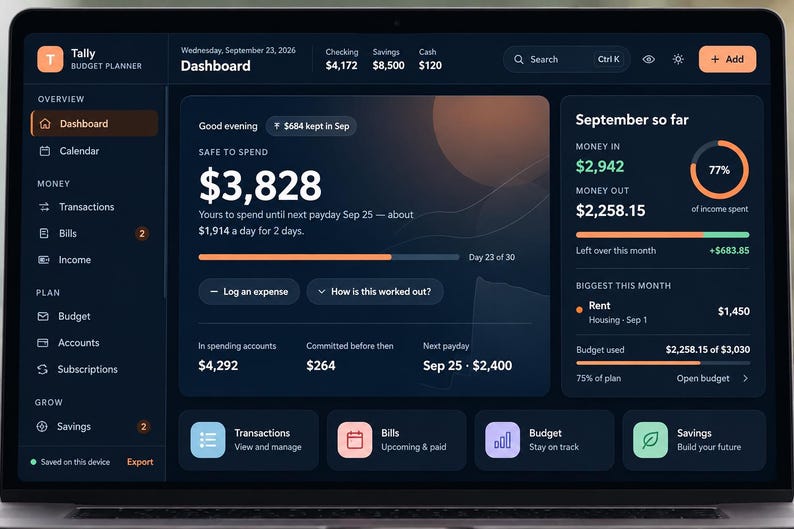
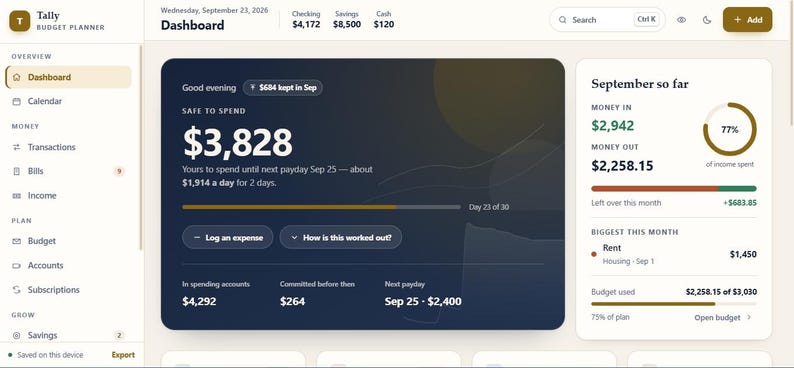
SAFE TO SPEND
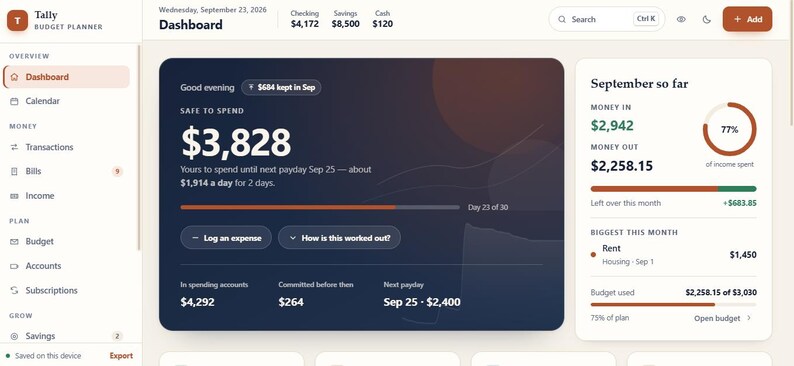
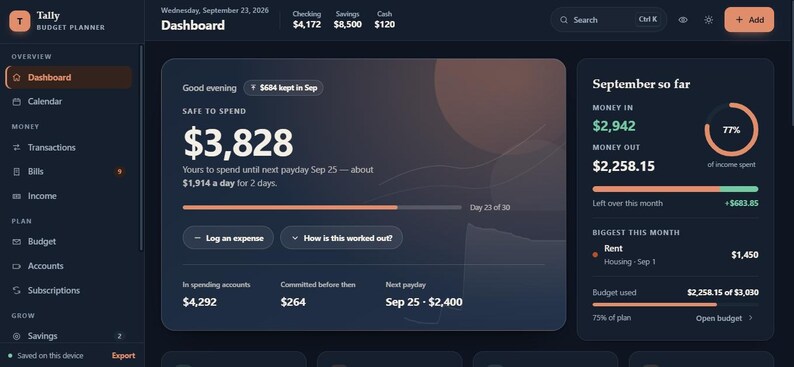
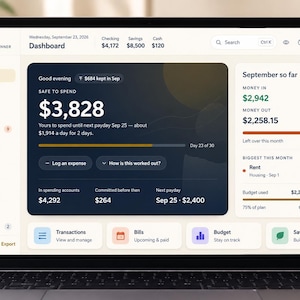
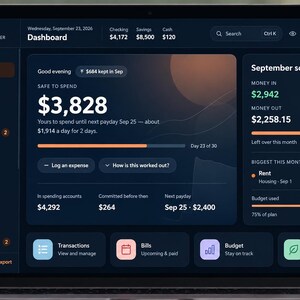
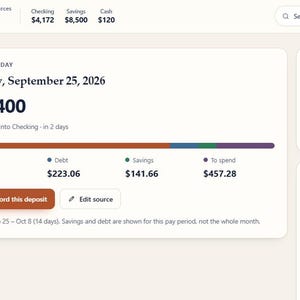
One of the key features of this planner is the Safe to Spend calculation.
Your current account balance is not always the amount you can safely spend.
The planner can calculate a more practical number by considering:
• Money available in spending accounts
• Bills due before the next payday
• Debt payments due
• Savings still to be set aside
• Your safety buffer
This creates a simple everyday question:
How much can I spend without interfering with the money I already need for upcoming commitments?
That makes Safe to Spend one of the most useful parts of the planner for everyday budgeting.
BILLS AND RECURRING PAYMENTS
Keep your upcoming bills organized instead of trying to remember everything manually.
Add bill names, amounts, due dates, recurring schedules, accounts, categories and autopay information.
Use the planner to keep an eye on payments such as:
• Rent
• Utilities
• Internet
• Phone
• Insurance
• Memberships
• Streaming services
• Cloud storage
• Other recurring household expenses
The calendar also gives you a date based way to view your upcoming financial activity.
SUBSCRIPTION TRACKER
Recurring subscriptions can be easy to forget because they are often small individual payments.
The dedicated Subscriptions section helps you organize recurring commitments and understand their monthly cost.
This can make it easier to see where your recurring money is going and which expenses are already committed before you plan the rest of your spending.
EXPENSE AND TRANSACTION TRACKER
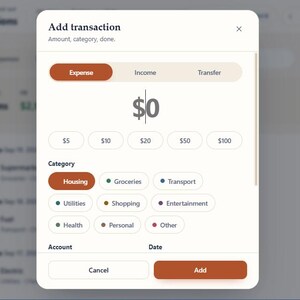
Record income, expenses and transfers as they happen.
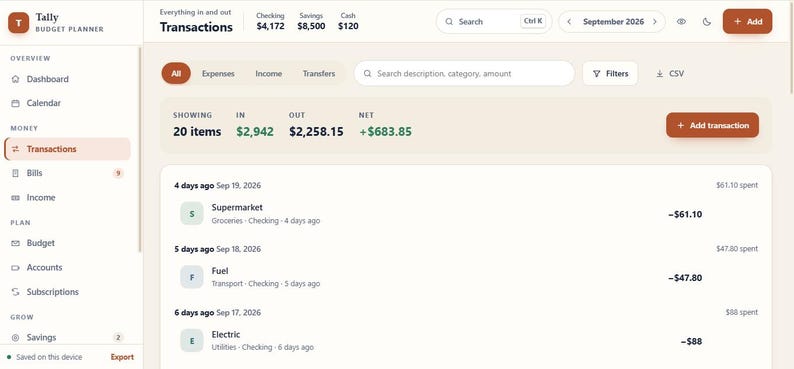
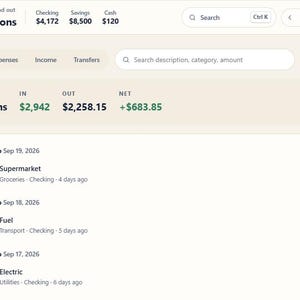
The Transactions area gives you one place to review your financial activity and search through your records.
Use it for everyday spending such as:
• Groceries
• Dining out
• Shopping
• Transportation
• Health expenses
• Family expenses
• Entertainment
• Household spending
• Other personal expenses
You can also export transaction information as CSV for your own records.
SAVINGS GOALS
Create savings goals for the things that matter to you.
Examples include:
• Emergency savings
• Travel
• Large purchases
• Vehicle expenses
• Holidays
• Gifts
• Future plans
• Personal goals
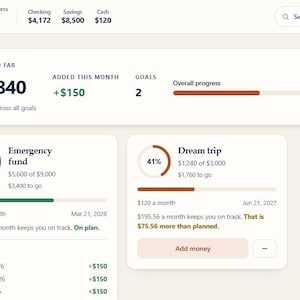
Add a target amount and monthly contribution, then track your progress as you move toward your goal.
The planner also includes sinking funds for expenses that are not monthly but are still predictable.
SINKING FUNDS
Some expenses do not happen every month, but you already know they are coming.
Instead of waiting for a large bill to arrive, you can plan for it gradually.
Use sinking funds for things such as:
• Car maintenance
• Insurance renewals
• Gifts
• Annual services
• School costs
• Repairs
• Other irregular expenses
The planner can keep the money set aside for these future costs separate from your everyday spendable amount.
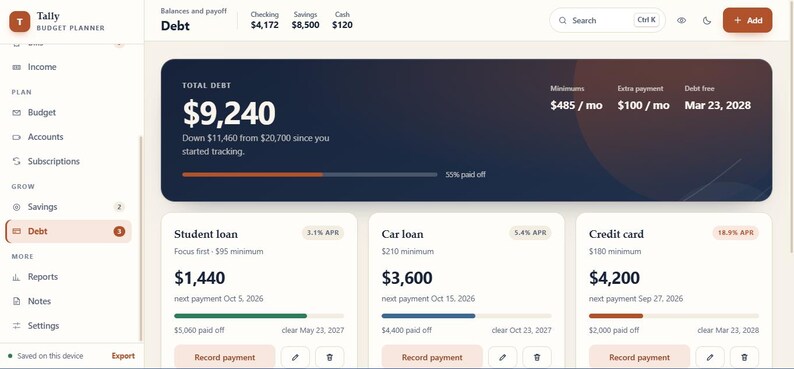
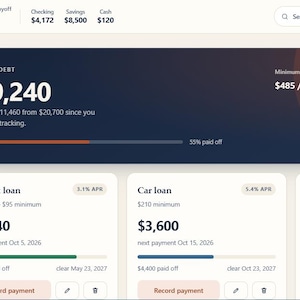
DEBT PAYOFF PLANNER
Track debts such as:
• Credit cards
• Car loans
• Student loans
• Personal loans
Add your balance, starting balance, interest rate, minimum payment and payment date.
The planner also supports debt payoff planning using different approaches, including snowball and avalanche strategies.
You can add extra money to your debt plan and review estimated payoff progress.
This gives you a way to keep everyday budgeting and longer term debt planning inside the same system.
SPENDING BUDGET AND CATEGORY PLANNING
Create category based spending plans and compare planned amounts with actual spending.
This gives you a clearer view of where your money is going.
Use category planning for areas such as groceries, transportation, shopping, entertainment, household costs, health and other everyday expenses.
You can also set spending limits for categories and choose how unused amounts are handled from month to month.
ACCOUNT MANAGEMENT
Keep different types of accounts organized in one place.
Supported account types include:
• Checking
• Savings
• Cash
• Credit Card
• Investment
• Other
This makes it easier to distinguish between money available for everyday spending and money being kept for another purpose.
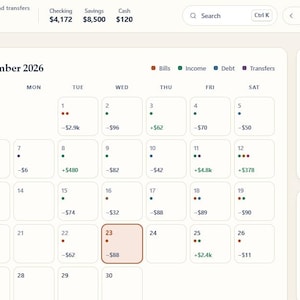
CALENDAR
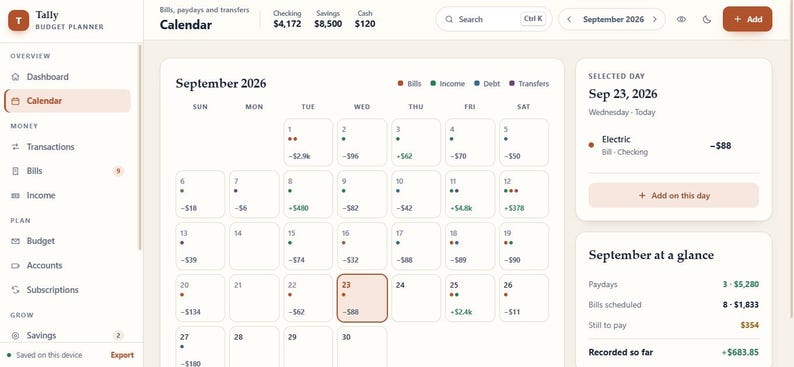
The Calendar section brings financial activity into a date based view.
Use it to see:
• Upcoming bills
• Paydays
• Transfers
• Other scheduled financial activity
This is useful when several payments happen close together and you want to understand what is coming next.
REPORTS
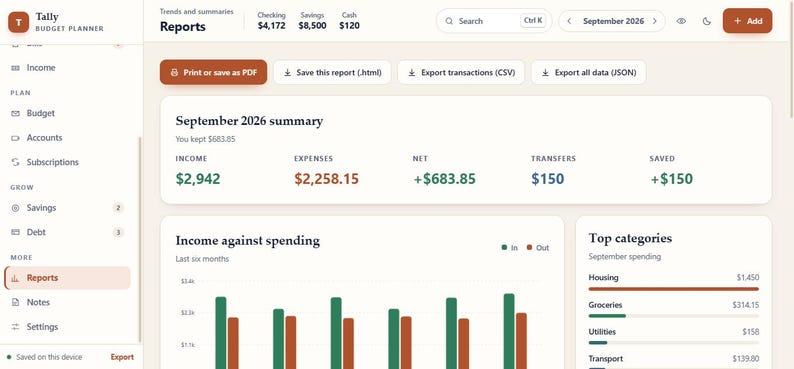
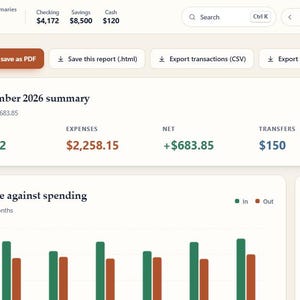
Review your financial activity through the Reports section.
Use reports to look at:
• Spending categories
• Recent financial trends
• Monthly information
• Money kept over time
• Financial summaries
The planner also includes printing support for reports when you want a physical copy for your records.
You can also save a report as a standalone HTML web page that can be opened later in a browser.
PRIVATE LOCAL DATA
Your financial information is designed to stay on your own device.
The application uses local browser storage to save planner information.
The core planner does not require your financial information to be connected to a bank or sent to a remote finance service.
This makes the product useful for shoppers who prefer a private local budgeting workflow.
Because the information is stored locally, keeping a backup is strongly recommended when moving between browsers or devices.
BACKUP AND RESTORE
The planner includes tools for managing your own financial data.
You can create a full JSON backup of your planner and export transaction information as CSV.
You can also restore supported backup data later.
This gives you a practical way to keep a copy of your financial planner instead of depending only on the current browser storage.
For important financial records, always keep your backup file somewhere safe.
ADHD FRIENDLY WORKFLOW
The interface is designed around clarity and lower visual clutter.
Instead of forcing everything into one giant spreadsheet, financial information is separated into focused areas such as:
Budget
Bills
Income
Transactions
Savings
Debt
Accounts
Calendar
Reports
Notes
This can make the budgeting process easier to approach when you prefer simple screens and smaller financial tasks.
The product is especially appealing to buyers looking for an ADHD friendly budgeting approach, a calmer money management system and a more focused way to handle everyday finances.
PERSONAL NOTES
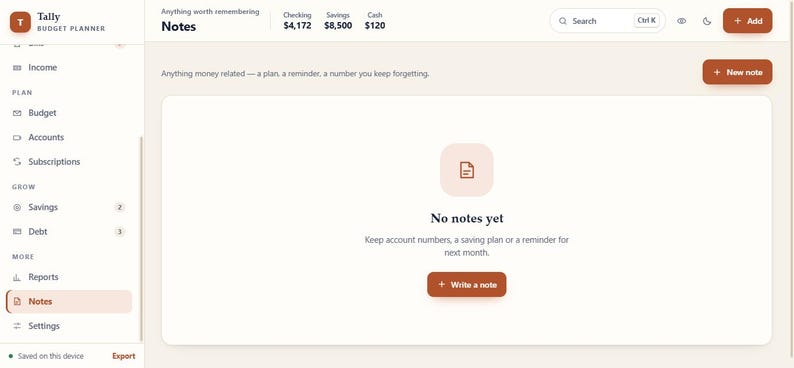
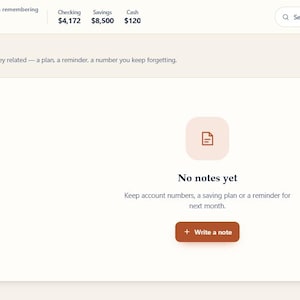
Use the Notes area for information you want to remember while managing your money.
You can keep useful reminders, financial thoughts, planning notes and other personal information connected to your budgeting workflow.
This can help reduce the need to keep separate finance notes in another application.
WHO THIS PRODUCT IS FOR
This budget planner is designed for:
• Adults managing personal finances
• People who budget by paycheck
• Weekly paycheck earners
• Biweekly paycheck earners
• Monthly budget users
• People tracking bills
• People managing subscriptions
• People working toward savings goals
• People tracking debt payoff
• People who want a Safe to Spend number
• Buyers looking for an offline budget app
• Buyers looking for a browser based budget app
• People who prefer local financial data
• People who prefer a clean and organized budgeting workflow
• Shoppers looking for an ADHD friendly budget planner
SAMPLE DATA
The planner includes realistic sample financial information so you can explore the interface before replacing it with your own numbers.
Sample content demonstrates how accounts, transactions, bills, savings goals and debts can work inside the application.
You can explore the sample setup first and then start building your own budget.
START WITH YOUR OWN NUMBERS
You can also begin with a fresh setup and enter your own financial information.
A simple starting process is:
1. Add your main spending account
2. Add your income
3. Add your upcoming bills
4. Review your Safe to Spend amount
5. Add savings goals
6. Add debt information if needed
7. Start recording transactions
8. Review your budget and reports
9. Create a backup when needed
DIGITAL PRODUCT FORMAT
This listing includes a digital HTML web application.
You are not purchasing a physical planner.
You are not purchasing a printed workbook.
You are not receiving a PDF planner.
You are not receiving a Google Sheets file.
You are not receiving an Excel template.
You are not receiving a Notion template.
You are not receiving a GoodNotes file.
The product is an interactive browser based financial application.
DEVICE AND BROWSER USE
Open the HTML file in a modern web browser on a supported device.
The planner is designed as a responsive browser application and can adapt to different screen sizes.
Your browser needs to support local browser storage for automatic saving.
Because the application stores information locally, your planner data stays associated with that browser and device unless you use the available backup and restore tools to move your information.
NO BANK CONNECTION
This planner does not connect directly to your bank accounts.
You manually enter your balances, income, bills and transactions.
This gives you control over what financial information is stored in the planner and keeps the product simple rather than turning it into a bank connected service.
NO MONTHLY SUBSCRIPTION
The planner itself does not require a monthly finance subscription.
You purchase the digital product once and use the application locally.
There is no separate bank connection service included with this product.
NO PHYSICAL SHIPPING
This is a digital download.
No physical item will be packed or shipped.
Your purchase gives you access to the digital HTML product and its included functionality.
A CALMER WAY TO MANAGE MONEY
You do not need another complicated system that makes budgeting feel like work.
You can open the planner, check what is coming, see what is safe to spend, record your latest transactions and move on with your day.
Everything is organized around real financial decisions:
What money do I have?
What bills are coming?
When is my next paycheck?
How much can I spend?
What am I saving for?
What debt am I paying?
What subscriptions are recurring?
What happened this month?
Those are the questions this planner is designed to help organize.
IMPORTANT NOTE
This product is a personal finance organization and tracking tool.
It does not provide professional financial advice, investment recommendations or banking services.
All calculations depend on the information you enter into the planner.
Please review your numbers carefully before making financial decisions.
WHAT YOU RECEIVE
You receive a digital HTML financial planner designed for browser based use.
The application includes budgeting, paycheck planning, Safe to Spend calculations, transaction tracking, bill management, accounts, subscriptions, savings goals, sinking funds, debt planning, calendar views, reports, notes, backup tools and personalization options.
START WITH ONE PAYCHECK
You do not need to organize every part of your financial life on the first day.
Start with your next paycheck.
Add your account.
Add your upcoming bills.
Check your Safe to Spend amount.
Then build your savings, debt and spending plans as you go.
A simple financial routine can start with one paycheck, one clear number and one next step.
AhoraPrecio:MX$101.64
Precio original: MX$225.86
-55 %
La oferta termina en 0:57:24
Solo puedes hacer una oferta por compras de un único artículo
Entrega
Descarga inmediata
Los archivos estarán disponibles para descargar una vez que se confirme el pago. Sigue estas instrucciones.
No se admiten cambios, devoluciones ni cancelaciones de los artículos de descarga inmediata. Ponte en contacto con el vendedor si tienes algún problema con tu pedido.
Descripción del vendedor
Especificaciones
ADHD BUDGET PLANNER | PAYCHECK BUDGET APP | SAFE TO SPEND | DEBT & SAVINGS | OFFLINE HTML
What if budgeting did not require opening five different spreadsheets, checking several notes, and doing the same calculations every payday?
This interactive budget planner brings your everyday money planning into one calm browser based workspace.
Plan around your paychecks, see upcoming bills, track spending, manage savings goals, monitor debt, review subscriptions, check your Safe to Spend amount, and keep your financial information organized in one place.
The interface is designed to stay clean and easy to scan, so you can focus on the financial task in front of you instead of getting lost in a complicated spreadsheet.
💻 BROWSER BASED DIGITAL PRODUCT
This is an interactive browser based financial planner rather than a traditional static budget worksheet.
The application is designed to run locally in a modern browser and uses local browser storage for planner information.
No monthly finance subscription is required to use the planner itself.
No bank connection is included.
No physical product will be shipped.
You receive a digital HTML application that you open in your browser and use directly.
The planner is also built as an offline first application with no external dependencies or build process, making it a practical choice for buyers who prefer a simple standalone budgeting tool.
WHAT YOU CAN DO WITH THIS BUDGET PLANNER
Use the planner to organize your complete everyday financial picture:
• Plan your budget
• Budget around each paycheck
• Track income
• Track expenses
• Record transactions
• Monitor upcoming bills
• Manage recurring payments
• Track subscriptions
• Manage checking, savings and cash accounts
• Create savings goals
• Manage sinking funds
• Track credit cards and loans
• Plan debt payoff
• Set spending limits
• Review financial reports
• Use the calendar for money planning
• Keep personal finance notes
• Export your information
• Create a full backup
• Restore your saved planner data
BUDGET BY PAYCHECK
Traditional monthly budgets do not always fit the way people actually receive money.
This planner lets you organize income around your real pay schedule.
Add your income source and paycheck information, then use the planner to see expected money coming into your budget.
This is useful for:
• Weekly paychecks
• Every two week paychecks
• Twice monthly pay
• Monthly pay
Planning around payday can make it easier to understand what your current money needs to cover before the next paycheck arrives.
SAFE TO SPEND
One of the key features of this planner is the Safe to Spend calculation.
Your current account balance is not always the amount you can safely spend.
The planner can calculate a more practical number by considering:
• Money available in spending accounts
• Bills due before the next payday
• Debt payments due
• Savings still to be set aside
• Your safety buffer
This creates a simple everyday question:
How much can I spend without interfering with the money I already need for upcoming commitments?
That makes Safe to Spend one of the most useful parts of the planner for everyday budgeting.
BILLS AND RECURRING PAYMENTS
Keep your upcoming bills organized instead of trying to remember everything manually.
Add bill names, amounts, due dates, recurring schedules, accounts, categories and autopay information.
Use the planner to keep an eye on payments such as:
• Rent
• Utilities
• Internet
• Phone
• Insurance
• Memberships
• Streaming services
• Cloud storage
• Other recurring household expenses
The calendar also gives you a date based way to view your upcoming financial activity.
SUBSCRIPTION TRACKER
Recurring subscriptions can be easy to forget because they are often small individual payments.
The dedicated Subscriptions section helps you organize recurring commitments and understand their monthly cost.
This can make it easier to see where your recurring money is going and which expenses are already committed before you plan the rest of your spending.
EXPENSE AND TRANSACTION TRACKER
Record income, expenses and transfers as they happen.
The Transactions area gives you one place to review your financial activity and search through your records.
Use it for everyday spending such as:
• Groceries
• Dining out
• Shopping
• Transportation
• Health expenses
• Family expenses
• Entertainment
• Household spending
• Other personal expenses
You can also export transaction information as CSV for your own records.
SAVINGS GOALS
Create savings goals for the things that matter to you.
Examples include:
• Emergency savings
• Travel
• Large purchases
• Vehicle expenses
• Holidays
• Gifts
• Future plans
• Personal goals
Add a target amount and monthly contribution, then track your progress as you move toward your goal.
The planner also includes sinking funds for expenses that are not monthly but are still predictable.
SINKING FUNDS
Some expenses do not happen every month, but you already know they are coming.
Instead of waiting for a large bill to arrive, you can plan for it gradually.
Use sinking funds for things such as:
• Car maintenance
• Insurance renewals
• Gifts
• Annual services
• School costs
• Repairs
• Other irregular expenses
The planner can keep the money set aside for these future costs separate from your everyday spendable amount.
DEBT PAYOFF PLANNER
Track debts such as:
• Credit cards
• Car loans
• Student loans
• Personal loans
Add your balance, starting balance, interest rate, minimum payment and payment date.
The planner also supports debt payoff planning using different approaches, including snowball and avalanche strategies.
You can add extra money to your debt plan and review estimated payoff progress.
This gives you a way to keep everyday budgeting and longer term debt planning inside the same system.
SPENDING BUDGET AND CATEGORY PLANNING
Create category based spending plans and compare planned amounts with actual spending.
This gives you a clearer view of where your money is going.
Use category planning for areas such as groceries, transportation, shopping, entertainment, household costs, health and other everyday expenses.
You can also set spending limits for categories and choose how unused amounts are handled from month to month.
ACCOUNT MANAGEMENT
Keep different types of accounts organized in one place.
Supported account types include:
• Checking
• Savings
• Cash
• Credit Card
• Investment
• Other
This makes it easier to distinguish between money available for everyday spending and money being kept for another purpose.
CALENDAR
The Calendar section brings financial activity into a date based view.
Use it to see:
• Upcoming bills
• Paydays
• Transfers
• Other scheduled financial activity
This is useful when several payments happen close together and you want to understand what is coming next.
REPORTS
Review your financial activity through the Reports section.
Use reports to look at:
• Spending categories
• Recent financial trends
• Monthly information
• Money kept over time
• Financial summaries
The planner also includes printing support for reports when you want a physical copy for your records.
You can also save a report as a standalone HTML web page that can be opened later in a browser.
PRIVATE LOCAL DATA
Your financial information is designed to stay on your own device.
The application uses local browser storage to save planner information.
The core planner does not require your financial information to be connected to a bank or sent to a remote finance service.
This makes the product useful for shoppers who prefer a private local budgeting workflow.
Because the information is stored locally, keeping a backup is strongly recommended when moving between browsers or devices.
BACKUP AND RESTORE
The planner includes tools for managing your own financial data.
You can create a full JSON backup of your planner and export transaction information as CSV.
You can also restore supported backup data later.
This gives you a practical way to keep a copy of your financial planner instead of depending only on the current browser storage.
For important financial records, always keep your backup file somewhere safe.
ADHD FRIENDLY WORKFLOW
The interface is designed around clarity and lower visual clutter.
Instead of forcing everything into one giant spreadsheet, financial information is separated into focused areas such as:
Budget
Bills
Income
Transactions
Savings
Debt
Accounts
Calendar
Reports
Notes
This can make the budgeting process easier to approach when you prefer simple screens and smaller financial tasks.
The product is especially appealing to buyers looking for an ADHD friendly budgeting approach, a calmer money management system and a more focused way to handle everyday finances.
PERSONAL NOTES
Use the Notes area for information you want to remember while managing your money.
You can keep useful reminders, financial thoughts, planning notes and other personal information connected to your budgeting workflow.
This can help reduce the need to keep separate finance notes in another application.
WHO THIS PRODUCT IS FOR
This budget planner is designed for:
• Adults managing personal finances
• People who budget by paycheck
• Weekly paycheck earners
• Biweekly paycheck earners
• Monthly budget users
• People tracking bills
• People managing subscriptions
• People working toward savings goals
• People tracking debt payoff
• People who want a Safe to Spend number
• Buyers looking for an offline budget app
• Buyers looking for a browser based budget app
• People who prefer local financial data
• People who prefer a clean and organized budgeting workflow
• Shoppers looking for an ADHD friendly budget planner
SAMPLE DATA
The planner includes realistic sample financial information so you can explore the interface before replacing it with your own numbers.
Sample content demonstrates how accounts, transactions, bills, savings goals and debts can work inside the application.
You can explore the sample setup first and then start building your own budget.
START WITH YOUR OWN NUMBERS
You can also begin with a fresh setup and enter your own financial information.
A simple starting process is:
1. Add your main spending account
2. Add your income
3. Add your upcoming bills
4. Review your Safe to Spend amount
5. Add savings goals
6. Add debt information if needed
7. Start recording transactions
8. Review your budget and reports
9. Create a backup when needed
DIGITAL PRODUCT FORMAT
This listing includes a digital HTML web application.
You are not purchasing a physical planner.
You are not purchasing a printed workbook.
You are not receiving a PDF planner.
You are not receiving a Google Sheets file.
You are not receiving an Excel template.
You are not receiving a Notion template.
You are not receiving a GoodNotes file.
The product is an interactive browser based financial application.
DEVICE AND BROWSER USE
Open the HTML file in a modern web browser on a supported device.
The planner is designed as a responsive browser application and can adapt to different screen sizes.
Your browser needs to support local browser storage for automatic saving.
Because the application stores information locally, your planner data stays associated with that browser and device unless you use the available backup and restore tools to move your information.
NO BANK CONNECTION
This planner does not connect directly to your bank accounts.
You manually enter your balances, income, bills and transactions.
This gives you control over what financial information is stored in the planner and keeps the product simple rather than turning it into a bank connected service.
NO MONTHLY SUBSCRIPTION
The planner itself does not require a monthly finance subscription.
You purchase the digital product once and use the application locally.
There is no separate bank connection service included with this product.
NO PHYSICAL SHIPPING
This is a digital download.
No physical item will be packed or shipped.
Your purchase gives you access to the digital HTML product and its included functionality.
A CALMER WAY TO MANAGE MONEY
You do not need another complicated system that makes budgeting feel like work.
You can open the planner, check what is coming, see what is safe to spend, record your latest transactions and move on with your day.
Everything is organized around real financial decisions:
What money do I have?
What bills are coming?
When is my next paycheck?
How much can I spend?
What am I saving for?
What debt am I paying?
What subscriptions are recurring?
What happened this month?
Those are the questions this planner is designed to help organize.
IMPORTANT NOTE
This product is a personal finance organization and tracking tool.
It does not provide professional financial advice, investment recommendations or banking services.
All calculations depend on the information you enter into the planner.
Please review your numbers carefully before making financial decisions.
WHAT YOU RECEIVE
You receive a digital HTML financial planner designed for browser based use.
The application includes budgeting, paycheck planning, Safe to Spend calculations, transaction tracking, bill management, accounts, subscriptions, savings goals, sinking funds, debt planning, calendar views, reports, notes, backup tools and personalization options.
START WITH ONE PAYCHECK
You do not need to organize every part of your financial life on the first day.
Start with your next paycheck.
Add your account.
Add your upcoming bills.
Check your Safe to Spend amount.
Then build your savings, debt and spending plans as you go.
A simple financial routine can start with one paycheck, one clear number and one next step.
-
Diseñado por
-
Tipo de artículoDescarga digital
-
Tipos de archivos digitales1 ZIP
Esta tienda recibió sistemáticamente reseñas de 5 estrellas, envió los pedidos de manera puntual y respondió rápidamente a los mensajes.
Si surge un problema con un pedido que reúne los requisitos, te cubrimos las espaldas. Ver las condiciones del programa
Conoce al vendedor

Normalmente tarda unas horas en responder
Respuestas rápidas Tiene un historial de respuestas rápidas a los mensajes.
Buenas reseñas La valoración media de las reseñas es 4,8 o más alta.
Más artículos de esta tienda
-
Descarga digital
ADHD Budget Planner App | Paycheck Budget | Safe to Spend Tracker | Offline Finance Dashboard
Precio en oferta MX$101.64
Precio original MX$225.86
-
Descarga digital
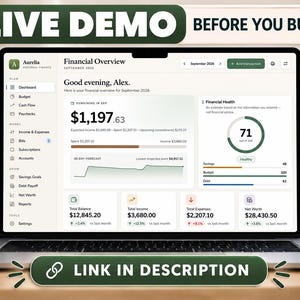
Personal Finance Dashboard, Budget Planner, Expense Tracker, Savings & Debt Payoff, Digital Money Manager
Precio en oferta MX$101.64
Precio original MX$225.86
-
Descarga digital
Digital Life Planner, Cozy Daily Weekly Monthly Organizer, Habit Tracker, Budget and Wellness, Browser Based App
Precio en oferta MX$101.64
Precio original MX$225.86
-
Descarga digital
Teacher Planner HTML App, Lesson Planner, Gradebook, Attendance Tracker, Classroom Organizer
Precio en oferta MX$107.68
Precio original MX$239.49
-
Descarga digital
Teacher Planner Web App All in One Teacher Organizer Grade Tracker Attendance Tracker Lesson Planner Classroom Management
Precio en oferta MX$101.64
Precio original MX$225.86
-
Descarga digital
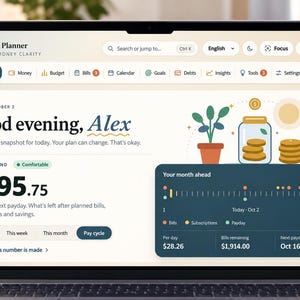
ADHD Budget Planner App, Safe to Spend Tracker, Paycheck Budget, Bills, Savings & Debt, Offline Browser App
Precio en oferta MX$101.64
Precio original MX$225.86
-
Descarga digital
Planificador de presupuesto personal / Seguimiento de gastos, Método de la bola de nieve para saldar deudas, Metas de ahorro, Calendario de facturas / Aplicación de presupuesto digital descargable, No se necesita Excel
MX$338.60
-
Descarga digital
Beautiful - Hoja de cálculo de presupuesto 50/30/20 - Edición definitiva, planificador de presupuesto, planificador financiero, rastreador de pago de deudas y rastreador de fondos de amortización
MX$286.23
-
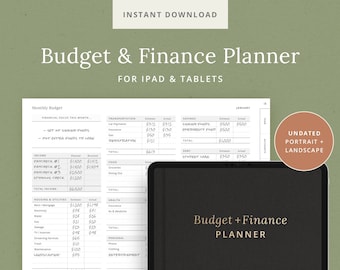
Descarga digital
Planificador de presupuesto y finanzas - Plantilla de planificador digital - Pago de facturas, seguimiento de gastos, fondos de reserva, ahorros - Pegatinas de presupuesto - iPad DashPlanner
MX$406.36
-
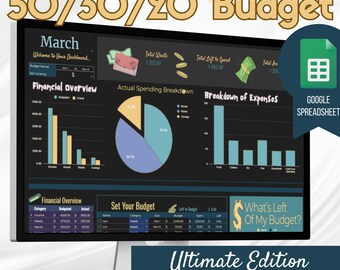
Descarga digital
Modo oscuro - Hoja de cálculo de presupuesto 50/30/20 - Edición definitiva, planificador de presupuesto, planificador financiero, seguimiento de pago de deudas y seguimiento de fondos de amortización
MX$286.23
-
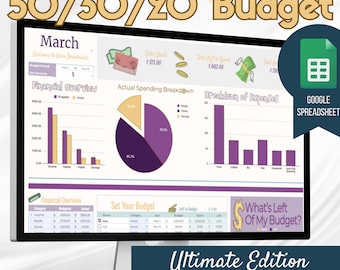
Descarga digital
Púrpura - Hoja de cálculo de presupuesto 50/30/20 - Edición definitiva, planificador de presupuesto, planificador financiero, rastreador de pago de deuda y rastreador de fondos de amortización
MX$286.23
-
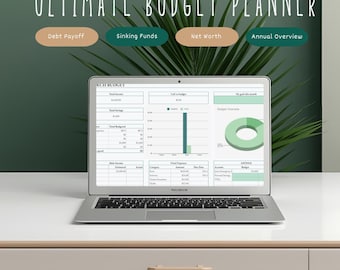
Descarga digital
Planificador de presupuesto 2026 / Panel de control financiero, seguimiento de deudas y ahorros
MX$239.86
-

Descarga digital
Presupuesto mensual, control de gastos, planificador de ahorros y pago de deudas (PDF)
MX$225.86
-
Descarga digital
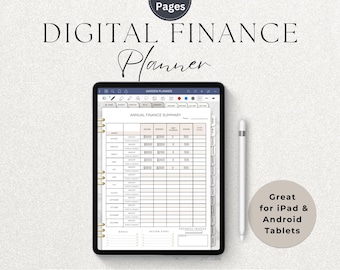
Digital Finance Planner - Budget Planner with Hyperlinks - Monthly Budget Spreadsheet | Debt Tracker | Savings Planner, Instant Download PDF
Precio en oferta MX$188.82
Precio original MX$377.64
-
Descarga digital
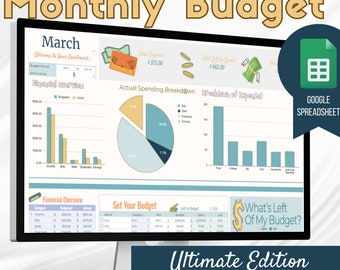
Beautiful - Hoja de cálculo de presupuesto mensual - Edición definitiva, planificador de presupuesto, planificador financiero, seguimiento de pago de deudas y seguimiento de fondos de amortización
MX$286.23
-
Descarga digital
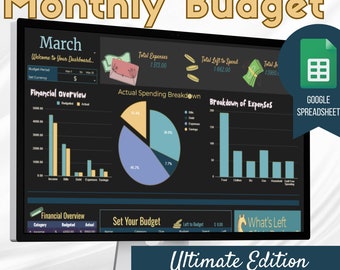
Modo oscuro: hoja de cálculo de presupuesto mensual: edición definitiva, planificador de presupuesto, planificador financiero, seguimiento de pagos de deuda y seguimiento de fondos de amortización
MX$286.23
-

Descarga digital
Planificador financiero digital Plan My Pennies / Carpeta de presupuesto PDF / Rastreador de gastos / Planificador de ahorros y pago de deudas para Goodnotes + iPad
MX$271.03
-
Descarga digital
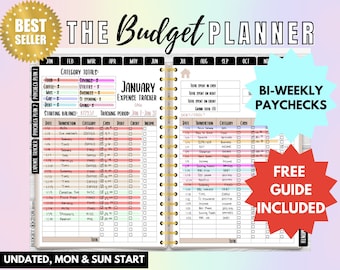
Biweekly Budget Planner Digital Book Bill Tracker Debt Snowball Financial Planner Paycheck Budget Remarkable 2 Planner Bill Calendar Budget
Precio en oferta MX$384.83
Precio original MX$591.99
A los compradores con gustos similares les han gustado estos artículos
-

Descarga digital
Calculadora de costos de la lista de compras para Google Sheets, rastreador de presupuesto de compras, planificador de gastos de compras
MX$39.52
-

Descarga digital
Planificador de compras para Google Sheets, lista de compras, planificador de compras digital, plantilla de seguimiento de gastos, hoja de cálculo de presupuesto de compras
Precio en oferta MX$191.31
Precio original MX$255.17
-
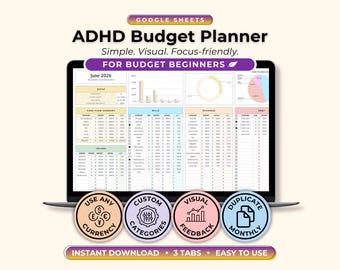
Descarga digital
ADHD Budget Planner Beginner Google Sheets, ADHD Friendly Weekly Budget & Expense Tracker, Neurodivergent Finance Planner (Digital Download)
Precio en oferta MX$20.25
Precio original MX$45.17
-
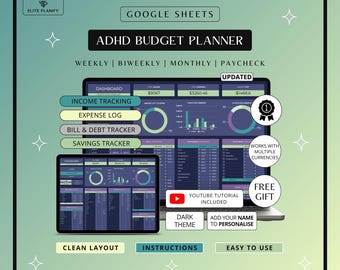
Descarga digital
ADHD Budget Planner Google Sheets | Debt, Bills & Savings Tracker Dark Mode | ADHD Friendly
Precio en oferta MX$22.63
Precio original MX$45.25
-
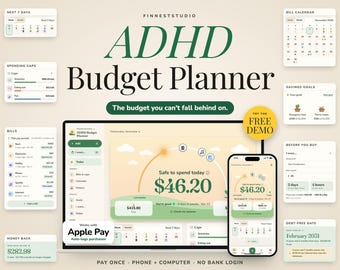
Descarga digital
ADHD Budget Planner App | Safe to Spend Tracker, Paycheck Budget, Bills & Spending Caps, Works Offline on Phone + Computer
Precio en oferta MX$252.73
Precio original MX$316.02
-
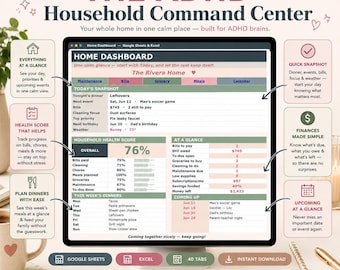
Descarga digital
Hoja de cálculo para el centro de control del hogar para personas con TDAH / Google Sheets y Excel: Planificador para personas con TDAH, gestión del hogar, planificación de comidas, presupuesto y seguimiento de tareas.
Precio en oferta MX$347.75
Precio original MX$496.90
-

Descarga digital
Calculadora de costos de comestibles, Planificador de presupuesto de compras, Comparación de precios de comestibles, Plantilla de comparación de precios de comestibles, Rastreador de precios de supermercados
Precio en oferta MX$135.86
Precio original MX$226.58
-

Descarga digital
Planificador de presupuesto para TDAH Hojas de cálculo de Google Seguimiento de facturas mensuales Ingresos personales Gastos Presupuesto de nómina semanal
Precio en oferta MX$33.68
Precio original MX$67.57
-
Descarga digital
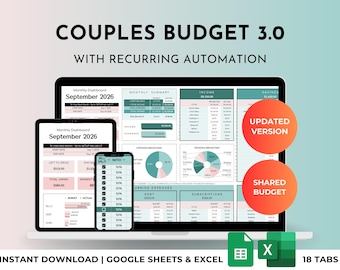
Plantilla de hoja de cálculo para presupuesto de parejas y familias (Excel/Google Sheets): gastos compartidos del hogar, división de facturas, paneles de control para la pareja, seguimiento de deudas.
Precio en oferta MX$335.26
Precio original MX$558.68
-

Descarga digital
Planificador de desglose de proyectos, Entrega de proyectos, Agenda de reuniones, Planificador de proyectos, Planificador de oficina, Planificador de trabajo, Resumen del proyecto, Planificador de productividad
MX$62.12
-

Descarga digital
Rastreador de mantenimiento del vehículo, registro de servicio del vehículo, programa de mantenimiento del automóvil, seguimiento de cambios de aceite, registro de neumáticos y reparaciones, organizador de cuidado del automóvil
MX$62.12
-
Descarga digital
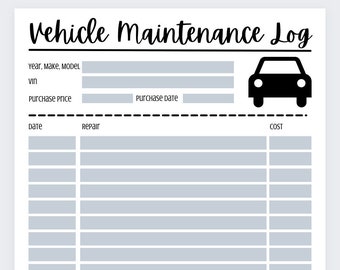
Registro de mantenimiento del vehículo
MX$28.23


