





Wedding Budget Spreadsheet, Expense Tracker, 8 Live Charts, Payment Plan (Excel, Google Sheets, LibreOffice Calc Digital Download)
NuPris:54,34 kr
Ursprungligt pris: 90,64 kr
40 % rabatt
Rean slutar 19 november
Här är vad som är täcks:
- Din beställning överensstämmer inte med artikelns beskrivning eller bilder
- Din artikel levererades skadad
- Din artikel levererades efter beräknat leveransdatum
- Din artikel levererades inte eller försvann i posten
Du kan bara ge ett bud när du köper en artikel
I korthet
WHAT IT IS
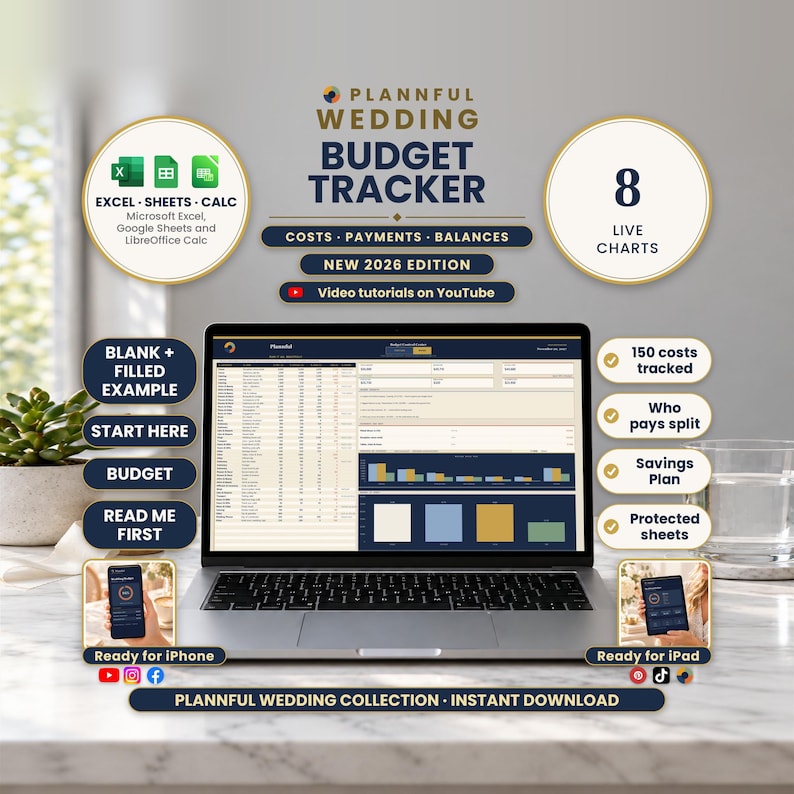
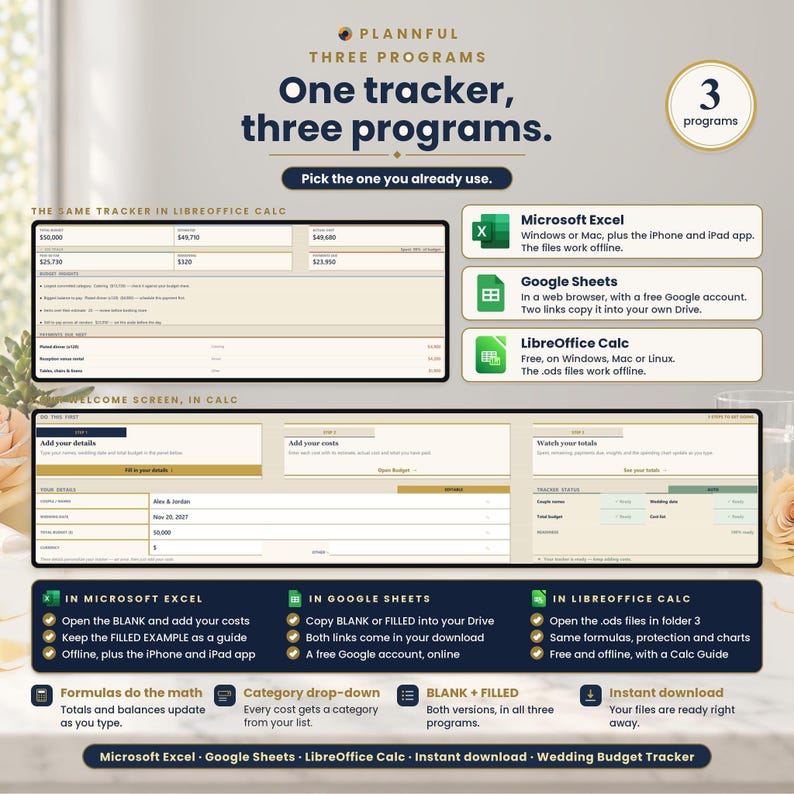
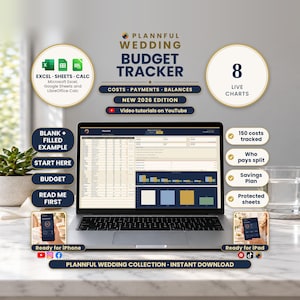
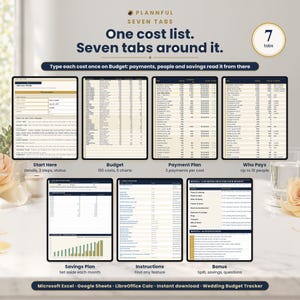
Wedding Budget Tracker is a wedding budget spreadsheet for Microsoft Excel, Google Sheets and LibreOffice Calc. Its 7 tabs show where every wedding dollar goes, when each payment is due, who pays for what and how much to put aside each month. Type your total budget and your costs; the totals, 8 charts, payment dates and savings plan work themselves out.
BY THE FIGURES
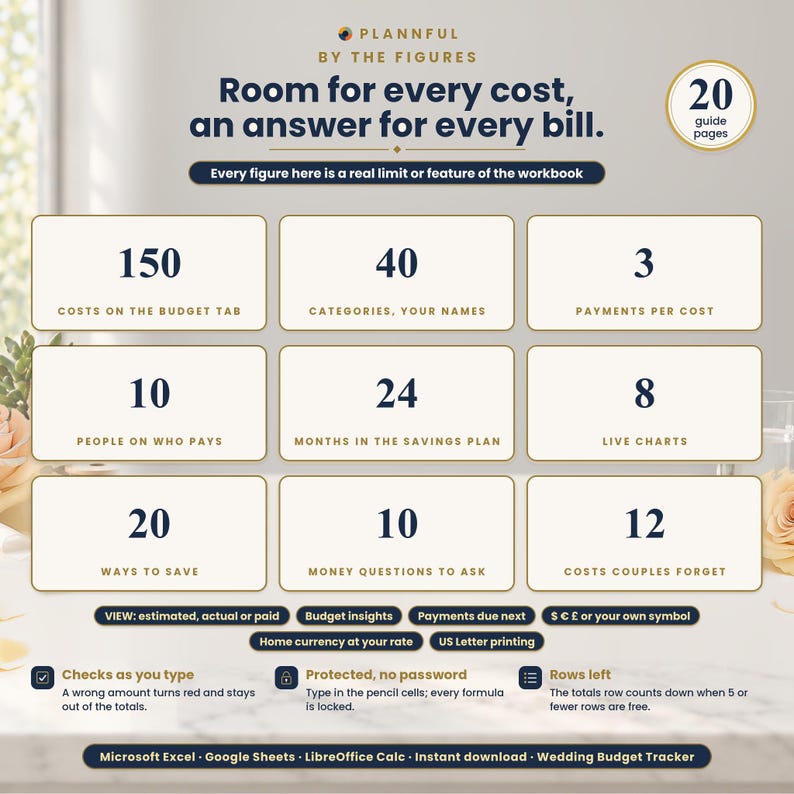
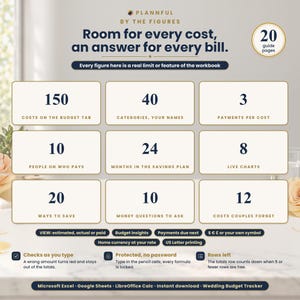
- 150 costs
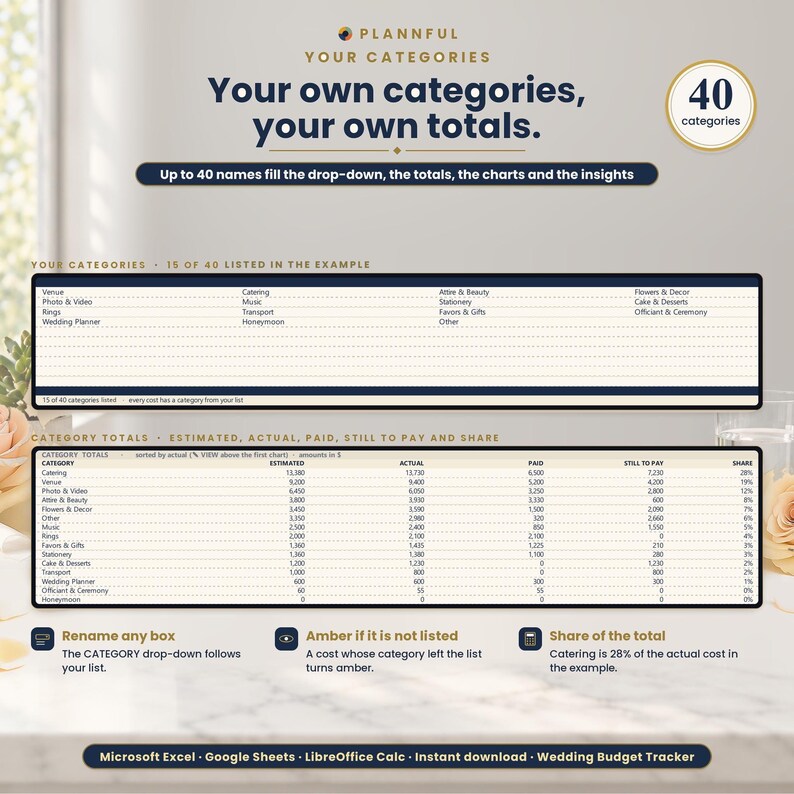
- 40 categories of your own
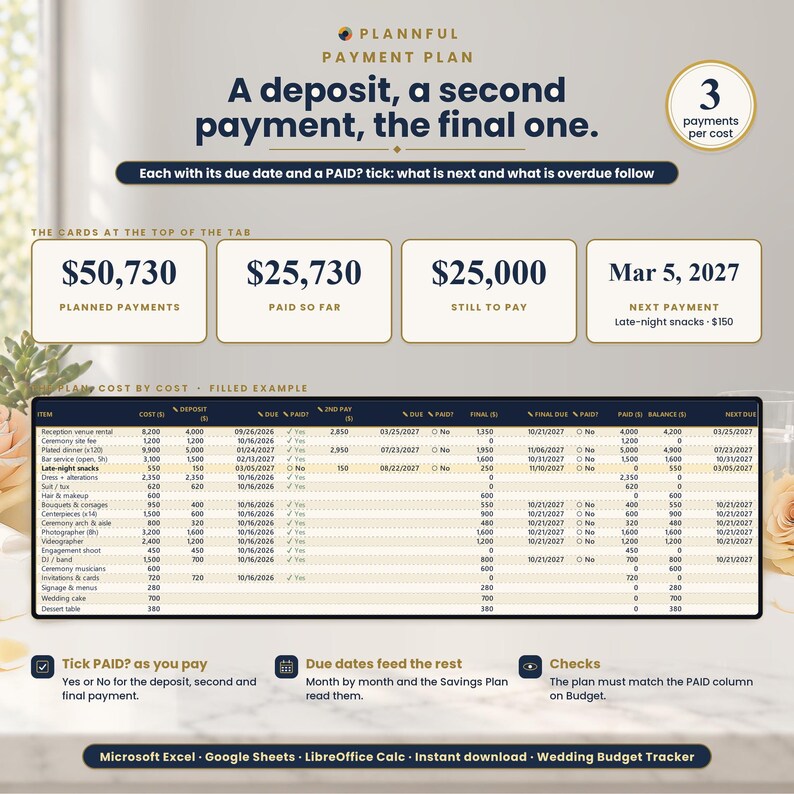
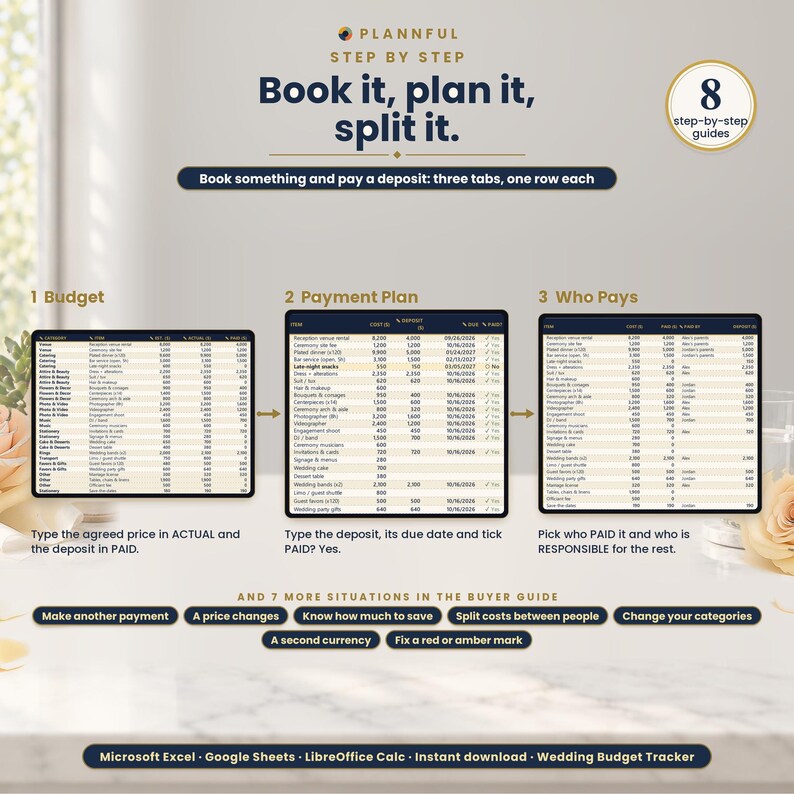
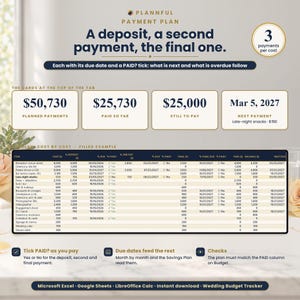
- 3 dated payments per cost: a deposit, a second payment and the final payment
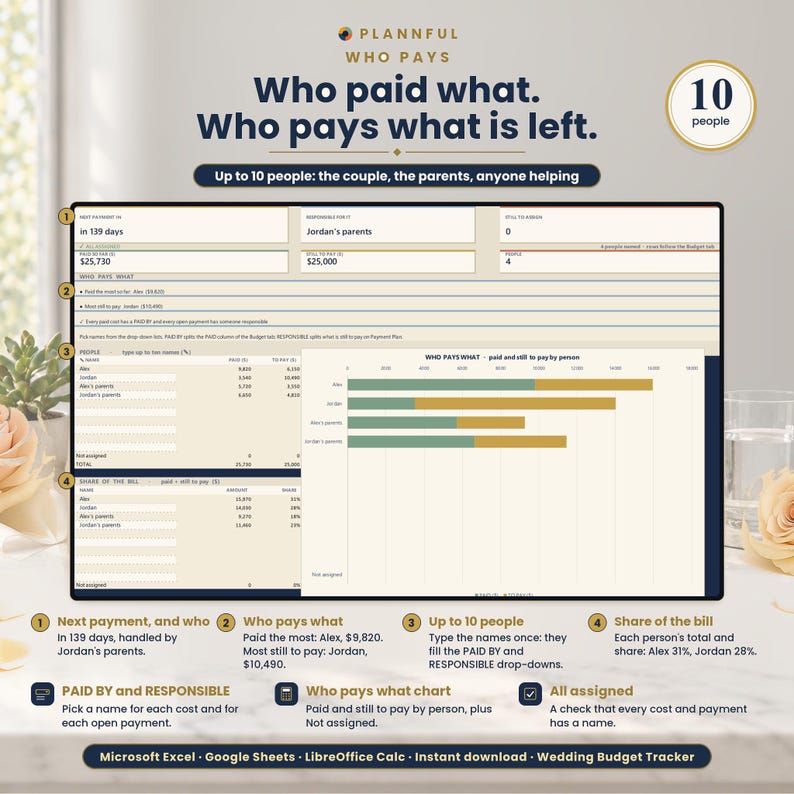
- 10 people on Who Pays
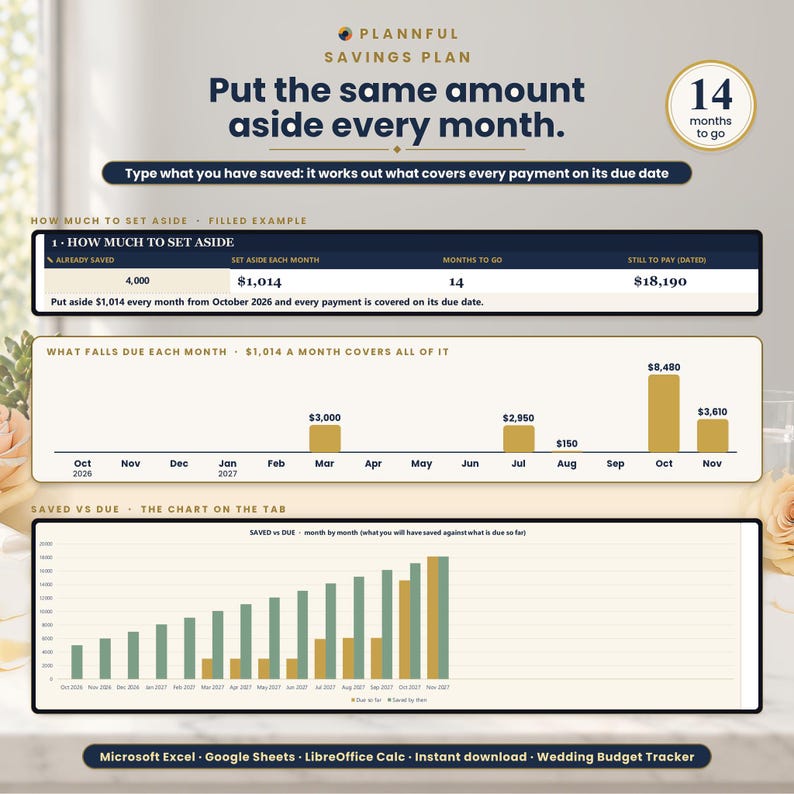
- 24 months in the Savings Plan
- 8 live charts
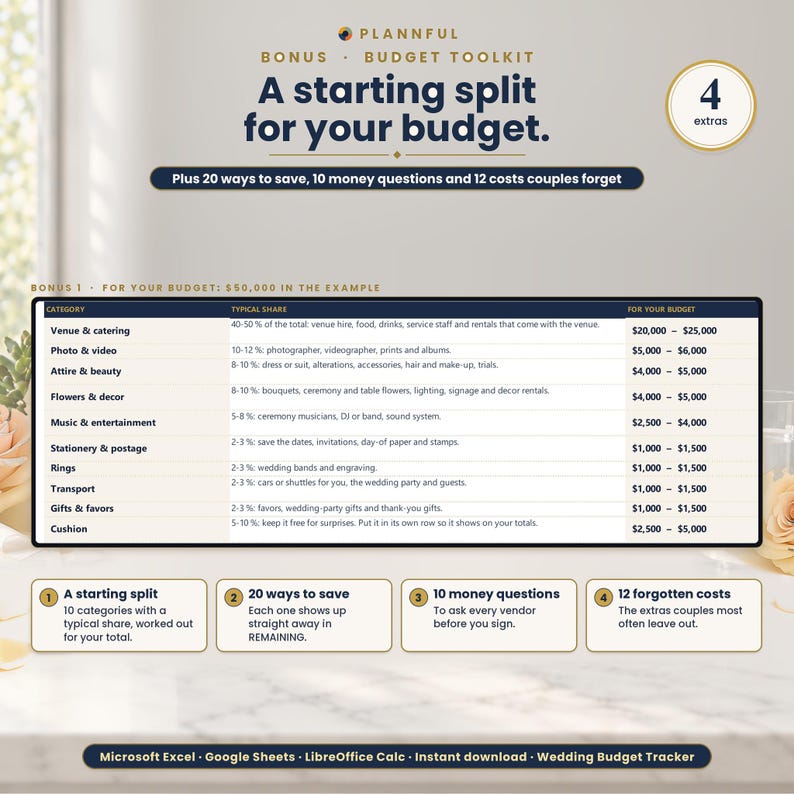
- 20 ways to save, 10 money questions to ask vendors and 12 costs couples often forget
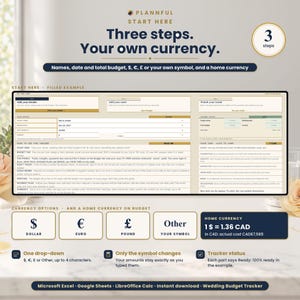
- $, €, £ or your own symbol, plus a home currency at your own rate
WHAT'S INCLUDED
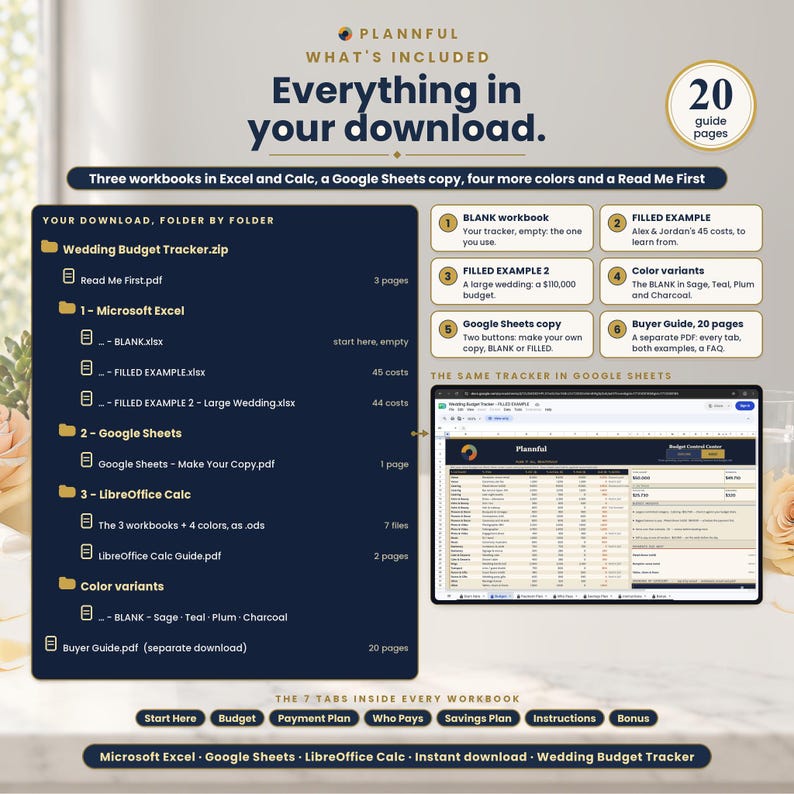
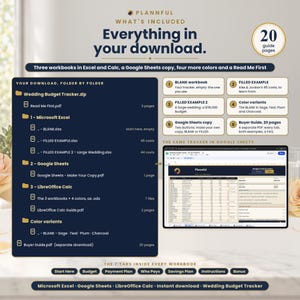
One ZIP file:
- Read Me First (PDF, 3 pages): where to start.
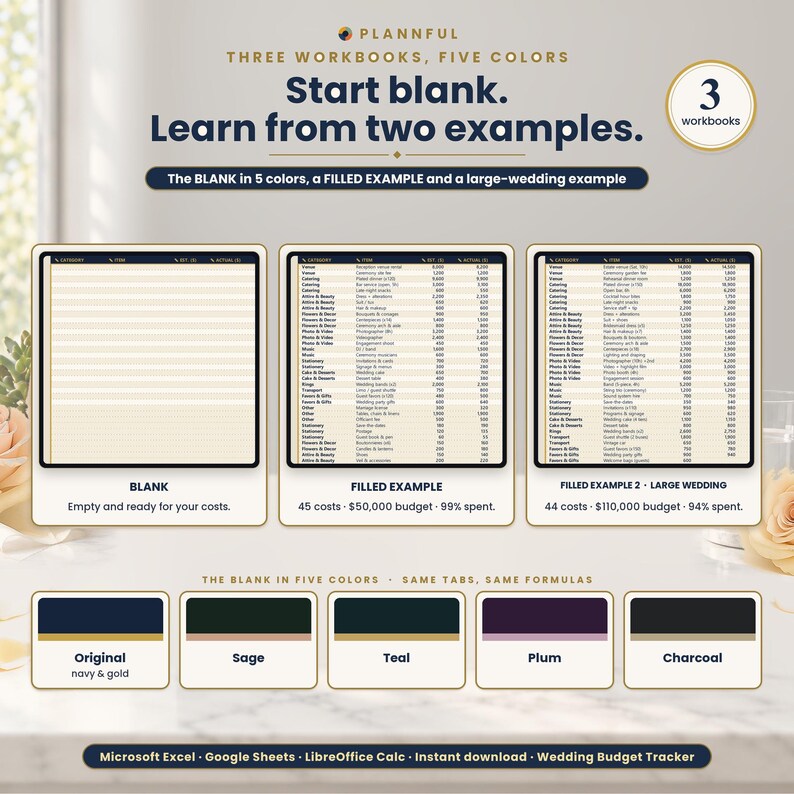
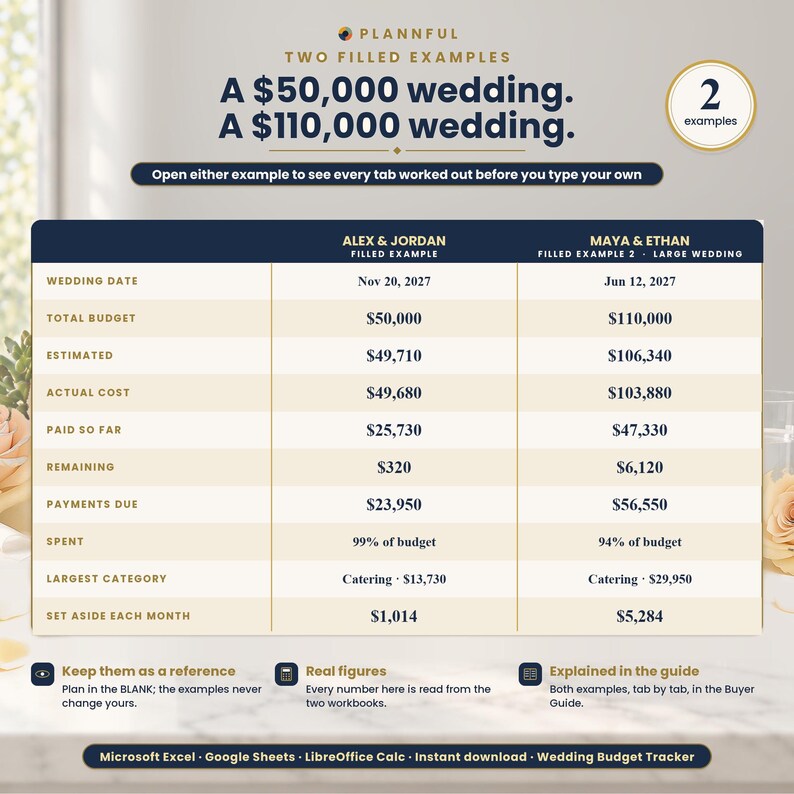
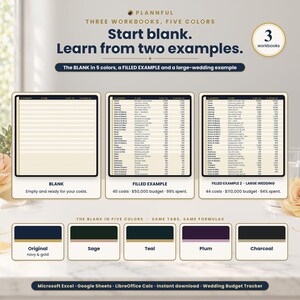
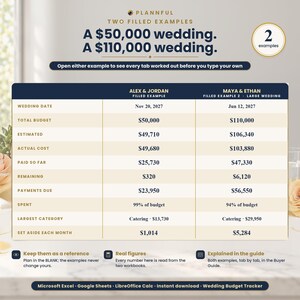
- Folder "1 - Microsoft Excel": BLANK (your tracker, empty), FILLED EXAMPLE (a sample wedding with 45 costs and a $50,000 budget) and FILLED EXAMPLE 2 - Large Wedding (44 costs and a $110,000 budget).
- Folder "Color variants": the BLANK in Sage, Teal, Plum and Charcoal (the main BLANK is navy and gold).
- Folder "2 - Google Sheets": a one-page PDF with two links that copy the BLANK and the FILLED EXAMPLE into your own Google Drive.
- Folder "3 - LibreOffice Calc": the same tracker as .ods files (BLANK, FILLED EXAMPLE, FILLED EXAMPLE 2 and the 4 color variants) with a short LibreOffice Calc Guide.
Plus a step-by-step Buyer Guide (PDF, 20 pages) as a separate download.
YOUR 7 TABS
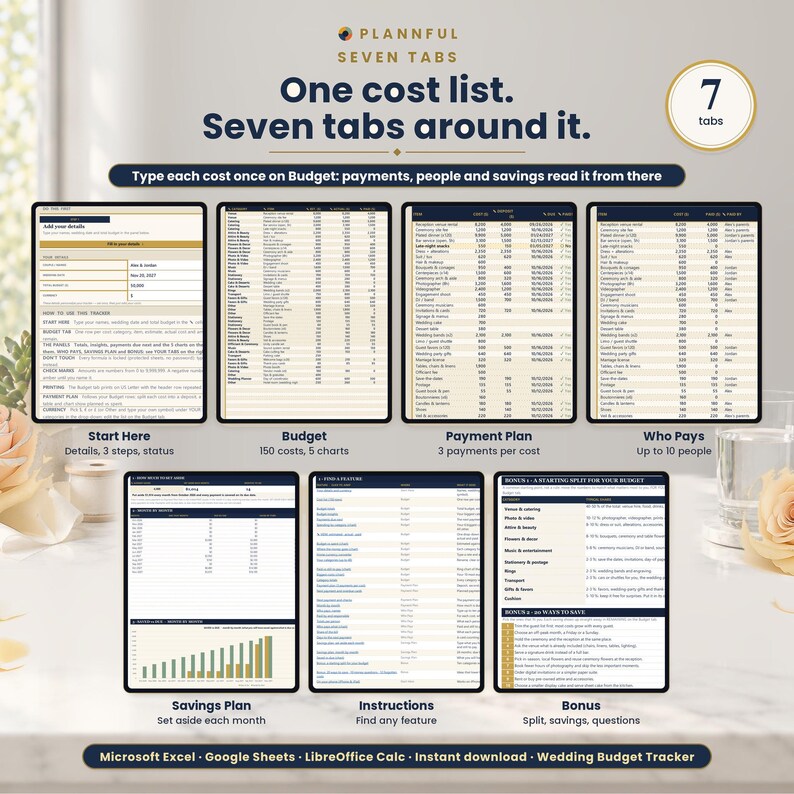
Start Here, Budget, Payment Plan, Who Pays, Savings Plan, Instructions, Bonus.
FEATURES
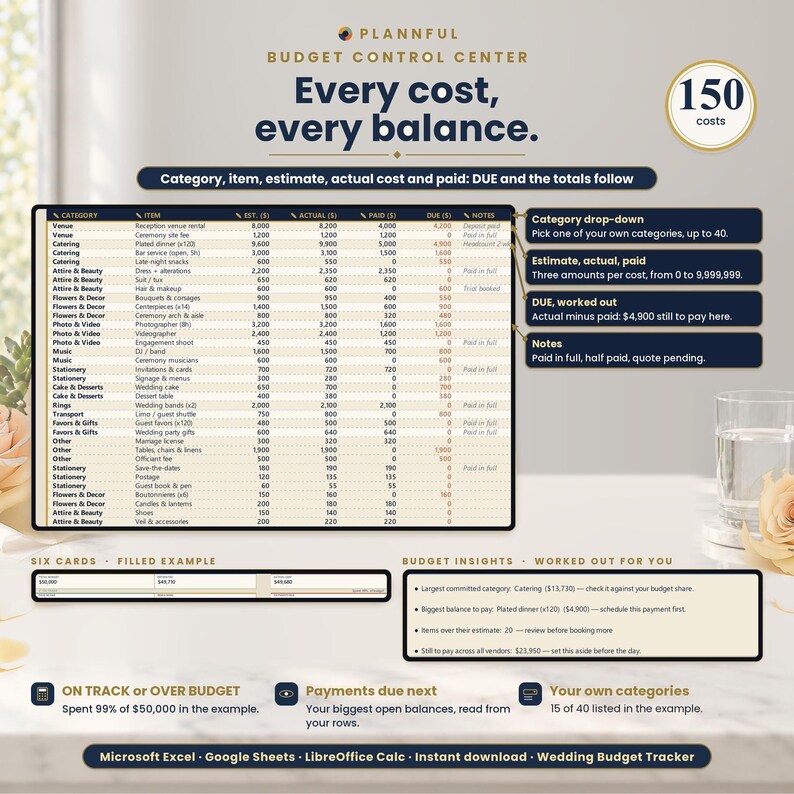
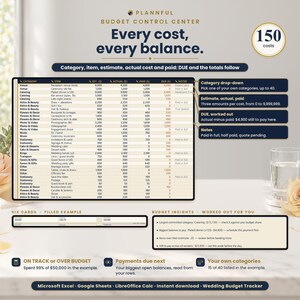
- Budget: room for 150 costs, each with a category, item, estimate, actual cost, what you have paid and notes. What is still DUE is worked out for you, and a counter warns you when 5 or fewer rows are left.
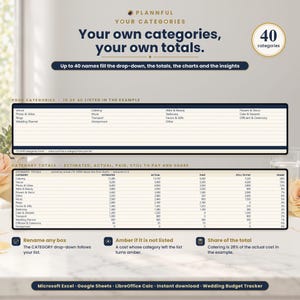
- Categories: a drop-down from your own list of up to 40. It starts with 15: Venue, Catering, Attire & Beauty, Flowers & Decor, Photo & Video, Music, Stationery, Cake & Desserts, Rings, Transport, Favors & Gifts, Officiant & Ceremony, Wedding Planner, Honeymoon, Other.
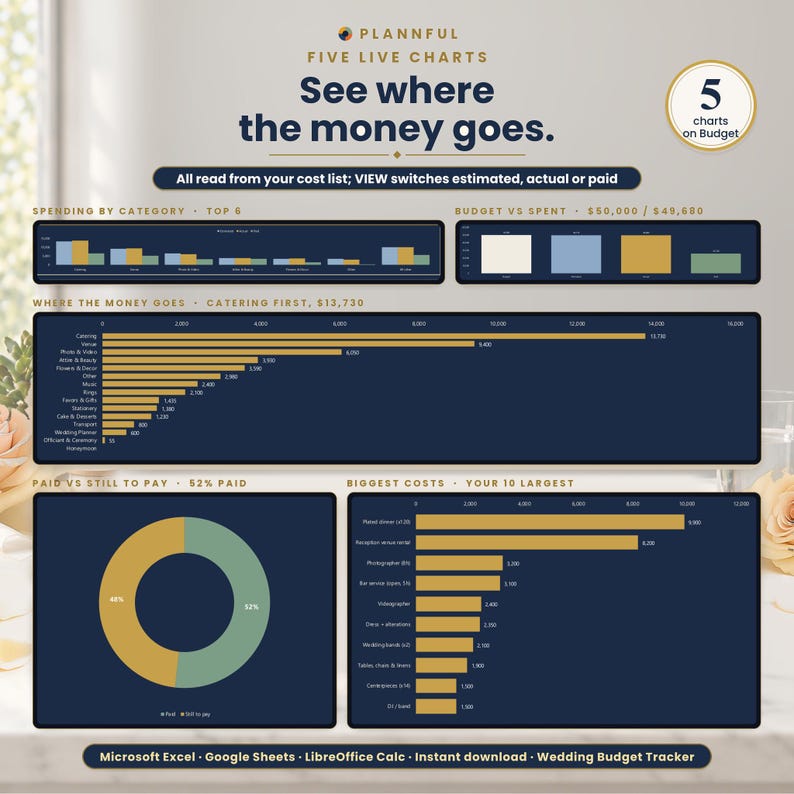
- Six totals that update as you type: total budget, estimated, actual cost, paid so far, remaining and payments due, with an ON TRACK status and the % of the budget spent.
- Budget insights: your largest category, the biggest balance to pay, the items over their estimate and what is still to pay across all vendors. Payments due next lists your 3 biggest balances.
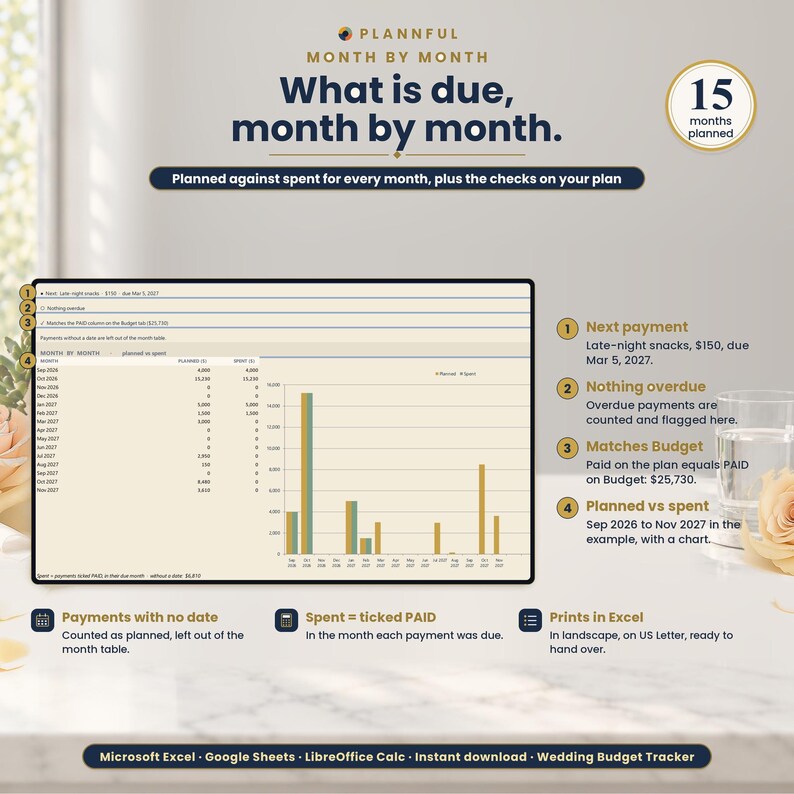
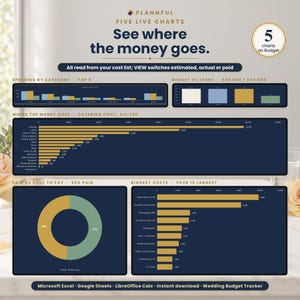
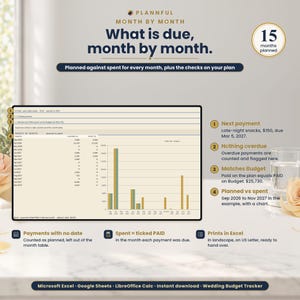
- 8 live charts: spending by category, budget vs spent, where the money goes, paid vs still to pay and your biggest costs on the Budget tab; month by month on Payment Plan; who pays what on Who Pays; saved vs due on Savings Plan.
- VIEW: one drop-down switches the spending chart and the category totals between estimated, actual and paid.
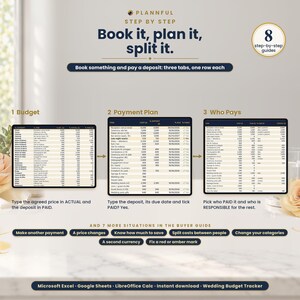
- Payment Plan: split each cost into a deposit, a second payment and the final payment, each with its own due date, and tick PAID? as you pay. It shows your next payment, anything overdue and a month-by-month table of planned vs spent, and checks itself against the Budget tab.
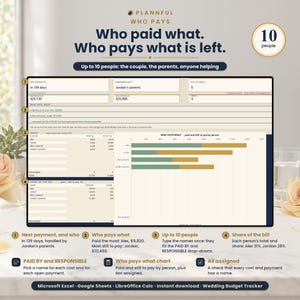
- Who Pays: type up to 10 names (you, your partner, parents...). Pick who PAID each cost and who is RESPONSIBLE for each payment, and see what each person has paid, still has to pay and their share of the bill, with a chart.
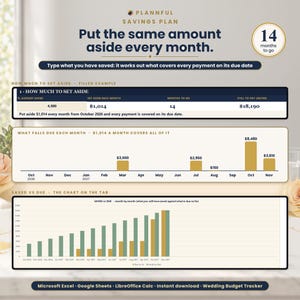
- Savings Plan: type what you have already saved and see how much to set aside each month so every dated payment is covered on time, the months to go and a month-by-month plan with a chart.
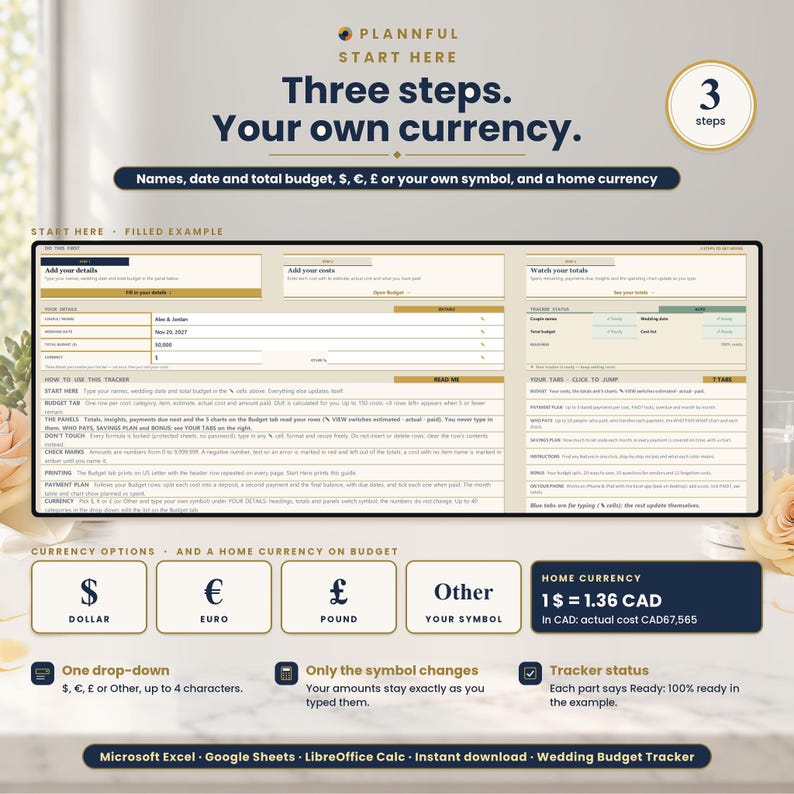
- Currency: pick $, €, £ or type your own symbol (up to 4 characters). HOME CURRENCY: type the rate and symbol of a second currency and see your actual cost, paid so far and still to pay converted.
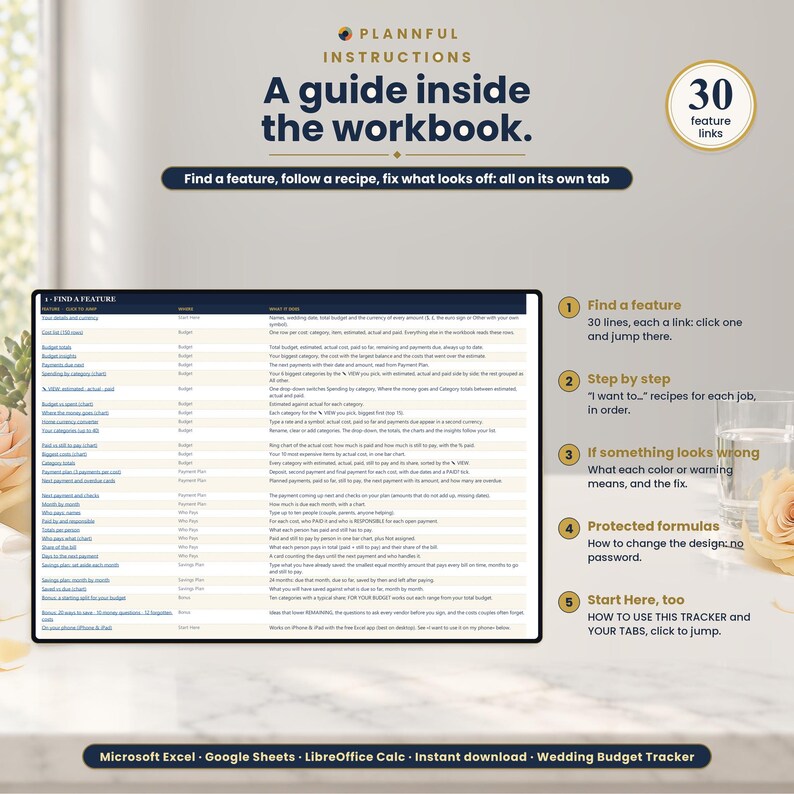
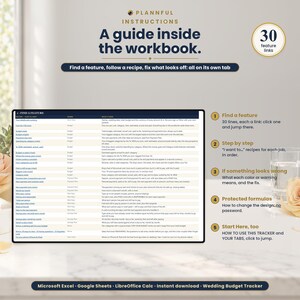
- Instructions: find any feature in one click, step-by-step recipes for each job and what every color or warning means.
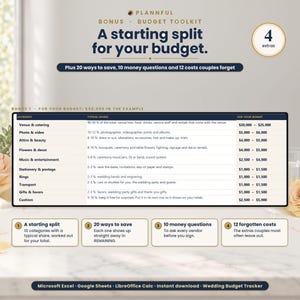
- Bonus: a starting split for your budget, 20 ways to save, 10 money questions to ask vendors and 12 costs couples often forget.
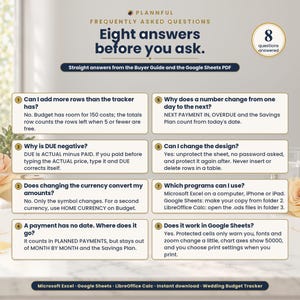
- If a cell holds text, a negative number or an error pasted from another file, it turns red and is left out of the totals.
COMPATIBILITY
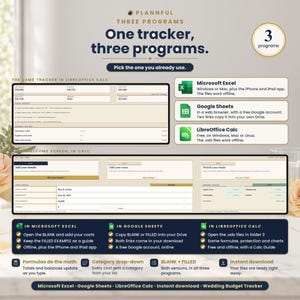
- Microsoft Excel on Windows or Mac.
- The Excel app on iPhone and iPad: add a cost, tick PAID?, pick who paid and read your totals. The charts, printing and Savings Plan are best on a computer.
- Google Sheets, in a web browser, with a free Google account. The Google Sheets links copy the BLANK and the FILLED EXAMPLE; FILLED EXAMPLE 2 and the color variants are Excel files.
- LibreOffice Calc (free) on Windows, Mac or Linux, offline: open the .ods files in the folder 3 - LibreOffice Calc.
- No macros. The Excel and LibreOffice Calc files work offline; Google Sheets needs an internet connection.
IN GOOGLE SHEETS
The formulas, drop-downs, links and 8 charts are the same as in Excel. What is different: protected cells show a warning instead of blocking you, fonts and the zoom of each tab differ slightly, chart axes show 50000 instead of 50,000, and print settings (paper and print area) are chosen when you print.
IN LIBREOFFICE CALC
The formulas, drop-downs, links, protection and 8 charts are the same as in Excel (every calculated cell checked against Excel). What is different: links between tabs open with Ctrl+click (Cmd+click on Mac), every tab opens at 100% zoom, chart colors and fonts can look slightly different, and there is no Calc app for iPhone or iPad.
HOW YOU GET IT
This is an instant digital download. After purchase, go to your Etsy Purchases page and download the files. Unzip the ZIP and start with Read Me First. For Excel, your trackers are in the folder 1 - Microsoft Excel and the 4 extra colors in Color variants. For Google Sheets, open the PDF in 2 - Google Sheets and use its two links. For LibreOffice Calc, open the folder 3 - LibreOffice Calc. The Buyer Guide is a separate file in the same download. Nothing is shipped.
FAQ
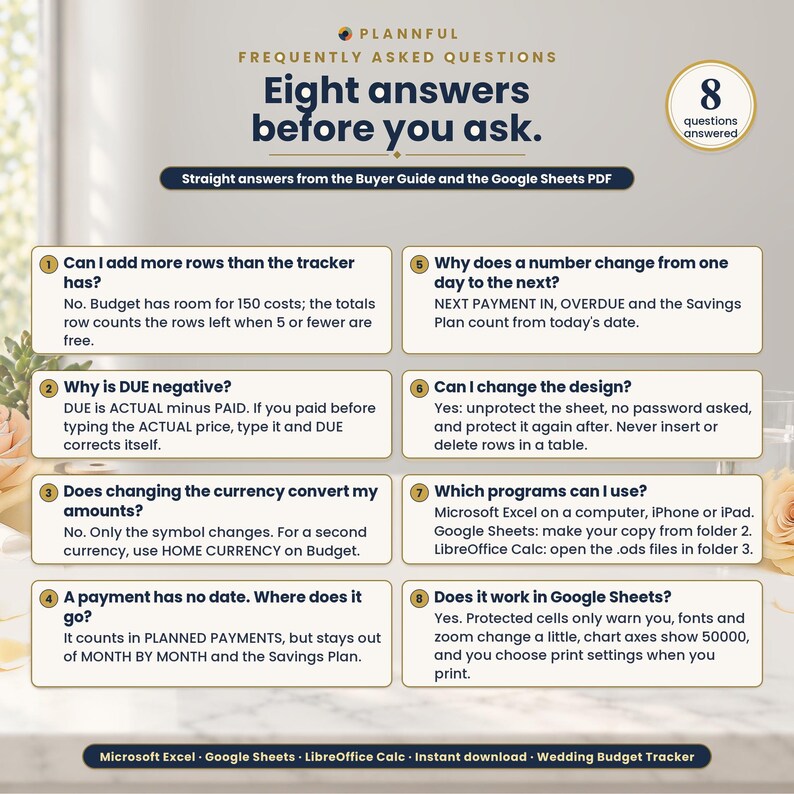
Which programs does it work in?
Microsoft Excel on a computer, the Excel app on iPhone and iPad, Google Sheets (with a free Google account) and LibreOffice Calc (free, on Windows, Mac or Linux).
Can I use it on my phone or tablet?
Yes, in the Excel app on iPhone and iPad: add a cost, tick PAID?, pick who paid and read your totals. The charts, printing and Savings Plan are best on a computer.
How many costs can I track?
150 (the large sample wedding has 44).
Can several people share the cost?
Yes. Who Pays takes up to 10 names and shows what each person has paid and still has to pay.
Does changing the currency convert my amounts?
No. The currency symbol changes only the symbol. HOME CURRENCY shows your totals in a second currency, using the rate you type.
Can I edit it?
Yes. You type in the cells marked with a pencil. Calculated cells are protected with no password, so a sort across them is blocked.
Does it print?
Yes. In Excel and LibreOffice Calc it is set up for US Letter; in Google Sheets you choose the print settings when you print. Dates are in English (month/day/year).
How do I get help?
We usually reply within a few hours, 7 days a week. Message us on Etsy or email hello [!at] plannful.com.
PLANNFUL
Explore the Plannful Wedding Collection in our Etsy shop.
Follow us: YouTube @Plannful · Instagram @plannful · Pinterest Plannful · TikTok @plannful
SUPPORT
We usually reply within a few hours, 7 days a week. Message us on Etsy or email hello [!at] plannful.com.
Because this is a digital download, returns and cancellations are not accepted. If there is a problem with your order, message us on Etsy and we will help.
Omedelbar nedladdning
Dina filer kommer att finnas tillgängliga för nedladdning när betalningen har bekräftats. Så här gör du.
Artiklar för omedelbar nedladdning kan inte returernas, bytas eller avbeställas. Kontakta säljaren vid eventuella problem med din beställning.
Etsys köpskydd
Handla tryggt på Etsy med vetskapen om att vi ger dig stöd vid alla berättigade köp om något går fel –
se programvillkor


Mer från denna butik
Besök butik-
Digital nedladdning
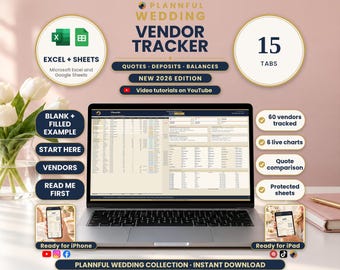
Wedding Vendor Tracker Spreadsheet, Payments, Compare Quotes, 15 Tabs (Excel, Google Sheets Digital Download)
Reapris 54,34 kr
Ordinarie pris 90,64 kr
-
Digital nedladdning
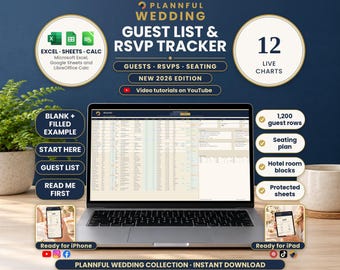
Wedding Guest List Spreadsheet, RSVP Tracker, Table Seating Plan, Meals, Hotels (Excel, Google Sheets, LibreOffice Calc Digital Download)
Reapris 54,34 kr
Ordinarie pris 90,64 kr
-
Digital nedladdning
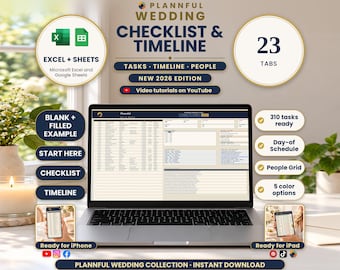
Wedding Checklist Spreadsheet, Day-of Timeline, 23 Tabs, 310 Tasks (Excel, Google Sheets Digital Download)
Reapris 116,56 kr
Ordinarie pris 194,34 kr
-
Digital nedladdning
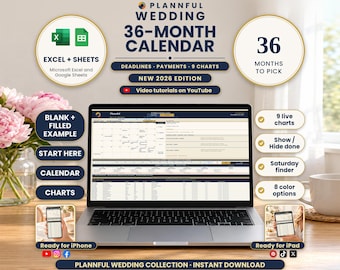
Wedding Calendar Spreadsheet, 36-Month Timeline, Deadlines and Payments (Excel, Google Sheets Digital Download)
Reapris 54,34 kr
Ordinarie pris 90,64 kr
Bli först med att lämna en recension
-
Digital nedladdning
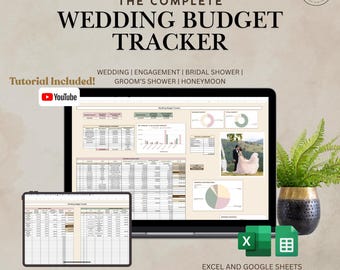
Bröllopsbudgetplanerare | Google Sheets och Excel | Spåra utgifter, Möhippa, Brudgummens dusch, Smekmånad | Kalkylblad, Mall | YouTube-handledning
Reapris 72,26 kr
Ordinarie pris 120,44 kr
-
Digital nedladdning
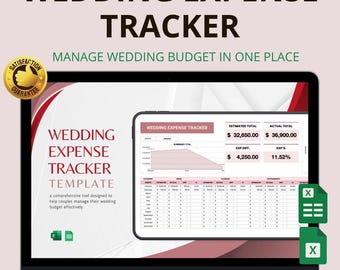
Mall för bröllopsutgiftsspårning i Excel och Google Sheets: Hantera budgetar, kostnader och betalningar
Reapris 42,73 kr
Ordinarie pris 85,55 kr
-
Digital nedladdning
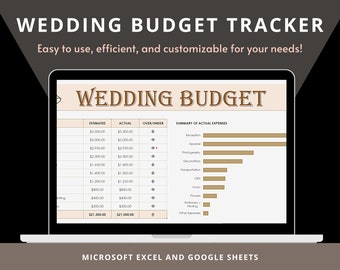
Kalkylblad för bröllopsbudget | Checklista för bröllop | Mall för bröllopsbudget | Kalkylblad för bröllop
80,89 kr
-
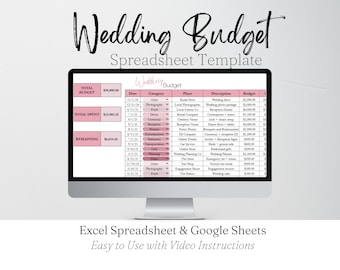
Digital nedladdning
Budgetspårning för bröllop i Google Sheets, budgetmall för bröllopsbudgetering i Excel, kalkylblad för planering, mallar för bröllopsutgifter, budgetplanerare
Reapris 42,73 kr
Ordinarie pris 85,45 kr
-
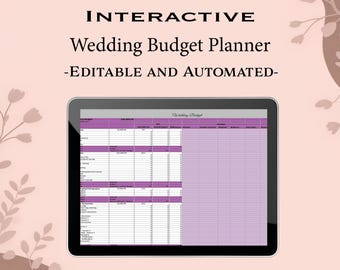
Digital nedladdning
Interaktivt kalkylblad för bröllopsbudget | Redigerbart och automatiskt beräknande | Direkt nedladdning | Spåra enkelt dina bröllopsutgifter |
77,15 kr
-
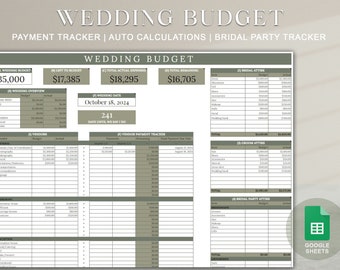
Digital nedladdning
Mall för bröllopsbudgetplanerare Google Sheets | Mall för bröllopsbudgetspårning | Digital bröllopsmall | Betalningsspårning
82,27 kr
-
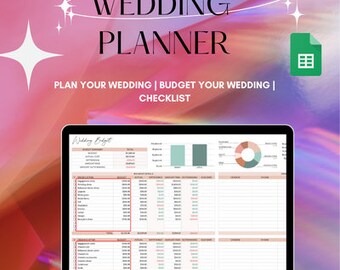
Digital nedladdning
Digital budgetspårare för bröllop | Utgiftsspårare för bröllop | Ekonomiplanerare | Betalningsspårare för bröllop | Google Sheets | Budgetplanerare för bröllop
109,69 kr
-
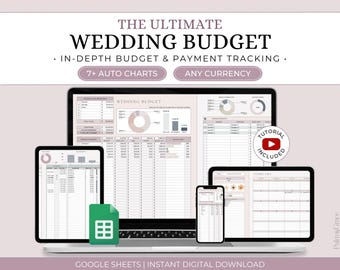
Digital nedladdning
Mall för bröllopsbudgetplanerare, kalkylblad för bröllopsbudget Google Sheets, kostnads- och budgetspårare för bröllop, bröllopsplanerare, brudbudget
Reapris 46,77 kr
Ordinarie pris 55,06 kr
-
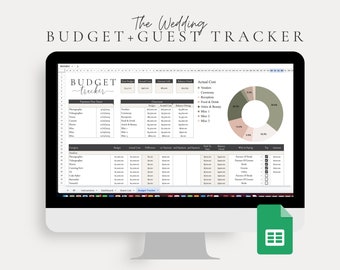
Digital nedladdning
Google Sheets Bröllopsbudget, Gästlista, Bröllopschecklista, Bröllopsplanerare, Mall för bröllopsbudget, Digital bröllopsmall
Reapris 44,47 kr
Ordinarie pris 148,24 kr
-
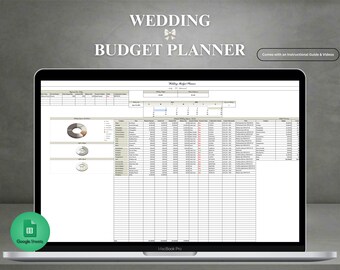
Digital nedladdning
Bröllopsbudgetplanerare Google Sheets | Bröllopsbudgetspårare | Bröllopsbudgetmall | Digital bröllopsbudgetplanerare | Budgetplanerare
129,63 kr
-
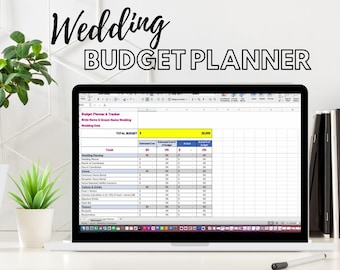
Digital nedladdning
Bröllopsbudgetplanerare, specificerad utgiftsspårare (Excel-mall)
77,68 kr
-
Digital nedladdning
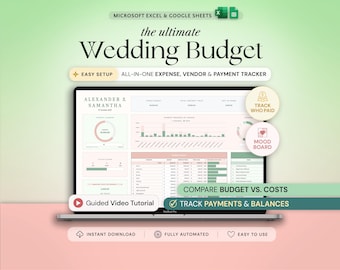
Wedding Budget Wedding Planner Spreadsheet Google Sheets Budget Excel Wedding Finance Tracker Wedding Cost Tracking Expenses Bride Budget
Reapris 38,16 kr
Ordinarie pris 54,55 kr
Köpare med liknande smak älskade dessa
-

Digital nedladdning
Gästbok för bröllopsträd med fingeravtryck | Anpassad gästbok för bröllop | Canvas med fingeravtryck för träd | Bröllopspresent | Bröllopsminnessak | Bröllopsdekoration
Reapris 263,34 kr
Ordinarie pris 405,07 kr
-
Digital nedladdning
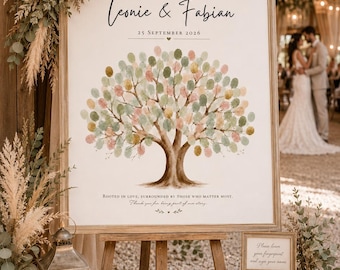
Gästbok för bröllopsträd med fingeravtryck | Anpassad gästbok för bröllop | Canvas med fingeravtryck för träd | Unik bröllopsgåva | Minnessak | Bröllopsdekor
Reapris 273,47 kr
Ordinarie pris 420,71 kr
-

Digital nedladdning
Gästbok för bröllopsträd med fingeravtryck | Anpassad gästbok för bröllop | Canvas med fingeravtryck för träd | Unik bröllopsgåva | Minnesgåva för bröllop
Reapris 263,34 kr
Ordinarie pris 405,07 kr
-

Digital nedladdning
Gästbok för bröllopsträd med fingeravtryck | Anpassad gästbok för bröllop | Canvas med fingeravtryck för träd | Bröllopspresent | Bröllopsminnessak | Bröllopsdekoration
Reapris 273,47 kr
Ordinarie pris 420,71 kr
-
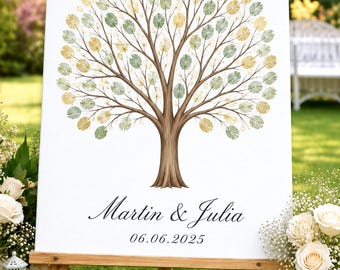
Fingeravtrycksträd för bröllop | Gästbok | Personlig | Tryckt | Bröllopsdagsskylt | Fingeravtrycksträd för bröllop | Fingeravtrycksträd
Reapris 293,54 kr
Ordinarie pris 345,41 kr
-

Rustikt fingeravtryckstryck på kanvas för bröllopsgranen, alternativ till anpassad gästbok med löv, unikt hjärttryck för årsdagsgranen, personlig bröllopsskylt
Reapris 369,39 kr
Ordinarie pris 388,78 kr
-

Personalized Wedding Matchboxes - Set of 50 Party Favors
Reapris 233,33 kr
Ordinarie pris 311,11 kr
-

The Perfect Match Matchboxes Wedding Favor, Customized Matchboxes Wedding Favors, Personalized Matchboxes, Personalized Matchbox Favors (11)
Reapris 194,44 kr
Ordinarie pris 243,08 kr
-

Personalized Wedding Can Coolers, Custom Neoprene Drink Sleeves for Bridal Shower Engagement Bachelorette Reception Favors, Bulk Order
Reapris 8,19 kr
Ordinarie pris 11,72 kr
-

Anpassade chokladgåvor till bröllopsgäster, choklad i plexiglas för förlovning, present till brudgummen
Reapris 6,12 kr
Ordinarie pris 10,27 kr
-
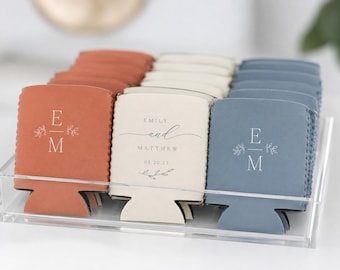
Personliga burkkylare för bröllop, anpassade neoprenburkkylare med namn, ölhållare för möhippa, möhippa, förlovningsfest
Reapris 19,39 kr
Ordinarie pris 25,93 kr
-

Personalized Credit Card Bottle Opener | Custom Wedding Guest Favor, Engraved Metal Keepsake
Reapris 4,87 kr
Ordinarie pris 6,53 kr
 Presenter till brudtärnor
 Presenter till marskalkar
 Bröllopspresenter
 Förlovningspresenter


