

Household Budget Spreadsheet, Monthly + Annual Budget, Envelope & Zero Based, Debt Snowball, Sinking Funds, Google Sheets Excel Template
価格:¥1,654
対象となる場合はこちらです:
- ご注文の品が商品説明や商品写真と一致していない場合
- ご注文の品が破損して届いた場合。
- 商品が到着予定期間より後に届いた場合
- ご注文の品が届かなかった、または配送中に紛失した場合
単品の購入の場合のみ価格を提案できます
ハイライト
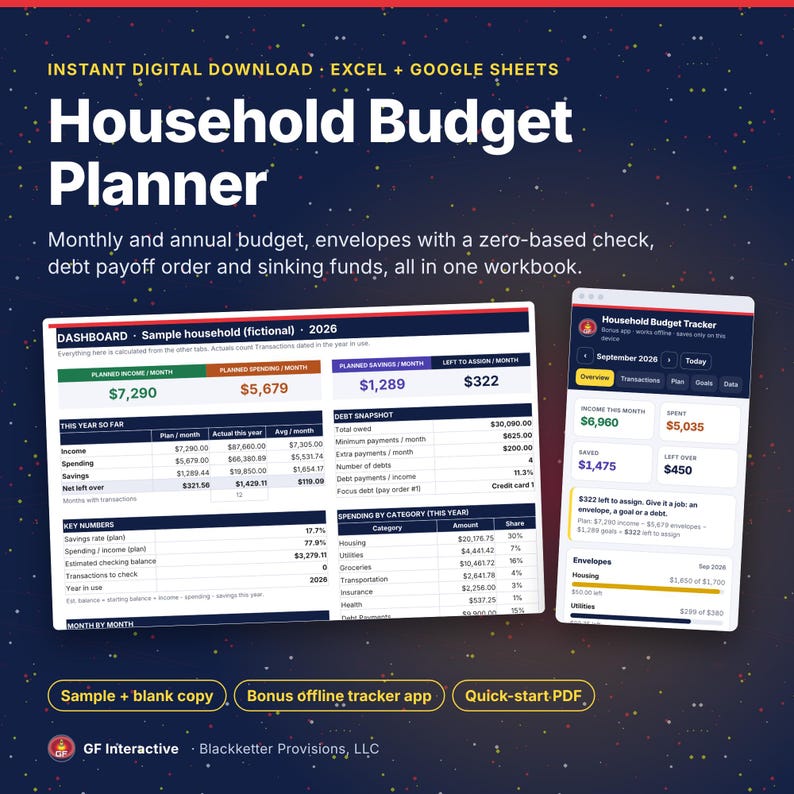
Plan your month down to the last dollar and see the whole year, in a spreadsheet you keep. No subscription and no bank connection.
WHAT'S INCLUDED
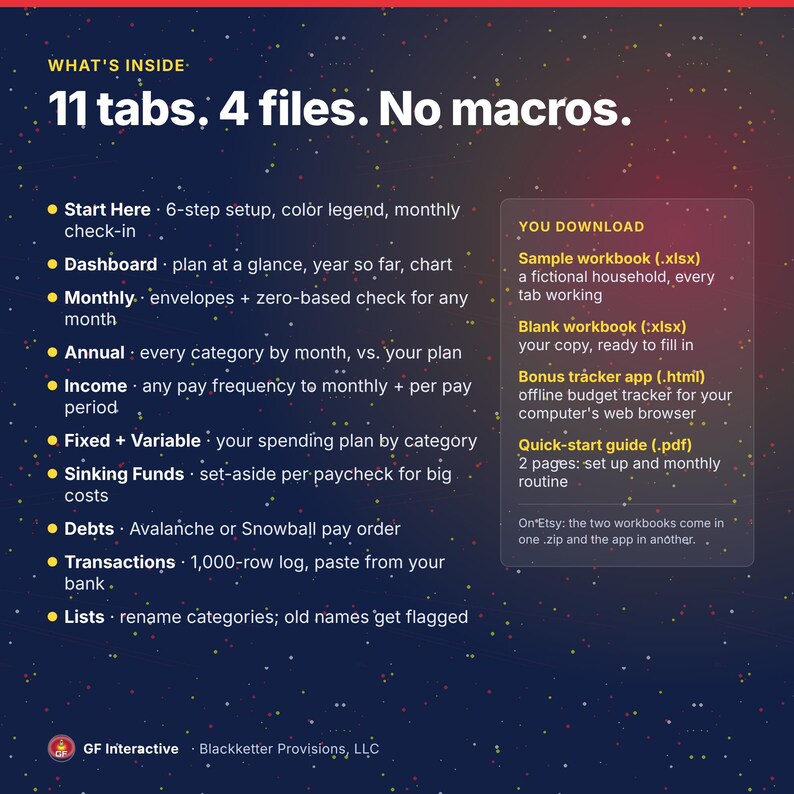
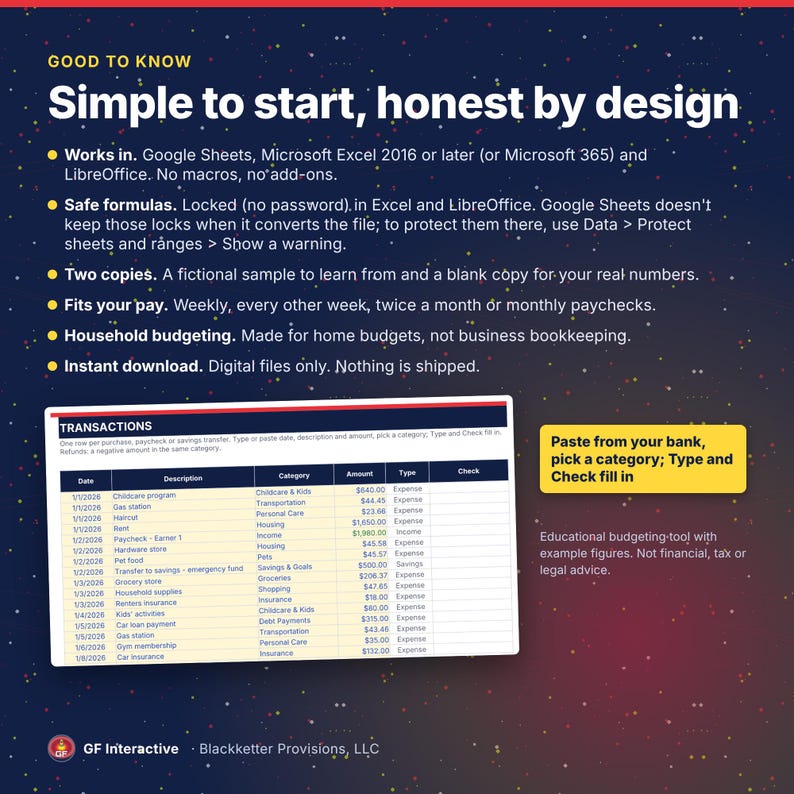
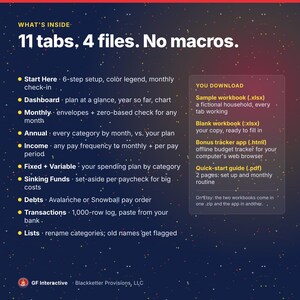
• Household Budget Planner workbook (.xlsx) in two copies: a fictional sample household so you can see every tab working, and a blank copy for your own numbers. Works in Google Sheets, Microsoft Excel 2016 or later (or Microsoft 365) and LibreOffice
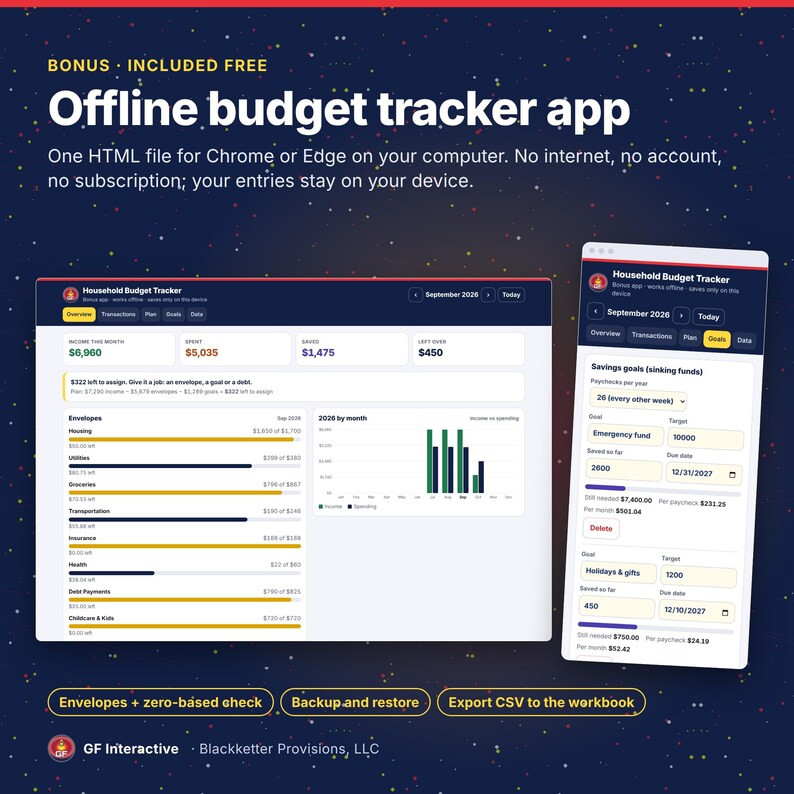
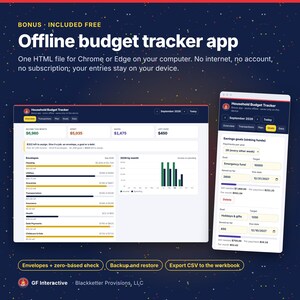
• Bonus: offline budget tracker app (one HTML file). It opens in Chrome or Edge on your computer and works without internet
• 2-page quick-start guide (PDF)
• Delivered as two .zip files (the two workbooks; the app with a how-to-open note) and the PDF. Unzip the downloads before you open them
INSIDE THE WORKBOOK (11 tabs)
• Start Here: 6-step setup, color legend and a 15-minute monthly check-in
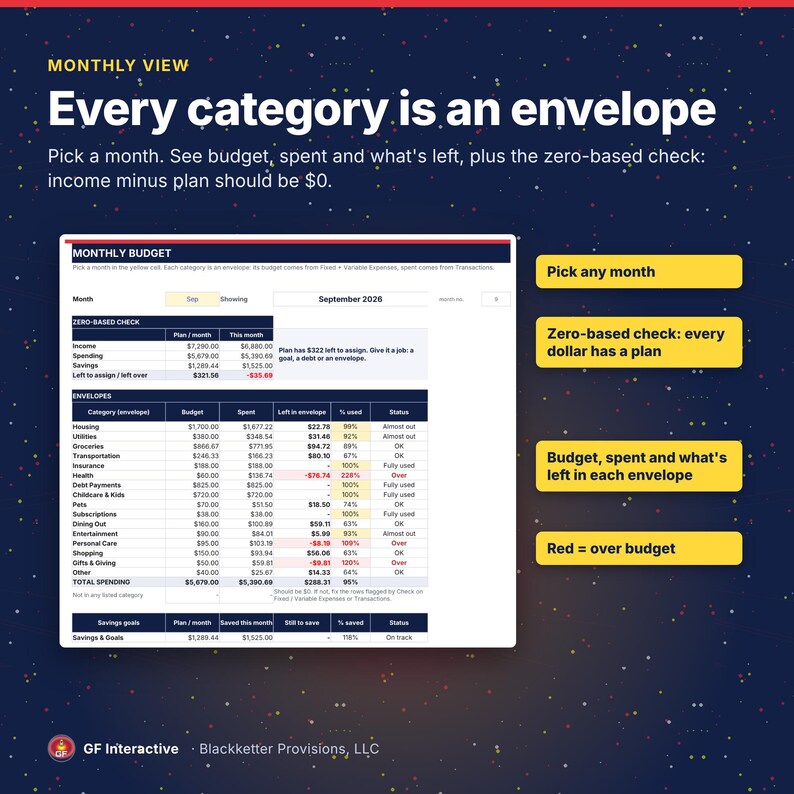
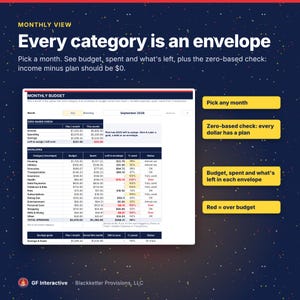
• Monthly: pick a month. Every category is an envelope with its budget, what you spent and what's left, plus a zero-based check: income minus your plan should come to $0
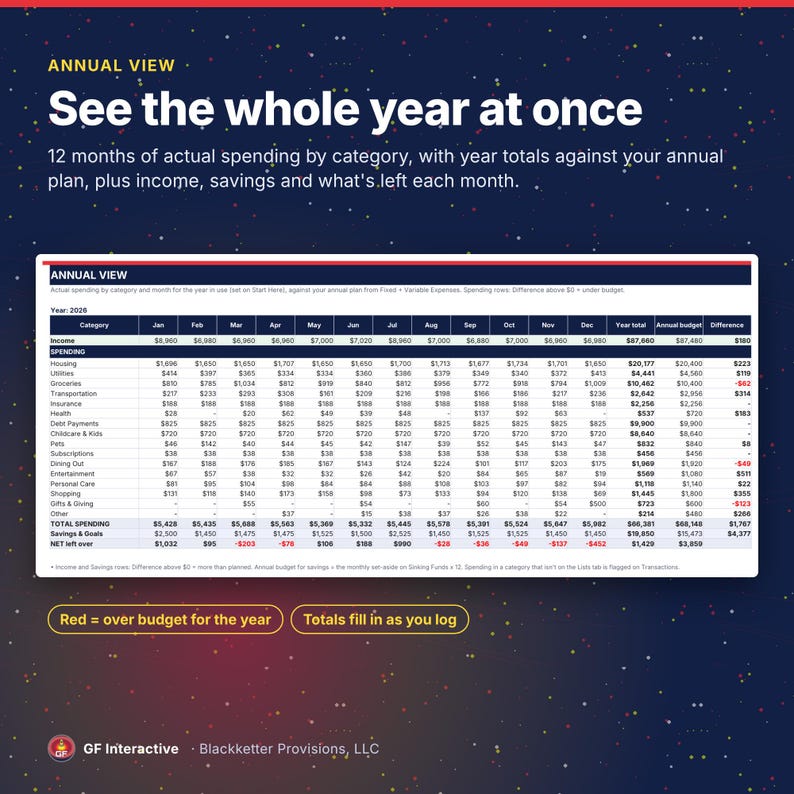
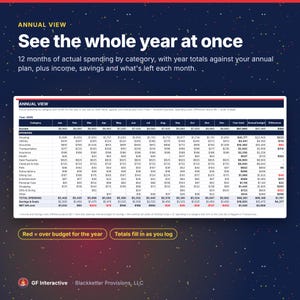
• Annual: every category by month for the whole year, with year totals against your annual plan
• Dashboard: your plan at a glance, this year so far, a debt snapshot, spending by category and a month-by-month chart
• Income: weekly, every-other-week, twice-a-month or monthly pay, converted to monthly and per-pay-period amounts
• Fixed Expenses and Variable Expenses: your spending plan, by category
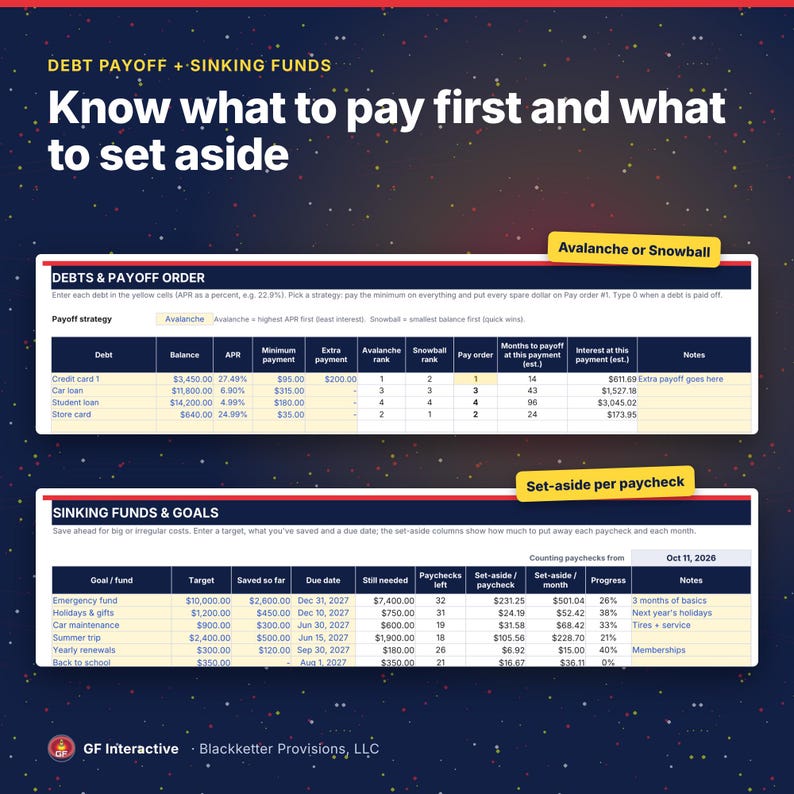
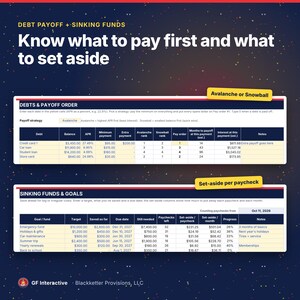
• Sinking Funds: how much to set aside each paycheck and each month to reach a goal by its date; a due date that has passed turns red
• Debts: Avalanche (highest APR first) or Snowball (smallest balance first) pay order, with estimated months to payoff and interest for each debt at its current payment. Type 0 when a debt is paid off and it leaves the pay order
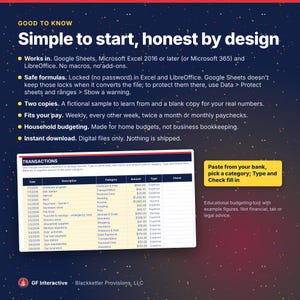
• Transactions: a 1,000-row log (about 83 a month). Type or paste from your bank; a Check column flags any row that won't count
• Lists: rename categories here; any plan row or transaction still using an old name is flagged so you can re-pick it
THE BONUS TRACKER APP
• Envelopes, transactions, savings goals and the same zero-based check, in Chrome or Edge on your computer
• Works offline. What you type stays in your browser on your device; download a backup any time
• Export your transactions as a CSV and paste them straight into the workbook's Transactions tab
HOW IT WORKS
1. Download and unzip the files. Open the blank workbook in Google Sheets (upload the .xlsx to Google Drive, then File > Save as Google Sheets), in Excel 2016 or later, or in LibreOffice.
2. Follow the 6 steps on the Start Here tab. It takes about 10 minutes.
3. Log or paste your transactions, then check the Monthly tab once a month.
GOOD TO KNOW
• Formulas are locked (no password) in Excel and LibreOffice. Google Sheets doesn't keep those locks when it converts the file; to protect them there, use Data > Protect sheets and ranges > Show a warning
• No macros and no add-ons
• Debt estimates are per debt at its own payment; the money freed up when a debt is paid off (the snowball roll-over) isn't added in
• Made for household budgets, not business bookkeeping
• Digital download only; nothing is shipped
HOW IT WAS MADE
Designed by GF Interactive. The spreadsheet formulas, app code and preview images were built with AI assistance and checked by hand; the formulas were also checked by full recalculation and against an independent calculation of the sample numbers.
Refund on request within 30 days, no proof required.
Educational budgeting tool with example figures. Not financial, tax or legal advice. Sample data is fictional. No savings, debt-payoff or other results are promised; payoff months and interest are estimates. Not affiliated with, endorsed by or sponsored by Google, Microsoft or The Document Foundation; the names only identify the apps the workbook opens in.
FAQ
Does it work in Google Sheets?
Yes. Unzip the download, upload the .xlsx to Google Drive, open it with Google Sheets, then choose File > Save as Google Sheets. Google Sheets doesn't keep the formula locks from the file; to add your own, use Data > Protect sheets and ranges > Show a warning.
Which versions of Excel?
Microsoft Excel 2016 or later, or Microsoft 365. The workbook uses no functions newer than Excel 2016 and no macros. It also opens in LibreOffice.
Is it envelope budgeting or zero-based budgeting?
Both. Each category on the Monthly tab works as an envelope (budget, spent, what's left), and the zero-based check shows whether your plan accounts for every dollar of income.
Do I have to connect my bank?
No. Nothing connects to your bank. You type or paste your transactions.
Is my data private?
The workbook is a file you keep. The bonus tracker app saves what you type only in your own browser and doesn't connect to the internet.
I get paid weekly (or every other week). Does it fit?
Yes. Set paychecks per year on Start Here (52, 26, 24 or 12) and each income line can have its own frequency.
What if a goal is due very soon or the date has passed?
The due date turns red once it has passed. When fewer paychecks than one month's worth are left, the monthly set-aside shows the full amount still needed, so your plan stays realistic.
Can I change the categories?
Yes. Rename them on the Lists tab. Any plan row or transaction still using the old name is flagged by its Check column so you can re-pick it.
Does the debt payoff include the snowball roll-over?
The Debts tab gives you the pay order (Avalanche or Snowball) and estimates months and interest for each debt at its own payment. When a debt is paid off, type 0 as its balance and move its payment to the new Pay order #1 yourself.
How many transactions does it hold?
The log has 1,000 rows, about 83 a month.
Does the tracker app work on my phone?
It's made for Chrome or Edge on a computer. Many phones can't open a downloaded HTML file in a browser, so phone use isn't promised. The workbook itself is the main product.
Is this for my shop's bookkeeping?
No. It's built for household budgets. Selling online too? Our Seller Bookkeeping Sheet tracks shop sales and fees: https://www.etsy.com/jp/listing/4593364947/etsy-ebay-seller-bookkeeping-spreadsheet
Is this financial advice?
No. It's an organizing tool with example figures. You make your own decisions.
Can I get a refund?
Refund on request within 30 days, no proof required.
即時ダウンロード可能商品
お支払い確認後、ファイルがダウンロードできるようになります。 ダウンロード方法はこちらから。
即時ダウンロード可能商品では返品、交換およびキャンセルを受け付けておりません。ご注文に関する問題については、セラーにお問い合わせください。
Etsy 購入保護
Etsy で安心してショッピングをしましょう。何か問題が起きた場合でも、対象となる購入について Etsy がサポートします。
プログラムの規約を見る

このショップの他の商品
ショップを見る-
ダウンロード商品
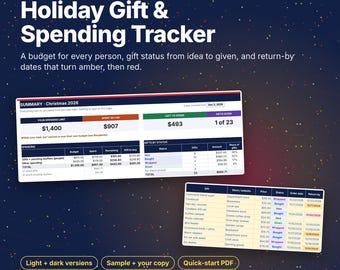
Christmas Gift Tracker Spreadsheet, Holiday Gift List and Budget per Person, Return-By Dates, Google Sheets Excel Template, Light + Dark
¥661
-

ダウンロード商品
ハロウィンのクリップアート、不気味でかわいいモンスター + 塗り絵、かわいいモンスターPNGバンドル、モンスターの誕生日、透明PNG、小規模商用利用可
セール価格 ¥694
元の価格 ¥992
-

ダウンロード商品
家族向けパズルアドベントカレンダー(印刷可能)、8歳以上のお子様向け24日間ミステリーカウントダウン、クリスマスパズルストーリー、暗号解読、スクリーンフリー12月
¥1,654
-
ダウンロード商品
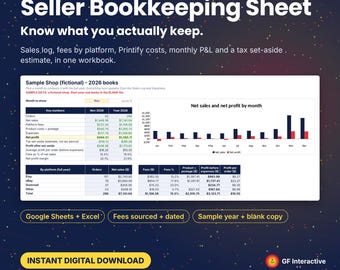
Etsy eBay Seller Bookkeeping Spreadsheet, Fees by Platform, Printify Costs, Monthly P&L, Tax Set Aside, Google Sheets Excel Template
¥1,654


