




Digital Teacher Planner App, Lesson Plan Template, Gradebook, Seating Chart
Itemhoogtepunten
Beschrijving van verkoper
Digital Teacher Planner App, Lesson Plan Template, Gradebook, Seating Chart — PIPPIN: YOUR WEEK ON ONE BOARD
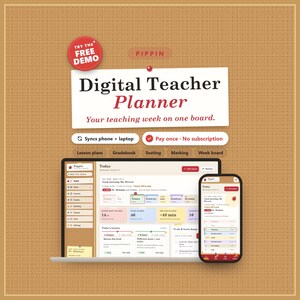
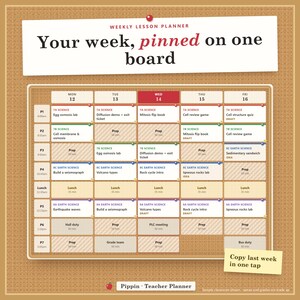
Pippin is a digital teacher planner app for your phone and computer that puts your whole teaching week on one bulletin board: today's bell schedule, a weekly lesson planner with a built-in lesson plan template and a lesson bank you reuse, a teacher gradebook that does the math, a marking queue that protects your prep time, a seating chart maker, a family contact log and the term ahead. A classroom planner, teacher organizer and teacher dashboard in one private place — no account, no school login, no subscription.
★ TRY THE FREE DEMO FIRST: https://pippin-demo.vaultly.workers.dev
(A sample classroom, opens in your browser. Like it? The full app has no limits.)
━━━━━━━━━━━━━━━━━━
AT A GLANCE
━━━━━━━━━━━━━━━━━━
• Product type: teacher planner app (opens from a private link in your browser, installs like an app) + Start Here PDF + bonus printables ZIP. Not a spreadsheet, Notion, Goodnotes or Excel template.
• Features: Today with a live bell schedule, week board timetable, lesson plans with objectives and standards, lesson bank with "Use again", copy last week, gradebook with weighted categories, EX and missing codes, your own grading scale, student progress reports, CSV export, marking queue with a workload balancer and sprint timer, prep-time protector, seating chart, family contact log with follow-ups, term overview with holidays and units, to-do + brain dump.
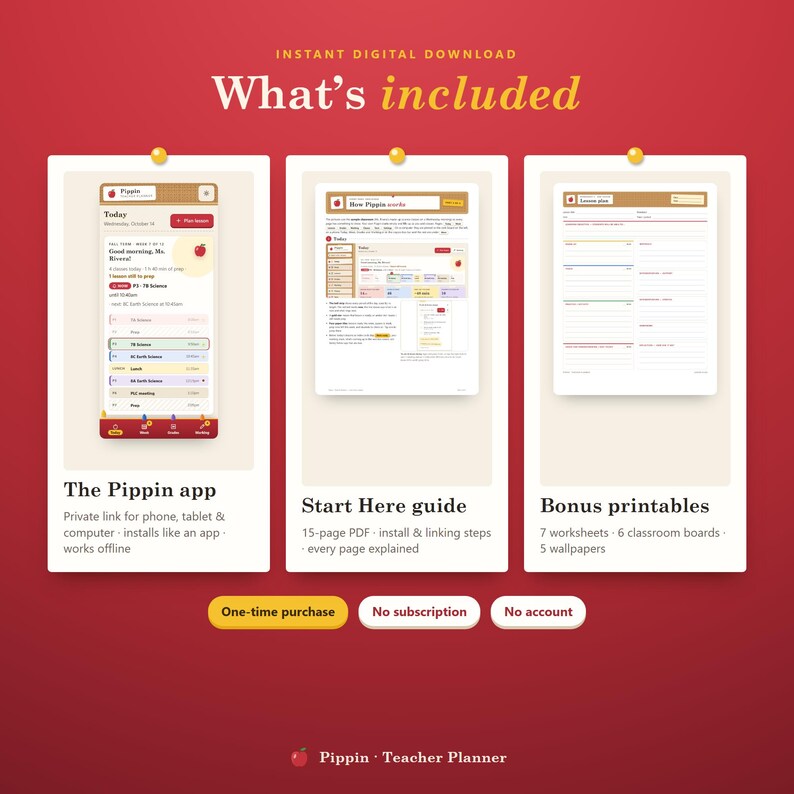
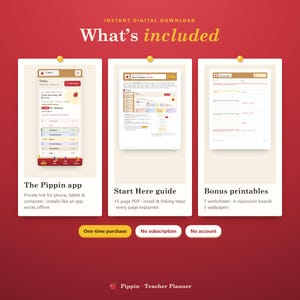
• Included: the Pippin app (private link + QR), a 15-page Start Here PDF, a bonus ZIP with 7 worksheets, 6 classroom boards and 5 wallpapers.
• Intended audience: middle and high school teachers with several classes, elementary teachers, homeschool parents, tutors and student teachers — anyone juggling a paper planner, a spreadsheet gradebook and sticky notes.
• Planning frequency: daily (today's bell schedule and to-do), weekly (week board and lesson plans) and by term (units, holidays and deadlines).
• Customizability: your own periods and times, school days, classes with crayon colours, category weights, letter-grade scale, prep minutes, 3 themes.
• Personalization: your name on the Today page and printouts, your school name on every printed page, your own lesson bank and tags.
• Mechanism: set your bell schedule and timetable once; plan lessons on the board, type scores in the gradebook and tick off marking — Pippin works out averages, what's next and whether your week fits your prep time. Works offline; link phone + computer with a 6-digit code.
• Reusability: use it every week, term after term and year after year — your lesson bank grows with you. Worksheets print as often as you like.
• Size: works on any phone, tablet or computer screen (iPhone, iPad, Android, Chromebook, Windows, Mac). Printables are US Letter and print fine on A4; wallpapers 1170×2532 (phone) and 2560×1440 (desktop).
• Material: digital download — nothing is shipped.
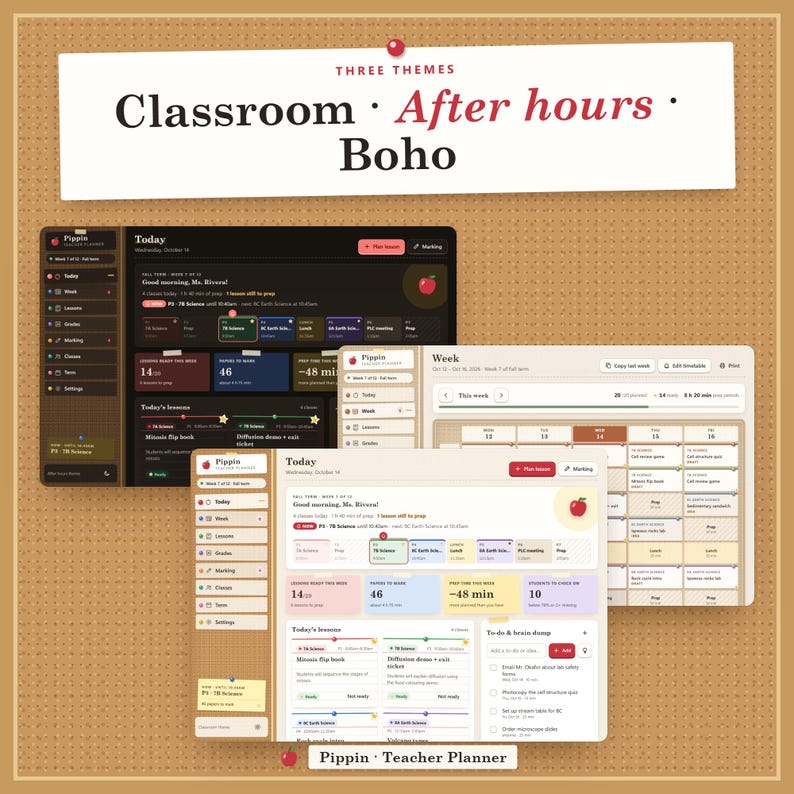
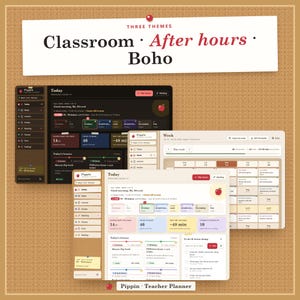
• Theme: a cozy classroom bulletin board — cork, push-pinned index cards, gold-star stickers and apple red; themes Classroom, After hours (dark) and Boho.
• Care: your plans and grades stay private on your devices; export a backup now and then (one tap in Settings).
━━━━━━━━━━━━━━━━━━
WHY PIPPIN
━━━━━━━━━━━━━━━━━━
Most digital teacher planners are pretty pages you still fill in by hand. Pippin does the busywork for you:
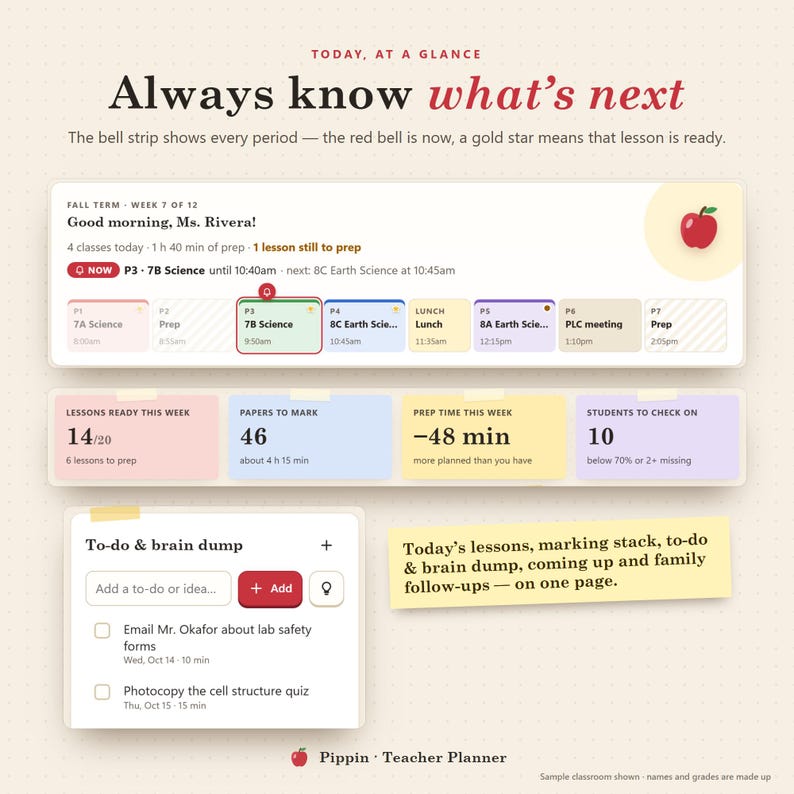
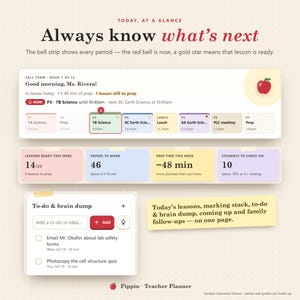
• It knows your day: the bell strip shows every period, what's on now and what rings next, and which lessons still need prep.
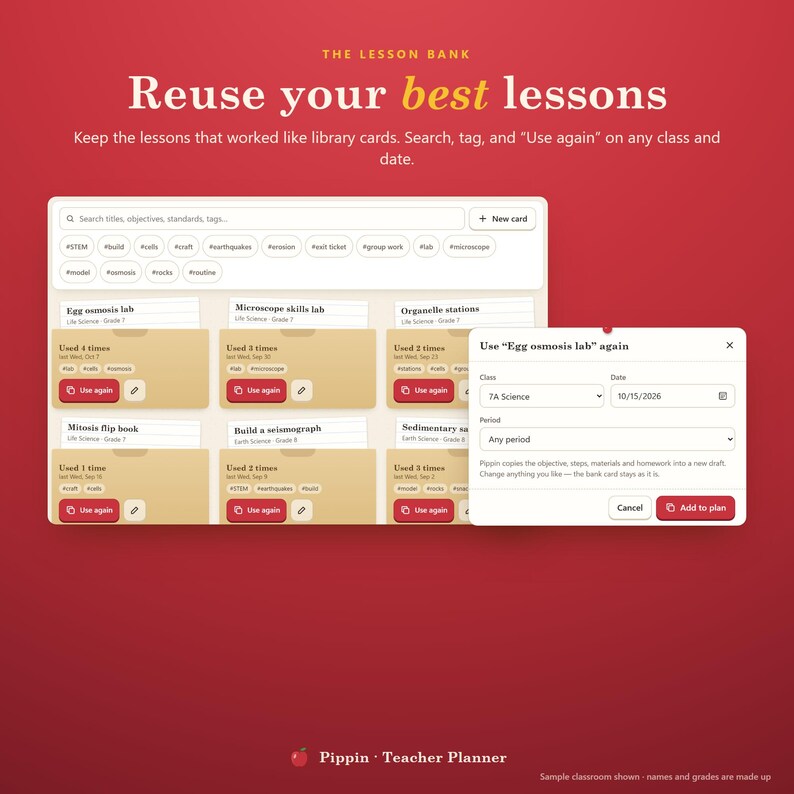
• Plan once, reuse forever: save a lesson to the bank and use it again next week or next year in two taps.
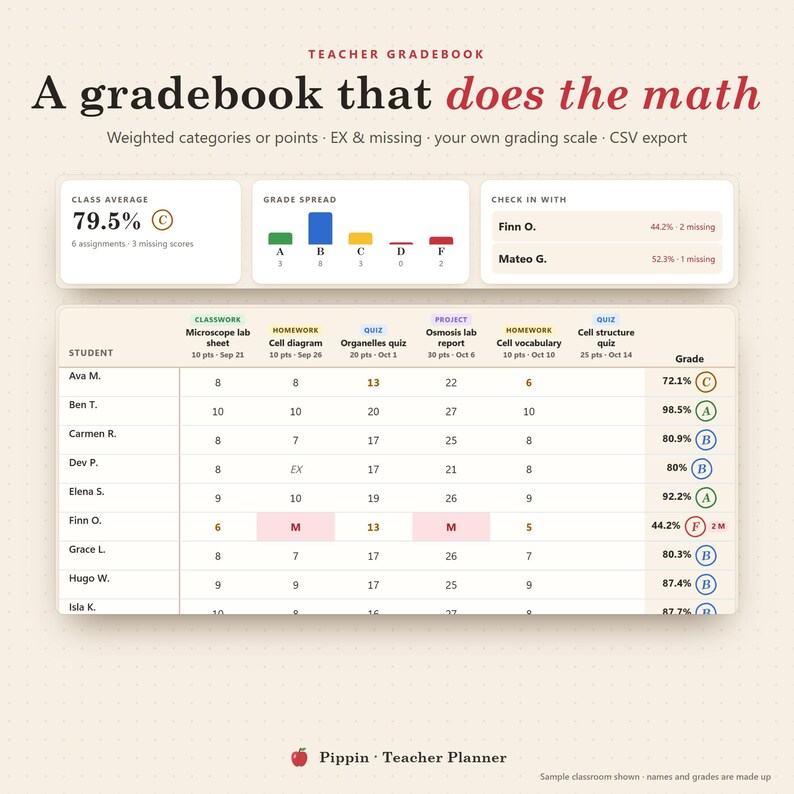
• Grades that add up themselves: weighted categories or points, missing work counted, letter grades from your own scale.
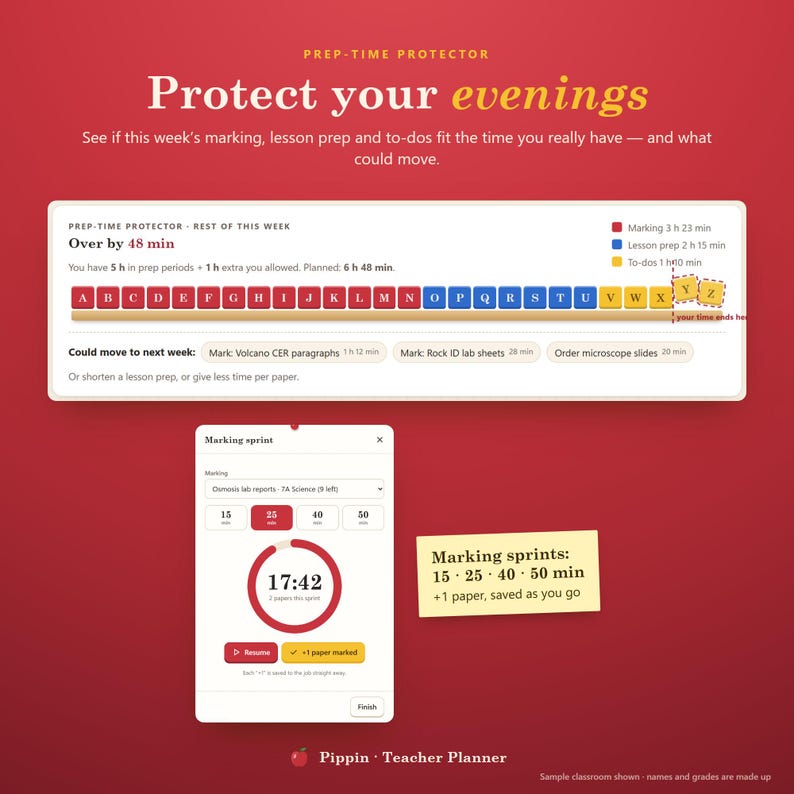
• Your evenings matter: the prep-time protector tells you if this week's marking and prep fit the time you really have — and what could move.
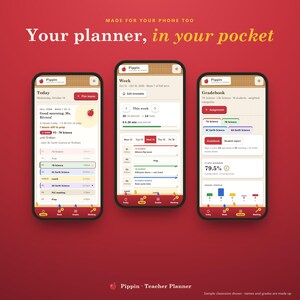
• Phone and laptop, in step: enter scores at home, check today's plan in the hallway.
━━━━━━━━━━━━━━━━━━
FEATURES
━━━━━━━━━━━━━━━━━━
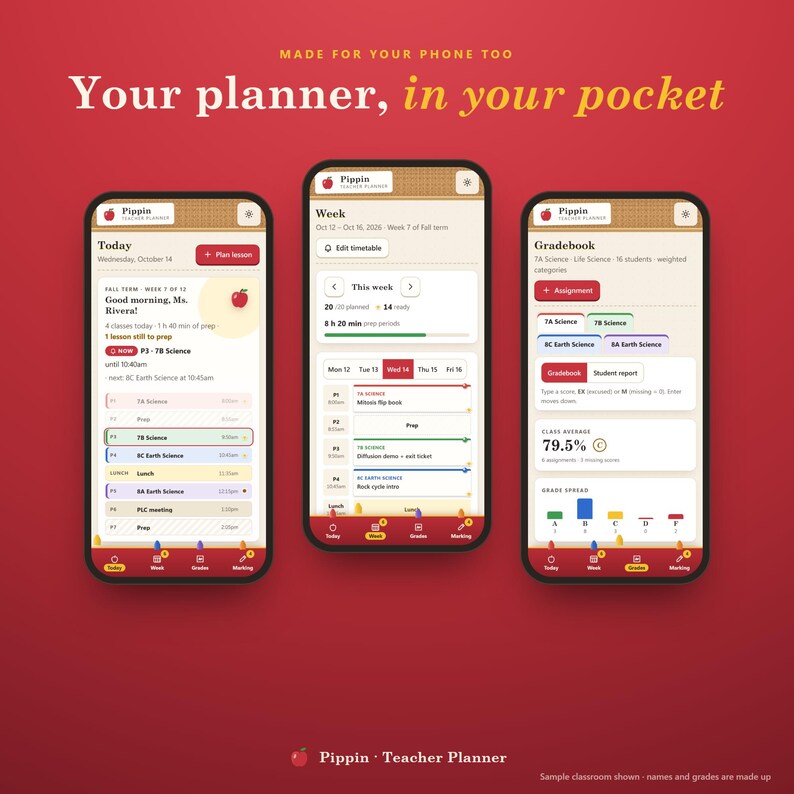
✓ Today — bell strip with "now" and "next", today's lessons as index cards (gold star = ready), lessons ready this week, papers to mark, prep time left, students to check on, coming up, family follow-ups
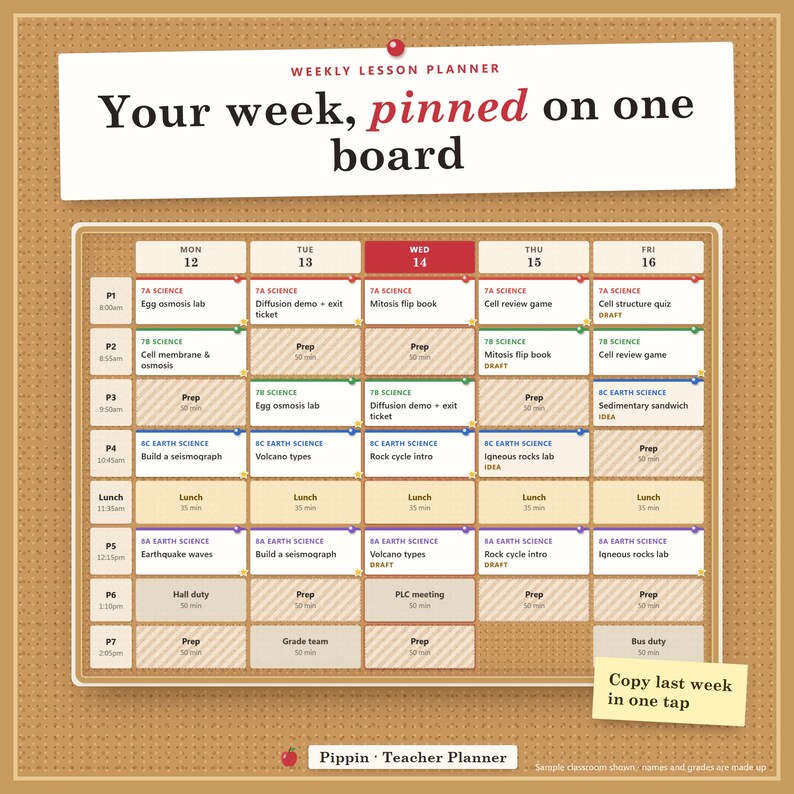
✓ Week board — your timetable with every lesson pinned in its class colour; prep, duty, meeting and lunch periods; holidays shown; copy last week as drafts; print a one-page weekly planner sheet
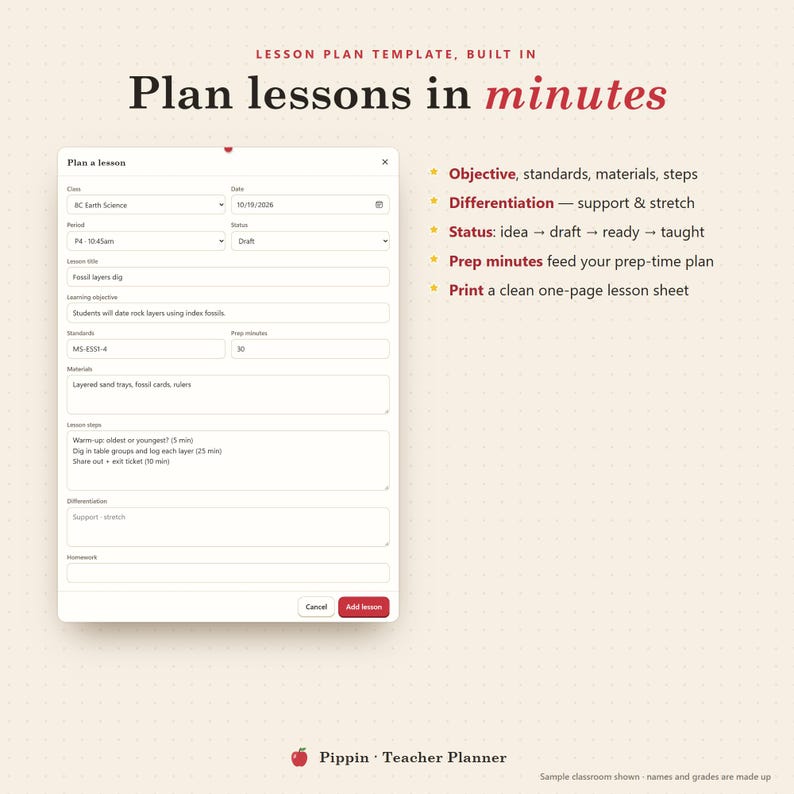
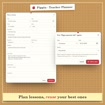
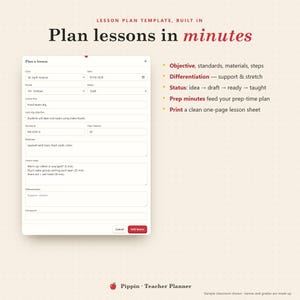
✓ Lesson planner — lesson plan template with objective, standards, materials, steps, differentiation, homework and prep minutes; status idea → draft → ready → taught; print a clean lesson plan
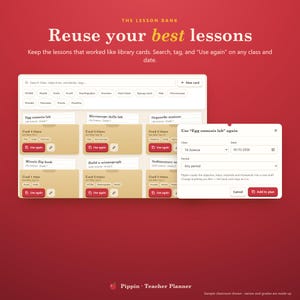
✓ Lesson bank — library-card pockets you can search and tag; "Use again" on any class and date; see how often each lesson was used
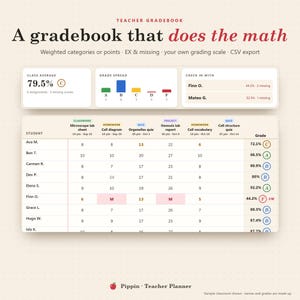
✓ Teacher gradebook — assignments by category, scores with EX (excused) and M (missing), weighted or total points, your own grading scale, class average, grade spread, "check in with" list, CSV export
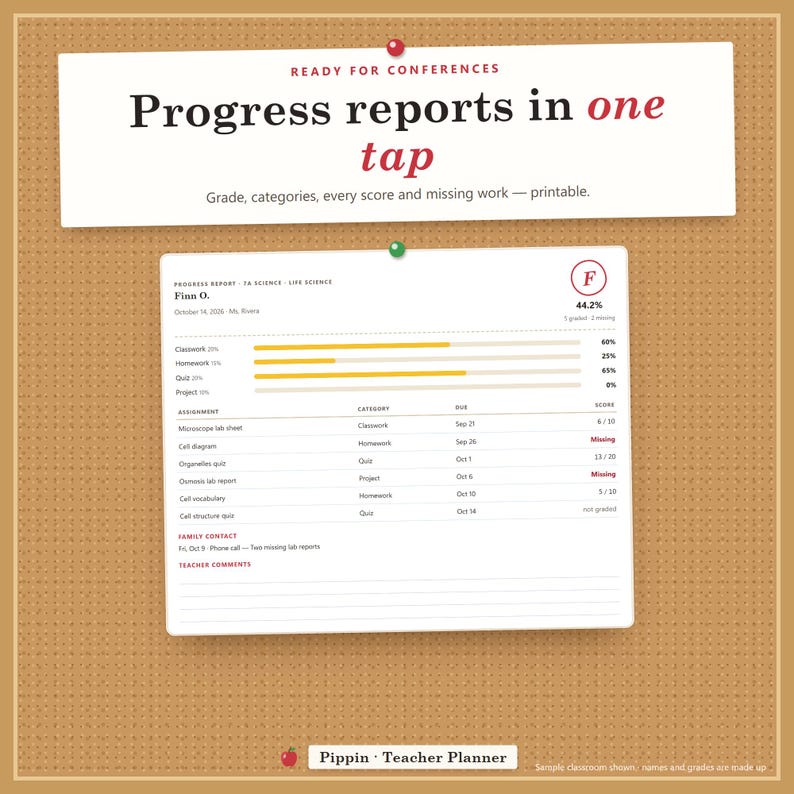
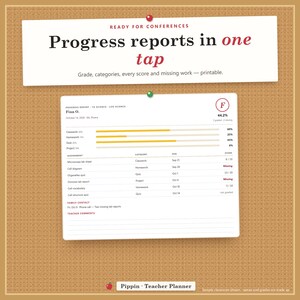
✓ Student progress reports — overall grade, each category, every score and missing work, family contacts and comment lines; printable
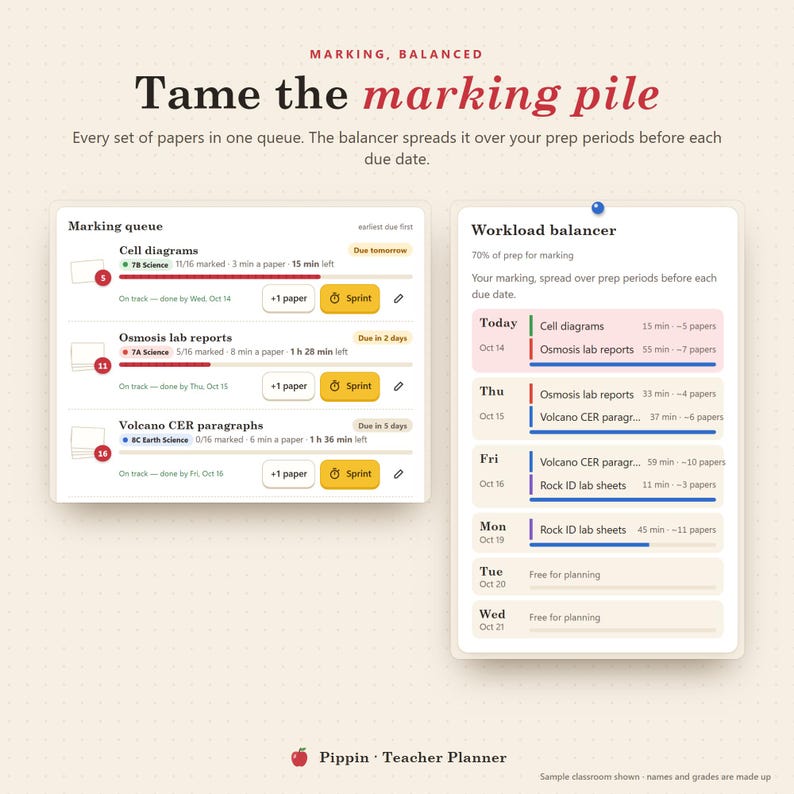
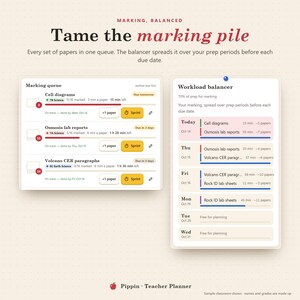
✓ Marking queue — papers left, minutes per paper, due dates and +1 paper as you go
✓ Workload balancer — spreads marking over your prep periods before each due date; tells you when a set won't fit
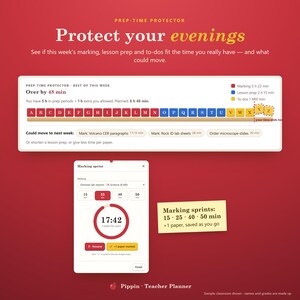
✓ Prep-time protector — this week's marking, lesson prep and to-dos against your prep periods and the extra time you allow
✓ Marking sprint timer — 15, 25, 40 or 50 minutes
✓ Classes & rosters — paste a class list, notes per student, a crayon colour per class
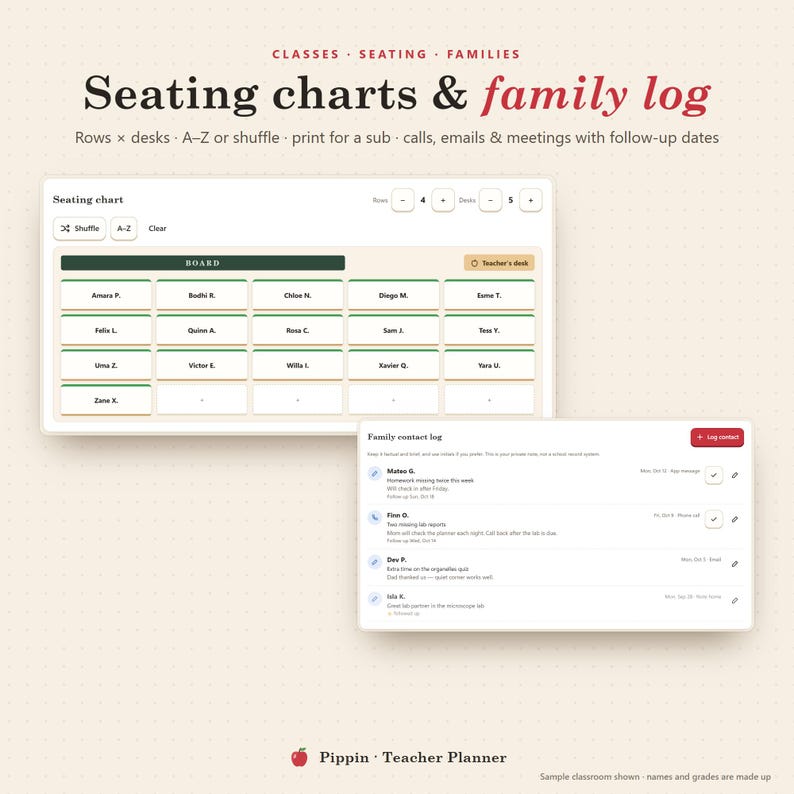
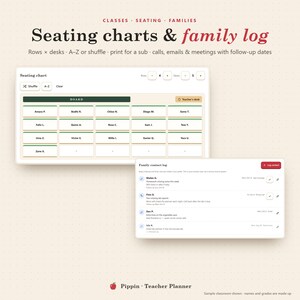
✓ Seating chart — rows × desks, A–Z or shuffle, tap to move, print for a substitute
✓ Family contact log — calls, emails, meetings and notes home with follow-up dates
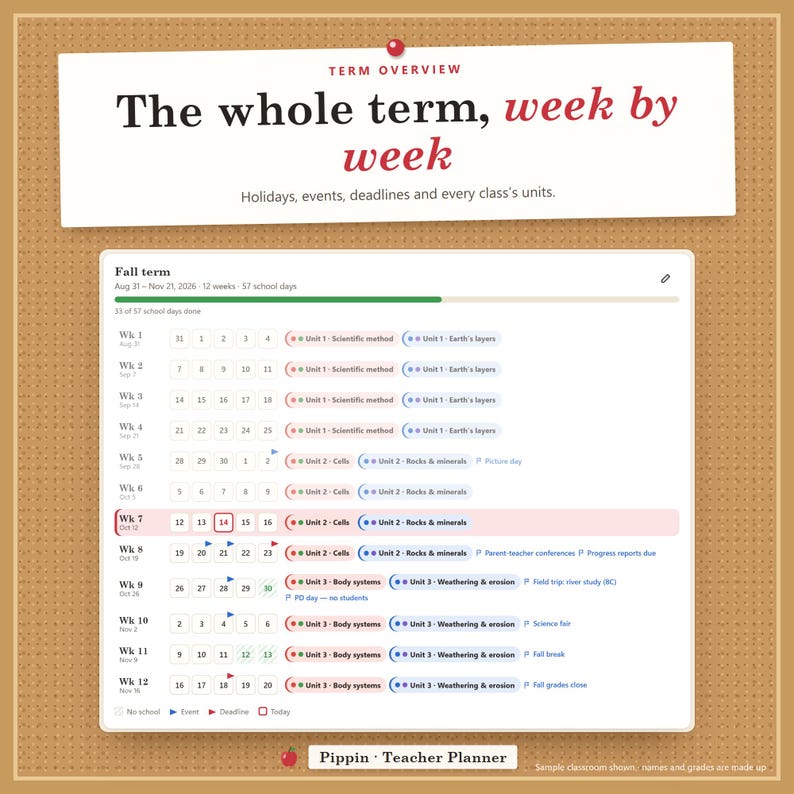
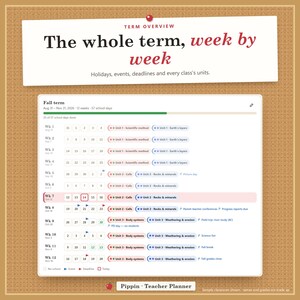
✓ Term overview — week rows with holidays, events, deadlines and each class's units; "Week 7 of 12"
✓ To-do + brain dump · guided tour · backup & restore · 3 themes · print styles for every page
━━━━━━━━━━━━━━━━━━
PHONE + COMPUTER, IN STEP
━━━━━━━━━━━━━━━━━━
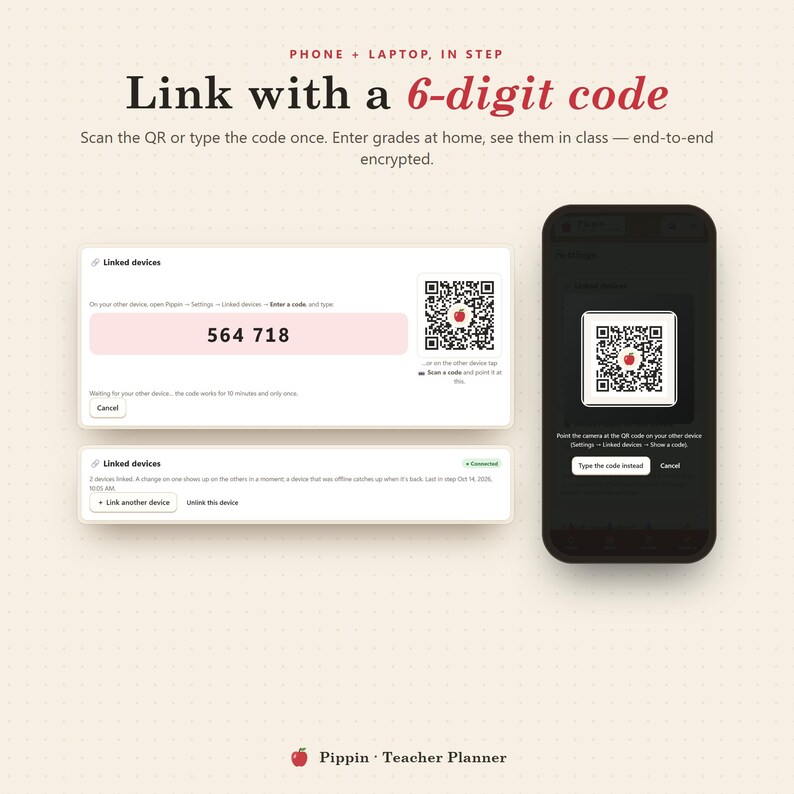
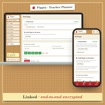
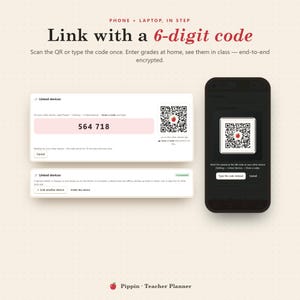
Link your devices once with a 6-digit code or a QR scan. Mark a lesson ready on your phone and the gold star is on your laptop a moment later — end-to-end encrypted. Installs like an app and works offline. On a computer everything is pinned to a cork-board sidebar; on a phone, to a crayon-box bottom bar.
━━━━━━━━━━━━━━━━━━
WHAT'S INCLUDED
━━━━━━━━━━━━━━━━━━
1. THE PIPPIN APP — your private link (phone, tablet and computer), no limits
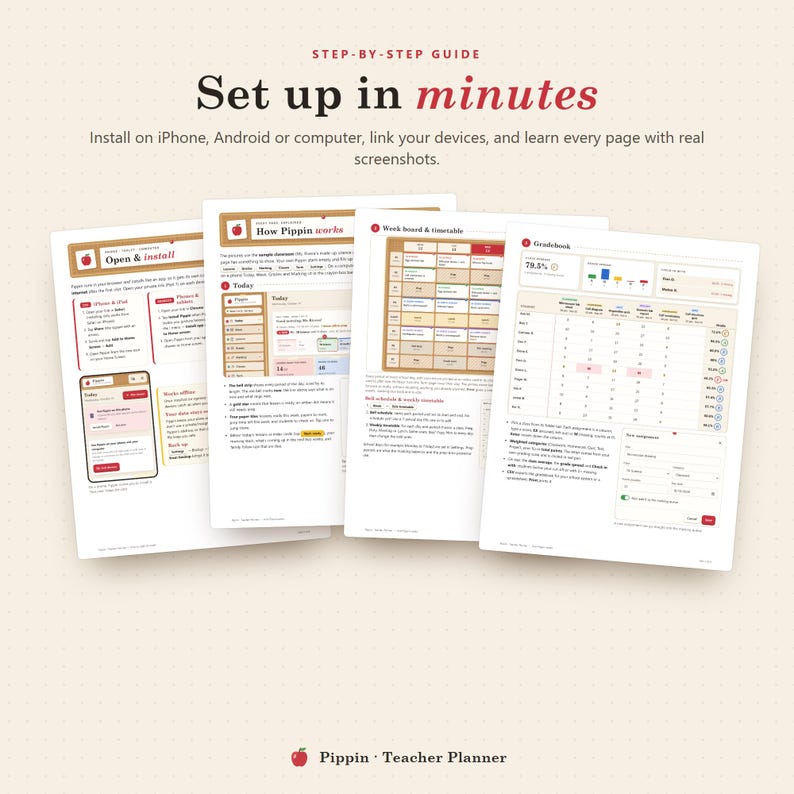
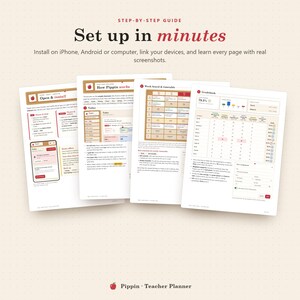
2. START HERE PDF (15 pages) — your private app link + QR code, install steps for every device, how to link devices, every page explained with screenshots
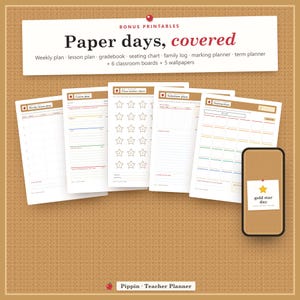
3. BONUS PRINTABLES ZIP —
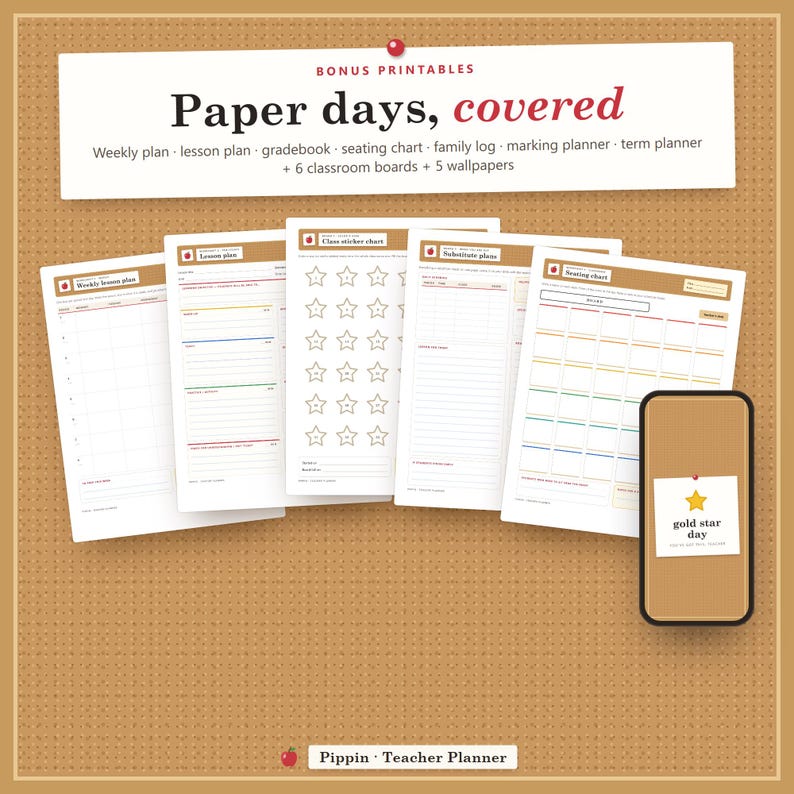
• 7 worksheets: weekly lesson plan, one-page lesson plan, gradebook page, seating chart, family contact log, marking & prep planner, term & unit planner
• 6 classroom boards: class sticker chart, school year at a glance, substitute plans, class birthdays, classroom jobs, teacher wins
• 5 wallpapers (3 phone, 2 desktop)
━━━━━━━━━━━━━━━━━━
HOW IT WORKS
━━━━━━━━━━━━━━━━━━
1. Download the PDF after purchase and open your private link (or scan the QR)
2. Install it on your phone and/or computer
3. Add your classes, then your bell schedule and timetable (a 7-period day is one tap away)
4. Plan your first lesson on the week board — Today does the rest
━━━━━━━━━━━━━━━━━━
GOOD TO KNOW
━━━━━━━━━━━━━━━━━━
• Works in any modern browser: Safari, Chrome, Edge, Firefox. No Excel, Notion, Good notes or Google Sheets needed.
• Great as a homeschool planner too: one "class" per child or group.
• Student privacy: first names or initials are enough; nothing is sent to a school system or to us.
• Pippin is a personal planning tool, not an official student-record system.
• For personal use: each teacher needs their own copy — a thoughtful teacher gift and a perfect back to school treat.
• Pairs well with our habit tracker, ADHD daily planner and student budget planner apps in the shop.
Questions? Send a message — happy to help.
Prijs:€ 45,03
Je kunt alleen een bod doen als je een enkel item koopt
Bezorging
Directe download
Je bestanden worden beschikbaar voor download zodra je betaling bevestigd is. Hier vertellen we je hoe dat moet.
Directe downloads kunnen niet geretourneerd, geruild of geannuleerd worden. Neem contact op met de verkoper als er problemen met je bestelling zijn.
Beschrijving van verkoper
Specificaties
Digital Teacher Planner App, Lesson Plan Template, Gradebook, Seating Chart — PIPPIN: YOUR WEEK ON ONE BOARD
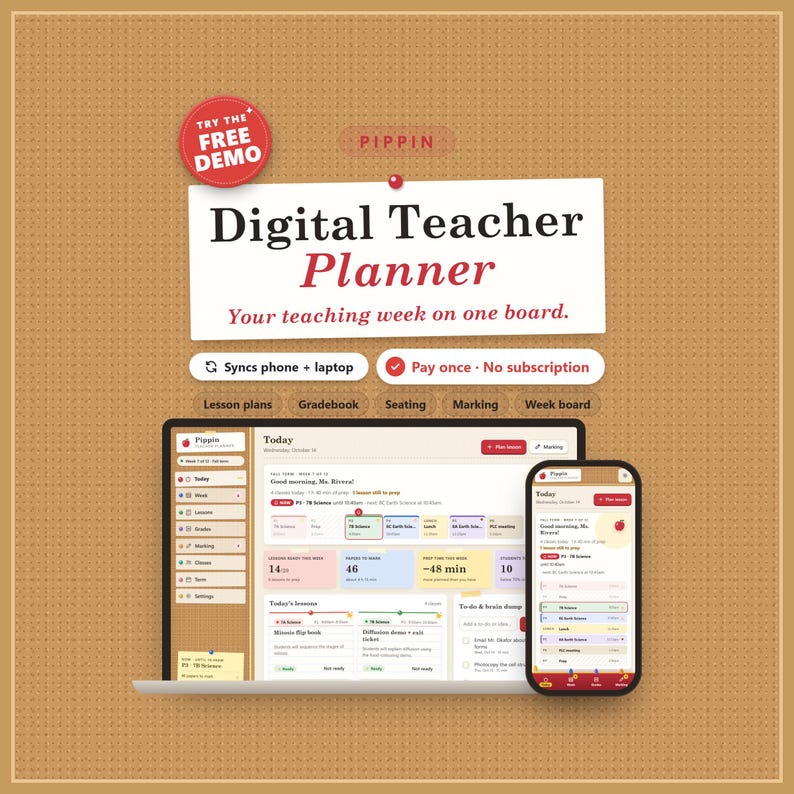
Pippin is a digital teacher planner app for your phone and computer that puts your whole teaching week on one bulletin board: today's bell schedule, a weekly lesson planner with a built-in lesson plan template and a lesson bank you reuse, a teacher gradebook that does the math, a marking queue that protects your prep time, a seating chart maker, a family contact log and the term ahead. A classroom planner, teacher organizer and teacher dashboard in one private place — no account, no school login, no subscription.
★ TRY THE FREE DEMO FIRST: https://pippin-demo.vaultly.workers.dev
(A sample classroom, opens in your browser. Like it? The full app has no limits.)
━━━━━━━━━━━━━━━━━━
AT A GLANCE
━━━━━━━━━━━━━━━━━━
• Product type: teacher planner app (opens from a private link in your browser, installs like an app) + Start Here PDF + bonus printables ZIP. Not a spreadsheet, Notion, Goodnotes or Excel template.
• Features: Today with a live bell schedule, week board timetable, lesson plans with objectives and standards, lesson bank with "Use again", copy last week, gradebook with weighted categories, EX and missing codes, your own grading scale, student progress reports, CSV export, marking queue with a workload balancer and sprint timer, prep-time protector, seating chart, family contact log with follow-ups, term overview with holidays and units, to-do + brain dump.
• Included: the Pippin app (private link + QR), a 15-page Start Here PDF, a bonus ZIP with 7 worksheets, 6 classroom boards and 5 wallpapers.
• Intended audience: middle and high school teachers with several classes, elementary teachers, homeschool parents, tutors and student teachers — anyone juggling a paper planner, a spreadsheet gradebook and sticky notes.
• Planning frequency: daily (today's bell schedule and to-do), weekly (week board and lesson plans) and by term (units, holidays and deadlines).
• Customizability: your own periods and times, school days, classes with crayon colours, category weights, letter-grade scale, prep minutes, 3 themes.
• Personalization: your name on the Today page and printouts, your school name on every printed page, your own lesson bank and tags.
• Mechanism: set your bell schedule and timetable once; plan lessons on the board, type scores in the gradebook and tick off marking — Pippin works out averages, what's next and whether your week fits your prep time. Works offline; link phone + computer with a 6-digit code.
• Reusability: use it every week, term after term and year after year — your lesson bank grows with you. Worksheets print as often as you like.
• Size: works on any phone, tablet or computer screen (iPhone, iPad, Android, Chromebook, Windows, Mac). Printables are US Letter and print fine on A4; wallpapers 1170×2532 (phone) and 2560×1440 (desktop).
• Material: digital download — nothing is shipped.
• Theme: a cozy classroom bulletin board — cork, push-pinned index cards, gold-star stickers and apple red; themes Classroom, After hours (dark) and Boho.
• Care: your plans and grades stay private on your devices; export a backup now and then (one tap in Settings).
━━━━━━━━━━━━━━━━━━
WHY PIPPIN
━━━━━━━━━━━━━━━━━━
Most digital teacher planners are pretty pages you still fill in by hand. Pippin does the busywork for you:
• It knows your day: the bell strip shows every period, what's on now and what rings next, and which lessons still need prep.
• Plan once, reuse forever: save a lesson to the bank and use it again next week or next year in two taps.
• Grades that add up themselves: weighted categories or points, missing work counted, letter grades from your own scale.
• Your evenings matter: the prep-time protector tells you if this week's marking and prep fit the time you really have — and what could move.
• Phone and laptop, in step: enter scores at home, check today's plan in the hallway.
━━━━━━━━━━━━━━━━━━
FEATURES
━━━━━━━━━━━━━━━━━━
✓ Today — bell strip with "now" and "next", today's lessons as index cards (gold star = ready), lessons ready this week, papers to mark, prep time left, students to check on, coming up, family follow-ups
✓ Week board — your timetable with every lesson pinned in its class colour; prep, duty, meeting and lunch periods; holidays shown; copy last week as drafts; print a one-page weekly planner sheet
✓ Lesson planner — lesson plan template with objective, standards, materials, steps, differentiation, homework and prep minutes; status idea → draft → ready → taught; print a clean lesson plan
✓ Lesson bank — library-card pockets you can search and tag; "Use again" on any class and date; see how often each lesson was used
✓ Teacher gradebook — assignments by category, scores with EX (excused) and M (missing), weighted or total points, your own grading scale, class average, grade spread, "check in with" list, CSV export
✓ Student progress reports — overall grade, each category, every score and missing work, family contacts and comment lines; printable
✓ Marking queue — papers left, minutes per paper, due dates and +1 paper as you go
✓ Workload balancer — spreads marking over your prep periods before each due date; tells you when a set won't fit
✓ Prep-time protector — this week's marking, lesson prep and to-dos against your prep periods and the extra time you allow
✓ Marking sprint timer — 15, 25, 40 or 50 minutes
✓ Classes & rosters — paste a class list, notes per student, a crayon colour per class
✓ Seating chart — rows × desks, A–Z or shuffle, tap to move, print for a substitute
✓ Family contact log — calls, emails, meetings and notes home with follow-up dates
✓ Term overview — week rows with holidays, events, deadlines and each class's units; "Week 7 of 12"
✓ To-do + brain dump · guided tour · backup & restore · 3 themes · print styles for every page
━━━━━━━━━━━━━━━━━━
PHONE + COMPUTER, IN STEP
━━━━━━━━━━━━━━━━━━
Link your devices once with a 6-digit code or a QR scan. Mark a lesson ready on your phone and the gold star is on your laptop a moment later — end-to-end encrypted. Installs like an app and works offline. On a computer everything is pinned to a cork-board sidebar; on a phone, to a crayon-box bottom bar.
━━━━━━━━━━━━━━━━━━
WHAT'S INCLUDED
━━━━━━━━━━━━━━━━━━
1. THE PIPPIN APP — your private link (phone, tablet and computer), no limits
2. START HERE PDF (15 pages) — your private app link + QR code, install steps for every device, how to link devices, every page explained with screenshots
3. BONUS PRINTABLES ZIP —
• 7 worksheets: weekly lesson plan, one-page lesson plan, gradebook page, seating chart, family contact log, marking & prep planner, term & unit planner
• 6 classroom boards: class sticker chart, school year at a glance, substitute plans, class birthdays, classroom jobs, teacher wins
• 5 wallpapers (3 phone, 2 desktop)
━━━━━━━━━━━━━━━━━━
HOW IT WORKS
━━━━━━━━━━━━━━━━━━
1. Download the PDF after purchase and open your private link (or scan the QR)
2. Install it on your phone and/or computer
3. Add your classes, then your bell schedule and timetable (a 7-period day is one tap away)
4. Plan your first lesson on the week board — Today does the rest
━━━━━━━━━━━━━━━━━━
GOOD TO KNOW
━━━━━━━━━━━━━━━━━━
• Works in any modern browser: Safari, Chrome, Edge, Firefox. No Excel, Notion, Good notes or Google Sheets needed.
• Great as a homeschool planner too: one "class" per child or group.
• Student privacy: first names or initials are enough; nothing is sent to a school system or to us.
• Pippin is a personal planning tool, not an official student-record system.
• For personal use: each teacher needs their own copy — a thoughtful teacher gift and a perfect back to school treat.
• Pairs well with our habit tracker, ADHD daily planner and student budget planner apps in the shop.
Questions? Send a message — happy to help.
-
Ontworpen door
-
Type itemDigitale download
-
Downloadbestand(en)1 PDF, 1 ZIP
-
TaalTekst in deze download is mogelijk in een andere taal
Als er iets misgaat met een bestelling, dan helpen we je bij alle in aanmerking komende aankopen. Bekijk de voorwaarden van het programma
Ontmoet je verkoper

Meer uit deze shop
-

Digitale download
Interactive Budget Dashboard App — Offline Personal Finance Planner
€ 45,03
-

Digitale download
Bill Tracker App, Subscription Manager & Due Date Calendar
€ 45,03
-
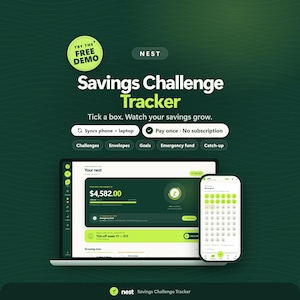
Digitale download
52 Week Savings Challenge App, Emergency Fund Tracker
€ 45,03
-

Digitale download
Small Business Profit Planner App, Profit Tracker, Invoice & Mileage Log (Digital Download)
€ 45,03
-
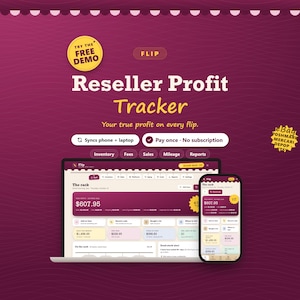
Digitale download
Reseller Profit Tracker App, eBay Poshmark Mercari Inventory Tracker
€ 45,03
-
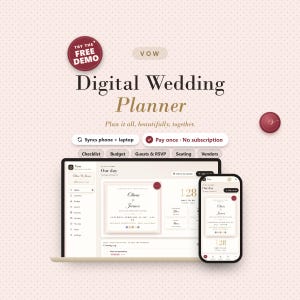
Digitale download
Digital Wedding Planner, Budget Tracker, Guest List RSVP, Seating Chart App
€ 45,03


