

Rent Comps Spreadsheet, Market Rent Analysis for Landlords, Rent Increase Calculator, Rental Pricing Tool, Excel Google Sheets
Punti salienti dell'articolo
Descrizione del venditore
What should you charge for your rental? Log the comparable rentals near you, and this workbook adjusts every comp to your unit, works out a weighted market rent and a suggested asking rent – then tells you whether a rent increase is worth it once you count the risk of a move-out. A rent comps and market rent analysis spreadsheet for landlords in the US and Canada, in Microsoft Excel and Google Sheets.
Built for up to 20 of your units and 300 comps, with 13 features you put a value on (bedrooms, bathrooms, size, parking, in-suite laundry, A/C, heat / electricity / water included, furnished, pets, outdoor space and condition). Works in sq ft or m² and any currency label.
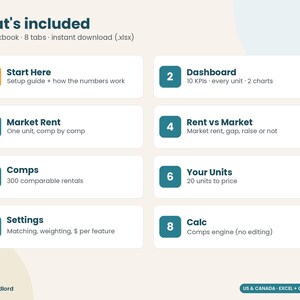
★ WHAT YOU GET
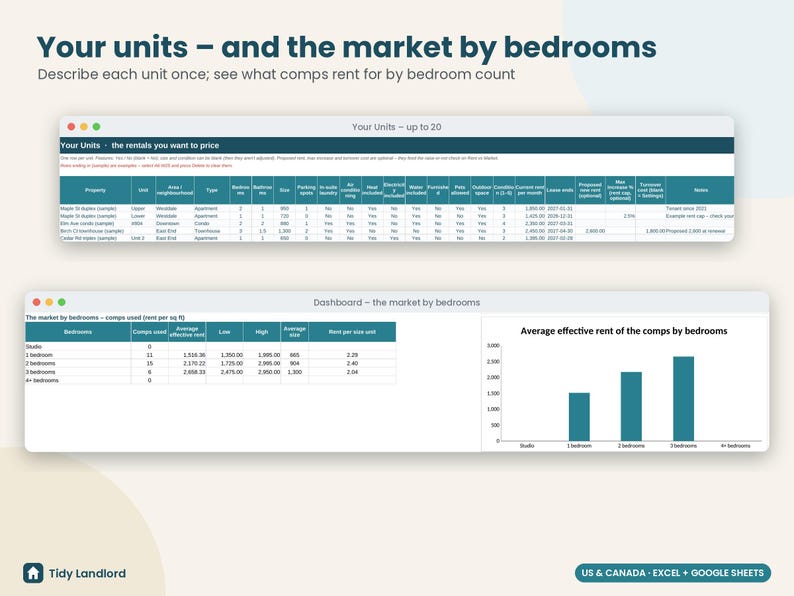
• YOUR UNITS – each unit you want to price: area, type, bedrooms, bathrooms, size, parking, features and condition, the current rent and lease end, and optionally a proposed new rent, the most you're allowed to raise it (your rent cap %) and a turnover cost.
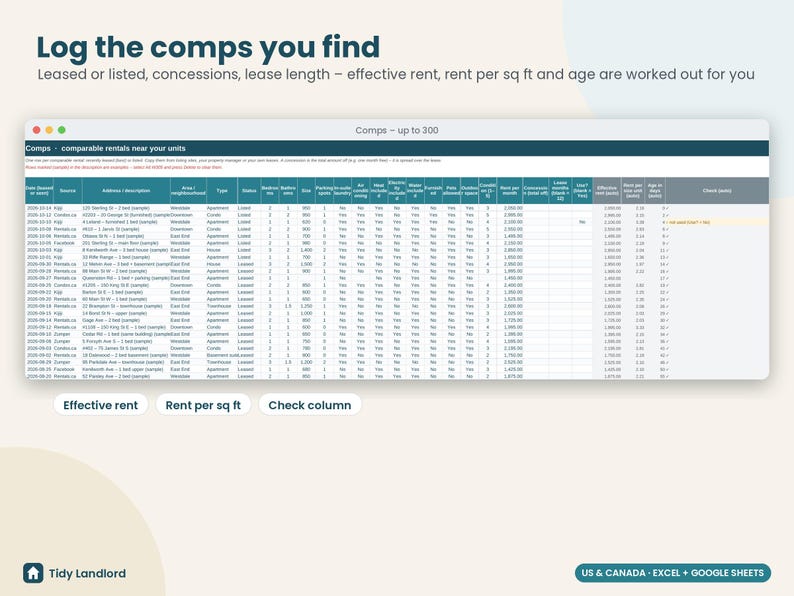
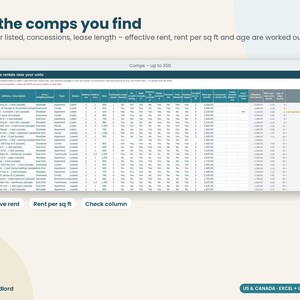
• COMPS – one row per comparable rental from listing sites, your property manager or your own leases: date, source, area, type, Leased or Listed, the same features, the rent, any concession (e.g. one month free) and the lease length. Effective rent, rent per sq ft (or m²) and the age in days are worked out for you.
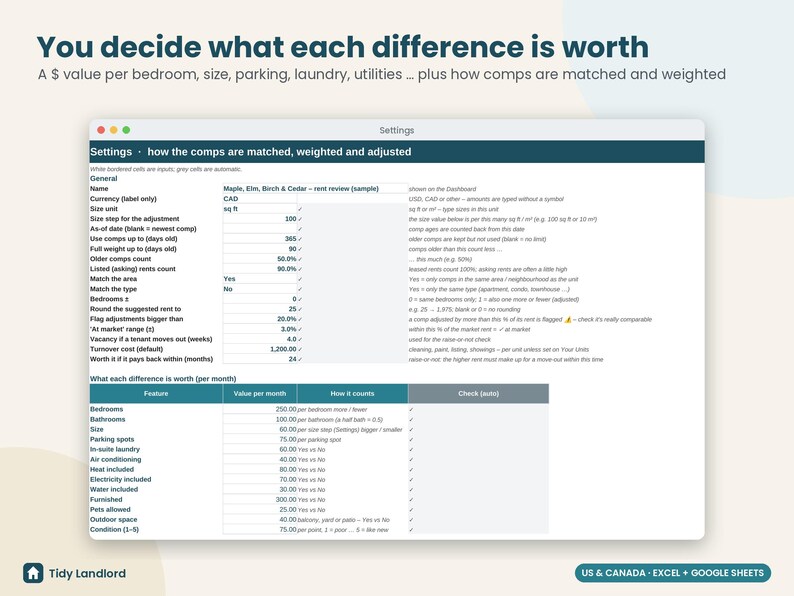
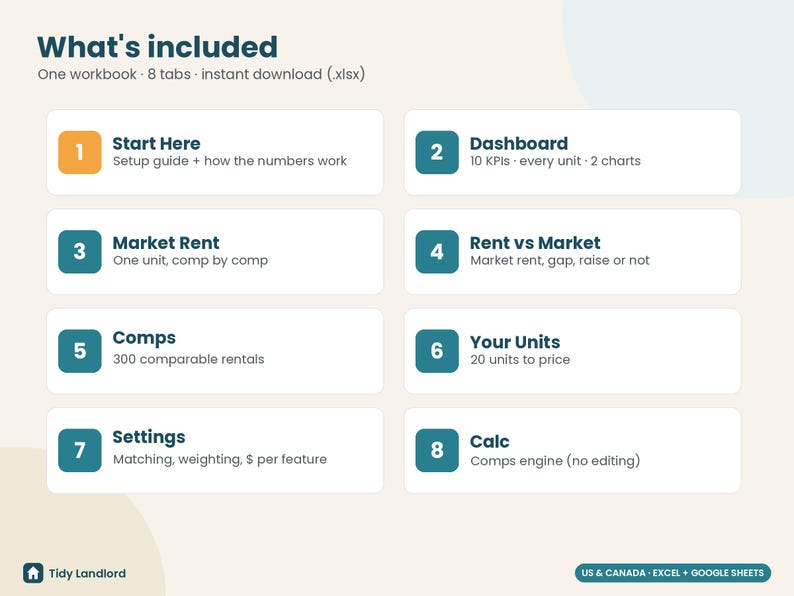
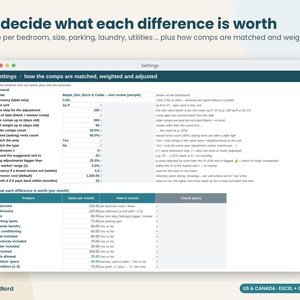
• SETTINGS – what each difference is worth per month (per bedroom, per bathroom, per 100 sq ft, per parking spot, for heat included …), how comps are matched (same area, same type, bedrooms ±), how old a comp can be, how much older comps and asking rents count, rounding, an adjustment warning level and the raise-or-not inputs (vacancy weeks, turnover cost, payback months).
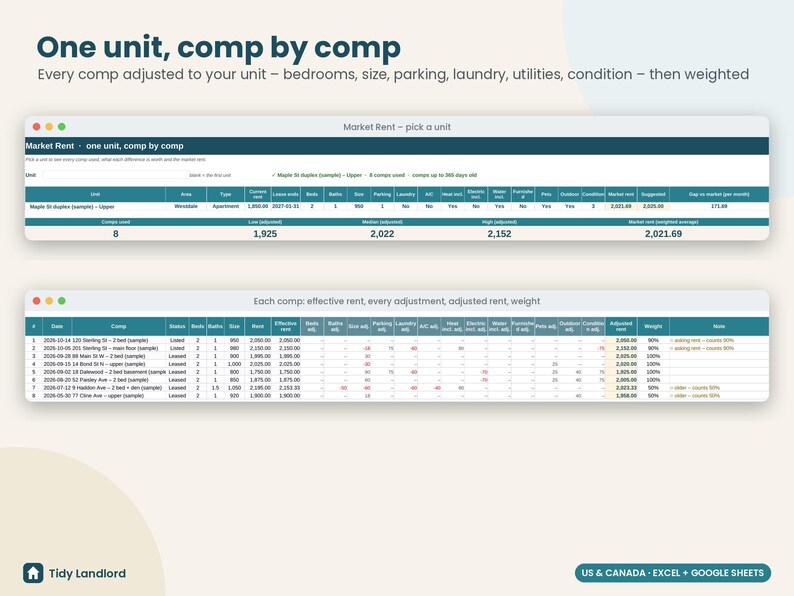
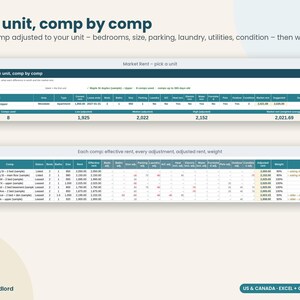
• MARKET RENT – pick one unit and see every comp used: effective rent, each adjustment, the adjusted rent and its weight, with the low, median, high and weighted market rent – so you can see exactly where the number comes from. Comps adjusted by a lot are flagged so you can check they really are comparable.
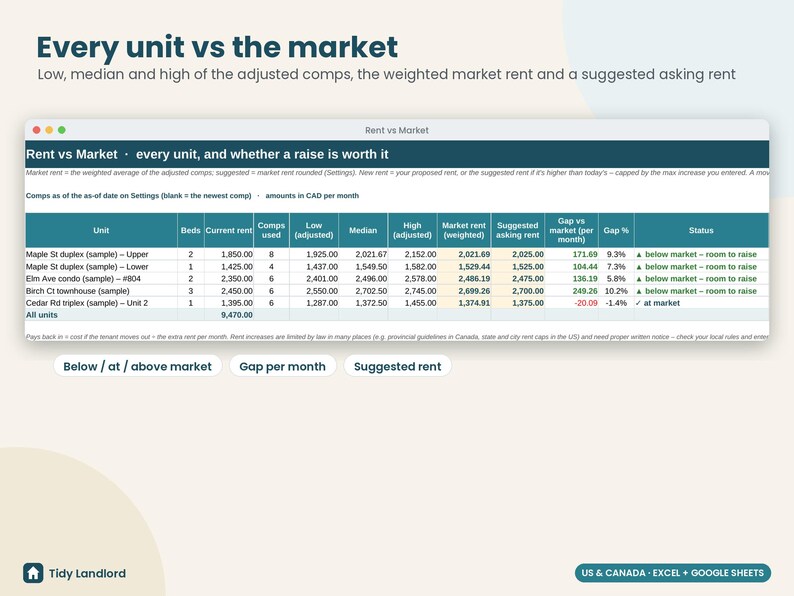
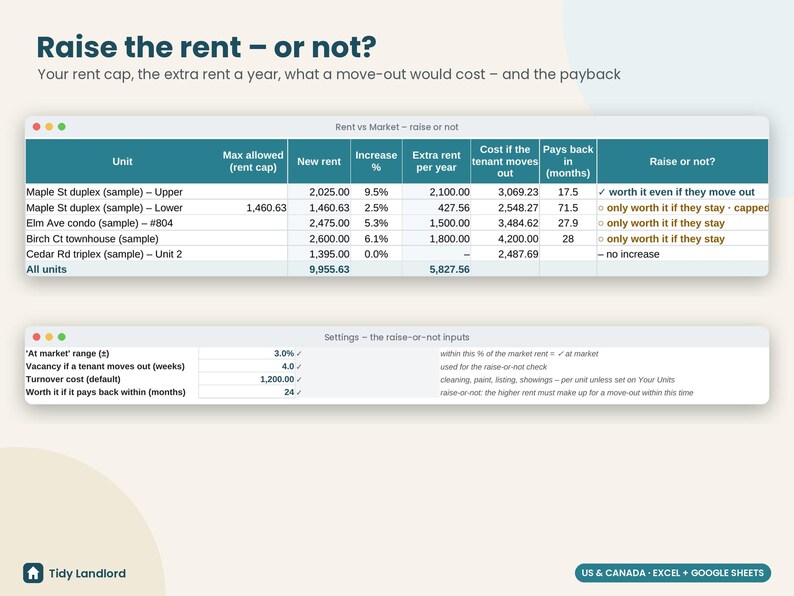
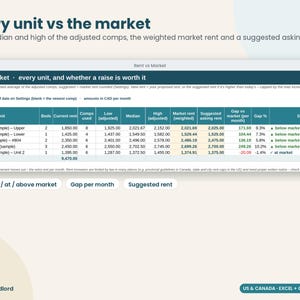
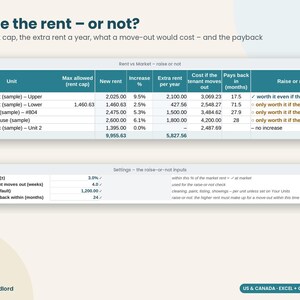
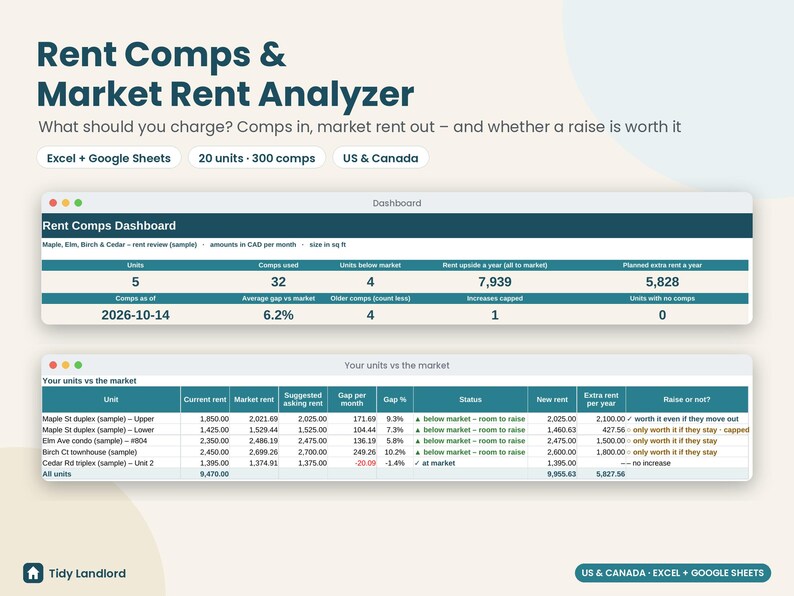
• RENT VS MARKET – every unit: comps used, low / median / high of the adjusted comps, the market rent, a suggested asking rent, the gap per month and in %, and a status (below market – room to raise, at market, above market). Then the raise-or-not check: the new rent (your proposal or the suggested rent, capped by your max increase), the increase %, the extra rent a year, what it would cost if the tenant moved out and how many months the raise takes to pay that back – "worth it even if they move out", "only worth it if they stay" or "no increase".
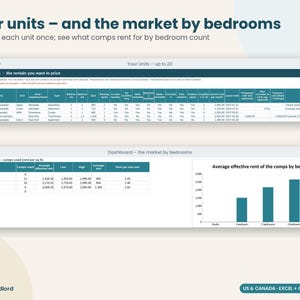
• DASHBOARD – units, comps used, units below market, the rent upside a year, the planned extra rent, comps as of, the average gap, increases capped and units with no comps; a table of every unit, the market by bedroom count, and two charts.
• CHECK COLUMNS that flag missing dates, bad statuses, fractional bedrooms, text in number cells, concessions bigger than the lease and duplicate units – the Dashboard counts them for you
• START HERE guide in plain English, with how every number is worked out – set up in about 20–30 minutes
★ HOW IT WORKS
1. Download the .xlsx file instantly after purchase (Etsy › Purchases › Download Files).
2. Open in Excel – or upload to Google Drive and choose File › Save as Google Sheets.
3. Delete the clearly marked SAMPLE rows, enter your units, add the comps you find (10–20 per unit type is ideal) and set the value of each feature for your market.
★ HOW THE NUMBERS WORK
Effective rent = rent − concession ÷ lease months. Adjusted rent = the comp's effective rent + (your unit − the comp) × the value you set, for every feature. Market rent = the weighted average of the adjusted rents of the matching comps (leased and recent comps count fully; asking rents and older comps count less). Suggested rent = market rent rounded to your step. Cost if the tenant moves out = rent lost for the vacancy weeks + the turnover cost; payback = that cost ÷ the extra rent per month.
★ DETAILS
• Digital download – nothing will be shipped
• File: 1 × .xlsx (Excel 2010+ / Google Sheets; no macros, no add-ons, no subscription)
• Works with any currency label (USD, CAD, EUR, GBP, AUD…) and sq ft or m²
• Long-term rentals; one row per unit and per comp
• Tested formula-by-formula against an independent model (matching on and off, missing sizes and conditions, m², concessions, rent caps, vacant units, more than 40 comps for one unit, cleared data and edge cases) – in LibreOffice and live in Google Sheets
• Not an appraisal – the result is only as good as the comps and the values you enter
★ AI DISCLOSURE
This template was designed by me with the help of AI tools (for drafting formulas, layout and text), then reviewed and tested before listing.
★ IMPORTANT
This is an estimating tool, not an appraisal and not legal, financial or tax advice. A market rent from comps is only as good as the comps and the values you give each feature, and real rents depend on timing and demand. Rent increases are limited by law in many places – provincial guidelines and rent control in Canada, state and city rent caps in the US – need written notice in the right form and timing, and some units are exempt; the max increase % in this workbook is only what you type. Fair-housing and human-rights rules apply to how you advertise and set rents. Please check the rules where your rental is, or ask a professional, before you act on any number.
Licence: for your own properties. Please don't resell or share the file. Digital items can't be returned – but if anything doesn't work, message me and I'll fix it.
In caso di problemi con un ordine proteggeremo tutti i tuoi acquisti idonei. Vedi termini programma
OraPrezzo:9,05 €
Prezzo originale: 12,93 €
30% di sconto
La promozione termina il 18 novembre
Puoi fare un'offerta solo acquistando un singolo articolo
Consegna
Download istantaneo
I tuoi file saranno disponibili per il download una volta confermato il pagamento. Ecco come.
Gli articoli con download istantaneo non accettano resi, cambi o annullamenti. In caso di qualsiasi problema relativo all'ordine, contatta il venditore.
Descrizione del venditore
Specifiche
What should you charge for your rental? Log the comparable rentals near you, and this workbook adjusts every comp to your unit, works out a weighted market rent and a suggested asking rent – then tells you whether a rent increase is worth it once you count the risk of a move-out. A rent comps and market rent analysis spreadsheet for landlords in the US and Canada, in Microsoft Excel and Google Sheets.
Built for up to 20 of your units and 300 comps, with 13 features you put a value on (bedrooms, bathrooms, size, parking, in-suite laundry, A/C, heat / electricity / water included, furnished, pets, outdoor space and condition). Works in sq ft or m² and any currency label.
★ WHAT YOU GET
• YOUR UNITS – each unit you want to price: area, type, bedrooms, bathrooms, size, parking, features and condition, the current rent and lease end, and optionally a proposed new rent, the most you're allowed to raise it (your rent cap %) and a turnover cost.
• COMPS – one row per comparable rental from listing sites, your property manager or your own leases: date, source, area, type, Leased or Listed, the same features, the rent, any concession (e.g. one month free) and the lease length. Effective rent, rent per sq ft (or m²) and the age in days are worked out for you.
• SETTINGS – what each difference is worth per month (per bedroom, per bathroom, per 100 sq ft, per parking spot, for heat included …), how comps are matched (same area, same type, bedrooms ±), how old a comp can be, how much older comps and asking rents count, rounding, an adjustment warning level and the raise-or-not inputs (vacancy weeks, turnover cost, payback months).
• MARKET RENT – pick one unit and see every comp used: effective rent, each adjustment, the adjusted rent and its weight, with the low, median, high and weighted market rent – so you can see exactly where the number comes from. Comps adjusted by a lot are flagged so you can check they really are comparable.
• RENT VS MARKET – every unit: comps used, low / median / high of the adjusted comps, the market rent, a suggested asking rent, the gap per month and in %, and a status (below market – room to raise, at market, above market). Then the raise-or-not check: the new rent (your proposal or the suggested rent, capped by your max increase), the increase %, the extra rent a year, what it would cost if the tenant moved out and how many months the raise takes to pay that back – "worth it even if they move out", "only worth it if they stay" or "no increase".
• DASHBOARD – units, comps used, units below market, the rent upside a year, the planned extra rent, comps as of, the average gap, increases capped and units with no comps; a table of every unit, the market by bedroom count, and two charts.
• CHECK COLUMNS that flag missing dates, bad statuses, fractional bedrooms, text in number cells, concessions bigger than the lease and duplicate units – the Dashboard counts them for you
• START HERE guide in plain English, with how every number is worked out – set up in about 20–30 minutes
★ HOW IT WORKS
1. Download the .xlsx file instantly after purchase (Etsy › Purchases › Download Files).
2. Open in Excel – or upload to Google Drive and choose File › Save as Google Sheets.
3. Delete the clearly marked SAMPLE rows, enter your units, add the comps you find (10–20 per unit type is ideal) and set the value of each feature for your market.
★ HOW THE NUMBERS WORK
Effective rent = rent − concession ÷ lease months. Adjusted rent = the comp's effective rent + (your unit − the comp) × the value you set, for every feature. Market rent = the weighted average of the adjusted rents of the matching comps (leased and recent comps count fully; asking rents and older comps count less). Suggested rent = market rent rounded to your step. Cost if the tenant moves out = rent lost for the vacancy weeks + the turnover cost; payback = that cost ÷ the extra rent per month.
★ DETAILS
• Digital download – nothing will be shipped
• File: 1 × .xlsx (Excel 2010+ / Google Sheets; no macros, no add-ons, no subscription)
• Works with any currency label (USD, CAD, EUR, GBP, AUD…) and sq ft or m²
• Long-term rentals; one row per unit and per comp
• Tested formula-by-formula against an independent model (matching on and off, missing sizes and conditions, m², concessions, rent caps, vacant units, more than 40 comps for one unit, cleared data and edge cases) – in LibreOffice and live in Google Sheets
• Not an appraisal – the result is only as good as the comps and the values you enter
★ AI DISCLOSURE
This template was designed by me with the help of AI tools (for drafting formulas, layout and text), then reviewed and tested before listing.
★ IMPORTANT
This is an estimating tool, not an appraisal and not legal, financial or tax advice. A market rent from comps is only as good as the comps and the values you give each feature, and real rents depend on timing and demand. Rent increases are limited by law in many places – provincial guidelines and rent control in Canada, state and city rent caps in the US – need written notice in the right form and timing, and some units are exempt; the max increase % in this workbook is only what you type. Fair-housing and human-rights rules apply to how you advertise and set rents. Please check the rules where your rental is, or ask a professional, before you act on any number.
Licence: for your own properties. Please don't resell or share the file. Digital items can't be returned – but if anything doesn't work, message me and I'll fix it.
-
Tipo di articoloDownload digitale
-
Tipologia/e di file digitale1 File
In caso di problemi con un ordine proteggeremo tutti i tuoi acquisti idonei. Vedi termini programma
Ti presentiamo il venditore
Altro da questo negozio
-
Download digitale
Short Term Rental Calculator, Airbnb Deal Analyzer Spreadsheet, VRBO Investment Calculator, Rental Arbitrage, Excel Google Sheets
Prezzo scontato 10,19 €
Prezzo originale 14,56 €
-
Download digitale
Landlord Tax Prep Organizer 2026, Rental Property Tax Checklist, 1099-NEC Contractor Tracker, Schedule E, T776, Excel Google Sheets
Prezzo scontato 8,49 €
Prezzo originale 12,13 €
-
Download digitale
Landlord Money and Tax Bundle, Tax Prep Organizer, Rental Budget Planner, CapEx Reserve, Depreciation CCA, Net Worth, Excel Google Sheets
Prezzo scontato 22,65 €
Prezzo originale 32,36 €
-
Download digitale
Pacchetto completo per la gestione degli affitti e la determinazione del canone di locazione, analizzatore di prezzi di mercato, strumento di monitoraggio delle disponibilità, verifica degli inquilini, strumento di monitoraggio degli affitti, fogli di calcolo Excel e Google Sheets.
Prezzo scontato 19,81 €
Prezzo originale 28,31 €
-
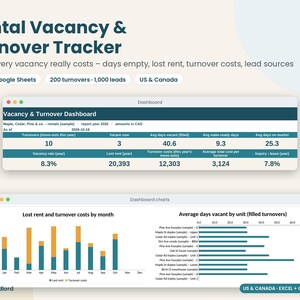
Download digitale
Strumento di monitoraggio delle case in affitto, foglio di calcolo dei costi di ricambio degli inquilini, giorni di permanenza sul mercato, strumento di monitoraggio dei contatti di locazione, foglio Excel per proprietari di immobili e fogli Google
Prezzo scontato 8,49 €
Prezzo originale 12,13 €
-
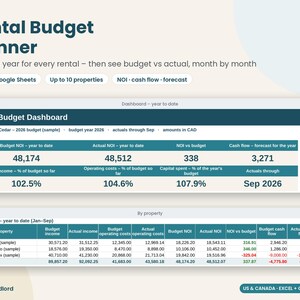
Download digitale
Rental Property Budget Planner 2027, Budget vs Actual Spreadsheet, Landlord Cash Flow Forecast, NOI Tracker, Excel Google Sheets
Prezzo scontato 9,62 €
Prezzo originale 13,75 €


