

2027 Workout Log, Progressive Overload Tracker | Excel, Google Sheets & Printable
Precio:MX$134.83
Estos son los casos aptos:
- Tu pedido no coincide con la descripción o las fotos del artículo
- Tu artículo llegó dañado
- Tu artículo llegó después de la fecha de llegada estimada.
- Tu artículo no llegó o se perdió en tránsito
Solo puedes hacer una oferta por compras de un único artículo
Puntos destacables
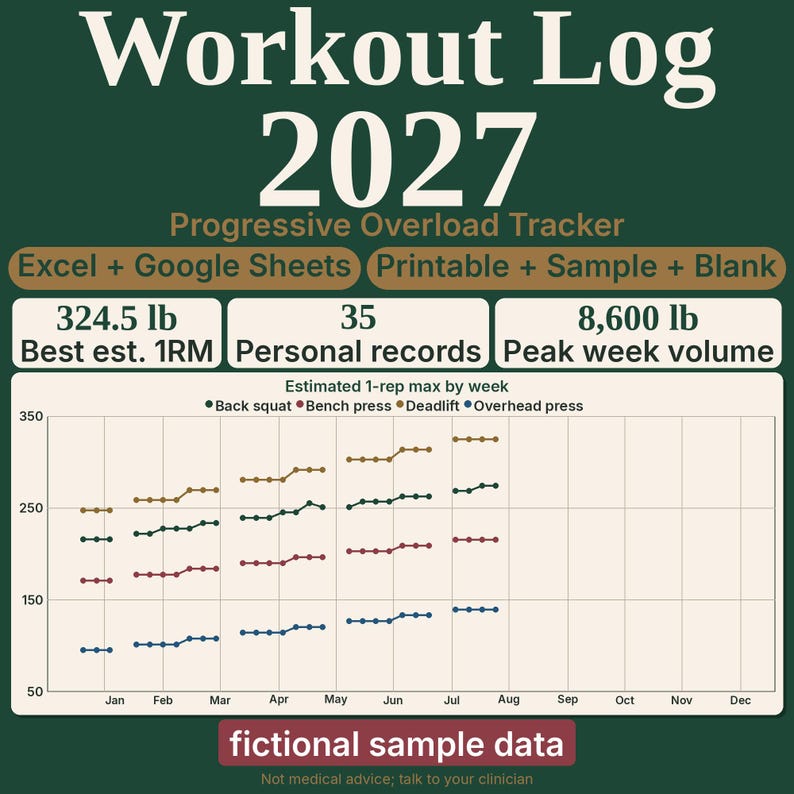
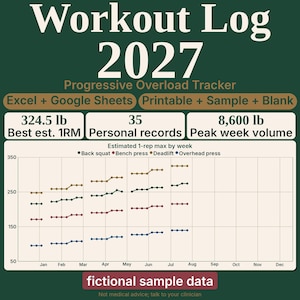
A 2027 workout log and progressive overload tracker for Excel and Google Sheets, with a printable log. You type each set. The workbook estimates a 1-rep max, marks a personal record, and charts the year.
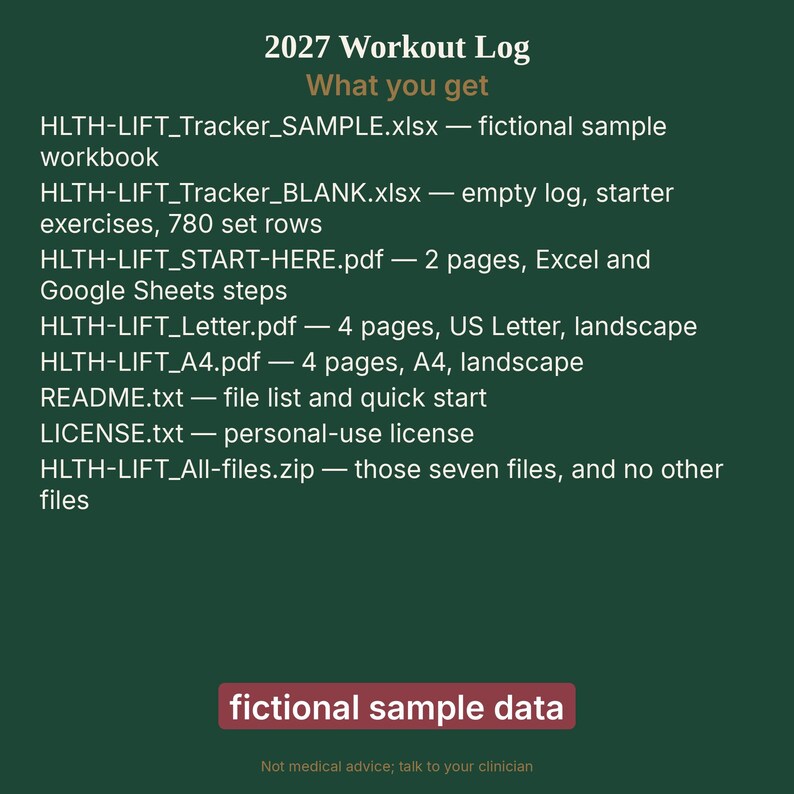
WHAT YOU GET
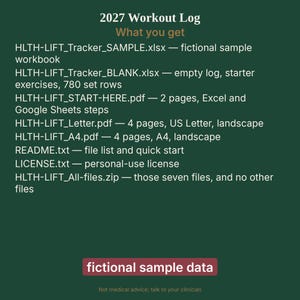
- HLTH-LIFT_Tracker_SAMPLE.xlsx. Workbook with a fictional sample. Not a real person and not a result.
- HLTH-LIFT_Tracker_BLANK.xlsx. The same workbook. The log is empty. The exercise list starts with common exercises you can edit. 780 set rows.
- HLTH-LIFT_START-HERE.pdf. Start here guide, 2 pages, with the steps for Excel and for Google Sheets.
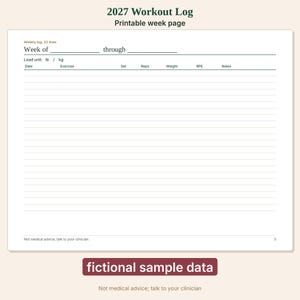
- HLTH-LIFT_Letter.pdf. Printable log, 4 pages, US Letter, landscape.
- HLTH-LIFT_A4.pdf. The same printable log, 4 pages, A4, landscape.
- README.txt. File list and quick start.
- LICENSE.txt. Personal-use license.
- HLTH-LIFT_All-files.zip. The seven files above, and no other files.
INSIDE THE WORKBOOK
- Start. Your name and the load unit, pounds or kilograms.
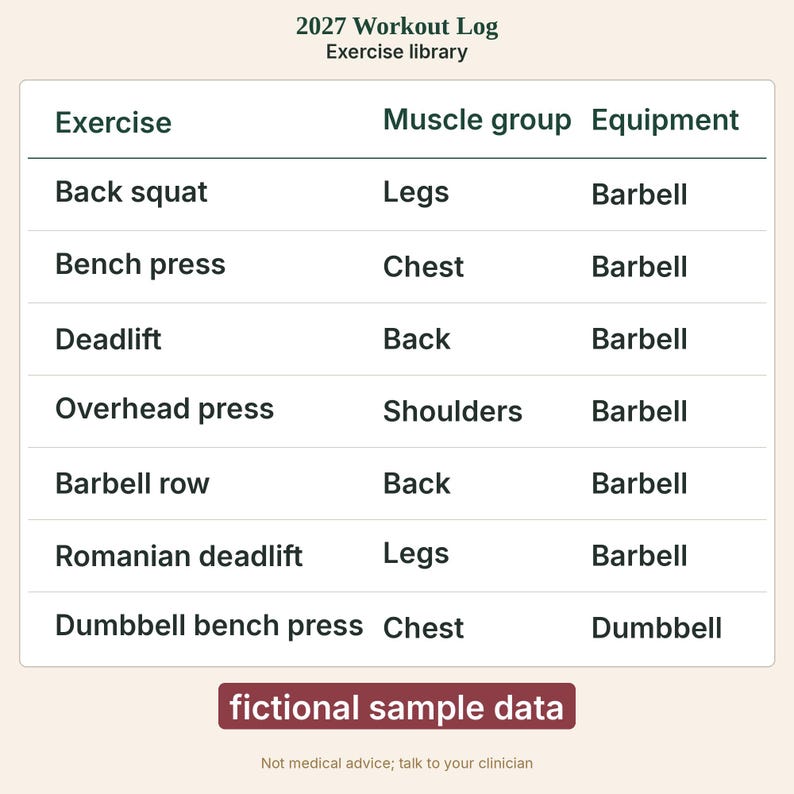
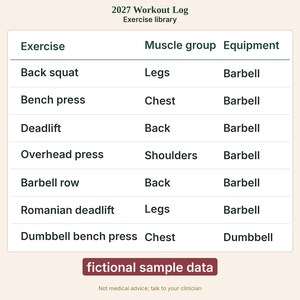
- Library. Up to 40 exercises. It opens with common exercises you can change.
- Lists. The muscle-group and equipment choices for the Library drop-downs.
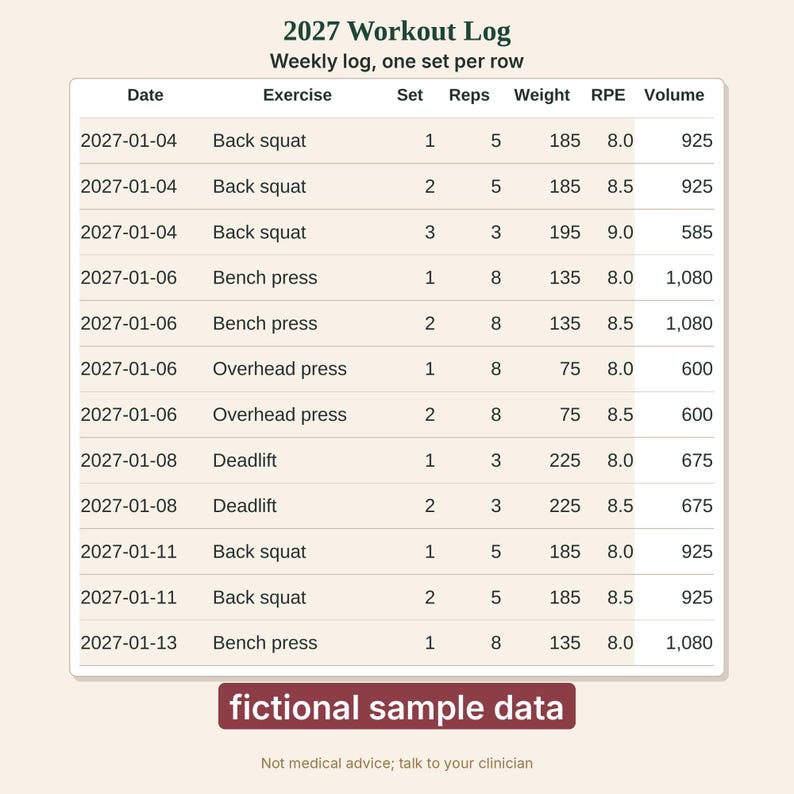
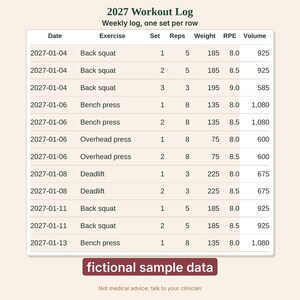
- Log. 780 rows for the date, exercise, set, reps, weight, effort, and a note. The sheet fills in the estimate, the volume, a personal-record mark, and a check note.
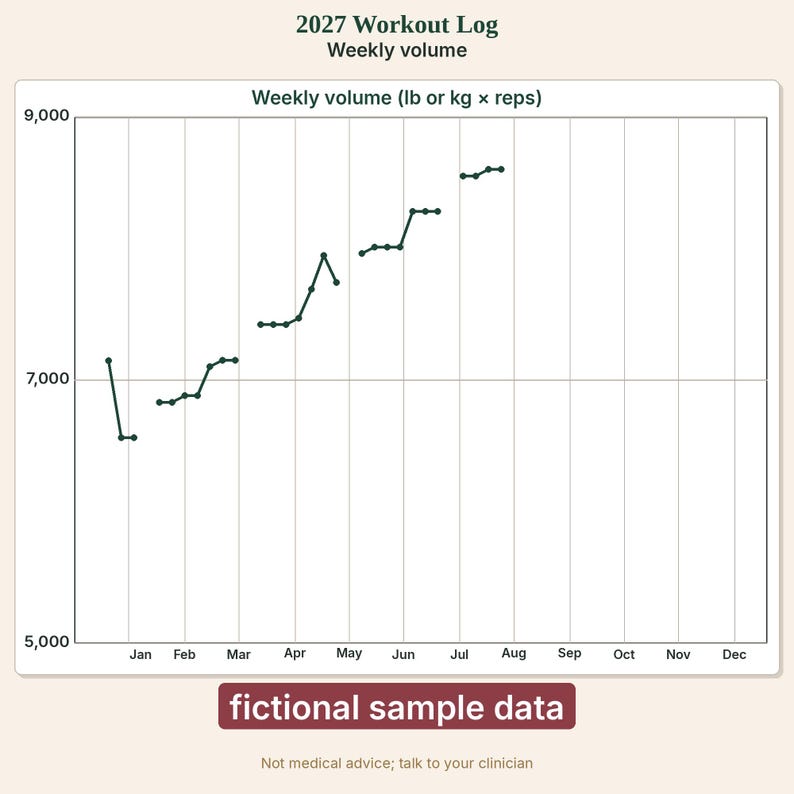
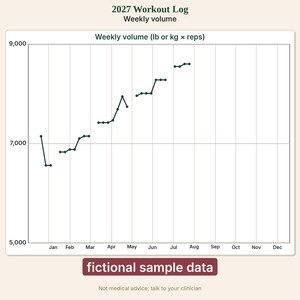
- Dashboard. Sets logged, total volume, personal-record count, and charts for up to four exercises, plus a week-by-week table.
- Chart data. The numbers the charts draw. The columns stay visible.
- On the blank file, the 1-rep max chart runs from 0 to 600 and the weekly volume chart runs from 0 to 60,000. If a point is missing, it is outside the axis range. Change the bounds as shown in the start-here guide.
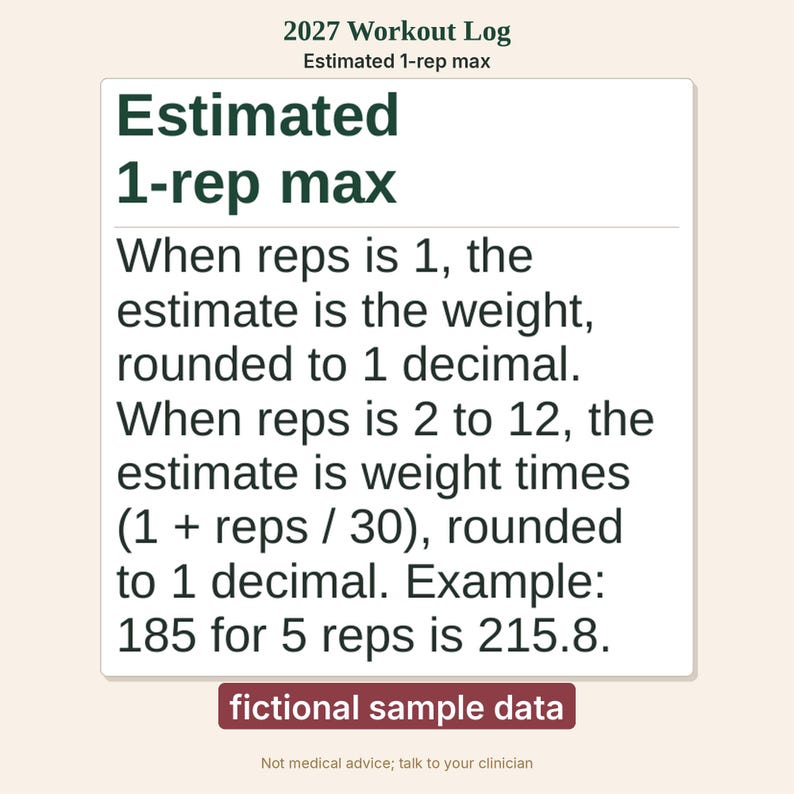
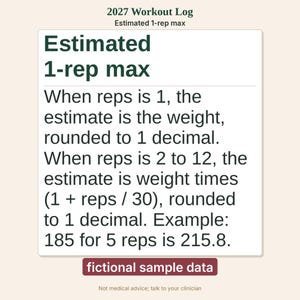
- The estimate is the weight when you lift it for one rep, and the weight times (1 + reps / 30) when you lift it for 2 to 12 reps, rounded to one decimal.
- A row is marked as a personal record when that estimate is higher than every earlier row for the same exercise. A tie is not a new one.
- Volume is weight times reps. The volume label shows lb or kg. A week with no sets is left blank. Excel draws the series as lines and leaves an empty week as a gap. In Google Sheets these charts show the weekly points as dots, without connecting lines. The numbers are the same. Open the file in Excel or LibreOffice to see the lines.
- A bodyweight exercise from the Library can be logged with no weight or with zero. Those rows count toward sets and sessions with zero volume. They do not get an estimated 1-rep max, a personal record, or a chart point.
- A word typed in Reps or Weight (not a number) keeps a row out of the totals. A zero or a negative in Reps or Weight stays out, except a bodyweight row with zero or blank weight. The check column names the first problem.
- Weight is the load you lifted, not your body weight. Leave the unit blank and the sheet uses pounds. Changing pounds or kilograms does not convert numbers you already typed.
- The effort number is from 1 to 10. It is averaged for the week. It is not part of the estimate.
- This log does not track habits, and it does not track body measurements.
- Shaded cells are the cells you type in. In Excel and LibreOffice, formula cells are locked and there is no password. Editing a locked cell shows a message and the edit is refused until you choose Review, Unprotect Sheet. An imported file does not keep that lock in Google Sheets. After import, use Data, Protect sheets and ranges, Sheet, Except certain cells (the shaded cells), Set permissions, Show a warning when editing this range.
INSIDE THE PRINTABLE
- A cover page with the estimate in plain words, and a short how-to.
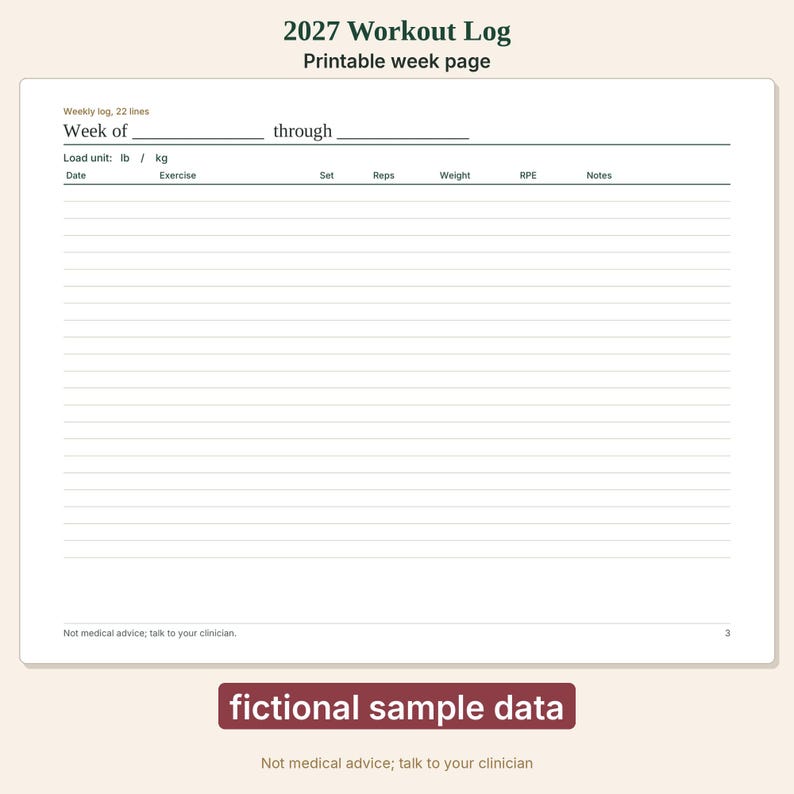
- One log page with 22 writing lines. Copy it for each week. Print another copy if the week is longer.
- One exercise list page.
- 4 pages in the Letter file and 4 pages in the A4 file.
HOW IT WORKS
1. Download and unzip HLTH-LIFT_All-files.zip.
2. Excel or LibreOffice. Open HLTH-LIFT_Tracker_BLANK.xlsx. If a bar asks you to enable editing, choose Enable Editing. Edit the exercise names, or use the ones already there. Then type in the shaded cells.
3. Google Sheets on a computer. Open drive.google.com, choose New, then File upload, and upload the blank workbook. Open it. If it opens in Office-compatibility mode, choose File, then Save as Google Sheets. To import into a spreadsheet you already have open, choose File, then Import, then Upload, and choose Replace spreadsheet. The Sheets home page has no File menu.
4. Google Sheets does not keep the Excel lock. Turn on a warning yourself if you want one: Data, Protect sheets and ranges, Sheet, Except certain cells, Set permissions, Show a warning when editing this range.
5. Print HLTH-LIFT_Letter.pdf or HLTH-LIFT_A4.pdf at actual size, 100 percent. The pages are landscape.
6. The sample workbook is fictional. It is not a real person and not a result.
GOOD TO KNOW
- The workbook is an .xlsx file. It opens in Excel 2019 or newer, Microsoft 365, LibreOffice Calc, and Google Sheets. There are no macros.
- Made for Excel and Google Sheets. Apple Numbers has not been tested.
- A blank load unit uses pounds. The log has 780 set rows.
- Original spreadsheet and original pages, drawn in code. No clip art and no stock images.
- Not medical advice; talk to your clinician. Figures are a record of what you type, not a training plan.
- This is a digital download. Nothing will be shipped.
Having trouble opening a file? Message the shop through Etsy and we will help.
LICENSE
For your own personal use. Print as many copies as you like for yourself. Please do not resell, share, or redistribute the files, and do not use them to train AI models.
Created with AI tools.
Descarga inmediata
Los archivos estarán disponibles para descargar una vez que se confirme el pago. Sigue estas instrucciones.
No se admiten cambios, devoluciones ni cancelaciones de los artículos de descarga inmediata. Ponte en contacto con el vendedor si tienes algún problema con tu pedido.
Protección de compras de Etsy
Compra con confianza en Etsy sabiendo que estamos a tu lado si surge un problema con un pedido que reúne los requisitos.
Consulta las condiciones del programa

Más artículos de esta tienda
Visitar tienda-
Descarga digital
Registro de peso y medidas corporales 2027 / Imprimible y cuaderno de ejercicios
MX$134.83
-
Descarga digital
Registro de sueño y estado de ánimo 2027 / Excel y Google Sheets
MX$134.83
-
Descarga digital
Plantilla de factura para lavado a presión y hoja de cálculo para programar trabajos
MX$337.36
-
Descarga digital
Calculadora de precios para la eliminación de basura y kit de plantillas comerciales
MX$562.40
Escribe la primera reseña
-
Descarga digital
Registro de ejercicios / Rastreador de actividad física / Hojas de cálculo de Excel y Google / Planificador de ejercicios / Registro de entrenamiento / Programa de ejercicios / Hoja de actividad física imprimible
Precio en oferta MX$126.39
Precio original MX$252.52
-
Descarga digital
Registro de actividad física semanal y seguimiento de entrenamiento / Plantilla de Excel editable
MX$157.34
-
Descarga digital
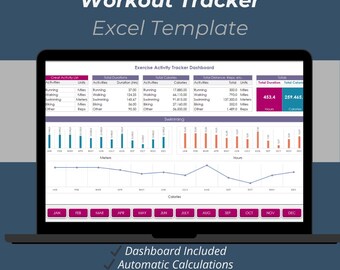
Plantilla de Excel para registro de entrenamiento / Registro de actividad física, seguimiento de ejercicios y hoja de cálculo para el seguimiento de calorías durante 12 meses
MX$185.66
-

Descarga digital
Plantilla de registro de entrenamiento: Rastreador de actividad física editable (Descarga digital)
MX$133.47
-
Descarga digital
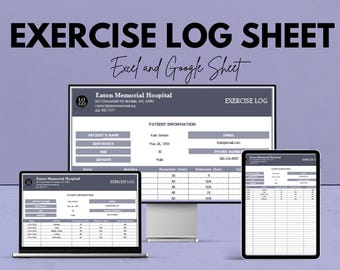
Hoja de registro de ejercicios / Seguimiento de su progreso físico / Plantilla de Excel y Hojas de cálculo de Google
Precio en oferta MX$126.39
Precio original MX$252.52
-

Descarga digital
Registro digital de entrenamiento y seguimiento de actividad física / Excel + Hojas de cálculo de Google / Planificador de gimnasio, seguimiento de relaciones públicas, monitor de progreso
Precio en oferta MX$74.30
Precio original MX$123.77
-
Descarga digital
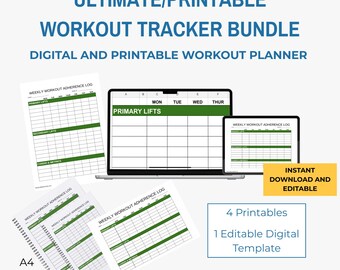
Paquete de registro de entrenamiento semanal imprimible y editable (tamaño A4 y A5)
MX$123.58
-
Descarga digital
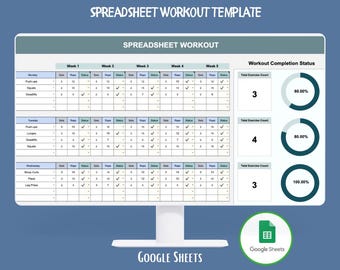
Hoja de cálculo de ejercicios, Google Sheets, planificador de entrenamiento físico, registro de ejercicios, registro de progreso, plantilla de programa de entrenamiento
Precio en oferta MX$160.25
Precio original MX$200.21
-

Descarga digital
Plantilla de Excel para planificador de entrenamiento, hoja de cálculo para seguimiento de actividad física en gimnasio, registro de ejercicios y programa de entrenamiento, descarga digital.
MX$224.85
-

Descarga digital
Plantilla imprimible de entrenamiento semanal y ejercicio/Registro de programa de levantamiento A4 y carta de EE. UU.
MX$179.84
-

Descarga digital
Plantilla de Excel para levantamiento de pesas, registro de sobrecarga progresiva (descarga digital)
Precio en oferta MX$154.92
Precio original MX$182.13
-

Descarga digital
Planificador de registro de entrenamiento minimalista - Rastreador de actividad física imprimible / Registro de ejercicios cardiovasculares en blanco y negro (PDF)
MX$151.77
A los compradores con gustos similares les han gustado estos artículos
-
Descarga digital
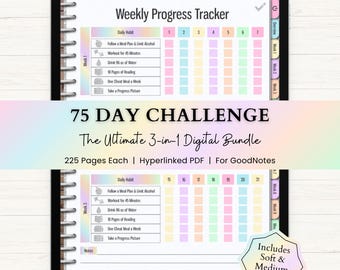
Paquete de planificadores digitales para el reto de 75 días / Rastreador de 75 días (tamaño blando y mediano) / Planificador de fitness para GoodNotes / PDF con hipervínculos / Arcoíris
Precio en oferta MX$409.53
Precio original MX$630.11
-

Descarga digital
Planificador de fitness digital: entrenamientos, comidas, diario de pérdida de peso y seguimiento de hábitos para Goodnotes y iPad.
Precio en oferta MX$61.58
Precio original MX$175.99
-
Descarga digital
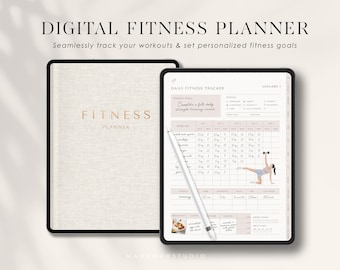
Planificador digital de actividad física: Diario de entrenamiento, comidas y bienestar GoodNotes para iPad (PDF)
Precio en oferta MX$85.81
Precio original MX$286.25
-

Descarga digital
Planificador digital de fitness, planificador de bienestar, planificador de ejercicios sin fecha para la salud y la pérdida de peso, iPad, Android, GoodNotes, Notability
Precio en oferta MX$22.31
Precio original MX$89.04
-

Descarga digital
Digital Health & Fitness Planner Digital Planner Workout Fitness Journal Meal Planner Weight Loss Tracker GoodNotes Better Health Template
Precio en oferta MX$112.13
Precio original MX$224.46
-

Descarga digital
Planificador de fitness, paquete imprimible de planificador de salud y fitness, diario de fitness, diario de pérdida de peso, planificador de comidas para mejorar tu figura, rastreadores de entrenamiento
Precio en oferta MX$42.10
Precio original MX$70.03
-

Descarga digital
Seguimiento de levantamiento de pesas, plantilla de levantamiento de pesas de una hoja, página de fitness de Canva, entrenamiento imprimible, plantillas de entrenamiento editables, PDF de ejercicios
Precio en oferta MX$72.57
Precio original MX$96.77
-

Descarga digital
Planificador de ejercicios Hojas de cálculo de Google Seguimiento de ejercicios Hoja de cálculo Plantilla de planificador de actividad física Lista de verificación de gimnasio Calendario de entrenamiento de levantamiento de pesas Pilates
Precio en oferta MX$64.63
Precio original MX$215.30
-

Descarga digital
Lista de ejercicios editable, tabla de rutina de ejercicios diaria, plan de entrenamiento sencillo, planificador de registro de ejercicios diario, rastreador de actividad física imprimible, registro de gimnasio
Precio en oferta MX$67.32
Precio original MX$96.03
-

Descarga digital
Paquete de planificador de fitness, entrenamiento, salud, pérdida de peso en formato PDF imprimible
Precio en oferta MX$53.27
Precio original MX$177.30
-

Descarga digital
Planificador de ejercicios Hojas de cálculo de Google Seguimiento de ejercicios Hoja de cálculo Planificador de fitness Lista de verificación de gimnasio Calendario de entrenamiento de levantamiento de pesas Pilates
Precio en oferta MX$89.83
Precio original MX$179.64
-

Descarga digital
Rastreador de ejercicios imprimible, planificador diario de ejercicios, rastreador semanal de ejercicios, registro de entrenamiento en el gimnasio, planificador de fitness, tamaño A5, A4, carta de EE. UU.
Precio en oferta MX$40.55
Precio original MX$67.51


