


Garden Planner Spreadsheet | Vegetable Planting Calendar by Zone, Square Foot & Seed Starting Schedule | Google Sheets, Excel
Item highlights
Seller's description
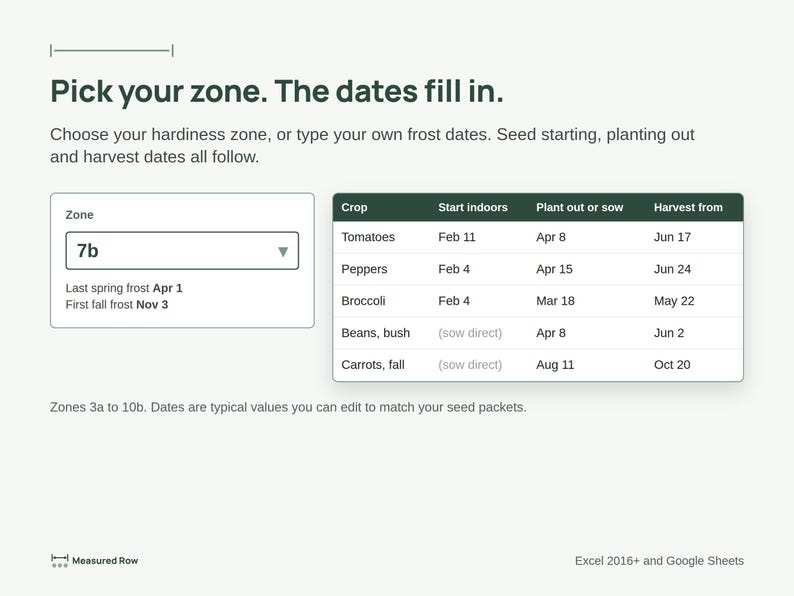
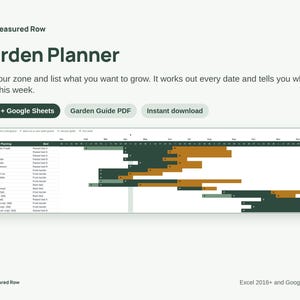
Plan it. Try it. See what grows. Pick your zone, list what you want to grow, and this spreadsheet works out every date and tells you what to do this week.
Made by a home gardener, not an expert, for busy and imperfect seasons. Every planting is an experiment: you succeed or you grow.
WHAT'S INSIDE
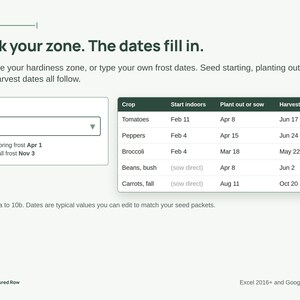
• Setup: pick your hardiness zone (3a to 10b) and typical frost dates fill in, or type your own
• Crop Library: 61 vegetables, herbs, flowers and cover crops with typical planting times you can edit
• My Plan: one row per planting; seed starting, planting out and harvest dates fill in for spring and fall gardens
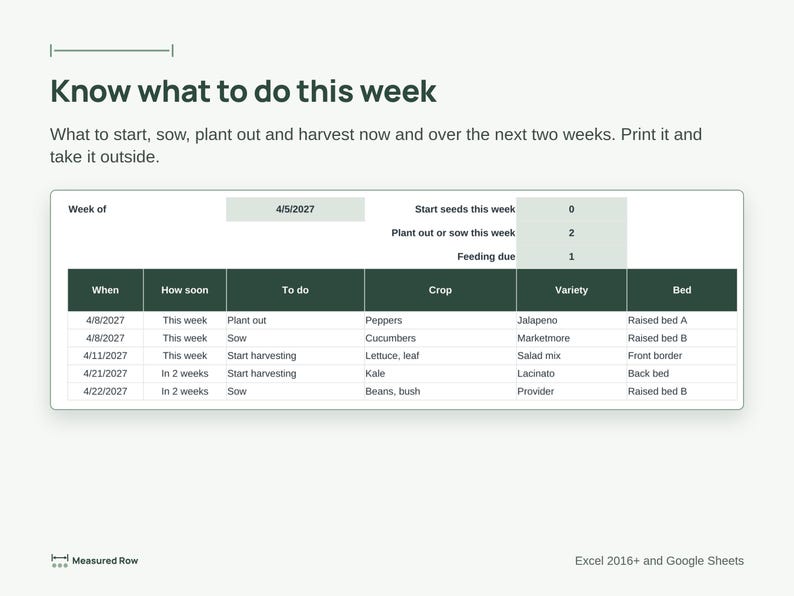
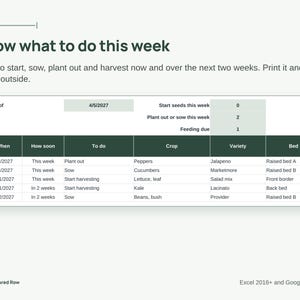
• This Week: what to start, sow, plant out and harvest now and over the next two weeks, ready to print
• Calendar: the whole year at a glance
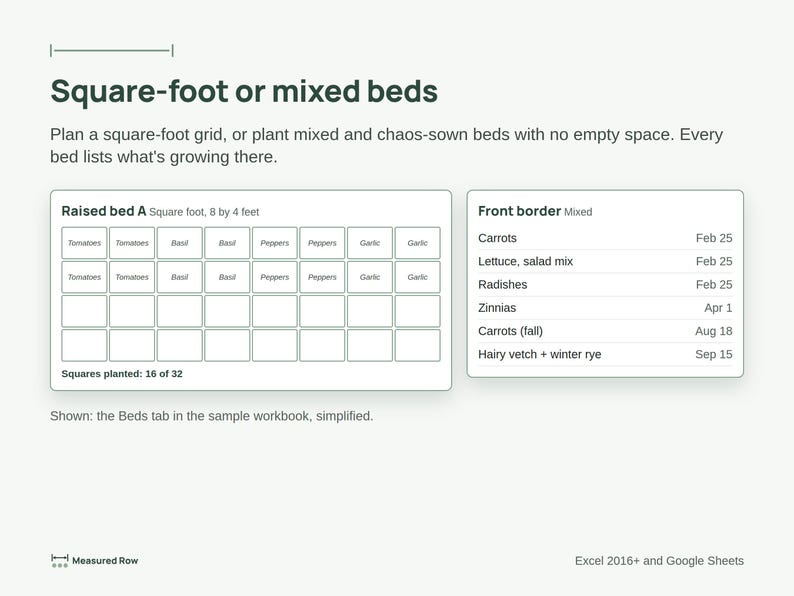
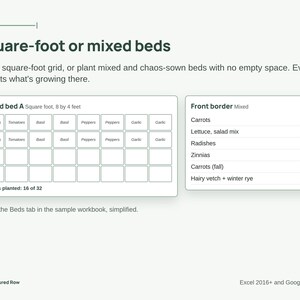
• Beds: square-foot grids, or mixed and chaos-sown beds
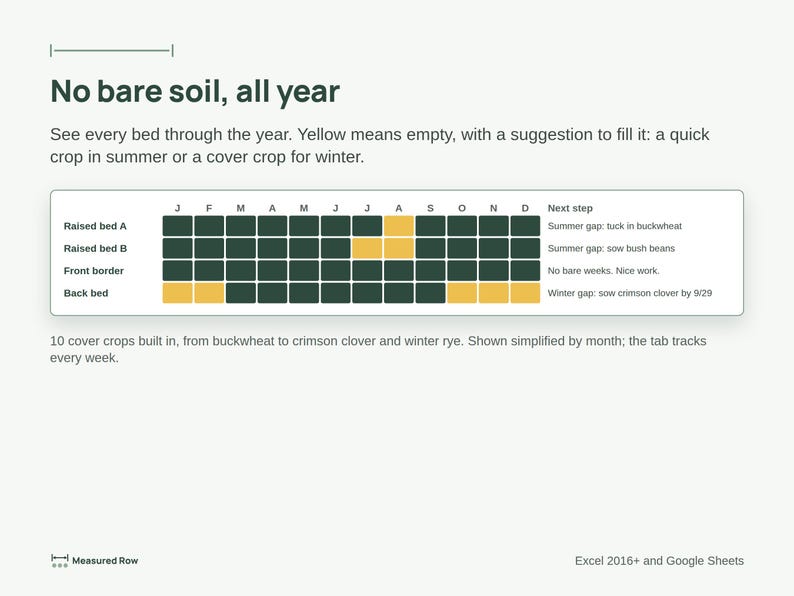
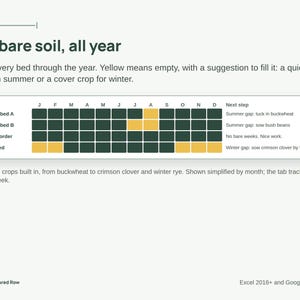
• Bare Soil: every bed week by week, with ideas to fill empty weeks, including 10 cover crops for summer and winter
• Soil and Water: soil tests, watering setup and a feeding log with reminders
• Seeds and Seed Mixes: what seed you have, how old it is, and what came up from each scatter
• Perennials: fruit trees, berries, asparagus and herbs with care months
• Harvest: what you picked and what it was worth at store prices
• Problems: track pests with a simple red, yellow and green light
• Season Review: your experiments, what worked and what to try next year
PLUS A GARDEN GUIDE (PDF)
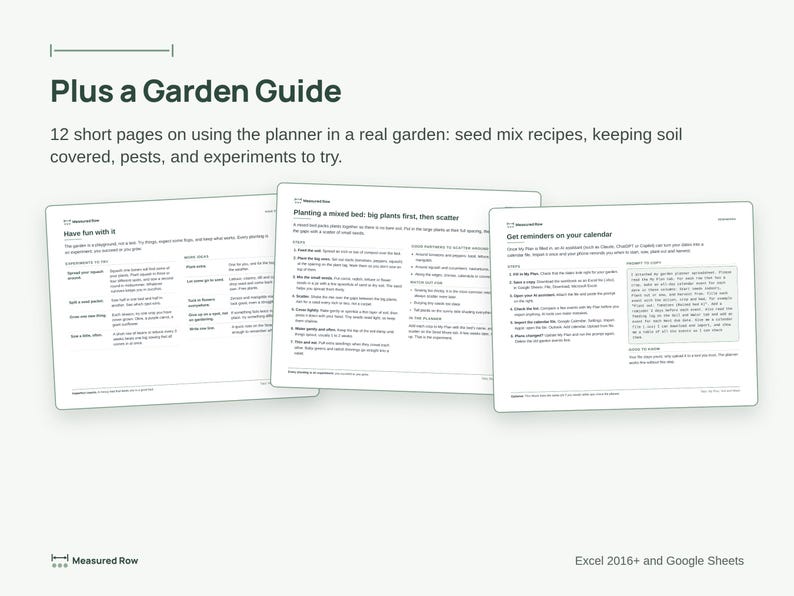
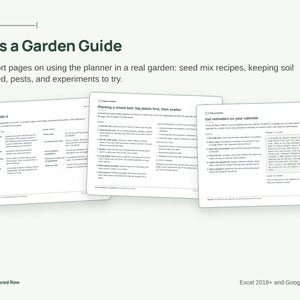
12 short pages on using the planner in a real garden: experiments to try, planting a mixed bed, seed mix recipes, square-foot spacing, keeping soil covered, watering, pests and harvest. Bonus: a ready-made prompt for an AI assistant that turns your plan into calendar reminders.
WHY IT'S DIFFERENT
• The coach: rows point out gaps, such as a missing bed or the same plant family in last year's spot
• Type once: dates, This Week, the calendar and bed lists all fill in from My Plan
• Easy: white cells are for typing, green cells calculate for you, grey rows are examples
• Every tab is optional except Setup and My Plan
WORKS IN
Microsoft Excel 2016 or newer and Google Sheets. No macros, add-ins or sign-ups.
WHAT YOU GET
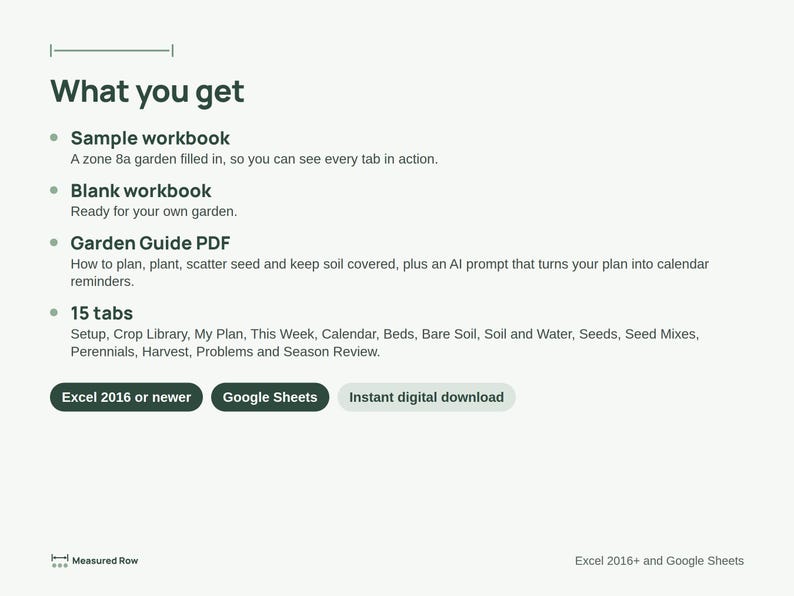
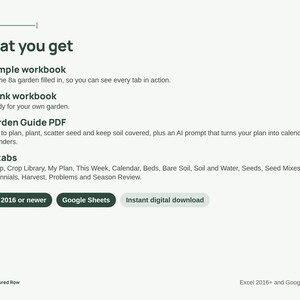
2 Excel workbooks (.xlsx), a sample garden filled in and a blank copy for your own, plus the Garden Guide PDF. This is a digital download; nothing will be shipped.
PLEASE NOTE
Planting dates are typical values. Check your seed packets and local conditions. This is a planning tool, not expert horticultural advice. For personal use. Please don't resell or share it publicly.
Designed by me, built with the help of AI tools.
If something goes wrong with an order, we've got your back for all eligible purchases. View programme terms
5 views in the last 24 hours
NowPrice:£13.87
Original Price: £17.78
22% off
You can only make an offer when buying a single item.
Delivery
Instant download
Your files will be available to download once payment is confirmed. Here's how.
Instant download items don't accept returns, exchanges or cancellations. Please contact the seller about any problems with your order.
Seller's description
Specifications
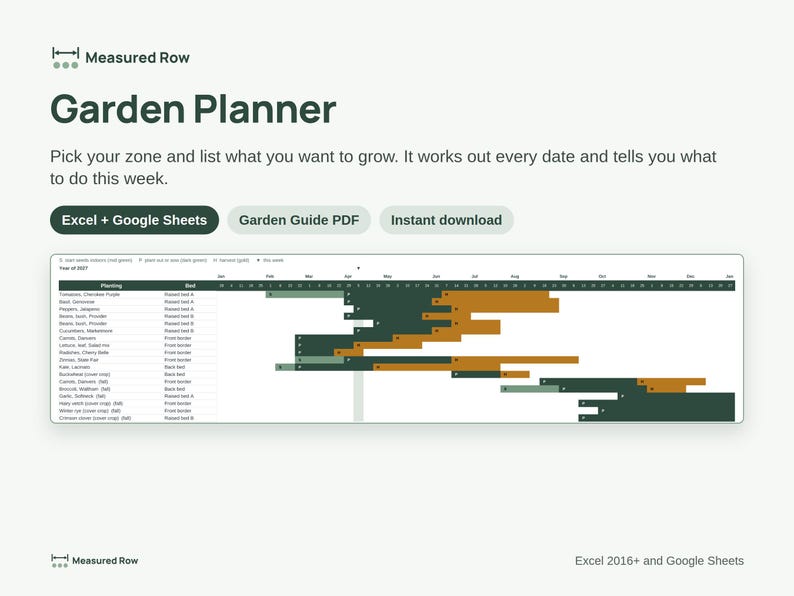
Plan it. Try it. See what grows. Pick your zone, list what you want to grow, and this spreadsheet works out every date and tells you what to do this week.
Made by a home gardener, not an expert, for busy and imperfect seasons. Every planting is an experiment: you succeed or you grow.
WHAT'S INSIDE
• Setup: pick your hardiness zone (3a to 10b) and typical frost dates fill in, or type your own
• Crop Library: 61 vegetables, herbs, flowers and cover crops with typical planting times you can edit
• My Plan: one row per planting; seed starting, planting out and harvest dates fill in for spring and fall gardens
• This Week: what to start, sow, plant out and harvest now and over the next two weeks, ready to print
• Calendar: the whole year at a glance
• Beds: square-foot grids, or mixed and chaos-sown beds
• Bare Soil: every bed week by week, with ideas to fill empty weeks, including 10 cover crops for summer and winter
• Soil and Water: soil tests, watering setup and a feeding log with reminders
• Seeds and Seed Mixes: what seed you have, how old it is, and what came up from each scatter
• Perennials: fruit trees, berries, asparagus and herbs with care months
• Harvest: what you picked and what it was worth at store prices
• Problems: track pests with a simple red, yellow and green light
• Season Review: your experiments, what worked and what to try next year
PLUS A GARDEN GUIDE (PDF)
12 short pages on using the planner in a real garden: experiments to try, planting a mixed bed, seed mix recipes, square-foot spacing, keeping soil covered, watering, pests and harvest. Bonus: a ready-made prompt for an AI assistant that turns your plan into calendar reminders.
WHY IT'S DIFFERENT
• The coach: rows point out gaps, such as a missing bed or the same plant family in last year's spot
• Type once: dates, This Week, the calendar and bed lists all fill in from My Plan
• Easy: white cells are for typing, green cells calculate for you, grey rows are examples
• Every tab is optional except Setup and My Plan
WORKS IN
Microsoft Excel 2016 or newer and Google Sheets. No macros, add-ins or sign-ups.
WHAT YOU GET
2 Excel workbooks (.xlsx), a sample garden filled in and a blank copy for your own, plus the Garden Guide PDF. This is a digital download; nothing will be shipped.
PLEASE NOTE
Planting dates are typical values. Check your seed packets and local conditions. This is a planning tool, not expert horticultural advice. For personal use. Please don't resell or share it publicly.
Designed by me, built with the help of AI tools.
-
Item typeDigital download
-
Digital file type(s)1 PDF, 2 other files
If something goes wrong with an order, we've got your back on all eligible purchases. View programme terms
Meet your seller


More from this shop
-
Digital download
Project Status Report Template | Traffic Light RAG Dashboard, Program Rollup, PMO Report | Excel & Google Sheets
Sale Price £19.70
Original Price £25.27
-
Digital download
Lean Six Sigma Process Improvement Toolkit | FMEA, SIPOC, A3, Fishbone, RACI, Gantt (Digital Download)
Sale Price £27.01
Original Price £34.63