



reMarkable Planner 2027, Hyperlinked Digital Planner for reMarkable Paper Pro, reMarkable 2, Paper Pro Move, 34 Templates, Paycheck Budget
AgoraPreço:17,88 €
Preço original: 22,92 €
22% de desconto
Promoção válida até 10 de novembro
Vendedor estrela
Os Vendedores estrela têm um histórico notável de oferta de uma excelente experiência de cliente: receberam regularmente avaliações de 5 estrelas, enviaram as encomendas atempadamente e responderam rapidamente a todas as mensagens recebidas.
Só pode fazer uma oferta quando compra um único artigo
Vendedor estrela. Este vendedor recebeu regularmente avaliações de 5 estrelas, enviou atempadamente e respondeu rapidamente a todas as mensagens recebidas.
Destaques
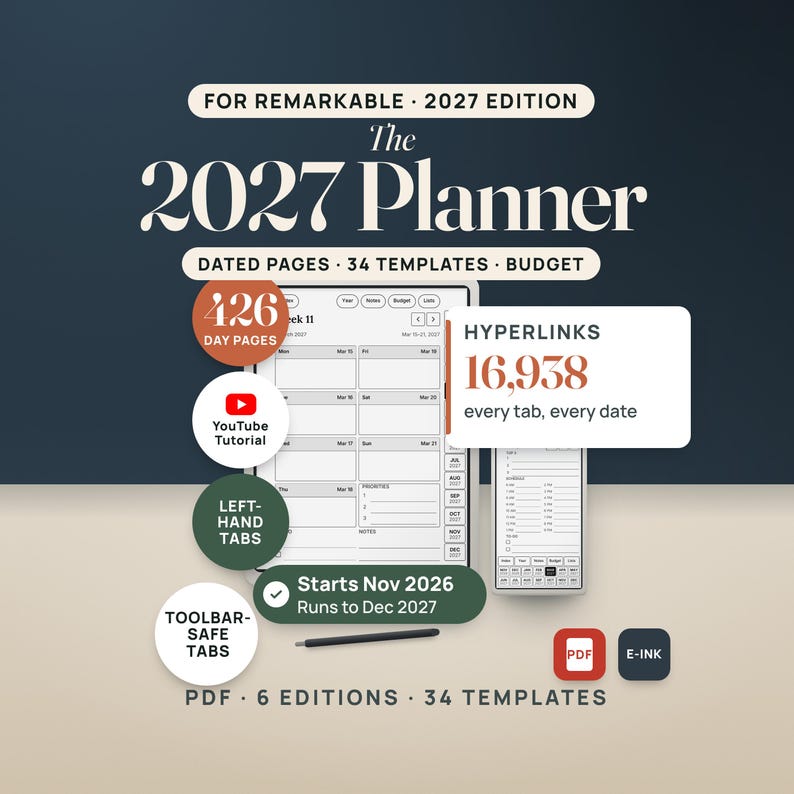
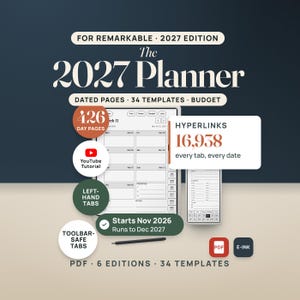
reMarkable Planner 2027 is a hyperlinked PDF planner for people who plan on a reMarkable Paper Pro, reMarkable 2, Paper Pure or Paper Pro Move, for keeping the whole year, every week, every day and the budget in one file that opens to the right page in two taps. Dated November 2026 through December 2027, with 34 templates. Instant download.
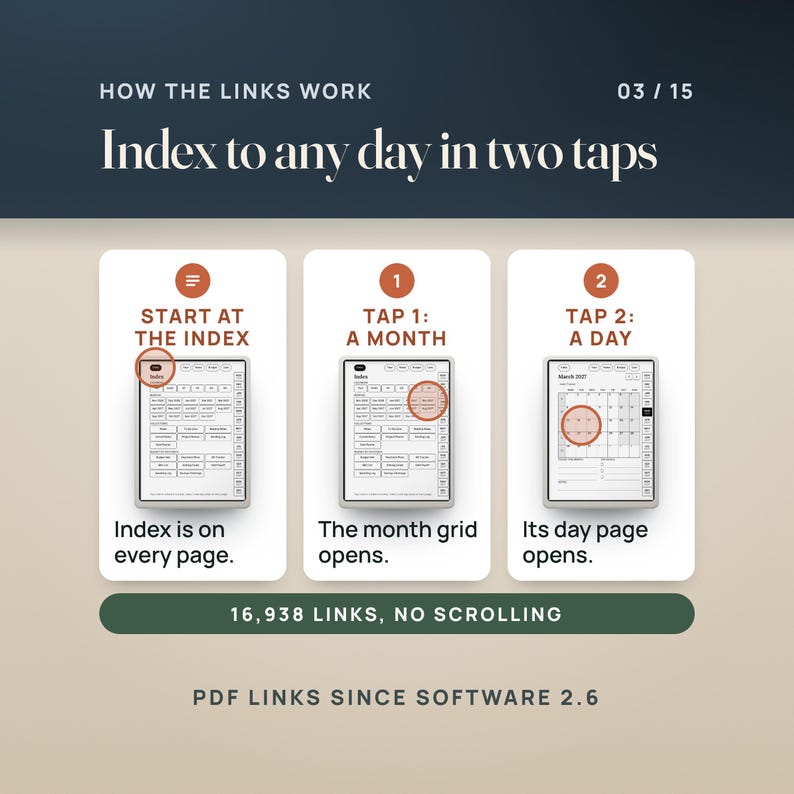
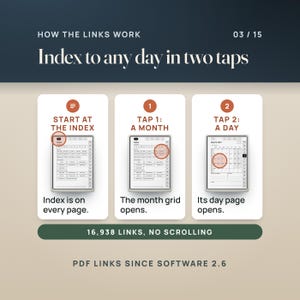
A paper planner never fits in the bag with the tablet, and a plain PDF calendar means swiping through hundreds of pages to find Tuesday. This planner is built for the screen it lives on: the page is the same 3:4 proportion as the reMarkable 2, Paper Pure and Paper Pro displays, the Paper Pro Move gets its own 9:16 edition, every month tab, pill, week number and date is a link, and the strip where the toolbar opens is kept free of links so a tap on a tab is never a tap on a tool. 16,938 links in the Monday-start edition. Tap Index on any page, tap a month, tap a day.
You can also write on every page with the marker, the way you write on any PDF on the device.
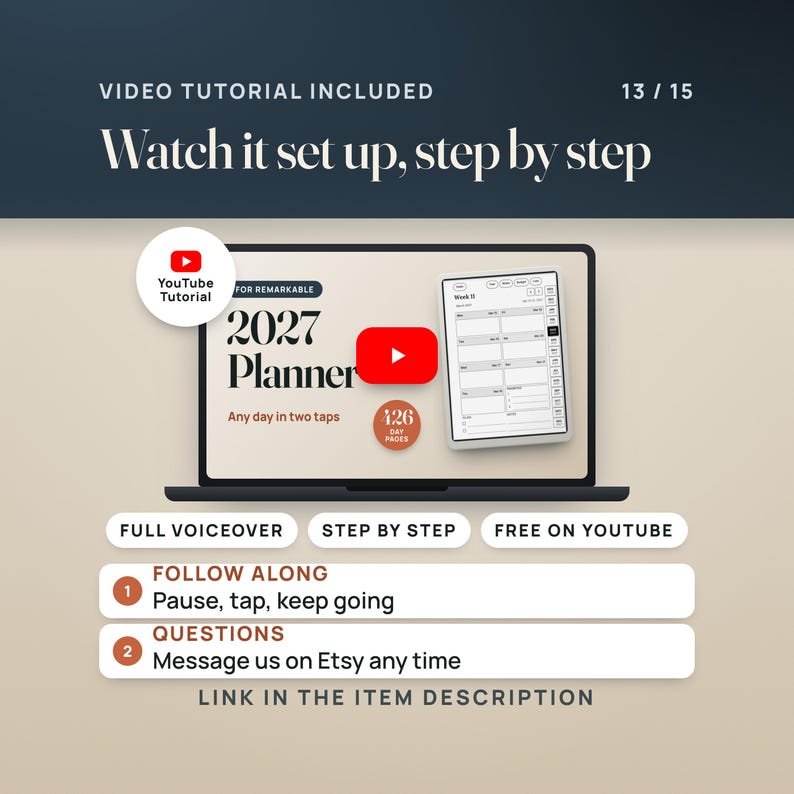
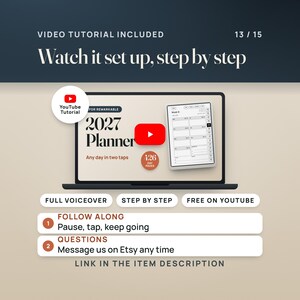
🎬 WATCH THE FULL WALKTHROUGH: https://youtu.be/FfU54Em_Wp4
A narrated video tutorial on YouTube loads the planner onto the tablet, taps the real link path from the Index to a day, and walks through the week, the day, the budget pages and the templates. Narrated with an AI voice.
————————————————————
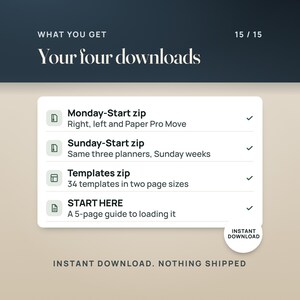
📦 WHAT'S INCLUDED (4 FILES TO DOWNLOAD, 6 PLANNERS, 34 TEMPLATES)
————————————————————
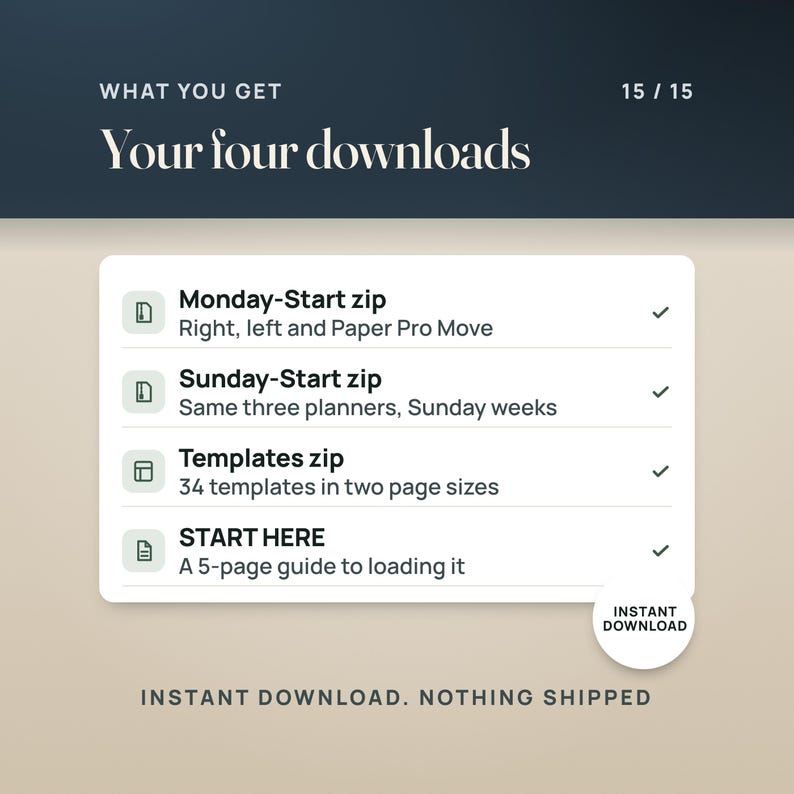
01. Monday-Start zip (3 planners + the START HERE guide)
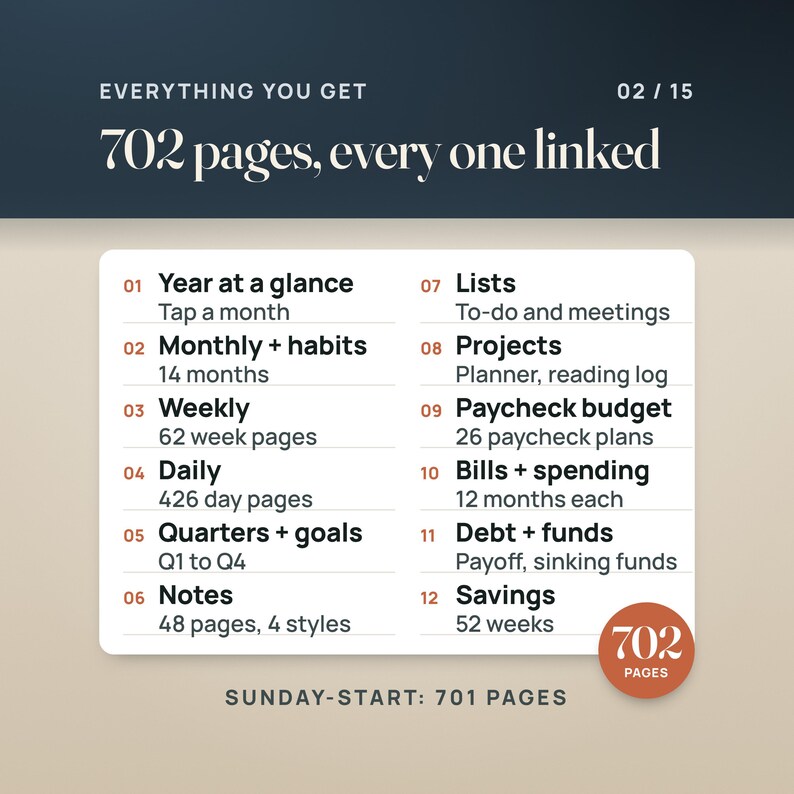
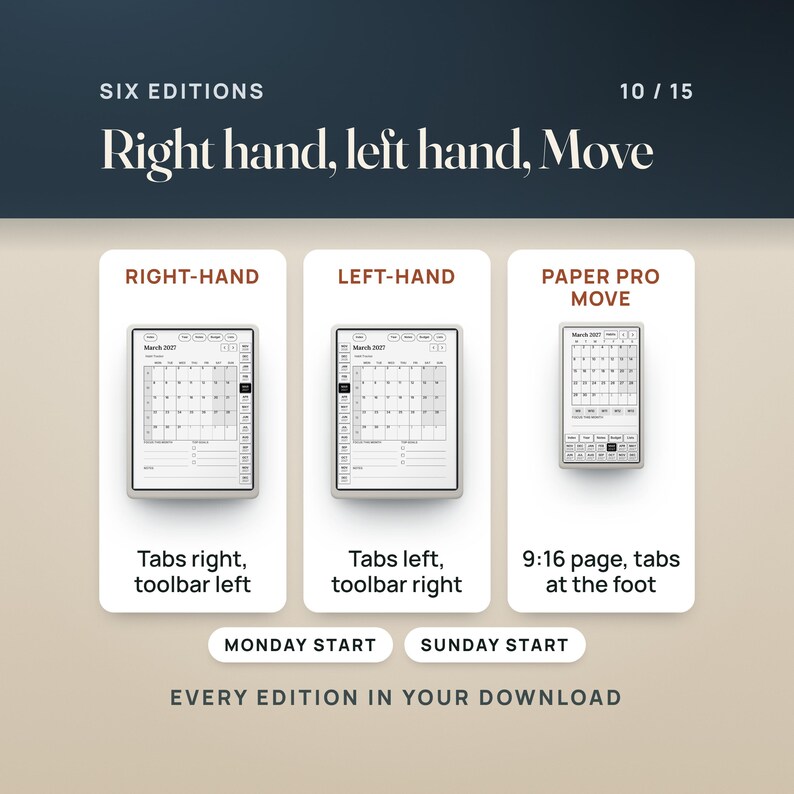
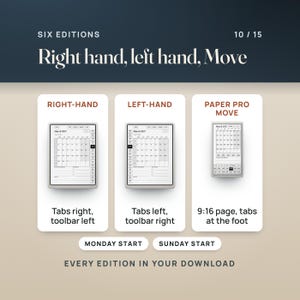
The 2027 planner with weeks that start on Monday and ISO week numbers, in three editions: right-hand tabs (702 pages), left-hand tabs (702 pages) and the Paper Pro Move edition (685 pages, 9:16, tabs at the foot of the page).
02. Sunday-Start zip (3 planners + the START HERE guide)
The same three planners with weeks that start on Sunday and US week numbers (701 pages in the right- and left-hand editions, 684 on the Move).
03. Templates zip (34 single-page templates)
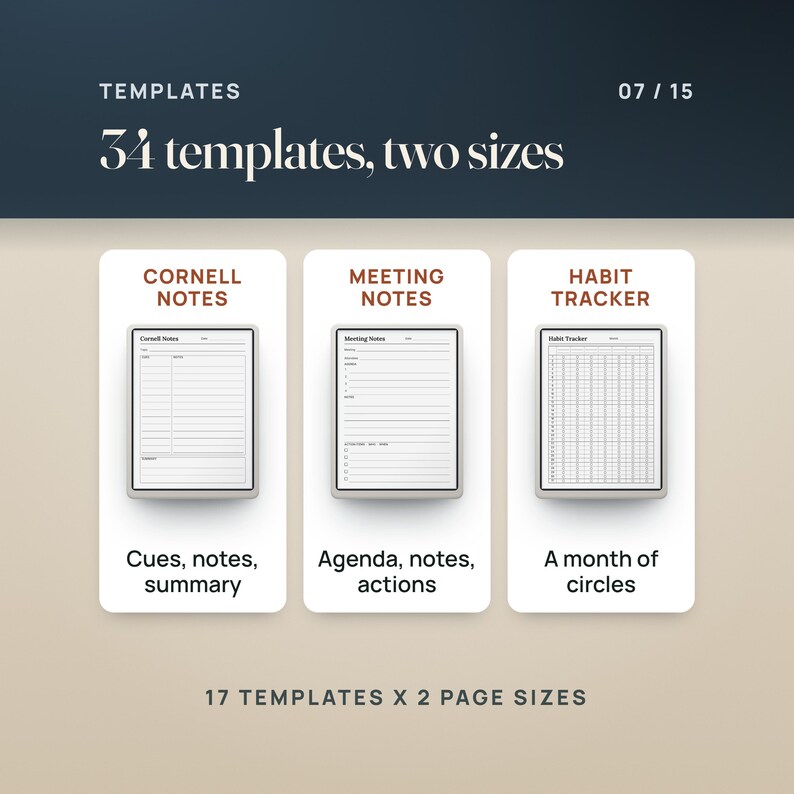
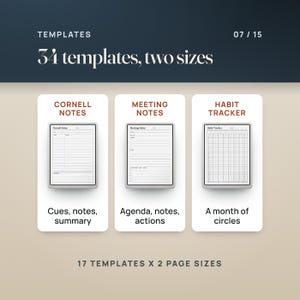
17 templates for the 3:4 screens and the same 17 sized for the Paper Pro Move: Lined Notes, Dot Grid, Grid, To-Do List, Meeting Notes, Cornell Notes, Daily (undated), Weekly (undated, Monday and Sunday versions), Monthly (undated, Monday and Sunday versions), Habit Tracker, Paycheck Plan, Bill Tracker, Reading Log, Project Planner and Goal Planner.
04. START HERE guide (5 pages, PDF)
Which file is which, how to get a PDF onto the tablet, and how to test a link before you plan anything.
Inside every planner:
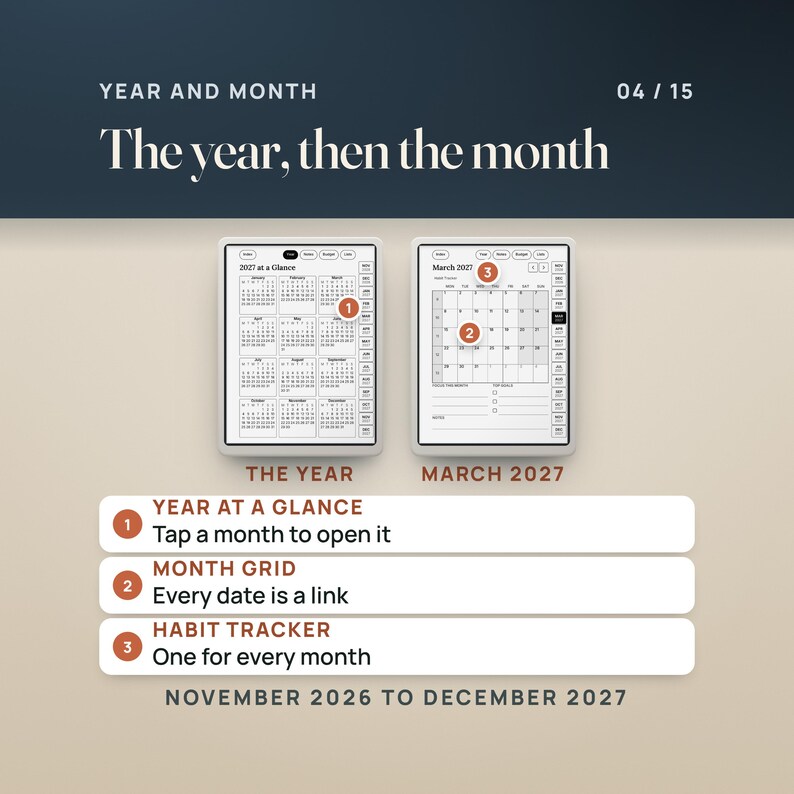
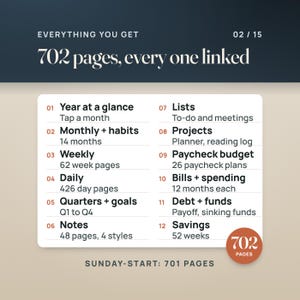
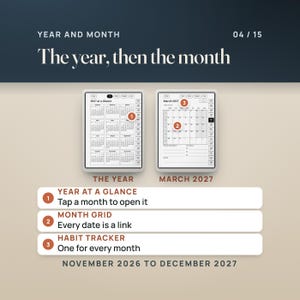
- Index, year at a glance (tap a month to open it), goals, and four quarter pages with their months as links
- 14 month pages (Nov 2026 to Dec 2027), each with a habit tracker page
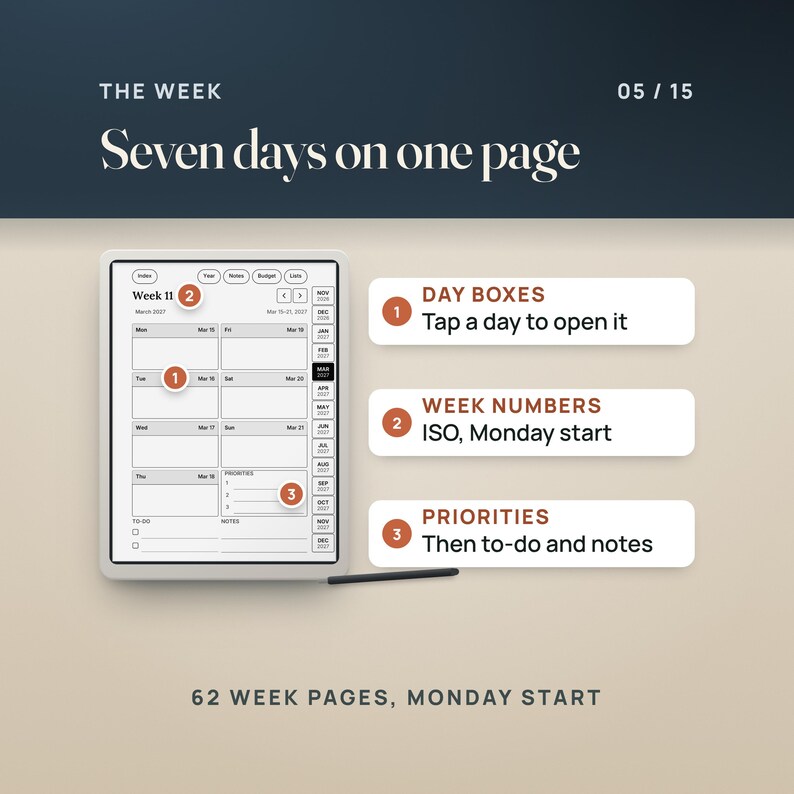
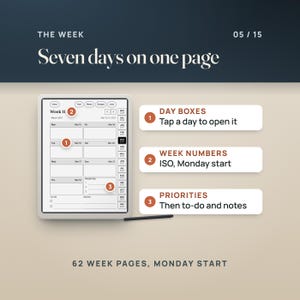
- 62 week pages (Monday start) or 61 (Sunday start): seven day boxes, priorities, to-do and notes
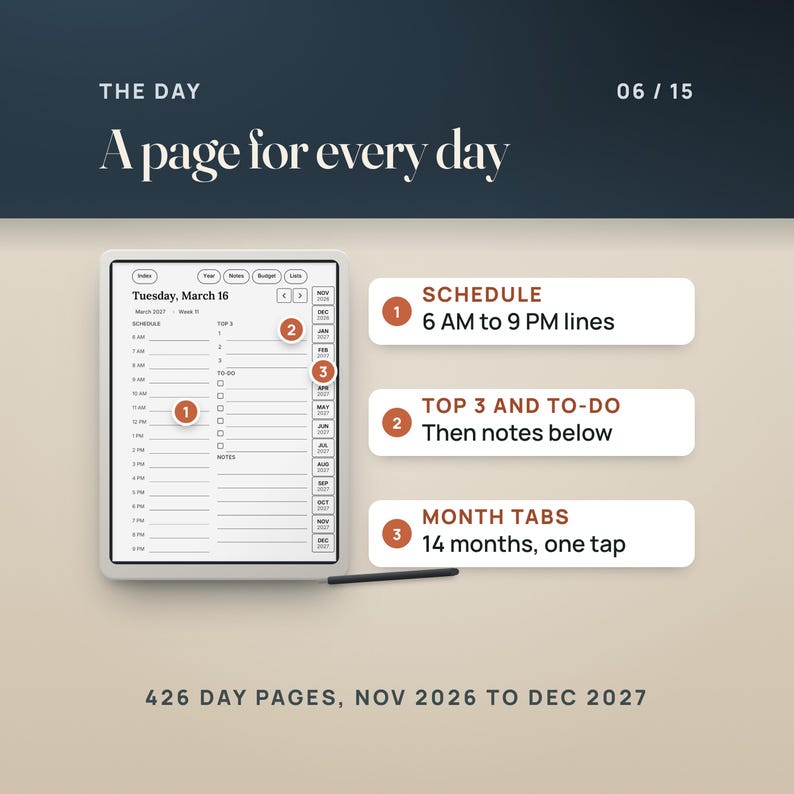
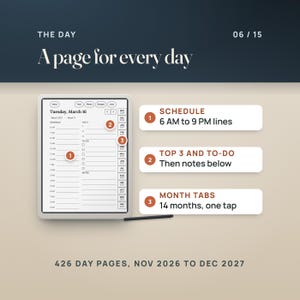
- 426 day pages, one for every date: a schedule from 6 AM to 9 PM, Top 3, to-do and notes, with breadcrumbs back to the week and the month
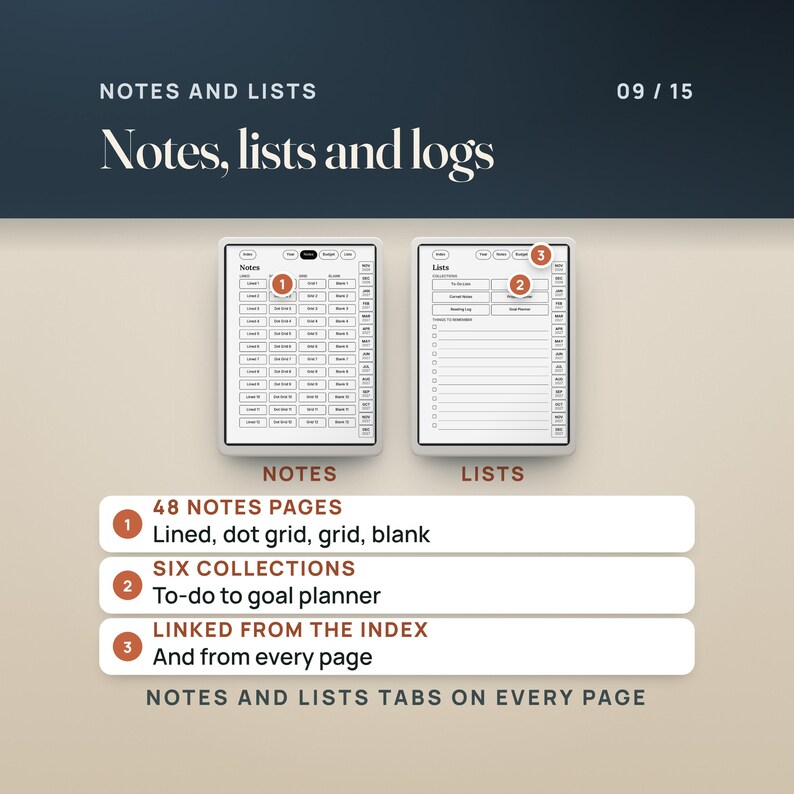
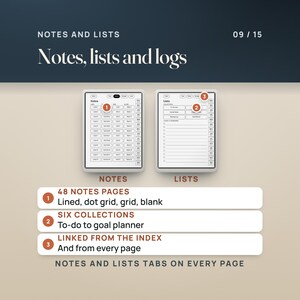
- Notes: 48 pages in four styles (lined, dot grid, grid, blank), plus six collections: to-do lists, meeting notes, Cornell notes, project planner, reading log, goal planner
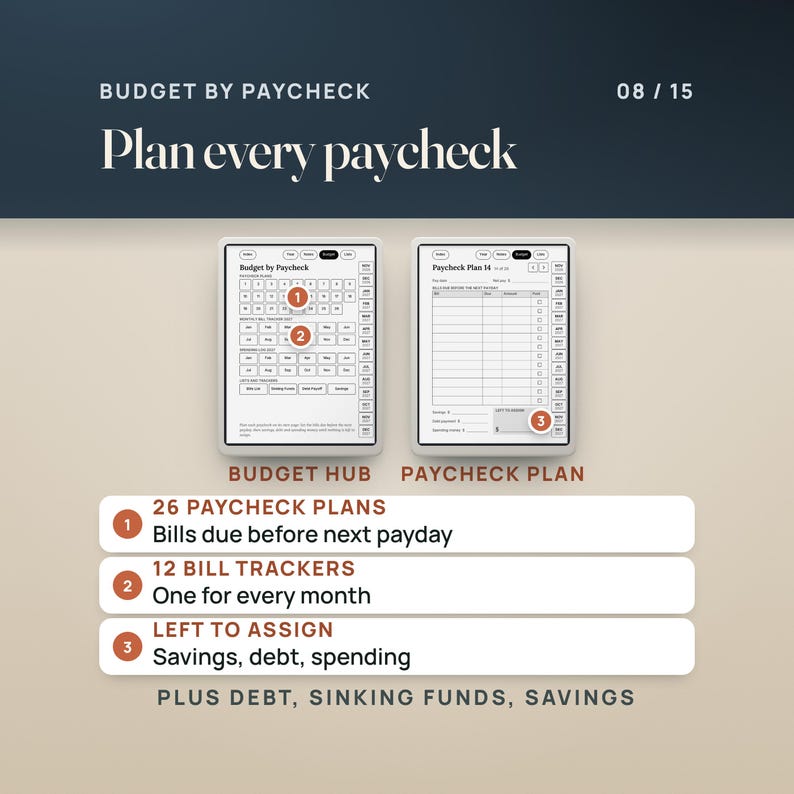
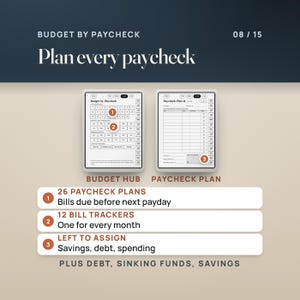
- Budget by Paycheck: a hub, 26 paycheck plans, 12 monthly bill trackers, a bills master list, sinking funds, debt payoff, 12 monthly spending logs and a 52-week savings challenge
- 14 month tabs plus Index, Year, Notes, Budget and Lists on every page; a PDF outline (bookmarks) that mirrors the tabs
————————————————————
👤 WHO THIS IS FOR
————————————————————
reMarkable Paper Pro, reMarkable 2 and Paper Pure owners who want one dated planner for 2027 that opens to the right page without scrolling.
Paper Pro Move owners: the Move edition is built for the 9:16 screen, with the tabs at the foot where your thumb is.
Left-handed planners: the left-hand editions put the tabs on the left and keep the right edge clear for a toolbar moved to the right.
Anyone who budgets by paycheck rather than by month and wants the plan on the same device as the calendar.
————————————————————
🚫 WHO THIS IS NOT FOR
————————————————————
Anyone who wants holidays printed on the pages. No holidays are printed, so the same file works in any country; write yours in.
Anyone who wants a color planner. These pages are black ink on white, drawn for e-ink.
Anyone who needs an app with reminders or sync. This is a PDF; it does not notify you of anything.
————————————————————
✅ KEY BENEFITS
————————————————————
Two taps to any day: from the Index, tap the month, then the date. The 14 month tabs on every page work the same way. Every date on a month grid is a link; every day box on a week page is a link; the breadcrumb under a day's title takes you back.
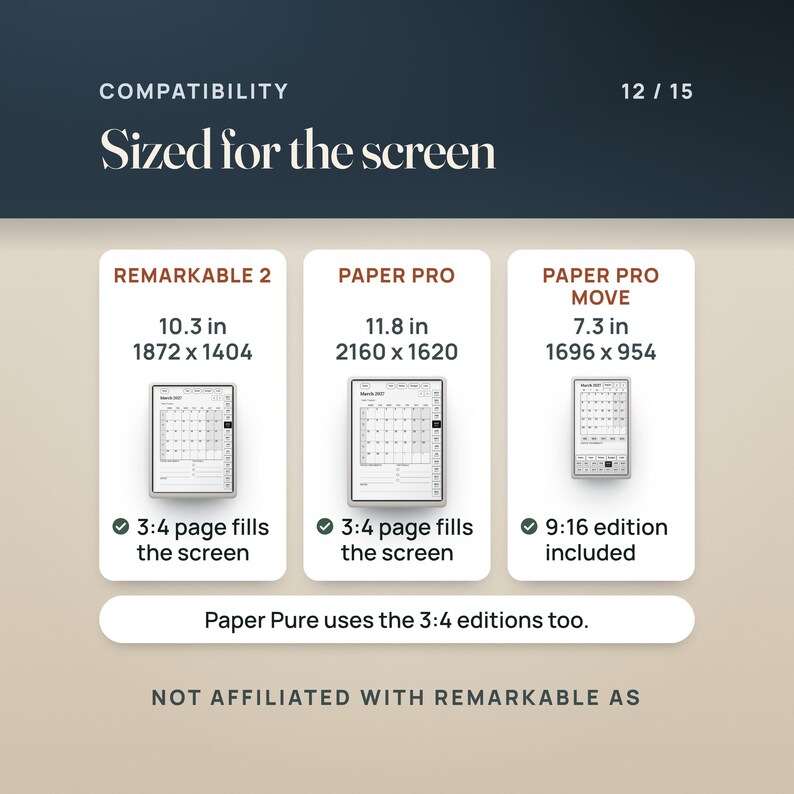
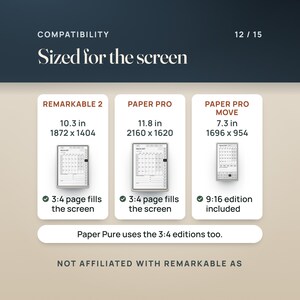
Built to the screen: a 3:4 page for the 10.3-inch and 11.8-inch displays and a 9:16 page for the 7.3-inch Paper Pro Move, so the page fills the screen at its native proportion instead of sitting in a letterbox.
Toolbar-safe tabs: on the right-hand editions no link sits in the leftmost 40 pt (14 mm) of the page, and the tab column starts 48 pt below the top edge; the left-hand editions mirror this. Every tap target is at least 28 pt (about 10 mm on a reMarkable 2).
Start now: November and December 2026 are in, so the planner is useful the day you load it.
Budget by Paycheck: plan each check on its own page, list the bills due before the next payday, then savings, debt and spending money until nothing is left to assign.
Templates you can duplicate: 34 single-page PDFs for notes, meetings, habits, bills and more, in both page sizes.
————————————————————
🔧 HOW IT WORKS
————————————————————
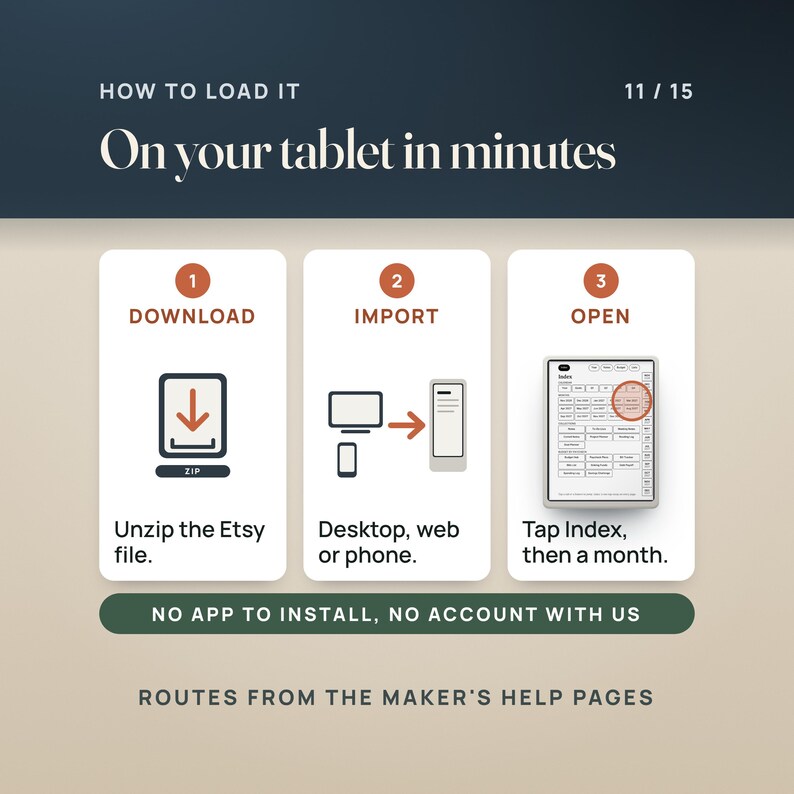
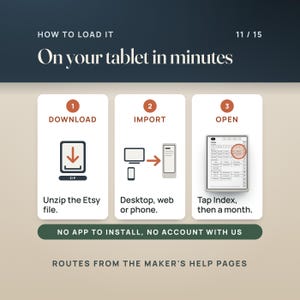
1. Download the zips from Etsy and unzip them. Open START HERE first (5 pages).
2. Put the PDF on the tablet with any of the routes on the maker's help pages: the desktop app (Import in the top menu, or drag and drop), the web app (drag the file in), the phone app (share the PDF and choose Import), or the USB web interface (Settings, General settings, Storage, switch it on, then open 10.11.99.1 in a browser). Import the PDF, not the zip.
3. Open the planner and tap Index. Tap a month, then a day. Write on the page with the marker.
4. Load the templates you use as separate documents and duplicate a page whenever you need a fresh one.
————————————————————
❓ QUESTIONS BUYERS ASK
————————————————————
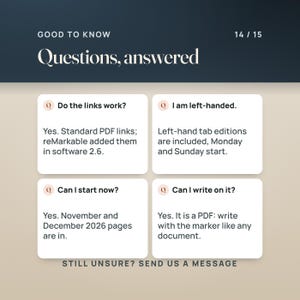
Do the links work on a reMarkable?
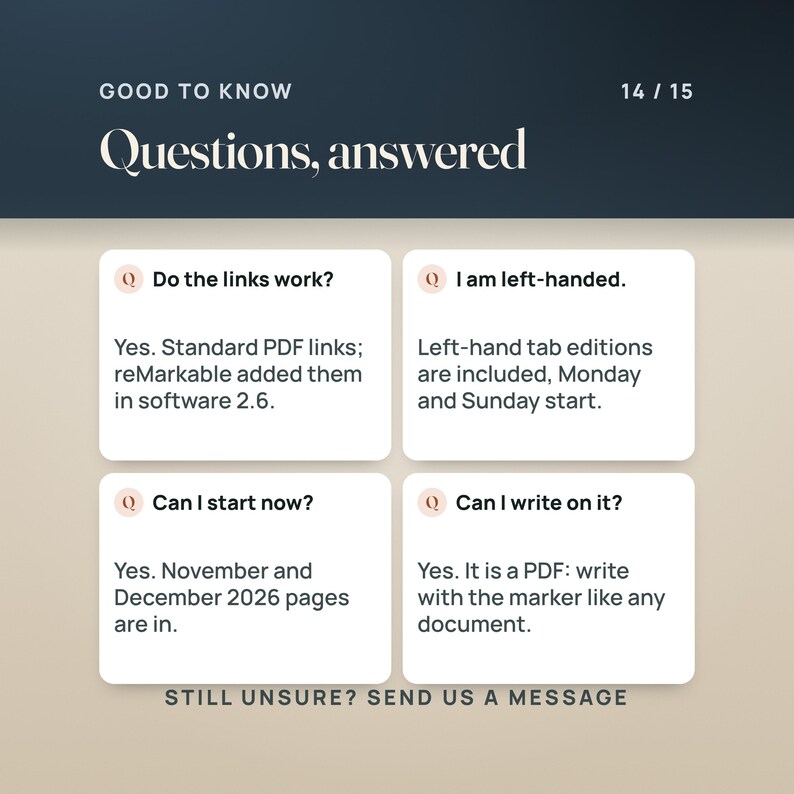
Yes. They are standard PDF links. reMarkable added navigation links inside PDFs in software 2.6 (March 2021), and current software keeps them. If your tablet runs older software, update it first.
Can I write on the pages?
Yes. The maker's help pages describe reading and taking notes directly on PDF documents with the writing tools. The planner is a PDF like any other.
Right-hand or left-hand tabs?
Both are in each zip. Right-hand tabs keep the left strip clear for the toolbar; left-hand tabs keep the right strip clear. Pick the one that matches where you keep your toolbar.
Monday or Sunday start?
Both. The Monday-start zip uses ISO week numbers; the Sunday-start zip uses the US convention (week 1 holds January 1).
Can I start now?
Yes. The planner runs from November 1, 2026 to December 31, 2027.
Is it dated?
Yes, every week and day page carries its date. The 34 templates are undated, so you can reuse them for years.
Which file is for the Paper Pro Move?
The file with PaperProMove in its name, in either zip. It is a 9:16 page with the tabs at the foot.
————————————————————
⚠️ PLEASE READ
————————————————————
This is a digital download. Nothing is shipped.
Not affiliated with or endorsed by reMarkable AS. reMarkable, Paper Pro, Paper Pure and Paper Pro Move are names of their products, used here only to say which screens the files are sized for.
Link navigation, writing on PDFs and the import routes depend on the device's software. The facts above come from the maker's own help pages as of October 2026; check them if your software is older.
The planner is black and white, drawn for e-ink. It opens in any PDF reader on a computer or phone too, but it is laid out for the tablet.
————————————————————
📥 INSTANT DOWNLOAD
————————————————————
Your files are ready to download the moment your payment clears. Nothing is shipped.
Start with the 5-page START HERE guide: which file is which, how to load it, and how to test a link.
Questions? Send a message.
———
AI DISCLOSURE: This item was created with the help of AI tools. NicheToolkits uses AI to help design the files, write the listing and make the listing photos and videos.
Transferência imediata
Os seus ficheiros estarão disponíveis para transferência assim que o pagamento for confirmado. Saiba como aqui.
Os artigos de transferência instantânea não são elegíveis para devoluções, trocas ou cancelamentos. Contacte o vendedor acerca de qualquer problema que tenha com a sua encomenda.
Proteção de compras da Etsy
Compre com confiança na Etsy sabendo que, se alguma coisa correr mal com uma encomenda, pode contar com a nossa ajuda em todas as compras elegíveis —
veja os termos do programa

Seja o primeiro a avaliar este artigo

Respostas rápidas Tem um histórico de resposta rápida às mensagens.
Avaliações excelentes A classificação média das avaliações é de 4,8 ou superior.
Mais desta loja
Visitar loja-

Transferência digital
Planilha de controle financeiro para cabeleireiros | Controle de renda de salão de beleza e aluguel de espaço (Excel/Google Sheets)
Preço de promoção 16,10 €
Preço original 20,64 €
-
Transferência digital
Kindle Scribe Planner 2027, Hyperlinked PDF Planner for Kindle Scribe and Colorsoft, Daily Weekly Monthly, Budget by Paycheck, 34 Templates
Preço de promoção 16,10 €
Preço original 20,62 €
-
Transferência digital
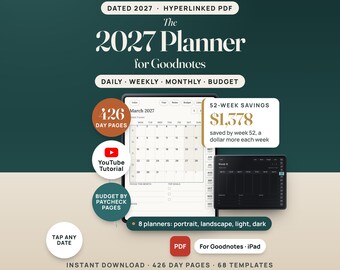
2027 Digital Planner for GoodNotes, Hyperlinked iPad Planner with Budget by Paycheck Pages, Dated Daily Weekly Monthly, Light and Dark Mode
Preço de promoção 13,41 €
Preço original 17,18 €
-
Transferência digital
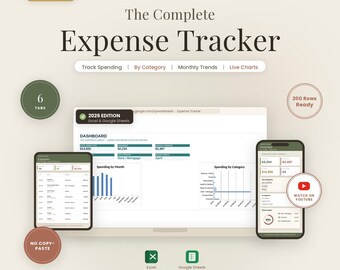
Planilha de Controle de Despesas | Controle de Gastos Mensais (Excel, Planilhas Google)
Preço de promoção 11,62 €
Preço original 14,89 €


