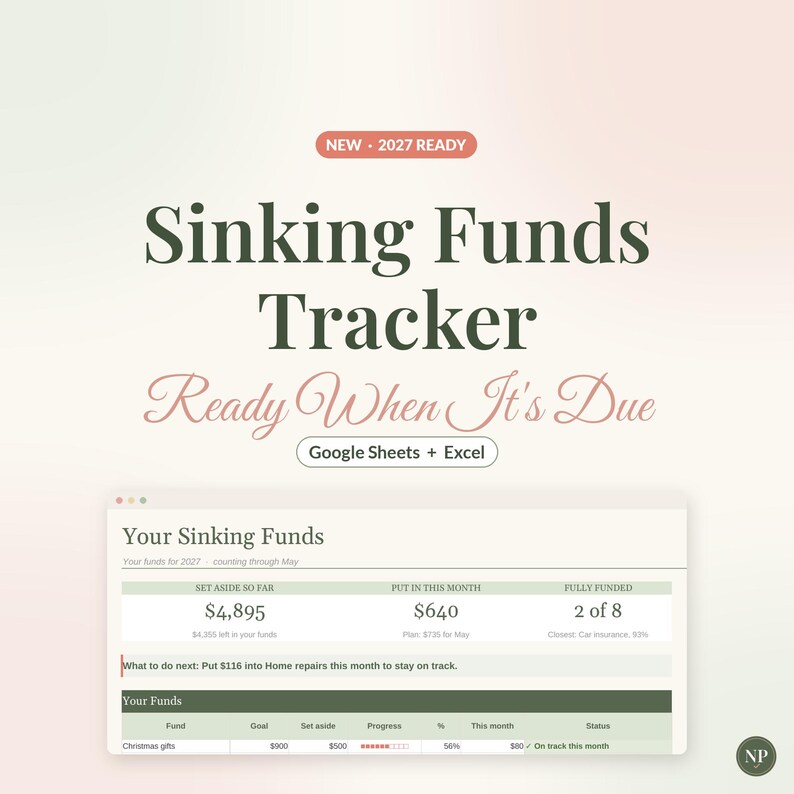


Sinking Funds Tracker Spreadsheet for Google Sheets & Excel, Sinking Fund Savings Planner, Monthly Savings Goals, Budget Template
AhoraPrecio:MX$112.82
Precio original: MX$188.04
-40 %
La oferta termina el 27 noviembre
Solo puedes hacer una oferta por compras de un único artículo
Puntos destacables
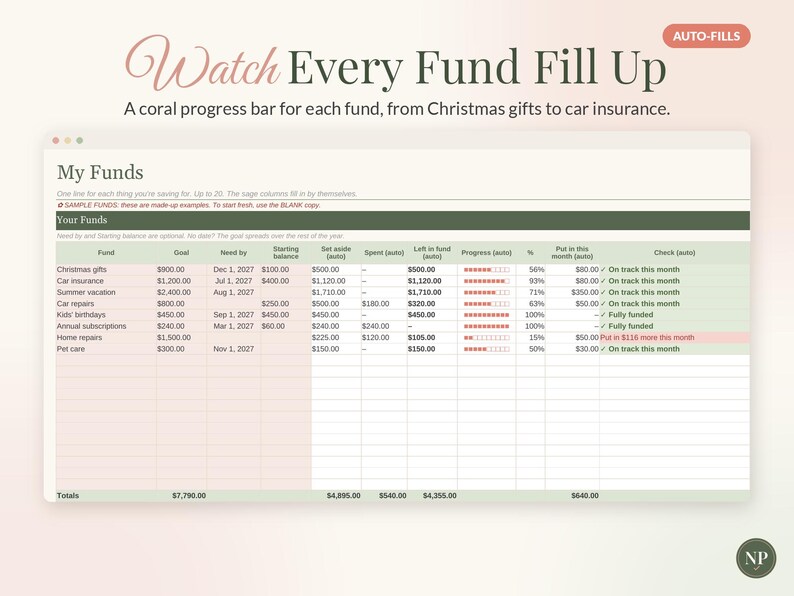
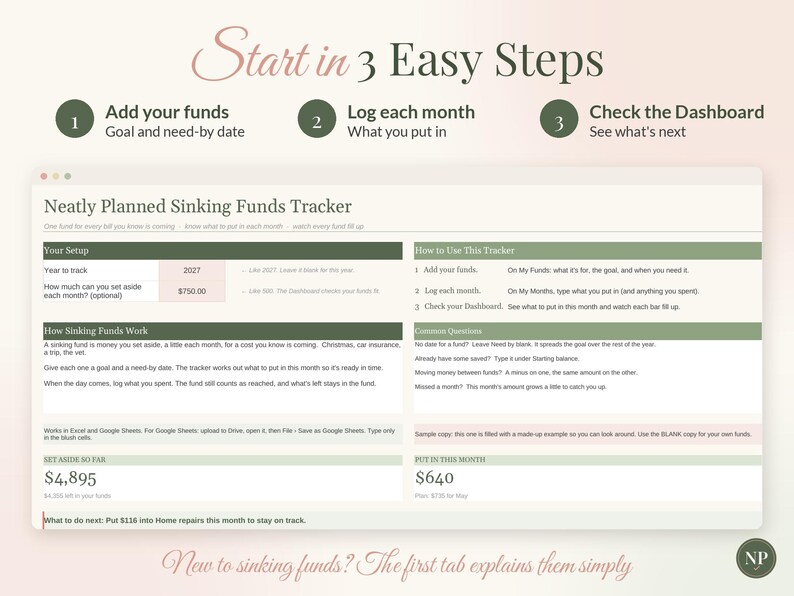
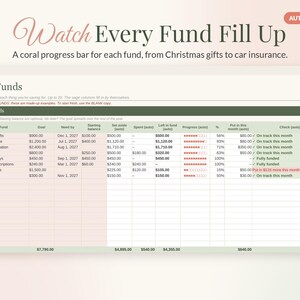
Have the money ready when the big bills come around. This Sinking Funds Tracker gives every known cost its own fund: Christmas, car insurance, a summer trip, the vet. Add a goal and a need-by date, and it works out what to put in each month so the money is there in time. Each fund gets its own progress bar, and the Dashboard tells you which fund needs a top-up. It works in Google Sheets and Microsoft Excel, and it's an instant digital download.
A note on how it's made: this tracker was designed with the help of AI tools, then built, formatted and tested by hand. The math was checked against an independent calculation in 30 real-life scenarios. These included 20 funds, past, current and future years, need-by dates that have passed, overfunded and exactly-funded goals, moving money between funds, cents, text typed where a number goes and a cleared copy.
✿ MADE FOR REAL LIFE, NOT SPREADSHEET EXPERTS
• Just 4 tabs, and you only type in the blush-colored cells
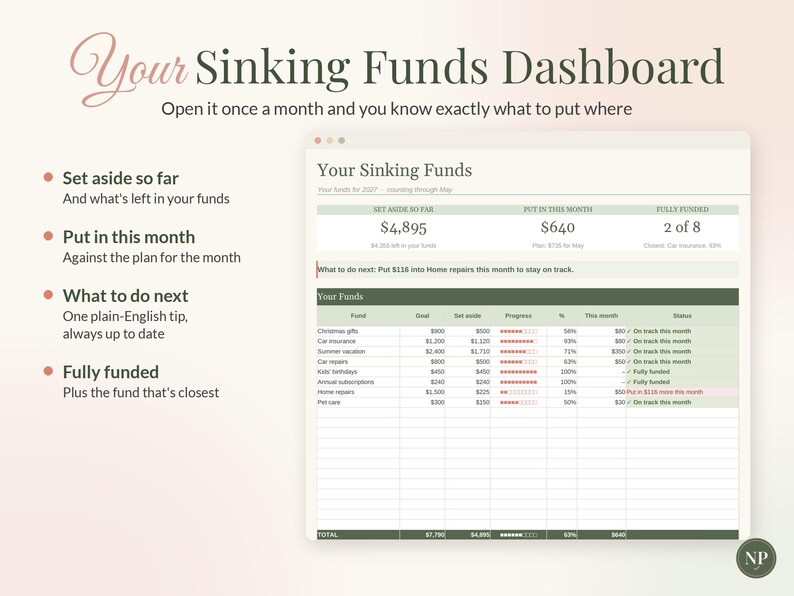
• Plain English: "Set aside", "Put in this month", "What to do next"
• Short tips next to every box, and a friendly check on every fund if something needs a look
• New to sinking funds? The first tab explains them in a few short lines
• A Common Questions box right on the first tab
• Formulas are locked in Excel so nothing breaks by accident (in Google Sheets, just type in the blush cells)
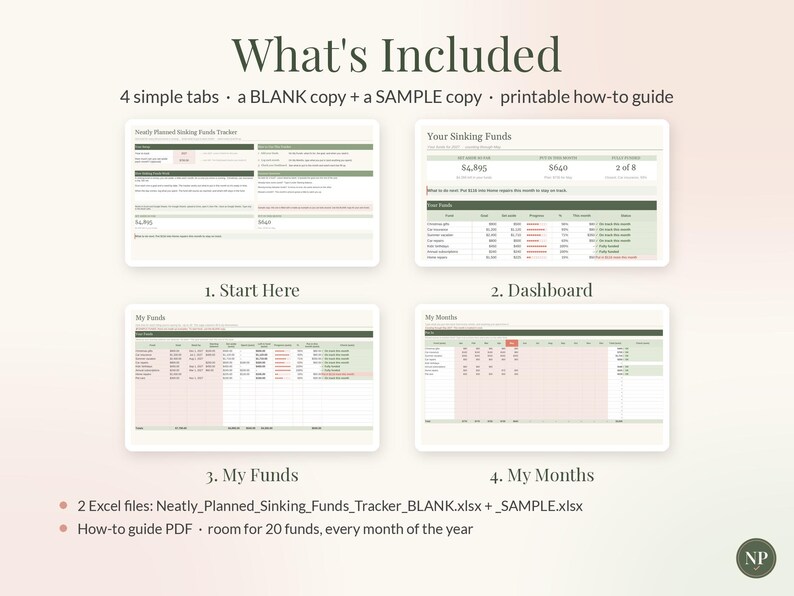
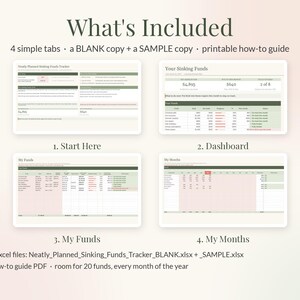
✿ WHAT'S INSIDE: 4 SIMPLE TABS
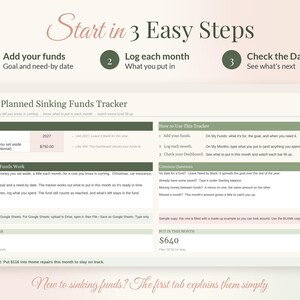
1. START HERE: 3 easy steps, a short "How Sinking Funds Work" box and a Common Questions box. Pick the year and, if you like, how much you can set aside each month.
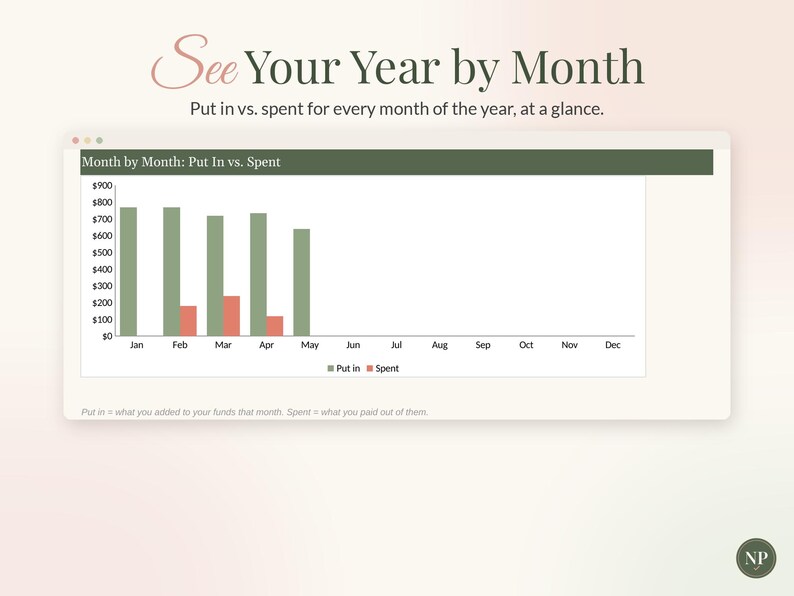
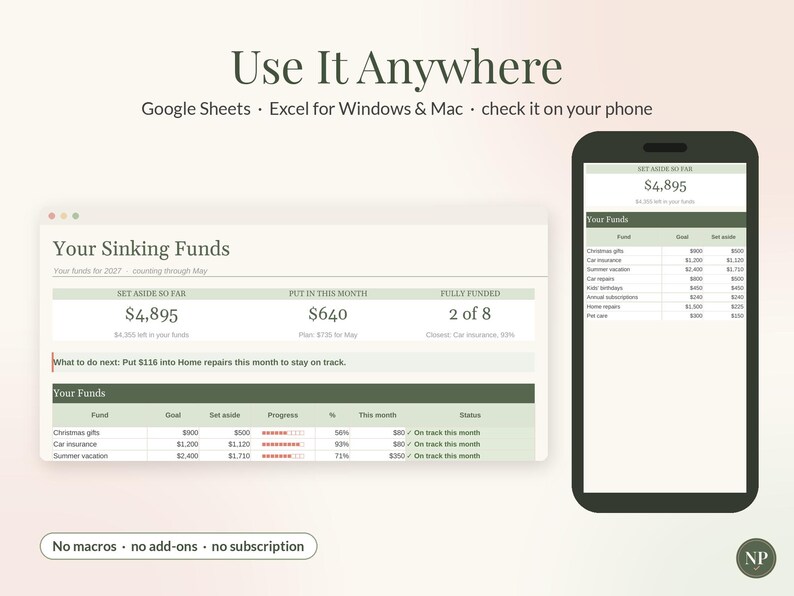
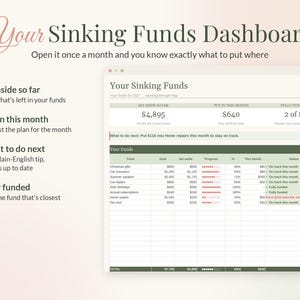
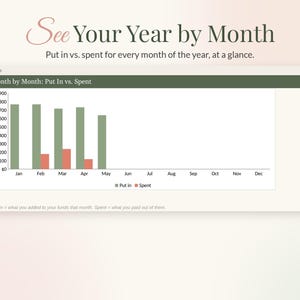
2. DASHBOARD: What you've set aside, what you've put in this month against the plan, and how many funds are fully funded. A "what to do next" line, every fund with its progress bar and status, and a month-by-month chart of put in vs. spent.
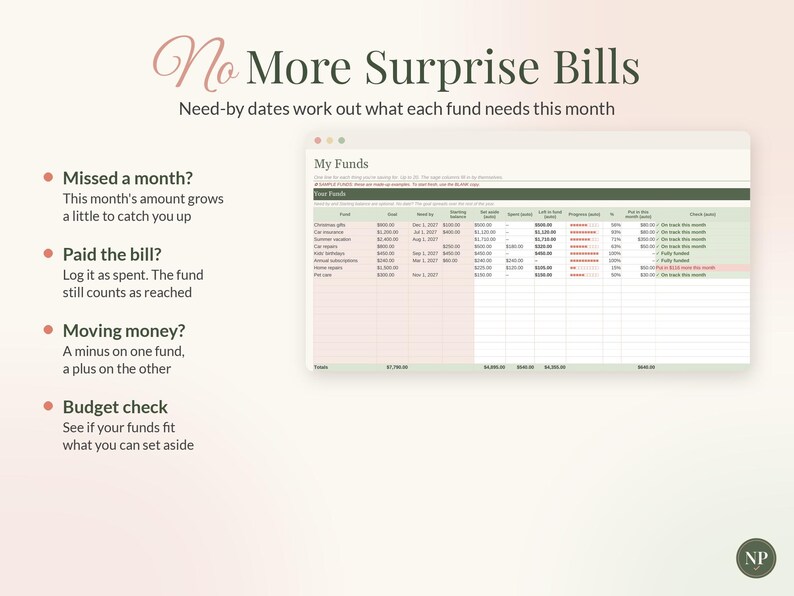
3. MY FUNDS: Room for 20 funds. Name, goal, need-by date and starting balance. Each fund shows what's set aside, what's left, a progress bar and a friendly status.
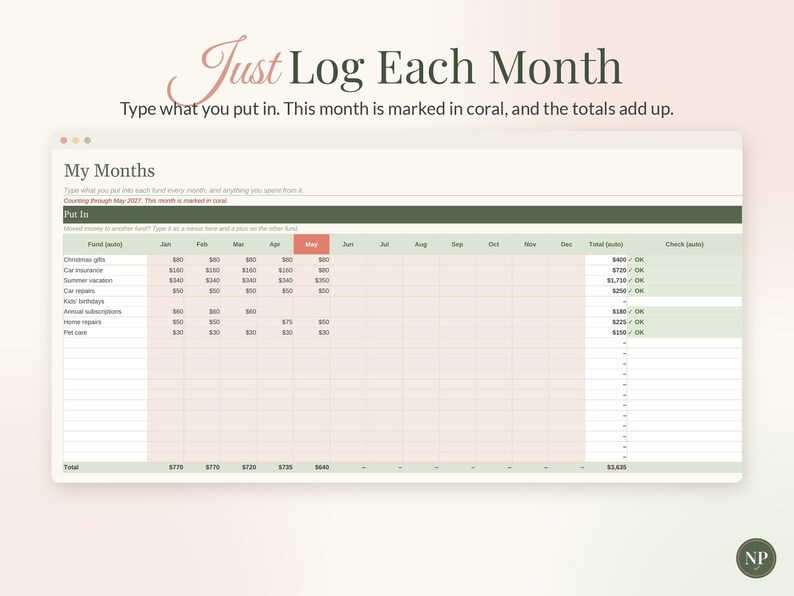
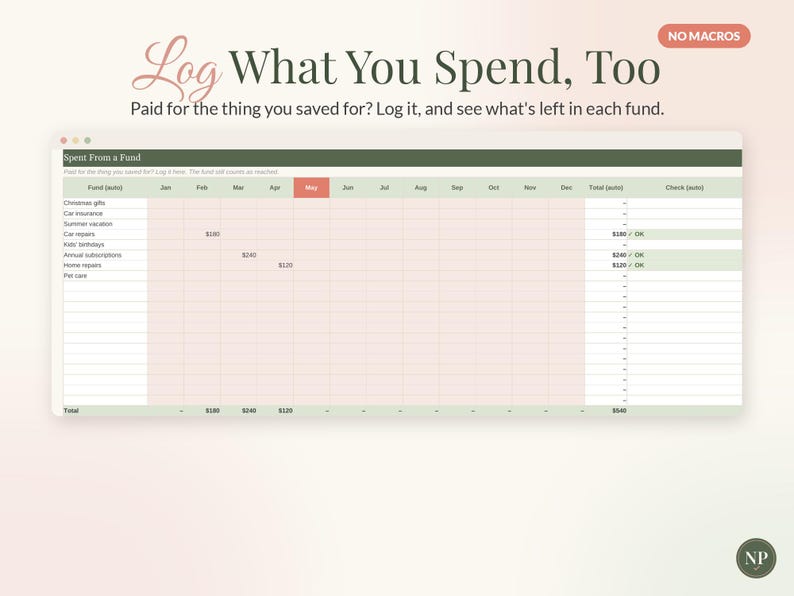
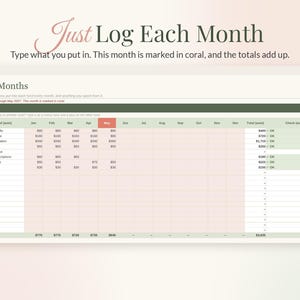
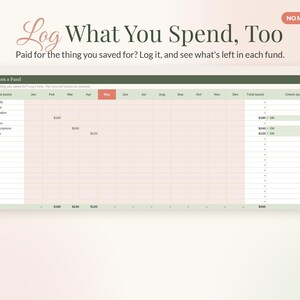
4. MY MONTHS: Two simple grids: what you put into each fund every month, and what you spent from it. This month is marked in coral.
✿ SMART LITTLE TOUCHES
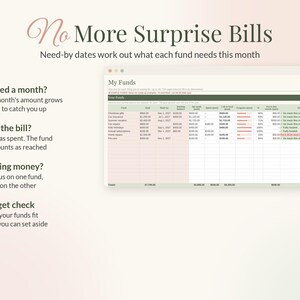
• This month's amount spreads what's still needed over the months left until the need-by date.
• Missed a month? The amount grows a little to catch you up.
• Spending from a fund doesn't undo your progress. It still counts as reached.
• A need-by date that's passed shows exactly how much the fund came up short.
• Moving money between funds is easy: a minus on one, a plus on the other.
• Add what you can set aside each month and it tells you if your funds need more.
✿ WHAT YOU RECEIVE
• Neatly_Planned_Sinking_Funds_Tracker_BLANK.xlsx: ready for your details
• Neatly_Planned_Sinking_Funds_Tracker_SAMPLE.xlsx: a filled-in example to explore
• How_To_Use_Sinking_Funds_Tracker.pdf: a 2-page setup guide
✿ WORKS WITH
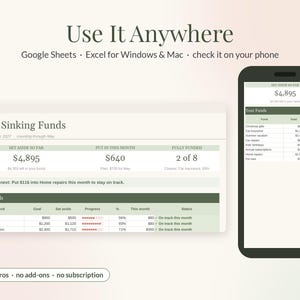
• Google Sheets (free) and Microsoft Excel for Windows and Mac (Excel 2016 or newer, or Microsoft 365)
• Check your funds on your phone in the free Google Sheets or Excel app (setting up is easiest on a computer or tablet)
• No macros, add-ins or subscriptions
✿ HOW TO USE IT
Google Sheets: open Google Drive, click New › File upload and choose the BLANK file. Open it, then click File › Save as Google Sheets.
Excel: double-click the file. If you see "Enable Editing," click it.
Then follow the 3 steps on the Start Here tab.
✿ GOOD TO KNOW
• This is an INSTANT DIGITAL DOWNLOAD. No physical item will be shipped.
• Your files are available right after purchase from your Etsy Purchases page (You › Purchases and reviews).
• The names and amounts in the SAMPLE file are made up for illustration.
• This is a planning tool, not financial advice.
• It tracks what you log. It doesn't connect to your bank.
• For personal use only. Please don't share, resell or redistribute the file.
✿ RETURNS & REFUNDS
Because this is a digital file you get instantly, we can't accept returns, exchanges or cancellations. If anything isn't working, please message us through Etsy and we'll make it right.
Designed with the help of AI tools, and built and tested by hand by Neatly Planned Sheets.
✿ Pairs well with: our Paycheck Budget, Christmas Budget Planner and Zero-Based Budget Planner
Descarga inmediata
Los archivos estarán disponibles para descargar una vez que se confirme el pago. Sigue estas instrucciones.
No se admiten cambios, devoluciones ni cancelaciones de los artículos de descarga inmediata. Ponte en contacto con el vendedor si tienes algún problema con tu pedido.
Protección de compras de Etsy
Compra con confianza en Etsy sabiendo que estamos a tu lado si surge un problema con un pedido que reúne los requisitos.
Consulta las condiciones del programa

Valora este artículo antes que nadie

Más artículos de esta tienda
Visitar tienda-
Descarga digital
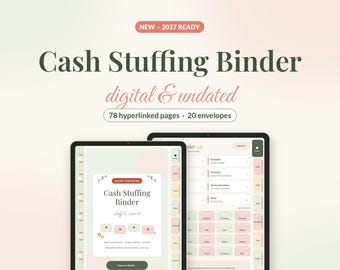
Digital Cash Stuffing Binder, Undated Cash Envelope Tracker for GoodNotes & Samsung Notes, Savings Challenges, Budget Binder, Stickers
Precio en oferta MX$90.22
Precio original MX$150.24
-

Descarga digital
Digital Budget Planner 2027, Hyperlinked Money Planner for GoodNotes & Samsung Notes, iPad Android Finance Planner, Dark Mode, Stickers
Precio en oferta MX$135.43
Precio original MX$225.65
-
Descarga digital
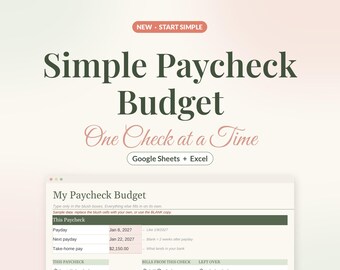
Simple Paycheck Budget Spreadsheet, Easy Beginner Budget Template for Google Sheets & Excel, Bills by Paycheck, Biweekly Budget Planner
Precio en oferta MX$45.02
Precio original MX$75.02
-
Descarga digital
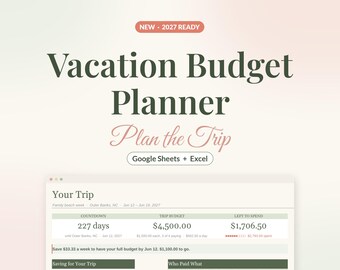
Vacation Budget Planner Spreadsheet for Google Sheets & Excel, Trip Planner with Countdown, Travel Expense Tracker, Split Costs
Precio en oferta MX$112.82
Precio original MX$188.04


