




ADHD Paycheck Budget App, Safe to Spend Tracker, Biweekly Bill Tracker, Debt Payoff, No Subscription, Works Offline
Item highlights
Seller's description
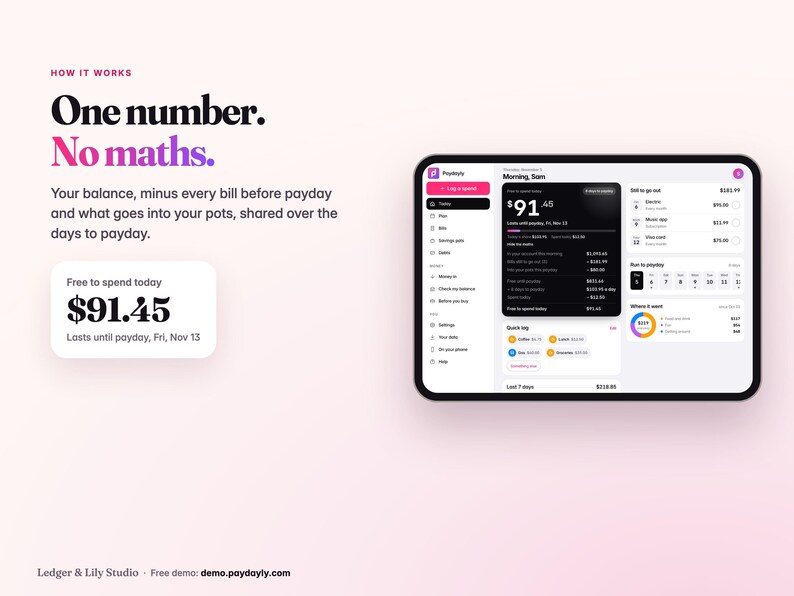
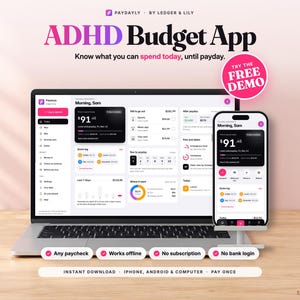
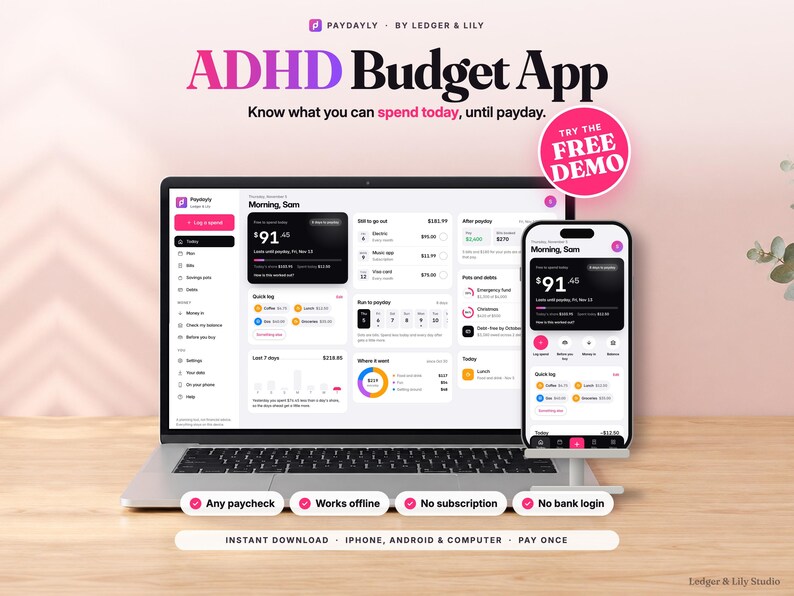
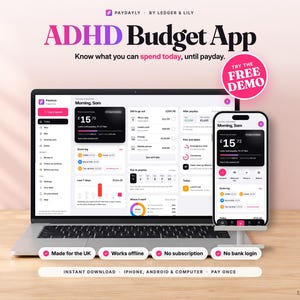
A paycheck budget app for your phone, made for ADHD brains and anyone who hates budgeting. One number tells you what's safe to spend today, until your next paycheck.
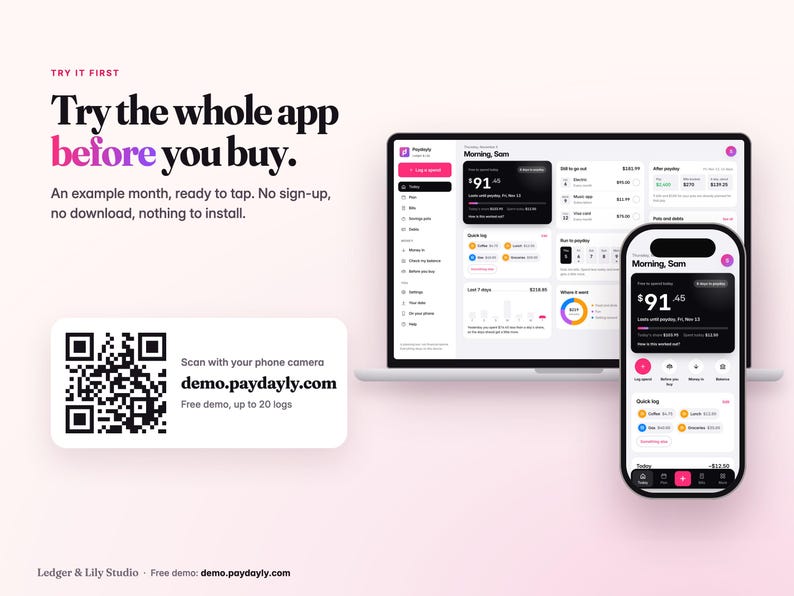
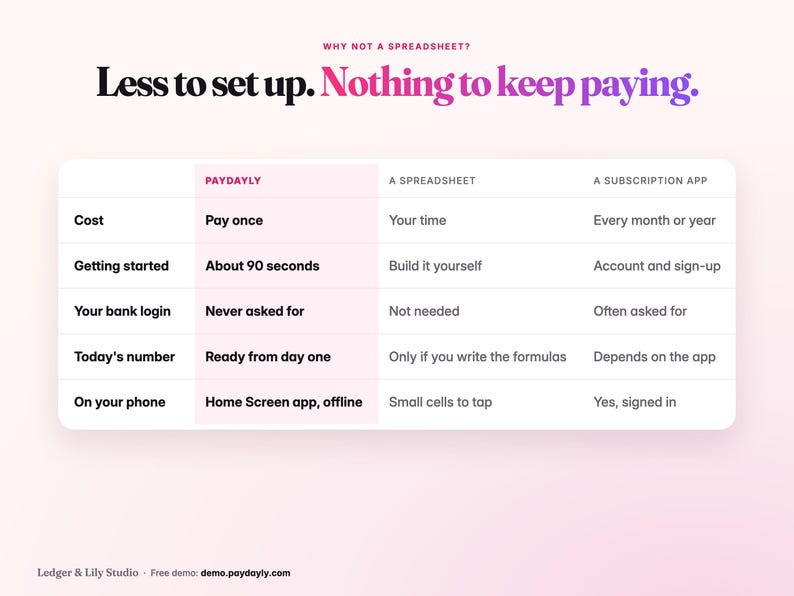
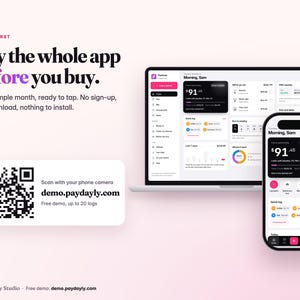
No bank login, no subscription, no spreadsheet. Try the free demo first at demo.paydayly.com (an example month, up to 20 logs).
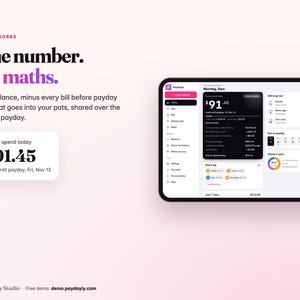
Paydayly takes the money in your account, holds back every bill still to go out before payday and anything you're saving, then shares what's left over the days until payday. Spend less today and every day after gets a little more.
WHY IT'S DIFFERENT
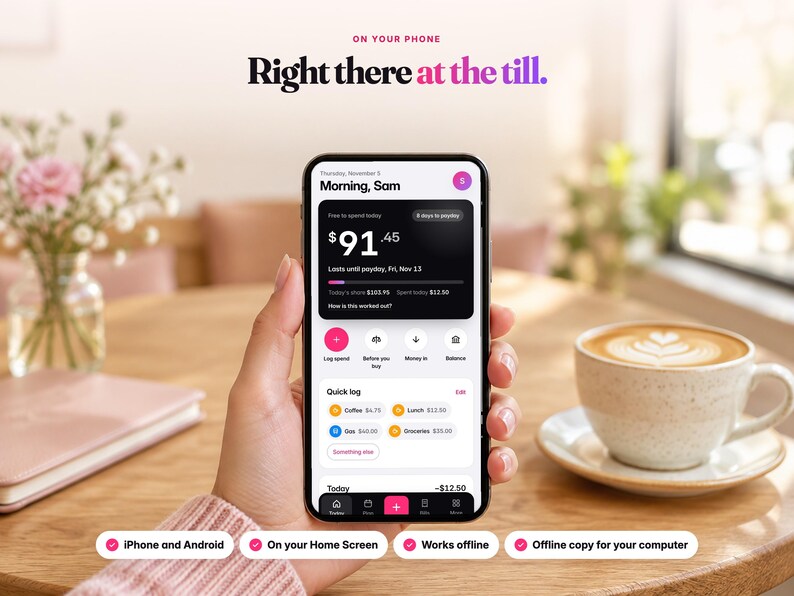
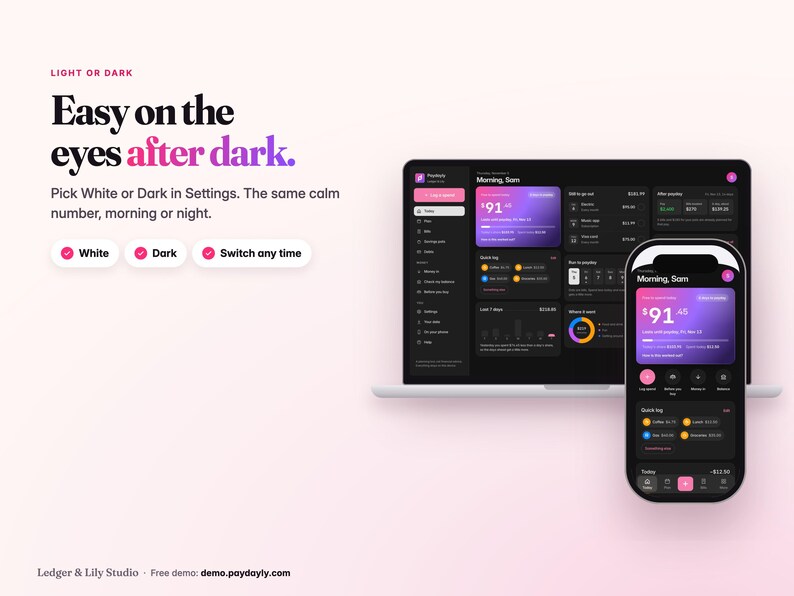
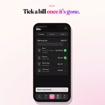
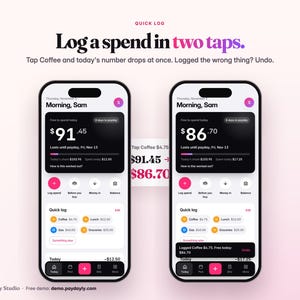
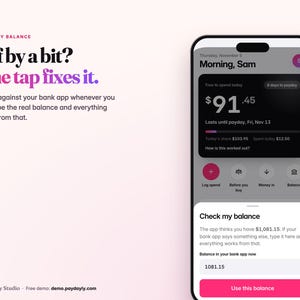
• One number, not a dashboard. Free to spend today sits at the top, with the days to payday beside it. "How is this worked out?" shows the math in one tap.
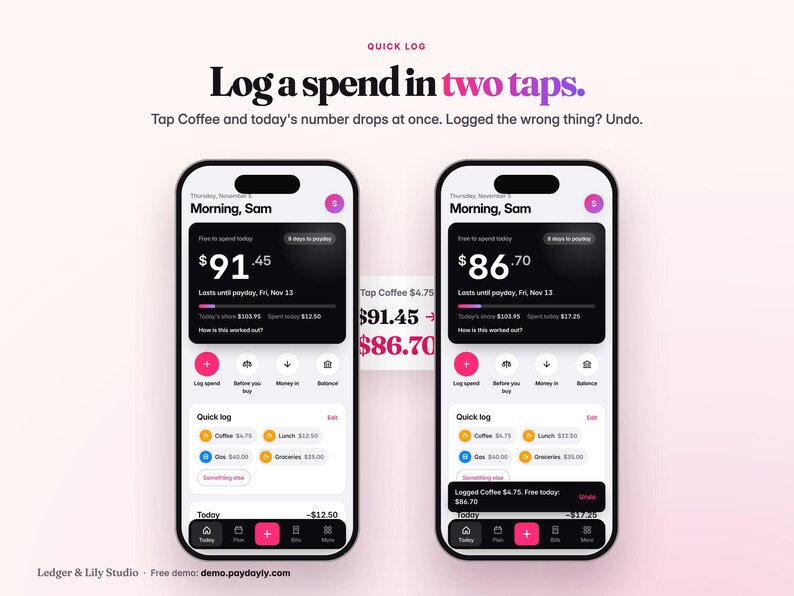
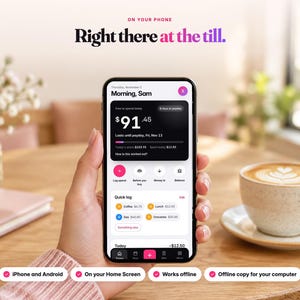
• ADHD-friendly by design: no math, no categories to set up first. Log a spend in two taps with the Quick log buttons (Coffee, Lunch, Gas, Groceries: change them to yours), or the keypad for anything else. Every change shows Undo right after.
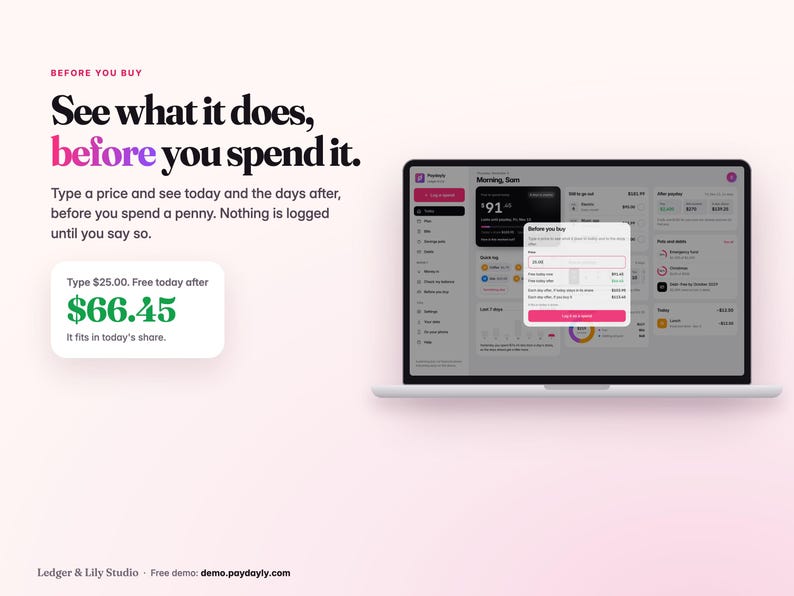
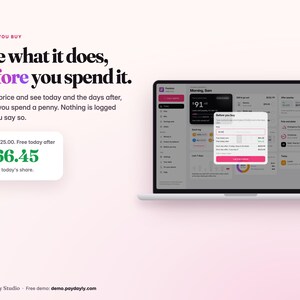
• Before you buy. Type a price and see what it does to today and to the days after, before you spend it.
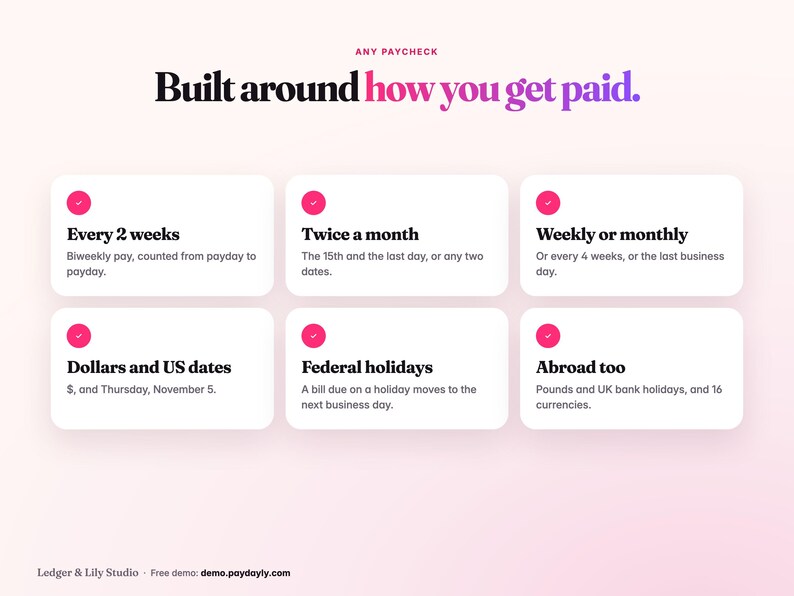
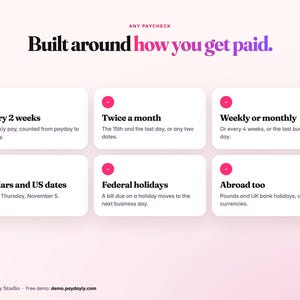
• Built around your paycheck. Paid every 2 weeks, twice a month (like the 15th and the last day), weekly or monthly? Your number runs from payday to payday.
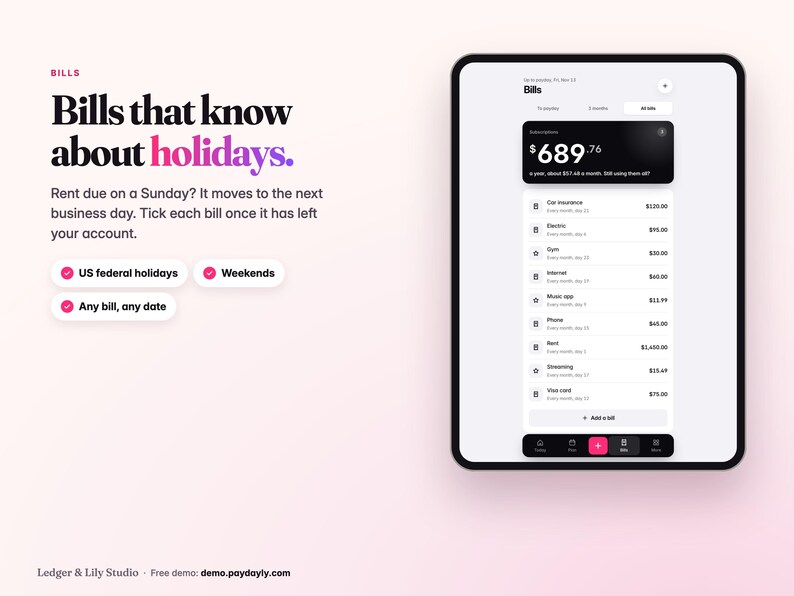
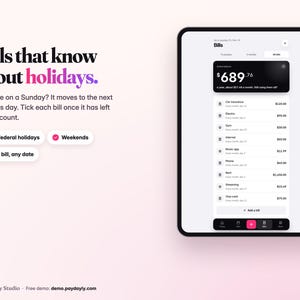
• Bills that know about holidays. A bill due on a weekend or a federal holiday moves to the next business day, or the day before if you choose, and card payments can stay on the day. Pay moves to the business day before. US federal holidays are built in (UK bank holidays too).
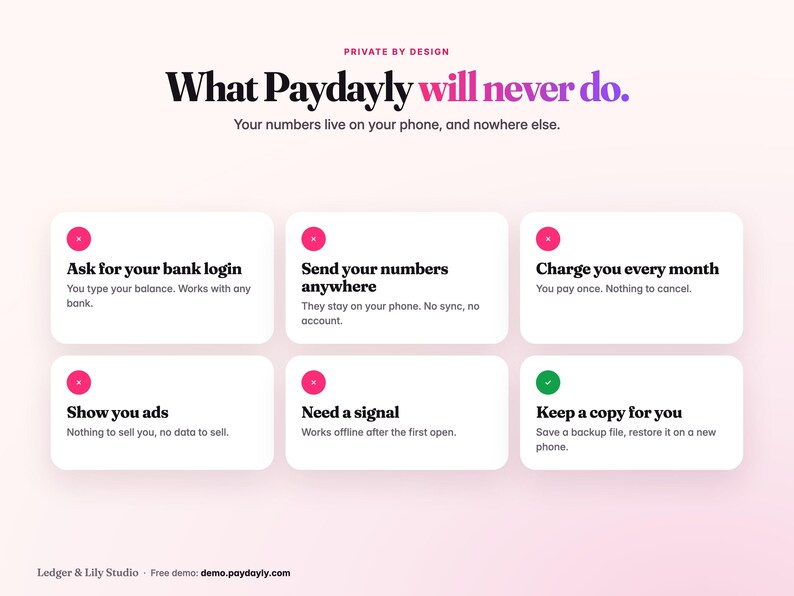
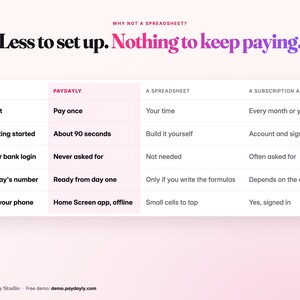
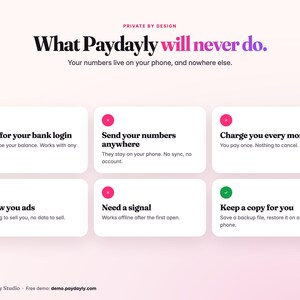
• Private by design. It never asks for your bank login, and nothing you type is sent anywhere: your numbers stay on your phone. No account, no ads.
• Pay once. No monthly fee, nothing to cancel.
WHAT'S INSIDE
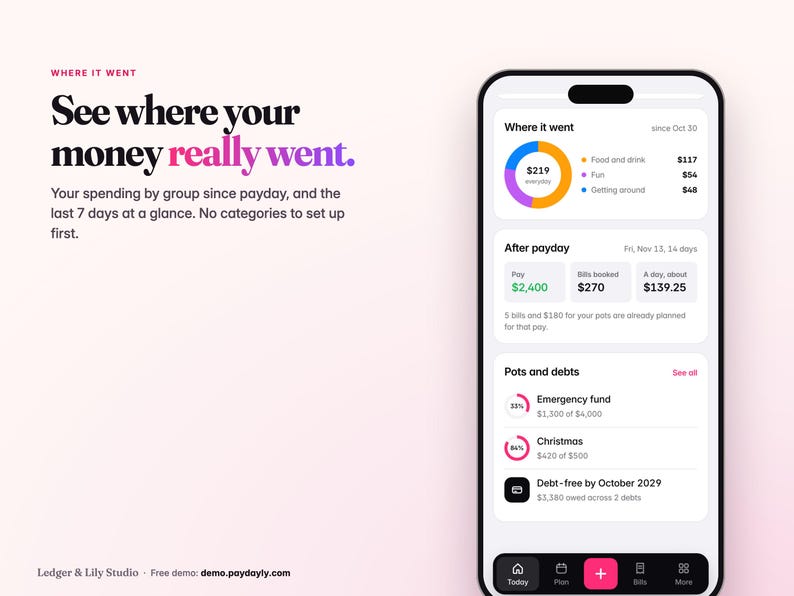
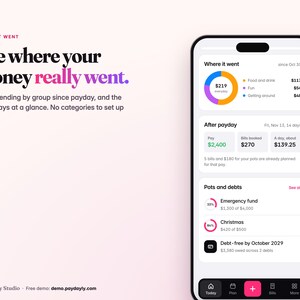
• Today: Free to spend today, days to payday, Today's share and Spent today, Quick log, Still to go out, Run to payday and Where it went (your spending by group since payday).
• Bills: To payday, 3 months and All bills. Tick a bill once it has left your account. Subscriptions show what they cost you a year. A bill can have a last payment (like a car loan's final payment) and can pay off a debt.
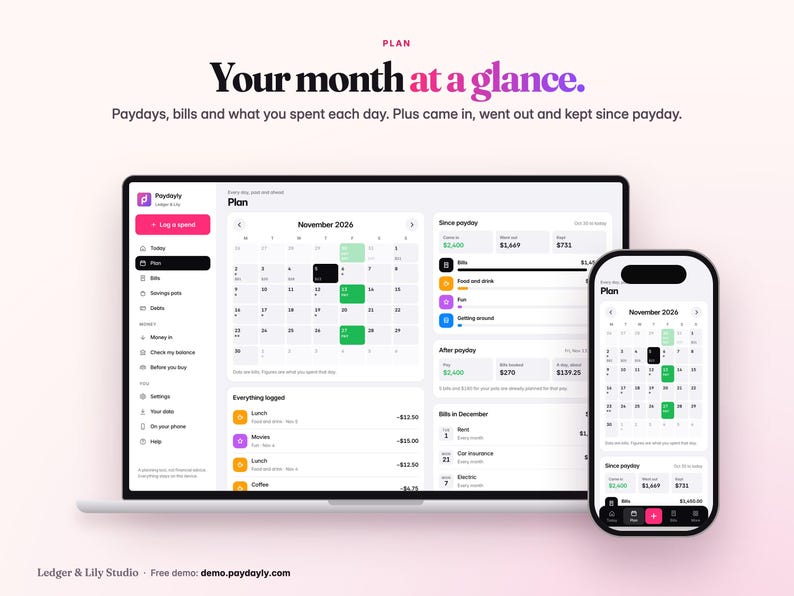
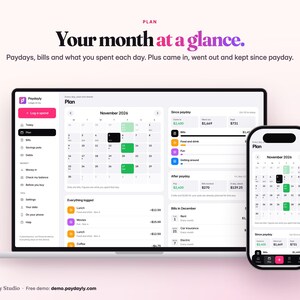
• Plan: a month calendar with paydays, bills and what you spent each day, plus Came in, Went out and Kept since payday, and everything you've logged.
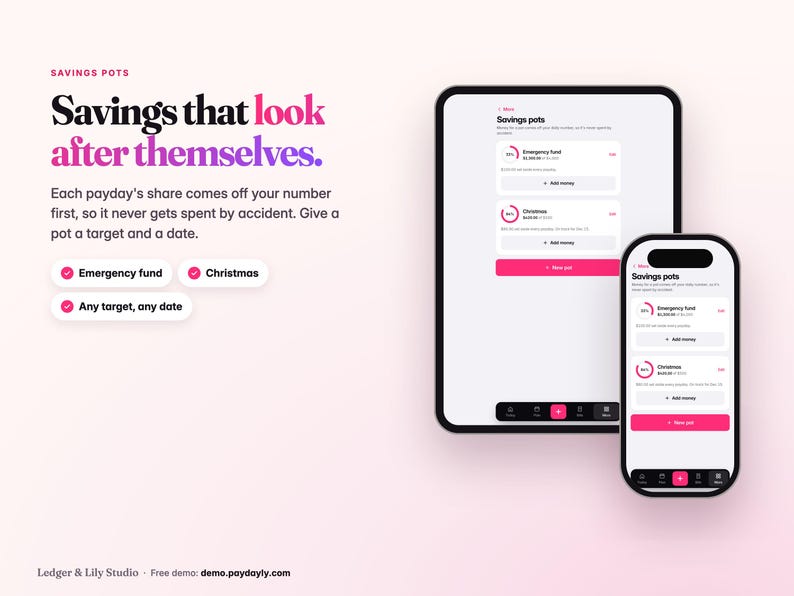
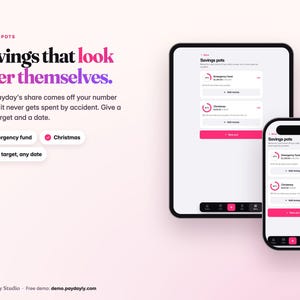
• Savings pots: set money aside every payday. It comes off your daily number, so it never gets spent by accident. Give a pot a target and a date to see what each payday needs.
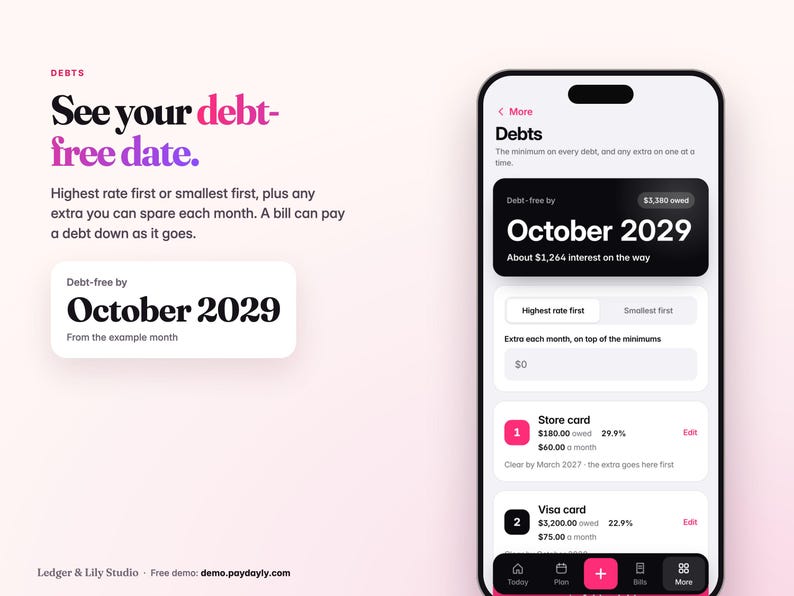
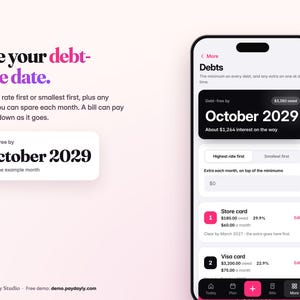
• Debts: highest rate first or smallest first, an extra each month on top of the minimums, a clear-by date for each debt and your debt-free date.
• Money in: pay, refunds, gifts and side income. Pay that changes each time? Leave the usual pay blank and log what actually lands.
• Keep some back: an optional cushion left out of your daily number, for surprises.
• Any pay schedule: weekly, every 2 weeks (biweekly), twice a month on two dates, every 4 weeks, monthly on a date, or the last business day of the month. 16 currencies.
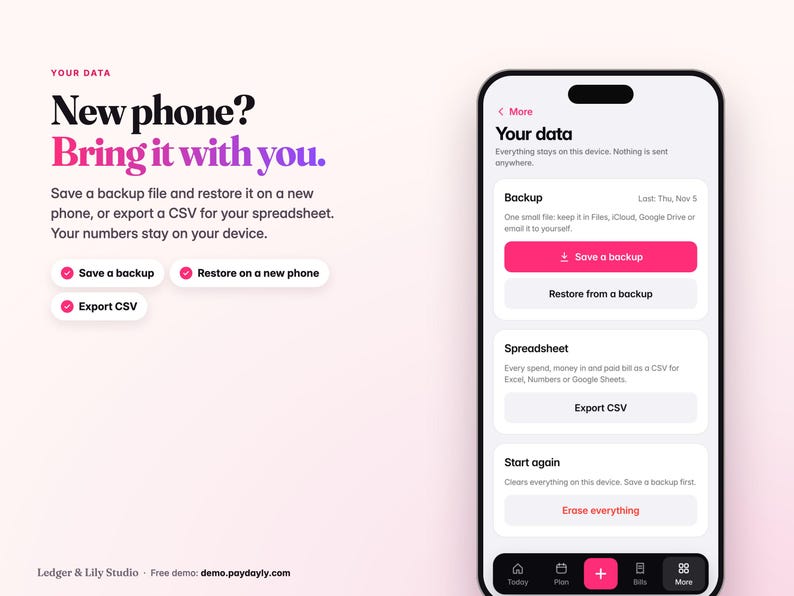
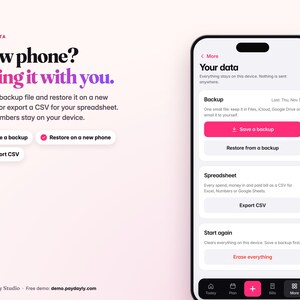
• Your data: save a backup file, restore it on a new phone, export a CSV file for your spreadsheet app, or erase everything. A reminder nudges you to save a backup.
WHAT'S IN THE DOWNLOAD
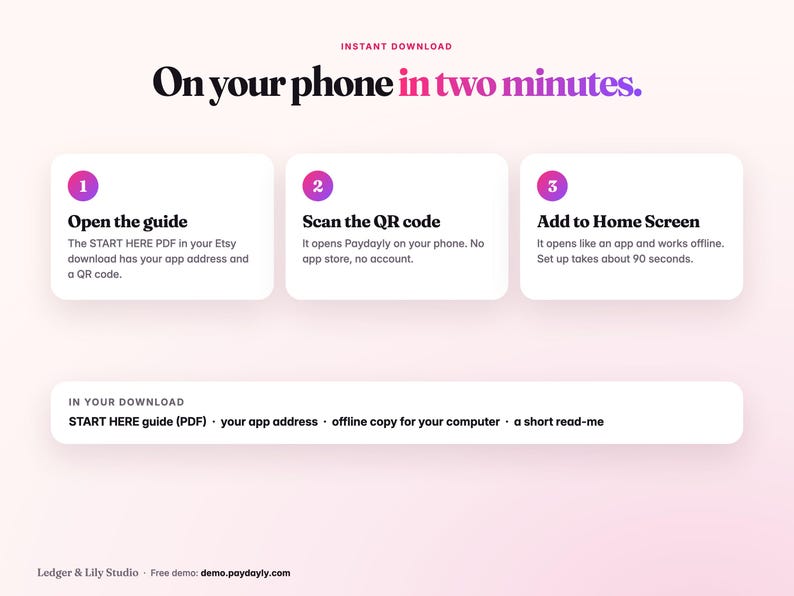
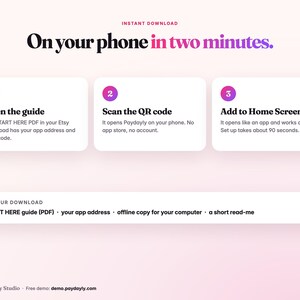
• The START HERE PDF: your app address, a QR code and four steps.
• A .zip with the START HERE PDF, an offline copy for your computer (Paydayly.html) and a short read-me.
HOW IT WORKS
1. Open the START HERE PDF and scan the QR code with your phone, or type the address into Safari (iPhone) or Chrome (Android).
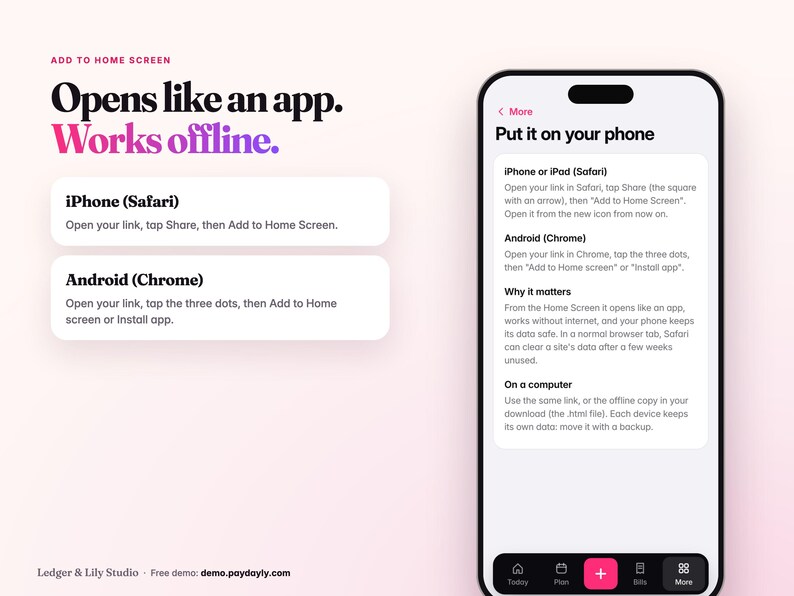
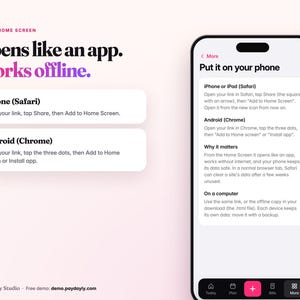
2. Add it to your Home Screen first. iPhone: tap Share, then Add to Home Screen. Android: tap the three dots, then Add to Home screen or Install app. Open it from the new icon and set it up there.
3. Four quick steps, about 90 seconds: where you live and your currency, how you're paid, your balance today and your regular bills. Or tap "Just looking? Try an example month" first.
PLEASE NOTE
• This is a digital download. Nothing physical will be posted. You get the app address and an offline copy, not an App Store app.
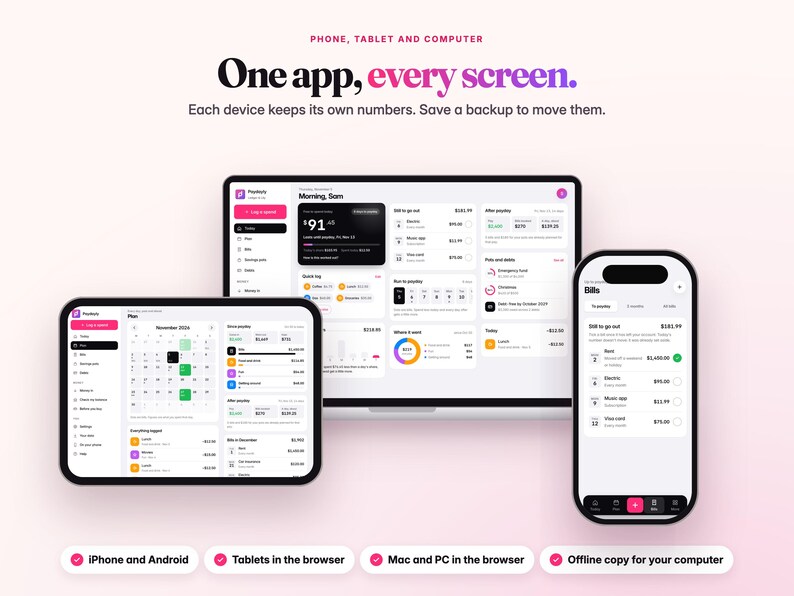
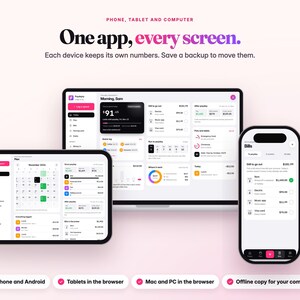
• Made for iPhone (Safari) and Android (Chrome). On a computer, use the same address or the offline copy. Tested in Chrome, Safari and Firefox on a Mac and at phone size.
• It needs the internet the first time you open it. After that it works offline.
• Your numbers stay on the device you use. Each device keeps its own and nothing syncs. Clearing your browser's data or removing the app can clear them, so save a backup now and then. The app reminds you.
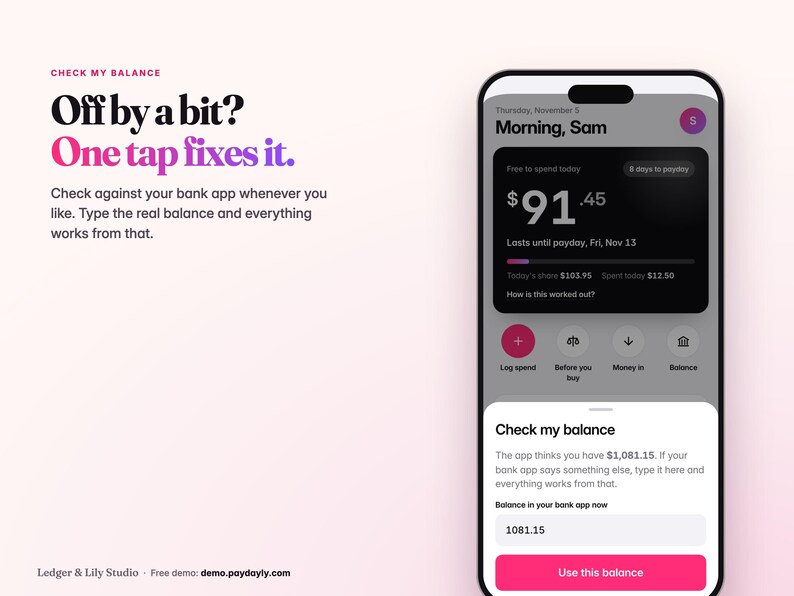
• No bank connection: you type your balance, and check it against your bank app whenever you like.
• A planning tool, not financial advice. Debt-free dates are estimates from what you type.
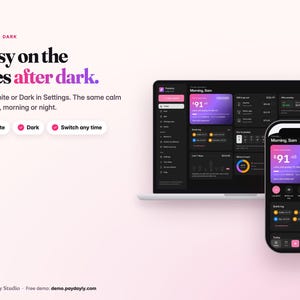
• I designed Paydayly and built it with the help of AI tools, then tested it by hand. Every app screen in the photos is a real capture of Paydayly, with example numbers. The desk and cafe scenes in photos 1 and 11 are AI-generated, and the devices are mock-ups.
• For personal use only. Please don't share or resell the files or the app address.
• If a file is faulty, I'll replace it or refund you.
FAQ
• Does it work with my bank? Yes, with any bank, because it never connects to one. You type your balance, so nobody else sees your money.
• What if I lose my phone? Save a backup now and then. On a new phone, open your app address and tap "New phone? Restore from a backup".
• Is it an App Store app? No. It's a web app you add to your Home Screen from the browser. Nothing to install from a store, no account.
• My pay changes each time. Leave the usual pay blank and log what actually lands. Today's number always works from your real balance.
From the same maker: Flipdayly, the reseller tracker app for eBay and Poshmark sellers that shows what each sale really made, after fees and shipping. Search LedgerAndLily on Etsy.
Questions? Message me. I answer every message myself.
George, Ledger & Lily
Calm, simple money planners for real life
If something goes wrong with an order, we've got your back for all eligible purchases. View programme terms
Price:£6.98
You can only make an offer when buying a single item.
Delivery
Instant download
Your files will be available to download once payment is confirmed. Here's how.
Instant download items don't accept returns, exchanges or cancellations. Please contact the seller about any problems with your order.
Seller's description
Specifications
A paycheck budget app for your phone, made for ADHD brains and anyone who hates budgeting. One number tells you what's safe to spend today, until your next paycheck.
No bank login, no subscription, no spreadsheet. Try the free demo first at demo.paydayly.com (an example month, up to 20 logs).
Paydayly takes the money in your account, holds back every bill still to go out before payday and anything you're saving, then shares what's left over the days until payday. Spend less today and every day after gets a little more.
WHY IT'S DIFFERENT
• One number, not a dashboard. Free to spend today sits at the top, with the days to payday beside it. "How is this worked out?" shows the math in one tap.
• ADHD-friendly by design: no math, no categories to set up first. Log a spend in two taps with the Quick log buttons (Coffee, Lunch, Gas, Groceries: change them to yours), or the keypad for anything else. Every change shows Undo right after.
• Before you buy. Type a price and see what it does to today and to the days after, before you spend it.
• Built around your paycheck. Paid every 2 weeks, twice a month (like the 15th and the last day), weekly or monthly? Your number runs from payday to payday.
• Bills that know about holidays. A bill due on a weekend or a federal holiday moves to the next business day, or the day before if you choose, and card payments can stay on the day. Pay moves to the business day before. US federal holidays are built in (UK bank holidays too).
• Private by design. It never asks for your bank login, and nothing you type is sent anywhere: your numbers stay on your phone. No account, no ads.
• Pay once. No monthly fee, nothing to cancel.
WHAT'S INSIDE
• Today: Free to spend today, days to payday, Today's share and Spent today, Quick log, Still to go out, Run to payday and Where it went (your spending by group since payday).
• Bills: To payday, 3 months and All bills. Tick a bill once it has left your account. Subscriptions show what they cost you a year. A bill can have a last payment (like a car loan's final payment) and can pay off a debt.
• Plan: a month calendar with paydays, bills and what you spent each day, plus Came in, Went out and Kept since payday, and everything you've logged.
• Savings pots: set money aside every payday. It comes off your daily number, so it never gets spent by accident. Give a pot a target and a date to see what each payday needs.
• Debts: highest rate first or smallest first, an extra each month on top of the minimums, a clear-by date for each debt and your debt-free date.
• Money in: pay, refunds, gifts and side income. Pay that changes each time? Leave the usual pay blank and log what actually lands.
• Keep some back: an optional cushion left out of your daily number, for surprises.
• Any pay schedule: weekly, every 2 weeks (biweekly), twice a month on two dates, every 4 weeks, monthly on a date, or the last business day of the month. 16 currencies.
• Your data: save a backup file, restore it on a new phone, export a CSV file for your spreadsheet app, or erase everything. A reminder nudges you to save a backup.
WHAT'S IN THE DOWNLOAD
• The START HERE PDF: your app address, a QR code and four steps.
• A .zip with the START HERE PDF, an offline copy for your computer (Paydayly.html) and a short read-me.
HOW IT WORKS
1. Open the START HERE PDF and scan the QR code with your phone, or type the address into Safari (iPhone) or Chrome (Android).
2. Add it to your Home Screen first. iPhone: tap Share, then Add to Home Screen. Android: tap the three dots, then Add to Home screen or Install app. Open it from the new icon and set it up there.
3. Four quick steps, about 90 seconds: where you live and your currency, how you're paid, your balance today and your regular bills. Or tap "Just looking? Try an example month" first.
PLEASE NOTE
• This is a digital download. Nothing physical will be posted. You get the app address and an offline copy, not an App Store app.
• Made for iPhone (Safari) and Android (Chrome). On a computer, use the same address or the offline copy. Tested in Chrome, Safari and Firefox on a Mac and at phone size.
• It needs the internet the first time you open it. After that it works offline.
• Your numbers stay on the device you use. Each device keeps its own and nothing syncs. Clearing your browser's data or removing the app can clear them, so save a backup now and then. The app reminds you.
• No bank connection: you type your balance, and check it against your bank app whenever you like.
• A planning tool, not financial advice. Debt-free dates are estimates from what you type.
• I designed Paydayly and built it with the help of AI tools, then tested it by hand. Every app screen in the photos is a real capture of Paydayly, with example numbers. The desk and cafe scenes in photos 1 and 11 are AI-generated, and the devices are mock-ups.
• For personal use only. Please don't share or resell the files or the app address.
• If a file is faulty, I'll replace it or refund you.
FAQ
• Does it work with my bank? Yes, with any bank, because it never connects to one. You type your balance, so nobody else sees your money.
• What if I lose my phone? Save a backup now and then. On a new phone, open your app address and tap "New phone? Restore from a backup".
• Is it an App Store app? No. It's a web app you add to your Home Screen from the browser. Nothing to install from a store, no account.
• My pay changes each time. Leave the usual pay blank and log what actually lands. Today's number always works from your real balance.
From the same maker: Flipdayly, the reseller tracker app for eBay and Poshmark sellers that shows what each sale really made, after fees and shipping. Search LedgerAndLily on Etsy.
Questions? Message me. I answer every message myself.
George, Ledger & Lily
Calm, simple money planners for real life
-
Designed by
-
Item typeDigital download
-
Digital file type(s)1 PDF, 1 ZIP
If something goes wrong with an order, we've got your back on all eligible purchases. View programme terms
Meet your seller

More from this shop
-
Digital download
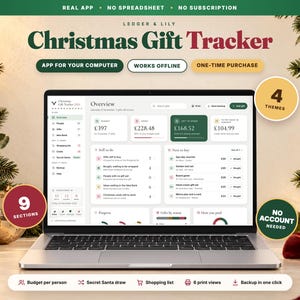
Christmas Gift Tracker App, Budget per Person, Secret Santa, Shopping List, Offline HTML Planner
£5.99
-
Digital download
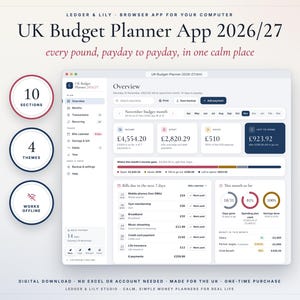
Budget Planner App UK 2026/27, Weekly Fortnightly Monthly Pay, Bills, ISA, Debt Payoff, Offline
£9.98
-
Digital download
ADHD Budget Planner App, Safe to Spend Until Payday, UK Bill Tracker, No Subscription, Works Offline, iPhone Android
£6.98
-

Digital download
Christmas Welcome Sign Set for Holiday Rentals, Editable Wi-Fi QR Sign, Welcome Basket Card, Gift Tags, Printable
£3.49
-
Digital download
Life Planner Spreadsheet, All-in-One Budget, Habit Tracker, Meals, Goals, Google Sheets Excel
£4.99
-

Digital download
Coastal Welcome Book Bundle, Editable Rental Guest Guide and Matching Signs with Offline Editor
£3.98