


価格:¥1,100
Focus Session Timer App for Deep Work, Pomodoro Tracker with Live Charts and Report, ADHD Productivity Planner, Offline Browser App

単品の購入の場合のみ価格を提案できます
ハイライト
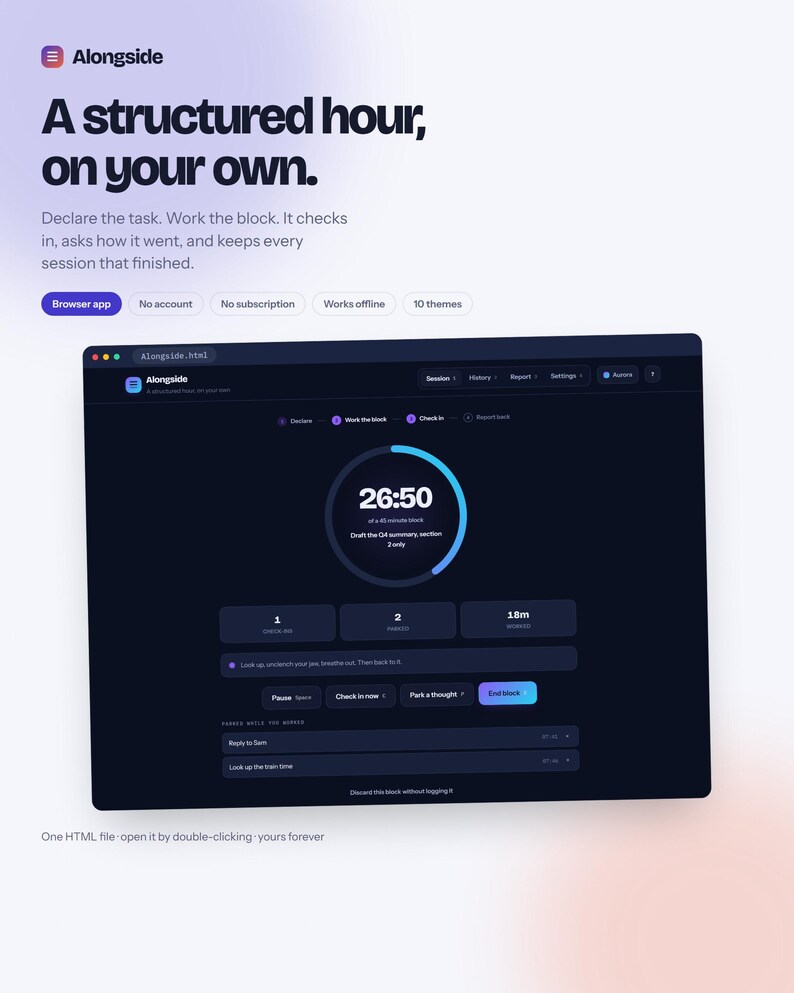
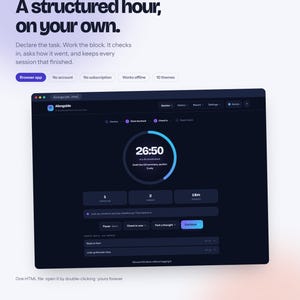
A structured hour, on your own.
Alongside gives a solo work session the shape a co-working hour has. You name the task, work the block, it checks in on you, it asks how it went — and it keeps every session that finished. One HTML file. Open it by double-clicking. No account, no subscription, works offline.
━━━━━━━━━━━━━━━━━━━━
THE LOOP
━━━━━━━━━━━━━━━━━━━━
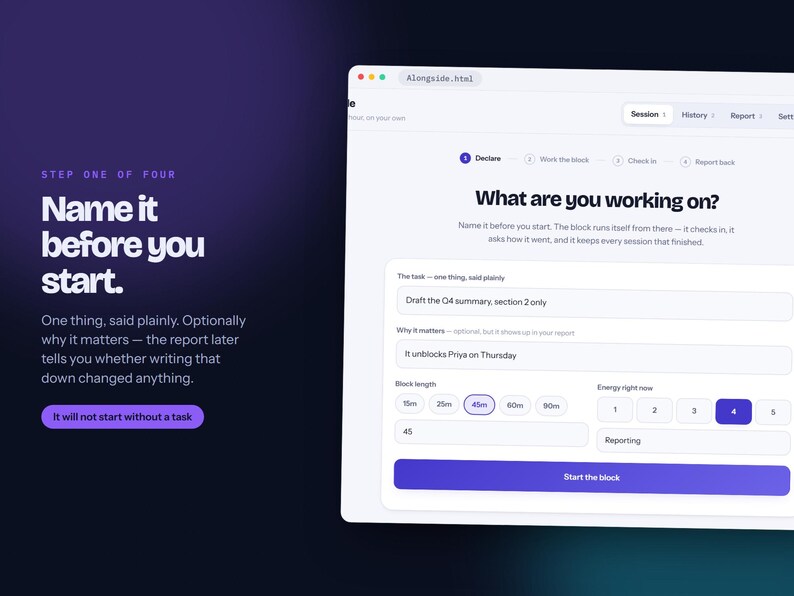
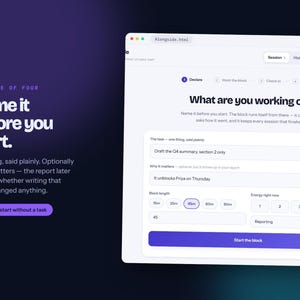
1 · DECLARE — Name one thing, plainly. Optionally why it matters. Pick 15, 25, 45, 60 or 90 minutes and your energy right now. It will not start without a task, which is the one rule the app enforces.
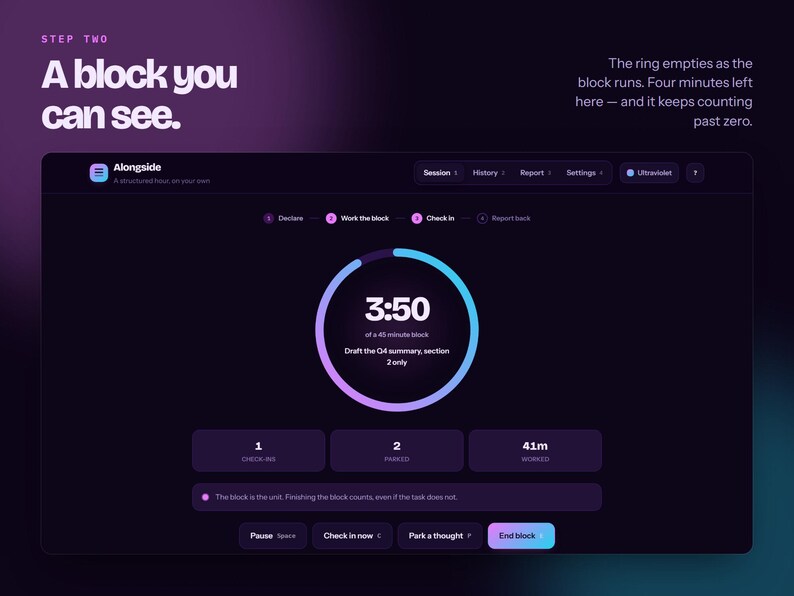
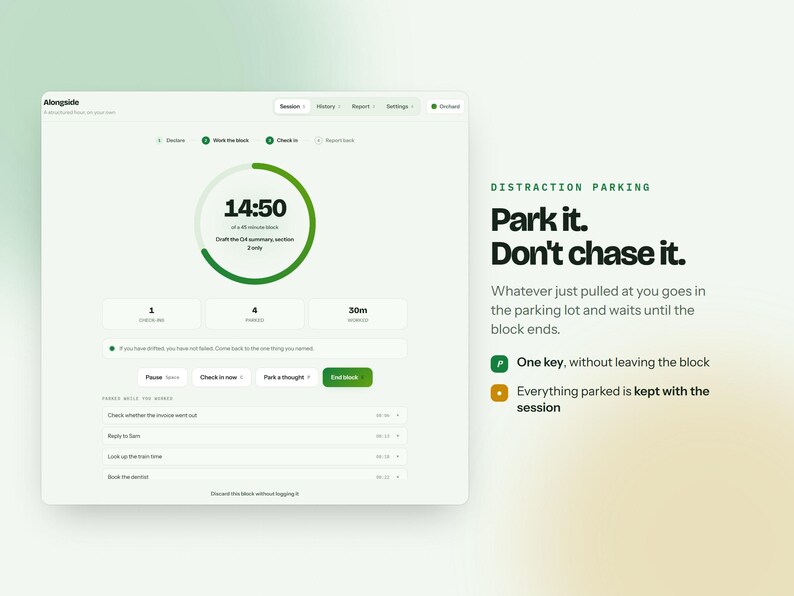
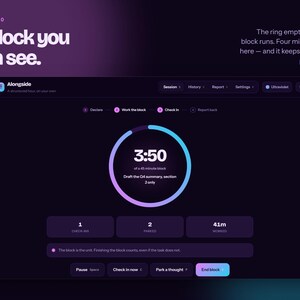
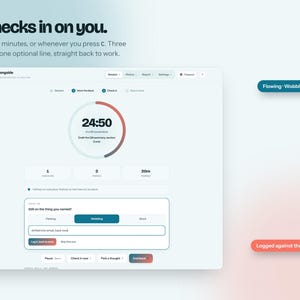
2 · WORK THE BLOCK — A ring that empties as the block runs, a clock that keeps counting past zero, and live counters for check-ins, parked thoughts and minutes worked. Space pauses; paused time is subtracted, not counted.
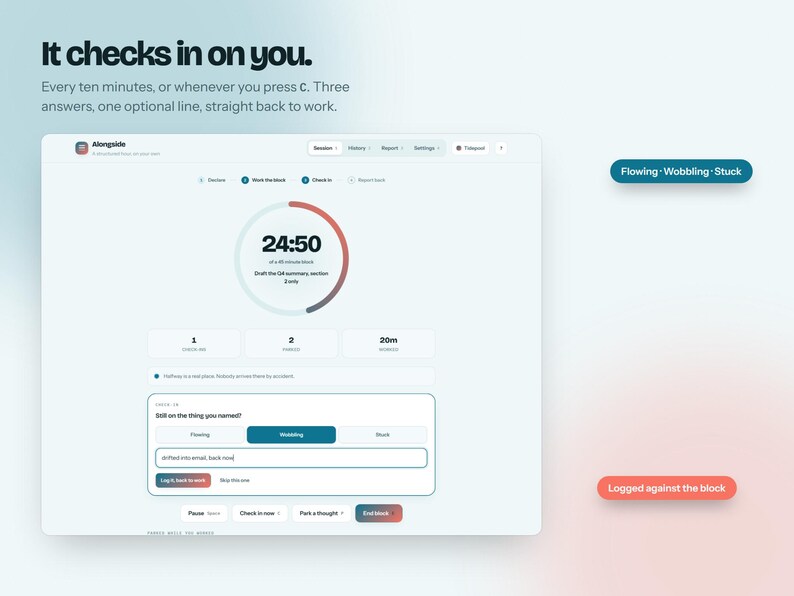
3 · CHECK IN — Every ten minutes, or whenever you press C. Flowing, wobbling or stuck, plus a line if you have one. Three seconds, then back to work. Set the interval, or turn it off.
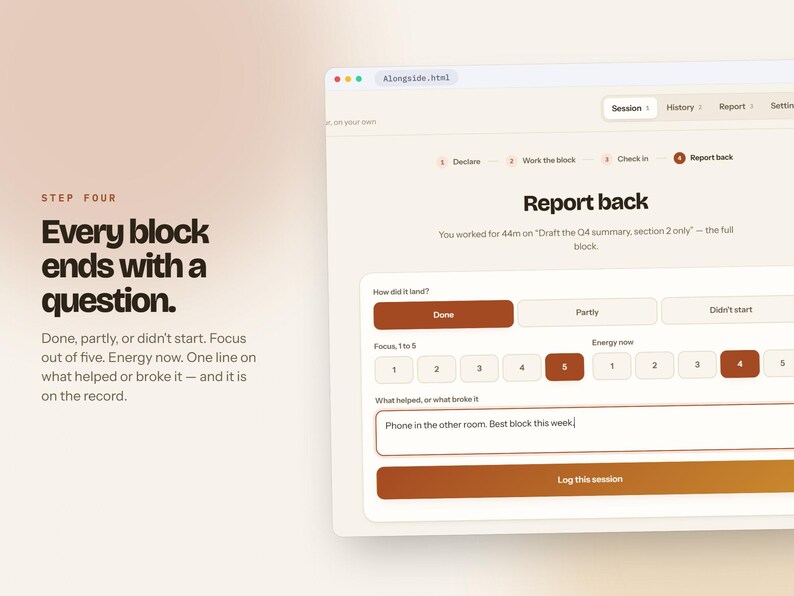
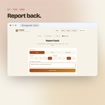
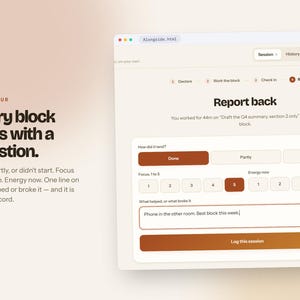
4 · REPORT BACK — Done, partly, or didn't start. Focus out of five. Energy now. One line on what helped or broke it. That is the session on the record.
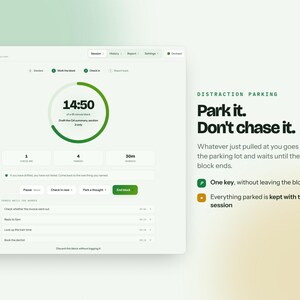
PARK A THOUGHT — Press P mid-block and whatever just pulled at you waits in the parking lot until the block ends. The timer never stops.
━━━━━━━━━━━━━━━━━━━━
THE REPORT THAT WRITES ITSELF
━━━━━━━━━━━━━━━━━━━━
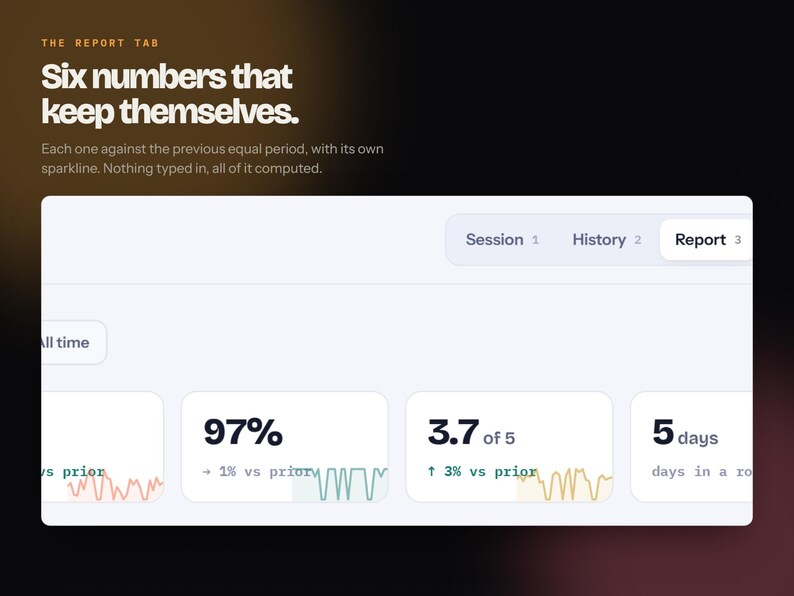
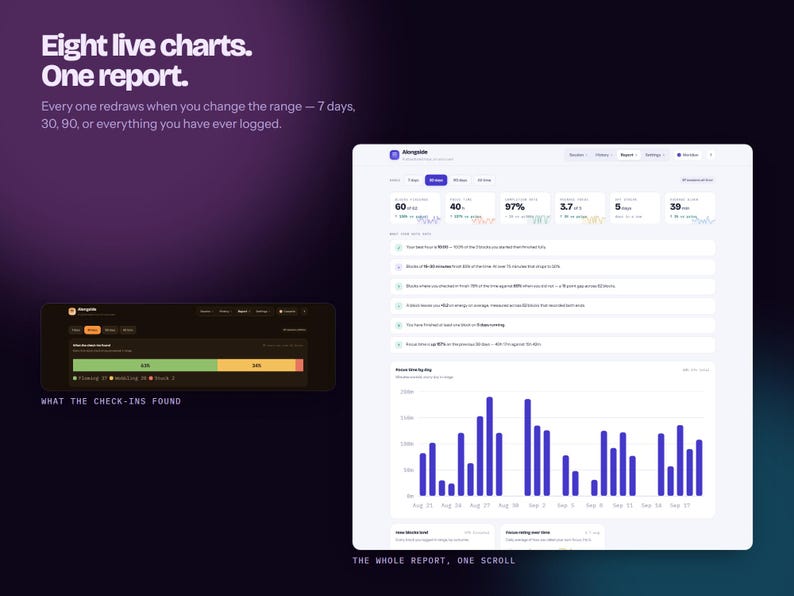
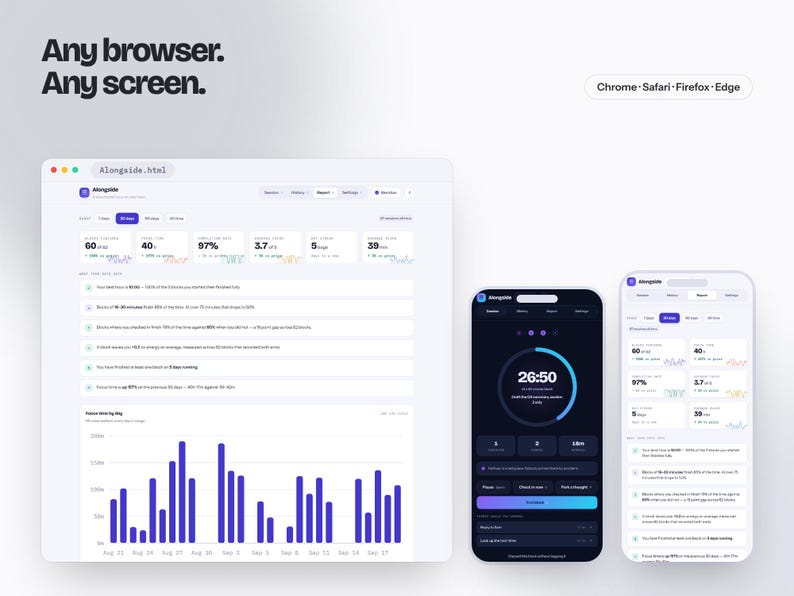
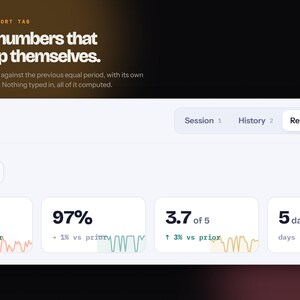
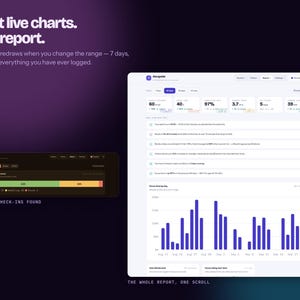
Six numbers, each compared against the previous period of the same length, each with its own sparkline: blocks finished, focus hours, completion rate, average focus, day streak, average block length.
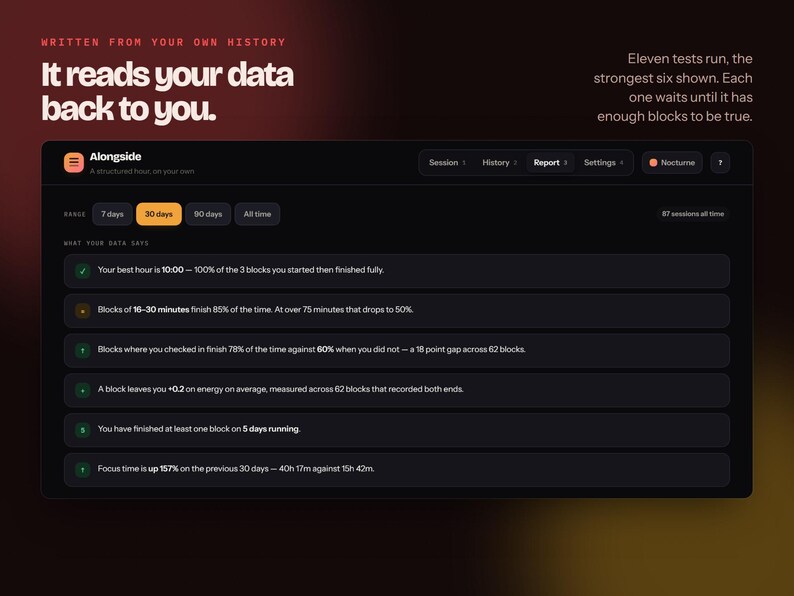
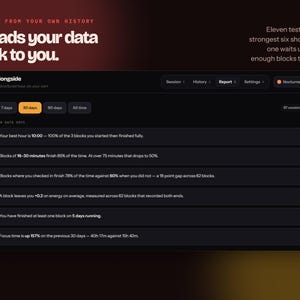
Then it reads your own history back to you. Eleven tests run; the six with most to say are shown:
• Your best hour of day, by how often blocks started then actually finish
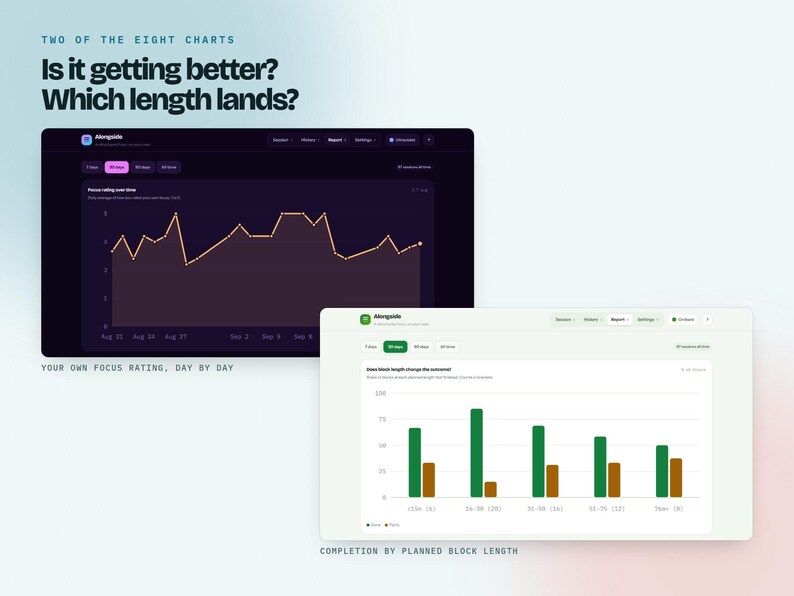
• Which block lengths you finish, and which ones you don't
• Whether checking in changes the outcome — measured on your own sessions
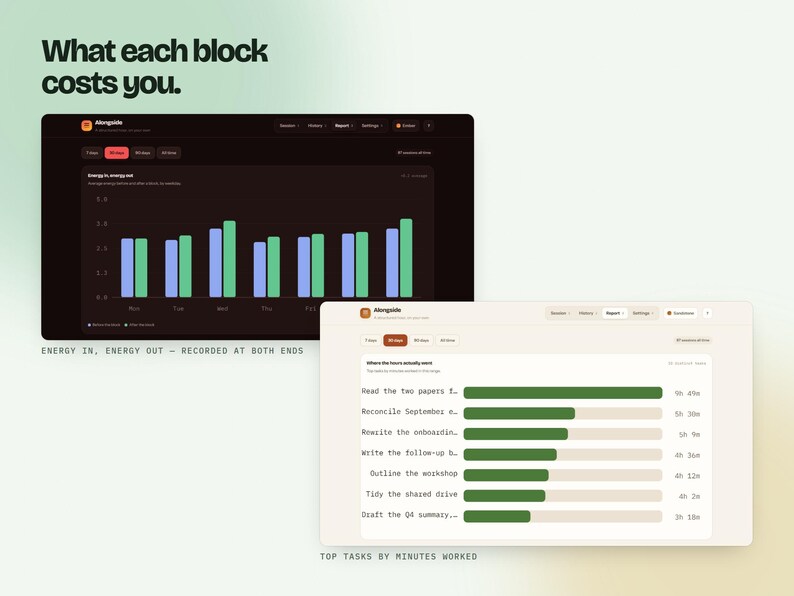
• What a block costs or gives you in energy
• Whether writing down "why it matters" changed anything
• Where the most minutes went, your streak, and how this period compares to the last
Every test has a minimum sample and stays quiet until it is met. Nothing here is guessed.
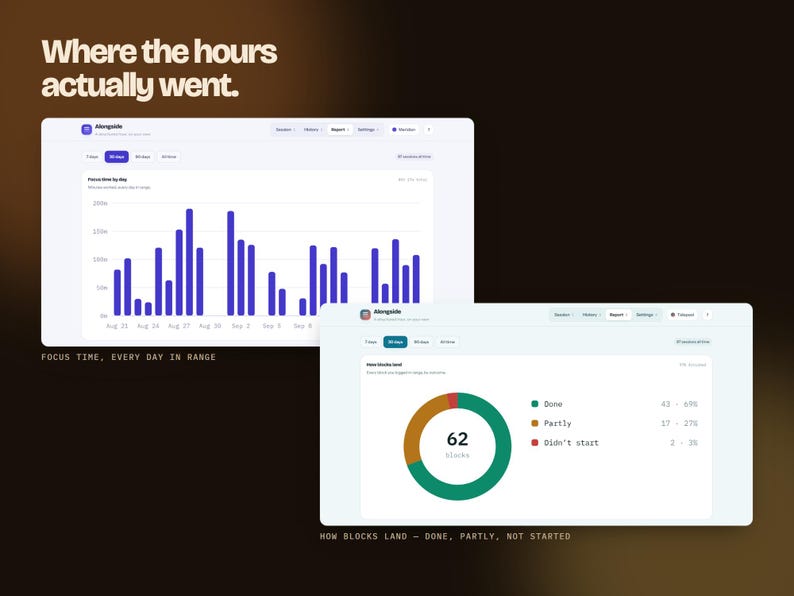
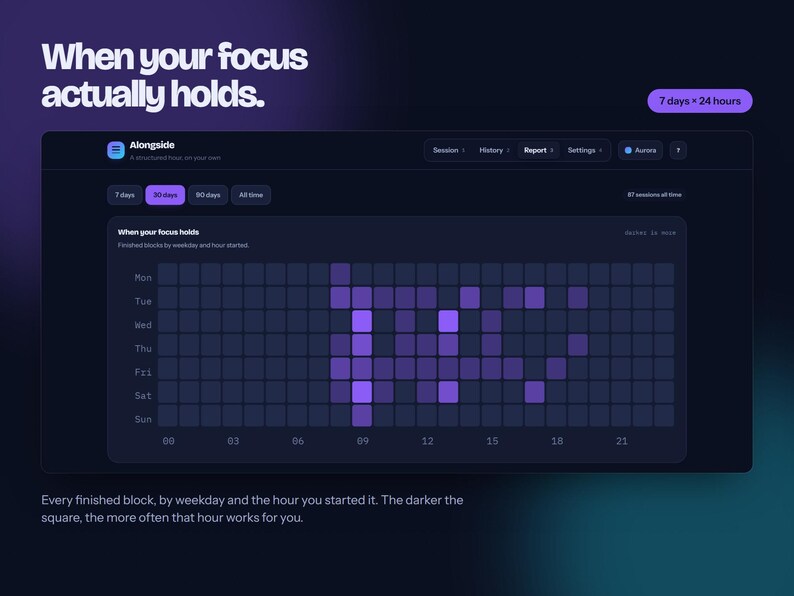
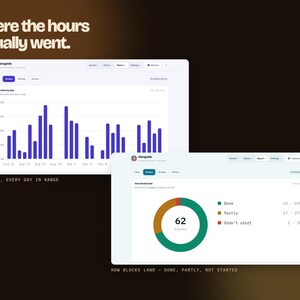
EIGHT LIVE CHARTS, all redrawing when you switch between 7 days, 30, 90 or all time:
• Focus time by day
• How blocks land — done, partly, didn't start
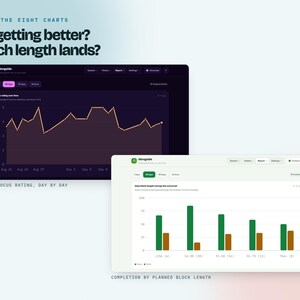
• Focus rating over time
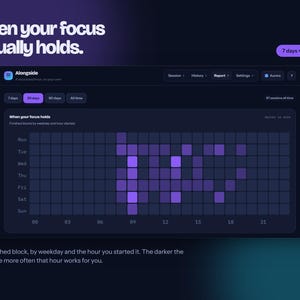
• When your focus holds — a 7 × 24 weekday-and-hour heatmap
• Completion by planned block length
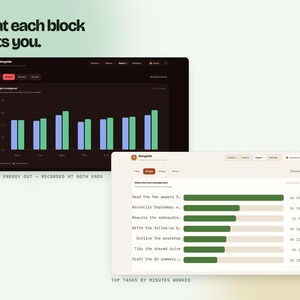
• Where the hours actually went, by task
• Energy in, energy out, by weekday
• What the check-ins found
━━━━━━━━━━━━━━━━━━━━
HISTORY
━━━━━━━━━━━━━━━━━━━━
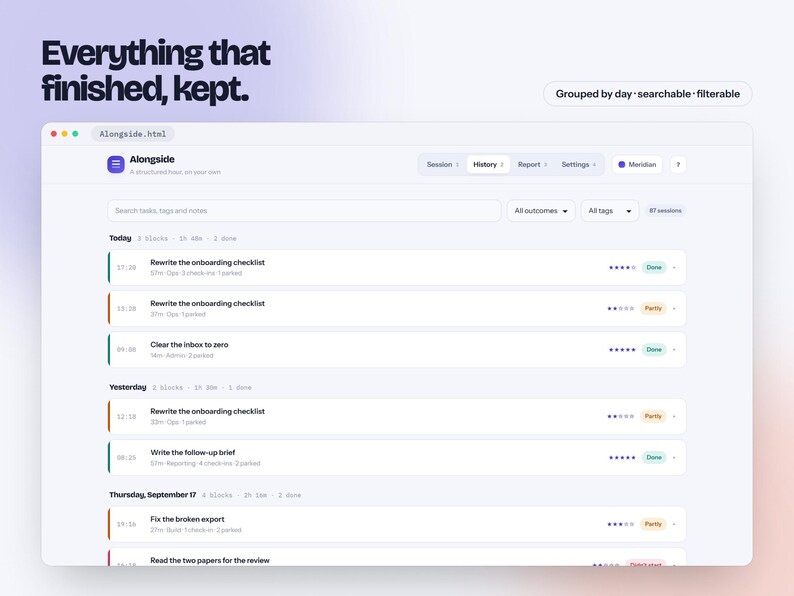
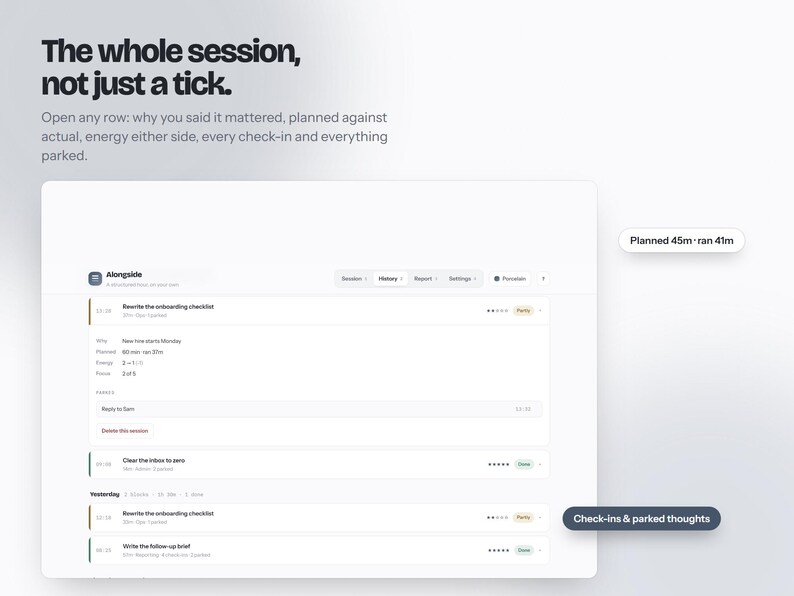
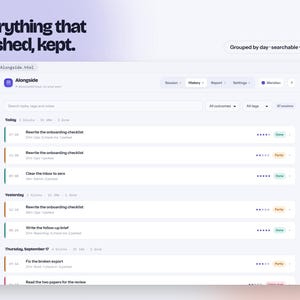
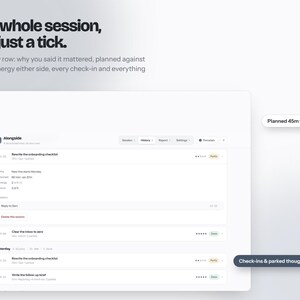
Every finished block, grouped by day, searchable and filterable by outcome and tag. Open any row for the whole session: planned against actual, energy either side, your note, every check-in with its answer, and everything you parked.
━━━━━━━━━━━━━━━━━━━━
TEN THEMES
━━━━━━━━━━━━━━━━━━━━
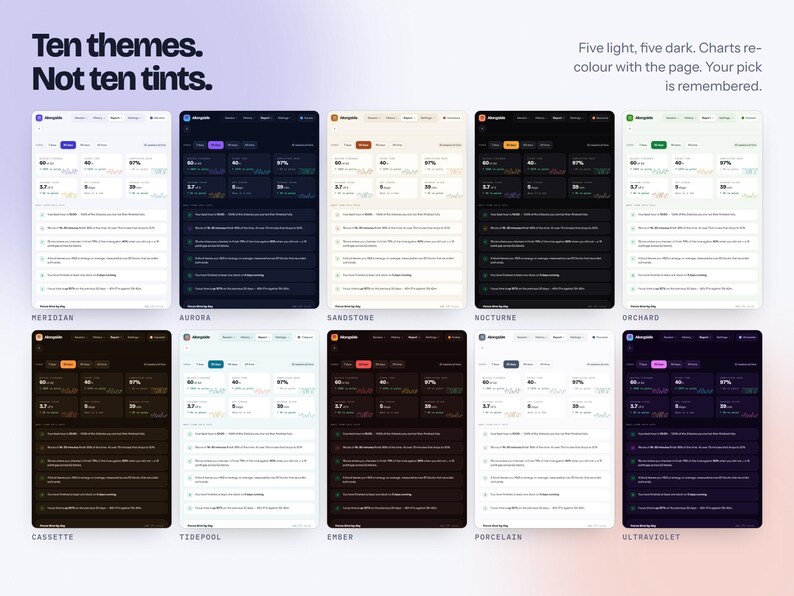
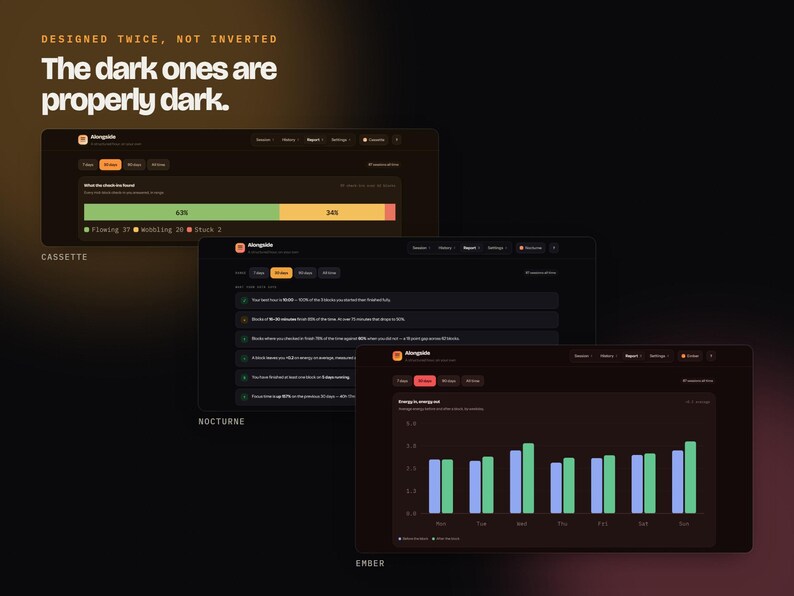
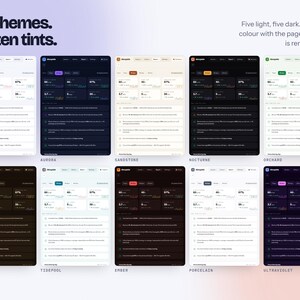
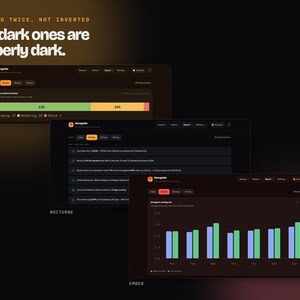
Meridian, Aurora, Sandstone, Nocturne, Orchard, Cassette, Tidepool, Ember, Porcelain and Ultraviolet. Five light, five dark, each a full palette rather than a tint — the charts re-colour with the page and the dark ones are designed, not inverted. Porcelain is there if you want the lowest-stimulation option. Press T to step through them; your choice is remembered.
━━━━━━━━━━━━━━━━━━━━
SOUND, GENERATED ON YOUR DEVICE
━━━━━━━━━━━━━━━━━━━━
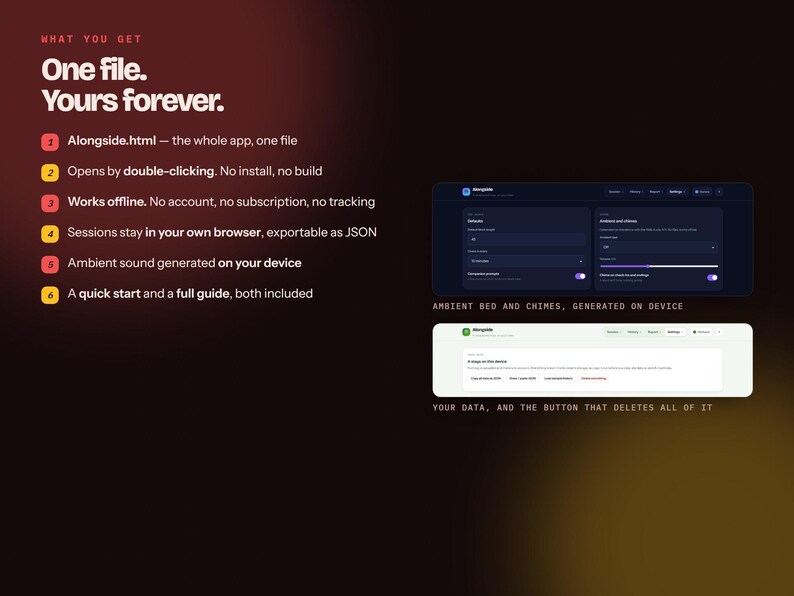
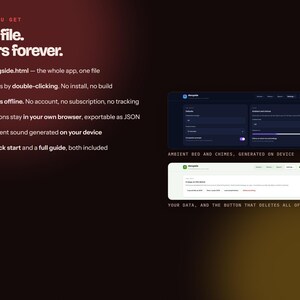
Brown noise, rain or a low hum while a block runs, plus a soft chime on check-ins and endings. Made with the Web Audio API on your own machine — no audio files, works offline, nothing to download.
━━━━━━━━━━━━━━━━━━━━
KEYBOARD
━━━━━━━━━━━━━━━━━━━━
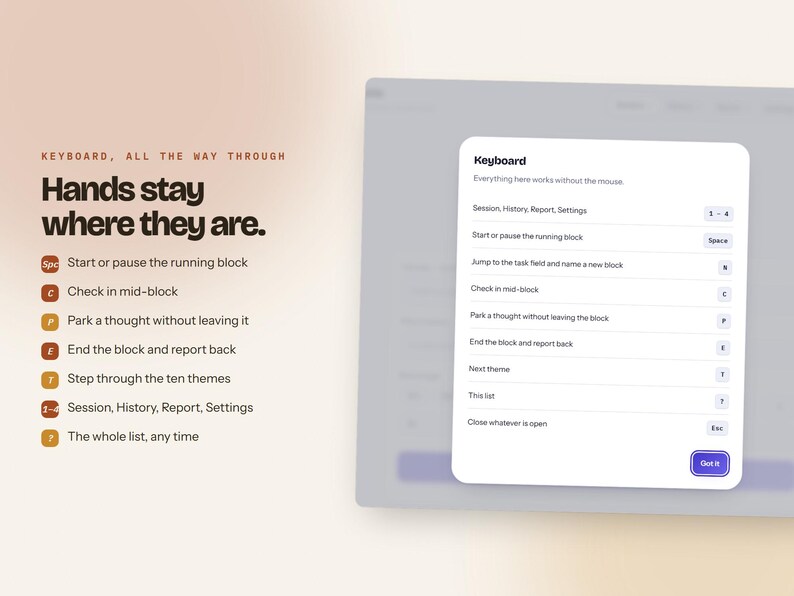
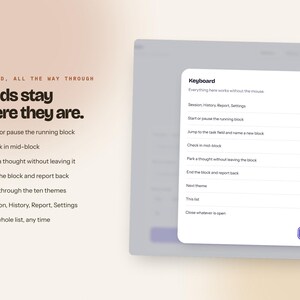
Space start/pause · N new block · C check in · P park a thought · E end and report · T next theme · 1–4 switch tabs · ? the full list. Nothing needs the mouse.
━━━━━━━━━━━━━━━━━━━━
WHAT YOU GET
━━━━━━━━━━━━━━━━━━━━
One ZIP containing three files:
✓ Alongside.html — the whole app, one self-contained file
✓ START HERE.html — a two-minute quick start
✓ Alongside — Full Guide.html — every page, number and chart explained
━━━━━━━━━━━━━━━━━━━━
HOW IT WORKS
━━━━━━━━━━━━━━━━━━━━
1. Buy and download instantly
2. Unzip, keeping the three files together
3. Double-click Alongside.html — it opens in your browser
4. Bookmark the tab, or on iPad/Android use Share → Add to Home Screen
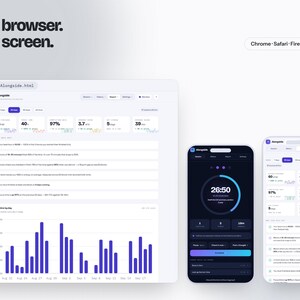
Works in Chrome, Safari, Firefox and Edge, on Windows, Mac, Linux, Chromebook, iPad and Android. Nothing to install, no build step, no internet needed after the download.
━━━━━━━━━━━━━━━━━━━━
YOUR DATA
━━━━━━━━━━━━━━━━━━━━
There is no account and no server. Your sessions live in your own browser's storage on your own device, and nothing is uploaded or tracked. One button copies everything out as JSON for backup, another pastes it back, and a third deletes all of it.
Please note: because it is stored in your browser, clearing your browser's site data will delete your history. Take a backup first. This is explained in the guide.
The app opens with 21 days of example blocks so the charts have something to say from the first minute. One click clears them.
━━━━━━━━━━━━━━━━━━━━
PLEASE NOTE
━━━━━━━━━━━━━━━━━━━━
• This is a digital download. No physical item will be shipped.
• Because digital files cannot be returned, all sales are final — but if anything is wrong with your download, message me and I will sort it.
• For personal use only. Please do not resell, redistribute or share the file.
• Alongside is an organisation and planning tool. It is not medical, psychological or therapeutic advice, it does not diagnose anything, and it is no substitute for professional care. The focus and energy figures are your own self-reports, not measurements.
• It is a single-player tool: it gives a solo hour the shape a co-working hour has, which is not the same as having another person there.
AI DISCLOSURE: this app and its listing images were built with AI assistance, then designed, tested and reviewed by a human. The screenshots are photographs of the real file, running, with example data.
Tomorrow morning you can open another blank to-do list, or open something that asks you one question and then gets out of the way.
即時ダウンロード可能商品
お支払い確認後、ファイルがダウンロードできるようになります。 ダウンロード方法はこちらから。
即時ダウンロード可能商品では返品、交換およびキャンセルを受け付けておりません。ご注文に関する問題については、セラーにお問い合わせください。
Etsy 購入保護
Etsy で安心してショッピングをしましょう。何か問題が起きた場合でも、対象となる購入について Etsy がサポートします。
プログラムの規約を見る

この商品を一番最初にレビューしましょう

このショップの他の商品
ショップを見る-
ダウンロード商品
Offline Mood Diary – Track Anxiety, Sleep, Patterns (6 Languages, HTML File)
¥1,835
-

ダウンロード商品
リコール学習プランナー – HTMLファイル、オフライン対応、6言語対応(ボーナス特典付き)
¥1,835
-
ダウンロード商品
2027 Life Planner, Claymorphism Design, All-in-One Digital Planner (Excel Included)
¥3,669
-
ダウンロード商品
Tattoo Studio Hub, Appointment Book, Excel Sheet, Artist Splits, Consent Forms (Digital Download)
¥1,650
-

ダウンロード商品
ポモドーロタイマーアプリ:集中力とADHDの生産性向上ツール
¥644
-
ダウンロード商品
ADHD プランナー、集中力と生産性向上ツール(デジタルダウンロード)
¥2,174
-
ダウンロード商品
FocusFlow - フリーランサー向けオフラインタイムトラッカーアプリ | ポモドーロタイマー | 請求可能な時間 | デジタルダウンロード
¥1,485
-
ダウンロード商品
ポモドーロプランナー(印刷可能なPDF)、日々の生産性プランナー、集中タイマーワークシート、学習プランナー、ADHD時間管理、即時ダウンロード
¥413
-
ダウンロード商品
ポモドーロ・テクニックのワークシート|印刷可能な集中ツール
¥741
-
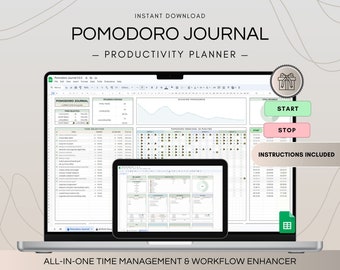
ダウンロード商品
ポモドーロ プランナー テンプレート、Google スプレッドシート生産性プランナー、ToDo リスト時間ログ、プロジェクト管理と学習補助、集中時間トラッカー
¥1,802
-
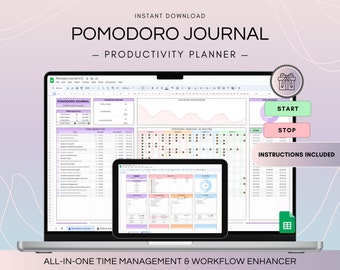
ダウンロード商品
ポモドーロテクニックトラッカースプレッドシート、生産性タスク管理、集中学習タイマー、ハイパーフォーカスタイムトラッカー、ADHDスマート目標設定
¥1,802
-
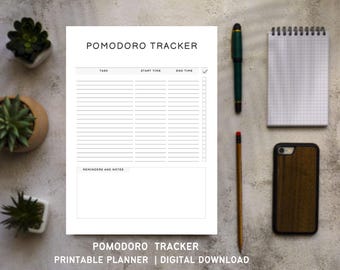
ダウンロード商品
ポモドーロ・トラッカー(印刷可能)|集中タイマー学習プランナー、生産性ワークシート、デジタルダウンロード
¥413
-
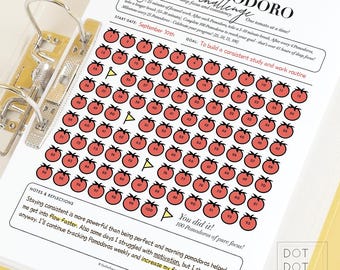
ダウンロード商品
ポモドーロチャレンジトラッカー:集中力と生産性向上プランナー(印刷可能なPDF)
セール価格 ¥494
元の価格 ¥659
-
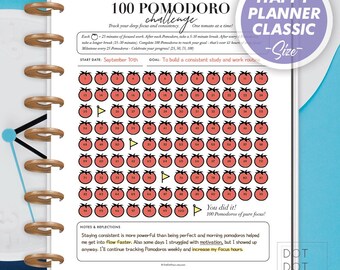
ダウンロード商品
ポモドーロチャレンジトラッカー:集中力と生産性を高めるプランナー(Happy Planner Classic PDF)
セール価格 ¥494
元の価格 ¥659
-
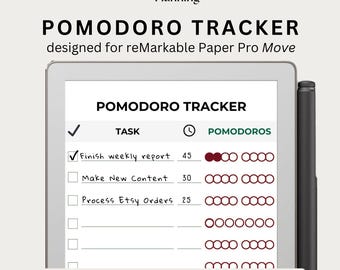
ダウンロード商品
reMarkable Move用ポモドーロトラッカー|生産性向上ツール|時間管理ツール|学習プランナー|ADHD集中テンプレート|ポモドーロログ&タイマー
¥833
-
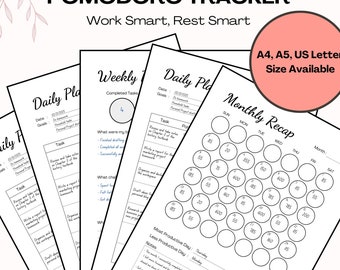
ダウンロード商品
ポモドーロプランナーツール、印刷可能な生産性プランナー、ワークデイテンプレート、学習タスクトラッカー、時間管理プランナー、A4、A5、USレターサイズ
¥378
似たような趣味のお客さまのお気に入り
-
ダウンロード商品
クリエイティブなATS準拠の履歴書テンプレート プロフェッショナルなCanva CV シンプルでミニマリストな機能的な履歴書 クリーンなフォーマットのカバーレター
セール価格 ¥220
元の価格 ¥627
-
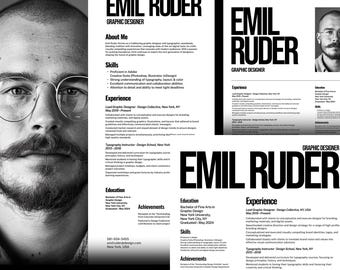
ダウンロード商品
グラフィックデザイナーやクリエイター向けの履歴書テンプレート|ミニマルなスイスデザイン(Canvaで編集可能)
¥1,855
-
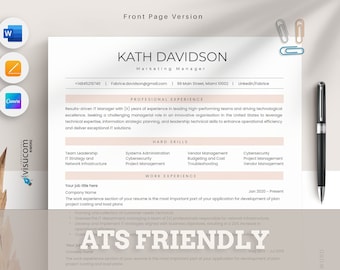
ダウンロード商品
ATS 履歴書テンプレート Word、Pages、Canva、ATS 履歴書テンプレート、プロフェッショナル 履歴書 ATS、モダン エグゼクティブ履歴書、ミニマリスト、シンプルでクリーンな履歴書
¥740
-

ダウンロード商品
Resume CV Templates for Google Docs, Word, Apple Pages | 1 2 3 Page Professional Resume Designs, Cover Letter, Modern CV Curriculum Vitae
¥1,391
-
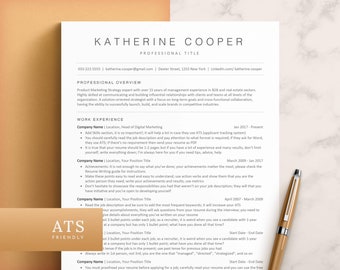
ダウンロード商品
ATS対応履歴書テンプレート(Word、Pages、Googleドキュメント)、ATS履歴書、ATS CV履歴書テンプレート、ミニマリスト履歴書、シンプルな履歴書、ベーシックな履歴書
¥1,313
-
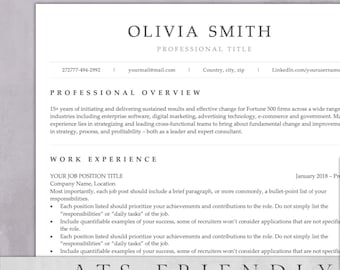
ダウンロード商品
ATS対応履歴書テンプレート|モダンでプロフェッショナルなデザイン(Word、Pages、Docs形式)
¥2,776
-
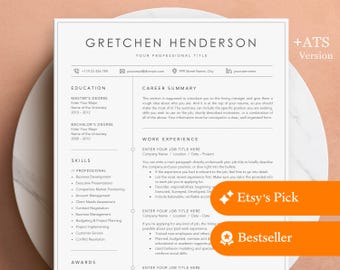
ダウンロード商品
Word、Mac Pages、Google Docs対応プロフェッショナル履歴書テンプレート + ATS対応版 | ボーダーライン付き履歴書テンプレート、モダンな履歴書
セール価格 ¥912
元の価格 ¥1,404
-
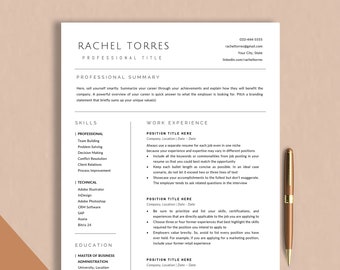
ダウンロード商品
クリーンな履歴書テンプレート(Google Docs、Word、Pages対応)、ミニマルなエグゼクティブ履歴書、シンプルでモダンなスムーズなテンプレート、ミニマルなWord履歴書テンプレート2026
セール価格 ¥370
元の価格 ¥1,481
-
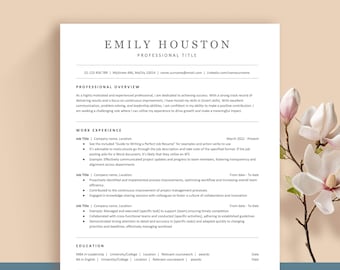
ダウンロード商品
シンプルでミニマリストな履歴書テンプレート - Googleドキュメント、Word、Pages対応 - エグゼクティブCVバンドル(カバーレターとアイコン付き) USレター&A4サイズ
セール価格 ¥522
元の価格 ¥1,303
-
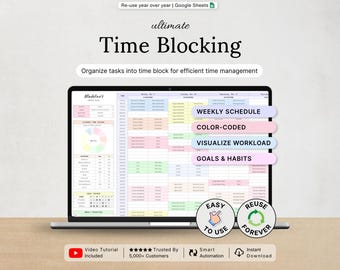
ダウンロード商品
タイムブロッキングプランナー、時間管理テンプレート、タイムトラッカー、週間タイムブロックスケジュール、日別時間別プランナー、Googleスプレッドシート
セール価格 ¥1,072
元の価格 ¥2,144
-
ダウンロード商品
タイムブロッキングプランナー:自動化された週次Googleスプレッドシート、スマートカレンダー
セール価格 ¥592
元の価格 ¥1,481
-
ダウンロード商品
自動時間ブロックプランナー:週単位のGoogleスプレッドシート、スマートカレンダー
セール価格 ¥592
元の価格 ¥1,481


