


Simple Assignment Tracker Spreadsheet, Student Homework Planner, Due Dates and Grades (Google Sheets, Excel)
NowPrice:£2.43
Original Price: £4.07
40% off

Designed by Ruslan
Here's what's eligible:
- Your order doesn't match the item description or photos
- Your item arrived damaged
- Your item arrived after the estimated arrival window
- Your item didn't arrive or was lost in the mail
You can only make an offer when buying a single item.
Highlights
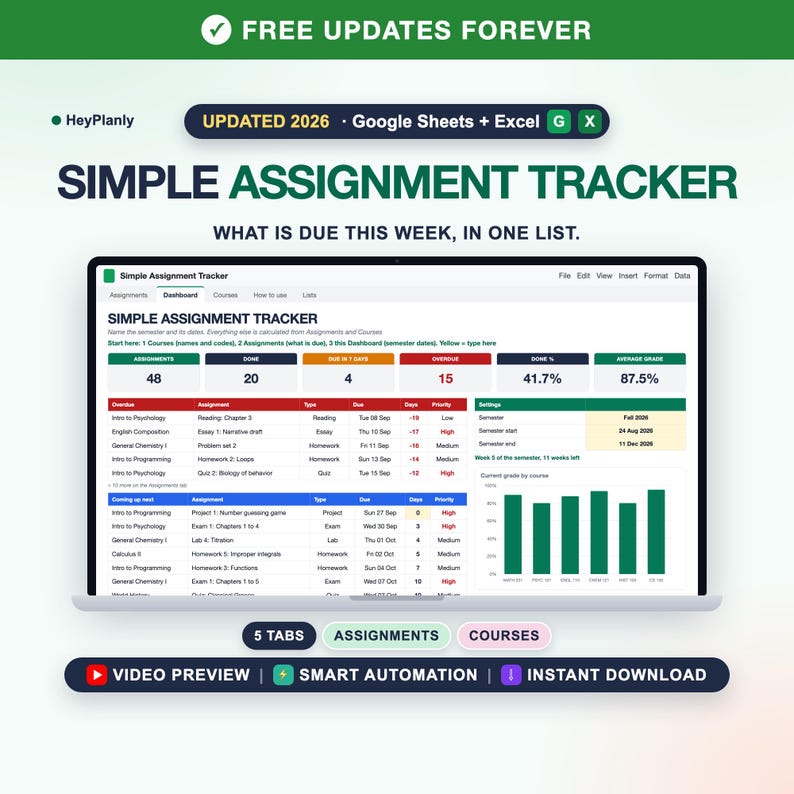
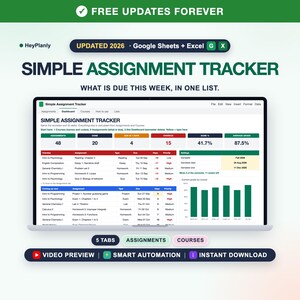
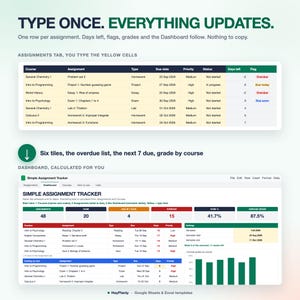
Easy to use, beginner friendly, set up in 10 minutes: type your courses and what is due, and the Dashboard shows what is due this week, what is late and your grade per course. Five tabs, you type on two. For anyone who has said "I just want one list of what is due next".
Simple Assignment Tracker Spreadsheet for Google Sheets and Excel: student homework planner, due dates and grades.
Made by HeyPlanly: you type in the yellow cells, everything else is calculated. No app, no subscription.
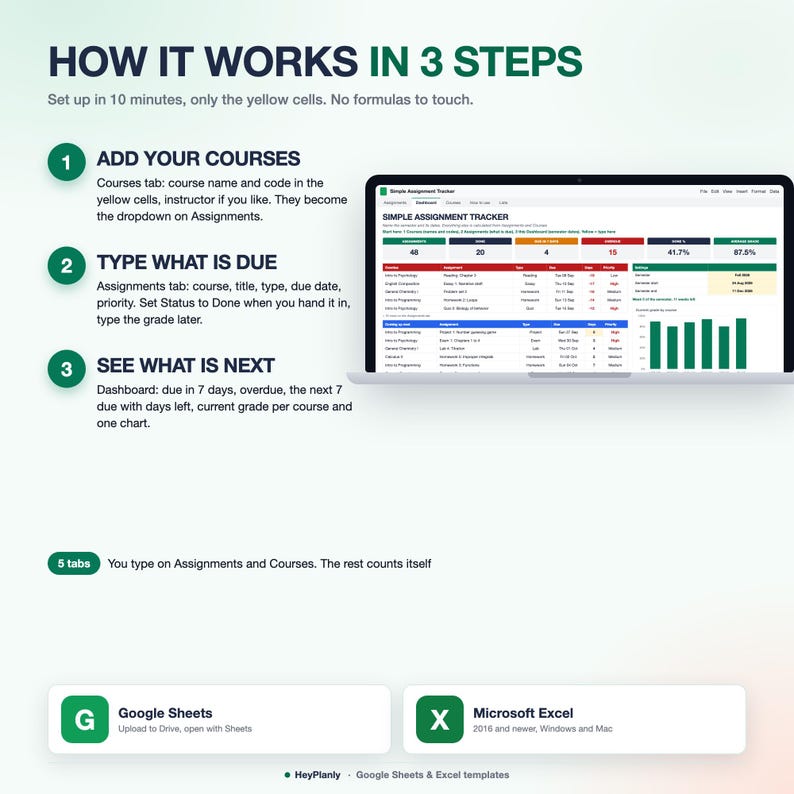
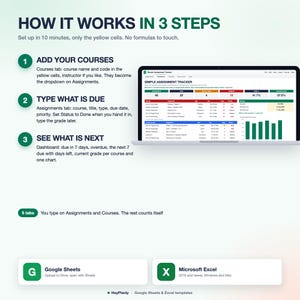
⏱ SET UP IN 10 MINUTES
1. Courses tab: type each course name and code in the yellow cells (instructor is optional). They become the Course dropdown. 2 minutes
2. Assignments tab: one row per task. Pick the course, type the title, type, due date and priority. Paste a whole syllabus as values if you like. 5 minutes
3. Dashboard tab: type the semester name, start and end date. Delete the sample rows or open the blank copy. Done
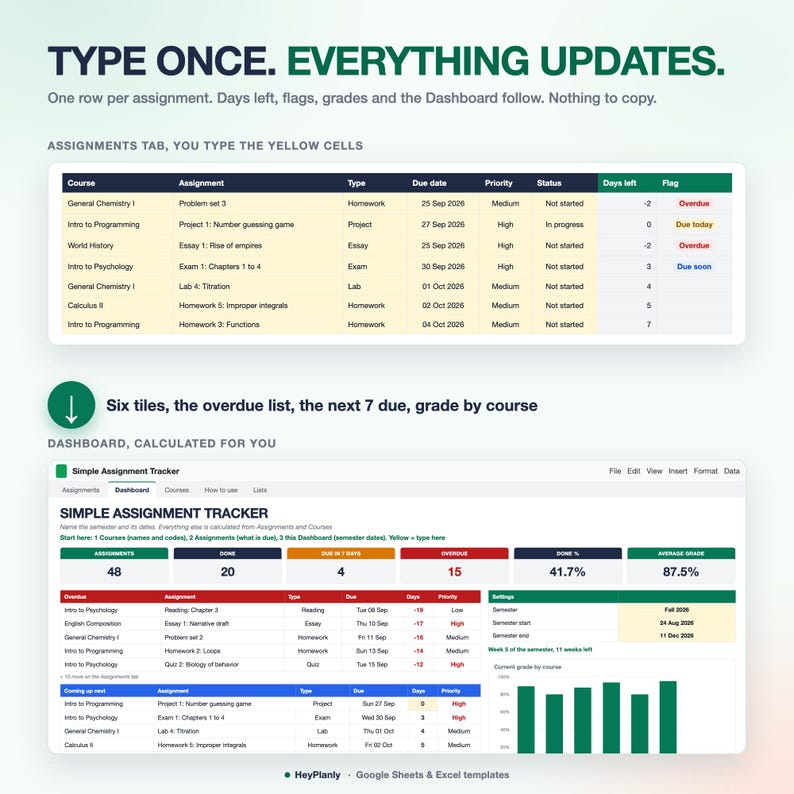
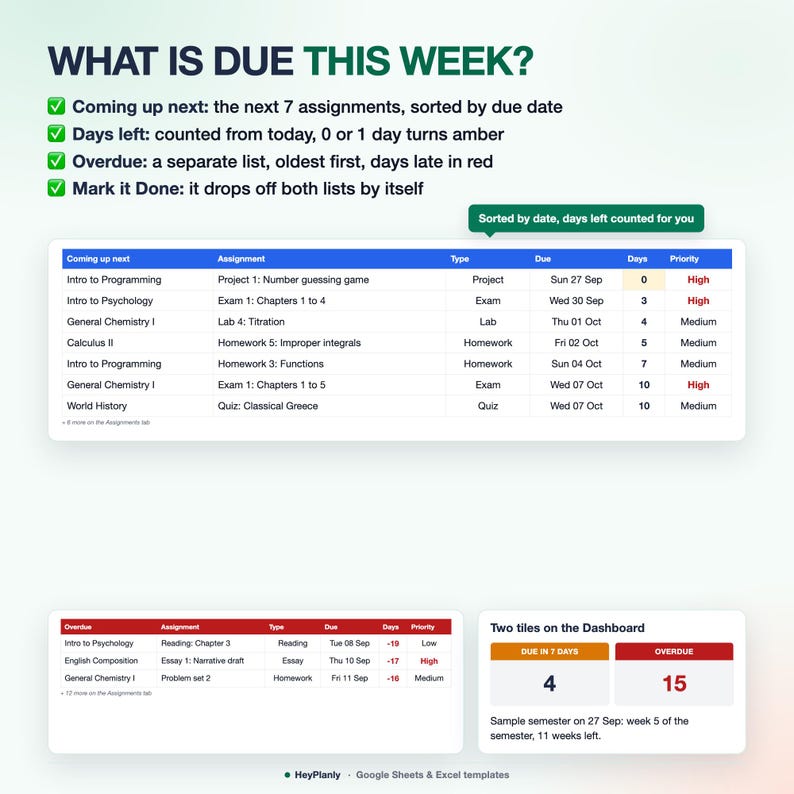
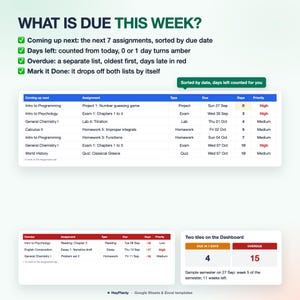
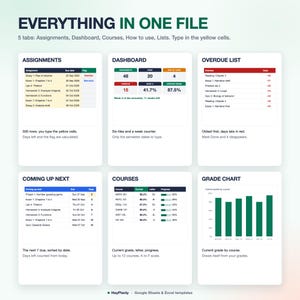
Not a system to learn: one list of assignments. Days left and a flag (Overdue, Due today, Due soon, Done) are calculated on every row. The Dashboard lists the next 7 things due, sorted by date with days left, and everything overdue, oldest first. Mark an assignment Done and it drops off both lists. Type the grade when you get it back and Courses shows the current grade, the letter and a progress bar per course.
Want more later? The Full Assignment Tracker Spreadsheet in this shop (10 tabs) adds the Grade Calculator with syllabus weights and what you need on the final, semester GPA, Exams, the Weekly Schedule and a Phone tab: https://www.etsy.com/uk/listing/4575038618/assignment-tracker-spreadsheet-student. Same Assignments columns, so your rows paste straight across. This listing is the simple one on purpose.
▶ WATCH THE DEMO
Short preview: the listing video above. A 2-minute walkthrough recorded on the Full file (same Assignments tab): https://youtu.be/4Km7d4L1ge0. Step-by-step guide in the How to use tab.
✅ FEATURES
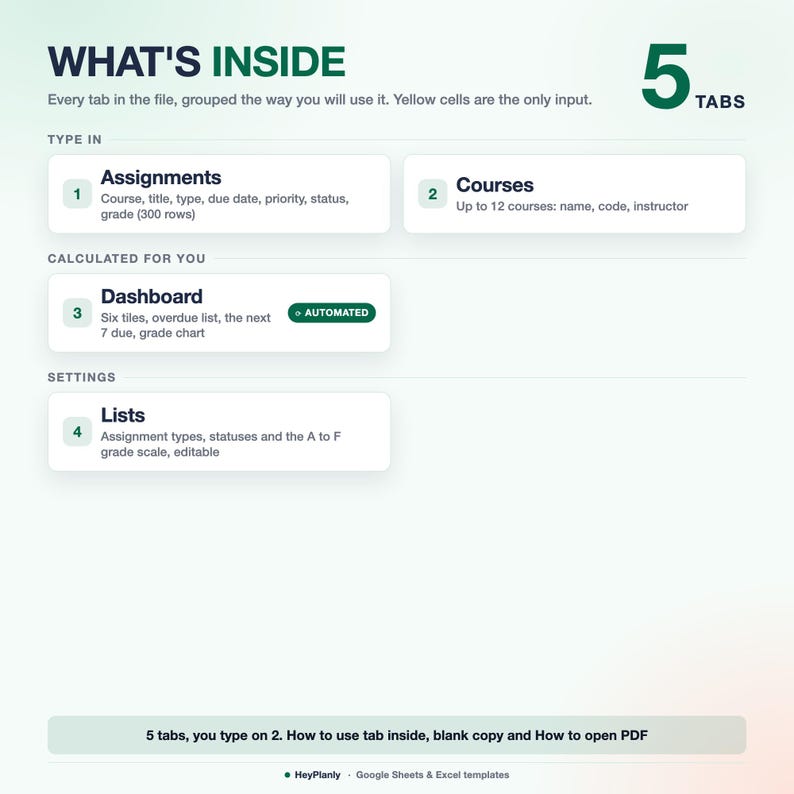
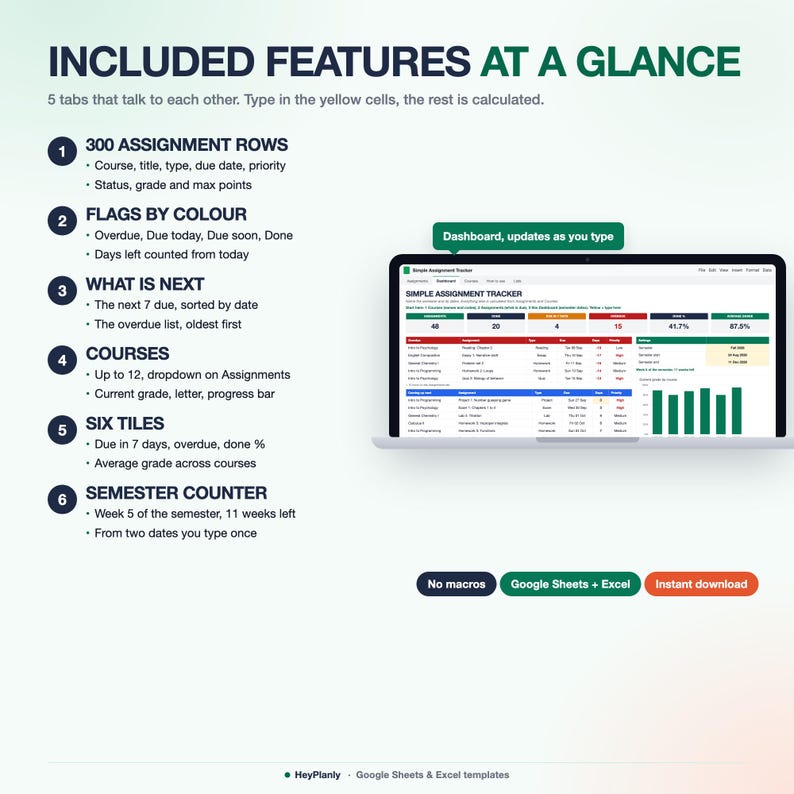
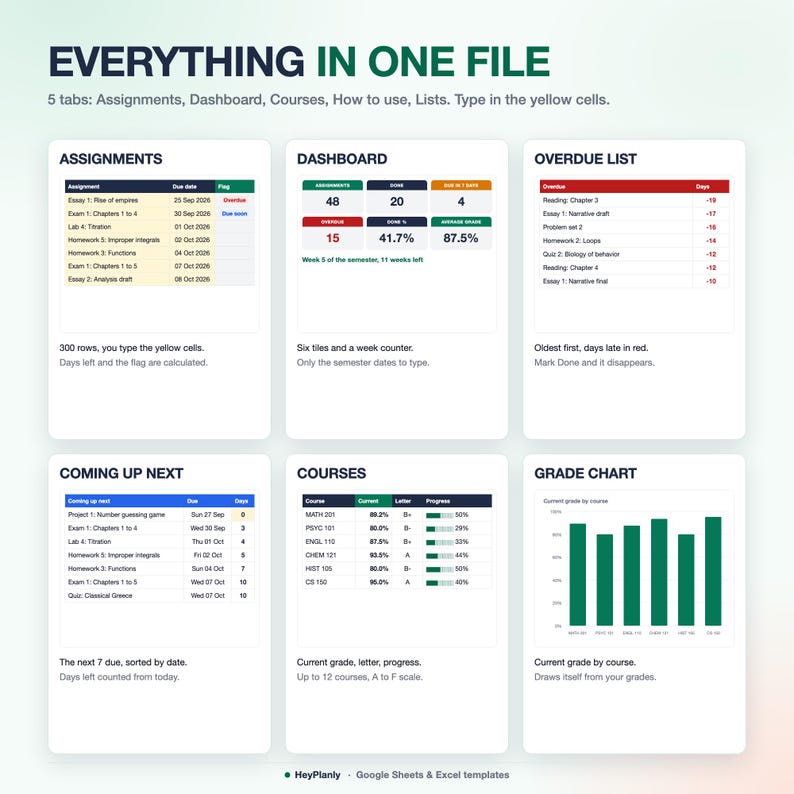
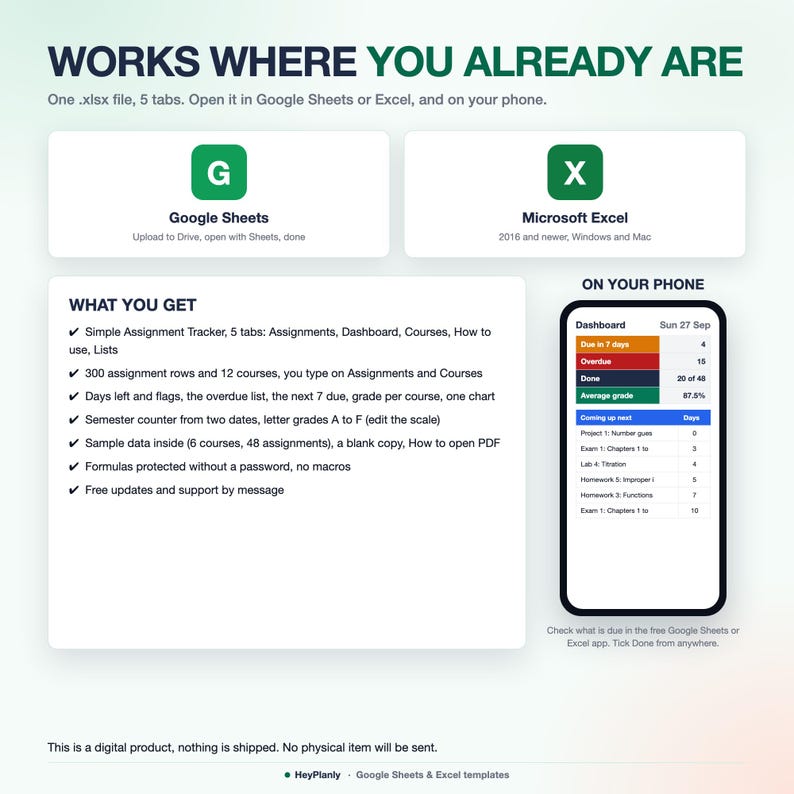
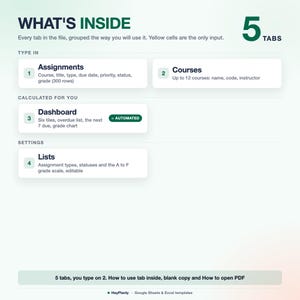
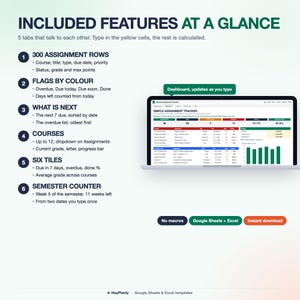
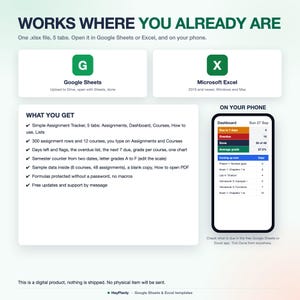
✓ 5 tabs: Assignments, Dashboard, Courses, How to use, Lists. You type on 2 of them
✓ Assignments: 300 rows with course, title, type, due date, priority, status, grade, max points, notes
✓ Days left, score % and a flag per row: Overdue (red), Due today (amber), Due soon (blue), Done (green)
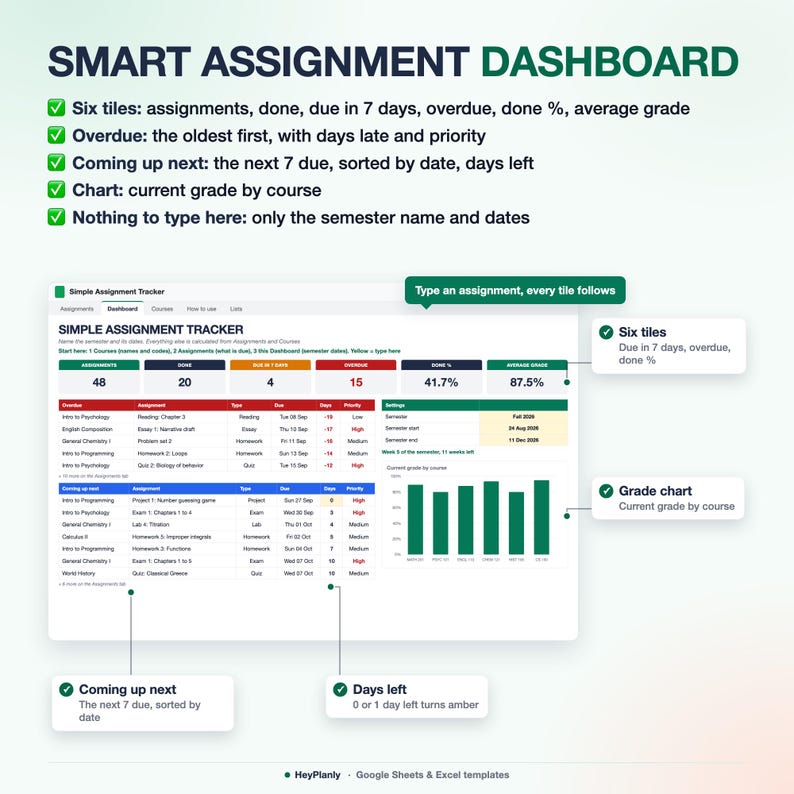
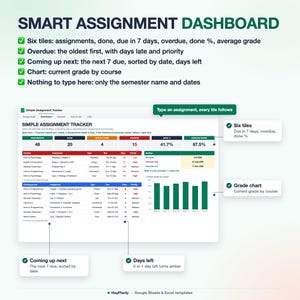
✓ Coming up next: the next 7 due, sorted by date, days left counted from today
✓ Overdue list: oldest first, with how many days late and the priority
✓ Six tiles: assignments, done, due in 7 days, overdue, done %, average grade
✓ Courses: up to 12, with assignments, done, overdue, current grade, letter and a progress bar
✓ One chart: current grade by course
✓ Semester counter: "Week 5 of the semester, 11 weeks left" from two dates
✓ Letter scale A to F on the Lists tab, edit it to match your school
✓ Formulas protected without a password, yellow cells open for typing
✓ Sample data inside, blank copy included
✨ WHAT'S INSIDE
5 TABS + step-by-step guide
✓ Assignments (first tab): 300 rows. You type course (dropdown), title, type (dropdown), due date, priority, status, grade, max points and notes. Score %, days left, the flag and the week are calculated
✓ Dashboard: semester name and dates (3 yellow cells), six tiles, the overdue list (5 shown, the count of the rest), the next 7 due with days left, the week of the semester and the grade chart. Nothing else to type there
✓ Courses: name, code and instructor in yellow, then assignments, done, overdue, current %, letter and progress, with a total row
✓ How to use: Setup in 10 minutes, Good to know, sample data. About 15 short lines, not a manual
✓ Lists: assignment types (Homework, Essay, Quiz, Exam, Project, Reading, Lab plus 3 empty slots), statuses, priorities and the grade scale
📦 YOU WILL RECEIVE
✓ Simple_Assignment_Tracker_v1.xlsx (5 tabs, sample data inside: 6 courses, 48 assignments over 8 weeks)
✓ Simple_Assignment_Tracker_blank.xlsx (blank copy, ready for your semester)
✓ How to open in Google Sheets (PDF)
Reuse every semester: pay once, free updates
💵 WHAT THE NUMBERS MEAN
Days left = due date minus today, empty once Done. Overdue = not Done and the due date has passed. Due soon = within 3 days. Due in 7 days = today plus the next 6 days, not Done. Done % = Done rows out of all rows with a title. Current % per course = the plain average of the score % of graded work in that course (grade divided by max points). Average grade = the average of the course grades. No weights in this file: the weighted Grade Calculator is in the Full listing.
🔓 FULLY EDITABLE, NOTHING LOCKED AWAY
Only formula cells are protected, so nothing breaks by accident. No password: Review > Unprotect Sheet (Excel) or the protected-range message (Google Sheets) if you want to change anything, add rows or colours. A number shows as ####? Drag the column wider, that works without unprotecting.
👤 WHO IT'S FOR
College and university students, high school, community college, online classes, working students, parents helping a student stay on track, anyone who bought a 10-tab student planner and used one tab. A normal semester of 5 or 6 classes fits easily: 300 assignments, 12 courses. Any grading scale, any language for course names.
📱 WORKS IN
✓ Microsoft Excel 2016+ and Microsoft 365 (Windows and Mac), works offline
✓ Google Sheets (free Google account)
✓ Google Sheets and Excel mobile apps: check what is due and set Status to Done; the Dashboard reads best on a laptop
✓ No macros, no add-ons, no LET or XLOOKUP, so it opens everywhere
🚫 WHAT THIS IS NOT
Not a grade calculator with weights, not a GPA calculator, not an exam planner or a weekly timetable (that is the Full Assignment Tracker in the same shop, 10 tabs). No monthly calendar grid: due dates show as lists. Not a printable or a PDF planner, not a Notion or Goodnotes template, not an app. One .xlsx spreadsheet (plus a blank copy and a short PDF on opening it in Google Sheets).
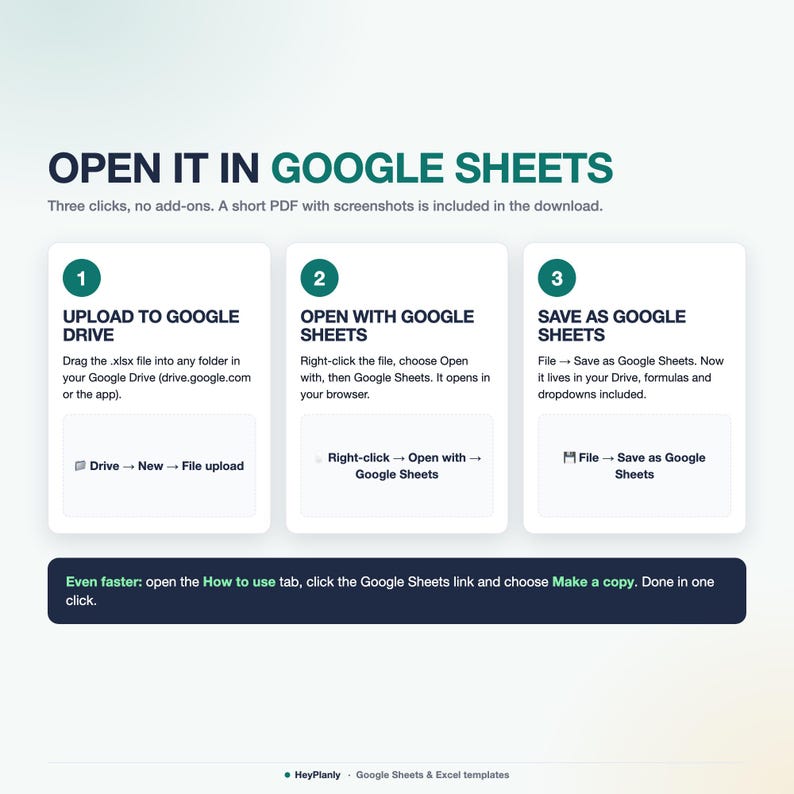
📂 HOW TO OPEN IN GOOGLE SHEETS
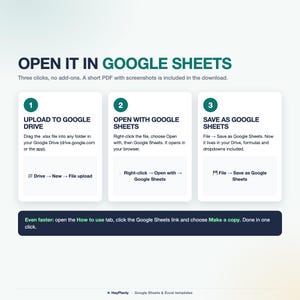
Fastest: open the How to use tab of the file and click Make a copy of this file in Google Sheets. Your own editable copy appears in your Drive with every formula and dropdown working, nothing to upload or convert. Manual way: upload the .xlsx to Google Drive, open it and choose File → Save as Google Sheets (steps in the included PDF).
❓ FAQ
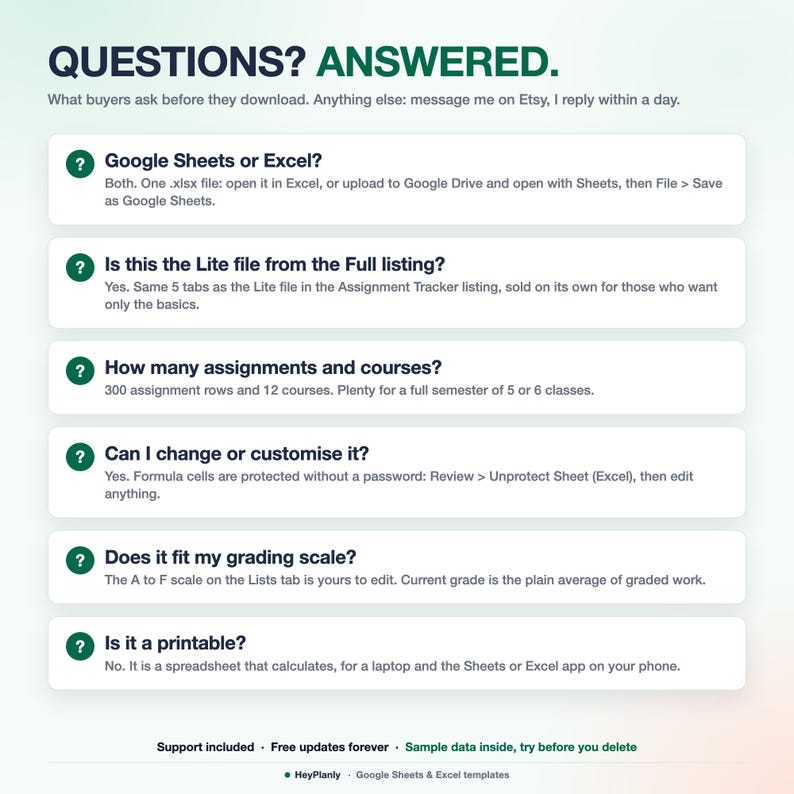
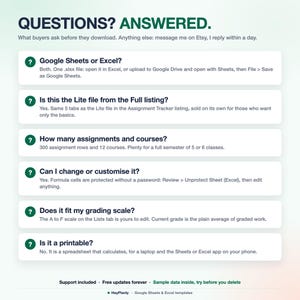
Google Sheets or Excel? Both, it is an .xlsx file. Excel opens it directly, Google Sheets in one click with the Make a copy link on the How to use tab (or File > Save as Google Sheets).
Is this the Lite file from the Assignment Tracker Spreadsheet listing? Yes. Same 5 tabs as the Lite file in that listing, sold on its own for those who want only the basics. That listing adds the Full file with 10 tabs.
Is there a blank version? Yes, Simple_Assignment_Tracker_blank.xlsx is in the download, no sample rows to delete.
How many assignments? 300 rows and 12 courses. Need more? Message me.
Colour-coded? By status: red overdue, amber due today, blue due soon, green done. Not by course.
A cell says it is locked? Formula cells are protected without a password: Review > Unprotect Sheet (Excel). The yellow cells are always open.
Whole syllabus at once? Paste it into Assignments as values (Paste Special > Values in Excel, Ctrl+Shift+V in Google Sheets).
🛍️ ALSO IN THE SHOP
✓ Assignment Tracker Spreadsheet (10 tabs: Grade Calculator, GPA, Exams, Weekly Schedule, Phone tab): https://www.etsy.com/uk/listing/4575038618/assignment-tracker-spreadsheet-student
✓ Simple Habit Tracker Spreadsheet: https://www.etsy.com/shop/HeyPlanly
✓ Simple Life Planner Spreadsheet: https://www.etsy.com/shop/HeyPlanly
⬇️ INSTANT DOWNLOAD
This is a digital product. Nothing will be shipped. After purchase, download the .xlsx file from your Etsy purchases page or the email Etsy sends you (download from a computer, the Etsy app hides digital files). The file comes with sample data (6 courses and 48 assignments for Fall 2026) so you can see how it works. The flags use today's date, so some sample items show as overdue: delete the sample rows and add yours, or start from the blank copy.
⚠️ PLEASE NOTE
Built and tested in Excel 365 desktop and Google Sheets. Excel Online and the free mobile apps open the file for viewing and light editing, but protected sheets and the chart render best on desktop. Colours may look slightly different between apps.
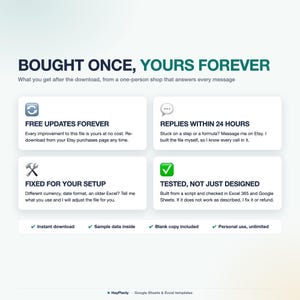
Instant download, so no refunds for change of mind. If something doesn't work as described, message me and I'll fix it or refund. For personal use only, please do not resell or share the file.
💬 QUESTIONS?
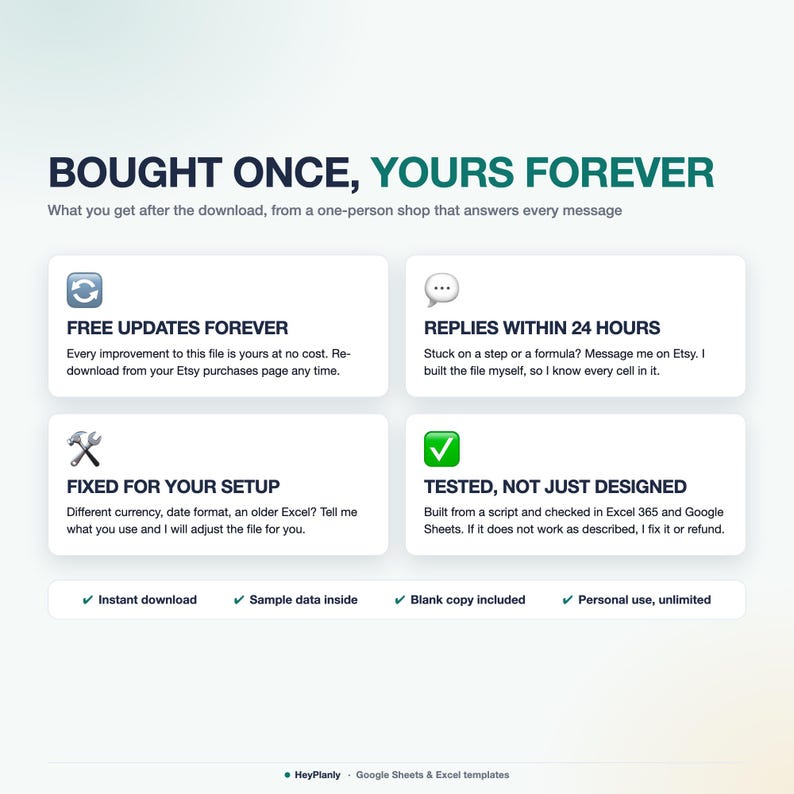
Message me any time, I reply within 24 hours. If something doesn't work on your setup, I'll fix it for you.
Need a column renamed or a label changed? Message me, small tweaks are free.
HeyPlanly: spreadsheets that actually calculate.
Instant Download
Your files will be available to download once payment is confirmed. Here's how.
Instant download items don’t accept returns, exchanges or cancellations. Please contact the seller about any problems with your order.
Etsy Purchase Protection
Shop confidently on Etsy knowing if something goes wrong with an order, we've got your back for all eligible purchases —
see programme terms

More from this shop
Visit shop-
Digital download
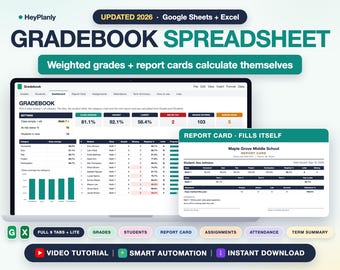
Teacher Gradebook Spreadsheet, Weighted Grades, Report Card, Homeschool Grade Tracker (Google Sheets, Excel)
£6.16
-
Digital download
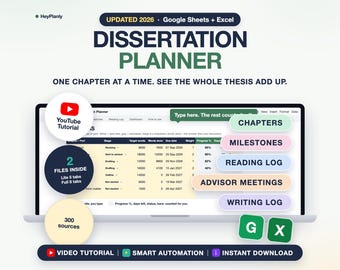
Dissertation and Thesis Planner Spreadsheet, Chapter Progress, Milestones, Reading Log (Google Sheets, Excel)
Sale Price £5.11
Original Price £8.53
-
Digital download
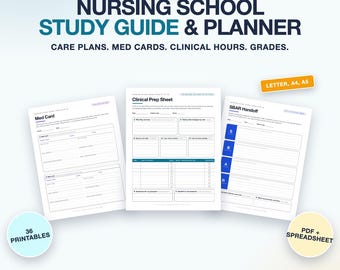
Nursing School Study Guide and Planner, Care Plans, Med Cards, Clinical Log, Lab Values (Printable PDF, Excel)
Sale Price £7.39
Original Price £12.33
-
Digital download
Teacher Planner Spreadsheet 2026 2027, Lesson Plan Template, Gradebook, Attendance, Class Schedule, Academic Calendar (Google Sheets, Excel)
£8.05