

NuPris:196,53 kr
Ursprungligt pris: 262,08 kr
25 % rabatt
Rean slutar 10 oktober
Assignment Tracker Excel Spreadsheet | Student Planner for Assignments, Exams, Grades, GPA & Study Schedule
Du kan bara ge ett bud när du köper en artikel
I korthet
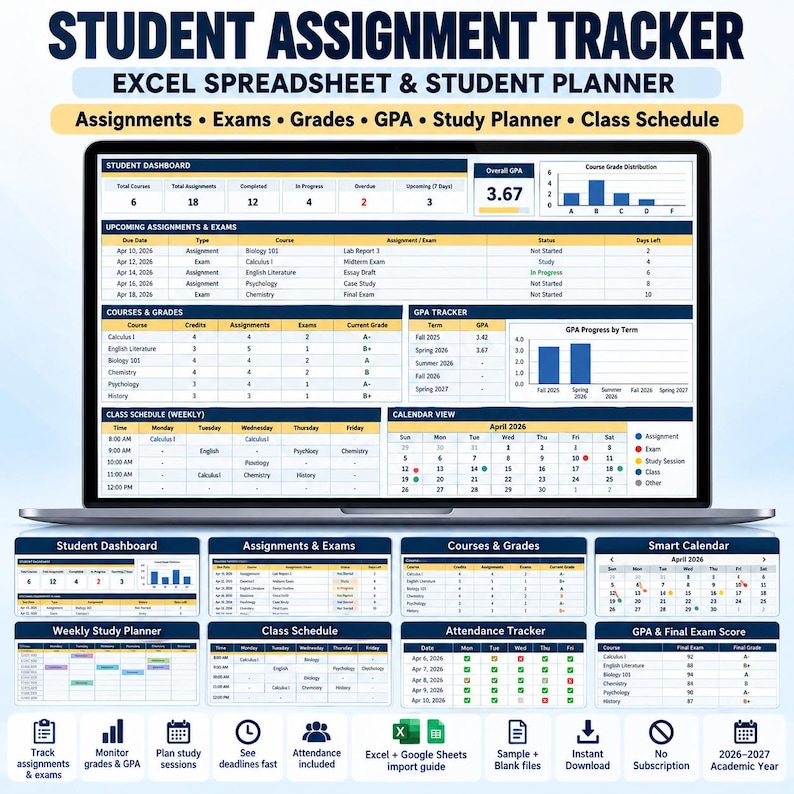
📚 ASSIGNMENT TRACKER EXCEL SPREADSHEET & STUDENT PLANNER
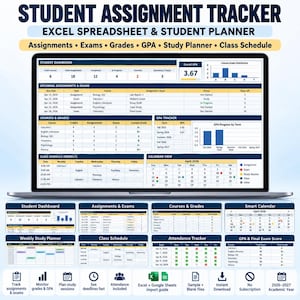
Assignment tracker Excel spreadsheet and student planner for organizing assignments, exams, grades, GPA, study sessions, deadlines, attendance, and class schedules in one connected workbook.
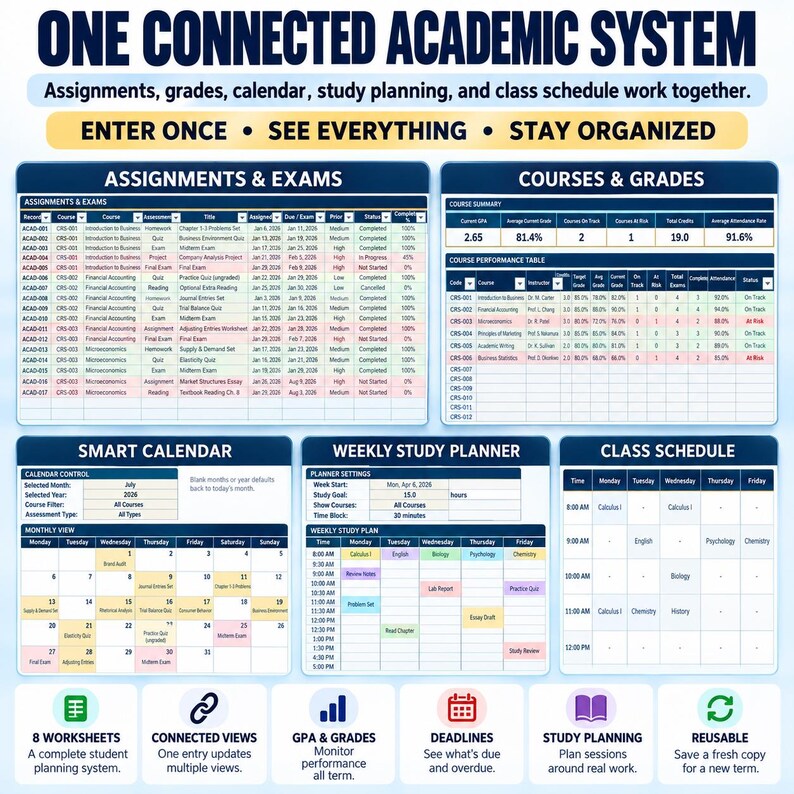
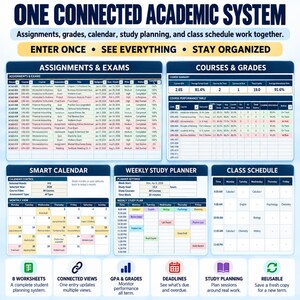
Enter each assignment or exam once and use the connected dashboard, calendar, course, and planning views to keep track of what is due, overdue, missing, completed, or coming next.
Instead of managing assignments, grades, deadlines, study plans, and class schedules across multiple disconnected files, this workbook brings your academic information together in one structured system.
Designed for Microsoft Excel, with instructions included for importing the workbook into Google Sheets.
Ready for the 2026–2027 academic year and reusable for future terms. Yapıştırılan metin
✨ ORGANIZE YOUR ACADEMIC WORK IN ONE SYSTEM
This student planning workbook helps you see both your workload and academic progress without repeatedly entering the same information into multiple sheets.
Use it to manage:
• Assignments and projects
• Quizzes and exams
• Due dates and deadlines
• Assignment priorities and status
• Completion progress
• Grades and weighted scores
• GPA
• Required final exam scores
• Weekly study sessions
• Attendance
• Class schedules
• Upcoming deadlines
• Course alerts
• Academic priorities
Assignment records feed connected workbook views, so the same coursework information can support your dashboard, calendar, course analysis, and deadline review. Yapıştırılan metin
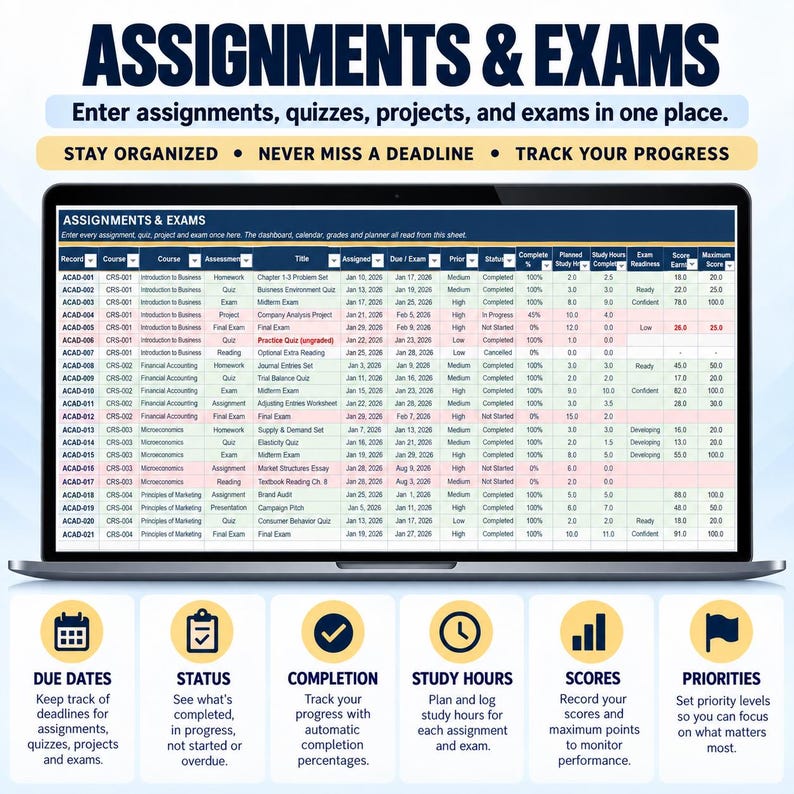
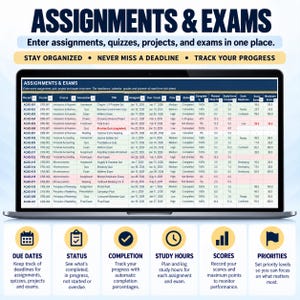
📝 ASSIGNMENT & EXAM TRACKER
Keep assignments, projects, quizzes, and exams together in one central academic log.
For each item, you can record:
• Course
• Assessment type
• Assignment or exam title
• Assigned date
• Due date
• Priority
• Status
• Completion percentage
• Exam readiness
• Score
• Maximum points
• Grade weight
• Study hours
• Notes
The workbook calculates useful information from your entries, including days remaining, score percentages, weighted grade contributions, and alerts.
Enter the coursework once, then continue updating completion, scores, dates, and other information as your term progresses. Yapıştırılan metin
📊 STUDENT DASHBOARD
Get a quick overview of your current academic workload and performance.
The dashboard includes:
• Current GPA
• Average grade
• Active assignments and exams
• Due today
• Due within seven days
• Overdue work
• Missing work
• Completion rate
• Upcoming exams
• Planned versus completed study hours
• At-risk courses
• Course alerts
• Next five deadlines
• Three automatic charts
You can also filter the dashboard by course or academic term for a more focused view.
Dashboard alerts are calculated from the information you maintain in the workbook. Yapıştırılan metin
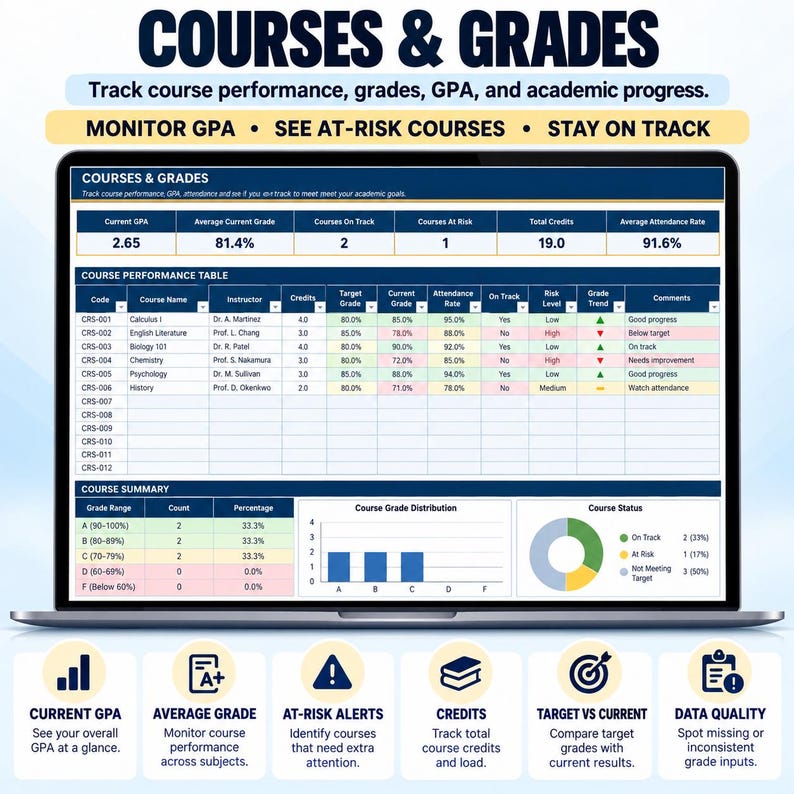
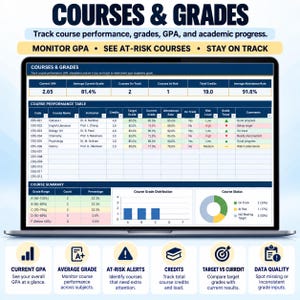
📈 GPA & REQUIRED FINAL EXAM SCORE CALCULATOR
Track your academic position using your own courses, credits, grades, assessment weights, and grading scale.
The workbook can calculate:
• Credit-weighted GPA
• Individual course GPA contributions
• Weighted course grades
• Letter grades
• Target grades
• Passing grades
• Required final exam score
• Course status: On Track, Watch, or At Risk
When there is not enough information available, calculations show No data yet instead of treating missing grades as zero.
Once sufficient coursework information has been entered, the final exam calculation can show the score required to reach your target based on the assumptions you provide.
Grading systems vary by school and institution. Always configure credits, grade scales, assessment weights, passing grades, and final exam assumptions according to your own course requirements. Yapıştırılan metin
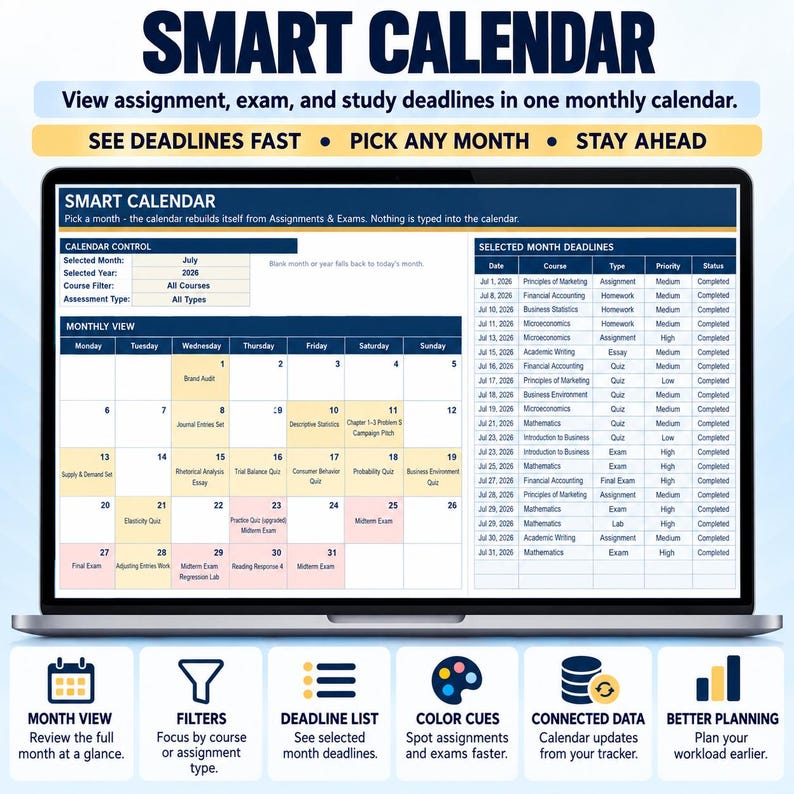
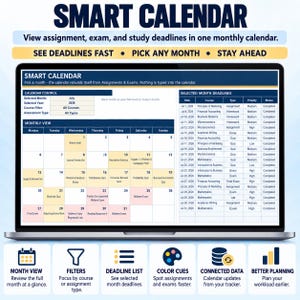
📅 SMART ACADEMIC CALENDAR
Assignment and exam due dates from your central coursework log populate a monthly calendar.
Change the source due date and the connected calendar updates accordingly.
This gives you a visual way to review upcoming academic deadlines without maintaining a separate deadline calendar. Yapıştırılan metin
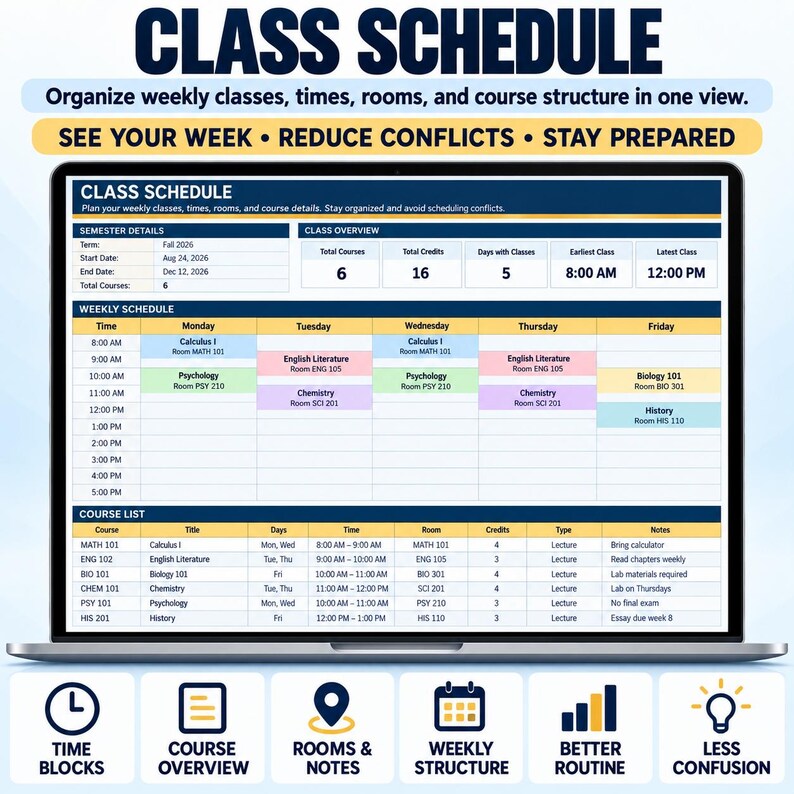
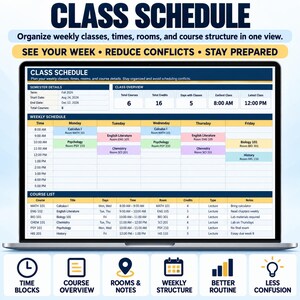
🗓️ CLASS SCHEDULE
Create a recurring weekly class timetable.
Track:
• Course
• Day
• Start time
• End time
• Location
• Instructor
• Class type
• Notes
The schedule can also flag invalid time entries, duplicate records, and possible timetable conflicts. Yapıştırılan metin
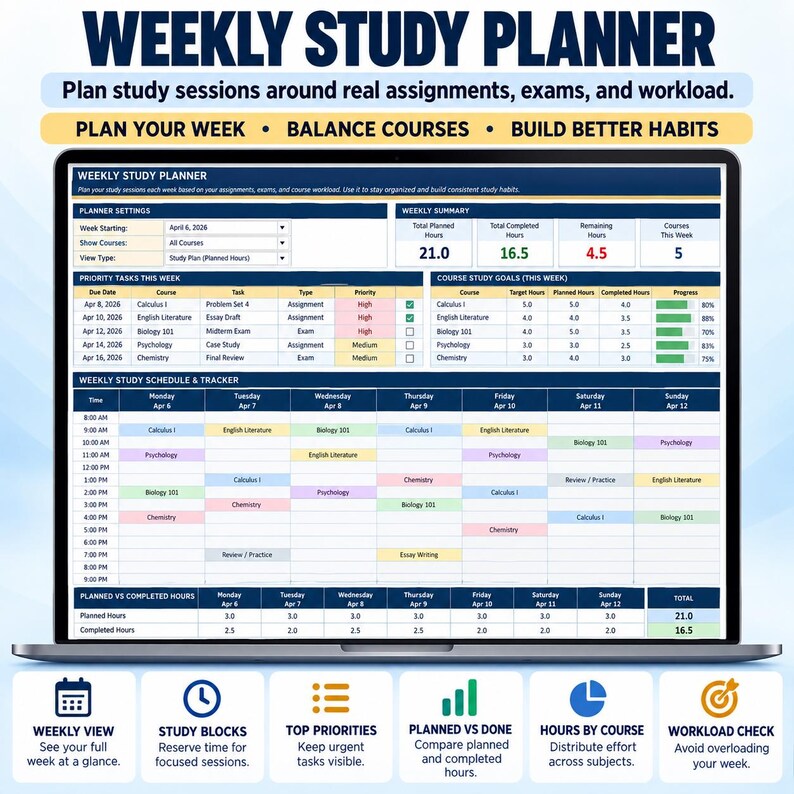
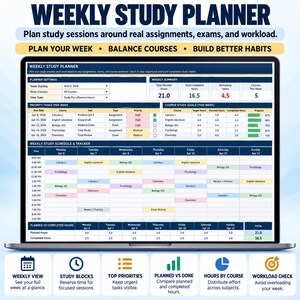
📚 WEEKLY STUDY PLANNER
Plan study sessions around your classes, assignments, exams, and upcoming deadlines.
Record:
• Date and time
• Course
• Task
• Planned study hours
• Completed hours
• Session status
• Weekly goals
• Top priorities
• Carry-forward items
• Weekly reflection
You can review upcoming deadlines alongside your study plan and compare planned study time with completed hours.
Please note: assignments provide connected deadline information, but the workbook does not automatically create complete study sessions for you. You enter the study sessions and hours you want to plan. Yapıştırılan metin
✅ ATTENDANCE TRACKER
Keep course attendance information alongside grades and assignments.
Enter:
• Classes held
• Classes attended
• Applicable absence limit
The workbook calculates absences used and remaining allowable absences based on the information you enter. Yapıştırılan metin
📁 8 CONNECTED WORKSHEETS
1. START HERE
A simple six-step setup guide to help you begin.
2. SETUP
Configure student information, academic terms, courses, credits, grading scale, target grades, passing grades, priorities, statuses, assessment types, and dropdown options.
3. STUDENT DASHBOARD
Review academic summaries, assignments, deadlines, course alerts, study progress, GPA, and charts.
4. ASSIGNMENTS & EXAMS
Your main coursework database for assignments, exams, deadlines, grades, weights, and progress.
5. COURSES & GRADES
Review course grades, GPA contributions, credits, required final exam calculations, attendance, and course status.
6. SMART CALENDAR
See assignment and exam deadlines in a connected monthly calendar.
7. WEEKLY STUDY PLANNER
Plan study sessions, hours, priorities, deadlines, goals, and weekly reflections.
8. CLASS SCHEDULE
Organize recurring classes and review possible timetable conflicts. Yapıştırılan metin
📐 PREPARED CAPACITY
The workbook is prepared for:
• Up to 12 courses
• Up to 300 assignments or exams
• Up to 50 study sessions
• Up to 50 recurring class records
For a future semester or academic term, save a fresh copy and update your course and term settings. Yapıştırılan metin
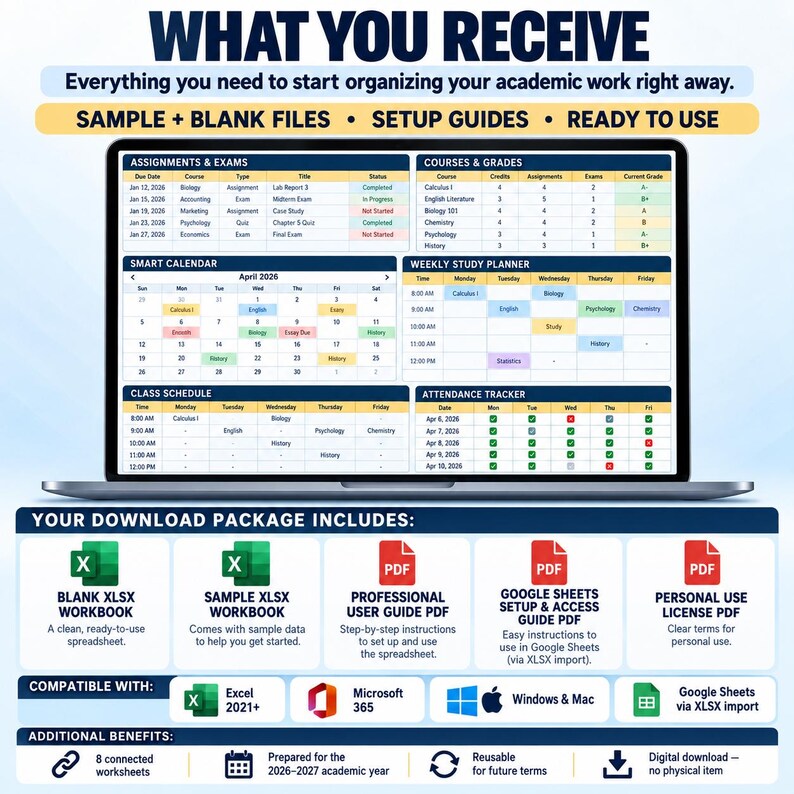
📦 WHAT YOU RECEIVE
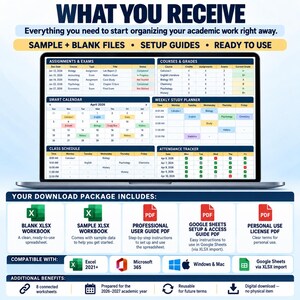
Your purchase includes one downloadable ZIP package containing:
✅ Student Assignment, Exam & Grade Tracker — BLANK XLSX
✅ Student Assignment, Exam & Grade Tracker — SAMPLE XLSX
✅ Professional User Guide PDF
✅ Google Sheets Setup & Access Guide PDF
✅ Personal Use License PDF
The SAMPLE workbook includes realistic academic information so you can explore how the system works.
The BLANK workbook keeps the formulas, dropdown menus, validations, dashboard elements, and prepared rows ready for your own information.
This is a digital download. No physical product will be shipped. Yapıştırılan metin
💻 EXCEL & GOOGLE SHEETS
MICROSOFT EXCEL
Designed for:
• Excel 2021 or newer
• Microsoft 365
• Windows
• Mac
No macros, VBA, or additional Excel add-ons are required.
GOOGLE SHEETS
The purchase includes Excel XLSX files plus instructions for importing the BLANK workbook into Google Sheets.
Simply:
1. Upload the BLANK XLSX file to Google Drive
2. Open it with Google Sheets
3. Follow the included Google Sheets setup guide
Important: This listing does not include a separate native Google Sheets template or a Google Sheets “Make a Copy” link.
Some formatting, charts, and workbook features may display differently after importing into Google Sheets.
For the intended dashboard and calendar experience, a laptop or desktop computer is recommended. Yapıştırılan metin
🖨️ PRINTABLE VIEWS
US Letter print layouts are prepared for:
• Student Dashboard
• Smart Calendar
• Weekly Study Planner
• Class Schedule
The workbook is designed primarily for on-screen use, where formulas, calculations, and alerts can respond to the information you enter. Yapıştırılan metin
🚀 HOW TO START
1. Download and extract the ZIP package.
2. Explore the SAMPLE workbook.
3. Open the BLANK workbook in Excel or import it into Google Sheets.
4. Enter your profile, term, courses, credits, and grading scale.
5. Add recurring classes to the Class Schedule.
6. Enter assignments, projects, quizzes, and exams.
7. Update scores, weights, status, and completion as results arrive.
8. Plan study sessions and review your dashboard regularly. Yapıştırılan metin
🎯 IDEAL FOR
This assignment tracker spreadsheet can support:
🎓 College students
🏫 University students
📚 High school students
📝 Students managing multiple assignments and exams
📊 Students who want grades, GPA, and deadlines in one workbook
📅 Students who prefer a visual calendar and academic dashboard
⏰ Students managing overlapping coursework deadlines
📖 Students planning weekly study sessions
📈 Students who want to monitor academic progress throughout a term
The prepared capacity and grading structure should always be checked against your own coursework requirements before purchase. The workbook can support college, university, and high-school use where the included structure matches the student’s needs. Yapıştırılan metin
❓ FREQUENTLY ASKED QUESTIONS
Is this an assignment tracker or student planner?
Both. The workbook combines assignment and exam tracking with grades, GPA, calendar planning, study sessions, attendance, and a recurring class schedule.
Do I need to enter the same assignment on every sheet?
No. Enter coursework in the Assignments & Exams sheet. Connected workbook views use those records.
Does the workbook calculate GPA?
Yes. It calculates credit-weighted GPA using the courses, credits, grading scale, and grade information you configure.
Can it calculate the final exam score I need?
Yes. Once enough coursework information is available, the workbook can calculate the score required for a target grade based on the assumptions you enter.
Can I track attendance?
Yes. Enter classes held, classes attended, and absence limits to calculate absences used and remaining.
Does it automatically create my study schedule?
No. The workbook provides deadline information and a Weekly Study Planner, but you enter the study sessions and hours you want to schedule.
Does it work in Google Sheets?
Yes, through XLSX import. A setup guide is included. It is not supplied as a separate native Google Sheets template.
Can I customize it?
Course names, terms, grading scales, dropdown options, colors, fonts, target grades, and other settings can be customized.
Are the formulas protected?
No. The workbook is unprotected. Grey cells contain formulas, so use the intended input areas and avoid overwriting calculated cells.
Can I use it again next semester?
Yes. Save a fresh copy, change your term and course settings, and begin with new records.
Can I print it?
Yes. Print layouts are prepared for the Dashboard, Smart Calendar, Weekly Study Planner, and Class Schedule. Yapıştırılan metin
📌 IMPORTANT BEFORE YOU BUY
• Digital ZIP download — no physical item will be shipped
• Excel 2021 or newer or Microsoft 365 recommended
• Google Sheets use requires importing the XLSX workbook
• Best used on a laptop or desktop
• Prepared capacity limits apply
• Workbook formulas are unprotected
• Academic calculations depend on accurate information and grading assumptions entered by the user
• Formatting may differ between Excel and Google Sheets
• Personal-use license only
• Files may not be shared or resold Yapıştırılan metin
🔐 PERSONAL USE LICENSE
Your purchase is licensed for personal use by the buyer.
The workbook and included PDF files may not be resold, redistributed, shared, sublicensed, copied for distribution, or offered as another digital product.
🤝 NEED HELP?
If you have questions about downloading, opening, importing, or using the workbook, please contact ExcelOpsStudio through Etsy messages.
If you require a different grading structure, capacity, colors, or other customization, contact us before ordering a modification so we can confirm whether the requested change fits the existing template or requires a custom project.
✨ Track assignments, exams, deadlines, grades, GPA, study sessions, attendance, and your weekly class schedule in one connected academic Excel system.
Omedelbar nedladdning
Dina filer kommer att finnas tillgängliga för nedladdning när betalningen har bekräftats. Så här gör du.
Artiklar för omedelbar nedladdning kan inte returernas, bytas eller avbeställas. Kontakta säljaren vid eventuella problem med din beställning.
Etsys köpskydd
Handla tryggt på Etsy med vetskapen om att vi ger dig stöd vid alla berättigade köp om något går fel –
se programvillkor

Bli först med att recensera denna artikel

Snabba svar Har tidigare svarat snabbt på meddelanden.
Mer från denna butik
Besök butik-
Digital nedladdning
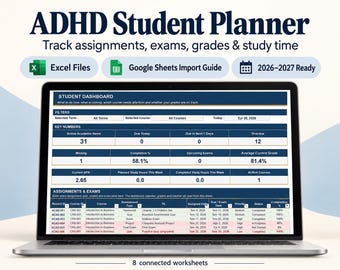
Assignment Tracker Excel | ADHD Student Planner, Academic Planner, Study Planner & GPA Calculator | Google Sheets Compatible
Reapris 196,53 kr
Ordinarie pris 262,08 kr
-
Digital nedladdning
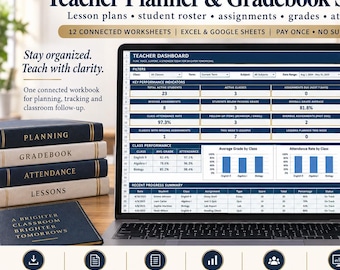
Teacher Planner and Gradebook – Calculate Grades Automatically | Excel & Google Sheets
Reapris 245,72 kr
Ordinarie pris 327,63 kr
-
Digital nedladdning
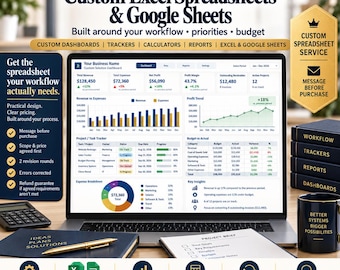
Custom Spreadsheet Service – Built Around Your Workflow | Excel & Google Sheets
Reapris 491,54 kr
Ordinarie pris 655,35 kr
-
Digital nedladdning
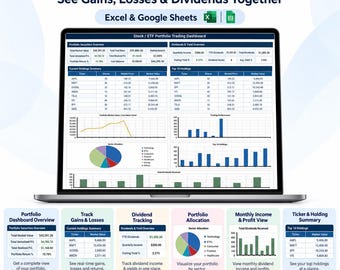
Stock and ETF Portfolio Tracker—See Gains, Losses and Dividends Together | Excel & Google Sheets
Reapris 245,72 kr
Ordinarie pris 327,63 kr


