








Perfect Printable Co.
Polecane produkty
Wszystkie produkty
Ogłoszenie
Data ostatniej aktualizacji 8 paź 2025
Opinie
4.9
(3757)
Średnia opinia o produkcie
Przy obliczaniu tej wartości wykorzystujemy średnią ocenę z wszystkich ocen, biorąc pod uwagę to, kiedy zamieszczono opinię – co roku wartość oceny zmniejsza się o połowę, tak aby jak najlepiej oddać aktualne doświadczenia zakupowe.
Ładowanie
-

-

Kupujący z Etsy w dniu 4 sie 2026
5 na 5 gwiazdekLooks great and the item matched the description
Ładowanie -

-

Mallisa w dniu 14 lip 2026
5 na 5 gwiazdekPerfect image. Exactly what I was needing/looking for. Ty.
Ładowanie -
-
Kupujący z Etsy w dniu 28 cze 2026
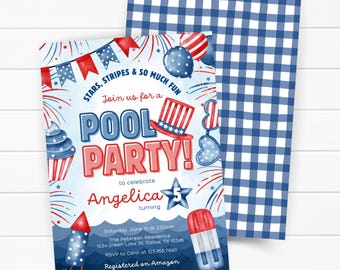
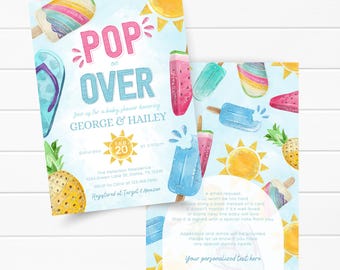
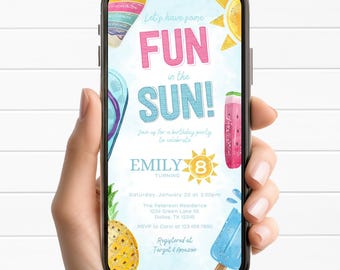
5 na 5 gwiazdekVery cute design - perfect for pool party invitation!
Ładowanie -

Jen w dniu 27 cze 2026
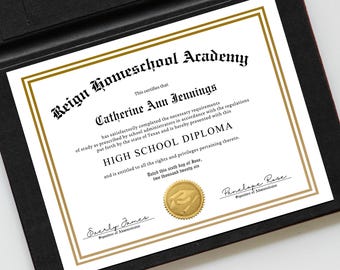
5 na 5 gwiazdekWas perfect for our purposes and when framed, it really was such a special touch noted by the kiddos when celebrating their grade 8 homeschool graduation. Was easy to download, prepare in canva and re-download for printing. No glitches at all. I was able to obtain, fine tune, print on our home printer, sign and frame in less 45 minutes with a highly professional look. And I was short on time, so this was incredibly appreciated! Warmest thanks for a great digital product!
Ładowanie -

Roberta w dniu 24 cze 2026
5 na 5 gwiazdekIt worked perfectly for what I needed and was easy to edit
Ładowanie -
-

Informacje o sklepie PerfectPrintableCo
Transakcje
35 936
Na Etsy od 2015

Regulamin sklepu
Data ostatniej aktualizacji
23 stycznia 2023 r.
Akceptowane metody płatności
Akceptuje karty podarunkowe Etsy i bony Etsy
Zwroty i wymiany produktów
Sprawdź szczegóły produktu, aby dowiedzieć się, czy kwalifikuje się on do zwrotu lub wymiany.
Anulowania
Anulowania: niezaakceptowane
Skontaktuj się ze sprzedawcą w razie problemów z zamówieniem.
Więcej informacji
Data ostatniej aktualizacji
17 gru 2025
Często zadawane pytania
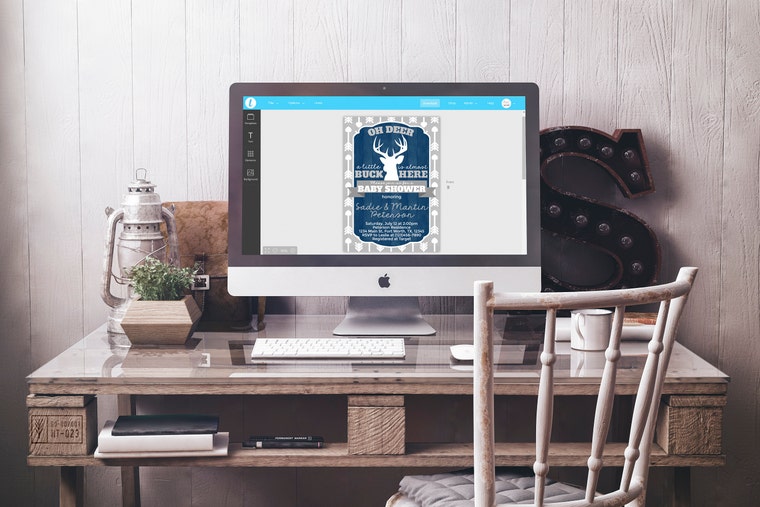
WHAT IS TEMPLETT?
Templett is a web browser application used to edit your purchased templates. A desktop or laptop is required to edit templates.
• No access to a computer? Send us a message after purchase with your template details. A ready to print PDF, JPEG, and PNG will be sent within 48 hours free of charge.
WHAT CAN BE EDITED?
Most of the text can be edited. The font, color, and size can be changed for these editable areas of text. (Refer to demo link in the listing description for exact editing capabilities)
WHAT CANNOT BE EDITED:
• Overall size and orientation
• Graphics
• Overall color scheme
DO I NEED TO PAY TO USE TEMPLETT?
No. Templett is completely free to use.
HOW DO I ACCESS MY TEMPLATE?
1. After purchase, you will receive an email from Templett with a link to set up your account. If you have used Templett before, skip this step and login here: https://templett.com/login
2. In the "Templates" tab, select the template, make your edits, and save your work.
3. Download your files as a PDF, JPEG, or PNG.
I DO NOT HAVE ACCESS TO THE EMAIL ADDRESS USED WHEN I PURCHASED MY TEMPLATES.
1. Go to: https://templett.com/login
2. Enter your email address, press continue.
3. Click on "Don't have access to this email?"
4. Enter Etsy order number:
5. You will be prompted to set up your account. Save changes once complete.
WHAT FILE TYPE SHOULD I DOWNLOAD?
• PDF - For home printing, copy center, or professional printing
• JPEG - For home photo printing, photo lab, copy center, or professional printing
• PNG - For texting, email, and social media
*Confirm the file type needed with your printer*
HOW DO I DOWNLOAD AND PRINT MY TEMPLATE?
Our templates can be downloaded in the following formats:
• PDF - Turn on "Show Bleed", "Show Trim Marks", and "Save Paper"
• JPEG - Select "300 dpi (high)" and turn on "Add Bleed" if you will be getting these professionally printed.
• PNG - Select "300 dpi (high)"
WOULD YOU LIKE US TO PRINT YOUR CARDS?
We partner with Prints Of Love to provide the easiest way to professionally print your cards, signs, and posters. All orders include envelopes, 2 business day printing, and FREE 2-3 Day US shipping.
• After downloding your files, simply follow this link: https://printsoflove.com/ref/perfect-printable-co/
MY FILES WERE DOWNLOADED IN A ZIPPED FOLDER. HOW DO I ACCESS THEM?
The files must be extracted from the folder. To do this,
1. Locate the zipped folder (normally can be found in your "Downloads")
2. Right click on folder, then select "Extract all..."
This will create a new unzipped folder where you access your files.
WHAT TYPE OF CARDSTOCK SHOULD I USE?
For best results, thicker cardstock is recommended. We recommend 80lb to 130lb cardstock. Most home printers should be able to manage 80lb card, but please check your printer's specifications.