

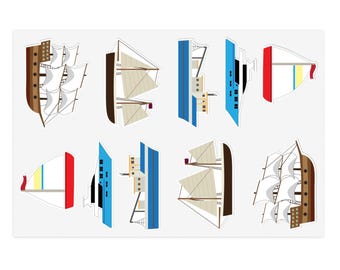
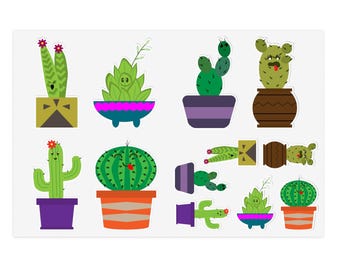
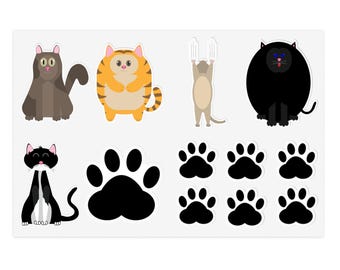
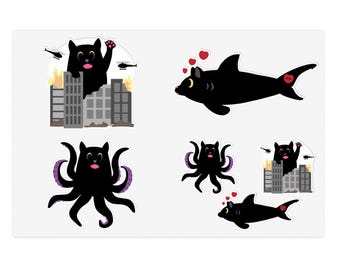
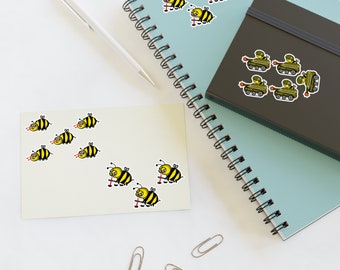
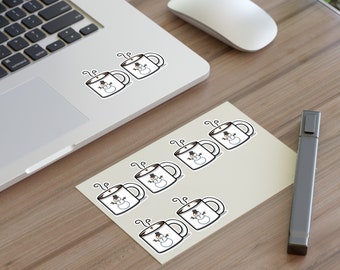
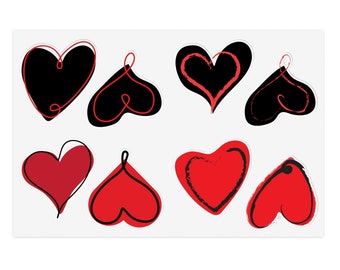























Designs and Stickers - Just for you!
おすすめ商品
すべての商品
お知らせ
最終更新日: 2023年 10月 31日
レビュー
4.9
(936)
商品のレビュー平均
すべての評価について、最新レビュー重視の平均評価基準を採用して、この数字を計算しています。最新の体験を反映するため、評価の価値は毎年半減する仕組みとなっています。
読み込み中
-

-

Robin さんのレビュー(2026年 05月 24日)
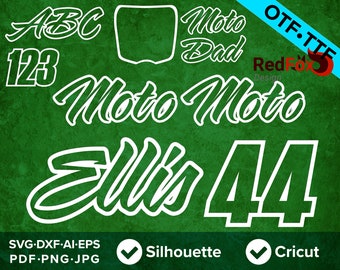
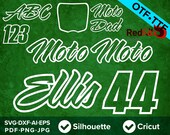
星 5 個のうち 5 個Great font, got it just in time to make a custom jersey and have it signed by the pros at Supercross. Excellent customer service - added some additional characters last minute and very responsive.
読み込み中 -

-
-
-

-

-
-
-
RedFoxDesignShop について
セールス
14,308
Etsy ショップ創設年: 2016
-
 Use any of my patterns to create custom, cups, chairs, window decals or even shirts! Create something unique today
委託生産パートナー
-
Printify
アメリカ
A production partner
ショップポリシー
最終更新日: 2023年 09月 5日
発送
到着予定時間を確認するには、商品詳細をご覧ください。
通関手数料および輸入税
Etsy のポリシーでは、アメリカ向けの発送は輸入税や手数料がお会計時の価格に含まれる必要があります。アメリカ以外に在住のお客さまは、これらの手数料を商品到着時に支払わなければなる可能性があります。ご注文について、これらの手数料がどのように支払われるか確認されたい場合はメッセージでご連絡ください。通関に関わる遅延について、当ショップは責任を負いません。
ダウンロード商品
即時ダウンロード可能商品
お支払い確認後、ファイルがダウンロードできるようになります。 ダウンロード方法はこちらから。
支払い方法
セキュアオプション
Etsy ギフトカードと Etsy ポイントがご利用可能です
Etsy はあなたのお支払い情報を安全に管理します。Etsy ショップがあなたのクレジットカード情報を受け取ることはありません。
返品&交換
返品&交換の可否は商品詳細をご確認ください。
キャンセル
キャンセル:不可
ご注文に関し、何か問題がございましたらセラーにお問い合わせください。
プライバシーポリシー
その他の情報
最終更新日:
2025年 12月 17日
よくある質問
How do I open a Zip file on my computer?
Your files are in a compressed or zipped file. You must unzip, extract, or expand the zipped file before attempting to use the files. Opening your zipped file will vary depending on the computer system you use.
1. Find the zipped file after downloading.
2. Right-click (or press and hold ) it, select "Extract All" ("Open With" then "Archive Utility" on a Mac), and then follow the instructions.
How do I open my design in Cricut Design Space?
1. After you’ve extracted your files, open Cricut Design Space, and select the blue “Create New Project” button, or click File, New.
3. Click the Upload Images button on the left vertical panel.
4. Click the blue Upload Image button on the next screen.
5. Click the blue Browse button, and select the SVG file you have saved.
6. Click the green Save button on the bottom right of the screen.
7. Your file is now saved to your library and you will not need to upload it again to use it.
How do I open my design in Silhouette Studio Basic or Designer Edition
1. After you have extracted your files, open Silhouette Studio and select:
File, Import, Import to Library from the top menu.
2. Navigate to the location where you saved your files, and select the DXF file (SVG file for the Designer Edition).
3. Your Library will open and Studio will automatically place the file in your My Own Designs folder.
4. Open the file by double clicking the thumbnail image in your Library.
To access the file in the future, select File, Library from the top menu bar. You will see the file in your My Own Designs folder.
How do I use these designs to print on iron on transfer paper?
1. Open the PNG file from your unzipped folder in any software that can open clipart, such as Microsoft Powerpoint or Word, Apple Photos, Adobe Photoshop, Adobe Illustrator or GIMP.
2. Adjust the size of the image to your desired size. All PNG files are saved at maximum quality and 300ppi and will maintain excellent resolution when resized.
3. Select File, Print. Your printing options will now appear.
4. Select mirror image (sometimes referred to as reverse image or flip horizontal) from your printer settings and then proceed to print.
How do I download AND I did not receive my Etsy order confirmation email after purchase!
Try this help Article: https://www.etsy.com/help/article/3949
After purchasing, you’ll see a View your files link which goes to the Downloads page. Here, you can download all the files associated with your order. You will also receive an Etsy order confirmation email with a link to your instant download.
If you have not received the email yet make sure to check you bulk or junk mail folders. The email should come instantly from Etsy (or within 5-10min). You can also try the suggestions outlined in this FAQ: https://www.etsy.com/help/article/56?
You can also log into your Etsy account and go to your Purchases and Reviews page: https://www.etsy.com/your/purchases and look for the order.
How to Uncompress a Zipped File on iPhone and iPad
1. Launch the Files app on your iPhone or iPad.
2. Find the zip file that you want to uncompress.
3. Press and hold on the zip file, then select Uncompress from the contextual menu.