




Helping You Find The Joy In Crafting!
Polecane produkty
Wszystkie produkty
Ogłoszenie
Data ostatniej aktualizacji 20 sty 2023
Opinie
4.9
(1462)
Średnia opinia o produkcie
Przy obliczaniu tej wartości wykorzystujemy średnią ocenę z wszystkich ocen, biorąc pod uwagę to, kiedy zamieszczono opinię – co roku wartość oceny zmniejsza się o połowę, tak aby jak najlepiej oddać aktualne doświadczenia zakupowe.
Ładowanie
-

-
Sharon w dniu 13 kwi 2026
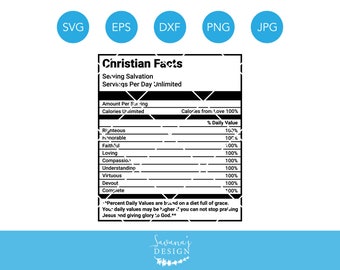
5 na 5 gwiazdekThe Nutrients were perfect for the Women's Conference. It was the perfect final touch on my design. Thank you
Ładowanie -

Alexa w dniu 15 mar 2026
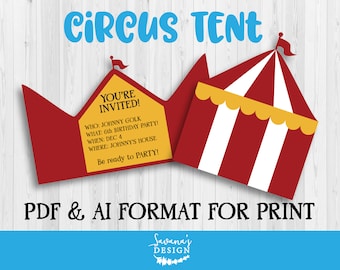
5 na 5 gwiazdekTotal klasse. PDF ist praktisch und AI lässt sich super in Canva verarbeiten. Meine Tochter ist glücklich mit dieser Geburtstagseinladung! Preis-Leistung wirklich hervorragend
Ładowanie -
-

-
-
-

-
-

Informacje o sklepie SavanasDesign
Transakcje
28 334
Na Etsy od 2016
-
 Choose from hundreds of cut files! Compatible with Cricut Design Space, Silhouette Studio, and most other machines!
 -
 Use our backgrounds, elements, and clipart to complete your project!
 -
 Our fonts are perfect for your personal & commercial projects! See listing for formats offered like OTF, TTF, & WOFF
 -
 Beautiful watercolor imagery and elements to use in your projects to create that perfect finishing touch.
Pracownicy sklepu
-

Savana Price
Właściciel, Projektant, Autor
My mission is to create designs that will help others succeed in their projects & small business endeavors while having FUN doing it. I believe in the power of helping others!
Regulamin sklepu
Data ostatniej aktualizacji 3 paź 2018
Produkty cyfrowe do pobrania
Pliki do natychmiastowego pobrania
Pliki będą dostępne do pobrania po potwierdzeniu płatności. Procedura.
Opcje płatności
Bezpieczne opcje
Akceptuje karty podarunkowe Etsy i bony Etsy
Etsy zapewnia bezpieczeństwo Twoich informacji o płatnościach. Sklepy Etsy nigdy nie otrzymują danych Twojej karty kredytowej.
Zwroty i wymiany produktów
Sprawdź szczegóły produktu, aby dowiedzieć się, czy kwalifikuje się on do zwrotu lub wymiany.
Anulowania
Anulowania: niezaakceptowane
Skontaktuj się ze sprzedawcą w razie problemów z zamówieniem.
Więcej informacji
Data ostatniej aktualizacji
17 gru 2025
Często zadawane pytania
How do I download my file?
You can find your download under your Account and then under “Purchases and Reviews.” You will also receive an e-mail with a download notification.
How do I use my file?
Make sure you unzip the .ZIP file! After you unzip, open the appropriate folder if there is one, and choose the proper file extension. I recommend using the SVG extensions if you are able to. Before contacting me with an issue, please double check this step. UNZIP > OPEN FOLDER > UPLOAD SVG FILE in your cutting program.
Need your cut file in reverse for a t-shirt or vinyl? Simply select the “mirror” option when available in your cutting program.
It is saying the file is too complex!
This sometimes happens when a file has a lot of detail. I recommend waiting a minute as more often than not it will load in correctly. Sometimes you may have to try uploading the file 2-3 more times before it will properly upload.
I am seeing scattered elements!
If you are seeing scattered elements when you are trying to cut a design please "Weld" or "Attach" the design in Cricut Design Space or your cutting software.
This is usually the only way that a design will cut out exactly as shown because of the complexity of the design.
How am I allowed to use your designs? (Terms of Use)
Personal Use: OK
Commercial Use: Up to 500 uses (per design) for commercial purposes.
- For up to 5,000 uses please buy our extended license: https://www.etsy.com/listing/384943582
- For unlimited uses please buy our mass production license available only through our website.
Commercial use is intended for small business use only. All commercial use must be MADE BY YOU. NO Print on Demand allowed. No digital / vector format is allowed. Sharing, sending, re-selling, sub-licensing, transferring, redistributing, or claiming ownership is strictly prohibited
Digitizing, Sublimation, Print on Demand, and Mass Production by Manufacturing requires a Corporate License. Please contact me for details and pricing.
I do not see an SVG file
If you unzipped your design and you do not see an SVG format file, never fear! Most likely your computer can not read the format so you may see an internet browser logo. This is the SVG file. You will want to open your cutting program first and then upload those files that are showing up as an internet browser icon or that has a .svg file format.
I am having another issue.
Please don’t hesitate to contact me! Message me through Etsy and I will return your message as soon as possible!