
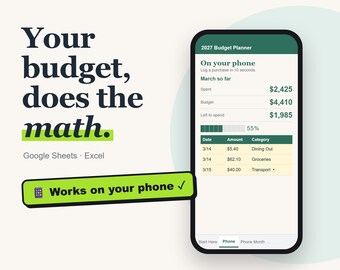

Money spreadsheets that do the math for you
すべての商品
お知らせ
最終更新日: 2026年 10月 22日
BuildWithNin について
セールス
0
Etsy ショップ創設年: 2024
ショップポリシー
最終更新日:
利用可能な支払い方法
Etsy ギフトカードと Etsy ポイントがご利用可能です
返品&交換
返品&交換の可否は商品詳細をご確認ください。
その他の情報
最終更新日:
2026年 10月 23日
よくある質問
How do I open the spreadsheet in Google Sheets?
Download the .xlsx file from your Etsy Purchases page, upload it to Google Drive, then right-click it and choose Open with > Google Sheets (or File > Save as Google Sheets). All formulas, dropdowns and charts keep working.
Does it work on Mac, iPad or my phone?
Yes. On Mac use Excel, Numbers or Google Sheets in your browser. On iPad or phone, the Google Sheets or Excel app works best for logging spending on the go. A computer is easiest for the first setup.
Can I use it again next year?
Yes. Keep a blank copy of the file you download. Next year, make a fresh copy, change the start year or start month on the Setup or Debts tab, and everything recalculates. Your download never expires.
Opening it in Google Sheets: any tips?
Yes! After uploading the file to Google Drive and opening it, choose File > Save as Google Sheets. That converts it fully, so everything works smoothly and you won't see any "Office compatibility" notices. Use the new Google Sheets copy from then on.