



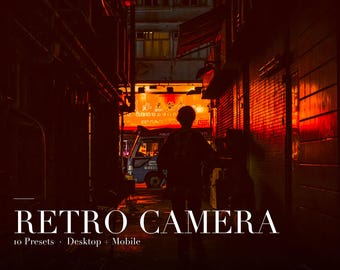
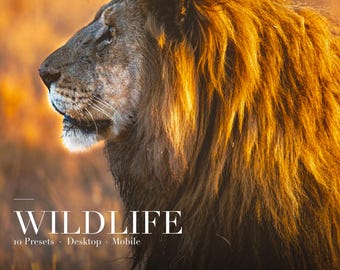
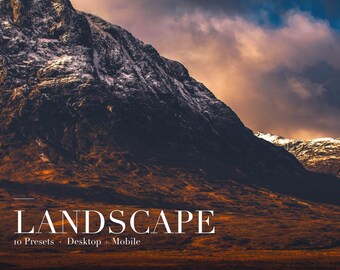
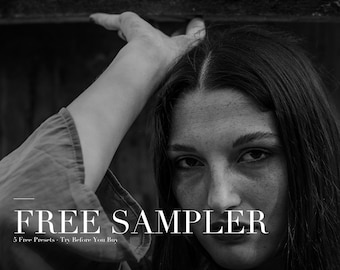

















From Childhood Hobby to Professional Presets
すべての商品
お知らせ
最終更新日: 2026年 04月 5日
EditCraftCo について
セールス
0
Etsy ショップ創設年: 2026
ショップメンバー
-

Alexis
オーナー
Founder, Photographer and Preset Designer
ショップポリシー
最終更新日: 2026年 04月 5日
ダウンロード商品
即時ダウンロード可能商品
お支払い確認後、ファイルがダウンロードできるようになります。 ダウンロード方法はこちらから。
支払い方法
セキュアオプション
Etsy ギフトカードと Etsy ポイントがご利用可能です
Etsy はあなたのお支払い情報を安全に管理します。Etsy ショップがあなたのクレジットカード情報を受け取ることはありません。
返品&交換
返品&交換の可否は商品詳細をご確認ください。
キャンセル
キャンセル:不可
ご注文に関し、何か問題がございましたらセラーにお問い合わせください。
プライバシーポリシー
その他の情報
最終更新日:
2026年 04月 5日
よくある質問
What software do I need?
These presets work with Adobe Lightroom Classic, Lightroom CC (desktop), and Lightroom Mobile. The mobile app is free to download - no Adobe subscription required.
What file formats are included?
Each pack includes XMP preset files organised in Desktop and Mobile folders. A README with installation instructions is also included.
How do I install the presets?
Desktop: Open Lightroom, go to File > Import Profiles and Presets, then select the XMP files. Mobile: Import the XMP files via Settings > Import Presets. Full instructions are in the README.
Will these work on my phone?
Yes! The Mobile folder contains XMP files compatible with Lightroom Mobile (free app). See the included README for step-by-step instructions.
Custom and personalised orders
Yes. Once purchased, you can use the presets on any personal or commercial photos. You may not resell, redistribute, or share the preset files themselves.
The preset looks different on my photo than the listing images. Why?
Presets are a starting point. Results vary depending on lighting, exposure, and camera. After applying a preset, adjust Exposure and White Balance to fine-tune the look for your specific photo.
Can I get a refund?
Due to the nature of digital downloads, all sales are final. If you have any issues, please message us and we will do our best to help.