
LinnestCreative

United States

40.2k
Sales
We calculate this number using a recency-weighted average of all ratings, with a rating's value decreasing by half each year to best reflect the current experience. 5.0 (7.4k)
6 years
on Etsy
We calculate this number using a recency-weighted average of all ratings, with a rating's value decreasing by half each year to best reflect the current experience. 5.0 (7.4k)
40.2k
sales
6 years
on Etsy
40.2k
Sales
We calculate this number using a recency-weighted average of all ratings, with a rating's value decreasing by half each year to best reflect the current experience. 5.0 (7.4k)
6 years
on Etsy
We calculate this number using a recency-weighted average of all ratings, with a rating's value decreasing by half each year to best reflect the current experience. 5.0 (7.4k)
40.2k
sales
6 years
on Etsy
40237 Sales

Etsy automatically translates most text on the site to your preferred language.

See in original language


Featured items

All items

Etsy automatically translates most text on the site to your preferred language.

See in original language

Liina

Contact shop owner

Liina

Reviews

5.0 (7350)
Average item review
We calculate this number using a recency-weighted average of all ratings, with a rating's value decreasing by half each year to best reflect the current experience.
Loading

About LinnestCreative

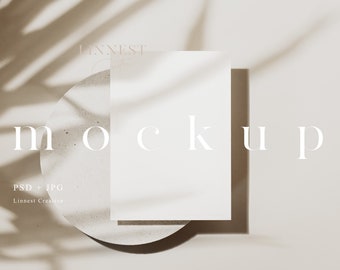
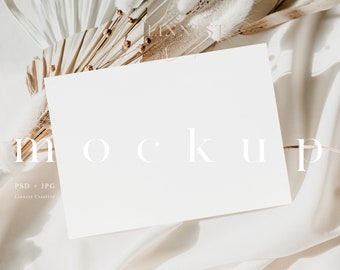
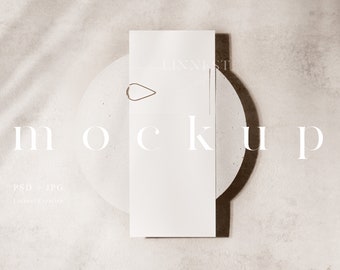
Minimal stock photography mockups for décor and events

Sales 40,237
On Etsy since 2020

Minimal stock photography mockups for décor and events

My Story

Shop members

  • shop-member-photo
    Liina

    Owner

    Momma to two wonderful girls and a wife to an amazing man!

Shop policies

Last updated on 12 Sept, 2022

Digital downloads

Instant downloads
Your files will be available to download once payment is confirmed. Here's how.

Payment options

Secure options
Paypal Visa Mastercard Apple Pay Gift card
Accepts Etsy Gift Cards and Etsy Credits
Etsy keeps your payment information secure. Etsy shops never receive your credit card information.

Returns & exchanges

See item details for return and exchange eligibility.

Cancellations

Cancellations: not accepted

Please contact the seller if you have any problems with your order.

More information

Last updated on 06 May, 2026

Frequently asked questions

TERMS OF USE


- By purchasing a product from LinnestCreative you agree to a non-exclusive limited use license that allows for personal and professional use of the mockup or image.

- You can edit or manipulate the images in order to showcase your work or adapt it to fit your brand style.

- You can use the images to display your products on your websites, online platforms, social media or anywhere you need for your business.

- You may not sell, lease, loan, transfer, share or give the images to a third-party to use in any way.

- You may not use the images to create products to sell, lease, loan, transfer, share or give the image to a third-party to use in any way.

- You may not save the watermarked images from this listing and use these in any way.

Can this mockup be used with Canva?

My mockups don't work with Canva. I believe Canva does not support PSD (Photoshop) files and doesn't read the smart object layers included.
A great alternative to Photoshop is Photopea, which is an online editing platform that works very similarly to Photoshop and supports PSD files. Reach out if you need any help with using the mockup in Photoshop or Photopea!

Does this work in Affinity?

My mockups work in Affinity Photo, as it supports PSD Smart Objects. They may open in Affinity Designer, but Smart Objects can sometimes be limited. I’m not an Affinity user myself, so I can only provide support for Photoshop — but many customers have successfully used my mockups in Affinity.

Why is the PSD file blank for the mockup I just ordered?

When you open the PSD file in Photoshop, please check the Layers Panel. If it’s not visible, go to the top menu bar and select Window → Layers.

You’ll see the first layer is a blank white layer named "DELETE THIS LAYER". Please delete it first (right-click → Delete). This layer is only there to help reduce the file size, which makes the PSD quicker to download and saves space on your computer—especially useful when working with many files.

If you prefer, you can also just hide this layer instead of deleting it while you work.

Do you take custom orders?

I truly appreciate everyone who reaches out about custom work. At the moment, I’m not taking on custom projects, but I’m very grateful for your interest and support.

Seller details