

Wszystkie produkty



Ogłoszenie
Opinie
-

Jeleena w dniu 18 cze 2026
5 na 5 gwiazdekIt’s good quality and allowed for a family fun adventure
Ładowanie -
-
-
Kathy w dniu 27 lut 2026
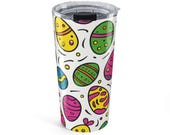
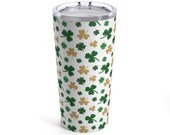
5 na 5 gwiazdekAsked when their Easter items would arrive and received notification when they did. Had previously ordered their Valentine ‘s Day and St Patrick’s Day beverage holders. So loved them I wanted Easter
Ładowanie -
-
Kathy w dniu 13 sty 2026
5 na 5 gwiazdekAdorable Valentine design. I love it for my cold drinks
Ładowanie -
-
Kathy w dniu 13 sty 2026
5 na 5 gwiazdekGreat design. Keeps my drinks cold for the longest time
Ładowanie -
-

Informacje o sklepie Shareshop
Regulamin sklepu
Akceptowane metody płatności
Zwroty i wymiany produktów
Więcej informacji
Często zadawane pytania
How to download your items / INSTANT DOWNLOAD?
After checkout and payment has cleared, you can download your file(s).
Steps to easily re-download the file(s)
1. Go to the top right corner of your Etsy page and click on "You".
2. Select "Purchases & Reviews" from the dropdown menu.
3. Find your purchase & click the blue button to "Download Files".
(NOTE: This must be done on a computer, NOT a mobile phone or iPad)
Here are instructions for how to do download:
https://www.etsy.com/help/article/3949
Where to print the PRINTABLE / INSTANT DOWNLOAD digital files
Print your purchased design using your own printer. For best results, we recommend using 65 lb white card stock or a heavy weight paper.
You can also take your digital files to a local office store or print shop to have your files printed
Please keep in mind that colors can print slightly different than what you see on the screen. The variation depends on the printer and printing technique used.
We are not responsible for the quality of your final print. The print quality will depend on the type of paper and printer.
My printer says the resolution is too low...
All files sold are high quality, high Resolution 300dpi files. Please be sure you are actually downloading and saving the file to your computer (click on attachment{s} to open, right click, save as). You can then print to your home computer or upload to an online printing vendor or take into a printing vendor to have printed for you.
Please keep in mind that cell phone and iPad providers tend to condense/reduce attachments/files sizes. Save the file to a computer only.
How do I print both sides?
Load your 8.5x11 white cardstock or heavy paper, small edge first, into your printer. Before printing, consult your printer’s guide for two sided printing if you’ve never done it before.
Generally:
Change your print orientation to "Landscape". Print the inside verse of the card first if you plan to use it.
Turn the document over so the blank side will be used for printing the outside of your card. Printers are different and have different settings. Until you are confident about what side of the paper and direction that your printer prints, you may wish to test print with ordinary copy paper.
Now that you've printed both sides of your greeting card, fold (cut along scissor lines for the 5x7” card) and you're done!