




Irregular Income Budget Spreadsheet | Freelancer Paycheck Planner (Google Sheets + Excel)
Item highlights
Seller's description
The Payday Budget Dashboard by Kollaz is built for irregular income. It answers one question on payday: what does this paycheck have to cover, and what is safe to spend? Enter a paycheck amount and its dates, and the sheet splits it across bills, spending, savings, and extra debt payment. Eight tabs with a debt snowball, sinking funds, and alerts.
This is for a freelancer or gig worker with irregular pay who needs a paycheck-by-paycheck budget that works when income doesn't.
Your paycheck changes every month. Your budget should keep up.
It answers the only question that matters on payday: what does this paycheck have to cover, and what is truly safe to spend? No budget experience needed, no spreadsheet skills required.
Most budget templates assume you get the same paycheck twice a month. If you are a freelancer, a shift worker, or a gig worker, you know that is not how life works. The Payday Budget Dashboard is built around the way irregular income actually arrives: paycheck by paycheck.
**THE SAFE-TO-SPEND NUMBER**
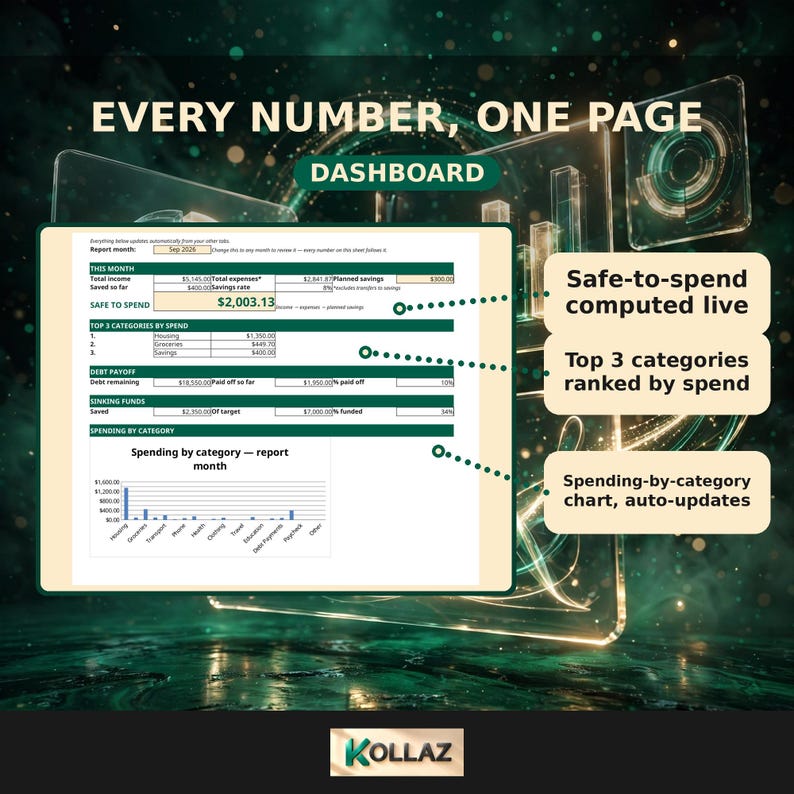
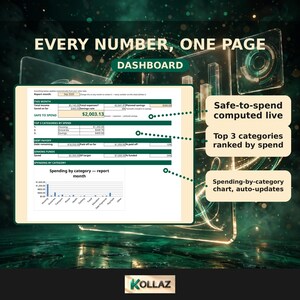
One big number on your dashboard answers the question "can I afford this?" It is calculated as income minus expenses minus planned savings, and it recalculates every time you log a transaction. In the sample data that ships with the file, a $5,145 month with $2,841.87 in expenses leaves $2,003.13 that is truly safe to spend. You replace the sample numbers with your own in minutes.
**THE PAYCHECK ALLOCATOR**
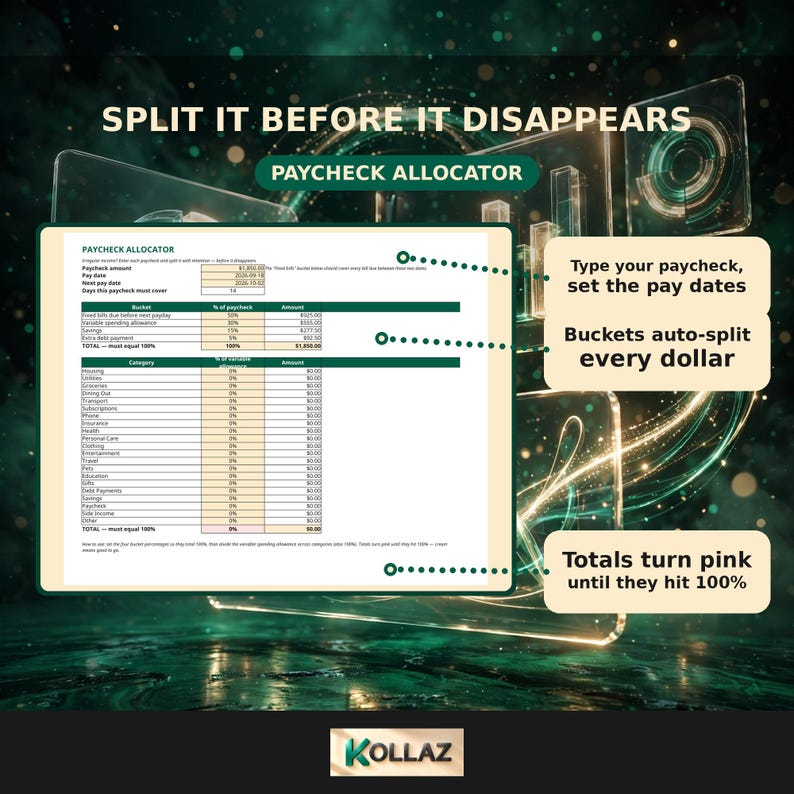
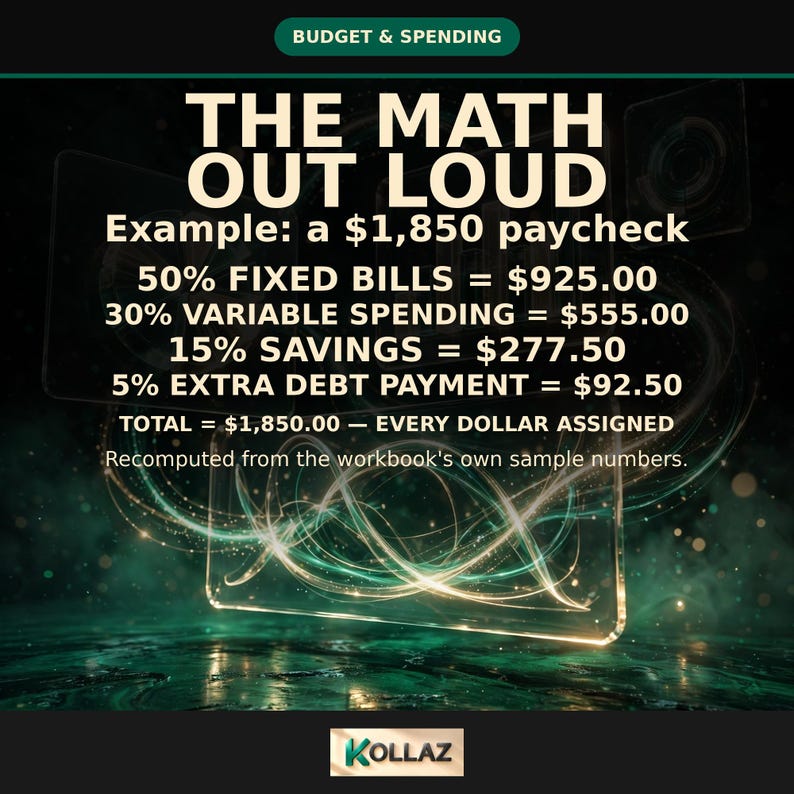
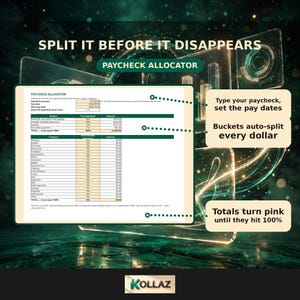
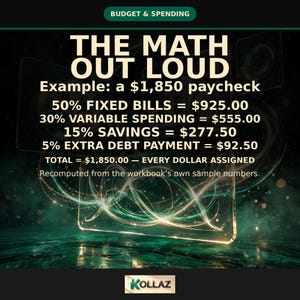
Enter any paycheck amount plus the dates it has to cover, and the Allocator splits it into four buckets: bills, variable spending, savings, and extra debt payment. A built-in 100% check turns pink until every dollar is assigned. Cream means you're good.
**8 CONNECTED TABS, ONE SYSTEM**
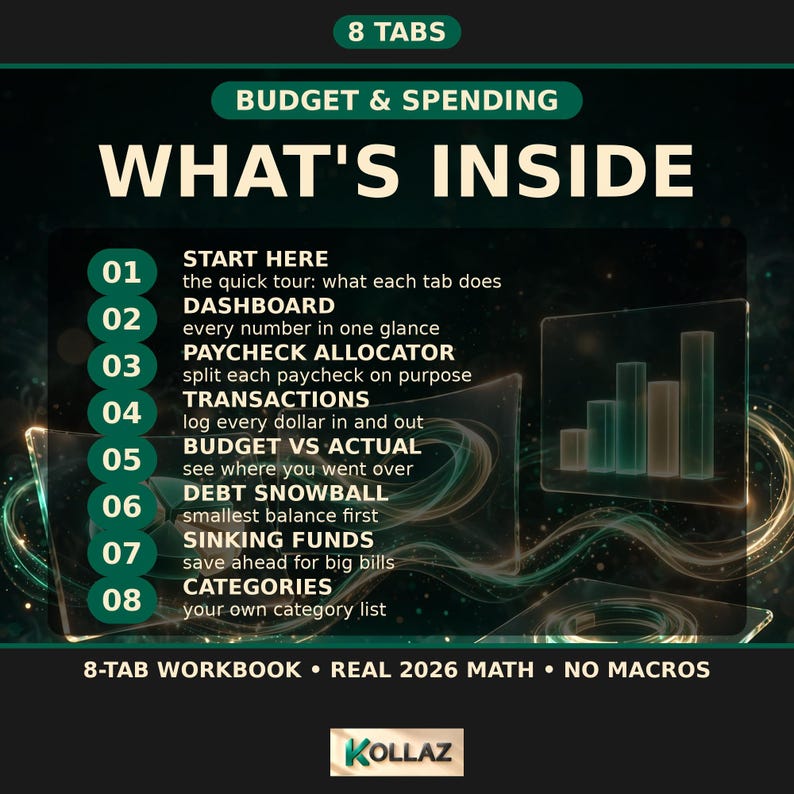
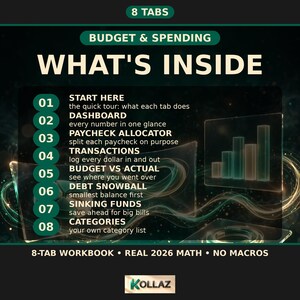
Dashboard, Paycheck Allocator, Transactions, Budget vs Actual, Debt Snowball, Sinking Funds, a guided Start-Here tab, and an editable Categories list (21 categories, room to add 7 more). Everything talks to everything else: log spending with smart dropdowns, and the Dashboard, savings rate, top-3 spending categories, and debt progress all update on their own.
**BUDGET VS ACTUAL WITH COLOR ALERTS**
Set a monthly budget per category. The sheet pulls your actual spending from your transaction log and flags any category pink when you pass 100% of budget.
**DEBT SNOWBALL + SINKING FUNDS**
Debts auto-rank smallest balance first, so you always know which one to attack next. Sinking funds quietly track big irregular bills like car repairs or Christmas, so they never surprise you again.
COMPATIBILITY (verified Sept 2026): Verified clean in Excel for the web (headline values checked) and LibreOffice (full formula recalculation, zero errors, Sept 2026). Google Sheets import verified on the pre-rebrand build; post-rebrand Sheets re-verification pending. Standard .xlsx format, no macros, nothing to install.
Our Sheets test (pre-rebrand build): all 8 tabs converted cleanly, 13 out of 13 checked values matched the original to the cent (income $5,145.00, expenses $2,841.87, safe-to-spend $2,003.13), and every formula, all 1,491 validated input cells, and the dashboard chart were verified working, with zero errors on any tab. It runs in a free Google account, no add-ons needed.
*One honest note: the debt progress bars are an Excel-native visual. In Google Sheets the progress numbers display and compute exactly the same; you just do not see the in-cell bar graphic. If you open the file in Excel, the bars appear as designed.*
**EASY TO START: NO SPREADSHEET EXPERTISE NEEDED**
Everything you touch is a cream-colored cell. Type over the sample numbers, follow the 8-step Start-Here guide, and the dashboard does the rest. If you can use email, you can use this.
**YOUR FIRST 60 SECONDS**
• Google Sheets: File → Make a copy, then type your numbers into the cream cells.
• Excel: click Enable Editing, then type your numbers into the cream cells.
**HOW IT WORKS:**
1. Download instantly after purchase
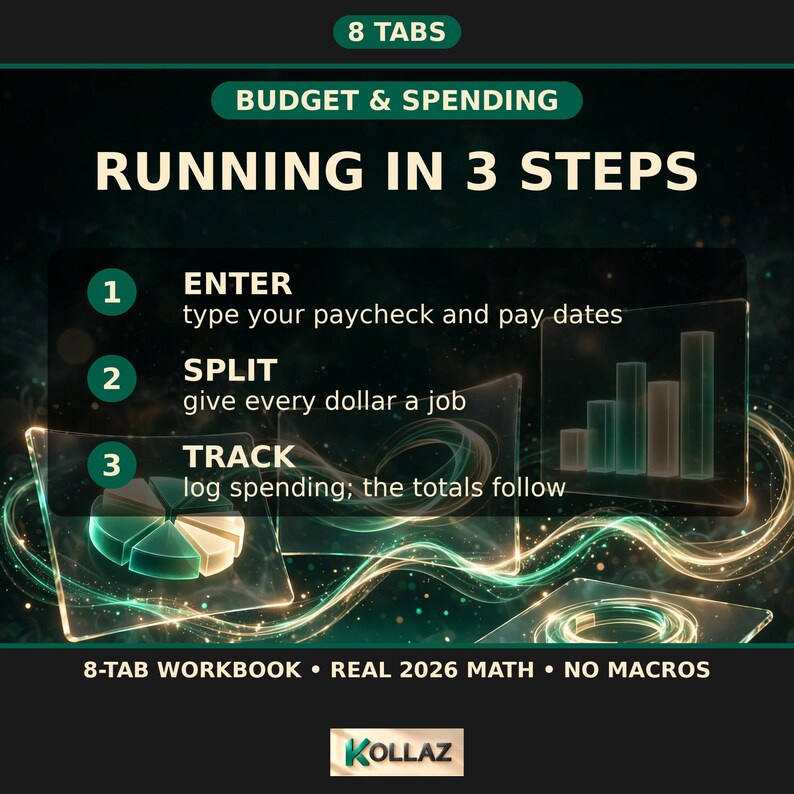
2. Open in Google Sheets (free) or Excel and follow the Start-Here guide: 8 guided steps, up and running in minutes
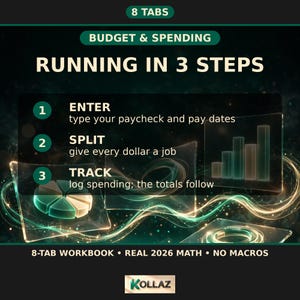
3. Enter a paycheck and let the dashboard do the rest. Sample data is included so you can see it working, and the guide shows you how to clear it
**YOU GET:**
• 1 Excel (.xlsx) file: verified clean in Excel for the web and LibreOffice (Sept 2026); Google Sheets re-verification pending
**PLEASE NOTE:** This is a digital download: no physical item will be shipped. Works with a free Google account or any recent version of Excel. Because digital products cannot be returned, refunds are not available. But message me about any issue and I'll make it right.
*Built by the Kollaz studio. Smart financial tools for modern money.*
Try the live demo (view-only sample): https://drive.google.com/file/d/19mZtSB01ciOyu0FAzHn_wCFqs0nxDFT3/view?usp=sharing
My paycheck changes every month. How do I budget for that?
Most budget templates assume you get the same paycheck twice a month. If you are a freelancer, a shift worker, or a gig worker, that is not how life works. This dashboard is built around the way irregular income actually arrives: paycheck by paycheck.
What is the safe-to-spend number?
One big number on your dashboard answers "can I afford this?" It is calculated as income minus expenses minus planned savings, and it recalculates every time you log a transaction. The Paycheck Allocator splits any paycheck into bills, variable spending, savings, and extra debt payment, with a built-in 100% check that turns pink until every dollar is assigned.
What happens when I go over budget?
The sheet pulls your actual spending from your transaction log and flags any category pink when you pass 100% of budget. Debts auto-rank smallest balance first, so you always know which one to attack next.
Does it work in Google Sheets?
Google Sheets import was verified on the pre-rebrand build: all 8 tabs converted cleanly, 13 of 13 checked values matched to the cent, every formula and the dashboard chart worked, zero errors. Post-rebrand Sheets re-verification is pending. Verified clean in Excel for the web and LibreOffice, September 2026. One honest note: the debt progress bars are an Excel-native visual. In Google Sheets the numbers compute identically, you just do not see the in-cell bars.
Do I need budget or spreadsheet experience?
No. Everything you touch is a cream-colored cell, the 8-step Start-Here guide walks you through setup, and sample data is included. If you can use email, you can use this.
How fast can I start?
Download instantly, open in Google Sheets or Excel, follow the Start-Here guide: 8 guided steps, up and running in minutes.
What if I get paid on an irregular schedule?
That is what the Paycheck Allocator is for: enter any paycheck amount plus the dates it has to cover, and it splits the money across bills, variable spending, savings, and extra debt payment.
Format: 1 Excel (.xlsx) file: standard format, no macros, nothing to install
Tabs: 8: Dashboard, Paycheck Allocator, Transactions, Budget vs Actual, Debt Snowball, Sinking Funds, Start-Here (8 guided steps), Categories (21 categories, room to add 7 more)
Everything connected: log spending with smart dropdowns and the Dashboard, savings rate, top-3 spending categories, and debt progress all update on their own
Sinking funds: quietly track big irregular bills like car repairs or Christmas so they never surprise you
Sample data: included so you can see it working; the Start-Here guide shows how to clear it
Input cells: cream-colored cells; sample data pre-loaded
Compatibility: verified clean in Excel for the web and LibreOffice (September 2026); Google Sheets import verified on the pre-rebrand build (post-rebrand re-verification pending); runs in a free Google account, no add-ons needed
Maker: Kollaz: Smart financial tools for modern money
Scope: digital download: no physical item ships; because digital products cannot be returned, refunds are not available, but message the shop about any issue and it will be made right
If something goes wrong with an order, we've got your back for all eligible purchases. View program terms
NowPrice:$11.21
Original Price: $22.43
50% off
Sale ends in 4 days
You can only make an offer when buying a single item
Delivery
Instant download
Your files will be available to download once payment is confirmed. Here's how.
Instant download items don't accept returns, exchanges or cancellations. Please contact the seller about any problems with your order.
Seller's description
Specifications
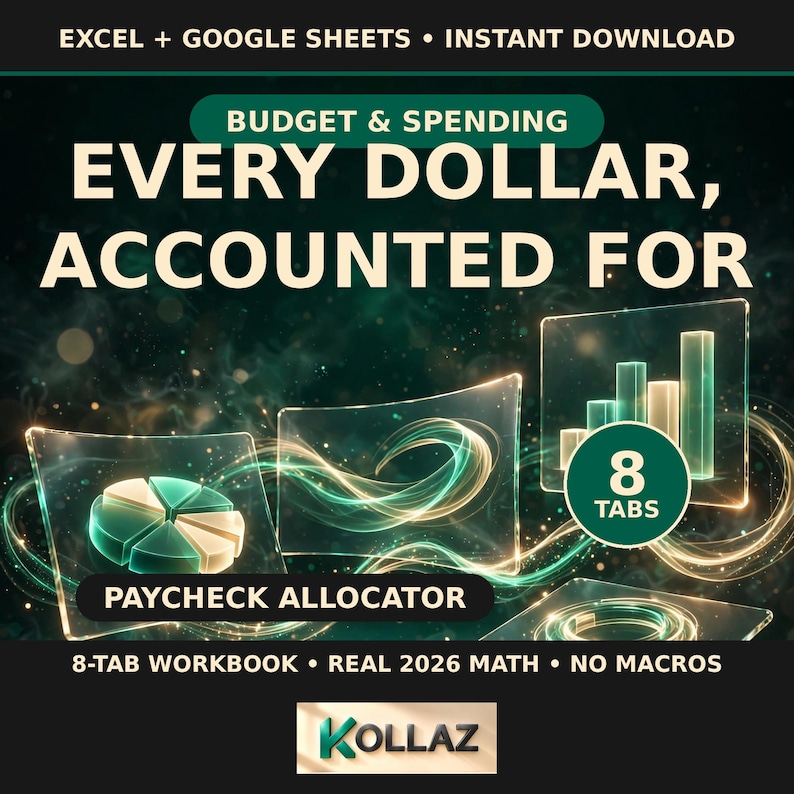
The Payday Budget Dashboard by Kollaz is built for irregular income. It answers one question on payday: what does this paycheck have to cover, and what is safe to spend? Enter a paycheck amount and its dates, and the sheet splits it across bills, spending, savings, and extra debt payment. Eight tabs with a debt snowball, sinking funds, and alerts.
This is for a freelancer or gig worker with irregular pay who needs a paycheck-by-paycheck budget that works when income doesn't.
Your paycheck changes every month. Your budget should keep up.
It answers the only question that matters on payday: what does this paycheck have to cover, and what is truly safe to spend? No budget experience needed, no spreadsheet skills required.
Most budget templates assume you get the same paycheck twice a month. If you are a freelancer, a shift worker, or a gig worker, you know that is not how life works. The Payday Budget Dashboard is built around the way irregular income actually arrives: paycheck by paycheck.
**THE SAFE-TO-SPEND NUMBER**
One big number on your dashboard answers the question "can I afford this?" It is calculated as income minus expenses minus planned savings, and it recalculates every time you log a transaction. In the sample data that ships with the file, a $5,145 month with $2,841.87 in expenses leaves $2,003.13 that is truly safe to spend. You replace the sample numbers with your own in minutes.
**THE PAYCHECK ALLOCATOR**
Enter any paycheck amount plus the dates it has to cover, and the Allocator splits it into four buckets: bills, variable spending, savings, and extra debt payment. A built-in 100% check turns pink until every dollar is assigned. Cream means you're good.
**8 CONNECTED TABS, ONE SYSTEM**
Dashboard, Paycheck Allocator, Transactions, Budget vs Actual, Debt Snowball, Sinking Funds, a guided Start-Here tab, and an editable Categories list (21 categories, room to add 7 more). Everything talks to everything else: log spending with smart dropdowns, and the Dashboard, savings rate, top-3 spending categories, and debt progress all update on their own.
**BUDGET VS ACTUAL WITH COLOR ALERTS**
Set a monthly budget per category. The sheet pulls your actual spending from your transaction log and flags any category pink when you pass 100% of budget.
**DEBT SNOWBALL + SINKING FUNDS**
Debts auto-rank smallest balance first, so you always know which one to attack next. Sinking funds quietly track big irregular bills like car repairs or Christmas, so they never surprise you again.
COMPATIBILITY (verified Sept 2026): Verified clean in Excel for the web (headline values checked) and LibreOffice (full formula recalculation, zero errors, Sept 2026). Google Sheets import verified on the pre-rebrand build; post-rebrand Sheets re-verification pending. Standard .xlsx format, no macros, nothing to install.
Our Sheets test (pre-rebrand build): all 8 tabs converted cleanly, 13 out of 13 checked values matched the original to the cent (income $5,145.00, expenses $2,841.87, safe-to-spend $2,003.13), and every formula, all 1,491 validated input cells, and the dashboard chart were verified working, with zero errors on any tab. It runs in a free Google account, no add-ons needed.
*One honest note: the debt progress bars are an Excel-native visual. In Google Sheets the progress numbers display and compute exactly the same; you just do not see the in-cell bar graphic. If you open the file in Excel, the bars appear as designed.*
**EASY TO START: NO SPREADSHEET EXPERTISE NEEDED**
Everything you touch is a cream-colored cell. Type over the sample numbers, follow the 8-step Start-Here guide, and the dashboard does the rest. If you can use email, you can use this.
**YOUR FIRST 60 SECONDS**
• Google Sheets: File → Make a copy, then type your numbers into the cream cells.
• Excel: click Enable Editing, then type your numbers into the cream cells.
**HOW IT WORKS:**
1. Download instantly after purchase
2. Open in Google Sheets (free) or Excel and follow the Start-Here guide: 8 guided steps, up and running in minutes
3. Enter a paycheck and let the dashboard do the rest. Sample data is included so you can see it working, and the guide shows you how to clear it
**YOU GET:**
• 1 Excel (.xlsx) file: verified clean in Excel for the web and LibreOffice (Sept 2026); Google Sheets re-verification pending
**PLEASE NOTE:** This is a digital download: no physical item will be shipped. Works with a free Google account or any recent version of Excel. Because digital products cannot be returned, refunds are not available. But message me about any issue and I'll make it right.
*Built by the Kollaz studio. Smart financial tools for modern money.*
Try the live demo (view-only sample): https://drive.google.com/file/d/19mZtSB01ciOyu0FAzHn_wCFqs0nxDFT3/view?usp=sharing
My paycheck changes every month. How do I budget for that?
Most budget templates assume you get the same paycheck twice a month. If you are a freelancer, a shift worker, or a gig worker, that is not how life works. This dashboard is built around the way irregular income actually arrives: paycheck by paycheck.
What is the safe-to-spend number?
One big number on your dashboard answers "can I afford this?" It is calculated as income minus expenses minus planned savings, and it recalculates every time you log a transaction. The Paycheck Allocator splits any paycheck into bills, variable spending, savings, and extra debt payment, with a built-in 100% check that turns pink until every dollar is assigned.
What happens when I go over budget?
The sheet pulls your actual spending from your transaction log and flags any category pink when you pass 100% of budget. Debts auto-rank smallest balance first, so you always know which one to attack next.
Does it work in Google Sheets?
Google Sheets import was verified on the pre-rebrand build: all 8 tabs converted cleanly, 13 of 13 checked values matched to the cent, every formula and the dashboard chart worked, zero errors. Post-rebrand Sheets re-verification is pending. Verified clean in Excel for the web and LibreOffice, September 2026. One honest note: the debt progress bars are an Excel-native visual. In Google Sheets the numbers compute identically, you just do not see the in-cell bars.
Do I need budget or spreadsheet experience?
No. Everything you touch is a cream-colored cell, the 8-step Start-Here guide walks you through setup, and sample data is included. If you can use email, you can use this.
How fast can I start?
Download instantly, open in Google Sheets or Excel, follow the Start-Here guide: 8 guided steps, up and running in minutes.
What if I get paid on an irregular schedule?
That is what the Paycheck Allocator is for: enter any paycheck amount plus the dates it has to cover, and it splits the money across bills, variable spending, savings, and extra debt payment.
Format: 1 Excel (.xlsx) file: standard format, no macros, nothing to install
Tabs: 8: Dashboard, Paycheck Allocator, Transactions, Budget vs Actual, Debt Snowball, Sinking Funds, Start-Here (8 guided steps), Categories (21 categories, room to add 7 more)
Everything connected: log spending with smart dropdowns and the Dashboard, savings rate, top-3 spending categories, and debt progress all update on their own
Sinking funds: quietly track big irregular bills like car repairs or Christmas so they never surprise you
Sample data: included so you can see it working; the Start-Here guide shows how to clear it
Input cells: cream-colored cells; sample data pre-loaded
Compatibility: verified clean in Excel for the web and LibreOffice (September 2026); Google Sheets import verified on the pre-rebrand build (post-rebrand re-verification pending); runs in a free Google account, no add-ons needed
Maker: Kollaz: Smart financial tools for modern money
Scope: digital download: no physical item ships; because digital products cannot be returned, refunds are not available, but message the shop about any issue and it will be made right
-
Designed by
-
Item typeDigital download
-
Digital file type(s)1 ZIP
If something goes wrong with an order, we've got your back on all eligible purchases. View program terms
Meet your seller
More from this shop
-

Digital download
Safe to Spend Calculator Paycheck Budget Spreadsheet — Daily Spending Planner Until Payday, Excel Budget Tool
Sale Price $7.32
Original Price $14.65
-

Digital download
Job Offer Comparison Spreadsheet | Salary Negotiation Calculator, Total Comp & RSU Vesting Comparison Tool — Excel + Google Sheets
Sale Price $13.46
Original Price $26.91
-
Digital download
Subscription Tracker Spreadsheet | Cancel Unused Subscriptions with Waste Score Ranking & Annual Savings Calculator | Excel
Sale Price $8.37
Original Price $16.74
-

Digital download
Impulse Buying Tracker Spreadsheet — 24-Hour No-Spend Cooldown Wishlist Log, Spending Habit Planner, Excel Download
Sale Price $6.28
Original Price $12.55
-
Digital download
Second Income Reality Check Calculator — Is Going Back to Work Worth It? Daycare & True Net Pay Spreadsheet, Excel Google Sheets
Sale Price $15.70
Original Price $31.40
-

Digital download
Divorce Financial Organizer Spreadsheet: Asset, Debt & Document Checklist + Post-Split Budget Planner
Sale Price $13.46
Original Price $26.91
-
Digital download
Paycheck Budget Spreadsheet – Income Tracker, Debt Payoff & Sinking Funds Planner for Google Sheets
$23.51
-
Digital download
Ultimate Budget by Paycheck Spreadsheet Google Sheets & Excel | Paycheck Budgeting Planner, Bills, Savings, Debt Tracker
Sale Price $10.70
Original Price $21.39
-
Digital download
Paycheck and Monthly Budget Spreadsheet Planner | Excel & Google Sheets Template | Finance Tracker
Sale Price $13.23
Original Price $22.04
-
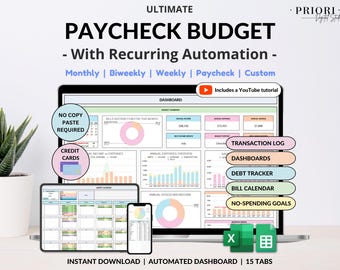
Digital download
Paycheck Budget Spreadsheet Weekly Budget Monthly Budget Biweekly Bill Tracker Debt Tracker Financial Planner Google Sheets Excel Template
Sale Price $10.47
Original Price $20.95
-
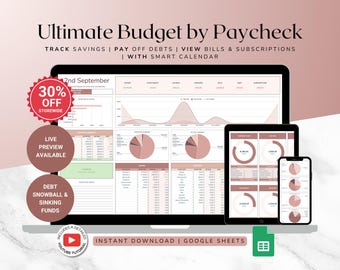
Digital download
Paycheck Expense Tracker – Income & Budget Planner with Debt Payoff for Google Sheets
$23.51
-
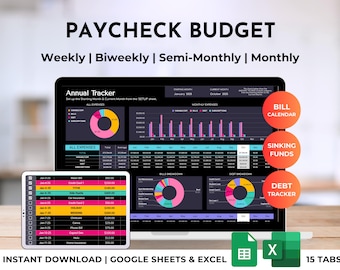
Digital download
Paycheck Budget Spreadsheet Planner, Weekly, Monthly, Biweekly Bill, Debt Tracker (Excel & Google Sheets Template)
Sale Price $13.23
Original Price $22.04
-
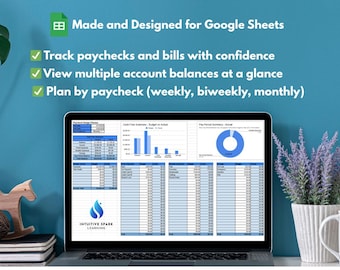
Digital download
Paycheck Budget Planner (Digital Google Sheets Template) | Track Multiple Accounts, Flexible & Customizable Budgeting Tool
$22.00
-
Digital download
Paycheck Budget Spreadsheet | Google Sheets & Excel | Monthly Budget Planner, Bill I Savings Tracker
$12.90
-
Digital download
Paycheck Budget Spreadsheet for Google Sheets Weekly Budget Monthly Budget Biweekly Bill Tracker Debt Tracker Couple Budget Excel Template
Sale Price $10.47
Original Price $20.95
-
Digital download
Paycheck Budget Fortnightly, Biweekly, Weekly, Semi-Monthly, Monthly Budget Spreadsheet Planner with Debt Tracker | Excel & Google Sheets
Sale Price $13.23
Original Price $22.04
-
Digital download
Budget by Paycheck Template | Budget Spreadsheet | Budget Template
$30.00
-
Digital download
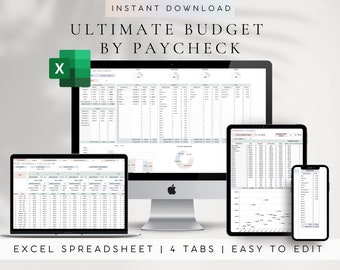
Paycheck Budget Spreadsheet for Excel, Personal Expense Planner with Debt Payoff Tracker
Sale Price $7.03
Original Price $28.10
Shoppers with similar taste loved these
-
Digital download
Notion UGC creator template | Editable template for UGC creators | Notion template to help manage your ugc business | User-generated content
$2.42
-
Digital download
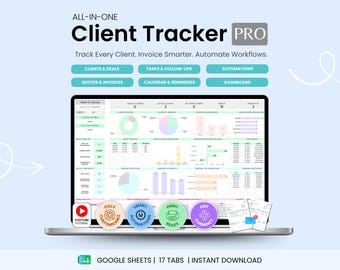
Client Tracker CRM Pro Google Sheets Small Business Lead Management Task Tracker Invoices Communications Log Automations Business Planner
Sale Price $24.99
Original Price $49.98
-
Digital download
UGC Notion Dashboard Template | Client Tracker | Project Manager | Finances | Personal Branding
$33.06
-
Digital download
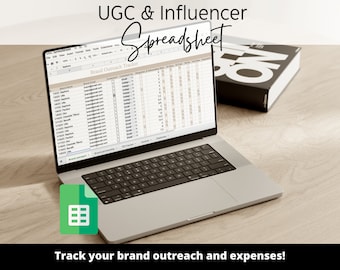
UGC PLANNER and Outreach Spreadsheet, Influencer Spreadsheet, UGC Script, influencer brand partnership tracker, ugc finance track
$4.00
-

Digital download
Content Creator Guide for Beginners with MRR
Sale Price $1.42
Original Price $1.77
-
Digital download
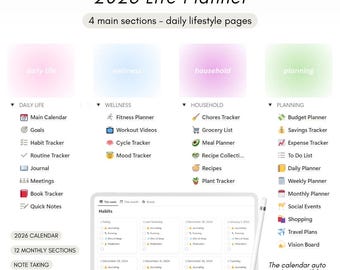
2026 Life Planner - Notion Template
Sale Price $1.30
Original Price $1.62
-

Digital download
Canva Templates Bundle for Digital Product Entrepreneurs MRR
Sale Price $3.30
Original Price $4.13
-

Digital download
Canva Crash Course: updated July 2026 PLR/MRR Digital Product Templates (PDF) 2027-2028 Planners
Sale Price $3.37
Original Price $13.50
-

Digital download
Canva elements Set Keyword search, Design tool, Creative asset, Graphic design elements, Design keywords, Canva keywords, Digital design
Sale Price $1.93
Original Price $3.86
-
Digital download
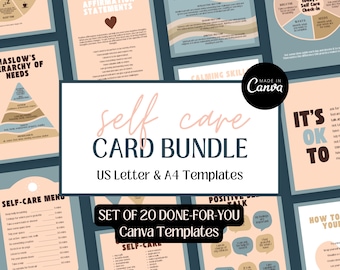
Self Care Cards Canva Template Self Care Worksheet Therapy Tools Coaching Resources Mental Health Printable Coping Skills Cards PDF Editable
$4.98
-

Digital download
6 Hand Made African Digital Scrapbook Paper | African Background | Kwanzaa Pattern | instant download
$0.73
-

Digital download
Anniversary Photo Collage Template, Couple Keepsake Print (Digital Download)
Sale Price $3.06
Original Price $4.08