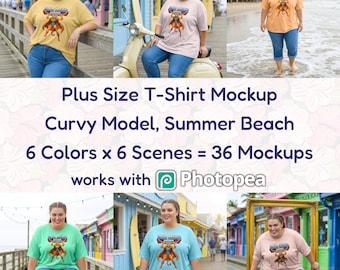
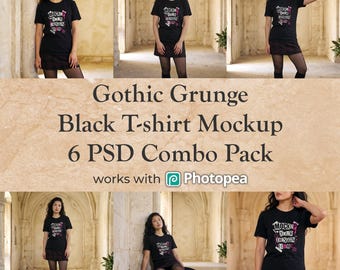






Mocklin makes mockups for print-on-demand sellers.
Featured items
All items
Announcement
Last updated on Oct 11, 2026
Reviews
4.0
(2)
Average item review
We calculate this number using a recency-weighted average of all ratings, with a rating's value decreasing by half each year to best reflect the current experience.
Loading
About mocklin
Sales
7
On Etsy since 2025
Shop policies
Last updated on Sep 1, 2025
Digital downloads
Instant downloads
Your files will be available to download once payment is confirmed. Here's how.
Payment options
Secure options
Accepts Etsy Gift Cards and Etsy Credits
Etsy keeps your payment information secure. Etsy shops never receive your credit card information.
Returns & exchanges
See item details for return and exchange eligibility.
Cancellations
Cancellations: not accepted
Please contact the seller if you have any problems with your order.
Privacy policy
More information
Last updated on
Sep 16, 2026
Frequently asked questions
Do you use AI to create your mockups? Isn't AI a bad thing?
I generate the base images with a high quality generative AI engine. From there, each mockup goes through manual post-processing, refining, retouching, color correction, and professional Photoshop layer setup with smart object warping. The AI is the starting point, not the finished product. I don't sell unrefined zero-effort garbage.
My view on generative AI is pragmatic. It is here to stay whether we like it or not. I think that, not unlike when photography was invented, as creators we need to take ownership of this new way of creating. If as creators we shun it we essentially let Big Tech and the world at large decide and define what should and should not be possible, the results of which we see daily.
Let's use AI in a responsible way.
How do I use the PSD files?
Open the PSD file in Photoshop or Photopea. Double-click the smart object thumbnail in the layers panel. It opens in a new tab. Remove the placeholder, paste your design with a transparent background, and save. Your artwork will automatically appear on the mockup with realistic warping applied.
What software do I need?
These mockup PSD files are designed with, and for Adobe Photoshop. If you do not have Photoshop, Photopea (photopea.com) is your best alternative! It's free, runs directly in your browser, and fully supports the smart objects and warp transforms used in these files, and supports the same workflow of getting your design in the mockup.
Note: GIMP, Canva, and Affinity Photo do not fully support the smart object features used in these mockups.
Do I need to be a Photoshop expert to use your products?
No! All files are made to be beginner-friendly. All you need to do is double click the layer with the placeholder design and paste your own design in. Then your mockup is ready for export!
What resolution are the files?
All mockups are 4096x4096px at 240 PPI, which translates to roughly 17x17 inches or 43x43 cm at full print quality, and look clear and crisp when scaled down for digital use.
How is the file delivered?
Your Etsy purchase includes a PDF as an instant download, containing a secure Google Drive link to download the PSD files.
Do you offer custom mockups?
Yes! If you need a specific scene, style, or product angle that is not in our collection, message me through Etsy to discuss your requirements and pricing.
Can I use the mockups for my business?
Yes, commercial license is included. You can use the mockups to display your designs in your shop, listings, or portfolio. Reselling or redistributing the PSD files themselves is not allowed.
My smart object isn't updating or I can't edit the layer. Help!
Make sure you're using Adobe Photoshop or Photopea (photopea.com). Double-click the layer thumbnail, not the layer name. After editing, use Ctrl+S (Cmd+S on Mac) to save, not "Save As". If the mockup doesn't update, check that you're back on the main file tab.
Why do you sell these mockups?
I used to sell PoD apparel, I always found it a huge issue to get mockups that were not already up on Etsy by the thousands, the same guy and the same woman over and over again. So I taught myself how to make Photoshop mockups myself using modern tools like AI. I am no longer in de PoD game but still enjoy making these mockups and helping others out by listing them here at a reasonable price!