
Items
All items

Shop policies
Accepted payment methods
Returns & exchanges
More information
Frequently asked questions
Excel or Google Sheets, which do I get?
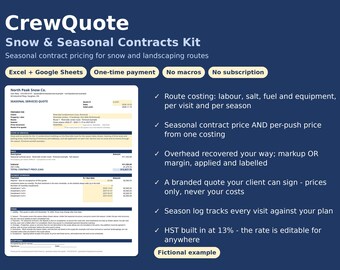
Both. The download includes the Excel workbook and a Google Sheets version with identical formulas and identical results, plus a worked example of each. Use whichever you already live in.
Is this a subscription? Do I pay again for updates?
No. One payment of US$59, yours forever: no subscription, no per-quote fees, no account. If a corrected version is released, it replaces the file in your Etsy Purchases & Reviews downloads at no cost.
Does it have macros? My Excel blocks them.
No macros at all. It's a plain .xlsx with formulas, so there is nothing to enable and nothing for your security settings to block.
What can I change?
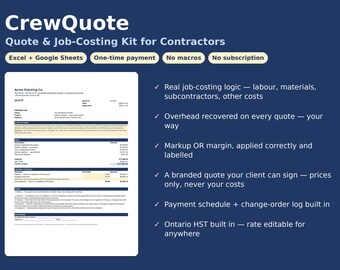
Everything yellow: your business details, crew roles and rates, overhead method and rate, markup or margin and the percentage, tax switch and rate, quote validity days, and all per-job inputs. Formula cells are locked (no password) so the math stays intact; the licence text explains the terms.
I'm not in Ontario. Does the tax work for me?
Yes. The tax line is a switch plus a rate you type. Set 13% HST, 5% GST, your provincial rate, a US sales-tax rate, or switch it OFF entirely and no tax line prints.
Markup and margin, I mix these up. Does it matter?
It matters a lot: at the same percentage, a margin prices higher than a markup (25% markup on $1,000 of cost = $1,250; 25% margin = $1,333.33). The kit implements both correctly, labels which one you're using, and the Quick-Start Guide explains the difference in plain language.
Will it show my client my costs or profit?
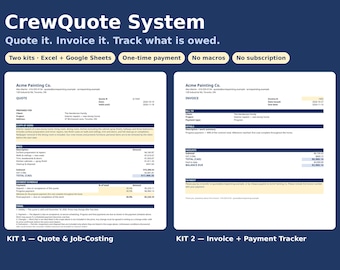
No. The QUOTE sheet was specifically checked for this: it shows grouped prices, subtotal, tax and total only. Your costs, overhead, markup/margin and profit live on the internal COSTING sheet. Send clients the QUOTE sheet (or its PDF), never the whole file.
Can my crew use it too?
Yes, the licence covers your whole business. One purchase per business, unlimited jobs and unlimited users inside that business.
Does it work on a phone or tablet?
It works in the Excel and Google Sheets apps, but it's designed for a computer screen, since the costing sheet is wide. For site use, quote on a laptop, or fill in costs on paper and enter them at the desk.
What if I'm not a contractor?
The math is generic job costing. Freelancers, studios and service businesses that price per project use the same structure. The examples and wording are trades-flavoured.