


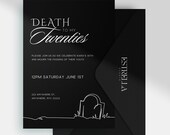
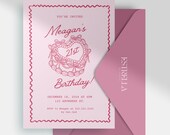
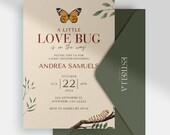
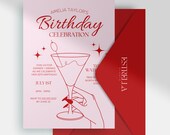
Welcome to Estrella Events!
EstrellaEventsCo is taking a short break
Loading
Reviews
5.0
(451)
Average item review
We calculate this number using a recency-weighted average of all ratings, with a rating's value decreasing by half each year to best reflect the current experience.
Loading
-

-
-
-

-
Lillie on Jan 8, 2025
5 out of 5 starsGreat invitation, instantly editable. Basically all text can be edited and you can add extra text boxes if needed
-
-
-

-
-
About EstrellaEventsCo
Sales
1,499
On Etsy since 2020
Etsy automatically translates most text on the site to your preferred language.
See in original language
Shop members
-

Brittaney
Owner, Designer
Brittaney is the creative force behind Estrella Events. She specializes in crafting unique printable stationery and props for all your events and celebrations. Every one of her designs is made with passion to help your special moments shine bright!
Shop policies
Last updated on Jun 20, 2024
Shipping
See item details for estimated arrival times.
Customs and import taxes
Buyers are responsible for any customs and import taxes that may apply. I'm not responsible for delays due to customs.
Digital downloads
Instant downloads
Your files will be available to download once payment is confirmed. Here's how.
Payment options
Secure options
Accepts Etsy Gift Cards and Etsy Credits
Etsy keeps your payment information secure. Etsy shops never receive your credit card information.
Returns & exchanges
See item details for return and exchange eligibility.
Cancellations
Cancellations: not accepted
Please contact the seller if you have any problems with your order.
More information
Last updated on
Dec 17, 2025
Frequently asked questions
How to Purchase the Template from Etsy
Buying a template from our Etsy shop is a breeze. Just browse our selection, choose the template you love, add it to your cart, and proceed to checkout. After completing your payment, your template will be ready to download right away!
How to Download the PDF Containing a Link to Access the Template File in Canva
Once you finish your purchase on Etsy, you'll get an email containing a download link. Simply click on the link to download a PDF file to your computer or device. Open the PDF and you'll find a direct link inside that takes you to the template in Canva. Click on this link to open the template for editing in Canva.
What Can and Can't Be Edited While Doing the Editing in Canva
While editing the template in Canva, feel free to personalize different aspects like text, fonts, colors, backgrounds, and images. You can adjust text boxes, resize elements, and make other design tweaks as needed.
Please be aware that some products may have fixed layouts and structures, limiting customization options. Additionally, graphics or images included in the template are typically not editable unless otherwise specified in the product description.
How to Download the Design from Canva Dashboard
After completing your edits in Canva, simply click the "Download" button located in the top-right corner of the editor. Select your preferred file format, such as PDF or JPEG, and click to initiate the download. Your design file will be saved to your computer or device, ready for use.
How to Print the PDF File
To print the PDF file, open it with a PDF reader on your computer. Navigate to the print settings within the PDF reader and verify that the paper size and orientation match your intended printout. You can also customize settings such as print quality and color options as needed. After making these adjustments, click on the print command, and your printer will produce a physical copy of the design for you.
Permitted Usage of the Template
Our templates are meant for personal use, allowing you to create items like invitations, flyers, or social media graphics for your own use. They are not intended for commercial purposes, such as designing for clients or selling printed products. Please ensure you adhere to the outlined restrictions and limitations to ensure proper usage of the templates.
Color Variations and Print Result
Please note that colors may appear differently on various monitors and printers. The colors displayed on your screen may not precisely match the final printed output. To ensure the most accurate color representation, we recommend calibrating your monitor or consulting professional printing services. Additionally, print quality can vary based on the printer and paper quality. Experimenting with different printers and paper types can assist you in achieving your desired print results.
Recommendation on Where to Print
You have several options for printing your file. If you have a home printer, it's suitable for small-scale printing; use high-quality settings and good paper for best results. Alternatively, visit a local print shop for professional-grade printers and paper choices. Online printing services offer convenience with customizable designs delivered to your doorstep. Choose a method that fits your needs and budget, ensuring the service meets your project requirements.
User's Guide
Please be aware that these FAQs serve as a general reference. For comprehensive instructions and details, please consult the User's Guide included with your purchase. Additionally, review specific instructions and policies on our Etsy shop or contact us for further assistance.