

9 views in the last 24 hours
Price:$25.00
Digital Homeschool Planner, Homeschool Schedule, Homeschool Calendar, Homeschooling Planner, Lesson Planner for Goodnotes on iPad or Tablet
Star Seller
Star Sellers have an outstanding track record for providing a great customer experience—they consistently earned 5-star reviews, shipped orders on time, and replied quickly to any messages they received.
You can only make an offer when buying a single item
Star Seller. This seller consistently earned 5-star reviews, shipped on time, and replied quickly to any messages they received.
Highlights
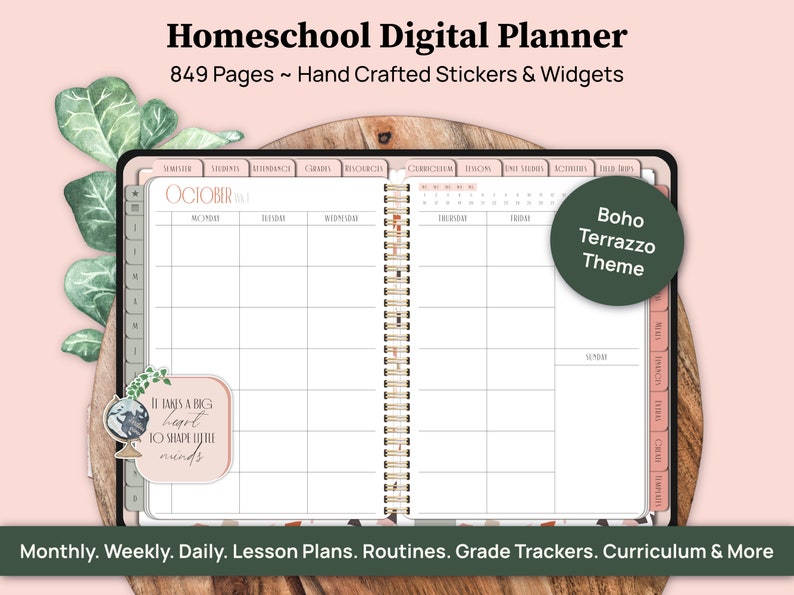
Homeschooling comes with a lot to keep up with… lessons, routines, records, multiple kids, home life, and your own goals. This homeschool planner gives all of it a place to live.
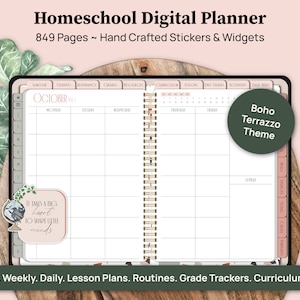
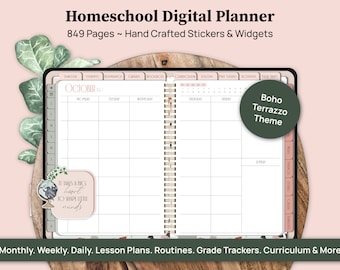
The Boho Terrazzo Digital Homeschool Planner is an undated secular homeschool planner made for families who want a flexible homeschooling plan without piecing everything together across separate notebooks, printables, and planning systems.
Use it to map out your homeschool schedule, keep track of your homeschool calendar, plan lessons for up to 6 kids, and make space for the home, family, and personal plans that happen alongside school.
It includes weekly and daily homeschool planning pages, customizable sections, and stickers, so you can build a planning setup that fits the way your family actually homeschools.
It’s made to be used on your iPad or Android tablet with a note taking app like Goodnotes, Noteshelf, Notability, Penly, Samsung Notes, etc. (And if you’re new to digital planners, don’t worry. You don’t need to be super techy! I’ll include digital planning tutorials to walk you through everything step by step.)
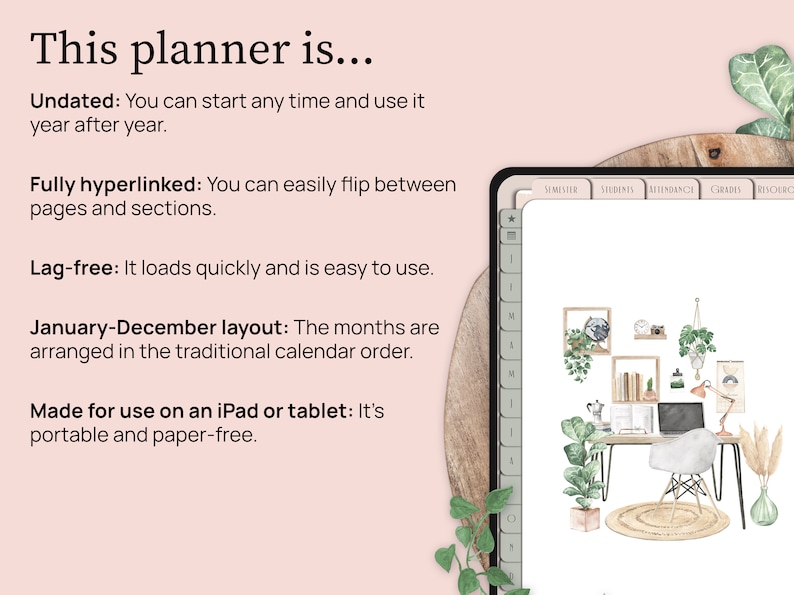
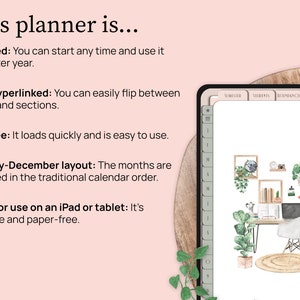
Since this is an undated planner, you can start today, even if it’s the middle of the year. You can also make a fresh copy of the file and reuse it year after year, so it can become a long term planning system instead of something you replace every year.
Keep reading for a closer look at what this planner is like.
Or, if you prefer to see things more hands-on and double-check that the planner works on your device, you can download a free sample planner here: http://tiny.cc/tz_homeschool_sample
Please note: Since it’s a sample, not all of the hyperlinks will work.
1️⃣ ORGANIZE YOUR HOMESCHOOL YEAR
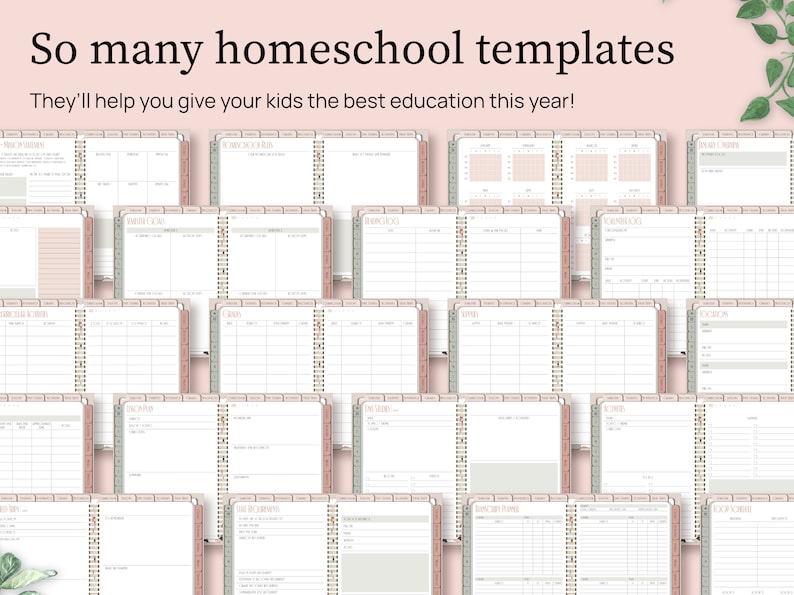
You’ll get a wide variety of planning pages to help you organize your homeschool, including…
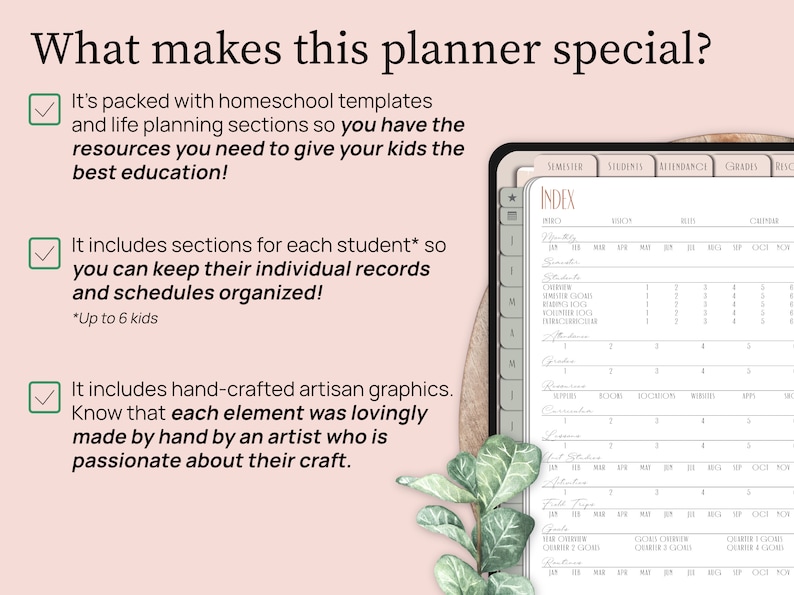
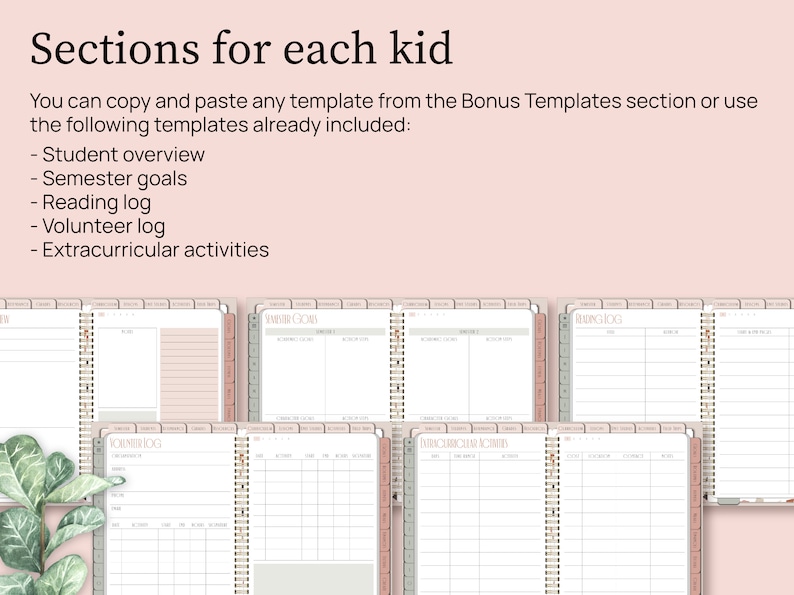
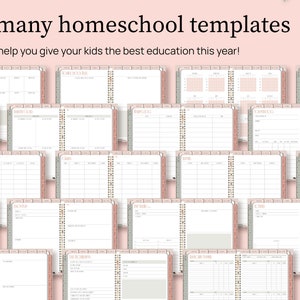
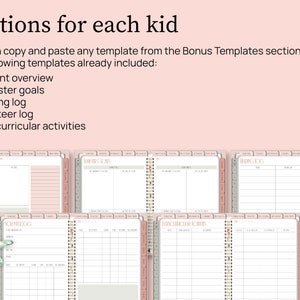
- Individual student sections for up to six kids with templates like a student overview, semester goals, reading log, volunteer log, and extracurricular activity trackers (You can also copy and paste more templates into these sections if you want.)
- Attendance record templates
- Grade record templates
- Resource list templates
- Curriculum planning templates
- Lesson planning templates
- Unit study templates
- Family routine templates
- Transcript planner templates
- Semester overview template
- Quarter overview template
- Term overview template
And so much more!
The goal is to help you spend less time hunting through scattered papers and more time actually using the plan you made.
2️⃣ ORGANIZE YOUR PERSONAL LIFE AND GOALS
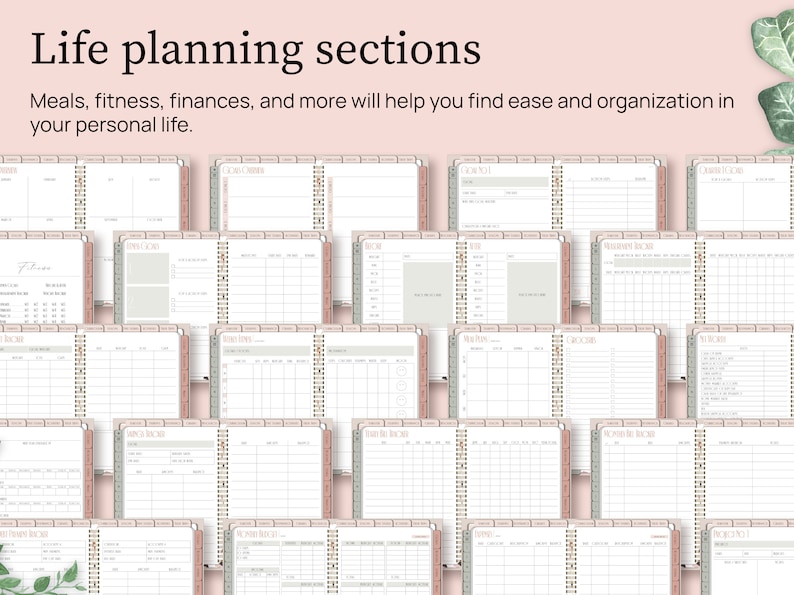
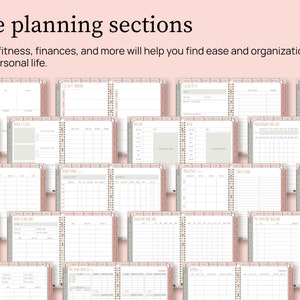
You’ll also get a wide variety of templates to help organize your own personal life, including…
- Fitness templates including fitness goals, a weight loss tracker, weekly fitness logs, and more!
- Meal planner templates and shopping lists
- Financial templates including a savings tracker, monthly budget templates, monthly expense templates, and more!
Because your homeschool matters… but your own routines, goals, meals, budget, and wellbeing still need a place too!
3️⃣ CUSTOMIZE THE PLANNER TO FIT YOUR NEEDS
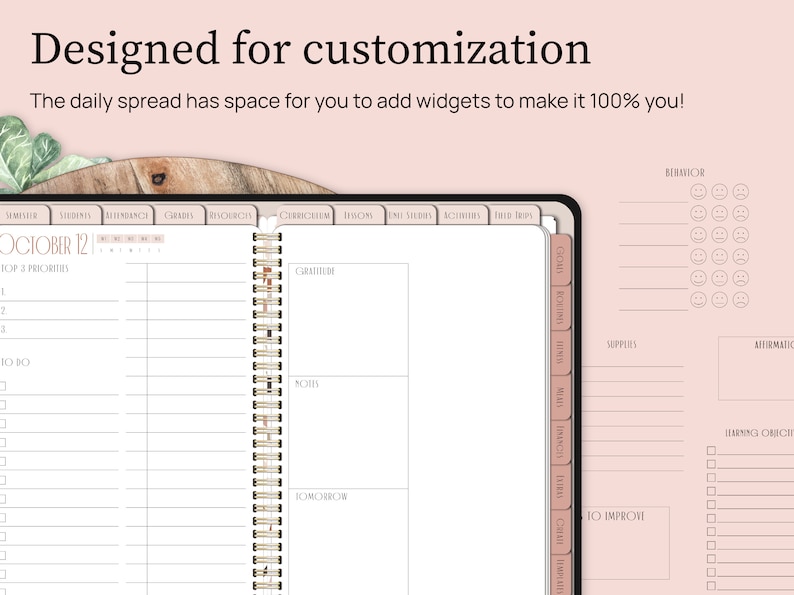
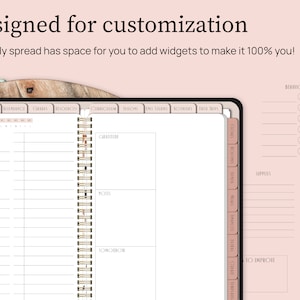
Copy and paste any of the extra templates from the Templates section to any location in the planner. This way you can create a setup that works for you!
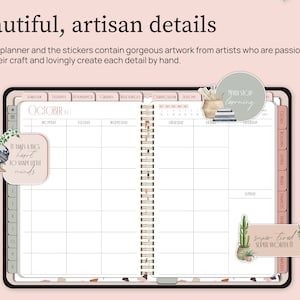
The daily pages also have a blank space for you to customize with the stickers that are included, making it easy to have different layouts depending on your needs for the day.
4️⃣ ENJOY USING A PROFESSIONALLY DESIGNED PLANNER
I have a background in graphic design and UX design, which is just a fancy way of saying I care a lot about how this planner looks, feels, and functions. Here are a few details I paid close attention to:
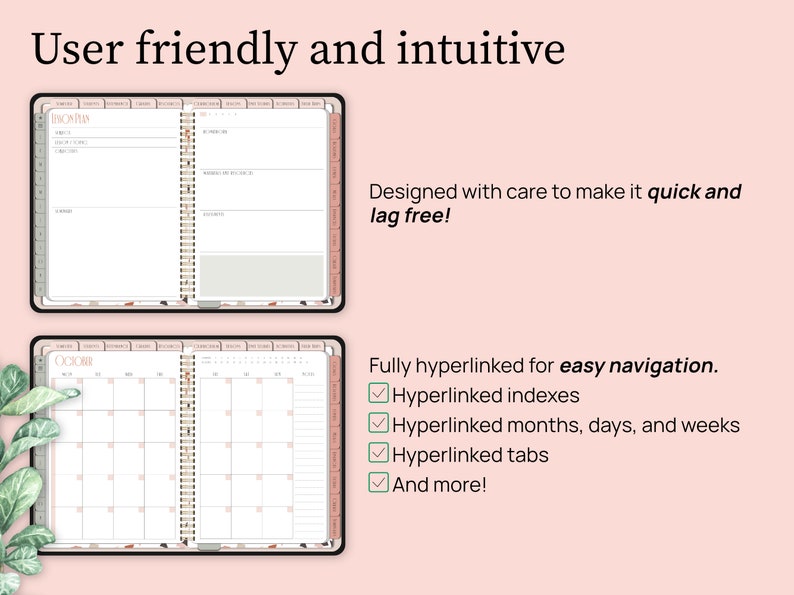
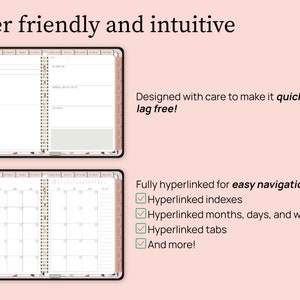
- The file design: It’s created to be lightweight and lag-free on most devices.
- The layout: The planner is fully hyperlinked, which means there are thousands of hyperlinks throughout. That makes it easy to jump from page 3 to 693! The templates are also set up in an intuitive order that makes sense to scroll through.
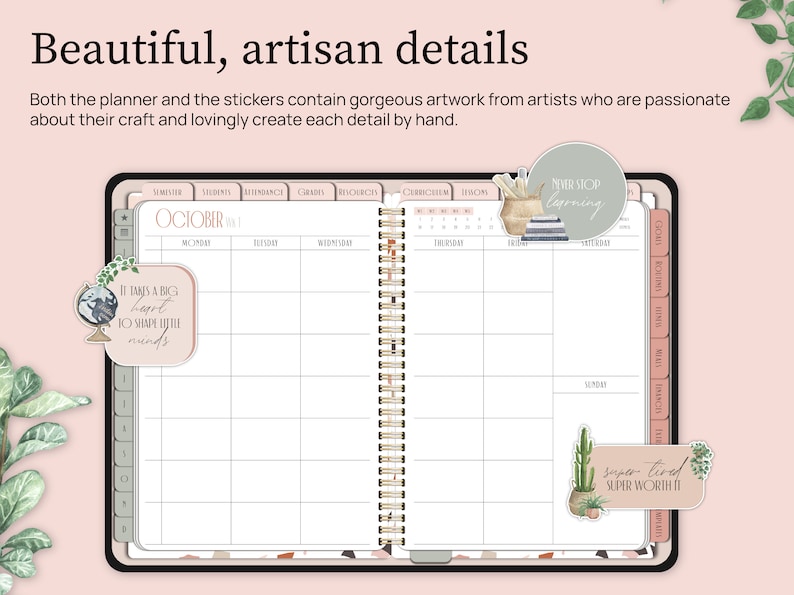
- The artwork: Each Amor de Paper planner, including this one, features artwork from artists who use handmade methods to create their art. This includes watercolor painting with actual brushes and paper, sketching on paper, and drawing with digital tools like Procreate. I've intentionally chosen to feature work from artists who do NOT use AI in their artwork. Your purchase supports independent artists around the world. 💜
⭐️ OVERVIEW OF EVERYTHING YOU GET
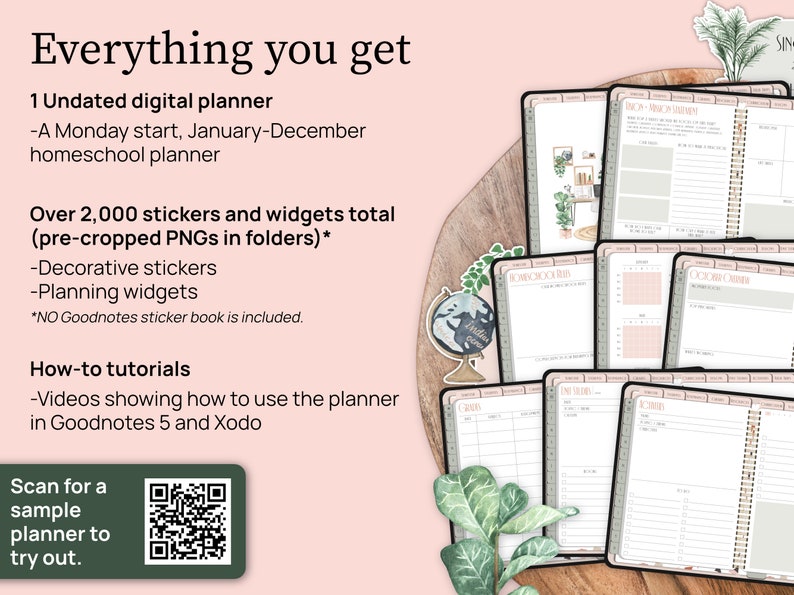
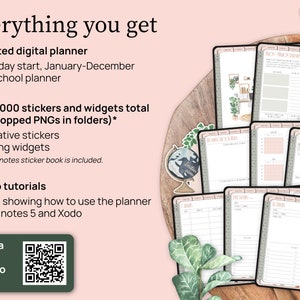
ONE UNDATED DIGITAL PLANNER
- A January - December, Monday start planner made for up to 6 kids
OVER 2000 STICKERS AND WIDGETS
- Boho themed graphics and affirmation stickers (Over 350 unique stickers in multiple colors)
- Planning widgets to customize your planner (Over 120 unique widgets in multiple colors)
All the stickers and widgets come as cropped PNG files in organized folders.
Please note: NO Goodnotes sticker file is included.
EXCLUSIVE ACCESS TO THE HOMESCHOOL HUB
- Tutorials for iPad and Tablet for the Goodnotes 6 and Penly apps, plus resources to learn about other apps as well. You'll be able to use this planner even if you're brand new to digital planning!
- Free digital goodies
- And more!
⭐️ ALL THE PAGES IN THE PLANNER
If you’ve made it this far in the description, I’m guessing you’re into all the nitty-gritty details, like exactly what templates this planner has. Here’s the full list of pages included:
FOUNDATION + CALENDAR PAGES
- Hyperlinked Index
- Vision + Mission Statement
- Homeschool Rules
- Year Calendar
- Monthly Overview Pages
- Monthly Pages
- Weekly Pages
- Daily Pages
- Semester Overview
STUDENT SECTIONS FOR UP TO 6 KIDS
Each of the kids' sections includes:
- Student Overview
- Semester Goals
- Reading Log
- Volunteer Log
- Extracurricular
HOMESCHOOL RECORDS + PLANNING
- Attendance trackers for up to 6 kids
- Grade trackers for up to 6 kids
RESOURCES TRACKER TEMPLATES
- Supplies
- Books
- Locations
- Websites
- Apps
- Shows
CURRICULUM, LESSONS + ACTIVITIES
- Curriculum for up to 6 kids
- Lesson plans for up to 6 kids
- Monthly Unit Study Templates
- Activities for up to 6 kids
- Monthly Field Trip Templates
GOALS + ROUTINES
- Year Overview
- Goals Overview + 24 individual goals pages
- Quarterly Goals
- Monthly Routine Templates
FITNESS + MEALS
- Fitness Goals
- Before & After
- Measurement Tracker
- Weight Tracker
- Weekly Fitness (one page for each week of the year)
- Meals + Groceries (one page for each week of the year)
FINANCES
- Net Worth
- Yearly Finances
- Savings Tracker
- Yearly Bill Tracker
- Monthly Bill Tracker
- Debt Payment Tracker
- January - December Budget Pages
- January - December Expense Pages
EXTRAS
- Contacts
- Passwords
- Projects Overview + 26 individual projects pages
- Events
- 30 Day Challenge
- 365 Day Challenge
CREATE SECTION
- 10 Blank sections you can customize. Make them into notebooks using the notebook paper included (7 different kinds) or move templates here from the Templates section.
BONUS HOMESCHOOL TEMPLATES
- State Requirements
- Lesson and Homework Tracker
- Assignment Tracker
- Assignment Info
- Quarter Overview
- Term Overview
- Weekly Schedule
- Loop Schedule
- Study Goals
- Study Methods
- Study Sessions
- Study Checklist
- Exams Tracker
- Behavior Log
- Student Progress
- Transcript Planners (2 versions)
- Reading List
- Family Read-Alouds
- Assigned Reading
- Important Concepts
- Equations and Formulas
- Memories
- Color Codes Page so you can match your writing with the color scheme of the planner
⭐️ HOW TO DOWNLOAD
After purchase, you’ll receive a PDF with your download link and instructions. The full planner is stored through IceDrive because the file bundle is too large to upload directly to Etsy.
- IPAD USERS
1. Be sure you already have the Goodnotes app installed on your iPad.
2. Make sure you're using the Safari browser to access your Etsy account. (You won't be able to download the planner if you're using the Etsy app.)
3. In the top right corner, select your profile picture and then select "Purchases and reviews" in the dropdown list. Find the planner and then tap the "Download Files" button on the right.
4. That will open a new page with a thank you note. You might have to scroll down and then click the "Download" button.
5. After downloading, the PDF will open in the Safari browser of your iPad as gogetsy.com. Click on the button that says "Download the Planner." This will take you to IceDrive, where the planner is stored.
6. In IceDrive, click on the "Download" button.
7. After downloading, the planner will open in the Safari browser of your iPad. Click on the share button (the square with the arrow) in the top right corner.
8. You might have to scroll to select "Copy to Goodnotes." In Goodnotes, choose a location and click the "Import as a New Document" button.
- ANDROID TABLET USERS
1. Be sure you already have a note taking app like Noteshelf or Penly installed on your tablet.
2. Make sure you're using the Chrome browser to access your Etsy account. (You won't be able to download the planner if you're using the Etsy app.)
3. In the top right corner, select your profile picture and then select "Purchases and reviews" in the drop-down list. Find the PDF and then tap the "Download Files" button on the right.
4. That will open a new page with a thank you note. You might have to scroll down and then click the "Download" button.
5. After downloading, the PDF will open on your screen. Click on the button that says "Download the Planner." This will take you to IceDrive, where the planner is stored.
6. In IceDrive, click on the "Download" button.
7. After downloading, the planner will open in a new window on your tablet. Click the three dots in the top right corner and select "Open with."
8. Choose the app you want to use to open your planner.
⭐️ OTHER QUESTIONS YOU MIGHT HAVE...
Q: How exactly does a digital planner work? I’m a little confused.
A: A digital planner is a PDF file designed to be used on your iPad or tablet. You need to import the planner file into a PDF annotation app (aka a note taking app) so that you can write on it with your stylus or place text boxes in it to type in it. I recommend writing with a stylus because it’s more fun and gives you that paper planner feel without the paper! You can also add stickers into your planner to customize and decorate it. (Stickers are PNG files.)
Q: What do I need to use a digital planner?
A: 1. An iPad or tablet that can download apps
2. A PDF annotation app, also known as a note taking app. Popular ones are Goodnotes, Notability, Noteshelf, Penly, ZoomNotes, etc.
3. A stylus
Q: Can I use a digital planner on an Android Tablet?
A: Yes, as long as you can download an app like Noteshelf or Penly, you should be good to go!
Q: Is this a OneNote planner?
A: This planner isn't made for OneNote. You can import it into OneNote as a picture file, but the hyperlinks won't work. I recommend Goodnotes, Notability, Noteshelf, Penly, ZoomNotes, etc.
Q: Is this an interactive PDF?
A: This is a hyperlinked PDF digital planner, which means the tabs and links help you jump around the planner quickly. To write, type, highlight, or add stickers, you’ll need to open it in a PDF annotation or note taking app like Goodnotes, Noteshelf, Notability, Penly, ZoomNotes, etc.
Q: Can I print this planner?
A: Since this is a PDF file, you technically can print the planner just like you would any other PDF. However, there are some drawbacks. First of all, it's sized to fit an iPad screen, so if you print it on US letter sized paper, it won't fit perfectly. It's also horizontally oriented, so the orientation isn't going to be optimal for a printable planner. If you'd like to see for yourself how it prints, download the sample planner and give it a try: http://tiny.cc/tz_homeschool_sample
Q: I'm new to digital planning and I'm not sure what hyperlinks are...
A: Hyperlinks are tabs, words, or objects in the planner that are linked to another page in the planner or to a website. When you tap on the hyperlink, the planner will flip automatically to the linked page or will automatically open up the website. This makes navigating through your planner much faster and easier.
⭐️ HOW TO CONTACT ME
If you have any other questions, you can message me here on Etsy.
Monday - Friday
9:00 am to 5:00 pm AST
Instant Download
Your files will be available to download once payment is confirmed. Here's how.
Instant download items don’t accept returns, exchanges or cancellations. Please contact the seller about any problems with your order.
Etsy Purchase Protection
Shop confidently on Etsy knowing if something goes wrong with an order, we've got your back for all eligible purchases —
see program terms

Reviews for this item
What buyers say, summarized by AI: Love it Looks great
So far I love it.
Works well for my family

This planner is great! It would be even better as an app, but it has everything I need to home school, manage my home,organize appointments, and organize at work. I have already recommended to a mom friend.

perfect planner for my life


Speedy replies Has a history of replying to messages quickly.
Rave reviews Average review rating is 4.8 or higher.
More from this shop
Visit shop-
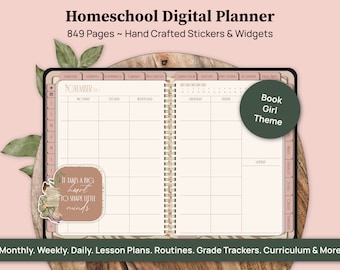
Digital download
Digital Homeschool Planner, Homeschool Schedule, Homeschool Calendar, Homeschooling Planner, Lesson Planner for Goodnotes iPad Tablet
$25.00
-
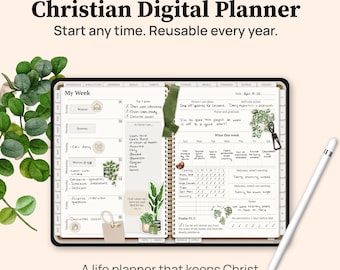
Digital download
Christian Digital Planner, 2026 Undated Life Planner, All in One Planner for Bible Study, Prayer, Faith Planning, Goodnotes iPad Tablet
$25.00
-
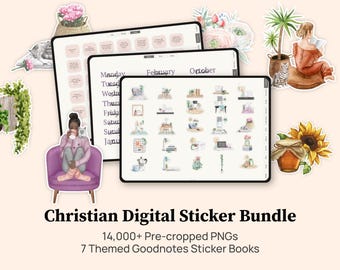
Digital download
Christian Digital Planner Stickers Bundle, Goodnotes Planner Stickers, Faith Stickers, Bible Stickers, Goodnotes Sticker Book
$12.00
-
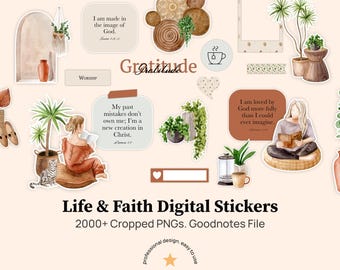
Digital download
Christianity Digital Stickers, Sticker Book Goodnotes, Digital Boho Stickers, Functional Digital Stickers, Goodnotes Stickers, No AI Used
$5.00
-
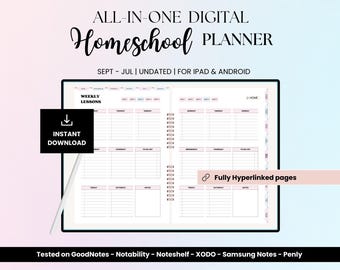
Digital download
Digital Homeschool Planner undated, Digital Planner for iPad, Goodnotes - Notability, Lesson Plan template, Homeschooling Schedule, Download
$10.93
-
Digital download
Digital Homeschool Planner: Undated, Multiple Students (PDF)
$11.27
-
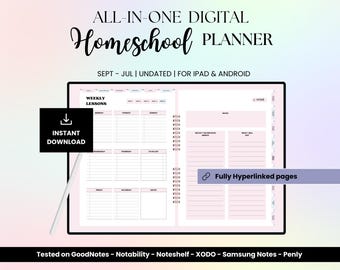
Digital download
Undated Homeschool Planner 2025-2026 for Goodnotes, Homeschooling Schedule, Lesson Plan template, iPad Digital Planner for Students,
$10.93
-
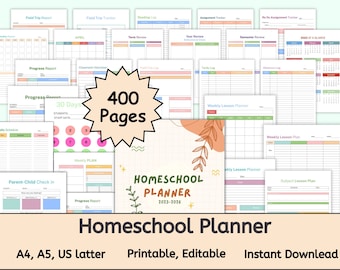
Digital download
Homeschool Planner Printable 2024 2026, Homeschool Lesson Planner, Academic Planner, Teacher Homeschool Schedule, Homeschool Planner Pages
Sale Price $0.96
Original Price $3.86
-
Digital download
Homeschool Digital Planner 2024 2025 Undated Goodnotes Planner Homeschool Planner Printable iPad Planner Digital Homeschool Planner Journal
$3.00
-
Digital download
Homeschool Planner, Homeschool Planner printable, Undated Homeschool Planner
$5.00
-
Digital download
Homeschool digital planner,Homeschool planner canva,Homeschool resources,Digital planner,ipad planner,lesson planner
Sale Price $2.40
Original Price $8.00
-
Digital download
Homeschool Planner Printable, Curriculum Tracker, Lesson Plans (PDF)
$4.25
-
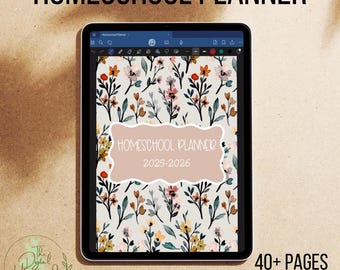
Digital download
Homeschool Planner 2025-2026 | Digital Planner | Homeschooling Planner | Teacher Planner | Digital Homeschool Planner | GoodNotes Template
$6.00
-
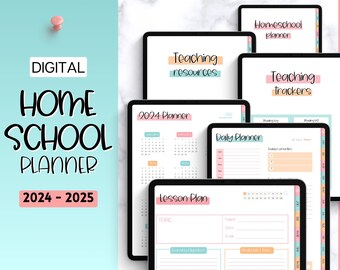
Digital download
Digital Homeschool Planner, 2024 & 2025, Lesson Plan Template, Home school teacher planner, iPad GoodNotes, homeschooling schedule, mom
Sale Price $9.67
Original Price $16.13
-
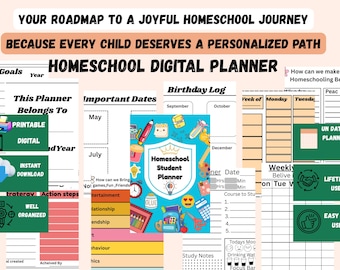
Digital download
Homeschool Planner Printable: 400+ Pages, Fillable PDF & Google Sheet
$2.00
-
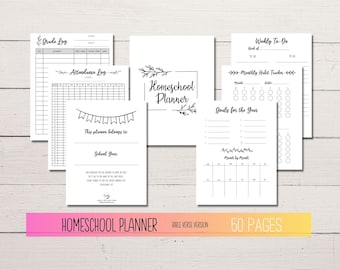
Digital download
Homeschool Printable Planner, Undated Digital Homeschool Planner, Digital Lesson Planner, Homeschooling Planner Pages
$7.99
Shoppers with similar taste loved these
-
Core Values & Character Traits Cards, Wooden Tokens, +/or Wooden Magnets Bundles for Learning - Watercolor-Style, Nature-Inspired-Homeschool
Sale Price $15.00
Original Price $20.00
-
Digital download
All In One Digital Planner 2026, 2027, 2028 Digital Planner, Digital Journal, Digital Goodnotes Template, Weekly, Daily Planner Monthly plan
Sale Price $0.86
Original Price $2.45
-
Digital download
2026 2027 Homeschool Planner Printable | 200+ Pages
$9.09
-
Digital download
Digital Planner for GoodNotes, 2026 Undated, iPad Notability Planner (Digital Download)
Sale Price $4.00
Original Price $10.00
-
Digital download
Digital Homeschool Planner, Homeschool Schedule, Homeschool Calendar, Homeschooling Planner, Lesson Planner for Goodnotes on iPad or Tablet
$25.00
-
Digital download
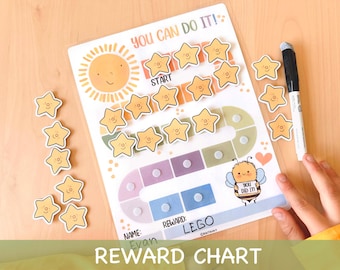
Printable Reward Chart for Kids Toddler Goal Chart Printable Kids Routine Chart Colourful Rainbow Behavior Daily Chore Chart for Toddlers
Sale Price $2.25
Original Price $4.50
-
Digital download
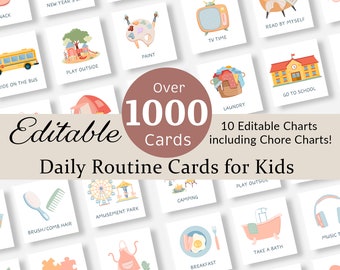
Daily Routine Cards Visual Schedule Toddler Routine Chart for Kids Chore Chart Daily Rhythm Checklist Montessori Preschool Activity EDITABLE
Sale Price $6.99
Original Price $13.98
-
Digital download
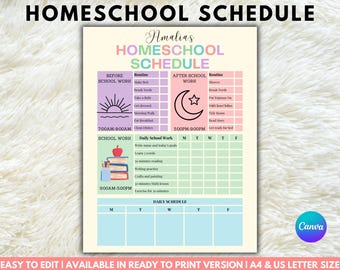
Editable Homeschool Schedule, Kids Homeschool Planner for Kids, Homeschool Routine, Homeschool Chore Chart, Daily Checklist, Chore Chart
$3.23
-
Digital download
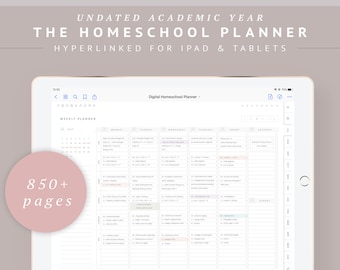
Digital Homeschool Planner GoodNotes iPad, Undated Weekly Lesson Planner, Homeschool Monthly Calendar, Preschool Daily Schedule Timetable
Sale Price $28.42
Original Price $37.89
-
Digital download
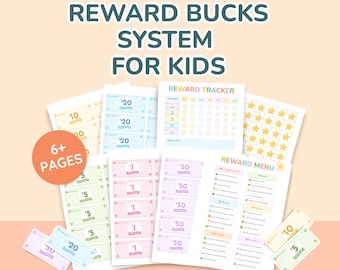
Reward Bucks System for Kids–Printable Behavior Chart, Editable Rewards Menu, Point Tracker & Play Money Bundle |ADHD Routine Incentive Tool
$12.99
-
Digital download
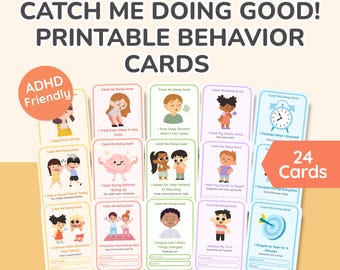
Catch Me Doing Good Cards–ADHD Printable Behavior Tracker, Positive Reinforcement Tool for Kids, SEL, Executive Functioning PDF,Kids Therapy
$10.50
-
Digital download
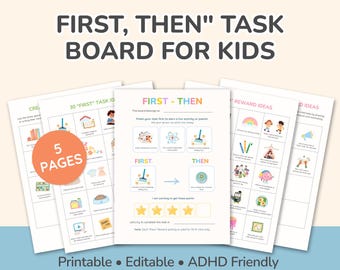
First Then Visual Schedule, Daily Routine Chart, ADHD Checklist, Kids Morning Routine, Editable Routine, Executive Function Tool, Task Board
$10.50


Looking for more? Find it on Etsy