



Notion Template Personal Finance Tracker Budget Tracker, Dark Mode Notion Income And Expense Tracker, Money Planner Notion Bill Tracker
Item highlights
Seller's description
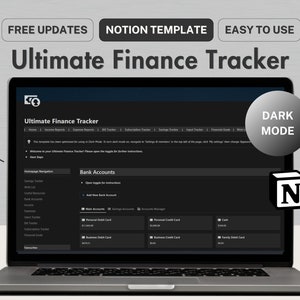
The Ultimate Finance Tracker is a thoughtfully-designed Notion template that helps you seamlessly manage everything related to your finances - including your income, expenses, bills, subscriptions, savings, goals and wish list. This digital planner is perfect for those looking to level up their finances and achieve their money goals!
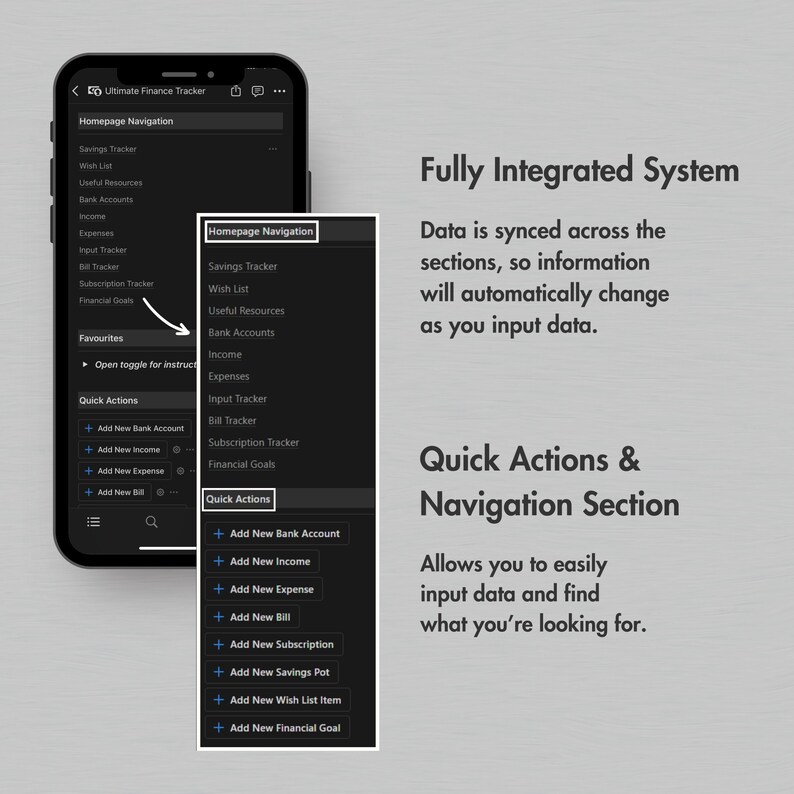
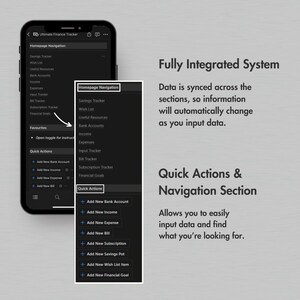
View all the important information at a glance and input data into the tracker with the tap of a button, then delve deeper into the template to see more detailed breakdowns using the functional yet easy-to-use features of the planner.
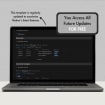
BONUS: This template is regularly updated to maximise Notion’s latest features. Once purchased, you will receive all future updates to this template completely FREE!
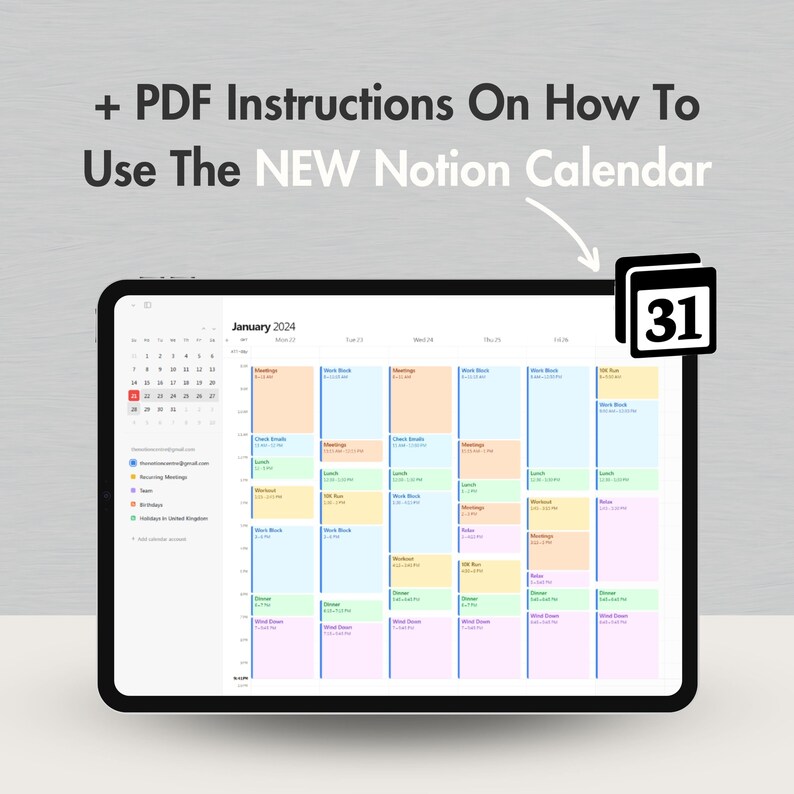
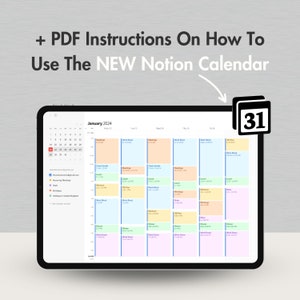
In 2024, Notion launched their calendar app - Notion Calendar. Though not essential, it can make a great addition to your Notion experience so you will also receive full PDF instructions on how to use Notion Calendar alongside this template!
Also available in two more colours:
- Gray and white: https://www.etsy.com/listing/1625242998/notion-template-personal-finance-tracker
- Purple and white: https://www.etsy.com/listing/1626017790/notion-template-personal-finance-tracker
You might also like to check out the Ultimate Life Planner which includes everything in this template and so much more! Find it here: https://www.etsy.com/listing/1625166340/notion-template-ultimate-life-planner
**What Is Notion?**
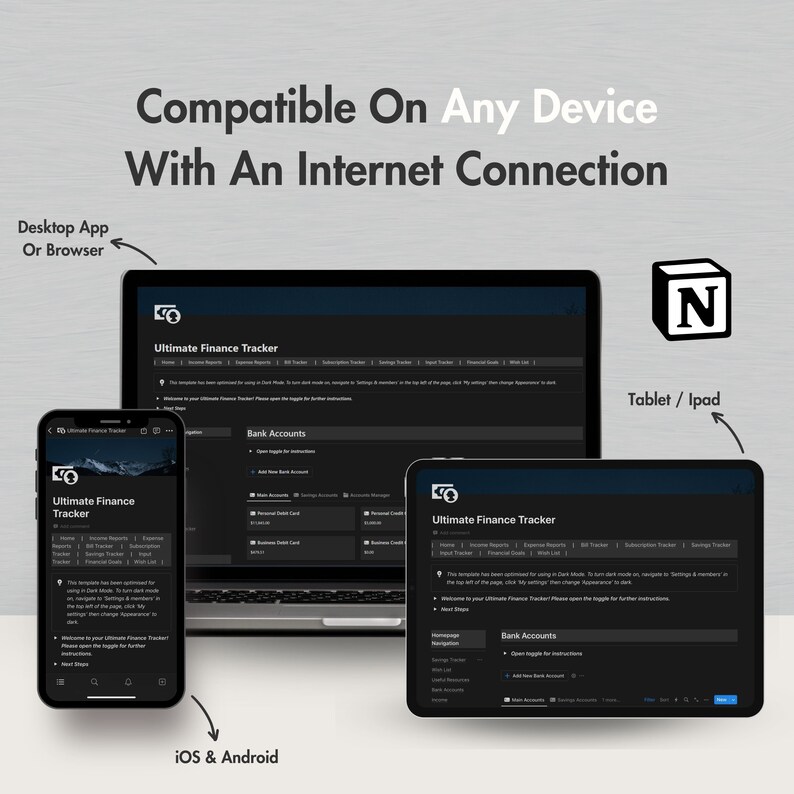
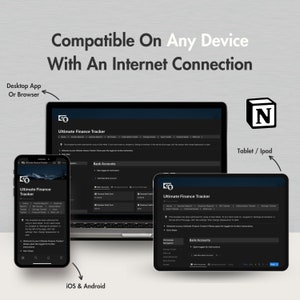
Think of Notion as a digital hub where you can plan, create and organise documents, notes, to-do lists, and so much more, all within one workspace. It’s a powerful tool for both personal and professional use, providing an effective way to bring your thoughts and projects to life! It’s also completely free for personal use, and can be accessed through any device with an internet connection.
**What’s Included?**
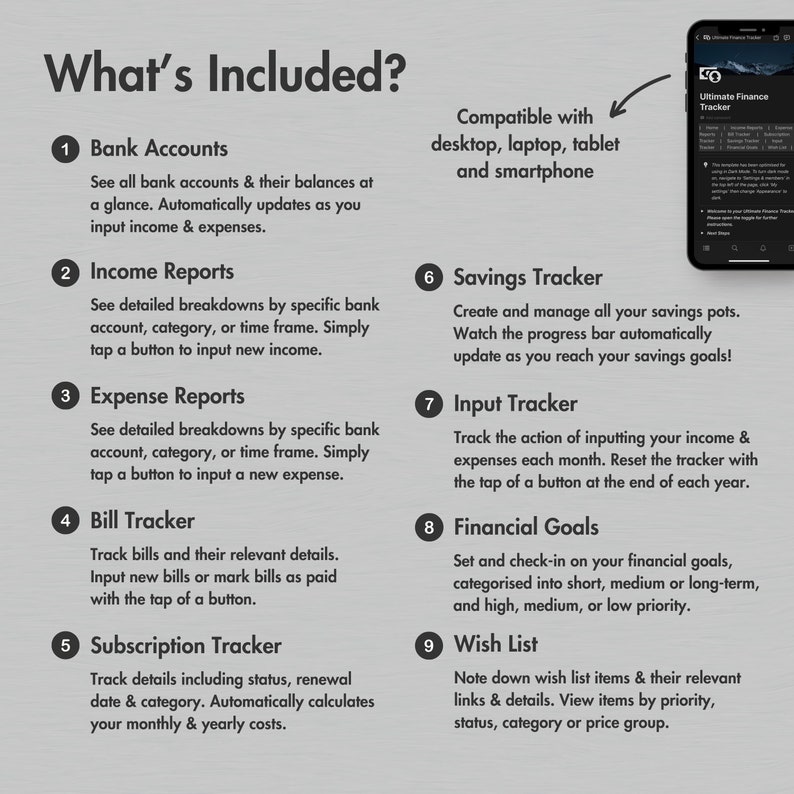
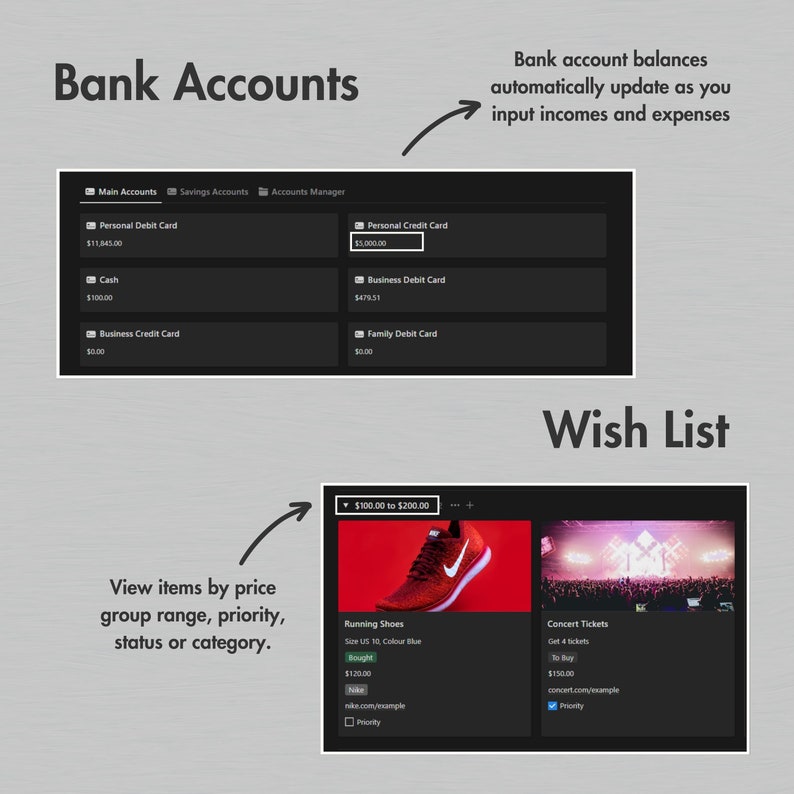
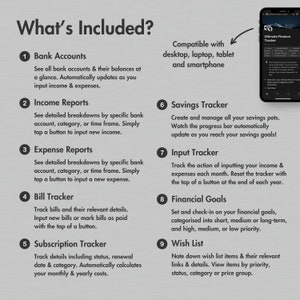
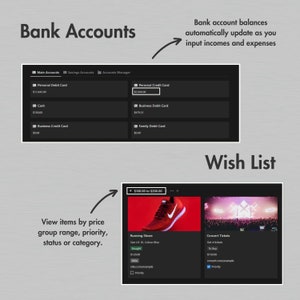
Bank Accounts
- See all your bank accounts and their balances at a glance.
- Automatically updates as you input incomes and expenses.
- Categorised into main accounts and savings accounts.
Income Reports
- See a detailed breakdown of your income.
- Option to view incomes by a specific bank account, income category, or time frame.
- Easily input new incomes with the tap of a button.
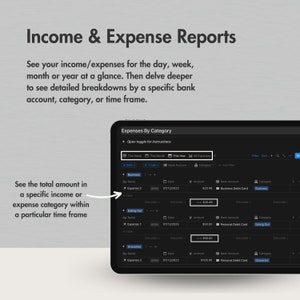
Expense Reports
- See a detailed breakdown of your expenses.
- Option to view expenses by a specific bank account, expense category, or time frame.
- Easily input new expenses with the tap of a button.
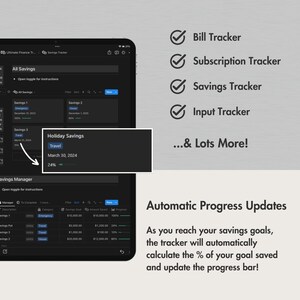
Bill Tracker
- Keep track of all your bills - including the amount, date due and whether you have paid it each month.
- Easily input new bills or mark existing bills as paid with the tap of a button.
Subscription Tracker
- Keep track of your subscriptions - including their status, renewal date, category and costs.
- Automatically calculates your monthly and yearly costs when you input the costs and whether the subscription is Monthly or Yearly.
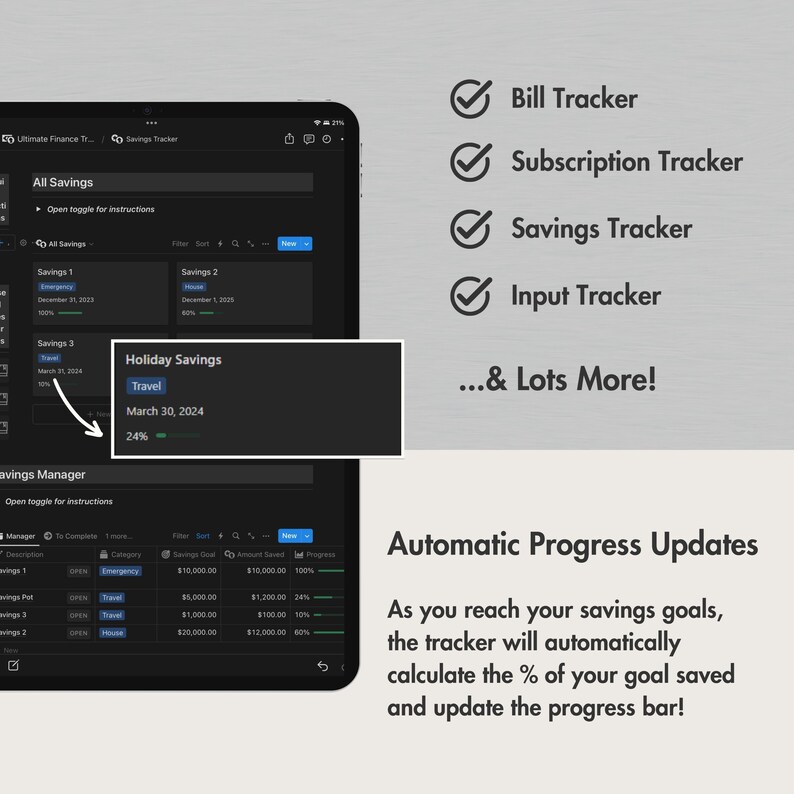
Savings Tracker
- Create and manage all your savings pots - including the category, savings goal, amount saved, and date to complete by.
- Watch the progress bar automatically progress as you reach your savings goals!
Input Tracker
- A place for you to track the action of inputting your income and expenses each month.
- Easily reset the tracker with the tap of a button at the end of each year.
Financial Goals
- Set and check-in on your financial goals, categorised into short, medium or long-term, and high, medium, or low priority.
- Easily input a new financial goal with the tap of a button.
Wish List
- Note down all the items you want to buy, and the relevant links and details to easily remember them when it’s time to make the purchase.
- View items by: All Items, Priority, To Buy, Bought, Category, and Price.
You will also get:
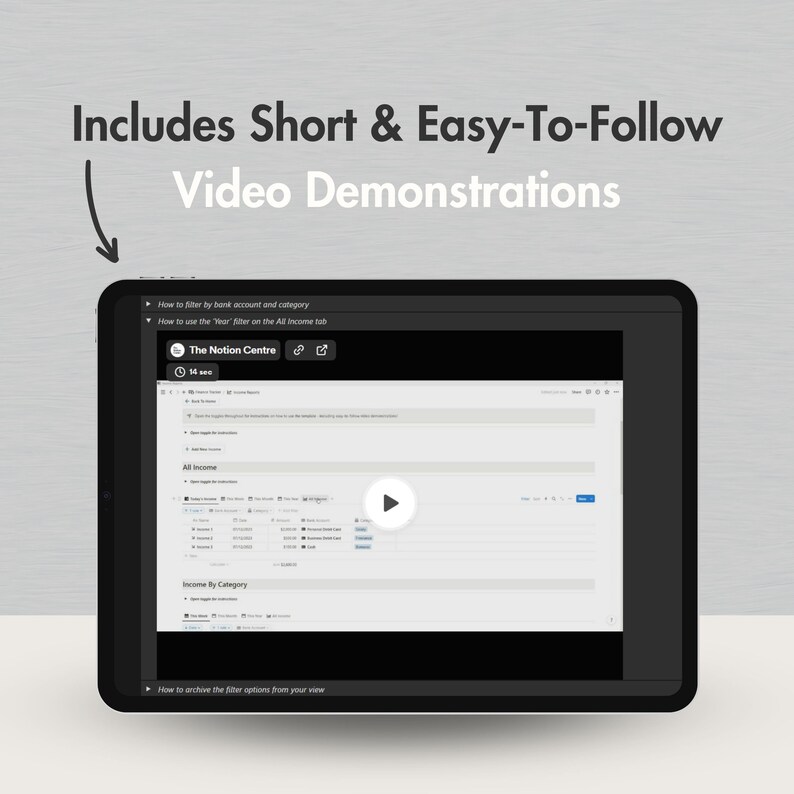
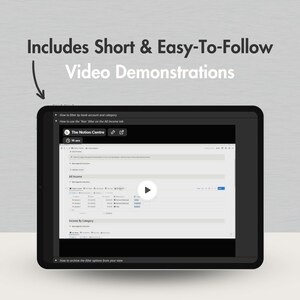
- Easy to follow video instructions throughout the template.
- PDF instructions on how to use the NEW Notion Calendar alongside the template.
- Access to all future updates to this template for FREE.
- Unlimited support from us!
**How Does It Work?**
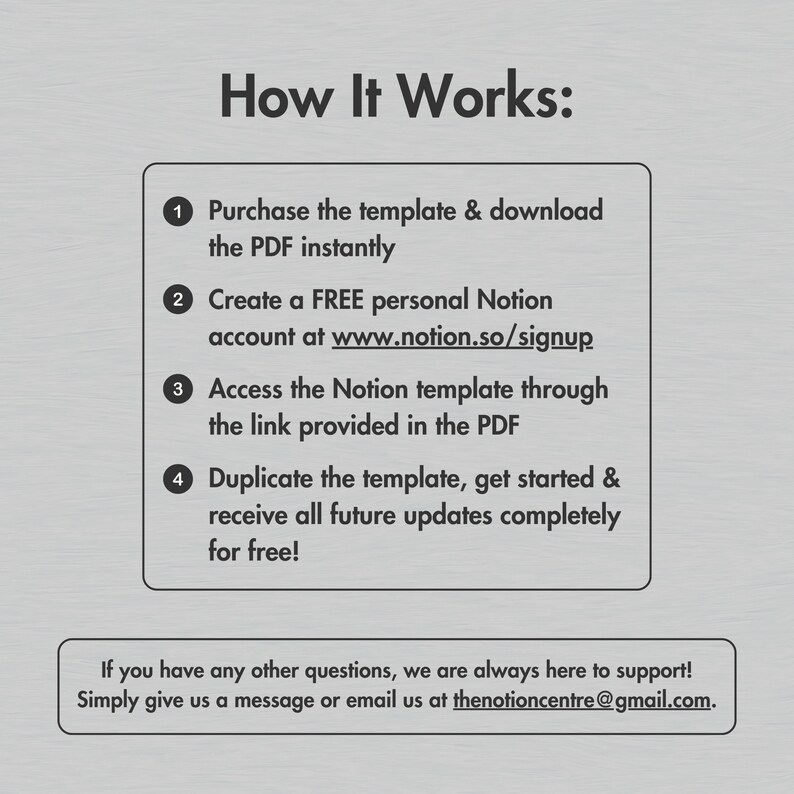
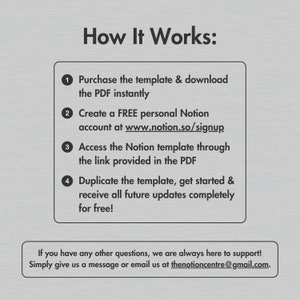
- Purchase the template and download the PDF instantly.
- Create a FREE personal Notion account at http://www.notion.so/signup.
- Access the Notion template through the link provided in the PDF.
- Duplicate the template, get started and receive all future updates completely for free!
**What You’ll Need:**
- A Notion account (free for personal use)
- Desktop, Laptop, Tablet or Smartphone to access Notion
- A basic understanding of how Notion works is useful (it’s very easy to use - check this out for more info: https://shorturl.at/hmtGM)
**Things To Note:**
- This template has been optimised for use in a Desktop or Laptop therefore may look different to the listing photos when used on smaller devices. However, the function of the template remains consistent with any device.
- This template only works with the Notion App or Notion Website. You will also need an internet connection to use it.
- This is a digital download, so no physical items will be sent after purchase.
- All materials are for personal use only. No part of these templates can be distributed, sold, reproduced or used in any form without the written permission of The Notion Centre.
If you have any other questions, please don’t hesitate to reach out and we’ll be more than happy to help! Simply send us a message or email us at thenotioncentre [!at] gmail.com.
Item review
All reviews are from verified buyers. This review is shown automatically based on factors like recency, whether it includes comments, your chosen language, and whether the rating reflects the typical experience with the shop.
“Would like it if savings could be automatically linked with 'expense' entries”
Etsy buyer
May 27, 2024
Price:$15.18
You can only make an offer when buying a single item
Delivery
Instant download
Your files will be available to download once payment is confirmed. Here's how.
Instant download items don't accept returns, exchanges or cancellations. Please contact the seller about any problems with your order.
Reviews for this item
Would like it if savings could be automatically linked with 'expense' entries
This tracker is ALMOST perfect. Just missing transfers. Not too big of a deal, just have to do an expense on one account and income on the other but it would be great if transfers were supported.
Great product. On hand and accurate.
Response from Fee
Thank you - we’re really happy to hear that you find the template useful!

As described and most of all it works perfectly! Im new to notion and this really helps
Response from Fee
We are so glad you enjoy the template! Thank you for your support :)
Seller's description
Specifications
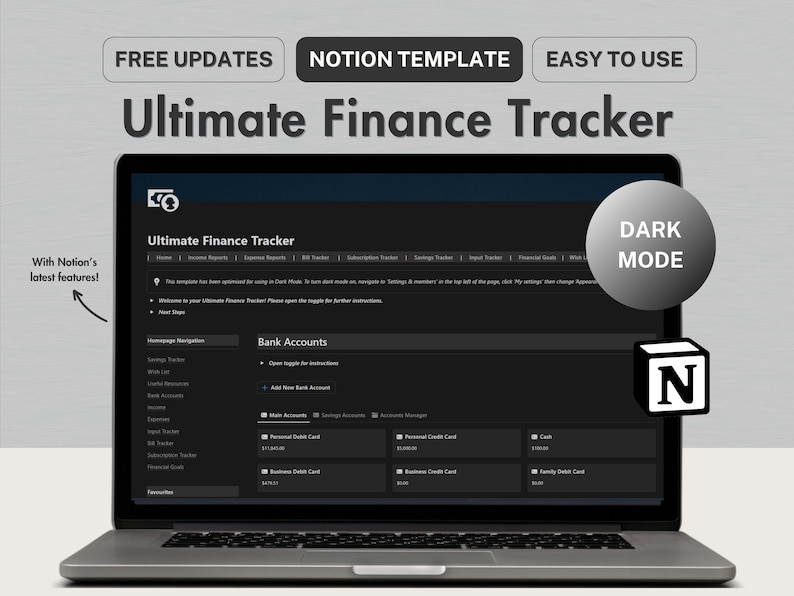
The Ultimate Finance Tracker is a thoughtfully-designed Notion template that helps you seamlessly manage everything related to your finances - including your income, expenses, bills, subscriptions, savings, goals and wish list. This digital planner is perfect for those looking to level up their finances and achieve their money goals!
View all the important information at a glance and input data into the tracker with the tap of a button, then delve deeper into the template to see more detailed breakdowns using the functional yet easy-to-use features of the planner.
BONUS: This template is regularly updated to maximise Notion’s latest features. Once purchased, you will receive all future updates to this template completely FREE!
In 2024, Notion launched their calendar app - Notion Calendar. Though not essential, it can make a great addition to your Notion experience so you will also receive full PDF instructions on how to use Notion Calendar alongside this template!
Also available in two more colours:
- Gray and white: https://www.etsy.com/listing/1625242998/notion-template-personal-finance-tracker
- Purple and white: https://www.etsy.com/listing/1626017790/notion-template-personal-finance-tracker
You might also like to check out the Ultimate Life Planner which includes everything in this template and so much more! Find it here: https://www.etsy.com/listing/1625166340/notion-template-ultimate-life-planner
**What Is Notion?**
Think of Notion as a digital hub where you can plan, create and organise documents, notes, to-do lists, and so much more, all within one workspace. It’s a powerful tool for both personal and professional use, providing an effective way to bring your thoughts and projects to life! It’s also completely free for personal use, and can be accessed through any device with an internet connection.
**What’s Included?**
Bank Accounts
- See all your bank accounts and their balances at a glance.
- Automatically updates as you input incomes and expenses.
- Categorised into main accounts and savings accounts.
Income Reports
- See a detailed breakdown of your income.
- Option to view incomes by a specific bank account, income category, or time frame.
- Easily input new incomes with the tap of a button.
Expense Reports
- See a detailed breakdown of your expenses.
- Option to view expenses by a specific bank account, expense category, or time frame.
- Easily input new expenses with the tap of a button.
Bill Tracker
- Keep track of all your bills - including the amount, date due and whether you have paid it each month.
- Easily input new bills or mark existing bills as paid with the tap of a button.
Subscription Tracker
- Keep track of your subscriptions - including their status, renewal date, category and costs.
- Automatically calculates your monthly and yearly costs when you input the costs and whether the subscription is Monthly or Yearly.
Savings Tracker
- Create and manage all your savings pots - including the category, savings goal, amount saved, and date to complete by.
- Watch the progress bar automatically progress as you reach your savings goals!
Input Tracker
- A place for you to track the action of inputting your income and expenses each month.
- Easily reset the tracker with the tap of a button at the end of each year.
Financial Goals
- Set and check-in on your financial goals, categorised into short, medium or long-term, and high, medium, or low priority.
- Easily input a new financial goal with the tap of a button.
Wish List
- Note down all the items you want to buy, and the relevant links and details to easily remember them when it’s time to make the purchase.
- View items by: All Items, Priority, To Buy, Bought, Category, and Price.
You will also get:
- Easy to follow video instructions throughout the template.
- PDF instructions on how to use the NEW Notion Calendar alongside the template.
- Access to all future updates to this template for FREE.
- Unlimited support from us!
**How Does It Work?**
- Purchase the template and download the PDF instantly.
- Create a FREE personal Notion account at http://www.notion.so/signup.
- Access the Notion template through the link provided in the PDF.
- Duplicate the template, get started and receive all future updates completely for free!
**What You’ll Need:**
- A Notion account (free for personal use)
- Desktop, Laptop, Tablet or Smartphone to access Notion
- A basic understanding of how Notion works is useful (it’s very easy to use - check this out for more info: https://shorturl.at/hmtGM)
**Things To Note:**
- This template has been optimised for use in a Desktop or Laptop therefore may look different to the listing photos when used on smaller devices. However, the function of the template remains consistent with any device.
- This template only works with the Notion App or Notion Website. You will also need an internet connection to use it.
- This is a digital download, so no physical items will be sent after purchase.
- All materials are for personal use only. No part of these templates can be distributed, sold, reproduced or used in any form without the written permission of The Notion Centre.
If you have any other questions, please don’t hesitate to reach out and we’ll be more than happy to help! Simply send us a message or email us at thenotioncentre [!at] gmail.com.
-
Item typeDigital download
-
Digital file type(s)2 PDF
If something goes wrong with an order, we've got your back on all eligible purchases. View program terms
Meet your seller

Usually responds in a few hours
More from this shop
-

Digital download
Notion Template Personal Finance Tracker Budget Planner, Notion Income And Expense Tracker, Notion Financial Planner, Notion Money Tracker
$15.18
-

Digital download
Notion Template Personal Finance Tracker Budget Template, Aesthetic Notion Financial Planner, Notion Digital Budget Tracker, Savings Tracker
$15.18
-
Digital download
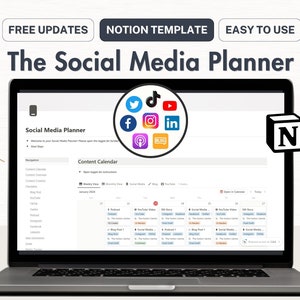
Notion Template Social Media Content Planner, Notion Content Calendar Template, Digital Marketing Planner, Notion Instagram Planner YouTube
$15.18
-
Digital download
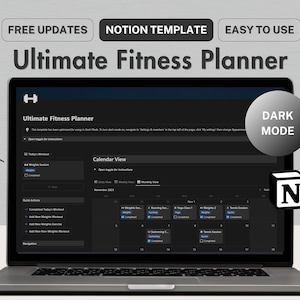
Notion Template Fitness Planner, Notion Workout Planner Fitness Tracker, Dark Mode Notion Weight Training Tracker, Notion Fitness Journal
$12.42
-

Digital download
Notion Template Student Planner All In One Notion Planner, Notion Academic Planner, Notion College Planner, Notion Student Digital Planner
$27.62
-

Digital download
Notion Template Fitness Planner, Notion Fitness Tracker Workout Planner, Notion Dashboard Health Wellness, Notion Gym Journal
$12.42
-

Digital download
Notion Template Personal Finance Tracker Budget Tracker | Income and Expense Tracker Notion Template | Notion Finance Tracker, Money Tracker
Sale Price $8.95
Original Price $12.79
-

Digital download
Notion Finance Tracker Template, Budget Planner (Digital Download)
Sale Price $8.98
Original Price $11.97
-
Digital download
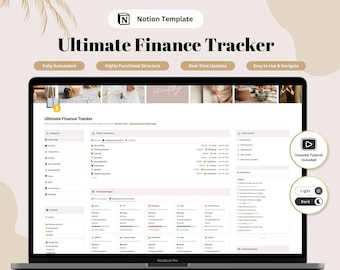
Notion Template, Ultimate Finance Tracker, Budget Tracker, Notion Personal, Income and Expense Tracker, Bill Tracker, Light and Dark Themes
$12.99
-

Digital download
Notion Finance Tracker Budget Tracker | Income and Expense Tracker Notion Template | Notion Finance Planner, Money Tracker
$22.10
-
Digital download
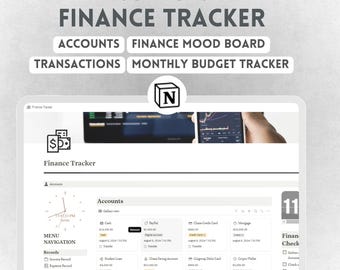
Notion Personal Finance Tracker Template | Budget & Expense Dashboard
Sale Price $3.50
Original Price $14.00
-

Digital download
Notion Finance Tracker | Notion Budget, Notion Dashboard, Ultimate Digital Finance Planner, Income Tracker, Personal Finance
Sale Price $3.46
Original Price $11.53
-

Digital download
Notion Template Personal Finance Tracker Budget Tracker | Income and Expense Tracker Notion Template | Notion Finance Tracker, Money Tracker
$33.42
-
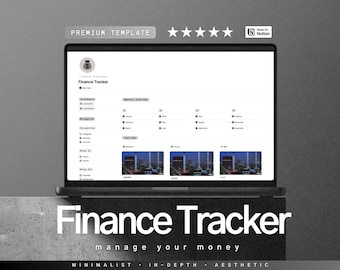
Digital download
Finance Tracker For Notion, Income, Expenses, Sinking Fund, Budgeting Planner
Sale Price $8.03
Original Price $12.74
-

Digital download
Notion Finance & Budget Tracker Template: Personal Finance Dashboard
Sale Price $9.95
Original Price $12.44
-
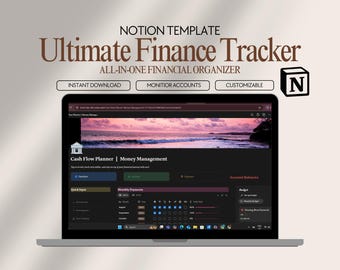
Digital download
Notion Personal Finance Tracker Template: Budget & Expense Management
Sale Price $9.68
Original Price $13.84
-
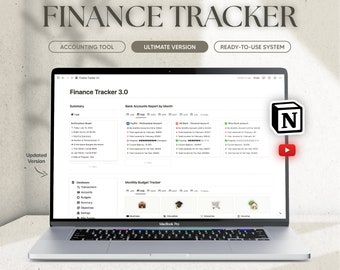
Digital download
Ultimate Finance Tracker 3.0 Notion Template, Managing Budget and Finance Planner, Monthly budget, Expense Tracker, Finance, Money, Business
Sale Price $6.92
Original Price $17.29
-
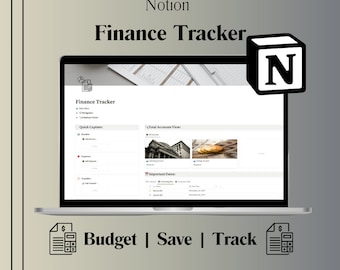
Digital download
Notion Finance Tracker Template: Ultimate Budget Planner
$15.98
Shoppers with similar taste loved these
-

Digital download
Google Sheets Budget Planner: Weekly, Monthly, & Paycheck Budget (Digital Download)
Sale Price $1.99
Original Price $3.99
-

Digital download
Annual & Monthly Budget Spreadsheet | Google Sheets and Excel Financial Planner Template | Monthly Income, Expense and Bill Tracker
Sale Price $12.56
Original Price $25.13
-
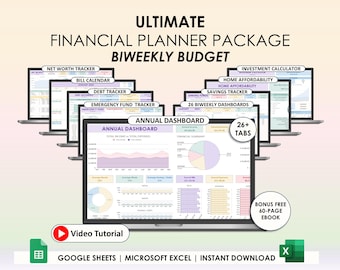
Digital download
Biweekly Paycheck Budget Spreadsheet Excel Google Sheets Fortnightly Budget Planner Debt Tracker Personal Tracker Savings Income Template
Sale Price $8.86
Original Price $22.16
-

Digital download
Debt Payoff Tracker Debt Snowball Excel Debt Avalanche Calculator Google Sheets Credit Card Loan Tracker Credit Card Payoff Mortgage Payment
Sale Price $5.13
Original Price $10.26
-
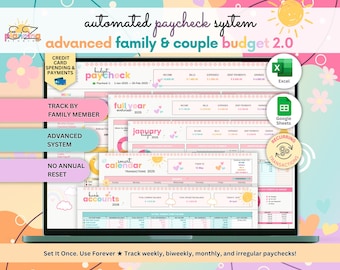
Digital download
Advanced Family & Couple Paycheck Budget Spreadsheet • ADHD-Friendly Google Sheets and Excel • Ongoing Income Expense Tracker by Member
Sale Price $13.71
Original Price $19.59
-
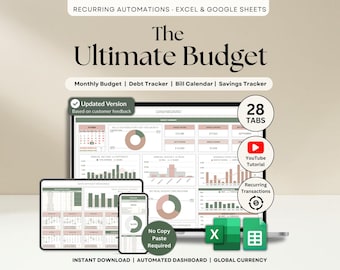
Digital download
Ultimate Annual Budget Spreadsheet Excel Google Sheets Budget Template Monthly Budget Tracker Financial Planner Bill Tracker Debt Tracker
Sale Price $10.26
Original Price $20.51
-
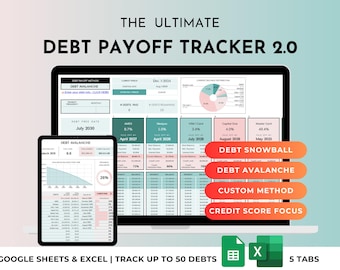
Digital download
Debt Payoff Tracker, Snowball Avalanche Calculator, Credit Card Tracker, Home Loan, Student Loan, Debt-Free Planner (Google Sheets & Excel)
Sale Price $5.95
Original Price $9.91
-
Digital download
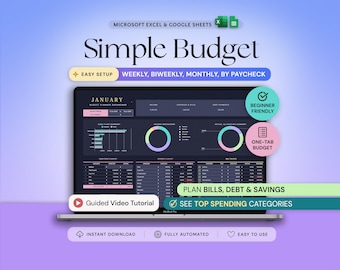
Budget Planner Excel Google Sheets Budget Spreadsheet Monthly Paycheck Budget Tracker Weekly Expense Budgeting Finance Spreadsheet Dark Mode
Sale Price $1.95
Original Price $2.79
-

Digital download
Budget Spreadsheet Bundle Google Sheets Annual Budget Monthly Biweekly Family Budget Tracker Financial Planner Bill Calendar Budget Planner
$16.95
-

Digital download
Paycheck Budget Spreadsheet Google Sheets Template for Monthly Weekly Biweekly Semi Monthly Budgeting, Income Expenses Subscription Tracker
Sale Price $1.71
Original Price $3.43
-

Digital download
Notion Template Personal Finance Tracker Budget Tracker Income Expense Tracker Business Notion Template Notion Finance Tracker Money Tracker
$12.67
-

Digital download
Notion Finance Tracker, Monthly Budget Template, Budgeting Financial Planner, Paycheck Budget, Savings, Bill, Expense
Sale Price $7.68
Original Price $12.79


