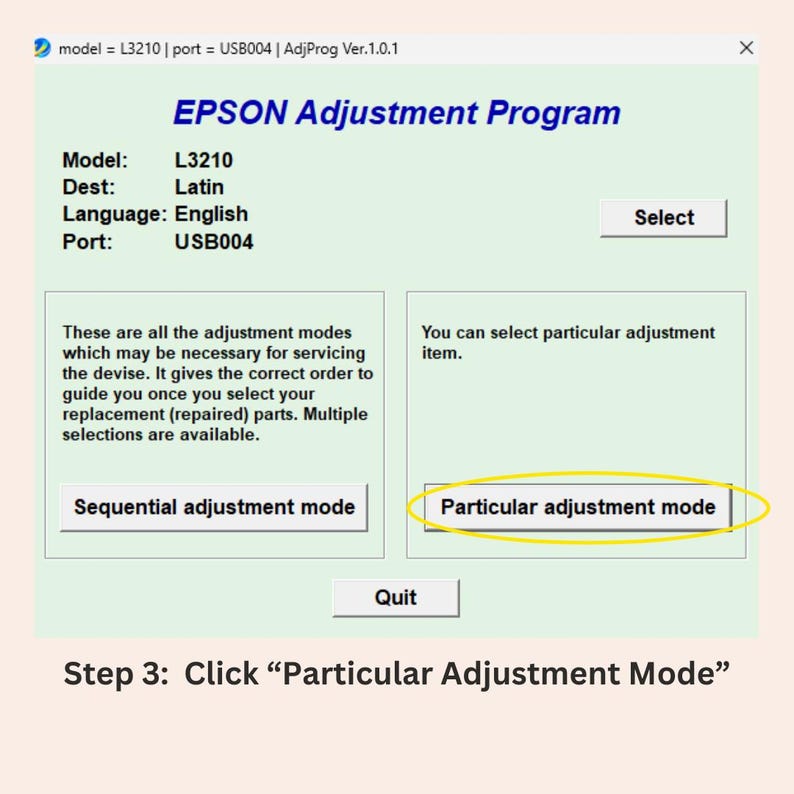
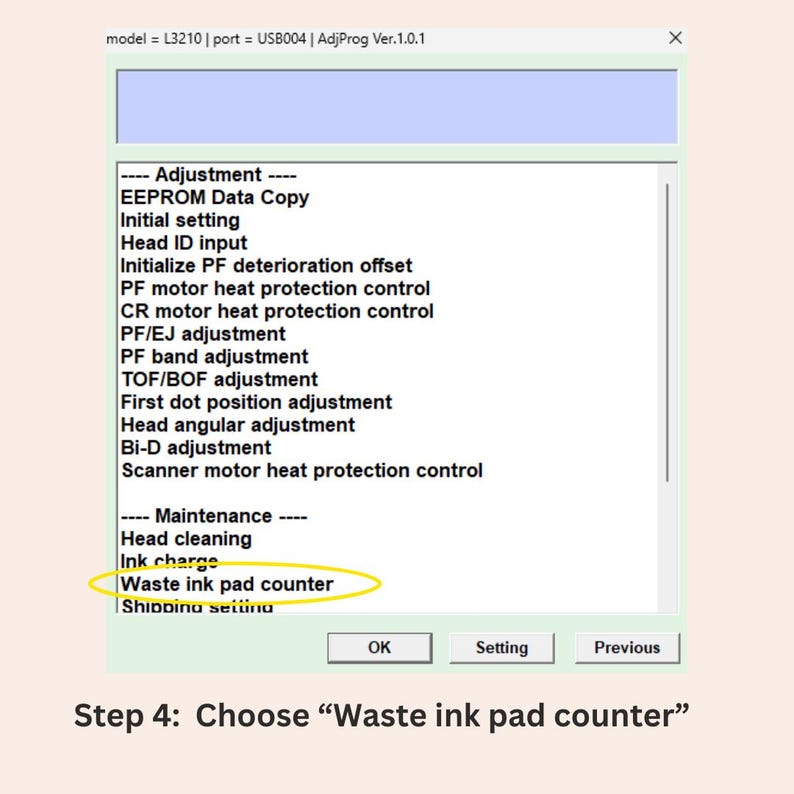
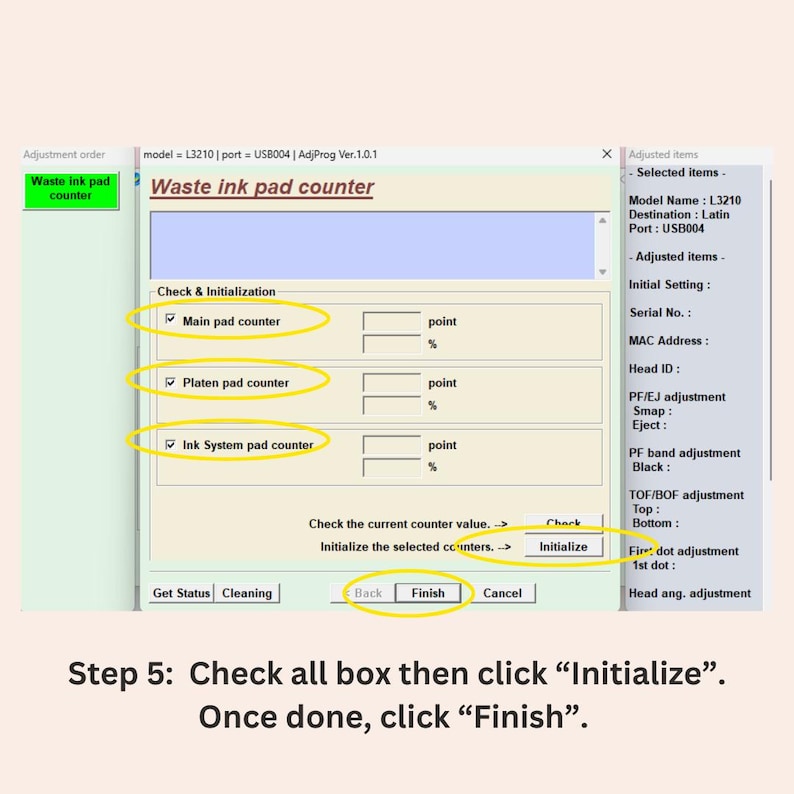





Epson Adjustment Program Resetter | Epson Waste Ink Pad Reset Utility | Printer Maintenance Software | Epson Error Reset Tool
Star Seller
Star Sellers have an outstanding track record for providing a great customer experience—they consistently earned 5-star reviews, shipped orders on time, and replied quickly to any messages they received.
Item highlights
Seller's description
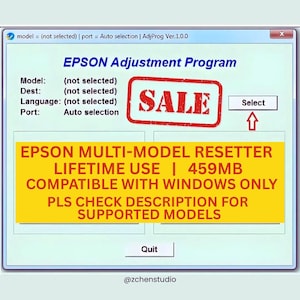
PLEASE READ THE DESCRIPTION CAREFULLY FOR THE LIST OF SUPPORTED PRINTERS AND IMPORTANT INFORMATION BEFORE PURCHASING. THIS IS A DIGITAL PRODUCT AND IS NON-REFUNDABLE.
AS LONG AS YOUR PRINTER MODEL IS INCLUDED IN THE SUPPORTED LIST AND YOU FOLLOW THE INSTRUCTIONS, THIS WILL WORK PERFECTLY FOR YOU.
--------------------------------------------------------------
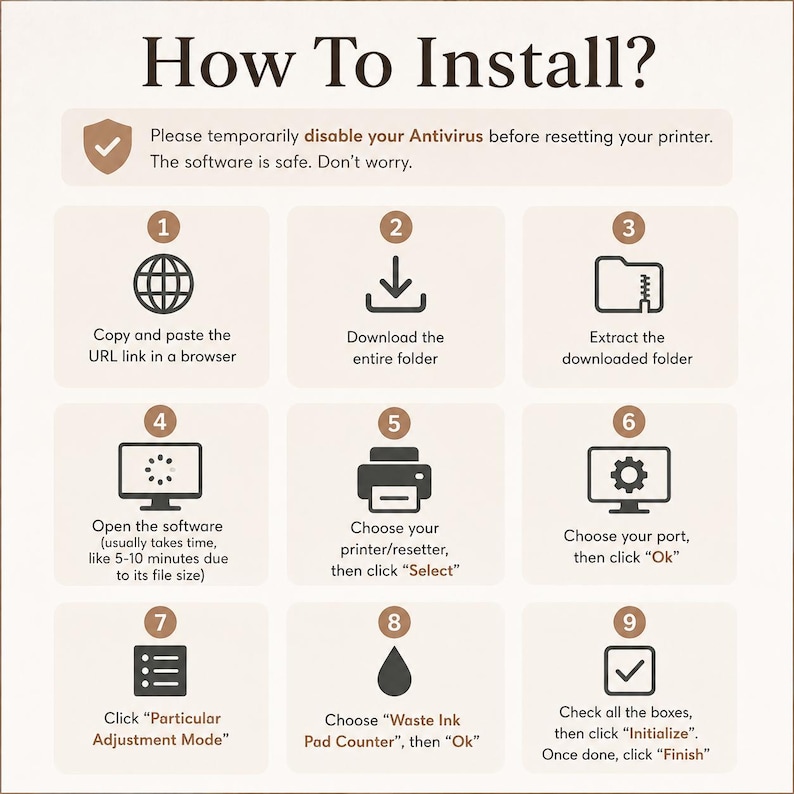
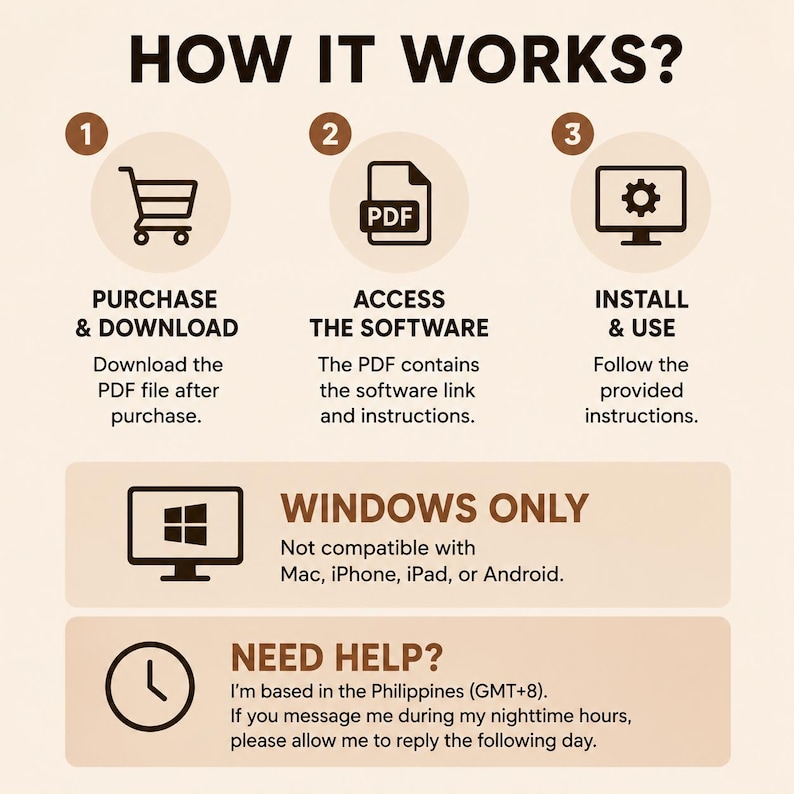
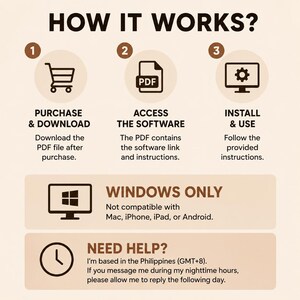
After purchase, you will receive a file containing information and a download link to access the software.
Important Note:
Some computers may show a false positive warning, especially if antivirus programs are active. This happens because third-party resetters modify printer settings and may be flagged as malware. This is normal. Simply proceed with the process, as this is safe and trusted.
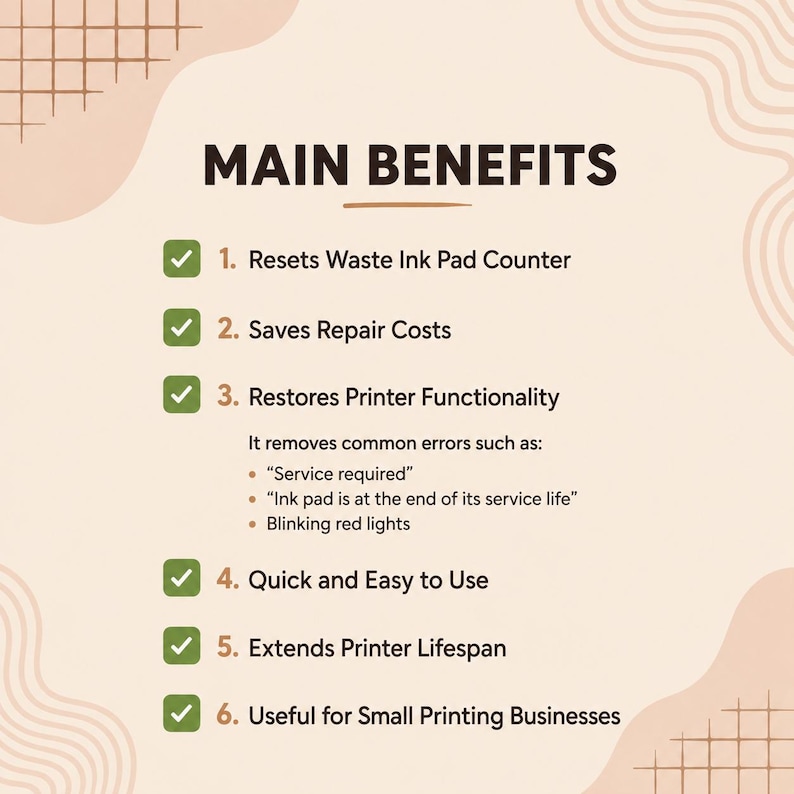
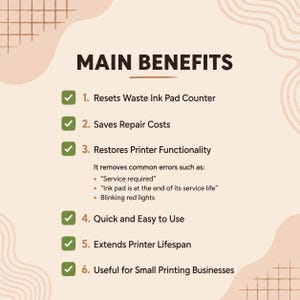
Main Benefits of Using an Epson Resetter / Adjustment Program
✅ Resets Waste Ink Pad Counter
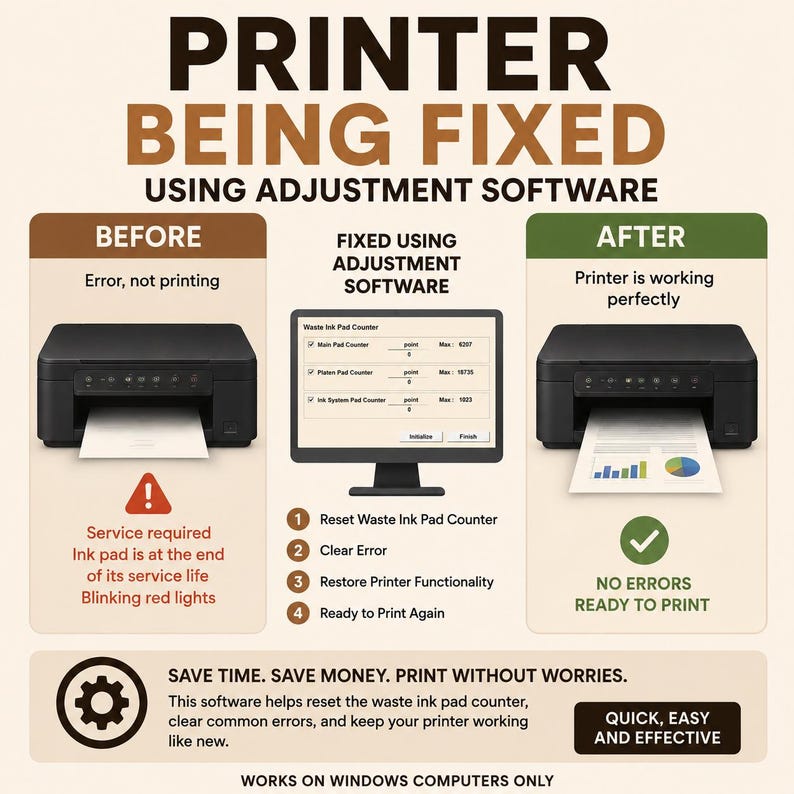
Epson printers stop working when the internal counter is full. This program resets it so your printer can function again.
✅ Saves Repair Costs
Avoid expensive service center fees or replacing your printer—fix it yourself at a low cost.
✅ Restores Printer Functionality
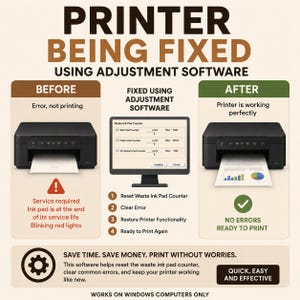
Resolves common errors such as:
• “Service required”
• “Ink pad is at the end of its service life”
• Blinking red lights
✅ Quick and Easy to Use
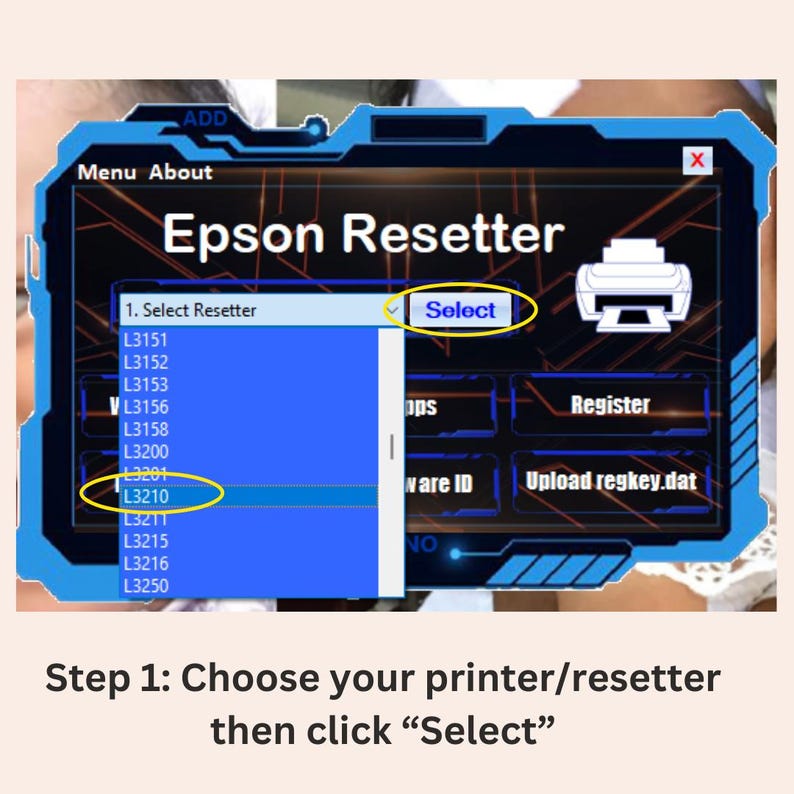
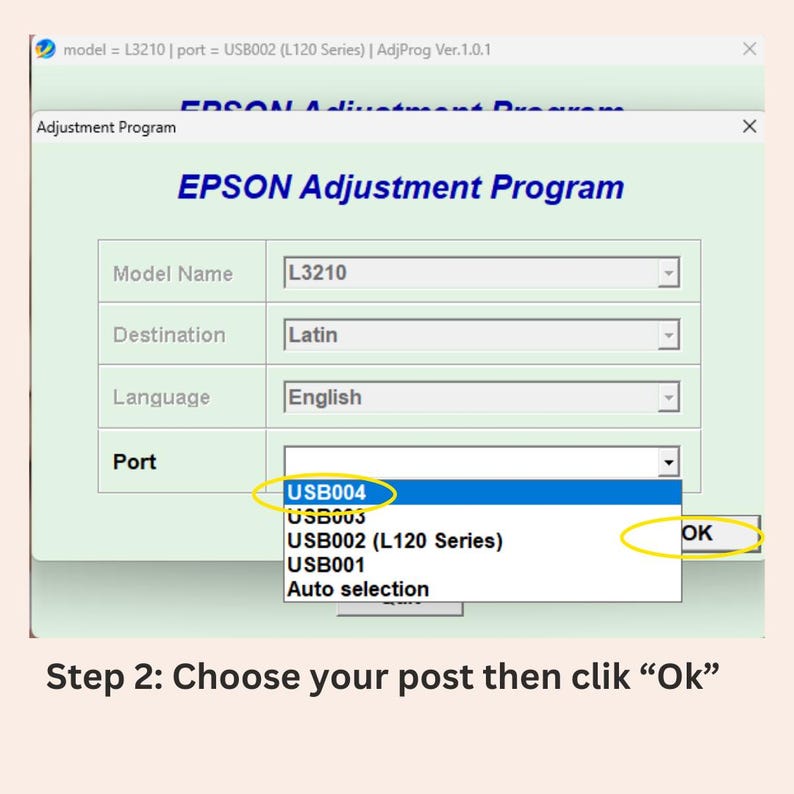
Simple steps with no advanced technical skills required.
✅ Extends Printer Lifespan
Continue using your printer longer by resetting internal limits.
✅ Helpful for Small Printing Businesses
Reduce downtime and keep your operations running smoothly.
⚠️ Reminder:
This program resets the counter but does not physically clean or replace the waste ink pads. For long-term use, cleaning the pads or installing an external waste ink tube is recommended.
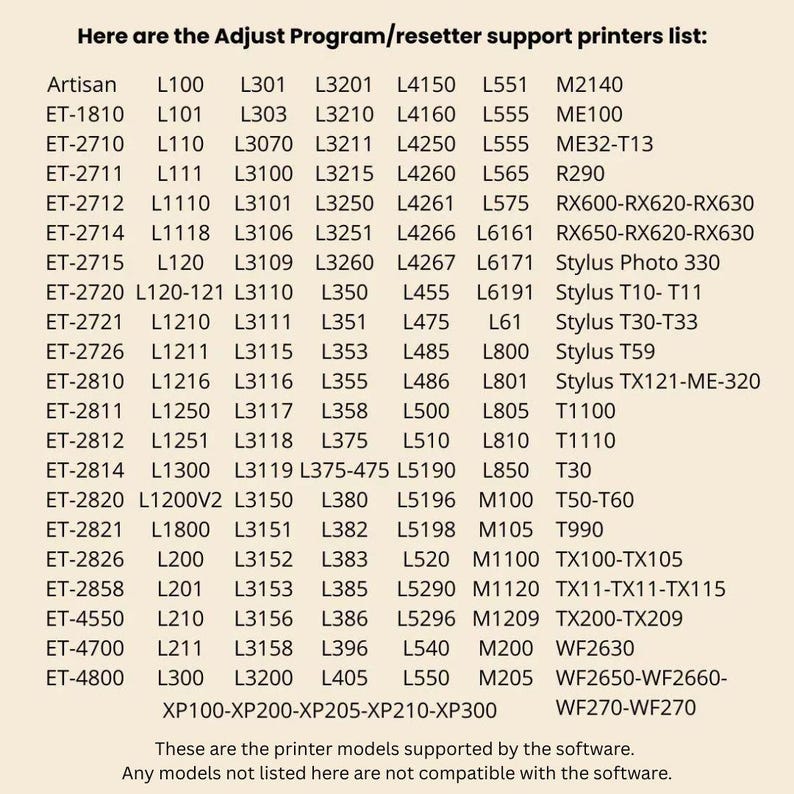
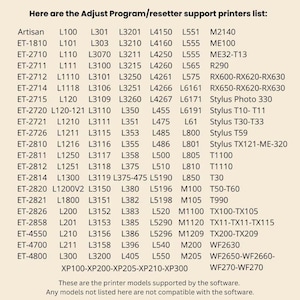
Supported Printer Models
EcoTank Series:
ET-1810, ET-2710, ET-2711, ET-2712, ET-2714, ET-2715, ET-2720, ET-2721, ET-2726, ET-2810, ET-2811, ET-2812, ET-2814, ET-2820, ET-2821, ET-2826, ET-2858, ET-4550, ET-4700, ET-4800
L Series:
L100, L101, L110, L111, L1110, L1118, L120, L120-121, L1210, L1211, L1216, L1250, L1251, L1300, L1200V2, L1800, L200, L201, L210, L211, L300, L301, L303, L3070, L3100, L3101, L3106, L3109, L3110, L3111, L3115, L3116, L3117, L3118, L3119, L3150, L3151, L3152, L3153, L3156, L3158, L3200, L3201, L3210, L3211, L3215, L3250, L3251, L3260, L350, L351, L353, L355, L358, L375, L375-475, L380, L382, L383, L385, L386, L396, L405, L4150, L4160, L4250, L4260, L4261, L4266, L4267, L455, L475, L485, L486, L500, L510, L5190, L5196, L5198, L520, L5290, L5296, L540, L550, L551, L555, L565, L575, L6161, L6171, L6191, L800, L801, L805, L810, L850
M Series:
M100, M105, M1100, M1120, M1209, M200, M205, M2140, ME100, ME32-T13
Other Models:
R290, RX600, RX620, RX630, RX650
Stylus Photo 330, Stylus T10, T11, T30, T33, T59, TX121, ME-320
T1100, T1110, T30, T50, T60, T990
TX100, TX105, TX110, TX115, TX200, TX209
WF2630, WF2650, WF2660, WF2700
XP100, XP200, XP205, XP210, XP300
Only the models listed above are supported. Any models not included are not compatible with this software.
Note:
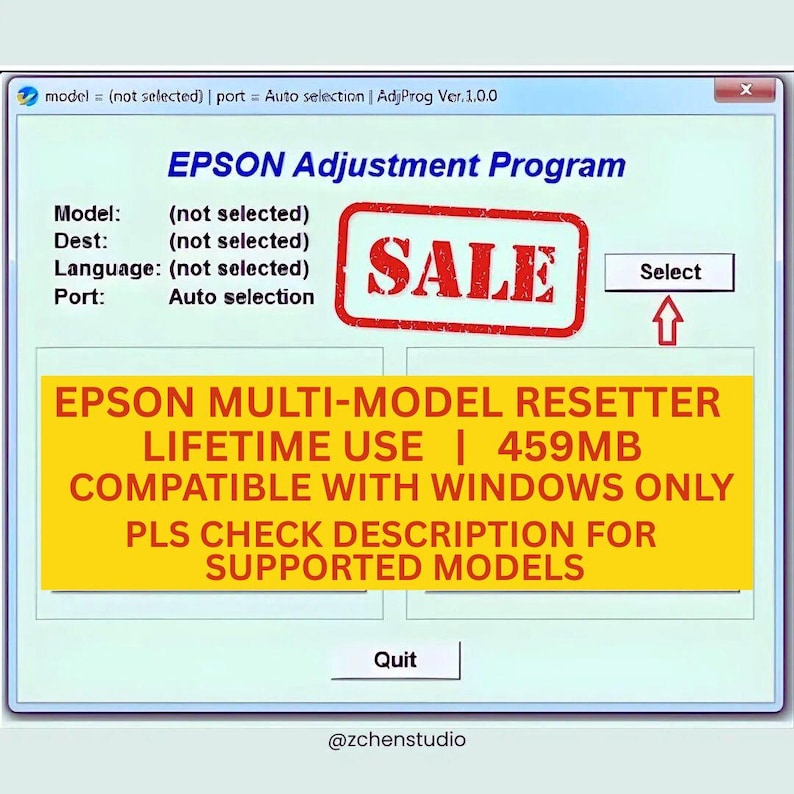
This Epson adjustment program is compatible with Windows operating systems only.
If you need any assistance, feel free to message me. I’m happy to help!
Only 3 left and in 7 carts
Price:$6.74
Original Price: $8.99
25% off
Limited time sale
You can only make an offer when buying a single item
Delivery
Instant download
Your files will be available to download once payment is confirmed. Here's how.
Instant download items don't accept returns, exchanges or cancellations. Please contact the seller about any problems with your order.
Reviews for this item

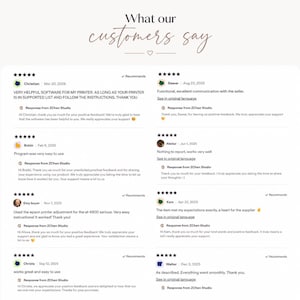
exactly what i was looking for. thank you
Response from ZChen Studio
Hi Jacey, we're glad to hear this. Thank you for the good words
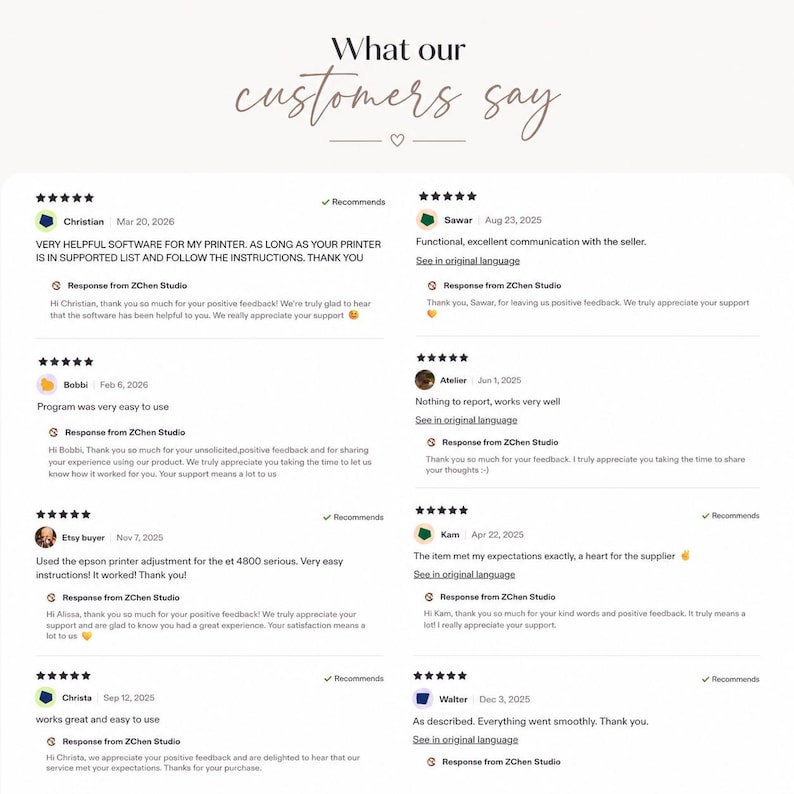
VERY HELPFUL SOFTWARE FOR MY PRINTER. AS LONG AS YOUR PRINTER IS IN SUPPORTED LIST AND FOLLOW THE INSTRUCTIONS. THANK YOU
Response from ZChen Studio
Hi Christian, thank you so much for your positive feedback! We’re truly glad to hear that the software has been helpful to you. We really appreciate your support 😊
Program was very easy to use
Response from ZChen Studio
Hi Bobbi, Thank you so much for your unsolicited,positive feedback and for sharing your experience using our product. We truly appreciate you taking the time to let us know how it worked for you. Your support means a lot to us

Used the epson printer adjustment for the et 4800 serious. Very easy instructions! It worked! Thank you!
Response from ZChen Studio
Hi Alissa, thank you so much for your positive feedback! We truly appreciate your support and are glad to know you had a great experience. Your satisfaction means a lot to us 💛
Seller's description
Specifications
PLEASE READ THE DESCRIPTION CAREFULLY FOR THE LIST OF SUPPORTED PRINTERS AND IMPORTANT INFORMATION BEFORE PURCHASING. THIS IS A DIGITAL PRODUCT AND IS NON-REFUNDABLE.
AS LONG AS YOUR PRINTER MODEL IS INCLUDED IN THE SUPPORTED LIST AND YOU FOLLOW THE INSTRUCTIONS, THIS WILL WORK PERFECTLY FOR YOU.
--------------------------------------------------------------
After purchase, you will receive a file containing information and a download link to access the software.
Important Note:
Some computers may show a false positive warning, especially if antivirus programs are active. This happens because third-party resetters modify printer settings and may be flagged as malware. This is normal. Simply proceed with the process, as this is safe and trusted.
Main Benefits of Using an Epson Resetter / Adjustment Program
✅ Resets Waste Ink Pad Counter
Epson printers stop working when the internal counter is full. This program resets it so your printer can function again.
✅ Saves Repair Costs
Avoid expensive service center fees or replacing your printer—fix it yourself at a low cost.
✅ Restores Printer Functionality
Resolves common errors such as:
• “Service required”
• “Ink pad is at the end of its service life”
• Blinking red lights
✅ Quick and Easy to Use
Simple steps with no advanced technical skills required.
✅ Extends Printer Lifespan
Continue using your printer longer by resetting internal limits.
✅ Helpful for Small Printing Businesses
Reduce downtime and keep your operations running smoothly.
⚠️ Reminder:
This program resets the counter but does not physically clean or replace the waste ink pads. For long-term use, cleaning the pads or installing an external waste ink tube is recommended.
Supported Printer Models
EcoTank Series:
ET-1810, ET-2710, ET-2711, ET-2712, ET-2714, ET-2715, ET-2720, ET-2721, ET-2726, ET-2810, ET-2811, ET-2812, ET-2814, ET-2820, ET-2821, ET-2826, ET-2858, ET-4550, ET-4700, ET-4800
L Series:
L100, L101, L110, L111, L1110, L1118, L120, L120-121, L1210, L1211, L1216, L1250, L1251, L1300, L1200V2, L1800, L200, L201, L210, L211, L300, L301, L303, L3070, L3100, L3101, L3106, L3109, L3110, L3111, L3115, L3116, L3117, L3118, L3119, L3150, L3151, L3152, L3153, L3156, L3158, L3200, L3201, L3210, L3211, L3215, L3250, L3251, L3260, L350, L351, L353, L355, L358, L375, L375-475, L380, L382, L383, L385, L386, L396, L405, L4150, L4160, L4250, L4260, L4261, L4266, L4267, L455, L475, L485, L486, L500, L510, L5190, L5196, L5198, L520, L5290, L5296, L540, L550, L551, L555, L565, L575, L6161, L6171, L6191, L800, L801, L805, L810, L850
M Series:
M100, M105, M1100, M1120, M1209, M200, M205, M2140, ME100, ME32-T13
Other Models:
R290, RX600, RX620, RX630, RX650
Stylus Photo 330, Stylus T10, T11, T30, T33, T59, TX121, ME-320
T1100, T1110, T30, T50, T60, T990
TX100, TX105, TX110, TX115, TX200, TX209
WF2630, WF2650, WF2660, WF2700
XP100, XP200, XP205, XP210, XP300
Only the models listed above are supported. Any models not included are not compatible with this software.
Note:
This Epson adjustment program is compatible with Windows operating systems only.
If you need any assistance, feel free to message me. I’m happy to help!
-
Designed by
-
UseSupplies for making crafts
-
Item typeDigital download
-
Digital file type(s)1 PDF
This seller consistently earned 5-star reviews, shipped orders on time, and replied quickly to messages.
If something goes wrong with an order, we've got your back on all eligible purchases. View program terms
Meet your seller

Usually responds in a few hours
Speedy replies Has a history of replying to messages quickly.
Rave reviews Average review rating is 4.8 or higher.
More from this shop
-
Digital download
Notepads, Digital Notepad, Planner Inserts, Printable Journal Pages, Creative Notes, Office Organizing, Printable Stationery
Sale Price $2.26
Original Price $3.01
-

Digital download
Spotify Photo Template, Canva Drag and Drop
Sale Price $2.17
Original Price $2.89
-

Digital download
Cat Daily Planner Notepad, Kawaii Memo Pad (Digital Download)
Sale Price $2.24
Original Price $2.99
-

Digital download
Floral Planner Cover, Botanical Journal Decoration (Digital Download)
Sale Price $2.24
Original Price $2.99
-

Digital download
Beige Notepad, Minimalist Notes Pad, Lined Writing Paper (Digital Download)
Sale Price $2.32
Original Price $3.09
-

Digital download
Birthday Number Photo Collage Template, Canva Frames (Digital Download)
Sale Price $1.87
Original Price $2.49
-
Digital download
Epson L1210 L3210 L3250 L3251 L3260 L5290 Resetter Software
$6.59
-
Digital download
Epson Resetter 1280-1290-1400-1410 C and R Series
$6.59
-
Digital download
Epson L395 Resetter
$4.94
-
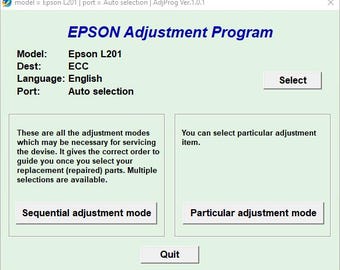
Digital download
Epson L201 Resetter
$4.94
-
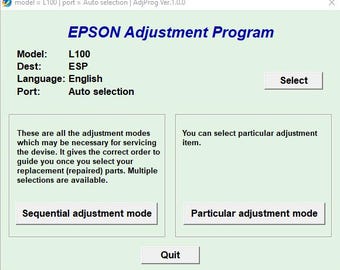
Digital download
Epson L100 Resetter
$4.94
-
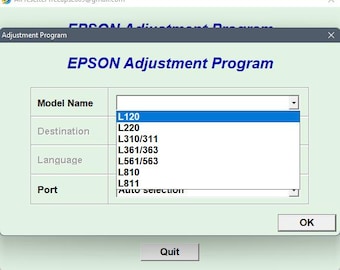
Digital download
Epson L120-L220-L310-L311-L361-L363-L561-L563-L810-L811 Resetters
$6.59
-
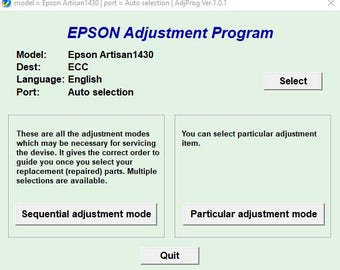
Digital download
Epson Artisan 1430 Resetter
$4.94
-
Digital download
Epson L375 and L475 Resetter
$5.27
-
Digital download
EPSON L805 RESETTER
$4.94
-
Digital download
Epson L1300 Resetter V1, V2, V3
$4.94
-
Digital download
Epson L1110 Resetter
$4.94
-
Digital download
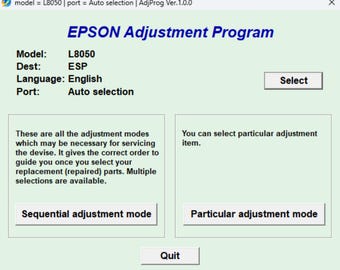
Epson L8050 Resetter Software
$4.94
Disclaimer: Etsy assumes no responsibility for the accuracy, labeling, or content of sellers' listings and products. Electrical or electronic products may pose a risk of fire or electrocution. Vintage, handmade, refurbished, or modified electrical or electronic products may not meet current safety standards and may not be in safe working order. Inspect carefully before use and message the seller if you have concerns relating to the product. Do not use a vintage electrical or electronic item if its safety cannot be verified. To reduce the risk of fire, never leave vintage electrical or electronic products plugged in unattended. See Etsy's Terms of Use for more information.
Shoppers with similar taste loved these
-
Digital download
HVAC Instagram Post Templates, Social Media Bundle (185 Canva Designs)
Sale Price $9.00
Original Price $18.00
-
Digital download
HVAC Flat Rate Price Book – 190 Services, A2L Ready 2026 Pricing, Good Better Best Tiers, Software Export, Excel & Google Sheets
$99.00
-

Digital download
GoHighLevel HVAC Funnels Pack Templates | HVAC Landing Pages for AC Repair, Heating & Cooling Services, GHLBooking Pages, Commercial | Home
$79.99
-
Digital download
HVAC Maintenance Forms Template, Heating Ventilation and Air Conditioning Services, HVAC Forms, HVAC Contract Invoice Checklist Agreement
Sale Price $6.66
Original Price $8.87
-
Digital download
HVAC Business AI Toolkit | 90 ChatGPT Prompts, 5 Automations (Digital Download)
$14.99
-
Digital download
GoHighLevel HVAC Website Template | GHL Funnel for Contractors, Lead Generation & Service Booking | HighLevel Snapshot for Local Business
Sale Price $34.50
Original Price $138.00
-

Personalized Waxed Canvas Messenger Bag for Dad – The Perfect Father’s Day Gift for Travelers and Professionals, Water Resistant Briefcase
Sale Price $79.92
Original Price $122.95
-

Premium Briefcase & Toiletry Bag Combo Set, Personalized Work Messenger Bag for College, 16 Inch Laptop Bag,Water-resistant Shoulder Bag.
Sale Price $49.99
Original Price $99.98
-

Personalized Canvas Laptop Messenger Bag: Groomsmen Gift, Monogram Option
$34.99
-

Personalized Briefcase Bookbag for College, 16 Inch Laptop Bag,Water-resistant Shoulder Bag, Premium Briefcase & Toiletry Bag Combo Set.
Sale Price $49.99
Original Price $99.98
-

Mens laptop bag canvas custom mens leather laptop bag personalized, mens messenger bag, canvas leather satchel for men, mens crossbody bag
$105.00
-

Waxed Canvas Messenger Bag, Graduation Gift for Med, Law School, Crossbody Laptop Bag, Water Resistant Briefcase, New Student Gift for Dad
Sale Price $79.92
Original Price $122.95


