



IEP Caseload Tracker | Excel & Google Sheets for Special Education Teachers | Goal Progress Service Minutes IEP Dashboard | Digital Download
In 6 carts
Price:$14.99
You can only make an offer when buying a single item
Highlights
Are you a special education teacher
or case manager drowning in IEP
deadlines, service minutes, goal
data, and parent communication?
This tracker puts your entire
caseload in one organized system
— and it runs itself.
━━━━━━━━━━━━━━━━━━━━━━
📦 WHAT YOU GET — BOTH VERSIONS!
━━━━━━━━━━━━━━━━━━━━━━
✔ Excel Version (.xlsx)
Download and use immediately
in Microsoft Excel or
upload to Google Drive.
Works on PC and Mac.
✔ Google Sheets Version (PDF)
Contains your instant access
link + step-by-step instructions
to make your own editable copy
in Google Sheets. Free Google
account required.
Use whichever version works
best for YOUR district!
━━━━━━━━━━━━━━━━━━━━━━
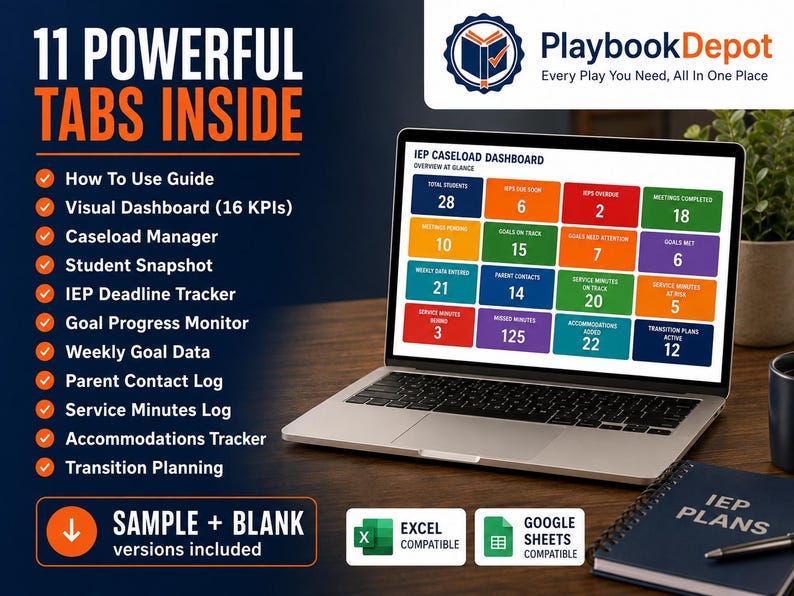
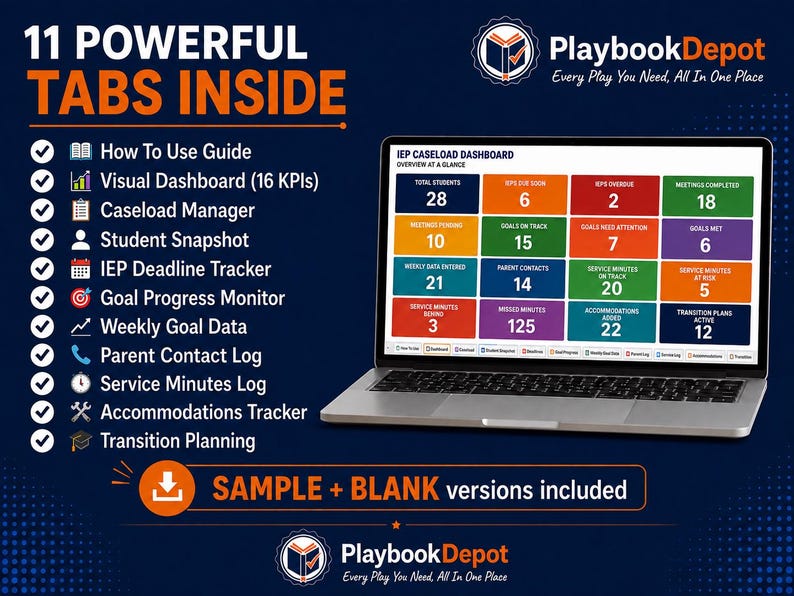
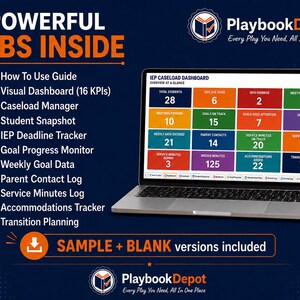
📊 11 POWERFUL TABS INSIDE
━━━━━━━━━━━━━━━━━━━━━━
✔ 📖 Tab 1: How To Use
Full setup guide, privacy
reminders, and instructions.
Start here before anything else.
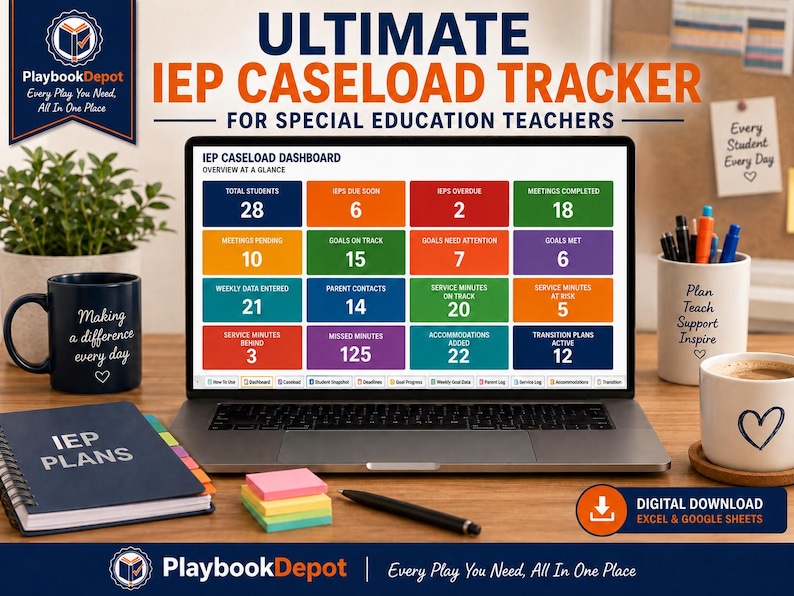
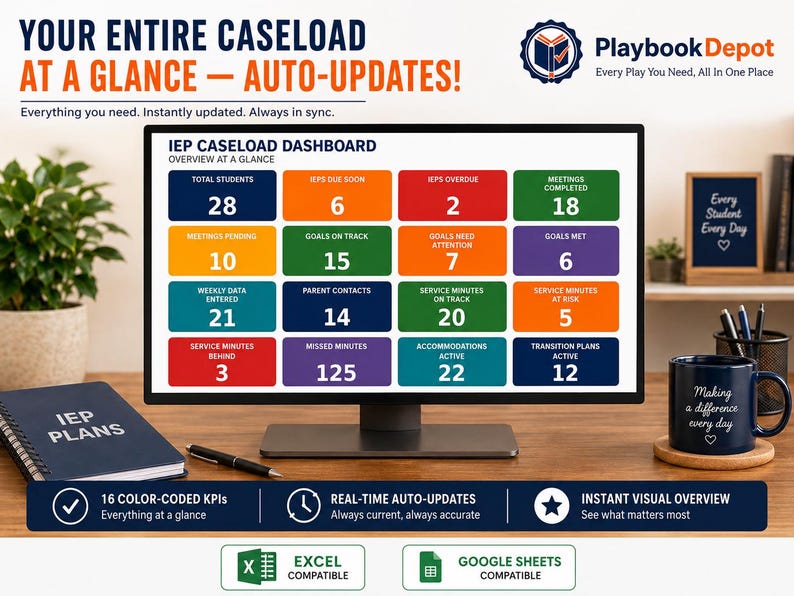
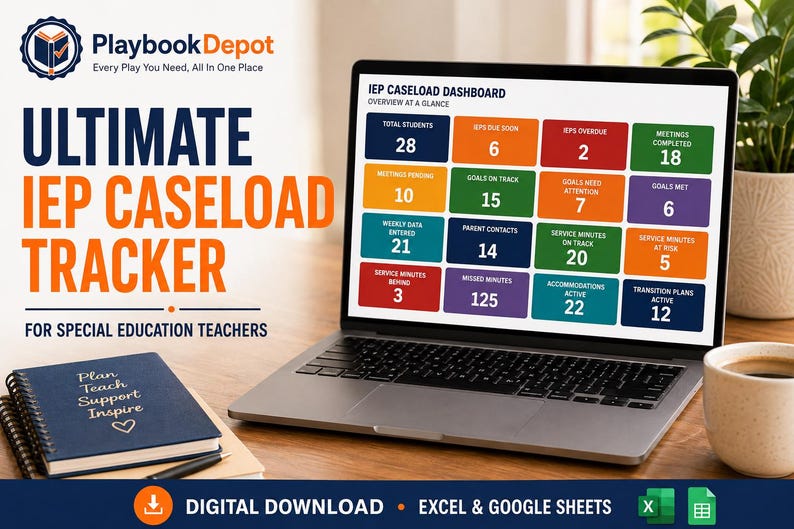
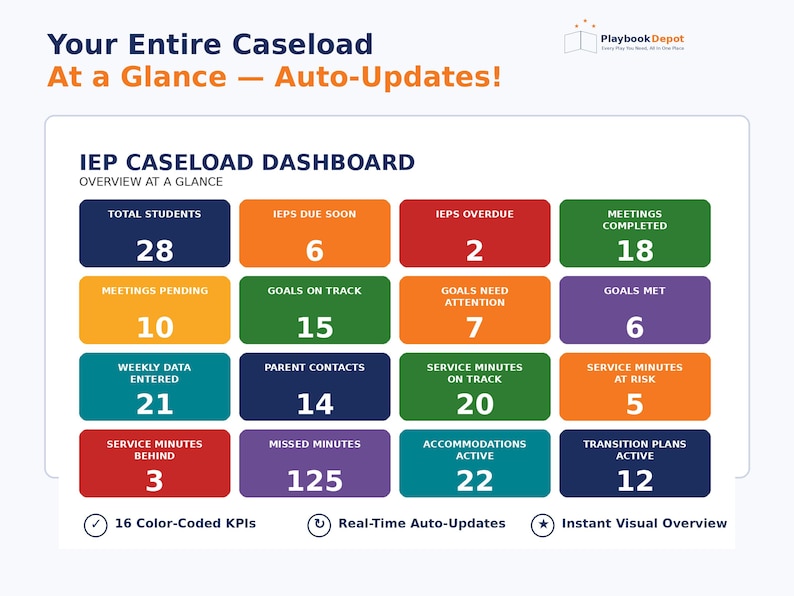
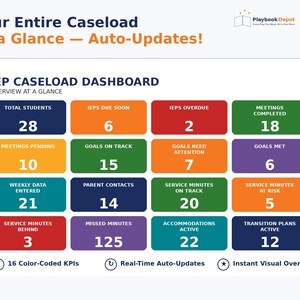
✔ 📊 Tab 2: Visual Dashboard
16 color-coded KPI boxes that
auto-update the moment you
enter data. See your entire
caseload status at a glance —
IEPs overdue, meetings this
month, goals at risk, services
behind, and more.
✔ 📋 Tab 3: Caseload Manager
All students in one place.
IEP dates auto-calculate days
remaining. Status color-codes
automatically: green, yellow,
orange, or red. Next action
fills in automatically.
✔ 👤 Tab 4: Student Snapshot
Complete at-a-glance profile
for every student. Strengths,
needs, services, accommodations,
goals, team members, and parent
notes — all in one place.
Perfect for IEP meetings.
✔ 📅 Tab 5: IEP Deadline Tracker
Track every meeting type with
an 11-column prep checklist.
Parent notice, teacher input,
provider input, goals drafted —
all tracked in one row.
✔ 🎯 Tab 6: Goal Progress Monitor
Quarterly progress for every
IEP goal with auto status.
Goal Met, Making Progress,
or Needs Attention —
auto-calculated every quarter.
✔ 📈 Tab 7: Weekly Goal Data
Ongoing data collection for
regular progress monitoring.
Data type dropdowns, prompt
level tracking, setting log,
evidence column, staff initials.
✔ 📞 Tab 8: Parent Contact Log
Every interaction documented.
Contact method dropdowns,
follow-up tracking, and
auto summary stats at bottom.
✔ ⏱️ Tab 9: Service Minutes Log
Daily and weekly service
tracking. Missed minutes
auto-calculate. Reason missed
dropdowns. Make-up minutes log.
Compliance status auto-fills.
✔ 🛠️ Tab 10: Accommodations
All accommodations logged by
type, setting, staff responsible,
start date, review date, and
implementation status.
✔ 🎓 Tab 11: Transition Planning
IDEA-aligned transition planning
for students 16+. Post-secondary,
employment, and independent
living goals tracked.
━━━━━━━━━━━━━━━━━━━━━━
🎯 WHO THIS IS FOR
━━━━━━━━━━━━━━━━━━━━━━
✔ Special education teachers
at any grade level
✔ IEP case managers
✔ Resource room and SDC teachers
✔ Inclusion and co-teachers
✔ High school SPED teachers
managing transition planning
✔ New SPED teachers who need
an organized system from Day 1
━━━━━━━━━━━━━━━━━━━━━━
⚡ HOW TO ACCESS
━━━━━━━━━━━━━━━━━━━━━━
EXCEL VERSION:
1. Download the .xlsx file
2. Open in Microsoft Excel
or upload to Google Drive
3. Start on the How To Use tab
4. Replace sample data with
your own students
5. Use INITIALS only —
never full names!
GOOGLE SHEETS VERSION:
1. Download the PDF file
2. Click the Google Sheets
link inside the PDF
3. File → Make a Copy →
Save to your Google Drive
4. Your personal editable
copy is ready instantly!
5. Access the Google Sheet on your phone using the QR code
━━━━━━━━━━━━━━━━━━━━━━
💻 COMPATIBILITY
━━━━━━━━━━━━━━━━━━━━━━
✔ Microsoft Excel (all versions)
✔ Google Sheets (free)
✔ Excel Online
✔ Works on PC, Mac, tablet
and mobile
✔ Access from anywhere!
━━━━━━━━━━━━━━━━━━━━━━
🏆 WHY PLAYBOOKDEPOT
━━━━━━━━━━━━━━━━━━━━━━
Built by Mauricio — a community
college counselor, dual enrollment
professor, and educator with 14+
years of experience supporting
students across Southern California.
M.S. in Educational Counseling.
Real schools. Real caseloads.
Real experience.
━━━━━━━━━━━━━━━━━━━━━━
⚖️ PROFESSIONAL USE NOTE
━━━━━━━━━━━━━━━━━━━━━━
This tracker is a communication
support tool for educator planning
purposes only. It does not replace
licensed professional judgment,
official IEP documents, district
systems, legal guidance, or required
professional training. Always follow
your school, district, state, and
federal laws and regulations.
PlaybookDepot assumes no
responsibility for outcomes from
use of this material.
━━━━━━━━━━━━━━━━━━━━━━
📥 WHAT YOU GET
━━━━━━━━━━━━━━━━━━━━━━
✔ Excel file (.xlsx) —
download and use immediately
✔ Google Sheets access PDF —
instant link + instructions
✔ 11 fully organized tabs
✔ Auto-calculating formulas
✔ Color-coded status system
✔ Works in Microsoft AND Google
✔ Instant digital download
✔ Lifetime access
━━━━━━━━━━━━━━━━━━━━━━
📌 PLEASE NOTE
━━━━━━━━━━━━━━━━━━━━━━
Digital download only. No physical
product will be shipped. Google
Sheets version requires a free
Google account. All sales final.
Questions before purchasing?
Message us — happy to help!
────────────────────────────
⚠️ GETTING STARTED WITH YOUR TRACKER
────────────────────────────
This workbook includes sample data to show you how the
dashboard, formulas, and automated calculations work.
1. Go to File → Save a Copy before entering your own
data so you always have a clean master backup of
this tracker.
2. Delete the sample entries in the white and yellow
input cells only — such as student initials, dates,
and settings.
3. Do not delete or type over columns marked with
"(Auto)" such as Sessions Held, Attendance Rate,
Grade %, or Growth. These cells contain the formulas
that make the tracker update automatically.
Welcome to PlaybookDepot.
Every Play You Need,
All In One Place. 🏪
Instant Download
Your files will be available to download once payment is confirmed. Here's how.
Instant download items don’t accept returns, exchanges or cancellations. Please contact the seller about any problems with your order.
Etsy Purchase Protection
Shop confidently on Etsy knowing if something goes wrong with an order, we've got your back for all eligible purchases —
see program terms

Reviews for this item
I love how this product keeps everything in one place instead of having to use separate spreadsheets. The automatic tracking makes it so much easier to stay on top of things. Very useful product, would recommend.
File has many options for tracking SPED related information. Can be a little overwhelming, but saves a lot of time and effort building your own software.
Response from Mauricio
Thank you so much, Leann! I truly appreciate you taking the time to leave a review. You’re right—it includes a lot because it was designed to cover the information SPED teachers manage throughout the year. I appreciate your feedback about the initial learning curve, and I’m continuing to improve the getting-started guidance to make the setup experience even easier. I’m always happy to help if you have questions—please feel free to message me anytime. Thank you again for supporting my small shop!

Speedy replies Has a history of replying to messages quickly.
More from this shop
Visit shop-

Digital download
Special Education Teacher Resource Bundle | 30 Ready-to-Use Playbooks for SPED Teachers | IEP Meetings | Digital Download PDF
$7.99
-
Digital download
504 and IEP Compliance Support Tracker | Accommodation Log & Annual Review Date Spreadsheet | 50 Student Caseload | Excel and Google Sheets
$14.99
-

Digital download
IEP Goal Progress and Data Tracker | Student Goal Bank, Session Data Log, Quarterly Reports, Progress Dashboard | Excel & Google Sheets
$14.99
-

Digital download
Searchable IEP Counseling Goal Bank | 241 Editable Goal Templates | Interactive HTML Tool | School Counselor Special Education Resource
$12.99
-

Digital download
IEP Dashboard Google Sheet | Special Education Data Tracker, SPED Goal & Behavior Log, Progress Monitoring
$15.99
-

Digital download
IEP Dashboard: SPED Google Sheets Log - Student Goal Tracker, Behavior, Support, Progress (Digital Download)
$15.99
-

Digital download
IEP Dashboard: SPED Google Sheets Log - Student Goal Tracker, Behavior, Support, Progress (Digital Download)
$15.99
-
Digital download
Custom IEP Dashboard: Google Sheets Template for Schools (Digital Download
$18.99
-

Digital download
IEP Progress Tracker Special Education Google Sheets Multi Student Goals Data Dashboard IEP Meetings Parent Conferences Teachers BCBA Slp
Sale Price $8.40
Original Price $12.00
-

Digital download
Digital IEP Caseload Goal Data Tracker | Google Sheet™ Template
$5.00
-

Digital download
Secondary IEP Goal Tracker: SPED Google Sheets Transition, Goals and Skills (Digital Download)
$15.99
-
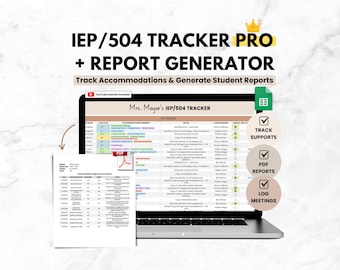
Digital download
Student IEP Accommodation Tracker Teacher Spreadsheet | IEP 504 Tracker for Google Sheets | SPED Caseload Planner & Log for Organization
$14.99
-
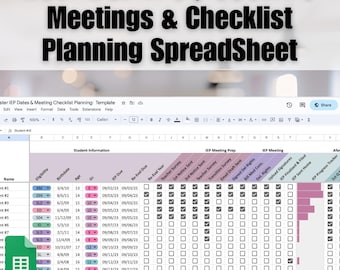
Digital download
IEP Caseload Tracker Google Sheets | Special Education Meeting Planner Checklist | SPED Progress Monitoring | Editable Teacher Spreadsheet
Sale Price $5.24
Original Price $6.99
-
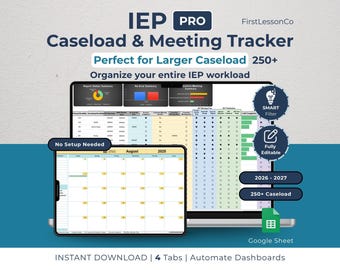
Digital download
IEP Caseload Tracker PRO for Special Education | Google Sheets SPED Tracker | Re-Eval & Transition | Large Caseload updated(250+ Students)
$9.99
-
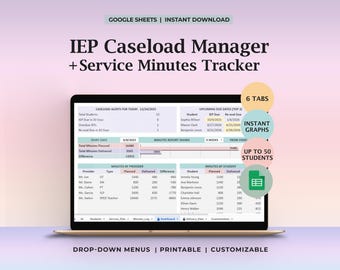
Digital download
IEP Caseload Tracker Service Minutes Dashboard Special Education Compliance Due Dates Reeval Dates Weekly Service Log Planned vs Delivered
Sale Price $12.60
Original Price $18.00
-

Digital download
Special Ed Planner & IEP Data Tracker Spreadsheet | Google Sheets Template for Special Education Teachers
$22.95
Shoppers with similar taste loved these
-
Digital download
IEP Progress Tracker Special Education Google Sheets Multi Student Goals Data Dashboard IEP Meetings Parent Conferences Teachers BCBA Slp
Sale Price $8.40
Original Price $12.00
-

Digital download
Honey Bee Themed Classroom Decor Bundle | Calming Wildflower Classroom | Bee Classroom Decor Neutral Classroom Decor Class Decor
$29.97
-
Digital download
RTI MTSS Data Binder | Student Intervention Tracking | Printable Teacher Toolkit (Digital Download)
$10.99
-

Digital download
BEE THEME CLASSROOM Decor Bundle, Printable Honeybee Theme Classroom Decor, Preschool, Kindergarten, Primary Classroom, Back to School
$27.00
-

Digital download
Special Education Classroom Resources Bundle, Visual Communication, Autism Supports, IEP Organization, Self-Contained Teacher Planner
$125.00
-

Digital download
SPED Teacher Command Center | IEP Goals, Caseload, Behavior Tracker (Google Sheets/Excel)
$50.00
-

Digital download
Teacher Planner Classroom Organizer Weekly Planning Teacher Monthly Calendar Student Lesson Plan Template Spreadsheet Google Sheets
Sale Price $6.99
Original Price $13.98
-
Digital download
IEP Dashboard Google Sheet | Special Education Data Tracker, SPED Goal & Behavior Log, Progress Monitoring
$15.99
-

Personalized Special Education Teacher Sweatshirt with Puzzle - Personalized Teacher Quarter Zip - Teacher Name Pullover - Autistic Teacher
$28.00
-

Life Skills Task Boxes (set two) - with 1 carrying case
$199.00
-

Digital download
Printable Bulletin Board Letters: 3 & 5 Inch DIY Sets (PDF)
$3.50
-

Navy Blue Reusable Large Wall Calendar | Undated | 16 x 20 inches | Erasable Paper Calendar | Monthly Wall Planner | Perpetual Calendar
$85.00


