








Price:$6.99
Claude MCP Setup Guide: No Terminal Required
You can only make an offer when buying a single item
Highlights
You want to supercharge Claude with custom tools and integrations, but the thought of opening a terminal makes your stomach turn. You're not a developer. You don't want to learn command-line syntax just to unlock Claude's full potential. This guide solves that problem.
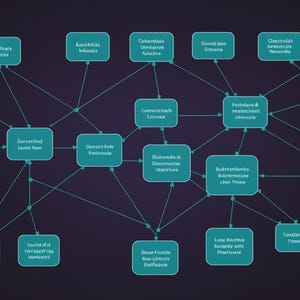
MCP-Model Context Protocol-is the bridge between Claude Desktop and powerful external services: databases, APIs, file systems, web tools. Right now, you're leaving money and productivity on the table by not using it. But setup shouldn't require a computer science degree.
Inside this guide, you'll find:
• A plain-English explanation of what MCP actually is and why it matters to your workflow
• Step-by-step visual walkthrough of Claude Desktop settings (no jargon, no terminal)
• How to use Smithery.ai to discover, evaluate, and install servers in minutes
• Four starter MCP servers pre-selected for immediate, real-world value
• Verification checklist to confirm everything is connected and working
• A quick workflow (under 10 minutes) to build your first MCP-powered memory base
• Troubleshooting for common connection issues
• Next steps: how to add more servers as your confidence grows
You'll learn how MCP servers actually work behind the scenes-not the technical details, but the *practical* mental model that helps you choose and configure the right ones for your use case. No terminal. No code. No fluff.
By the end, you'll have Claude connected to at least four functional MCP servers, a clear understanding of how to expand that setup, and a working memory system that makes every future Claude conversation smarter and more contextual.
This is for creators, productivity enthusiasts, and AI-tool users who want Claude to work *for* them-not against them. If you've felt locked out of MCP's power because setup looked too technical, this guide is your on-ramp.
About this product
NeuraGrowth is an AI-assisted, human-curated digital studio made in Poland. Concept, structure, and final pass on every product are human-directed. Drafting, layout, illustration, and image rendering use generative AI tools (Claude by Anthropic, Stability AI, Ideogram, DALL-E, Gemini, and FLUX), selected per task for the best output. We don't auto-publish. Every file passes hands-on review before it goes live.
Instant Download
Your files will be available to download once payment is confirmed. Here's how.
Instant download items don’t accept returns, exchanges or cancellations. Please contact the seller about any problems with your order.
Etsy Purchase Protection
Shop confidently on Etsy knowing if something goes wrong with an order, we've got your back for all eligible purchases —
see program terms

More from this shop
Visit shop-

Digital download
Claude MCP Obsidian Setup Guide | Connect Desktop to Vault
$4.99
-

Digital download
MCP Server Audit Guide: Vet and Triage Your AI Servers Fast
$7.70
-
Digital download
Obsidian AI-Native Vault: Complete Field Manual for Claude Integration
$5.99
-
Digital download
Parallel AI Coding Agents Guide: Run 5-15 Agents & Ship Faster Solo
$6.99