

Price:$21.49
Video Pre-Production Toolkit: Shot List, Call Sheet, Budget and Schedule Templates, AI Skill for Claude & ChatGPT, Videographer Filmmaker
Here's what's eligible:
- Your order doesn't match the item description or photos
- Your item arrived damaged
- Your item arrived after the estimated arrival window
- Your item didn't arrive or was lost in the mail
You can only make an offer when buying a single item
Highlights
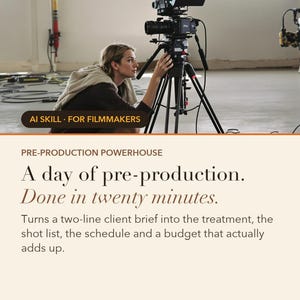
Pre-Production Powerhouse is an AI skill for Claude and ChatGPT, made for videographers & filmmakers. A two-line brief becomes the full pack: sellable treatment, soundbite-engineered interview questions, shot list with coverage ratios, a schedule that survives the day, call sheet, and a budget that sums to the dollar with the tax line and payment terms on it.
Instant download. Works on the free tier. No coding. A day of pre-production in twenty minutes — including the doc that wins the job.
WHAT IS AN AI SKILL?
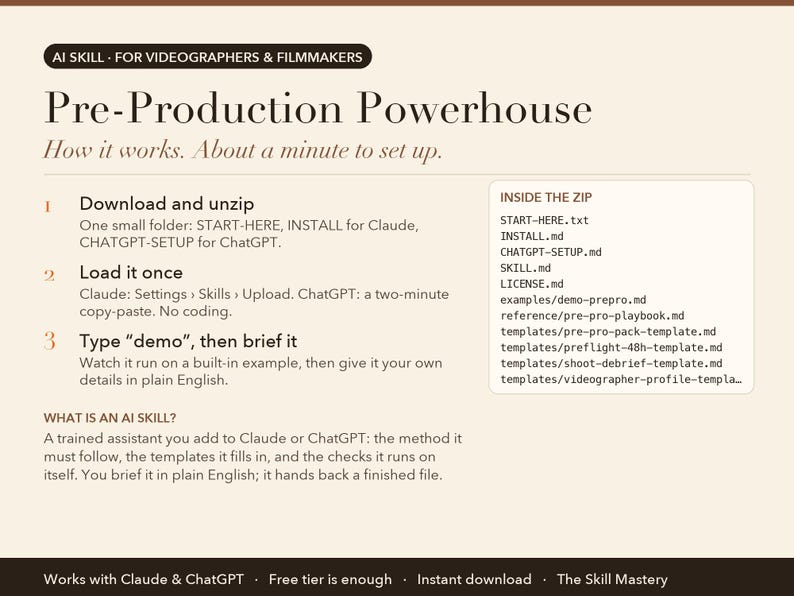
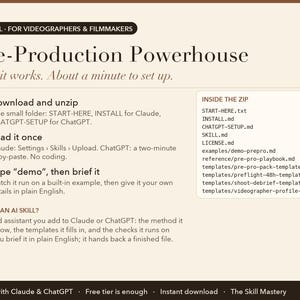
Think of it as a trained assistant you add to Claude or ChatGPT. It is a small folder of files: the step-by-step method the AI must follow, the templates it fills in, the checks it runs on itself, and a worked example. You load it once (about a minute), then talk to the AI in plain English the way you would brief a colleague. Instead of a generic chat answer, you get the finished piece of work as a real file you can print, send or open in Excel. No coding, no software to install, nothing to configure. It runs inside your own Claude or ChatGPT account.
THE PROBLEM IT SOLVES
Somewhere in the client's office, a person you have never met is deciding between you and two other filmmakers. They aren't watching your reel. They're reading a forwarded email with an attachment.
That attachment is the treatment, and most of us write it last, at midnight, in a hurry. Then we plan the shoot around optimism — six lit interview setups in one day, no contingency in the budget, and a commercial quoted at a day rate with the usage rights given away free.
ABOUT THE EXAMPLES BELOW
The figures and names come from the built-in demo: Jonas Kim of North & Main Films, a Vancouver videographer on a brand film for a small roaster. Type "demo" after setup and you watch the same run happen in front of you before you type a single real number.
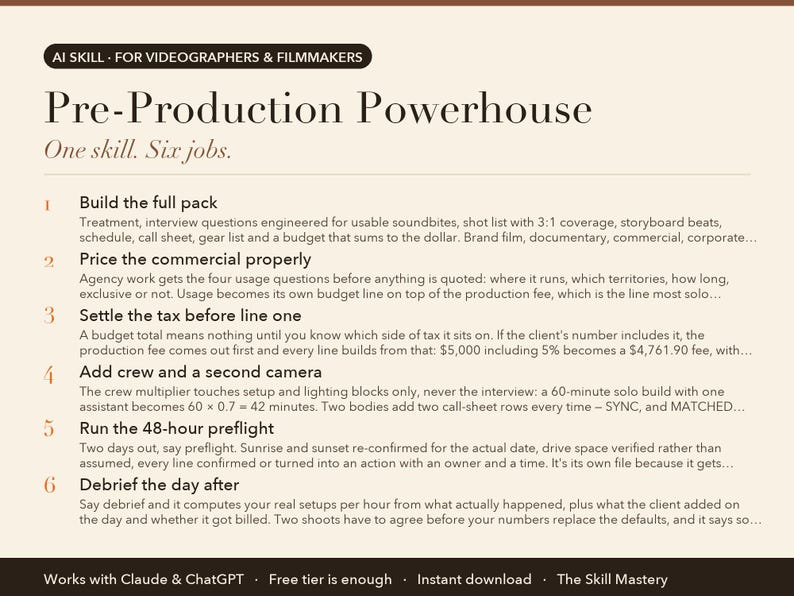
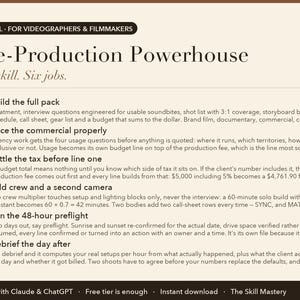
WHAT IT DOES (6 JOBS, ONE SKILL)
1. Build the full pack
Treatment, interview questions engineered for usable soundbites, shot list with 3:1 coverage, storyboard beats, schedule, call sheet, gear list and a budget that sums to the dollar. Brand film, documentary, commercial, corporate and event are five different jobs here, and the pack changes shape for each.
2. Price the commercial properly
Agency work gets the four usage questions before anything is quoted: where it runs, which territories, how long, exclusive or not. Usage becomes its own budget line on top of the production fee, which is the line most solo videographers hand over free.
3. Settle the tax before line one
A budget total means nothing until you know which side of tax it sits on. If the client's number includes it, the production fee comes out first and every line builds from that: $5,000 including 5% becomes a $4,761.90 fee, with the arithmetic on the page. Payment terms, deposit and kill fee land on the budget rather than in an email.
4. Add crew and a second camera
The crew multiplier touches setup and lighting blocks only, never the interview: a 60-minute solo build with one assistant becomes 60 × 0.7 = 42 minutes. Two bodies add two call-sheet rows every time — SYNC, and MATCHED SETTINGS written out in full, because mismatched log formats mean two grades.
5. Run the 48-hour preflight
Two days out, say preflight. Sunrise and sunset re-confirmed for the actual date, drive space verified rather than assumed, every line confirmed or turned into an action with an owner and a time. It's its own file because it gets read on a phone in a car park.
6. Debrief the day after
Say debrief and it computes your real setups per hour from what actually happened, plus what the client added on the day and whether it got billed. Two shoots have to agree before your numbers replace the defaults, and it says so out loud after the first one.
WHAT YOU GET
• Five project types, five different packs — commercial prices usage as its own line
• Schedule built on setup math that holds: crew, second camera, what gets cut first
• Comes back twice: the 48-hour preflight and the day-after debrief
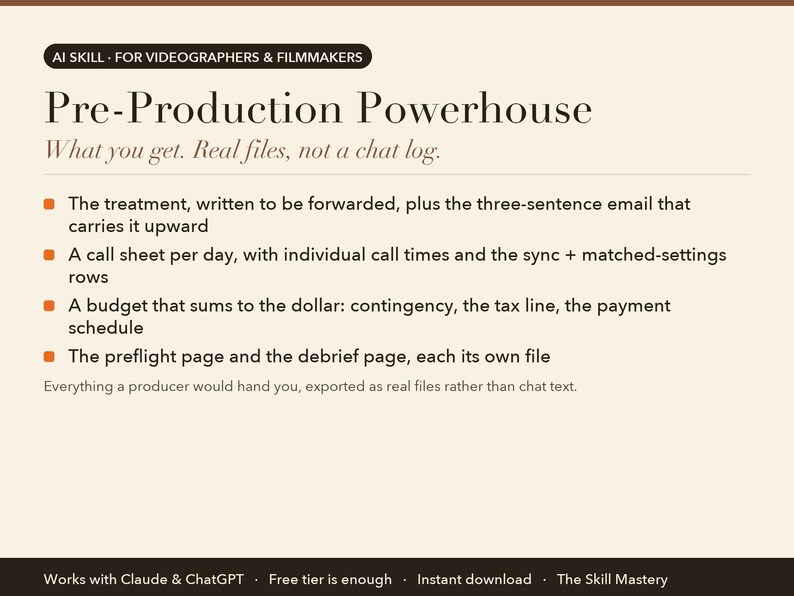
Everything a producer would hand you, exported as real files rather than chat text:
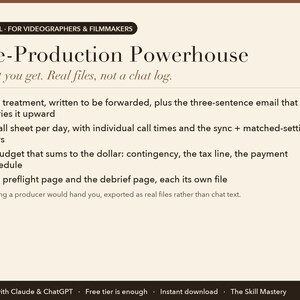
• The treatment, written to be forwarded, plus the three-sentence email that carries it upward
• A call sheet per day, with individual call times and the sync + matched-settings rows
• A budget that sums to the dollar: contingency, the tax line, the payment schedule
• The preflight page and the debrief page, each its own file
YOUR FIRST FIVE MINUTES (copy-paste any of these)
› Client brief: [two lines + budget]. Build the pre-pro pack.
› Treatment only — I need to win this job by Friday.
› It's a commercial. Ask me the usage questions before you price it.
› preflight — the shoot is in two days.
› demo — watch a two-line brief become a full pack.
HOW TO SET IT UP (about a minute)
1. Download the zip and unzip it. Inside: a START-HERE file, INSTALL steps for Claude, and CHATGPT-SETUP for ChatGPT.
2. Claude app: Settings → Capabilities → Skills → Upload skill (or add the files to a Project). Claude Code: drop the folder into ~/.claude/skills/. ChatGPT: follow CHATGPT-SETUP (copy-paste, about two minutes).
3. Type "demo" to watch the skill run on a built-in example. Then give it your own details in plain English.
WHO MADE THIS
The Skill Mastery builds AI skills for working professionals: photographers, filmmakers, creators, marketers and sales teams. We don't start from what AI can do. We start from how the job is actually done, the methods the trade already trusts (here: call-sheet discipline, log-to-display colour science, paper edits and clip economics), the numbers that have to be right, and the mistakes that cost real money. Then we engineer the skill so the AI follows those rules every single time, and we test it the way a buyer would use it: on the built-in demo, on a cold scenario it has never seen, and in a currency other than our own. Every skill ships with a demo mode, a self-check, and a plain list of what it can't do.
WHY NOT JUST ASK THE CHATBOT?
• Setup math that survives the day. Lit interviews run one to two setups an hour. Anyone planning six is flattering the client, and a general chatbot will cheerfully write that schedule. Six corporate subjects gets computed instead: 60 + 6 × (15 + 35) = 360 minutes, before the meal and the B-roll block.
• It asks the money questions first. Usage rights, tax basis, deposit, postponement, kill fee. These are the lines that decide whether the job was worth taking, and they get settled before a quote goes out rather than argued about on the invoice.
• It comes back twice per shoot. Preflight two days before, debrief the day after. The debrief writes your real setups-per-hour into your profile, so every future pack is planned on your numbers instead of a table's.
WHAT IT WON'T DO (read this before buying)
• It plans the day; it can't scout the location or control the sky. Every outdoor anchor carries a named plan B and a decision deadline.
• Budget benchmarks and usage bands are directional estimates. Your own quotes from crew and rental houses beat any general figure, and it says so.
• It flags tax and rights; it doesn't advise on either. Cross-border work is your accountant's call, and the skill hands it over rather than guessing a rate.
FAQ
Q: How is this different from just asking Claude or ChatGPT?
A: A chatbot writes an optimistic schedule and a budget that doesn't quite add up. The Pre-Production Powerhouse applies real coverage ratios and setups-per-hour limits, names which scene gets cut first if you run late, sums the budget to the dollar with 10% contingency, settles the tax basis and payment terms, and writes the forwarding email that wins the job.
Q: Does it handle commercial and agency work, or just brand films?
A: Five project types run as five different motions: brand film, documentary, commercial or agency, corporate or internal, and event. Each one changes what the treatment must contain, the shape of the day, the approval loop, and which budget lines exist. Commercial work adds the usage licence as its own line, priced on top of the production fee.
Q: What are preflight and debrief?
A: Two extra visits around the shoot. Preflight is a 48-hour page: sunrise and sunset re-confirmed for the actual date, every line confirmed or turned into an action with an owner. Debrief is the day after: it computes your real setups per hour from what happened, and once two shoots agree it uses your numbers in future packs instead of the defaults.
Q: I'm a solo shooter, not a production company. Too much?
A: No. Solo shooters benefit most, because you're the producer too. The pack scales to the job: a one-person corporate interview gets a proportionate schedule, not a feature-film call sheet. When you do hire an assistant or add a second body, the schedule and the call sheet change to match.
Q: Is it a subscription?
A: No. The Pre-Production Powerhouse is a one-time purchase, yours to keep, updates included.
Q: Do I need a paid Claude or ChatGPT plan?
A: No. The free tiers run it. Paid plans give you longer sessions and stronger models, which is nicer but not required.
Q: Claude or ChatGPT: which should I use?
A: Both are included and both work. Claude gives the fuller experience because skills upload directly; ChatGPT setup is a two-minute copy-paste from the included CHATGPT-SETUP file.
Q: Do I need to know how to code?
A: No. You type in plain English. Setup is upload-a-file, and every step is written out for non-technical people.
Q: Does it work outside the US, in my currency?
A: Yes. It works in your currency, your date format and your market. It never converts or invents exchange rates.
Q: Can I use it for client work?
A: Yes. One purchase is a perpetual single-user licence; everything it produces is yours to use, unrestricted, for your own business or your clients. You just can't resell or share the skill files themselves.
Q: Is my data private?
A: It runs entirely inside your own Claude or ChatGPT account. We never see your numbers, clients or files.
Q: Can I use it on my phone?
A: Set it up once on a computer; after that it works from the Claude and ChatGPT phone apps too.
Q: Do I get updates?
A: Yes, free updates to this version. If a new version ships, message us on Etsy for the update.
Q: What if it doesn't work for me?
A: Digital files can't be returned on Etsy, but message us and we'll make it right, whether that's a fix, a walkthrough or a refund. A real person replies.
PART OF THE CINEMA SUITE
Also in this shop: Look Match, Paper-Edit Assistant, Clip Multiplier, or the full Cinema Suite bundle at a saving. They share one profile, so you describe your business once and every skill reads it.
INSTANT DIGITAL DOWNLOAD
One .zip file, delivered by Etsy the moment you buy. Nothing physical will be shipped. Free updates for the current version. Questions before or after buying: message us here on Etsy, a real person replies.
Version 2.0.0.
AI disclosure: this toolkit was designed and written by The Skill Mastery with the help of AI tools, then tested by hand (every calculation, template and demo checked). It runs inside Claude or ChatGPT; it is not a standalone app. Not affiliated with Anthropic or OpenAI. Claude and ChatGPT are trademarks of their respective owners.
Instant Download
Your files will be available to download once payment is confirmed. Here's how.
Instant download items don’t accept returns, exchanges or cancellations. Please contact the seller about any problems with your order.
Etsy Purchase Protection
Shop confidently on Etsy knowing if something goes wrong with an order, we've got your back for all eligible purchases —
see program terms

More from this shop
Visit shop-
Digital download
Videographer Business Bundle: Pre-Production, LUT Generator, Paper Edit and Clip Sheet, AI Toolkit for Claude & ChatGPT, Filmmaker Templates
$55.57
-
Digital download
Video Clip Repurposing Toolkit: One Interview into Six Social Clips, Reels TikTok Shorts Clip Sheet, AI Skill Claude & ChatGPT, Videographer
$21.49
-
Digital download
Paper Edit Assistant: Turn Interview Transcripts into a Story Edit, Documentary and Brand Film Toolkit for Claude & ChatGPT, Video Editor
$21.49
-
Digital download
LUT Generator: Match Any Reference Image, Create .cube LUTs for S-Log3 V-Log C-Log LogC, Color Grading Tool for Videographers, Download
$21.49
Be the first to leave a review
-
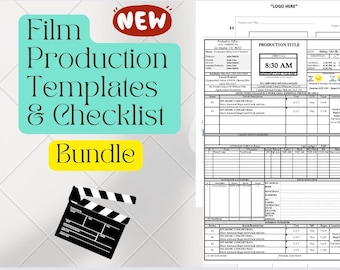
Digital download
Production Templates, Checklists and Cheat Sheets (Filmmaking Documents Bundle)
$7.99
-

Digital download
Film Production Templates
$8.00
-
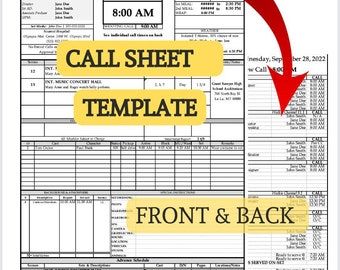
Digital download
Call Sheet Template (Production Paperwork)
$2.99
-
Digital download
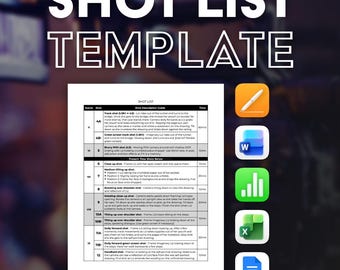
Filmmaking Shot List Template Bundle: macOS Pages + MS Word
Sale Price $5.96
Original Price $7.95
-
Digital download
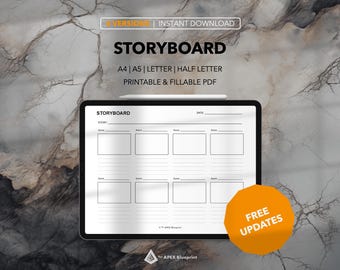
Storyboard Template for Filmmakers | Printable Scene Layout PDF | Film Pre-Production, Script Planning & Video Production
Sale Price $2.09
Original Price $2.99
-
Digital download
Film Production Planner Printable Call Sheet, Shot List, Storyboard, Calendar & Checklist Template
$15.00
-
Digital download
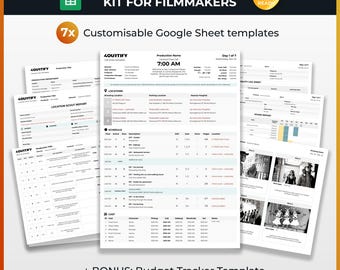
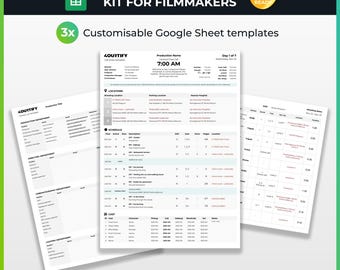
Complete Production Template Kit for Filmmakers | Google Sheets
$21.57
-
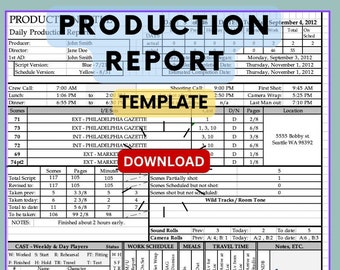
Digital download
Production Report Template (Production Paperwork)
$1.99
-
Digital download
Shot List Template (Filmmaking Paperwork)
$1.99
-
Digital download
Film Production Shooting Schedule Template, Customizable (Docx)
$2.99
-
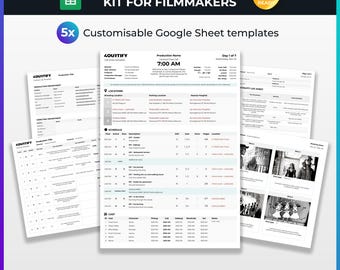
Digital download
Standard Production Template Kit for Filmmakers | Google Sheets
$17.38
-
Digital download
Starter Production Template Kit for Filmmakers | Google Sheets
$14.38
Shoppers with similar taste loved these
-

Digital download
108M+ Digital Products Bundle: MRR PLR AI Prompts, Canva Templates (Digital Download)
$8.00
-
Digital download
88 Million Digital Products Bundle – Instant Downloads for Creators, Templates, Graphics & More (2026 Edition)
$3.12
-
Digital download
100M+ Digital Assets Library | Canva Templates, AI Prompts, Business Resources (Digital Download)
$6.00
-

Digital download
8M+ Pemium Digital Product | Templates, AI Prompts, Planners, Notion template, Digital Resource Library
$3.00
-
Digital download
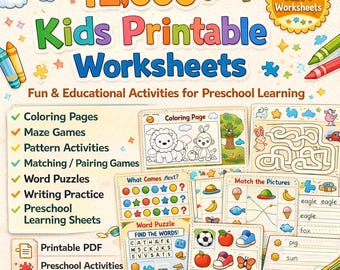
12K+ Kids Printable Worksheets | Preschool Activity Pages | Coloring, Maze, Matching, Word Search, Writing Practice
$3.00
-
Digital download
Mega Bundle Digital Product : Templates, AI Prompts, Planners & Creative Resources
$9.00
-
Digital download
Novabold PowerPoint Template | Modern Business Presentation | Editable Slides | Pitch Deck | Marketing, Corporate, Startup, Branding
Sale Price $14.64
Original Price $58.56
-

Digital download
4700+ PowerPoint Template Bundle | Fully Editable Infographics
Sale Price $21.91
Original Price $39.83
-
Digital download
Project Management Spreadsheet Team Project Task Tracker Google Sheets Excel Timeline Planner Kanban Board Gantt Chart Eisenhower Matrix
Sale Price $6.99
Original Price $13.98
-
Digital download
137,000 Slides PowerPoint Template Collection
Sale Price $6.93
Original Price $12.59
-

Digital download
2500+ PowerPoint Templates | Infographics Presentation Bundle
Sale Price $19.08
Original Price $34.69
-
Digital download
Halloween Monsters Sound-It-Out Game – Say What?! Interactive PowerPoint with Scoreboard
$9.00



 Bridesmaid gifts
 Groomsmen gifts
 Wedding gifts
 Engagement gifts


