


Price:$21.62
Paper Edit Assistant: Turn Interview Transcripts into a Story Edit, Documentary and Brand Film Toolkit for Claude & ChatGPT, Video Editor
Here's what's eligible:
- Your order doesn't match the item description or photos
- Your item arrived damaged
- Your item arrived after the estimated arrival window
- Your item didn't arrive or was lost in the mail
You can only make an offer when buying a single item
Highlights
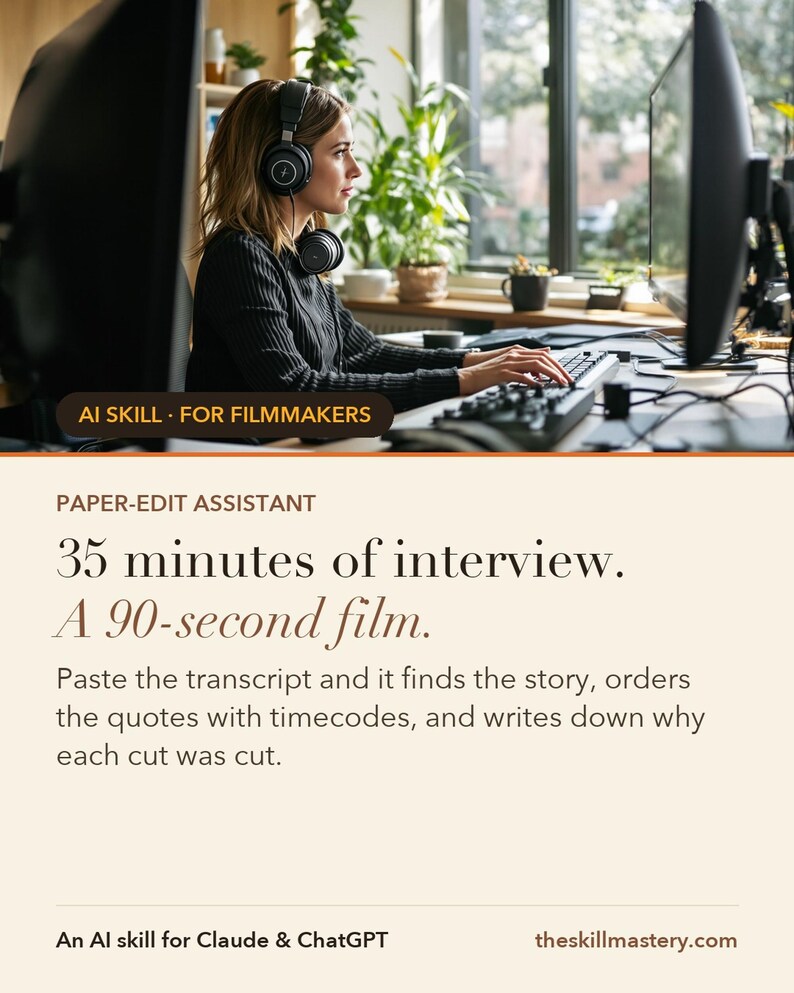
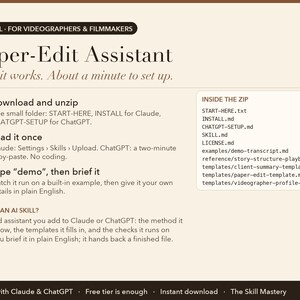
Paper-Edit Assistant is an AI skill for Claude and ChatGPT, made for videographers & filmmakers. Paste the transcript. It finds the story, assembles the radio cut with timecodes, offers three cold opens, maps the B-roll, writes the kill list that ends the “what about the bit where…” conversation — and names the questions the interview never answered.
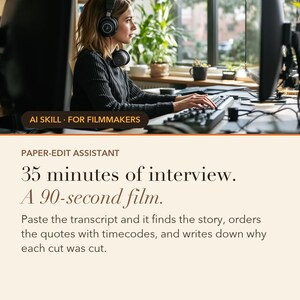
Instant download. Works on the free tier. No coding. Your 35-minute interview is a 90-second film.
WHAT IS AN AI SKILL?
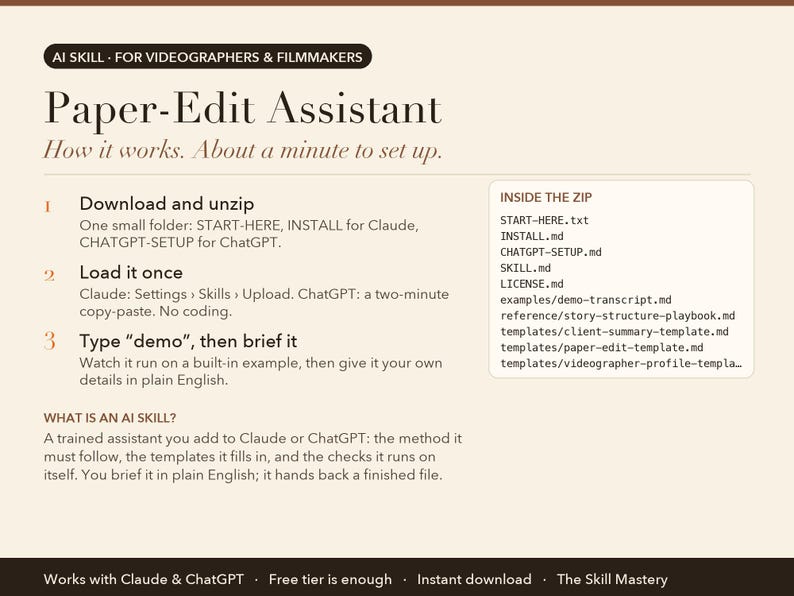
Think of it as a trained assistant you add to Claude or ChatGPT. It is a small folder of files: the step-by-step method the AI must follow, the templates it fills in, the checks it runs on itself, and a worked example. You load it once (about a minute), then talk to the AI in plain English the way you would brief a colleague. Instead of a generic chat answer, you get the finished piece of work as a real file you can print, send or open in Excel. No coding, no software to install, nothing to configure. It runs inside your own Claude or ChatGPT account.
THE PROBLEM IT SOLVES
The footage is good. Somewhere inside thirty-five minutes of a founder talking there is a ninety-second film, and finding it means watching the whole thing three times while the deadline moves closer.
Then you build a cut, show the client, and get the question every editor dreads: “what about the bit where I explained our mission?” You know why it's out. You just don't have the answer written down. And two weeks later they ask for the 60, the 30 and a bumper.
ABOUT THE EXAMPLES BELOW
The figures and names come from the built-in demo: Jonas Kim of North & Main Films, a Vancouver videographer on a brand film for a small roaster. Type "demo" after setup and you watch the same run happen in front of you before you type a single real number.
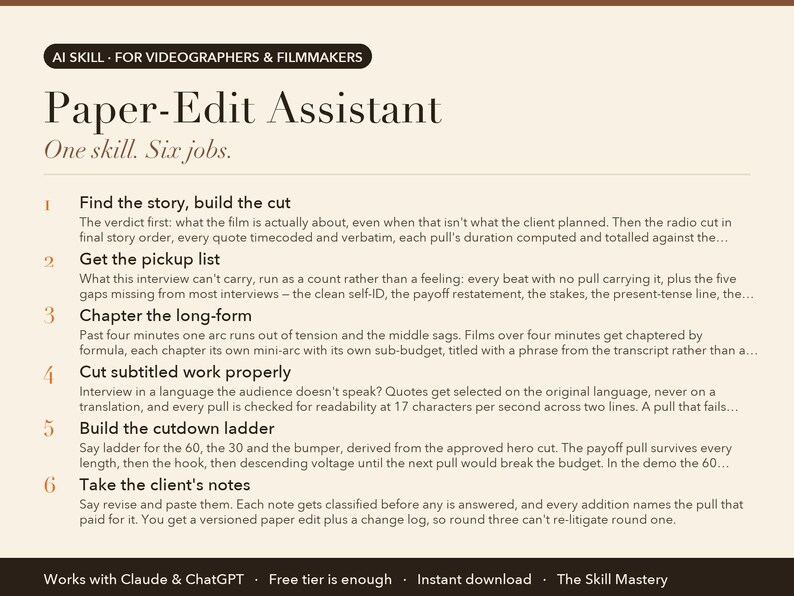
WHAT IT DOES (6 JOBS, ONE SKILL)
1. Find the story, build the cut
The verdict first: what the film is actually about, even when that isn't what the client planned. Then the radio cut in final story order, every quote timecoded and verbatim, each pull's duration computed and totalled against the budget. A 90-second film gets 70 seconds of talking, and the arithmetic is on the page.
2. Get the pickup list
What this interview can't carry, run as a count rather than a feeling: every beat with no pull carrying it, plus the five gaps missing from most interviews — the clean self-ID, the payoff restatement, the stakes, the present-tense line, the specifics. Each one comes with the question that fixes it and a triage.
3. Chapter the long-form
Past four minutes one arc runs out of tension and the middle sags. Films over four minutes get chaptered by formula, each chapter its own mini-arc with its own sub-budget, titled with a phrase from the transcript rather than a topic word.
4. Cut subtitled work properly
Interview in a language the audience doesn't speak? Quotes get selected on the original language, never on a translation, and every pull is checked for readability at 17 characters per second across two lines. A pull that fails gets one named fix rather than quietly shipping unreadable.
5. Build the cutdown ladder
Say ladder for the 60, the 30 and the bumper, derived from the approved hero cut. The payoff pull survives every length, then the hook, then descending voltage until the next pull would break the budget. In the demo the 60 lands at 36.8 seconds against a 46.8-second budget, and the spare seconds are reported as air for picture and music.
6. Take the client's notes
Say revise and paste them. Each note gets classified before any is answered, and every addition names the pull that paid for it. You get a versioned paper edit plus a change log, so round three can't re-litigate round one.
WHAT YOU GET
• Radio cut in story order, every quote timecoded and totalled against the budget
• The pickup list — what the interview can't carry, and the questions that fix it
• The 60, the 30 and the bumper on request; client notes handled as a versioned pass
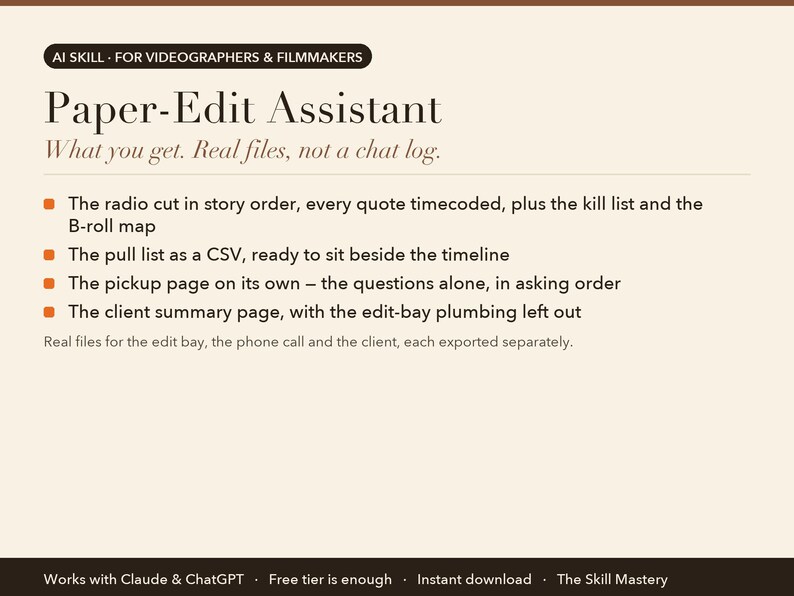
Real files for the edit bay, the phone call and the client, each exported separately:
• The radio cut in story order, every quote timecoded, plus the kill list and the B-roll map
• The pull list as a CSV, ready to sit beside the timeline
• The pickup page on its own — the questions alone, in asking order
• The client summary page, with the edit-bay plumbing left out
YOUR FIRST FIVE MINUTES (copy-paste any of these)
› Here's the interview transcript. Target: 90 seconds. [paste]
› What's missing? Write the pickup questions.
› ladder — I need the 60, the 30 and a bumper.
› revise — the client's notes are below.
› demo — watch a rambling interview become a film.
HOW TO SET IT UP (about a minute)
1. Download the zip and unzip it. Inside: a START-HERE file, INSTALL steps for Claude, and CHATGPT-SETUP for ChatGPT.
2. Claude app: Settings → Capabilities → Skills → Upload skill (or add the files to a Project). Claude Code: drop the folder into ~/.claude/skills/. ChatGPT: follow CHATGPT-SETUP (copy-paste, about two minutes).
3. Type "demo" to watch the skill run on a built-in example. Then give it your own details in plain English.
WHO MADE THIS
The Skill Mastery builds AI skills for working professionals: photographers, filmmakers, creators, marketers and sales teams. We don't start from what AI can do. We start from how the job is actually done, the methods the trade already trusts (here: call-sheet discipline, log-to-display colour science, paper edits and clip economics), the numbers that have to be right, and the mistakes that cost real money. Then we engineer the skill so the AI follows those rules every single time, and we test it the way a buyer would use it: on the built-in demo, on a cold scenario it has never seen, and in a currency other than our own. Every skill ships with a demo mode, a self-check, and a plain list of what it can't do.
WHY NOT JUST ASK THE CHATBOT?
• Quotes stay verbatim, with timecodes. It will never smooth a subject's words or put a sentence in their mouth. Every line traces to a number you can scrub to, and multi-interview cuts prefix each timecode with its source.
• The runtime maths actually runs. Every pull's duration is computed at 150 words a minute plus a second for each marked pause, then summed against the budget. The demo's first assembly comes in at 87.4 seconds against a 90-second target, says so, cuts one pull and re-totals at 69.6.
• It finds what the footage lacks. The pickup list names the beats no quote covers and writes the questions that fix them. Caught on paper it's a ten-minute phone call. Caught in the edit it's a reshoot.
WHAT IT WON'T DO (read this before buying)
• It's a paper edit, not a picture edit. Pacing on paper is an estimate and the footage always gets the final vote.
• It reads transcripts, not footage. A moment that only works visually makes the cut when your notes mention it.
• On subtitled work it marks every translation for a native speaker to verify, and flags each name, place and number rather than vouching for them.
FAQ
Q: How is this different from just asking Claude or ChatGPT?
A: A chatbot summarises what was said. The Paper-Edit Assistant produces a radio cut: selected quotes in final story order, each timecoded and justified, with every pull's duration computed and totalled against a runtime budget. It adds three ranked cold opens, a B-roll map, the kill list, and a pickup list of what the interview never covered.
Q: What is the pickup list?
A: A page of the questions this interview never answered. Every story beat is counted against the quotes carrying it, then checked against the five gaps missing from most interviews: the clean self-introduction, the payoff restatement, the stakes, a present-tense line about the hero image, and the specifics the client will ask for. Each entry carries the question to ask and how cheaply it can be fixed.
Q: Can it give me the 60 and the 30 as well?
A: Yes — that's ladder mode. Each length is derived mechanically from the approved hero cut: the payoff pull survives every version, then the hook, then remaining pulls in descending order until the next would break the budget. Pulls that only work because an earlier line set them up keep their setup or get dropped, which is the most common way a cutdown breaks.
Q: What happens when the client sends notes?
A: Say revise and paste them. Notes get classified first — taste, structural, factual, or a request to restore something already on the kill list — and every addition names which pull comes out to pay for it. You get a new versioned paper edit plus a change log, and the approved version is never overwritten.
Q: Is it a subscription?
A: No. The Paper-Edit Assistant is a one-time purchase, yours to keep, updates included.
Q: Do I need a paid Claude or ChatGPT plan?
A: No. The free tiers run it. Paid plans give you longer sessions and stronger models, which is nicer but not required.
Q: Claude or ChatGPT: which should I use?
A: Both are included and both work. Claude gives the fuller experience because skills upload directly; ChatGPT setup is a two-minute copy-paste from the included CHATGPT-SETUP file.
Q: Do I need to know how to code?
A: No. You type in plain English. Setup is upload-a-file, and every step is written out for non-technical people.
Q: Does it work outside the US, in my currency?
A: Yes. It works in your currency, your date format and your market. It never converts or invents exchange rates.
Q: Can I use it for client work?
A: Yes. One purchase is a perpetual single-user licence; everything it produces is yours to use, unrestricted, for your own business or your clients. You just can't resell or share the skill files themselves.
Q: Is my data private?
A: It runs entirely inside your own Claude or ChatGPT account. We never see your numbers, clients or files.
Q: Can I use it on my phone?
A: Set it up once on a computer; after that it works from the Claude and ChatGPT phone apps too.
Q: Do I get updates?
A: Yes, free updates to this version. If a new version ships, message us on Etsy for the update.
Q: What if it doesn't work for me?
A: Digital files can't be returned on Etsy, but message us and we'll make it right, whether that's a fix, a walkthrough or a refund. A real person replies.
PART OF THE CINEMA SUITE
Also in this shop: Pre-Production Powerhouse, Look Match, Clip Multiplier, or the full Cinema Suite bundle at a saving. They share one profile, so you describe your business once and every skill reads it.
INSTANT DIGITAL DOWNLOAD
One .zip file, delivered by Etsy the moment you buy. Nothing physical will be shipped. Free updates for the current version. Questions before or after buying: message us here on Etsy, a real person replies.
Version 2.0.0.
AI disclosure: this toolkit was designed and written by The Skill Mastery with the help of AI tools, then tested by hand (every calculation, template and demo checked). It runs inside Claude or ChatGPT; it is not a standalone app. Not affiliated with Anthropic or OpenAI. Claude and ChatGPT are trademarks of their respective owners.
Instant Download
Your files will be available to download once payment is confirmed. Here's how.
Instant download items don’t accept returns, exchanges or cancellations. Please contact the seller about any problems with your order.
Etsy Purchase Protection
Shop confidently on Etsy knowing if something goes wrong with an order, we've got your back for all eligible purchases —
see program terms

More from this shop
Visit shop-

Digital download
Videographer Business Bundle: Pre-Production, LUT Generator, Paper Edit and Clip Sheet, AI Toolkit for Claude & ChatGPT, Filmmaker Templates
$55.91
-
Digital download
Video Clip Repurposing Toolkit: One Interview into Six Social Clips, Reels TikTok Shorts Clip Sheet, AI Skill Claude & ChatGPT, Videographer
$21.62
-

Digital download
Video Pre-Production Toolkit: Shot List, Call Sheet, Budget and Schedule Templates, AI Skill for Claude & ChatGPT, Videographer Filmmaker
$21.62
-
Digital download
LUT Generator: Match Any Reference Image, Create .cube LUTs for S-Log3 V-Log C-Log LogC, Color Grading Tool for Videographers, Download
$21.62
Be the first to leave a review
-

EXPECTATIONS VS REALITY video editor funny gift, video editor gift, video editor mug, media editing services, film editing tools
$21.47
-
Film Editor Gift - Custom Caricature From Photo, videographer gift, video editor
Sale Price $10.00
Original Price $40.00
-

Filmmaker Gift Mug, fun mug for filmmakers, film editor, documentary, video editor
$22.99
-
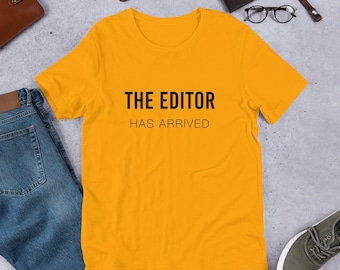
The Editor Has Arrived Yellow | T-Shirt, Cinematographer Gift, Filmmaker T-Shirt, Videographer, Film Editor, Film Director, Graphic tee
$25.00
-
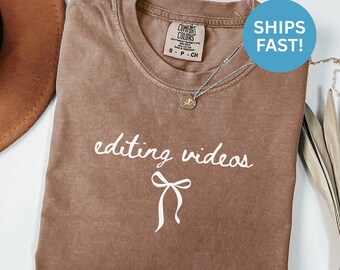
Comfort Colors® Editing Videos Shirt Video Editor Shirt Filmmaker Shirt Gift For Video Editor Shirt Video Editing Shirt Video Production
Sale Price $9.99
Original Price $19.98
-
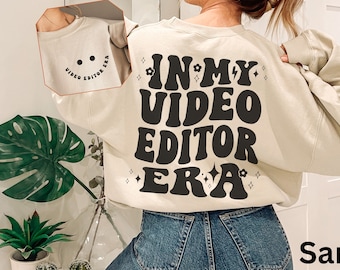
In My Video Editor Era Sweatshirt, Gift for an Editor, Video Editor Shirt, Film Editor, Filmmaker, Post-Production Expert, Videographer
Sale Price $37.01
Original Price $67.30
-
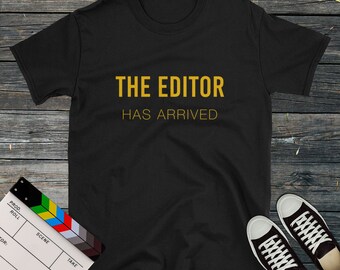
The Editor Has Arrived Yellow | T-Shirt, Cinematographer Gift, Filmmaker T-Shirt, Videographer, Film Editor, Film Director, Graphic tee
$21.00
-
Digital download
AI Docu Starter Kit | Prompts, Workflows and Templates for AI Storytelling & Video Creation
$12.05
-
Editor Gift for Men | Video Editor Gift | Film Editor Appreciation | Creative Gift for Men | Editing Christmas Gift
$102.45
-
Digital download
Professional Video Editing Services - Transforming Moments into Masterpieces!
$50.00
-
Editor Gift Personalized Custom Journal Notebook - Film Editor Gift, Editor Birthday Gift, Editor Christmas Gift, Video Editor Gift
Sale Price $29.39
Original Price $41.99
-
Videographer Gift - Custom Portrait from Photo as Yellow Character, Post Production Film Editor
Sale Price $15.00
Original Price $30.00
Shoppers with similar taste loved these
-
Digital download
600+ CINEMATIC Bundle Presets - Mobile and Desktop - Lightroom Preset Bundle for Instagram - Best Deal - Night, Portrait, Dark Tone Filter
Sale Price $3.69
Original Price $14.75
-

Digital download
Sound Effects Bundle 37GB, Royalty Free SFX Cinematic Foley Whoosh, For YouTube Podcast Video Editing, Digital Download
Sale Price $1.75
Original Price $5.00
-
Digital download
100K+ Editing Bundle | Premiere Pro, After Effects, CapCut, Motion Graphics, LUTs, Fonts, SVGs, Video Effects, Sound FX, Resell Rights
$5.00
-
Digital download
Ultimate Video Editing Pack, LUTs, Transitions, Overlays, Presets, Premiere Pro, DaVinci, Final Cut, Cinematic Video Effects Bundle
Sale Price $1.85
Original Price $5.30
-
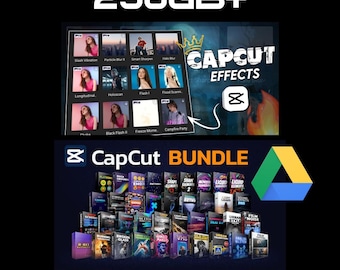
Digital download
Music video luts capcut, motion_overlays_transition_sound effect_animated background_animated emojis_video animation_elements_and more
$2.99
-

Digital download
200GB GFX VFX Editing Bundle | Motion Graphics & Visual Effects (Instant Download)
Sale Price $1.50
Original Price $6.00
-
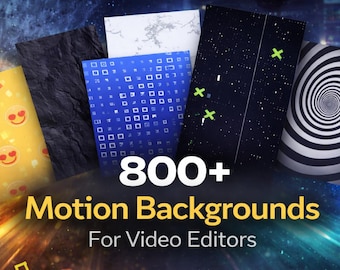
Digital download
800+ Animated Motion Backgrounds | Video Editing Overlays (Digital Download)
Sale Price $1.47
Original Price $5.90
-
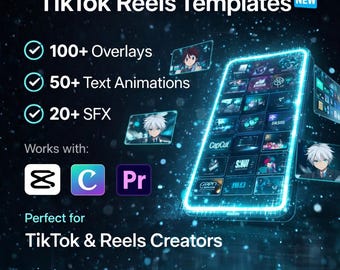
Digital download
Video Editing Pack for CapCut & Premiere Pro | 100+ Overlays 50+ Text Animations 20+ SFX | TikTok Reels Bundle Digital Download
Sale Price $1.62
Original Price $2.32
-
Digital download
Object Mask Transitions for DaVinci Resolve | Cinematic Stacked Reveal Macro
Sale Price $2.94
Original Price $5.87
-
Digital download
100+ Split Screen Templates DaVinci Resolve, Multi Screen Video Grid Layouts, TikTok Reels YouTube Editing Pack, No Plugin DRP
Sale Price $4.12
Original Price $7.50
-

Digital download
DaVinci Resolve Cartoon Animated Titles Pack, Comic Text FX Templates
Sale Price $3.39
Original Price $5.21
-

Digital download
Speed Ramping Wizard for DaVinci Resolve | Cinematic Speed Ramps, Slow Motion & Effects Toolkit
Sale Price $2.94
Original Price $5.87


