

Only 1 left and in 3 carts
NowPrice:$10.25
Original Price: $17.09
40% off
Sale ends in 21:08:13
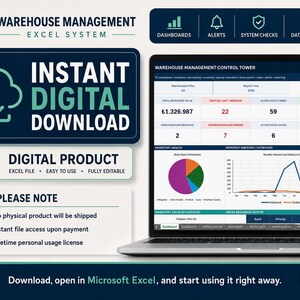
Excel Inventory Management System, Warehouse Stock Tracker, Dashboard Template
You can only make an offer when buying a single item
Highlights
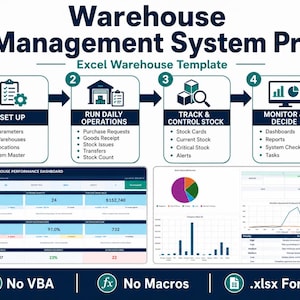
EXCEL INVENTORY TRACKER & WAREHOUSE MANAGEMENT SYSTEM PRO
Take control of your inventory and warehouse operations with a powerful Excel inventory tracker and inventory spreadsheet built for purchasing, stock movements, transfers, physical inventory counts, suppliers, tasks, alerts, and management reporting.
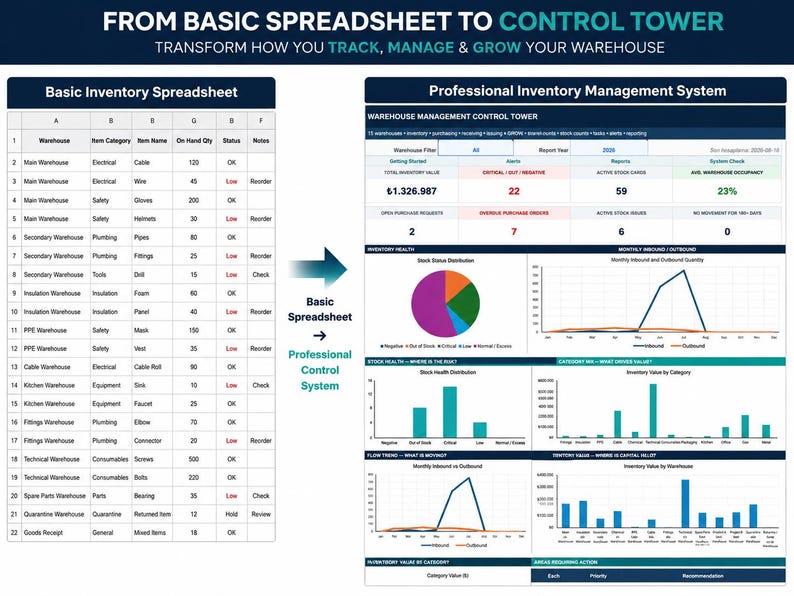
Warehouse Management System Pro is a comprehensive inventory management system designed for businesses that need more than a basic stock list.
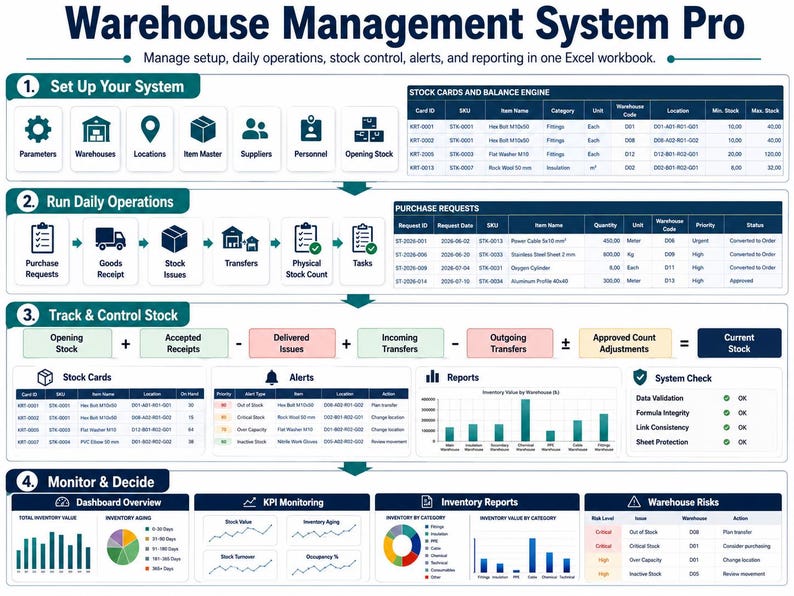
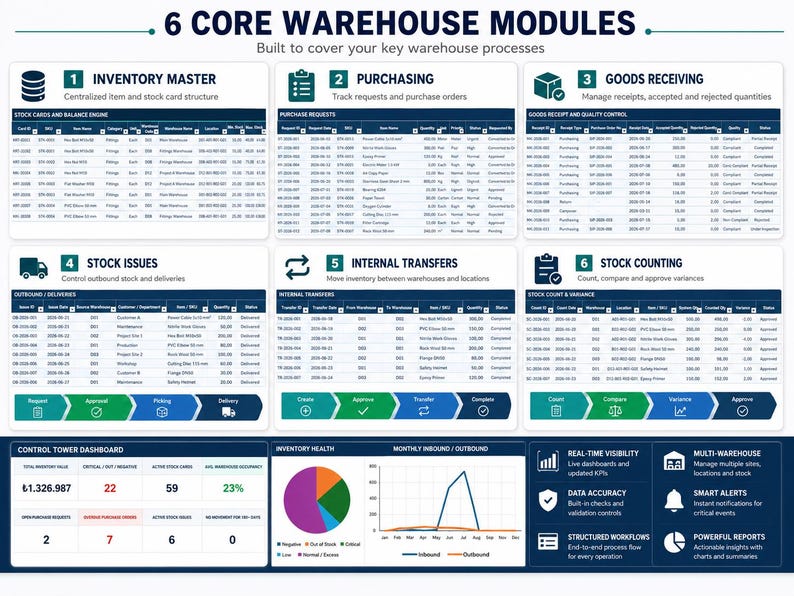
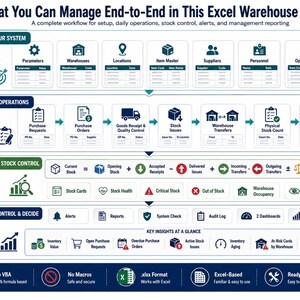
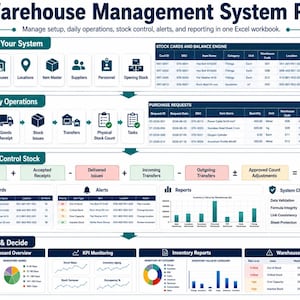
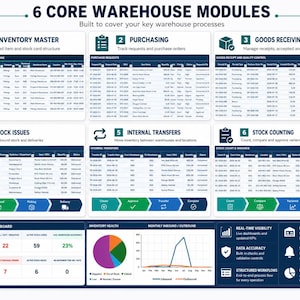
Built entirely in Microsoft Excel, the workbook connects item master data, warehouse inventory, goods receipts, stock issues, purchase requests, purchase orders, transfers, physical stock counts, locations, suppliers, personnel, tasks, alerts, reports, and executive dashboards inside one integrated system.
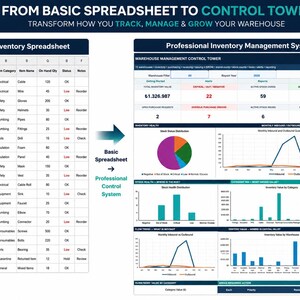
Instead of maintaining multiple disconnected spreadsheets, you can manage your core inventory and warehouse processes from one structured inventory management spreadsheet.
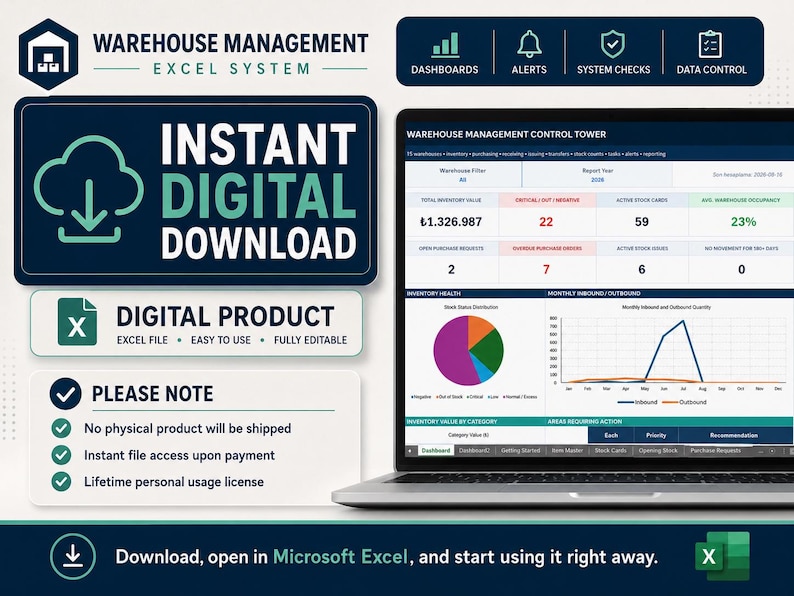
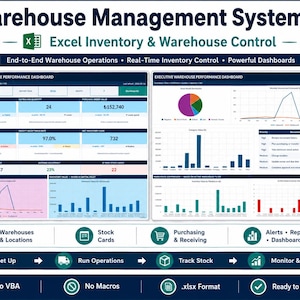
✓ No VBA
✓ No macros
✓ No subscription
✓ Standard .xlsx format
✓ No additional application required beyond Microsoft Excel
━━━━━━━━━━━━━━━━━━━━
MORE THAN A SIMPLE INVENTORY TRACKER
━━━━━━━━━━━━━━━━━━━━
Many inventory templates require you to manually overwrite current stock quantities.
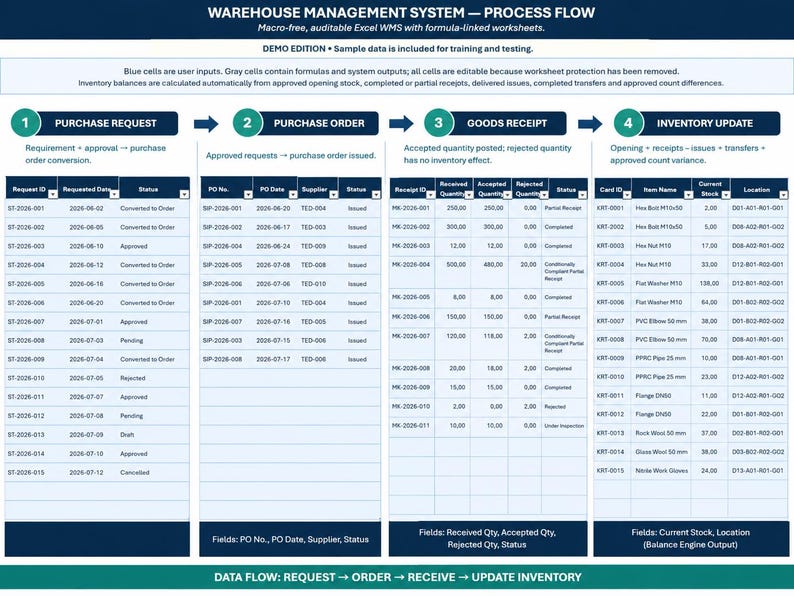
Warehouse Management System Pro is designed around inventory transactions.
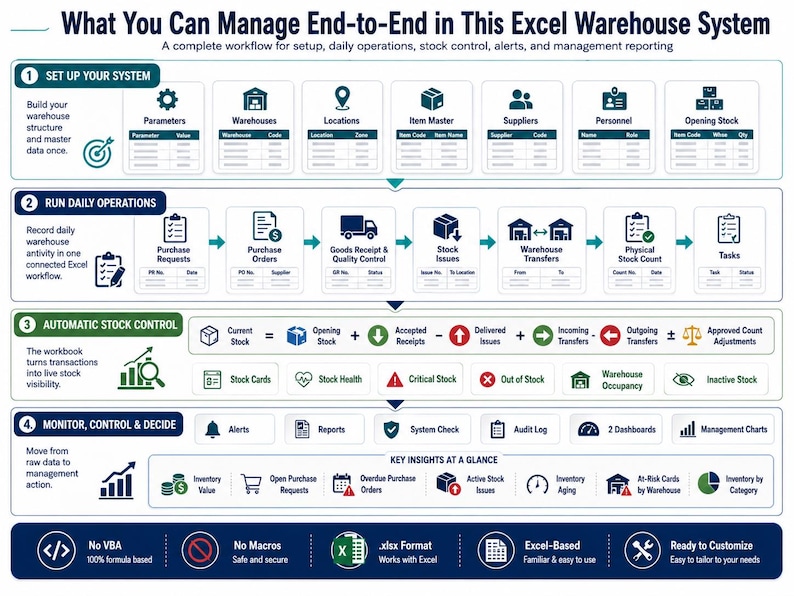
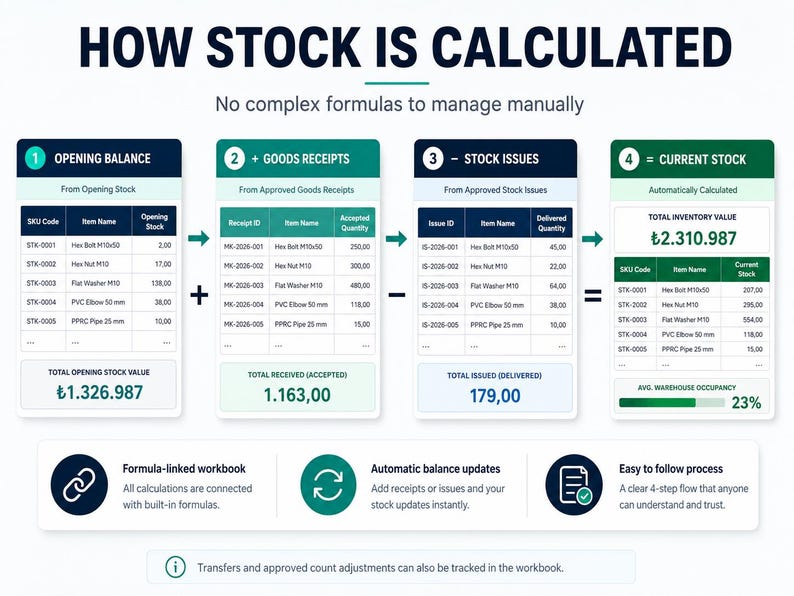
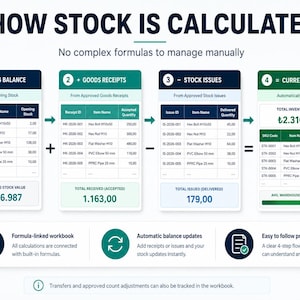
Current inventory is calculated using:
Approved Opening Stock
* Accepted Goods Receipts
− Delivered Stock Issues
* Incoming Transfers
− Outgoing Transfers
± Approved Stock Count Adjustments
This creates a structured connection between day-to-day warehouse activity and your current stock position.
The workbook is designed to support inventory management, warehouse control, purchasing, stock counting, reporting, and operational follow-up within the same Excel file.
━━━━━━━━━━━━━━━━━━━━
WHAT IS INCLUDED?
━━━━━━━━━━━━━━━━━━━━
The workbook contains 22 integrated worksheets/modules, including:
✓ 2 Management Dashboards
✓ Item Master
✓ Stock Cards
✓ Opening Stock
✓ Purchase Requests
✓ Purchase Orders
✓ Goods Receipt
✓ Stock Issues
✓ Warehouse Transfers
✓ Physical Stock Count
✓ Locations
✓ Warehouses
✓ Suppliers
✓ Personnel
✓ Tasks
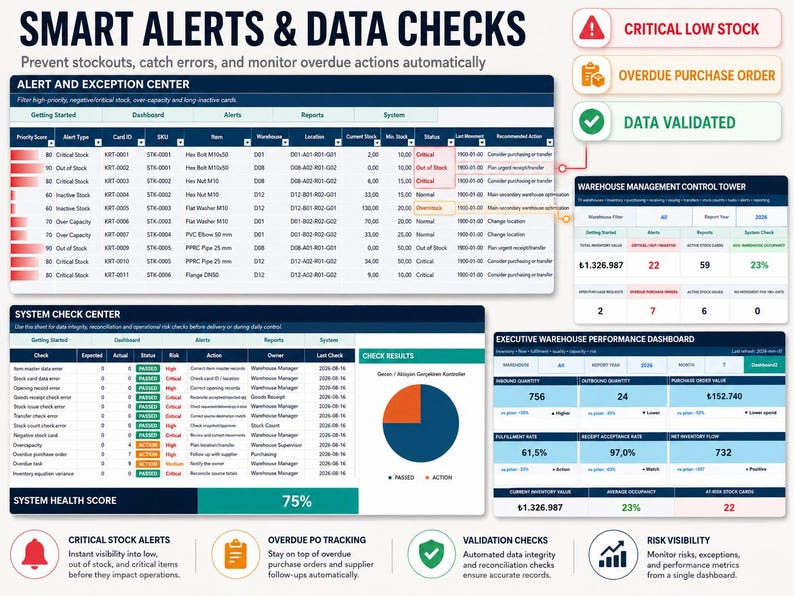
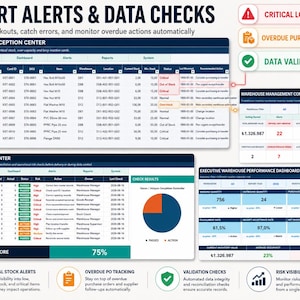
✓ Alerts
✓ Reports
✓ System Check
✓ Parameters
✓ Audit Log
✓ Getting Started Guide
The workbook also includes 22 charts and management visualizations across its reporting and control areas.
━━━━━━━━━━━━━━━━━━━━
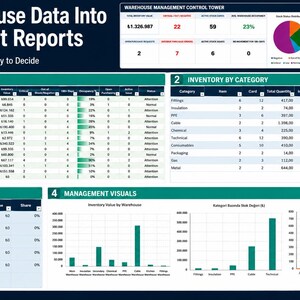
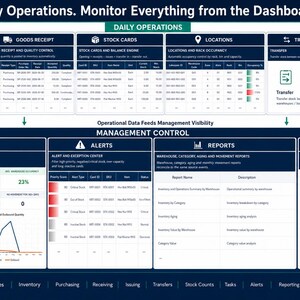
TWO MANAGEMENT DASHBOARDS
━━━━━━━━━━━━━━━━━━━━
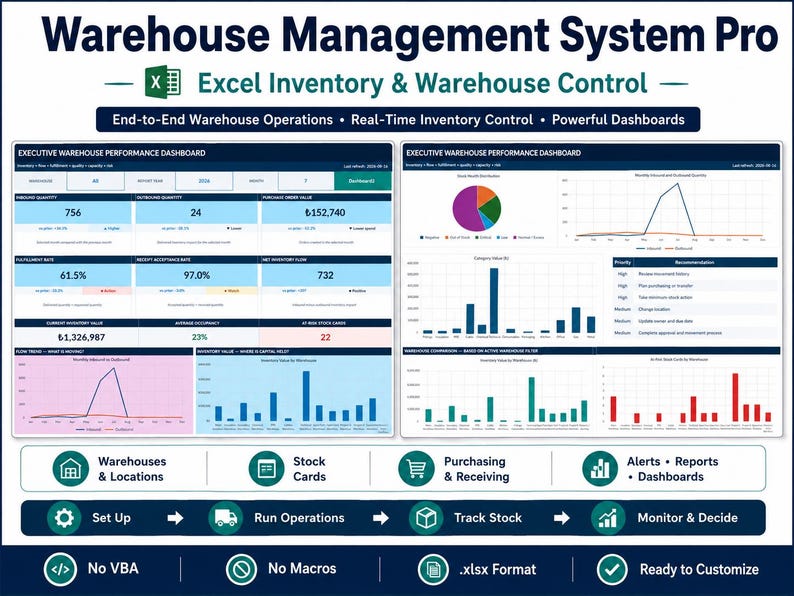
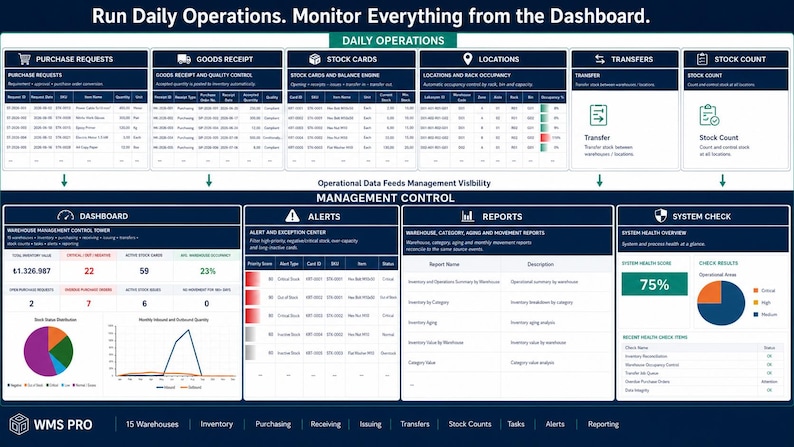
Warehouse Management System Pro includes two dashboard environments for operational and management-level analysis.
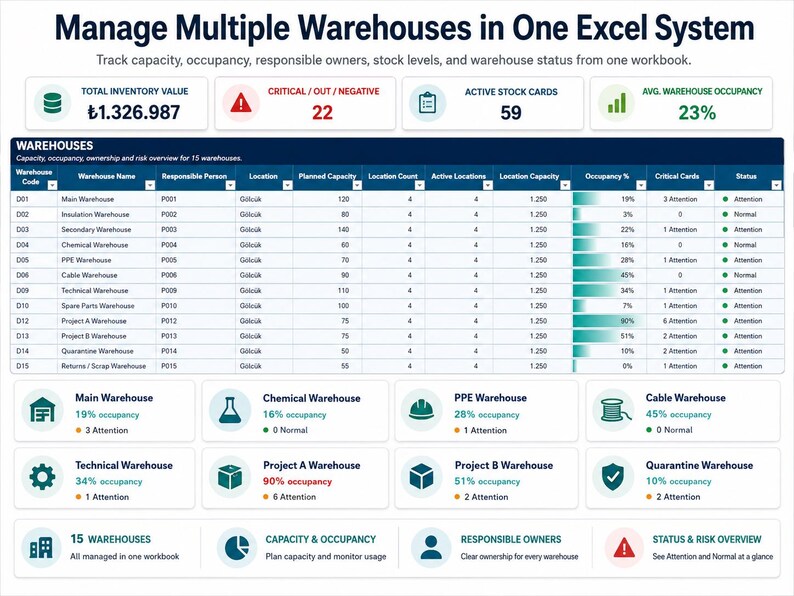
MAIN WAREHOUSE DASHBOARD
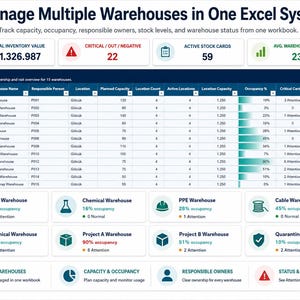
The primary dashboard provides a high-level view of warehouse and inventory status.
Monitor information such as:
• Total inventory value
• Active stock cards
• Critical inventory
• Out-of-stock items
• Average warehouse occupancy
• Open purchase requests
• Overdue purchase orders
• Active stock issues
• Slow-moving inventory
• Operational alerts
• Warehouse-level risks
This allows managers to review important warehouse conditions without checking every transaction row individually.
━━━━━━━━━━━━━━━━━━━━
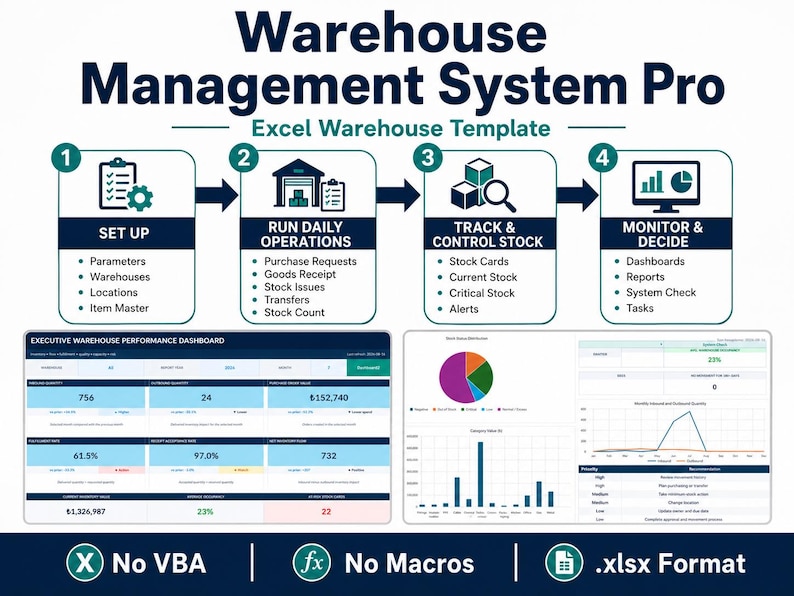
EXECUTIVE WAREHOUSE PERFORMANCE DASHBOARD
━━━━━━━━━━━━━━━━━━━━
The second dashboard provides deeper performance analysis.
Performance can be filtered by warehouse, reporting year, and month.
Key indicators include:
INBOUND QUANTITY
Tracks inventory quantities accepted into stock during the selected reporting period.
OUTBOUND QUANTITY
Tracks quantities delivered and issued from stock.
PURCHASE ORDER VALUE
Shows purchasing value for the selected period.
FULFILLMENT RATE
Compares requested quantities with quantities actually delivered.
RECEIPT ACCEPTANCE RATE
Measures the proportion of received goods accepted through the receipt and quality process.
NET INVENTORY FLOW
Compares inbound and outbound inventory movement.
CURRENT INVENTORY VALUE
Provides a financial view of inventory held in active stock cards.
AVERAGE WAREHOUSE OCCUPANCY
Shows average capacity utilization across warehouses.
AT-RISK STOCK CARDS
Highlights inventory records classified as Critical, Out of Stock, or Negative.
━━━━━━━━━━━━━━━━━━━━
PERIOD-OVER-PERIOD COMPARISON
━━━━━━━━━━━━━━━━━━━━
The Executive Dashboard can compare selected-period performance with the previous period.
This helps users evaluate changes in areas such as:
• Inbound quantities
• Outbound quantities
• Purchasing activity
• Fulfillment performance
• Inventory accumulation
• Warehouse risk
Directional indicators help show whether selected performance measures are increasing or decreasing.
━━━━━━━━━━━━━━━━━━━━
6 EXECUTIVE MANAGEMENT CHARTS
━━━━━━━━━━━━━━━━━━━━
The Executive Dashboard includes six key visualization areas:
MONTHLY INBOUND VS OUTBOUND
Compare incoming and outgoing inventory quantities throughout the year.
INVENTORY VALUE BY WAREHOUSE
See where inventory value is concentrated across your warehouses.
STOCK HEALTH DISTRIBUTION
Review inventory across Negative, Out of Stock, Critical, Low, Normal, and Overstock conditions.
INVENTORY VALUE BY CATEGORY
Analyze which product or material categories represent the greatest share of inventory value.
WAREHOUSE OCCUPANCY
Compare warehouse capacity utilization.
AT-RISK CARDS BY WAREHOUSE
Identify warehouses containing higher concentrations of inventory risk.
━━━━━━━━━━━━━━━━━━━━
SMART STOCK CARD ENGINE
━━━━━━━━━━━━━━━━━━━━
The Stock Cards module is the central inventory calculation area.
Each stock card represents a unique:
SKU + Warehouse + Location
combination.
Stock cards can include:
• SKU
• Item description
• Warehouse
• Location
• Opening balance
• Goods received
• Stock issued
• Incoming transfers
• Outgoing transfers
• Approved count adjustments
• Current quantity
• Unit price
• Inventory value
• Minimum stock
• Maximum stock
• Stock health
• Default supplier
• Last movement date
• Days without movement
• ABC class
• Location status
• Data validation result
Current inventory is calculated from connected operational records instead of relying only on manually entered current balances.
━━━━━━━━━━━━━━━━━━━━
AUTOMATIC STOCK HEALTH CLASSIFICATION
━━━━━━━━━━━━━━━━━━━━
Inventory records can be evaluated against defined stock levels and classified as:
NEGATIVE
Inventory quantity is below zero.
OUT OF STOCK
Current quantity is zero.
CRITICAL
Stock is below the defined minimum level.
LOW
Inventory is approaching its minimum threshold.
NORMAL
Inventory is within the expected operating range.
OVERSTOCK
Inventory exceeds the defined maximum stock level.
These classifications are reused throughout dashboards, alerts, reports, and system checks.
━━━━━━━━━━━━━━━━━━━━
ITEM MASTER DATABASE
━━━━━━━━━━━━━━━━━━━━
Maintain core material information in one centralized Item Master.
Fields can include:
• SKU
• Item name
• Category
• Unit of measure
• Barcode
• Default supplier
• Unit price
• Lead time
• ABC classification
• Technical specifications
• Active / inactive status
A centralized item structure helps keep warehouse records consistent across the workbook.
━━━━━━━━━━━━━━━━━━━━
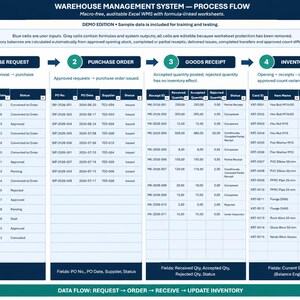
PURCHASE REQUEST MANAGEMENT
━━━━━━━━━━━━━━━━━━━━
Manage internal purchasing requirements before they become supplier orders.
The Purchase Requests module can track:
• Request ID
• Request date
• Requested item
• Requested quantity
• Warehouse
• Required date
• Priority
• Requested by
• Business justification
• Approval status
• Purchase order conversion
This provides a structured flow from internal demand to purchasing.
━━━━━━━━━━━━━━━━━━━━
PURCHASE ORDER TRACKING
━━━━━━━━━━━━━━━━━━━━
The Purchase Orders module can track:
• Purchase order number
• Supplier
• Order date
• Expected delivery date
• Ordered quantity
• Unit price
• Total order value
• Payment status
• Received quantity
• Remaining quantity
• Delivery status
• Overdue days
Partial deliveries can also be monitored, allowing remaining quantities to stay visible until the order is completed.
━━━━━━━━━━━━━━━━━━━━
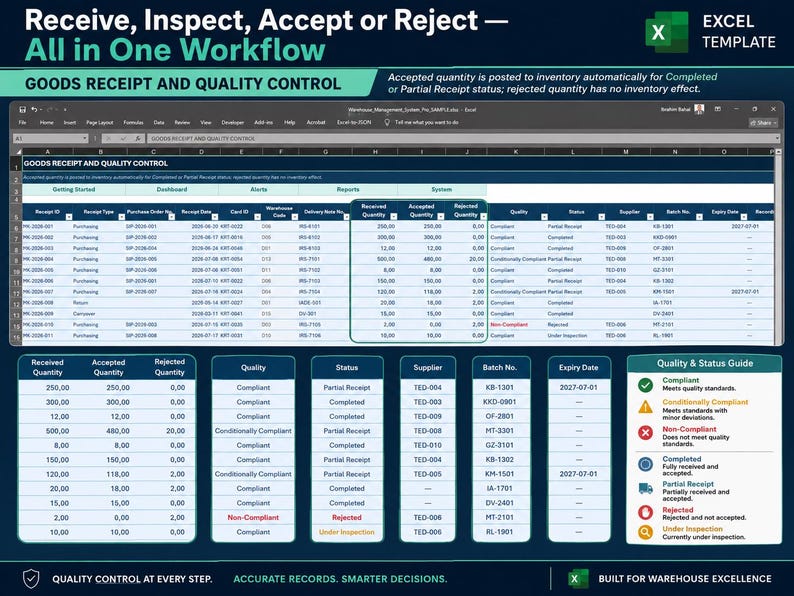
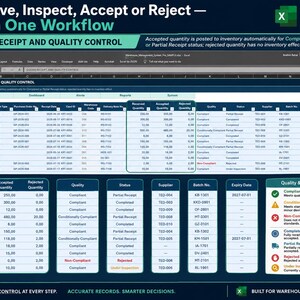
GOODS RECEIPT & QUALITY CONTROL
━━━━━━━━━━━━━━━━━━━━
The Goods Receipt module connects receiving activity directly with inventory.
For each receipt you can track:
• Purchase order
• Supplier
• Delivery document
• Receipt date
• SKU
• Received quantity
• Accepted quantity
• Rejected quantity
• Batch number
• Quality result
• Expiration date
• Warehouse
• Location
• Receipt status
The system can check:
Received Quantity = Accepted Quantity + Rejected Quantity
Only accepted quantities from qualifying receipt statuses contribute to inventory.
Rejected quantities are therefore not automatically treated as usable stock.
━━━━━━━━━━━━━━━━━━━━
STOCK ISSUE & MATERIAL DELIVERY TRACKING
━━━━━━━━━━━━━━━━━━━━
Manage outbound inventory through the Stock Issues module.
Possible issue scenarios include:
• Work order consumption
• Internal usage
• Department issue
• Project usage
• Scrap
• Other stock movements
Requested quantity and delivered quantity are recorded separately.
Creating a request alone does not automatically reduce inventory.
Inventory impact is based on the quantity actually delivered.
━━━━━━━━━━━━━━━━━━━━
WAREHOUSE TRANSFER MANAGEMENT
━━━━━━━━━━━━━━━━━━━━
Control inventory movements between warehouses and locations.
Transfers can include:
• Source warehouse
• Source location
• Destination warehouse
• Destination location
• SKU
• Transfer quantity
• Transfer date
• Status
When a transfer is completed, the quantity is reflected between the related source and destination stock cards.
━━━━━━━━━━━━━━━━━━━━
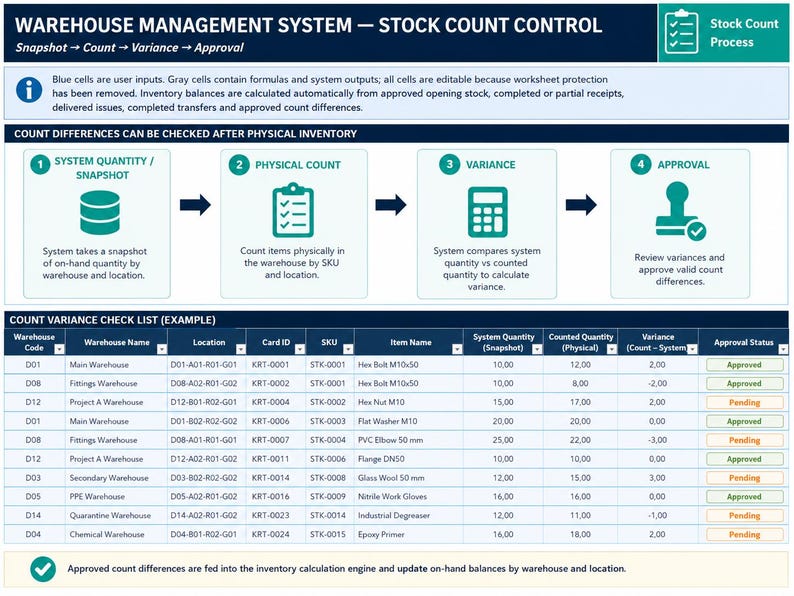
PHYSICAL INVENTORY & STOCK COUNT
━━━━━━━━━━━━━━━━━━━━
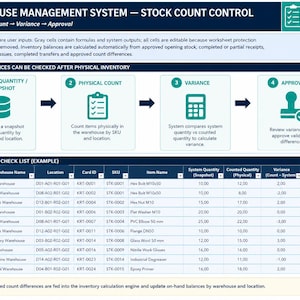
The Stock Count module supports structured physical inventory checks.
The system quantity can be captured at the beginning of a count, while the physical quantity is entered separately.
The workbook calculates:
Variance = Counted Quantity − System Quantity
The financial impact of a variance can also be calculated using the item's unit price.
Only approved stock count adjustments are included in the stock calculation.
This creates a control point between identifying a difference and adjusting inventory.
━━━━━━━━━━━━━━━━━━━━
MULTI-WAREHOUSE INVENTORY MANAGEMENT
━━━━━━━━━━━━━━━━━━━━
The workbook is designed for multi-location operations.
The included sample configuration demonstrates 15 warehouses, with examples such as:
• Main Warehouse
• Technical Warehouse
• Chemical Warehouse
• PPE Warehouse
• Cable Warehouse
• Insulation Warehouse
• Auxiliary Warehouses
• Project Warehouses
• Quarantine Warehouse
• Return / Scrap Warehouse
The sample structure can be customized for your own operation.
Warehouse records can include:
• Warehouse type
• Responsible person
• Planned capacity
• Active locations
• Current stock quantity
• Occupancy percentage
• Critical stock card count
• Overall warehouse status
━━━━━━━━━━━━━━━━━━━━
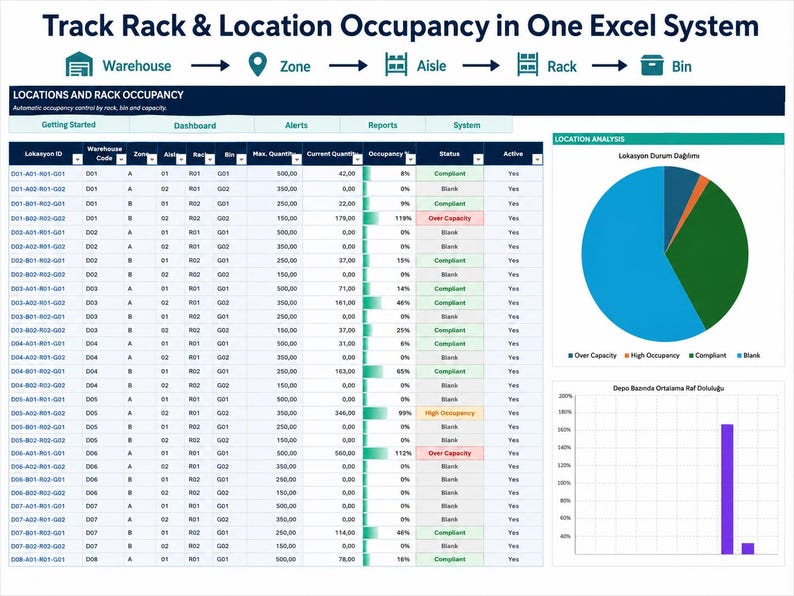
LOCATION, RACK & BIN MANAGEMENT
━━━━━━━━━━━━━━━━━━━━
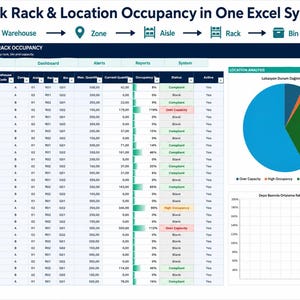
Inventory can be organized using a structured physical hierarchy:
Warehouse → Zone → Aisle → Rack → Bin
Each location can have a maximum capacity.
Inventory assigned to a location can be compared with that capacity, allowing over-capacity locations to be identified.
━━━━━━━━━━━━━━━━━━━━
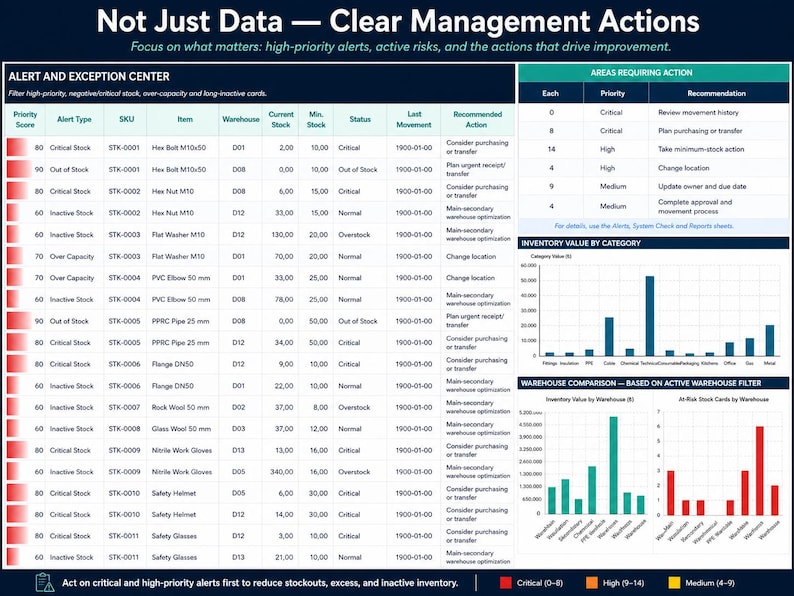
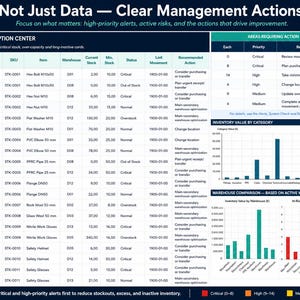
ALERT & EXCEPTION CENTER
━━━━━━━━━━━━━━━━━━━━
The Alerts module brings important inventory and warehouse exceptions into one centralized area.
Examples include:
• Negative inventory
• Out-of-stock items
• Critical inventory
• Low inventory
• Overstock
• Warehouse capacity issues
• Long-term inactive inventory
• Other operational risks
Alerts can be prioritized according to severity.
Suggested management actions can also be displayed for selected conditions.
━━━━━━━━━━━━━━━━━━━━
SYSTEM CHECK & DATA QUALITY CONTROL
━━━━━━━━━━━━━━━━━━━━
A dedicated System Check module reviews important areas of the workbook.
Controls can include:
• Item Master validation
• Stock Card validation
• Opening Stock validation
• Goods Receipt checks
• Stock Issue checks
• Transfer checks
• Stock Count checks
• Negative inventory
• Warehouse capacity issues
• Overdue purchase orders
• Overdue tasks
• Inventory equation differences
Checks can be displayed as:
PASSED
or
ACTION
An overall System Health Score provides a quick summary of the workbook's control status.
━━━━━━━━━━━━━━━━━━━━
BUILT-IN DATA VALIDATION
━━━━━━━━━━━━━━━━━━━━
The workbook includes checks designed to identify common data problems, including:
• Duplicate SKU
• Duplicate stock card
• Missing required information
• Negative prices
• Minimum stock greater than maximum stock
• Duplicate SKU + Warehouse + Location combinations
• Duplicate purchase orders
• Excess goods receipt
• Received quantity not matching accepted + rejected quantity
• Invalid operational records
These checks help users identify issues before they affect reporting.
━━━━━━━━━━━━━━━━━━━━
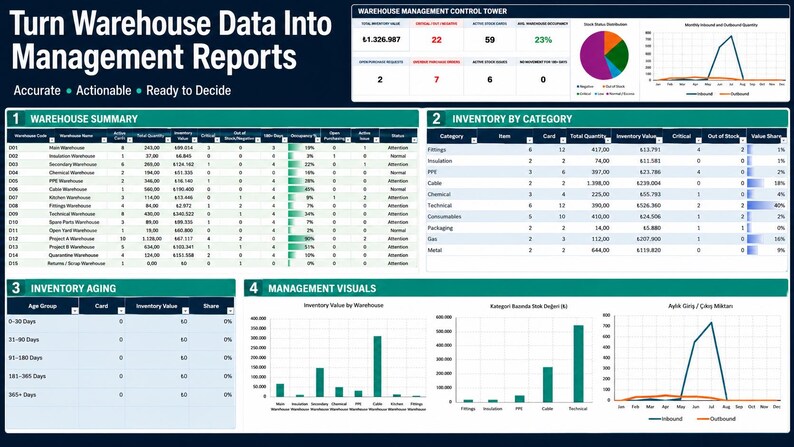
INVENTORY REPORTING
━━━━━━━━━━━━━━━━━━━━
The Reports module converts operational information into management summaries.
Analyze inventory by:
• Warehouse
• Category
• Stock condition
• Inventory age
• Inventory value
• Critical inventory
• Out-of-stock items
• Slow-moving stock
• Warehouse occupancy
• Open purchasing activity
• Active stock issues
Warehouse summaries can include:
• Active stock cards
• Total quantity
• Inventory value
• Critical inventory
• Out-of-stock inventory
• Slow-moving items
• Location count
• Occupancy
• Open purchasing
• Active stock issues
• Overall warehouse condition
━━━━━━━━━━━━━━━━━━━━
INVENTORY AGING & SLOW-MOVING STOCK
━━━━━━━━━━━━━━━━━━━━
The workbook tracks last-movement information and can calculate how long inventory has remained inactive.
This can help identify:
• Slow-moving inventory
• Potentially obsolete stock
• Excess materials
• Warehouse space optimization opportunities
• Items requiring management review
━━━━━━━━━━━━━━━━━━━━
SUPPLIER MANAGEMENT
━━━━━━━━━━━━━━━━━━━━
The Suppliers module can store:
• Supplier name
• Contact information
• Lead time
• Quality score
• On-time delivery performance
• Active status
This provides a structured place for supplier information and performance indicators.
━━━━━━━━━━━━━━━━━━━━
TASK & ACTION MANAGEMENT
━━━━━━━━━━━━━━━━━━━━
The Tasks module helps convert operational issues into assigned actions.
Tasks can contain:
• Task ID
• Creation date
• Task type
• Warehouse
• Related record
• Description
• Responsible person
• Priority
• Due date
• Status
• Completion date
• Overdue indicator
This allows dashboard findings and operational issues to be linked with follow-up actions.
━━━━━━━━━━━━━━━━━━━━
PERSONNEL MANAGEMENT
━━━━━━━━━━━━━━━━━━━━
Maintain warehouse and operations personnel records.
Possible roles include:
• Warehouse Manager
• Warehouse Supervisor
• Goods Receipt
• Picking
• Shipping
• Stock Count
• Purchasing
• Quality
Personnel records can also contain:
• Main warehouse
• Shift
• Access classification
• Open task workload
• Active / inactive status
IMPORTANT:
Access classifications in this workbook are organizational data fields.
They do not create a login-based Excel security or authentication system.
━━━━━━━━━━━━━━━━━━━━
CENTRAL PARAMETERS
━━━━━━━━━━━━━━━━━━━━
The Parameters sheet centralizes many dropdown lists used throughout the workbook.
These can include:
• Units
• Categories
• Priorities
• Purchase statuses
• Receipt statuses
• Quality results
• Stock issue statuses
• Transfer statuses
• Stock count statuses
• Task statuses
• Personnel roles
• Shifts
• Access levels
• Transaction types
This helps maintain consistent terminology across the workbook.
━━━━━━━━━━━━━━━━━━━━
COLOR-CODED WORKFLOW
━━━━━━━━━━━━━━━━━━━━
The workbook visually separates input areas and calculated fields.
Status-based formatting is also used to highlight conditions requiring attention.
This helps users distinguish:
• Data-entry areas
• Calculated values
• Records requiring attention
• Operational risk conditions
━━━━━━━━━━━━━━━━━━━━
MANAGEMENT ACTION GUIDE
━━━━━━━━━━━━━━━━━━━━
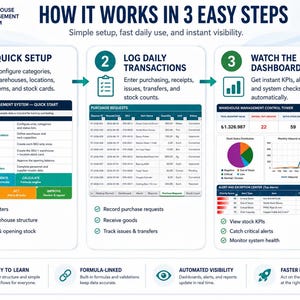
The Executive Dashboard includes a simple three-step management workflow:
1. REVIEW
Identify red and amber indicators.
2. DECIDE
Define the responsible person, action, and target date.
3. TRACK
Monitor progress through Alerts, Tasks, and System Check.
━━━━━━━━━━━━━━━━━━━━
MANUAL AUDIT & CHANGE LOG
━━━━━━━━━━━━━━━━━━━━
A dedicated Audit Log sheet is included for manually documenting important changes.
Records can include:
• Previous value
• New value
• Reason for change
• User
• Related record
• Approval information
IMPORTANT:
This is a manual activity log.
It is not an automatic or immutable audit trail, and the workbook does not automatically record every cell change made by every user.
━━━━━━━━━━━━━━━━━━━━
MACRO-FREE EXCEL SYSTEM
━━━━━━━━━━━━━━━━━━━━
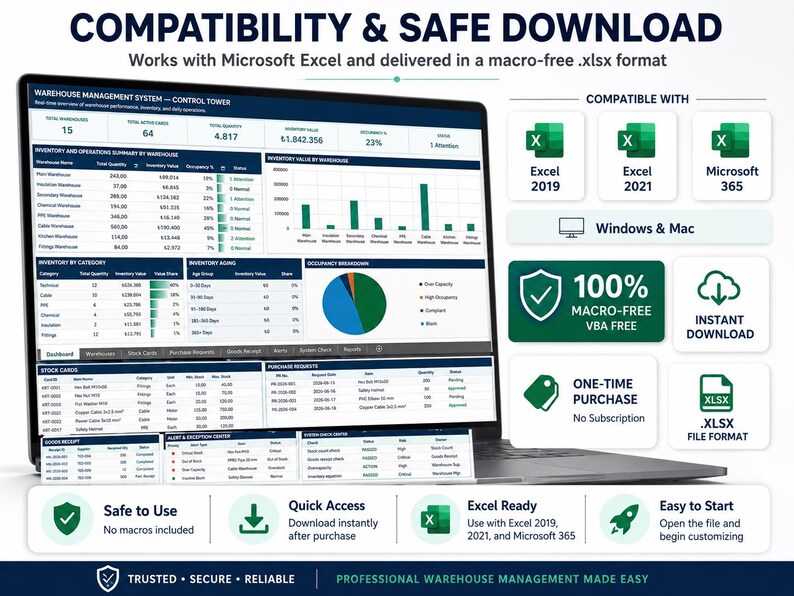
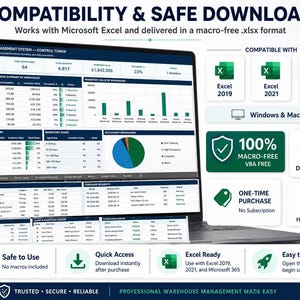
Warehouse Management System Pro is delivered as a standard Microsoft Excel .xlsx workbook.
It uses:
• Excel formulas
• Data validation
• Conditional formatting
• Structured worksheets
• Charts
• Dashboard calculations
No VBA or macros are included.
━━━━━━━━━━━━━━━━━━━━
DEMO DATA INCLUDED
━━━━━━━━━━━━━━━━━━━━
Sample data is included to demonstrate how the system works before you replace it with your own business information.
The sample configuration includes approximately:
✓ 15 Warehouses
✓ 60 Locations
✓ 36 SKUs
✓ 59 Stock Cards
✓ 25 Personnel Records
✓ 10 Suppliers
Sample operational records also include:
• Purchase Requests
• Purchase Orders
• Goods Receipts
• Stock Issues
• Transfers
• Stock Counts
• Tasks
• Alerts
The sample data is for demonstration and learning purposes and can be replaced with your own information.
━━━━━━━━━━━━━━━━━━━━
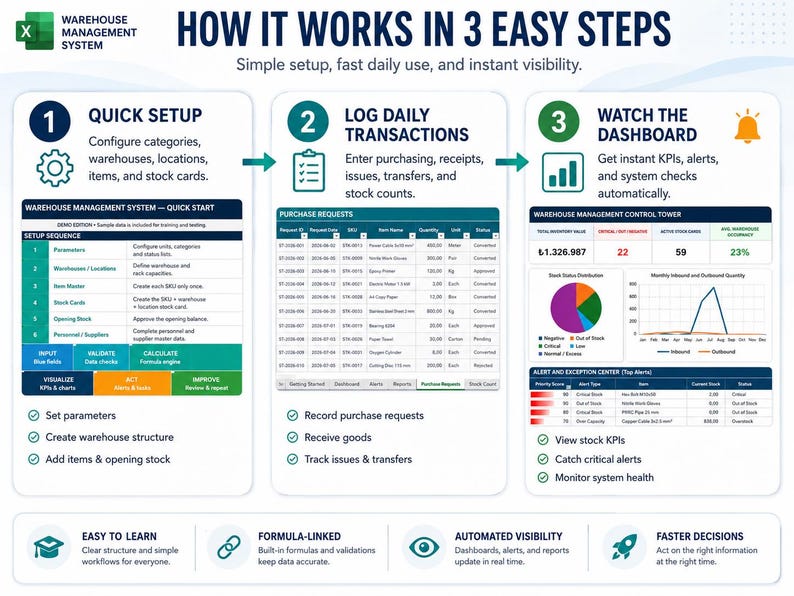
RECOMMENDED SETUP ORDER
━━━━━━━━━━━━━━━━━━━━
For a structured implementation:
1. PARAMETERS
Customize units, categories, statuses, and dropdown values.
2. WAREHOUSES
Create your warehouse structure.
3. LOCATIONS
Define zones, aisles, racks, and bins.
4. ITEM MASTER
Enter products, materials, SKUs, prices, suppliers, and classifications.
5. STOCK CARDS
Create the required SKU + Warehouse + Location combinations.
6. OPENING STOCK
Enter and approve starting inventory balances.
7. SUPPLIERS & PERSONNEL
Customize supplier and personnel records.
8. START DAILY OPERATIONS
Begin recording purchasing, receipts, issues, transfers, counts, and tasks.
A Getting Started sheet is included inside the workbook.
━━━━━━━━━━━━━━━━━━━━
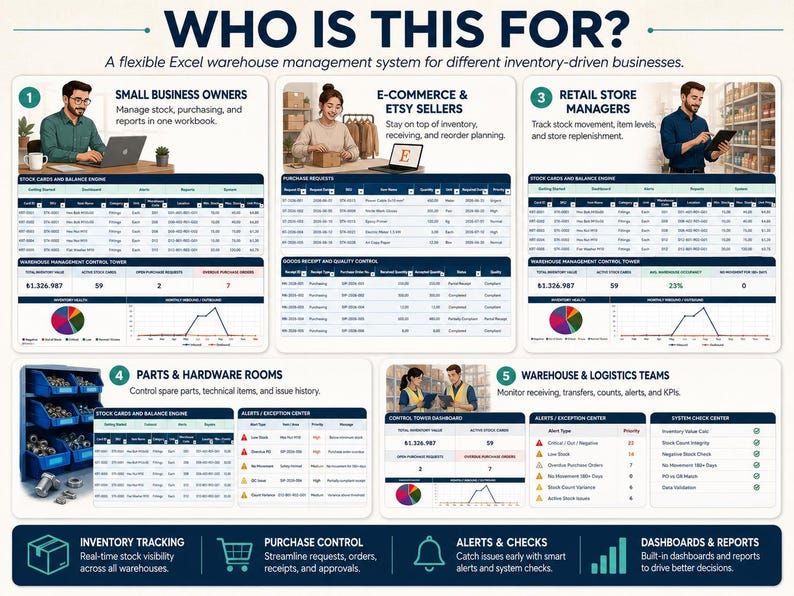
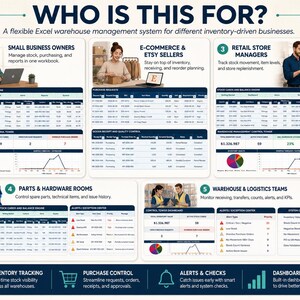
WHO IS THIS INVENTORY SYSTEM FOR?
━━━━━━━━━━━━━━━━━━━━
Warehouse Management System Pro may be suitable for:
• Small and growing businesses
• Warehouse managers
• Inventory controllers
• Operations managers
• Purchasing teams
• Manufacturing companies
• Maintenance departments
• Spare parts warehouses
• Technical warehouses
• Project warehouses
• Construction companies
• Engineering companies
• Production facilities
• Consumable material stores
• Multi-location inventory operations
It is designed for users who need more operational structure than a basic inventory spreadsheet but do not require a database-driven ERP or enterprise WMS for this particular workflow.
━━━━━━━━━━━━━━━━━━━━
WHY USE THIS INSTEAD OF A BASIC INVENTORY TEMPLATE?
━━━━━━━━━━━━━━━━━━━━
A basic inventory template usually answers one question:
“What do I have?”
Warehouse Management System Pro is designed to help answer much more:
• What do I have?
• Where is it stored?
• How much is it worth?
• What came in?
• What went out?
• What is waiting to be purchased?
• Which purchase orders are overdue?
• Which inventory is critical?
• Which items are out of stock?
• Which warehouses are approaching capacity?
• Which inventory has not moved recently?
• What was rejected during receiving?
• What physical count differences exist?
• Which stock adjustments were approved?
• Which warehouses contain inventory risk?
• Which operational tasks are overdue?
• Is the inventory equation balanced?
This is why the workbook goes beyond a basic stock list and functions as an Excel-based inventory management and warehouse control system.
━━━━━━━━━━━━━━━━━━━━
IMPORTANT PRODUCT LIMITATIONS
━━━━━━━━━━━━━━━━━━━━
Please review these points before purchasing.
Warehouse Management System Pro is an Excel-based inventory and warehouse management workbook.
It is not a cloud-based ERP, SaaS platform, or database-driven enterprise WMS.
Because it is an Excel workbook:
• There is no built-in multi-user login system.
• Access-level fields do not create file authentication.
• The Audit Log is manual rather than automatic.
• Formula cells can be edited if the workbook is modified.
• High-volume simultaneous transaction processing is better suited to a database-based system.
• Barcode scanner automation is not included.
• ERP/API integration is not included.
• Automatic email notifications are not included.
• External system integrations are not included in this macro-free version.
Keeping an untouched backup copy of the original workbook is recommended before making structural or formula changes.
━━━━━━━━━━━━━━━━━━━━
SOFTWARE & FILE FORMAT
━━━━━━━━━━━━━━━━━━━━
File Format: Microsoft Excel .xlsx
Macros: No
VBA: No
Recommended Software: Desktop Microsoft Excel
Designed for: Microsoft Excel 2010 and newer versions
The workbook may open in Google Sheets, LibreOffice, or other spreadsheet applications, but formulas, charts, formatting, and data validation may not behave exactly the same as they do in Microsoft Excel.
Desktop Microsoft Excel is recommended for the intended workbook experience.
━━━━━━━━━━━━━━━━━━━━
PRODUCT SUMMARY
━━━━━━━━━━━━━━━━━━━━
Warehouse Management System Pro – Version 4.0
✓ Professional Inventory Tracker
✓ Advanced Inventory Spreadsheet
✓ Excel-Based Inventory Management System
✓ Multi-Warehouse Inventory Control
✓ Stock Tracker & Stock Health Monitoring
✓ Item Master
✓ Stock Cards
✓ Opening Inventory
✓ Purchase Requests
✓ Purchase Orders
✓ Goods Receipt
✓ Quality Control
✓ Stock Issues
✓ Warehouse Transfers
✓ Physical Stock Counts
✓ Inventory Adjustments
✓ Warehouse Locations
✓ Capacity Tracking
✓ Supplier Management
✓ Personnel Records
✓ Task Management
✓ Alert Center
✓ System Health Check
✓ Inventory Reports
✓ Inventory Aging
✓ 2 Management Dashboards
✓ 22 Integrated Worksheets
✓ 22 Charts & Visualizations
✓ Demo Data Included
✓ Macro-Free
✓ No VBA
✓ No Subscription
━━━━━━━━━━━━━━━━━━━━
FROM INVENTORY SPREADSHEET TO OPERATIONAL CONTROL
━━━━━━━━━━━━━━━━━━━━
Warehouse Management System Pro is designed for businesses that want to move beyond scattered stock lists and disconnected spreadsheet templates.
Record operational transactions.
Calculate your inventory position.
Monitor warehouse inventory.
Track stock health.
Control purchasing and receipts.
Manage material issues and transfers.
Compare physical inventory with system quantities.
Identify critical stock and operational exceptions.
Review warehouse capacity.
Analyze inventory value.
Assign actions.
Track overdue tasks.
Monitor system health.
Bring your inventory and warehouse operations together inside one structured Excel inventory tracker.
Organize your inventory. Control your warehouse. See the risks. Track the actions. Manage the operation.
Instant Download
Your files will be available to download once payment is confirmed. Here's how.
Instant download items don’t accept returns, exchanges or cancellations. Please contact the seller about any problems with your order.
Etsy Purchase Protection
Shop confidently on Etsy knowing if something goes wrong with an order, we've got your back for all eligible purchases —
see program terms

Be the first to review this item

More from this shop
Visit shop-
Digital download
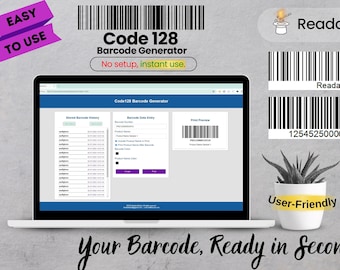
Code128 Barcode Generator with Product, Inventory, and Excel Save Feature
Sale Price $7.18
Original Price $11.96
-
Digital download
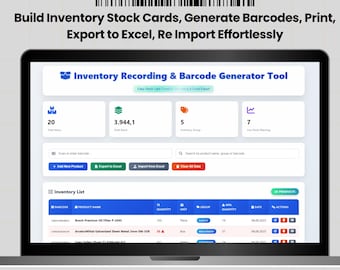
Build Inventory & Stock Cards, Generate Barcodes, Print, Export to Excel, Re Import Effortlessly
Sale Price $9.61
Original Price $16.02
-
Digital download
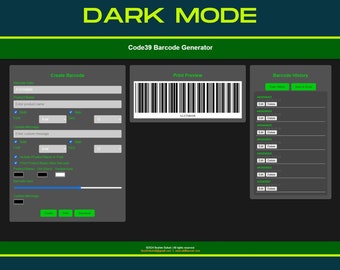
Code39 Barcode Generator - Customizable Barcodes and Product Labels
Sale Price $3.08
Original Price $5.13
-
Digital download
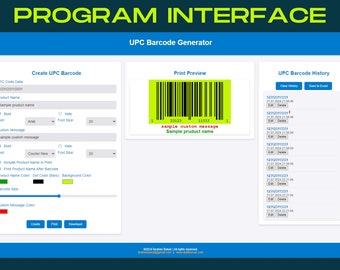
UPC Barcode Generator Software | Customizable Colors and Fonts | Includes QR Code and Message
Sale Price $7.18
Original Price $11.96
-
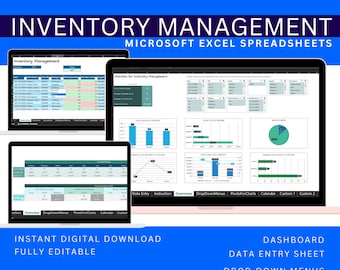
Digital download
Excel Template Inventory Management, Stock Tracker Dashboard, Warehouse Inventory Control Spreadsheet Digital Download
$9.99
-
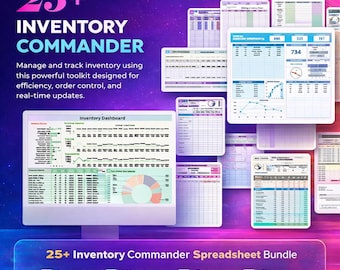
Digital download
Inventory Management Template Bundle | 25+ Stock Tracker Spreadsheets | Excel & Google Sheets | Inventory Control System
Sale Price $2.12
Original Price $3.26
-
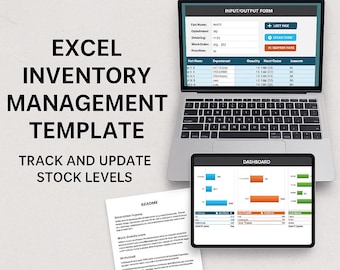
Digital download
Simple Excel Inventory Management Template | Stock Control Dashboard | Add, Deduct, Remove Parts & Auto Reports
Sale Price $10.68
Original Price $21.36
-
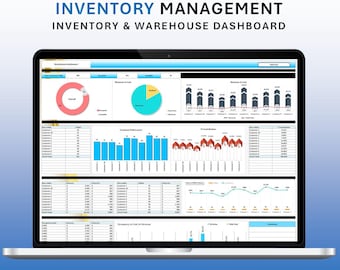
Digital download
Inventory & Warehouse Management Excel Dashboard (Digital Download)
Sale Price $4.62
Original Price $11.53
-
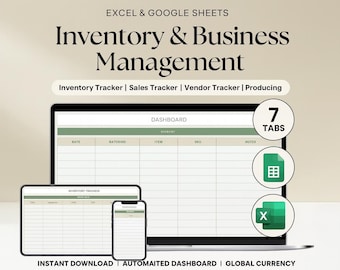
Digital download
Inventory Tracker Excel & Google Sheets | Stock Management, Sales Tracker, Automated Dashboard Template
Sale Price $6.13
Original Price $12.26
-
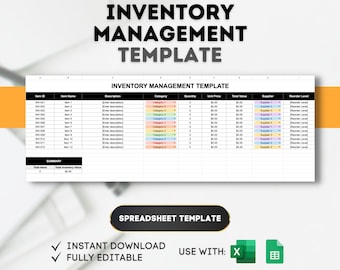
Digital download
Inventory Management Template: Stock Control Spreadsheet (Excel, Google Sheets)
Sale Price $1.75
Original Price $6.99
-
Digital download
Warehouse Stock List Excel Template: Inventory Tracker (Digital Download)
$6.99
-
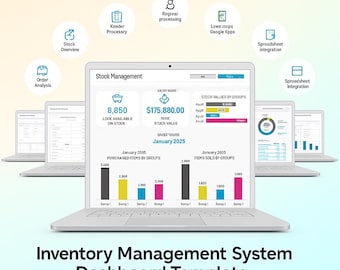
Digital download
Inventory Management System Dashboard Template — Excel & Google Sheets Stock Tracker
Sale Price $4.89
Original Price $6.99
-
Digital download
Warehouse Inventory Tracker: Excel & Google Sheets Template with Reorder Alerts
Sale Price $9.99
Original Price $14.28
-
Digital download
Stock Inventory Tracker | Inventory Management Spreadsheet | Google Sheets Business Inventory Template
$11.99
-
Digital download
Inventory Management | Excel Stock Tracker & Product Dashboard
Sale Price $23.20
Original Price $29.00
-
Digital download
Online Inventory Management System
$3,810.97
Shoppers with similar taste loved these
-
Digital download
Workflow Task Tracker Spreadsheet, Google Sheets To Do List and Deadlines Calendar, Digital Workflow with Project Management Dashboard
$14.20
-
Digital download
To Do List Checklist Task Manager Tracker Checklist Excel & Google Sheets Productivity Planner Daily Weekly Monthly Planner Digital Template
Sale Price $2.00
Original Price $5.00
-
Digital download
Project Management Google Sheets Template: Gantt Chart, Kanban (Digital Download)
Sale Price $12.99
Original Price $19.99
-
Digital download
Eisenhower Matrix and Decision Matrix: Google Sheets & Excel Template (Digital Download)
Sale Price $5.99
Original Price $7.99
-
Digital download
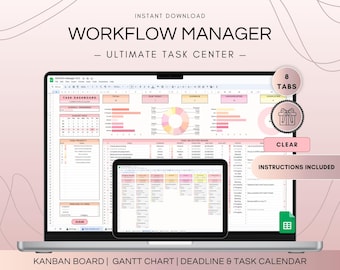
Multi Project Management Dashboard and Activity Tracker Spreadsheet, Google Sheets Kanban Board and Gantt Chart Planner, To-Do List Template
$18.70
-
Digital download
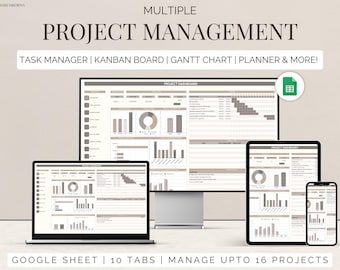
Team project tracker google sheets task management timeline planner Kanban board Gantt chart task tracker to do checklist business dashboard
Sale Price $3.20
Original Price $7.99
-
Digital download
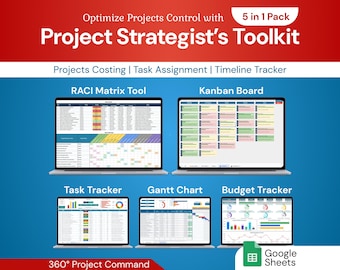
Project Strategist's Toolkit 5in1 Pack | Google Sheet Template
Sale Price $12.60
Original Price $21.00
-
Digital download
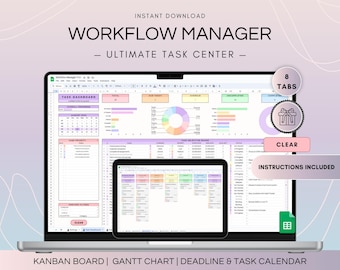
Workflow Project Management Spreadsheet, Google Sheets Kanban Board and Gantt Chart, To Do List Template, Project Plan and Weekly Schedule
$18.70
-
Digital download
Task Tracker Google Sheet To-Do List template daily routine planner to do checklist spreadsheet task management productivity tool
Sale Price $1.20
Original Price $3.00
-
Digital download
Excel multi project management template google sheets team task manager work organization To-Do List Timeline Planner kanban Gantt chart
Sale Price $4.40
Original Price $10.99
-
Digital download
Project Management Template for Google Sheets Task Tracker, Kanban Board & Gantt Chart for Team and Personal Planning Workflow Planner
Sale Price $7.20
Original Price $17.99
-
Digital download
Multi Project Management Tracker Template for Small Business Client Tracker Google Sheets Gantt Chart Template Project Budget Kanban Board
Sale Price $11.97
Original Price $23.95


